
On this page
- Quick Reference
- What the Control Asks For
- Why It Matters
- Scope and Applicability
- Key Definitions
- Relationship to Other Controls
- Implementation Roadmap
- Detailed Guidance
- Tools and Technologies
- Policy Templates and Documentation
- Risk Assessment
- Audit and Assessment Checklist
- Metrics and KPIs
- Common Pitfalls and How to Avoid Them
- Illustrative Scenarios
- Multi-Framework Mapping
- Regulatory and Compliance Context
- RACI Matrix
- Documentation and Record Keeping
- Continuous Improvement
- Frequently Asked Questions
- References and Further Reading
Quick Reference
| Attribute | Detail |
|---|---|
| Control Number | A.5.9 |
| Control Title | Inventory of Information and Other Associated Assets |
| ISO 27001:2022 Domain | Organizational Controls (5) |
| Control Type | Preventive |
| Information Security Attribute | Confidentiality, Integrity, Availability |
| Maturity Model Level | Level 1–5 (see the maturity model below) |
| Typical Implementation Time | 2–4 months for initial inventory; ongoing maintenance |
| Main cost drivers | Tools, staff time, discovery |
| Primary Owner | CISO / Head of Information Security |
| Key Stakeholders | IT, Finance, Procurement, HR, Facilities, Legal, Compliance |
| Audit Frequency | Quarterly review + annual complete assessment |
| ISO 27002 attributes | Control type: Preventive · Properties: Confidentiality, Integrity, Availability · Concepts: Identify · Capabilities: Asset management · Domains: Governance and ecosystem, Protection |
What the Control Asks For
In short:
ISO 27001:2022 Annex A 5.9 asks organizations to build and keep an up-to-date register of information and related assets, each with an assigned owner.
Do you need this control?
A.5.9 is not mandatory in itself: under clause 6.1.3 you include it if your risk assessment calls for it, and record the decision in your Statement of Applicability. Almost every organisation includes it, because the risk assessment required by clause 6.1.2 is hard to do well without knowing your assets and owners. The inventory can be light: a spreadsheet for a small company, a CMDB for a large one.
This control requires organizations to:
- Identify all assets: information, systems, hardware, software, services, and supporting infrastructure that are relevant to information security
- Develop a complete inventory: a structured, documented record of all identified assets
- Maintain the inventory: keep it current through regular updates, change management integration, and periodic reviews
- Assign ownership: each asset should have a designated owner responsible for its protection
- Classify assets: each asset takes the classification of the information associated with it (A.5.12); this is an asset-owner duty
- Use it in risk work: most organisations use the inventory as an input to risk assessment (good practice; ISO does not require asset-based risk assessment)
What ISO 27002 adds (in our words): the inventory should be accurate, up to date and consistent with other inventories, kept so by regular reviews or by updating it automatically when assets are installed, changed or removed; include location where appropriate; it can be a set of inventories (information, hardware, software, VMs, facilities, people, competences, records) at a sensible level of detail (short-lived VMs need not be listed individually). Assign an owner (an individual or group with approved management responsibility, not legal ownership) when an asset is created or acquired, and reassign when owners leave. Owners make sure assets are inventoried, classified and protected, review classification periodically, keep supporting components linked, ensure acceptable-use rules exist, restrict access in line with the access control policy and review it, handle deletion and disposal securely, take part in risk identification, and support people who manage their information.
The inventory is not merely an IT asset list, it is a security-focused asset register that includes information assets, intangible assets, and assets that support information processing, not just hardware.
Why It Matters
You Cannot Protect What You Do Not Know
The fundamental principle of information security is that protection requires knowledge. An organization with 500 employees, 50 cloud services, 200 servers, and thousands of endpoints cannot implement effective security controls without knowing what exists, where it is, who owns it, and what it contains. The 2021 Microsoft Exchange Server vulnerability (ProxyLogon) demonstrated this: organizations with complete asset inventories identified and patched vulnerable servers in days; those without inventories discovered compromised servers weeks or months later.
Risk Assessment Foundation
ISO 27001 requires risk assessment (clause 6.1.2) but does not require it to be asset-based: since the 2013 edition you can identify risks by events or scenarios, and ISO/IEC 27005:2022 describes both event-based and asset-based approaches. Even so, an inventory makes either approach far easier, because you need to know what could be affected.
Incident Response Efficiency
During a security incident, the response team must quickly identify affected systems, data locations, and dependencies. A well-maintained asset inventory shortens incident response, because responders don't have to discover what exists while under pressure. When the 2023 MOVEit Transfer vulnerability was disclosed, organizations with accurate asset inventories identified affected file transfer systems within hours and began containment immediately. Organizations without inventories spent days scanning networks and interviewing staff to identify affected systems.
Compliance and Audit Requirements
Virtually all security frameworks and regulations require asset inventory:
- RBI Cybersecurity Framework requires banks to maintain asset inventories with classification
- SEBI requires market infrastructure entities to document critical assets
- PCI DSS requires asset inventory for cardholder data environments
- SOC 2 requires asset tracking for system monitoring and change management
- DPDP Act 2023 (most duties from about May 2027) makes it essential to know where personal data resides, to meet erasure, breach-intimation and rights requests
Cost Optimization and Licensing
Accurate asset inventory enables:
- Software license optimization: avoiding over-licensing and audit penalties
- Hardware lifecycle management: retiring obsolete assets that create security risks
- Cloud cost management: identifying unused or underutilized cloud resources
- Insurance accuracy: ensuring cyber insurance coverage reflects actual assets
Shadow IT Discovery
Modern organizations use dozens of cloud services and SaaS applications outside formal IT governance. Gartner reported in 2022 that about 41% of employees acquire, modify or create technology outside IT's visibility ("shadow IT"), applications purchased and managed by business units without IT knowledge. These unmanaged applications create significant security risks: unpatched vulnerabilities, data leakage, lack of access controls, and compliance gaps. Asset inventory processes must include shadow IT discovery.
Supply Chain and Third-Party Risk
Asset inventory extends to assets managed by third parties: cloud infrastructure, SaaS applications, managed services, and outsourced processing. A pharmaceutical company in Hyderabad discovered through asset inventory that 12 cloud services processing clinical trial data were managed by third parties without formal security assessments, a critical gap that was immediately remediated.
Business Continuity and Disaster Recovery
Business continuity planning requires knowing which assets are critical, where they are located, and what dependencies exist. During the 2020 COVID-19 lockdown, organizations with accurate asset inventories were able to rapidly transition to remote work by knowing exactly which systems needed priority access, which data required backup, and which infrastructure supported business-critical processes.
Mergers, Acquisitions, and Divestitures
Asset inventory is essential for M&A due diligence. An acquiring company needs to understand the target's assets, their security posture, and associated risks. A manufacturing company in Pune acquired a smaller competitor and discovered, through asset inventory during due diligence, that the target was running 30 end-of-life Windows Server 2003 systems with no security patches, a ** remediation cost** that was factored into the acquisition price.
Data Protection and Privacy
The DPDP Act 2023 and global privacy regulations require organizations to know where personal data is stored, processed, and transmitted. Asset inventory is the prerequisite for data mapping and privacy impact assessments. Without knowing which systems handle personal data, organizations cannot implement data protection controls, respond to data subject requests, or comply with breach notification requirements.
Scope and Applicability
In Scope
The asset inventory must include:
Information Assets:
- Databases and data repositories
- File shares and document repositories
- Application data and configurations
- Source code and intellectual property
- Customer data, employee data, financial data
- Backup data and archives
- Logs and audit trails
- Email systems and communication records
- Documents and records (physical and digital)
Hardware Assets:
- Servers (physical, virtual, cloud)
- Desktop and laptop computers
- Mobile devices and tablets
- Network equipment (routers, switches, firewalls, APs)
- Storage devices and SAN/NAS systems
- Security appliances (IDS/IPS, SIEM, DLP)
- IoT devices and industrial control systems
- Peripherals (printers, scanners, UPS)
- Backup media and tapes
- Physical security equipment (CCTV, access control)
Software Assets:
- Operating systems
- Application software (business applications, databases, middleware)
- Security software (antivirus, EDR, DLP, encryption)
- Development tools and platforms
- Utility software and system management tools
- Cloud services and SaaS applications
- Mobile applications
- Open-source components and libraries
- Firmware and embedded software
Service Assets:
- Cloud services (IaaS, PaaS, SaaS)
- Managed security services
- Hosting and colocation services
- Network and telecom services
- Outsourced development and support services
- Consulting and advisory services
- Maintenance and support contracts
Intangible Assets:
- Domain names and DNS records
- SSL/TLS certificates
- API keys and credentials
- Intellectual property (patents, trademarks, trade secrets)
- Licenses and contractual rights
People Assets:
- Personnel with specialized security skills
- Key personnel with access to critical systems
- Contractors and third-party staff with internal access
Physical Assets:
- Office buildings and data centers
- Cabling and network infrastructure
- Power and cooling systems
- Furniture and equipment housing information systems
Organizational Size Considerations
Small Organizations (≤50 employees):
- Manual inventory using spreadsheets or basic tools
- Focus on critical assets: servers, cloud services, key applications, customer data
- Annual review with event-triggered updates
- Single asset owner (typically IT lead or business owner)
Medium Organizations (50–500 employees):
- Automated discovery tools for network and cloud assets
- Structured inventory database or CMDB (Configuration Management Database)
- Quarterly reviews with change management integration
- Asset owners per department or system
- Shadow IT discovery programs
Large Organizations (≥500 employees):
- Enterprise asset management platforms
- Continuous discovery and monitoring
- Real-time inventory updates through automated integration
- Dedicated asset management team or function
- Complete lifecycle management
- Integration with ITSM, GRC, and security tools
- Budget: –+ annually
Asset Ownership Model
| Asset Type | Typical Owner | Security Responsibility |
|---|---|---|
| Business Applications | Business Unit Head / Application Owner | Ensures application security controls, access management, data classification |
| Infrastructure | IT Infrastructure Manager | Ensures patch management, configuration security, monitoring |
| Network Equipment | Network Manager | Ensures network segmentation, access control, logging |
| Cloud Services | Cloud Architect / DevOps Lead | Ensures cloud security configuration, IAM, data protection |
| Security Tools | CISO / Security Manager | Ensures tool effectiveness, tuning, integration |
| Data | Data Owner (Business Unit) | Ensures data classification, access control, retention |
| Physical Assets | Facilities Manager | Ensures physical security, access control, environmental protection |
| Third-Party Services | Procurement / Vendor Manager | Ensures contractual security requirements, SLA compliance |
| Development Assets | Development Manager | Ensures secure coding, repository security, access control |
| End-User Devices | Department Manager / IT | Ensures endpoint protection, encryption, patching |
Key Definitions
| Term | Definition |
|---|---|
| Asset | Anything that has value to the organization and requires protection, including information, hardware, software, services, people, and intangible items |
| Information Asset | Data, information, knowledge, or intellectual property that has value to the organization |
| Asset Inventory | A complete, structured record of all assets, including their attributes, ownership, location, classification, and protection requirements |
| Asset Owner | The individual or role accountable for an asset's protection, proper use, and lifecycle management |
| Asset Classification | The process of assigning security labels to assets based on their sensitivity, value, and criticality (linked to A.5.12) |
| Configuration Management Database (CMDB) | A database that contains all relevant information about the hardware and software components used in an organization's IT services and the relationships between those components |
| Shadow IT | Information technology systems, devices, software, applications, and services used within an organization without explicit IT department approval or knowledge |
| Asset Discovery | The process of automatically identifying and cataloging assets on a network or in cloud environments |
| Asset Lifecycle | The stages an asset passes through from acquisition/provisioning through operation, maintenance, and eventual retirement/disposal |
| Critical Asset | An asset whose compromise, loss, or unavailability would have a significant adverse impact on the organization's operations, reputation, or compliance |
| Data Asset | Information stored in any format, including databases, documents, files, records, and knowledge repositories |
| Service Asset | A capability or function delivered by a provider (internal or external) that supports the organization's information processing |
| Asset Tagging | The practice of physically or digitally labeling assets with unique identifiers for tracking and inventory purposes |
| Asset Depreciation | The reduction in value of an asset over time, relevant for financial tracking and replacement planning |
| Disposal | The process of securely removing an asset from service, including data destruction and physical destruction where required |
| Asset Relationship | The dependency or connection between assets (e.g., an application depends on a database and a server) |
Relationship to Other Controls
Directly Related Controls
| Control | Relationship |
|---|---|
| A.5.12 Classification of Information | Asset inventory provides the scope for classification; every asset must be classified to determine protection requirements. |
| A.5.10 Acceptable Use of Information | Asset inventory identifies assets subject to acceptable use policies. |
| A.5.11 Return of Assets | Asset inventory tracks assets that must be returned upon employee termination or contract end. |
| A.5.13 Labeling of Information | Asset inventory identifies assets that require labeling based on classification. |
| A.5.15 Access Control | Asset inventory defines what assets require access control and who should have access. |
| A.5.22 Monitoring, Review and Evaluation | Asset inventory identifies systems that must be monitored and reviewed. |
| A.5.37 Documented Operating Procedures | Asset inventory is a foundational document for operational procedures. |
| A.8.1 User Endpoint Devices | Asset inventory includes all endpoint devices requiring protection. |
| A.8.2 Privileged Access Rights | Asset inventory identifies systems and accounts with privileged access. |
| A.8.8 Management of Technical Vulnerabilities | Asset inventory identifies systems that must be scanned for vulnerabilities. |
| A.8.13 Information Backup | Asset inventory identifies data and systems requiring backup. |
| A.8.15 Logging | Asset inventory identifies systems that must generate and retain logs. |
| A.8.16 Monitoring Activities | Asset inventory identifies assets to be monitored. |
| A.8.31 Development, Testing & Production Environments | Asset inventory includes all environments and their separation. |
| A.8.23 Web Filtering | Asset inventory identifies systems requiring web filtering. |
| A.8.24 Use of Cryptography | Asset inventory identifies data and systems requiring encryption. |
| A.8.25 Secure Development Life Cycle | Asset inventory includes development assets, repositories, and tools. |
| A.8.28 Secure Coding | Asset inventory includes code repositories and development environments. |
| A.5.30 ICT Readiness for Business Continuity | Asset inventory identifies critical assets for business continuity planning. |
Indirectly Related Controls
| Control | Relationship |
|---|---|
| A.5.7 Threat Intelligence | Asset inventory helps prioritize threat intelligence application to specific assets. |
| A.5.21 Information Security in ICT Supply Chain | Asset inventory includes third-party services and managed assets. |
| A.5.19 Information Security in Supplier Relationships | Asset inventory tracks supplier-managed assets. |
| A.6.3 Information Security Awareness Training | Asset inventory helps target training to owners of sensitive assets. |
| A.6.8 Information Security Event Reporting | Asset inventory helps identify affected assets during events. |
| A.7.1 Physical Security Perimeters | Asset inventory identifies physical locations requiring protection. |
| A.7.8 Equipment Siting and Protection | Asset inventory includes physical assets and their locations. |
Implementation Roadmap
Figure · Matrix
Comparison: 1–2 to 7–8
Figure · Timeline
Rollout in order
- 1–2Define asset inventory scope, policy
- 3–4Deploy automated discovery tools
- 5–6Conduct manual surveys
- 7–8Consolidate and deduplicate asset data
Phase 1: Discovery and Baseline (Months 1–2)
| Week | Activity | Deliverable |
|---|---|---|
| 1–2 | Define asset inventory scope, policy, and classification scheme | Asset Inventory Policy v1.0 |
| 3–4 | Deploy automated discovery tools (network scanners, cloud inventory tools) | Initial automated asset list |
| 5–6 | Conduct manual surveys for non-discoverable assets (physical, cloud shadow IT) | Manual asset survey results |
| 7–8 | Consolidate and deduplicate asset data; establish baseline | Baseline Asset Inventory v1.0 |
Phase 2: Enrichment and Ownership (Months 2–3)
| Week | Activity | Deliverable |
|---|---|---|
| 9–10 | Assign asset owners and custodians for all assets | Asset ownership register |
| 11–12 | Classify assets based on sensitivity and criticality | Asset classification records |
| 13–14 | Document asset relationships and dependencies | Asset dependency map |
| 15–16 | Enrich inventory with security attributes (patch status, encryption, etc.) | Enriched asset inventory |
Phase 3: Operationalization (Months 3–4)
| Week | Activity | Deliverable |
|---|---|---|
| 17–18 | Integrate inventory with change management and procurement | Inventory integration procedures |
| 19–20 | Implement shadow IT discovery program | Shadow IT discovery report |
| 21–22 | Establish quarterly review process and triggers | Inventory review schedule |
| 23–24 | Train asset owners and IT staff on inventory maintenance | Training records and materials |
Phase 4: Continuous Improvement (Ongoing)
| Month | Activity | Deliverable |
|---|---|---|
| Monthly | Automated discovery scans and reconciliation | Monthly asset change reports |
| Quarterly | Asset owner review and inventory accuracy check | Quarterly inventory review reports |
| Annually | Complete inventory audit and CMDB validation | Annual inventory audit report |
| Event-triggered | Inventory updates for major changes (M&A, cloud migration, divestiture) | Event-triggered inventory updates |
Detailed Guidance
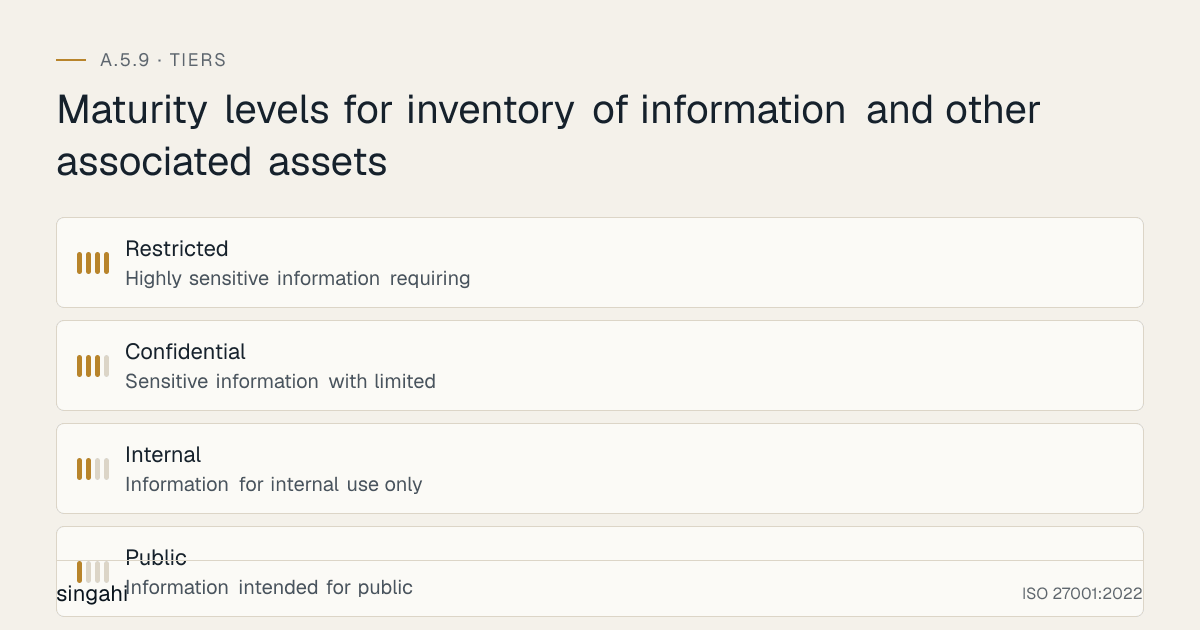
Figure · Tiers
Maturity levels for inventory of information and other associated assets
Asset Discovery Methods
Automated Network Discovery:
- Network scanning tools (Nmap, OpenVAS, Nessus) for IP-based asset discovery
- SNMP sweeps for network equipment identification
- Active Directory enumeration for Windows-based assets
- DHCP log analysis for dynamic asset identification
- DNS enumeration for domain and subdomain discovery
- Certificate transparency logs for discovering web-facing assets
Cloud Discovery:
- Cloud provider APIs (AWS Config, Azure Resource Graph, GCP Asset Inventory) for IaaS/PaaS asset discovery
- Cloud Access Security Broker (CASB) for SaaS application discovery
- Cloud security posture management (CSPM) tools for cloud asset inventory
- API key and credential scanning for cloud service connections
Agent-Based Discovery:
- Endpoint agents (EDR, MDM, inventory agents) for detailed endpoint information
- Agent-based scanning for installed software, configurations, and hardware details
- Continuous monitoring through installed agents
Manual Discovery:
- Physical asset surveys and audits for non-networked assets
- Department interviews and questionnaires for shadow IT identification
- Procurement record review for purchased assets not yet deployed
- Documentation review for legacy systems and undocumented assets
- Third-party service inventories for outsourced assets
Passive Discovery:
- Network traffic analysis to identify communicating assets
- NetFlow/sFlow analysis for network asset mapping
- DNS query monitoring for service discovery
- Log analysis for asset identification
Asset Inventory Structure and Data Model
A complete asset inventory should capture:
Core Attributes (for all assets):
- Unique Asset ID (auto-generated or assigned)
- Asset Name and Description
- Asset Type (hardware, software, information, service, intangible, people, physical)
- Asset Category (server, database, application, cloud service, etc.)
- Asset Owner (accountable individual)
- Asset Custodian (operational manager)
- Location (physical location, data center, cloud region)
- Status (active, inactive, decommissioned, pending)
- Acquisition Date
- Expected End-of-Life / Retirement Date
- Cost / Value
- Criticality Rating (critical, high, medium, low)
- Classification Level (public, internal, confidential, restricted)
Hardware-Specific Attributes:
- Manufacturer and Model
- Serial Number / Asset Tag
- Hardware Specifications (CPU, RAM, Storage)
- IP Address / MAC Address
- Operating System and Version
- Warranty Information
- Maintenance Contract Details
- Physical Location (building, floor, room, rack)
Software-Specific Attributes:
- Software Name and Version
- License Type and Key
- License Count / Seats
- Installation Date
- Patch Level / Last Update
- Support Status (supported, end-of-life, unsupported)
- Vendor / Publisher
- Approved vs. Unapproved Status
- Installation Location (server, endpoint, cloud)
Information Asset Attributes:
- Data Type (customer, employee, financial, intellectual property, etc.)
- Data Format (database, file, document, email, etc.)
- Storage Location (system, database, file share, cloud)
- Data Owner (business unit)
- Retention Period
- Backup Status and Frequency
- Encryption Status
- Access Control Method
- Data Subject Categories (for privacy compliance)
Service Asset Attributes:
- Service Provider Name
- Service Type (IaaS, PaaS, SaaS, managed service)
- Contract Number and Start/End Dates
- SLA Details
- Security Requirements in Contract
- Data Processing Location (India, offshore, multi-region)
- Responsible Internal Contact
- Integration Points with Internal Systems
Intangible Asset Attributes:
- Domain Name / URL
- Certificate Expiration Date
- Certificate Authority
- API Key / Credential Identifier
- Intellectual Property Type and Registration Number
- License Expiration Date
- Renewal Process Owner
Shadow IT Discovery Program
Shadow IT is one of the biggest asset inventory challenges. Implement a structured discovery program:
Discovery Techniques:
- Network Traffic Analysis: Monitor for traffic to unknown cloud services and SaaS applications
- DNS Query Monitoring: Identify DNS queries to consumer cloud services, collaboration tools, and file sharing platforms
- Expense Report Review: Review procurement and expense reports for software subscriptions
- Email Scanning: Scan email for automated receipts from SaaS providers, account creation confirmations, and service notifications
- Proxy and Firewall Logs: Analyze outbound connections for unknown services
- CASB Deployment: Cloud Access Security Broker to discover and monitor cloud application usage
- User Surveys: Periodic surveys asking employees about applications they use for work
- SSO Integration Analysis: Review which applications are connected to single sign-on systems vs. standalone
Shadow IT Risk Assessment: Once discovered, assess each shadow IT application:
- Data Sensitivity: What organizational data is stored or processed?
- User Count: How many employees are using it?
- Business Function: Is it critical to business operations?
- Security Posture: Does the provider have adequate security controls?
- Compliance Impact: Does it violate regulatory requirements (data localization, privacy, etc.)?
- Integration Risk: Does it connect to other systems or share data?
Remediation Options:
- Sanction: Formalize the application through IT, implement security controls, and add to approved list
- Replace: Replace with an enterprise-grade, IT-managed alternative
- Restrict: Limit data types that can be used with the application
- Block: Prohibit usage if risks are unacceptable
- Monitor: Allow continued use with enhanced monitoring and data loss prevention
Asset Classification Integration
Asset inventory and classification (A.5.12) must work together:
Classification Levels:
| Level | Description | Examples | Protection Requirements |
|---|---|---|---|
| Public | Information intended for public disclosure | Marketing materials, website content, press releases | Basic integrity controls |
| Internal | Information for internal use only | Internal memos, HR policies, training materials | Access control, basic confidentiality |
| Confidential | Sensitive information with limited distribution | Customer data, financial reports, contracts, source code | Strong access control, encryption, monitoring |
| Restricted | Highly sensitive information requiring strict controls | Strategic plans, M&A data, encryption keys, classified government data | Strict need-to-know, encryption, DLP, enhanced monitoring, physical controls |
Classification Workflow:
- Asset inventory identifies all assets requiring classification
- Asset owner determines appropriate classification level
- Classification is recorded in the asset inventory
- Security controls are applied based on classification
- Periodic review ensures classification remains appropriate
- Classification changes are tracked through change management
Asset Lifecycle Management
Stages of Asset Lifecycle:
1. Planning and Acquisition:
- Security requirements defined before procurement
- Approved vendor list and security evaluation
- Budget approval tracking
- Asset added to inventory at acquisition
2. Provisioning and Deployment:
- Security baseline configuration applied
- Asset registered in inventory with all attributes
- Asset owner and custodian assigned
- Security controls implemented (access control, encryption, monitoring)
- Classification applied
- Acceptance testing and security verification
3. Operation and Maintenance:
- Ongoing monitoring and security maintenance
- Patch management and vulnerability remediation
- Regular security assessments
- Access reviews and recertification
- Backup and recovery verification
- Inventory updates for changes (upgrades, moves, reconfigurations)
4. Review and Assessment:
- Periodic security review (quarterly for critical assets, annually for others)
- Business value and usage assessment
- Risk assessment update
- Compliance verification
- Classification review
- Retirement planning
5. Retirement and Disposal:
- Data removal and sanitization (secure deletion, degaussing, physical destruction)
- Software license recovery and reallocation
- Asset status changed to "decommissioned" in inventory
- Physical asset disposal with appropriate records
- Disposal certificate and audit trail
- Final inventory update
Change Management Integration
The asset inventory must be automatically updated when changes occur:
Change Triggers for Inventory Updates:
- New asset procurement or deployment
- Asset retirement or disposal
- Asset relocation (physical or logical)
- Software installation or uninstallation
- Configuration changes affecting security attributes
- Ownership changes
- Classification changes
- End-of-life or end-of-support transitions
- Cloud resource provisioning or decommissioning
Integration Points:
- IT Service Management (ITSM) system, change requests automatically update inventory
- Procurement system, purchase orders trigger asset creation in inventory
- HR system, employee onboarding/offboarding triggers asset assignment/return
- Configuration Management, changes to CI attributes flow to inventory
- Cloud management platforms, auto-discovery and inventory synchronization
- Vulnerability Management, scan results update asset security attributes
- Patch Management, patch status updates asset records
Cloud Asset Management
Cloud environments require special inventory approaches:
Multi-Cloud Inventory:
- AWS: AWS Config, AWS Systems Manager Inventory, AWS Resource Groups
- Azure: Azure Resource Graph, Microsoft Purview, Microsoft Defender for Cloud asset inventory
- GCP: Cloud Asset Inventory, Security Command Center
- Multi-cloud: CloudHealth, Flexera, Torii, Zylo, or custom CMDB integrations
Cloud-Specific Considerations:
- Ephemeral Resources: Containers, serverless functions, and auto-scaling instances may exist for minutes or hours, inventory must capture them in real-time or near real-time
- Shared Responsibility: Clearly distinguish between cloud provider-managed assets and customer-managed assets
- Data Residency: Track which regions and availability zones store data for compliance with data localization requirements (sector rules such as RBI and SEBI; CERT-In logs; contracts)
- Container and Kubernetes Inventory: Track container images, registries, clusters, and orchestration assets
- API and Microservices Inventory: Catalog APIs, microservices, and their dependencies
- Cloud Cost Attribution: Link cloud assets to business units, cost centres for accountability
Cloud Tagging Strategy: Implement a standardized tagging scheme for all cloud resources:
Owner, Asset owner responsible for the resourceEnvironment, Production, staging, development, testingCostCenter, Budget attributionDataClassification, Public, internal, confidential, restrictedComplianceScope, PCI, SOC2, ISO27001, etc.Criticality, Critical, high, medium, lowEndOfLife, Expected retirement dateBackupRequired, Yes/NoMonitoringRequired, Yes/No
Physical Asset Management
Physical assets require specialized inventory approaches:
Physical Asset Tracking:
- Barcode or RFID tagging for all physical assets
- Regular physical audits (quarterly or semi-annually)
- Sign-out/sign-in procedures for mobile assets (laptops, tablets, test equipment)
- Asset movement tracking (between buildings, floors, or departments)
- Disposal tracking with certificates of destruction
Sensitive Physical Assets:
- Servers and network equipment in data centers
- Backup media and tapes
- Development and testing equipment with source code or customer data
- Mobile devices with access to sensitive systems
- Test equipment with production data
- USB drives and removable media
- Physical security equipment (CCTV, access control systems)
Physical Asset Security Considerations:
- Physical access control and logging
- Environmental monitoring (temperature, humidity, power)
- Surveillance and monitoring
- Secure disposal procedures (shredding, degaussing, physical destruction)
- Offsite storage tracking for backup media and archives
Tools and Technologies
Enterprise Asset Management Platforms
| Platform | Type | Key Features | Pricing model |
|---|---|---|---|
| ManageEngine AssetExplorer | IT asset management | Asset tracking, purchase management, depreciation, CMDB | Commercial |
| Snipe-IT | Open-source asset management | Open-source, self-hosted, barcode/QR support, depreciation | Free (self-hosted) |
| GLPI | Open-source ITSM | Open-source, ITSM, asset management, help desk integration | Free (self-hosted) |
| Ralph | Open-source DCIM/CMDB | Data center asset management, cloud discovery, lifecycle tracking | Free (self-hosted) |
| NetBox | Open-source IPAM/DCIM | IP address management, data center infrastructure, cable management | Free (self-hosted) |
Cloud Asset Management Tools
| Tool | Cloud Focus | Key Features |
|---|---|---|
| AWS Config | AWS | Resource inventory, configuration history, compliance rules |
| Azure Resource Manager | Azure | Resource discovery, tagging, policy enforcement |
| GCP Asset Inventory | GCP | Asset search, monitoring, resource tracking |
| CloudHealth (VMware) | Multi-cloud | Cost management, security, compliance, governance |
| Flexera One | Multi-cloud | Asset discovery, optimization, SaaS management |
| Torii | SaaS | SaaS discovery, optimization, lifecycle management |
| Zylo | SaaS | SaaS management, license optimization, shadow IT discovery |
| Netskope CASB | Cloud/SaaS | Cloud discovery, DLP, threat protection, shadow IT |
| Microsoft Defender for Cloud Apps | Cloud/SaaS | Cloud app discovery, security assessment, DLP |
Network Discovery and Scanning Tools
| Tool | Purpose | Notes |
|---|---|---|
| Nmap | Network scanning and discovery | Free, open-source, complete |
| OpenVAS | Vulnerability scanning with asset discovery | Free, open-source |
| Nessus | Commercial vulnerability and asset scanning | Industry standard, complete |
| Qualys | Cloud-based asset discovery and vulnerability management | Enterprise-grade, agent and agentless |
| Rapid7 InsightVM | Vulnerability management with asset discovery | Enterprise-grade, integrated with Metasploit |
| Tenable.io | Cloud-based vulnerability and asset management | Complete, enterprise-grade |
| Shodan | Internet-facing asset discovery | Commercial tool for discovering exposed assets |
| Censys | Internet asset discovery and monitoring | Academic and commercial use |
Endpoint and Agent-Based Inventory
| Tool | Type | Key Features |
|---|---|---|
| Microsoft Endpoint Configuration Manager (MECM) | Endpoint management | Complete Windows endpoint inventory and management |
| Microsoft Intune | Cloud endpoint management | Cross-platform endpoint management, app inventory |
| Jamf Pro | Apple device management | macOS and iOS inventory and management |
| Google Workspace | Cloud endpoint | Chromebook and Google Workspace asset management |
| OCS Inventory | Open-source inventory | Cross-platform, agent-based, open-source |
| FusionInventory | Open-source inventory | Agent-based, GLPI integration, open-source |
| osquery | Endpoint visibility | Open-source, SQL-based endpoint querying, inventory |
| Wazuh | Security monitoring + inventory | Open-source, endpoint security with inventory capabilities |
Data Discovery and Classification Tools
| Tool | Purpose | Key Features |
|---|---|---|
| Microsoft Purview | Data governance | Data catalog, classification, lineage, sensitive data discovery |
| Varonis | Data security | Data classification, access analytics, sensitive data discovery |
| Spirion | Data privacy | Sensitive data discovery, classification, privacy compliance |
| Digital Guardian | DLP + data discovery | Data discovery, classification, endpoint and network DLP |
| BigID | Data privacy | Data discovery, classification, privacy automation |
| Open-source alternatives | Basic discovery | Nmap, OpenVAS, custom scripts for basic data discovery |
Custom and Script-Based Solutions
For organizations with budget constraints, custom solutions can be built:
- Python + SQLite/PostgreSQL: Custom inventory database with automated discovery scripts
- PowerShell: Windows environment discovery and inventory scripts
- Bash + Ansible: Linux/Unix environment discovery and inventory
- Cloud APIs + Python: Custom cloud asset inventory using AWS/Azure/GCP APIs
- Grafana + Prometheus: Monitoring-integrated asset tracking
- ELK Stack: Log-based asset discovery and inventory
Policy Templates and Documentation
Asset Management Policy (Template)
Template
Asset Management Policy
1. Purpose
This policy establishes the framework for identifying, inventorying, classifying, and managing information and other assets to ensure appropriate security protection throughout their lifecycle.
2. Scope
Applies to all assets that store, process, or transmit organizational information, including hardware, software, information, services, intangible assets, and physical assets.
3. Policy Statements
3.1 Asset Identification:
- All assets within scope must be identified and recorded in the asset inventory
- Asset discovery is conducted using automated and manual methods
- Shadow IT discovery is performed quarterly
- New assets are added to inventory before deployment
3.2 Asset Ownership:
- Every asset must have a designated owner accountable for its protection
- Asset owners are responsible for classification and access control; residual risk is accepted by risk owners (who may or may not be asset owners)
- Asset custodians are responsible for operational security and maintenance
- Ownership is documented in the asset inventory and reviewed annually
3.3 Asset Classification:
- All assets are classified according to the Information Classification Policy (A.5.12)
- Classification determines the required security controls
- Classification is reviewed annually and upon significant change
- Downgrading classification requires owner and CISO approval
3.4 Asset Lifecycle:
- Assets are managed through a defined lifecycle: planning, acquisition, deployment, operation, review, and disposal
- Security requirements are defined at the planning stage
- Security baselines are applied during deployment
- Regular security reviews occur during operation
- Secure disposal procedures are followed at end-of-life
3.5 Inventory Maintenance:
- The asset inventory is maintained in a centralized system with appropriate access control
- Changes to assets are updated in inventory through change management integration
- Inventory accuracy is verified quarterly
- The inventory is reviewed annually for completeness and currency
3.6 Acceptable Use:
- Assets are used only for authorized purposes in accordance with Acceptable Use Policy (A.5.10)
- Unauthorized software installation is prohibited
- Personal use of organizational assets is restricted
- Asset misuse is subject to disciplinary action
4. Roles and Responsibilities
- CISO: Overall asset management program ownership
- IT Director: Infrastructure and hardware asset management
- Application Owners: Business application and data asset ownership
- Procurement: Vendor and contract asset management
- HR: Personnel asset management and access lifecycle
- Facilities: Physical asset management
- All Employees: Responsible use and protection of assigned assets
5. Violations
Unauthorized asset use, failure to register assets, or circumvention of asset management controls may result in disciplinary action.
6. Review
This policy is reviewed annually and updated as needed.
Approved by: _______________ Date: _______________ CISO / Board
Asset Inventory Register Template (Excel/Database)
A complete asset inventory should be maintained in a structured format (spreadsheet for small organizations, database/CMDB for larger ones). The template should include columns for:
- Asset ID, Name, Type, Category
- Owner, Custodian, Location
- Status, Acquisition Date, End-of-Life Date
- Manufacturer, Model, Serial Number, Asset Tag
- IP Address, MAC Address, Hostname
- Operating System, Software Version, Patch Level
- License Key, License Type, License Count
- Classification, Criticality, Compliance Scope
- Data Types, Retention Period, Encryption Status
- Backup Status, Monitoring Status
- Cloud Provider, Region, Resource ID (for cloud assets)
- Service Provider, Contract Number, SLA (for service assets)
- Cost, Depreciation, Business Unit, Cost Center
- Notes, Change History, Audit Trail
Risk Assessment
Figure · Risk grid
Inventory of information and other associated assets risks by likelihood and impact
Likelihood across · impact up
- Inventory becoming outdatedHigh/Medium
- Incomplete discoveryHigh/Medium
- Inventory data exposureMedium/High
- Inaccurate classificationMedium/High
- Resource drain from maintenanceMedium/Medium
- Over-scoping inventoryMedium/Low
Risks of NOT Maintaining Asset Inventory
| Risk | Likelihood | Impact | Risk Score | Mitigation |
|---|---|---|---|---|
| Unknown vulnerabilities | Very High | High | Critical | Implement asset discovery and vulnerability scanning |
| Unmanaged shadow IT | High | High | Critical | Deploy shadow IT discovery and CASB |
| Missing security controls | High | High | Critical | Asset inventory drives control implementation |
| Ineffective incident response | High | High | Critical | Inventory enables rapid incident scoping |
| Compliance gaps | High | High | Critical | Inventory demonstrates compliance scope |
| Data breach undetected | Medium | Very High | Critical | Inventory identifies data locations for monitoring |
| Unauthorized access | High | Medium | High | Inventory enables access control scope |
| Business continuity failures | Medium | High | High | Inventory identifies critical assets for continuity |
| License compliance violations | Medium | Medium | Medium | Inventory tracks software licenses |
| Budget inefficiency | High | Low | Medium | Inventory enables cost optimization |
Risks of Asset Inventory Processes
| Risk | Likelihood | Impact | Risk Score | Mitigation |
|---|---|---|---|---|
| Inventory becoming outdated | High | Medium | Medium | Automated discovery, change integration, regular reviews |
| Inventory data exposure | Medium | High | High | Access control, encryption, secure storage |
| Resource drain from maintenance | Medium | Medium | Medium | Automation, efficient tools, appropriate scope |
| Inaccurate classification | Medium | High | High | Classification training, owner accountability, review |
| Incomplete discovery | High | Medium | Medium | Multiple discovery methods, manual validation, shadow IT program |
| Over-scoping inventory | Medium | Low | Low | Clear scope definition, risk-based prioritization |
Risk Treatment Plan
| Risk | Treatment | Owner | Timeline |
|---|---|---|---|
| Unknown vulnerabilities | Deploy automated discovery and vulnerability scanning | CISO | 1 month |
| Shadow IT | Implement CASB and shadow IT discovery program | Security Manager | 2 months |
| Inventory data exposure | Implement access control and encryption for inventory | Security Manager | 1 month |
| Inaccurate classification | Train asset owners and implement classification review | CISO | 2 months |
| Incomplete discovery | Use multiple discovery methods and manual validation | IT Director | 3 months |
Audit and Assessment Checklist
Documentation Review
- Is there a documented Asset Management Policy?
- Is there a complete asset inventory covering all asset types?
- Are asset owners assigned for all assets?
- Is there a documented asset classification scheme?
- Are asset lifecycle procedures documented?
- Is there a shadow IT discovery program?
- Is there a secure disposal procedure?
- Are change management procedures linked to inventory updates?
- Is there evidence of periodic inventory reviews?
- Are asset management roles and responsibilities defined?
Implementation Review
- Does the inventory include hardware, software, information, services, and intangible assets?
- Is there evidence of automated discovery tools?
- Are cloud assets included in the inventory?
- Is there evidence of shadow IT discovery and remediation?
- Are asset classifications applied and recorded?
- Is there evidence of asset owner review and acceptance?
- Are newly acquired assets added to inventory before deployment?
- Are decommissioned assets properly removed from inventory?
- Is there evidence of secure disposal for retired assets?
- Are inventory updates triggered by change management?
Effectiveness Review
- What percentage of assets are accounted for in the inventory? (Target: ≥95%)
- What is the inventory accuracy rate? (Target: ≥90%)
- How many shadow IT applications were discovered and remediated in the last quarter?
- Are critical assets identified and prioritized?
- Is the inventory used to drive risk assessment, vulnerability management, and incident response?
- Are asset owners actively managing their assets?
- Is there evidence of cost optimization from inventory data?
- Are there unauthorized assets identified and addressed?
Metrics and KPIs
Figure · Measures
The measures that show A.5.9 is working
- Asset Inventory Coverage≥95%Monthly
- Critical Asset Coverage100%Monthly
- Shadow IT Discovery Rate≥10% reductionQuarterly
- Cloud Asset Coverage≥95%Monthly
- Software License Accuracy≥95%Quarterly
Inventory Coverage Metrics
| KPI | Formula | Target | Frequency |
|---|---|---|---|
| Asset Inventory Coverage | % of discoverable assets in inventory | ≥95% | Monthly |
| Critical Asset Coverage | % of critical assets in inventory with complete attributes | 100% | Monthly |
| Shadow IT Discovery Rate | Number of shadow IT applications discovered per quarter | ≥10% reduction QoQ | Quarterly |
| Cloud Asset Coverage | % of cloud resources inventoried vs. billed | ≥95% | Monthly |
| Software License Accuracy | % of installed software matching license records | ≥95% | Quarterly |
Inventory Accuracy Metrics
| KPI | Formula | Target | Frequency |
|---|---|---|---|
| Inventory Accuracy | % of inventory records verified as correct during audit | ≥90% | Quarterly |
| Asset Owner Accuracy | % of assets with verified, current owner | ≥95% | Quarterly |
| Classification Accuracy | % of assets with appropriate classification | ≥95% | Quarterly |
| Data Freshness | Average days since last inventory update | ≤30 days | Monthly |
| Stale Asset Rate | % of assets with no update in 90 days | ≤5% | Monthly |
Operational Metrics
| KPI | Formula | Target | Frequency |
|---|---|---|---|
| Time-to-Inventory (New Asset) | Days from deployment to inventory registration | ≤7 days | Per asset |
| Time-to-Removal (Retired Asset) | Days from retirement to inventory removal | ≤14 days | Per asset |
| Unmanaged Asset Rate | % of assets with no owner or incomplete data | ≤5% | Monthly |
| End-of-Life Asset Rate | % of assets past end-of-life or end-of-support | ≤10% | Quarterly |
| Unauthorized Software Rate | % of endpoints with unapproved software | ≤5% | Monthly |
Cost and Value Metrics
| KPI | Formula | Target | Frequency |
|---|---|---|---|
| Inventory Program Cost | Total annual cost of asset inventory program | ≤ | Annual |
| License Optimization Savings | efficiency gains from license optimization | Tracked | Annual |
| Cloud Cost Optimization | Savings from identifying unused cloud resources | Tracked | Annual |
| Incident Response Time | Reduction in incident response time due to inventory | ≥20% | Annual |
| Compliance Audit Efficiency | Time reduction in compliance audits due to inventory | ≥30% | Annual |
Security Impact Metrics
| KPI | Formula | Target | Frequency |
|---|---|---|---|
| Vulnerability Scan Coverage | % of inventoried assets scanned for vulnerabilities | ≥95% | Monthly |
| Patch Coverage | % of inventoried assets with current patches | ≥95% | Monthly |
| Access Control Coverage | % of inventoried assets with appropriate access controls | ≥95% | Quarterly |
| Monitoring Coverage | % of critical assets with security monitoring | 100% | Quarterly |
| Backup Coverage | % of critical data assets with verified backups | 100% | Weekly |
Common Pitfalls and How to Avoid Them
Scope Too Narrow
Pitfall: Inventory only includes IT hardware and ignores software, cloud services, data, and intangible assets. Impact: Significant security gaps in unmanaged areas, compliance failures, incomplete risk assessment. Solution: Define complete scope including all asset types. Use the asset type checklist in the scope section above.
Inventory Becomes Stale
Pitfall: Initial inventory created but never updated, becoming increasingly inaccurate over time. Impact: Decisions based on outdated information, missed assets, false confidence in security posture. Solution: Integrate with change management, automate discovery, conduct quarterly reviews, and set freshness targets.
No Asset Ownership
Pitfall: Assets listed in inventory but no owner assigned, leading to accountability gaps. Impact: No one responsible for security, classification, or lifecycle management. Assets become "orphaned." Solution: Mandate owner assignment before deployment. Include ownership in job descriptions and performance reviews. Conduct quarterly owner verification.
Ignoring Shadow IT
Pitfall: Shadow IT applications and cloud services are not discovered or inventoried. Impact: Unmanaged data exposure, compliance violations, security gaps, lack of incident response capability for unknown services. Solution: Implement CASB, network monitoring, and user surveys. Create a shadow IT discovery and remediation program.
Over-Engineering for Small Organizations
Pitfall: Implementing enterprise-grade CMDB and discovery tools for a 20-person company, wasting resources. Impact: High cost, complexity, and staff time for minimal security benefit. Solution: Right-size the inventory approach. Small organizations can use spreadsheets and manual processes. Invest in tools only when scale justifies it.
Inadequate Classification
Pitfall: Assets inventoried but not classified, or classified incorrectly. Impact: Inappropriate security controls, over-protection of low-value assets, under-protection of sensitive assets. Solution: Train asset owners on classification. Implement classification review. Link classification to control requirements.
Missing Relationships and Dependencies
Pitfall: Inventory lists assets in isolation without mapping relationships and dependencies. Impact: Inability to assess cascading impacts, poor incident response, ineffective business continuity planning. Solution: Map asset dependencies. Identify critical paths. Use service mapping or dependency visualization tools.
Poor Disposal Tracking
Pitfall: Retired assets removed from inventory but not securely disposed of, creating data exposure risk. Impact: Data leakage from discarded equipment, regulatory violations, incomplete audit trails. Solution: Implement secure disposal procedures with certificates of destruction. Track disposal in inventory. Conduct periodic disposal audits.
Treating Inventory as IT-Only
Pitfall: Asset inventory treated as an IT project with no business involvement. Impact: Business-critical assets missed, data ownership unclear, business units circumvent IT controls. Solution: Engage business units in inventory process. Assign business asset owners. Include business assets (documents, intellectual property, customer data).
No Integration with Security Operations
Pitfall: Inventory exists but is not used by security teams for vulnerability scanning, access control, or incident response. Impact: Inventory becomes a documentation exercise with no security value. Solution: Integrate inventory with SIEM, vulnerability scanner, IAM, and incident response platform. Use inventory to drive security operations.
Illustrative Scenarios
Illustrative scenario, a composite example for guidance, not a specific Singahi engagement or a verified outcome.
Illustrative Scenario 1: Indian NBFC, Asset Inventory Enables Rapid Ransomware Response and Regulatory Compliance
Organization: Non-Banking Financial Company (NBFC) with 300 employees, 25 branches, digital lending platform serving 50,000+ customers Sector: Financial Services (Regulated by RBI) Challenge: The NBFC had experienced rapid growth, acquiring multiple fintech platforms and expanding cloud infrastructure without systematic asset management. During a routine RBI cybersecurity examination, the organization was found to have no formal asset inventory, creating significant compliance gaps and inability to demonstrate security control coverage.
Implementation:
- CISO engaged an external security consultant to design and implement a complete asset inventory program
- Phase 1 (Weeks 1–4): Deployed Lansweeper for network discovery and AWS Config/Azure Resource Manager for cloud inventory
- Phase 2 (Weeks 5–8): Conducted manual surveys across all 25 branches to identify physical assets, branch-specific software, and local data storage
- Phase 3 (Weeks 9–12): Implemented shadow IT discovery using Netskope CASB, discovering 47 unauthorized SaaS applications
- Phase 4 (Weeks 13–16): Assigned asset owners, applied classification, and integrated inventory with ServiceNow for change management
Incident: Six months after inventory implementation, the NBFC was hit by a Conti ransomware variant. The attack encrypted files across multiple systems.
Response Enabled by Inventory:
- Within 30 minutes, the incident response team used the asset inventory to identify all affected systems, their owners, and the data they contained
- The inventory revealed that 3 critical database servers were affected, containing customer loan application data and KYC documents
- Asset owners were immediately contacted for recovery decisions
- The inventory's dependency mapping showed that the lending platform depended on the affected database cluster, explaining the business impact
- Backup status from the inventory confirmed that all 3 databases had encrypted backups from the previous night
- Shadow IT discovery found 2 unauthorised file-sharing services holding copies of affected data, which became a finding to remediate (recovery itself came from controlled backups)
- The classification data showed that affected data included "Confidential" customer financial information, triggering RBI notification requirements
Outcome:
- Complete recovery within 72 hours (vs. estimated 2+ weeks without inventory)
- RBI notification submitted within 6 hours with accurate scope and impact data
- Customer notification was precise and accurate, reducing panic and complaint volume
- No regulatory penalties, RBI examiners specifically praised the asset inventory and incident response capabilities during the next examination
- Insurance claim was processed faster because the inventory provided precise asset valuation and loss scope
Key Success Factors:
- Inventory was integrated with incident response workflows, not just a documentation exercise
- Asset owners were trained and empowered to make rapid recovery decisions
- Shadow IT copies were treated as a data-leakage finding, not a recovery method
- Classification data triggered appropriate regulatory notifications automatically
- Dependency mapping explained business impact and prioritized recovery
Lessons Learned:
- Asset inventory must be operationalized, not just documented
- Shadow IT discovery is essential, the "unknown unknowns" are the biggest risk
- Branch offices and remote locations often have the most unmanaged assets
- Integration with backup verification and change management creates compounding benefits
- Regulatory compliance is significantly easier with accurate asset inventory
Illustrative Scenario 2: Indian Healthcare Chain, Asset Inventory Supports DPDP Act Readiness and Patient Data Protection
Organization: Chain of 15 hospitals and 50 clinics across North India, handling 2,00,000+ patient records Sector: Healthcare (Regulated by NABH, CDSCO, and the DPDP Act, whose fiduciary duties apply from about May 2027) Challenge: The healthcare chain had grown through acquisitions, resulting in a fragmented IT landscape with no unified asset inventory. Each hospital had its own systems, databases, and local storage. Patient data was scattered across multiple systems, file servers, and even local desktops. The organization needed to prepare for the DPDP Act and demonstrate data protection capabilities.
Implementation:
- Conducted a complete asset and data discovery program across all 65 facilities
- Deployed Microsoft Purview for sensitive data discovery and classification
- Conducted manual audits of local file servers, desktops, and backup systems
- Mapped all patient data locations: HIS (Hospital Information System), LIS (Lab Information System), RIS (Radiology Information System), PACS (Picture Archiving), local file servers, and 200+ individual desktops with local storage
- Implemented a centralized CMDB with asset ownership, classification, and data type tracking
- Established quarterly asset review process with hospital IT administrators
Discovery and Impact:
- Discovered 12 HIS instances across the chain (some hospitals had their own, some shared)
- Found 847 desktops with local storage containing patient data (files, downloads, email attachments)
- Identified 23 cloud services used by various departments, 8 of which were unauthorized shadow IT
- Discovered 5 legacy Windows Server 2008 systems still storing patient lab results, unsupported and unpatched
- Found 15 unencrypted USB drives with patient data in use across departments
- Mapped that patient data was being transmitted to 3 third-party vendors (analytics, billing, cloud backup) without formal security assessments
Remediation:
- Migrated 847 desktops to centralized storage with DLP policies, eliminating local patient data storage
- Retired 5 legacy servers and migrated data to supported platforms
- Blocked 8 unauthorized cloud services and replaced with approved alternatives
- Implemented USB encryption and device control policies
- Conducted third-party security assessments for all 3 vendors
- Implemented data classification and automatic labeling for all patient data
- Established asset inventory-driven backup and recovery verification
Outcome:
- Patient data protection: 100% of patient data inventoried, classified, and protected according to sensitivity
- DPDP Act readiness: Complete data map supporting breach intimation without delay and the detailed report to the Board within 72 hours (DPDP Rules 2025)
- NABH accreditation: Asset inventory and data protection were highlighted as strengths during NABH re-accreditation
- Risk reduction: Legacy system retirement and shadow IT elimination removed major attack vectors
- Operational efficiency: Centralized storage reduced IT support tickets by 35% and storage costs by 20%
- Insurance: Cyber insurance premium reduced by 15% due to improved data protection posture
- Competitive advantage: Marketing highlighted "enterprise-grade data protection" for patient trust
Key Success Factors:
- Acquired-hospital integration was driven by asset inventory, ensuring no "blind spots" from mergers
- Clinical staff engagement was critical, they knew where data was stored even if IT didn't
- Shadow IT discovery revealed risks that traditional IT audits missed
- The project was framed as "patient safety and trust" rather than just compliance, gaining clinical buy-in
Lessons Learned:
- Healthcare asset inventory is as much about clinical systems as IT infrastructure
- Local desktops are the biggest blind spot in healthcare, every desktop becomes a potential data repository
- Acquired organizations must be integrated into asset inventory immediately, not gradually
- Patient data mapping is the foundation for DPDP Act compliance
- Clinical staff are essential partners in asset discovery, not obstacles
Multi-Framework Mapping
NIST CSF 2.0 Mapping
| NIST CSF Function | Category | Subcategory | Mapping to A.5.9 |
|---|---|---|---|
| IDENTIFY (ID) | ID.AM | ID.AM-01 | Physical devices and systems are inventoried |
| IDENTIFY (ID) | ID.AM | ID.AM-02 | Software platforms and applications are inventoried |
| IDENTIFY (ID) | ID.AM | ID.AM-03 | Organizational communication and data flows are mapped |
| IDENTIFY (ID) | ID.AM | ID.AM-04 | External information systems are cataloged |
| IDENTIFY (ID) | ID.AM | ID.AM-05 | Resources are prioritized based on classification and criticality |
| GOVERN (GV) | GV.RR | GV.RR-02 | Roles and responsibilities, including asset ownership, are established |
| IDENTIFY (ID) | ID.AM | ID.AM-07 | Data assets are inventoried and classified |
| IDENTIFY (ID) | ID.AM | ID.AM-02 | Software, services and systems are inventoried |
| IDENTIFY (ID) | ID.AM | ID.AM-08 | Systems, hardware, software, services and data are managed throughout their life cycles |
| GOVERN (GV) | GV.PO | GV.PO-01 | Asset inventory informs organizational cybersecurity policy |
PCI DSS v4.0.1 Mapping
| PCI DSS Requirement | Mapping to A.5.9 |
|---|---|
| 12.5.1 | Inventory of system components in scope for PCI DSS, kept current |
| 11.3.1 / 11.3.2 | Internal and external vulnerability scans cover the inventoried systems |
| 9.4.6 / 9.4.7 | Media destruction and tracking of media with cardholder data |
| 2.4 (v3.2.1) → 12.5.1 (v4) | The v3.2.1 inventory requirement moved to 12.5.1 in v4 |
SOC 2 Type II Mapping
| TSC Category | Mapping to A.5.9 |
|---|---|
| CC6.1 Logical access security | Asset inventory identifies systems requiring logical access controls |
| CC6.2 Access removal | Inventory tracks assets for access removal upon termination |
| CC7.1 System monitoring | Inventory identifies systems to be monitored |
| CC7.2 Incident detection | Inventory enables incident scoping and detection |
| CC9.1 Risk identification | Asset inventory is foundation for risk identification |
| CC9.2 Risk assessment | Asset inventory enables risk assessment |
COBIT 2019 Mapping
| COBIT Domain | COBIT Component | Mapping to A.5.9 |
|---|---|---|
| APO02 Managed Strategy | APO02.03 | Asset inventory informs strategic planning |
| APO10 Managed Vendors | APO10.01 | Inventory includes vendor-managed assets |
| APO12 Managed Risk | APO12.01 | Asset inventory enables risk assessment |
| APO13 Managed Security | APO13.01 | Security management requires asset inventory |
| APO14 Managed Data | APO14.01 | Data inventory and classification |
| BAI03 Managed Solutions | BAI03.01 | Asset inventory manages solution components |
| BAI09 Managed Assets | BAI09.01 | Asset inventory and management |
| BAI09 Managed Assets | BAI09.02 | Asset lifecycle management |
| BAI09 Managed Assets | BAI09.03 | Manage the asset life cycle (including disposal) |
| BAI09 Managed Assets | BAI09.05 | Manage licences |
| DSS01 Managed Operations | DSS01.03 | Operational asset management |
| DSS05 Managed Security Services | DSS05.02 | Security service asset management |
| MEA01 Managed Performance | MEA01.02 | Asset inventory supports performance measurement |
CIS Controls v8 Mapping
| CIS Control | Safeguard | Mapping to A.5.9 |
|---|---|---|
| Control 1: Inventory and Control of Enterprise Assets | 1.1 | Establish and maintain detailed asset inventory |
| Control 1: Inventory and Control of Enterprise Assets | 1.2 | Address unauthorized assets |
| Control 1: Inventory and Control of Enterprise Assets | 1.3 | Maintain asset inventory accuracy |
| Control 1: Inventory and Control of Enterprise Assets | 1.4 | Use dynamic discovery for assets |
| Control 2: Inventory and Control of Software Assets | 2.1 | Maintain inventory of authorized software |
| Control 2: Inventory and Control of Software Assets | 2.2 | Ensure software is supported by vendor |
| Control 2: Inventory and Control of Software Assets | 2.3 | Address unauthorized software |
| Control 2: Inventory and Control of Software Assets | 2.4 | Use dynamic discovery for software |
| Control 3: Data Protection | 3.1 | Establish and maintain a data management process |
| Control 3: Data Protection | 3.2 | Establish and maintain a data inventory |
| Control 3: Data Protection | 3.7 | Establish and maintain a data classification scheme |
RBI Cybersecurity Framework Mapping
| RBI Requirement | Mapping to A.5.9 |
|---|---|
| Asset Management | RBI requires banks to maintain inventory of IT assets with classification |
| Cybersecurity Operations | Asset inventory enables vulnerability management and incident response |
| IT Governance | Asset inventory supports IT governance and risk management |
| Compliance | Asset inventory demonstrates compliance coverage |
DPDP Act 2023: Relevant Provisions
| DPDP Act Provision | Mapping |
|---|---|
| Section 8(5) Reasonable security safeguards | Protect personal data through the safeguards in this control |
| Section 8(6) Personal data breach intimation | Detect and notify relevant breaches to the Board and affected principals |
Regulatory and Compliance Context
Indian Regulatory Requirements for Asset Inventory
RBI Cybersecurity Framework for Banks:
- Banks must maintain an inventory of IT assets, including hardware, software, network components, and data assets
- Assets must be classified based on criticality and sensitivity
- Inventory must be updated regularly and reviewed during audits
- RBI examiners assess asset inventory completeness and accuracy during cybersecurity examinations
- UCBs and NBFCs have proportionate requirements but must still maintain asset inventories
SEBI CSCRF (2024):
- Market Infrastructure Institutions (MIIs) must maintain inventory of critical systems and data
- Intermediaries (brokers, depository participants) must track systems handling client data
- SEBI cybersecurity audits review asset inventory as part of control assessment
IRDAI Cybersecurity Guidelines:
- Insurance companies must maintain inventory of IT assets, including cloud services and third-party systems
- Asset inventory must support data protection and business continuity requirements
CERT-In Directions (2022):
- While not explicitly requiring asset inventory, the 6-hour incident reporting requirement is practically impossible without accurate asset knowledge
- All service providers, intermediaries, data centres, body corporates and government organisations must be able to rapidly identify affected systems, data and scope
- Asset inventory supports ICT log maintenance requirements (180 days)
DPDP Act 2023:
- Requires "reasonable security safeguards" for personal data
- Implicitly requires knowing where personal data resides (asset inventory + data mapping)
- Data breach notification requires knowing what data was affected (scope from inventory)
- Data subject rights (access, correction, deletion) require knowing data locations
- Significant Data Fiduciaries will have enhanced requirements that inventory supports
NCIIPC (for CII):
- CII entities must maintain inventory of critical information infrastructure
- Asset inventory supports sectoral risk assessment and protection requirements
- NCIIPC audits and assessments review asset inventory completeness
Sector-Specific Asset Inventory Requirements
| Sector | Regulatory Body | Key Inventory Requirements |
|---|---|---|
| Banking | RBI | Complete IT asset inventory, classification, critical system identification, change management linkage |
| NBFCs | RBI | Proportionate IT asset inventory, critical asset identification |
| Securities | SEBI | MII and intermediary asset inventory, critical system tracking |
| Insurance | IRDAI | IT asset inventory, data asset tracking, cloud service inventory |
| Telecom | DoT/TRAI | Network asset inventory, security equipment tracking, infrastructure mapping |
| Healthcare | CDSCO/NABH | Clinical system inventory, patient data mapping, medical device tracking |
| Government | NCIIPC/CERT-In | CII asset inventory, critical system identification, government data mapping |
| IT/ITeS | MeitY, CERT-In | IT asset inventory to support CERT-In reporting and log retention; SCOMET export controls where relevant |
| E-commerce | MeitY/Consumer Affairs | Customer data inventory, payment system assets, third-party service tracking |
| Education | UGC/AICTE | Student data inventory, online platform tracking, research data mapping |
RACI Matrix
Asset Management Activities RACI
| Activity | CISO | IT Director | Asset Owner | Security Manager | Procurement | HR | Facilities |
|---|---|---|---|---|---|---|---|
| Strategy and Policy | |||||||
| Define asset management strategy | A | R | C | C | I | I | I |
| Approve asset management policy | A | R | C | C | I | I | I |
| Define asset classification scheme | A | C | C | R | I | I | I |
| Discovery and Inventory | |||||||
| Deploy automated discovery tools | C | A | I | C | I | I | I |
| Conduct manual asset surveys | C | A | C | C | I | I | C |
| Identify shadow IT | C | C | C | A | I | I | I |
| Maintain centralized inventory | I | A | C | R | I | I | I |
| Ownership and Classification | |||||||
| Assign asset owners | C | C | A | C | I | I | I |
| Classify assets | I | C | A | C | I | I | I |
| Verify owner assignments | C | A | R | C | I | I | I |
| Lifecycle Management | |||||||
| Approve asset acquisition | C | A | R | C | R | I | I |
| Deploy security baselines | C | A | I | R | I | I | I |
| Conduct security reviews | C | C | A | R | I | I | I |
| Approve asset retirement | C | A | R | C | I | I | I |
| Secure disposal | C | A | I | C | I | I | R |
| Change and Maintenance | |||||||
| Update inventory for changes | I | A | C | R | I | I | I |
| Conduct quarterly inventory reviews | C | A | R | C | I | I | I |
| Track end-of-life assets | C | A | C | R | I | I | I |
| Audit and Compliance | |||||||
| Prepare audit evidence | C | A | R | R | I | I | I |
| Respond to audit findings | A | R | C | C | I | I | I |
| Report to management | A | R | C | C | I | I | I |
R = Responsible, A = Accountable, C = Consulted, I = Informed
Documentation and Record Keeping
Suggested Documentation
| Document | Purpose | Retention Period | Owner |
|---|---|---|---|
| Asset Management Policy | Defines asset management rules and procedures | 7 years | CISO |
| Asset Inventory | Complete record of all assets | Duration + 7 years | IT Director |
| Asset Classification Records | Classification levels and justifications | 7 years | Asset Owner |
| Asset Ownership Register | Assignment and verification of asset owners | 3 years | IT Director |
| Shadow IT Discovery Records | Discovered unauthorized applications and remediation | 3 years | Security Manager |
| Asset Lifecycle Records | Acquisition, deployment, maintenance, and disposal records | 7 years | IT Director |
| Change Management Records | Changes to assets and inventory updates | 7 years | IT Director |
| Secure Disposal Certificates | Evidence of secure data destruction and asset disposal | 7 years | Facilities / IT |
| Quarterly Review Reports | Inventory accuracy and completeness reviews | 3 years | Security Manager |
| Annual Audit Reports | Complete inventory audit results | 7 years | CISO |
| Training Records | Staff training on asset management and classification | 3 years | HR |
| Dependency Maps | Asset relationship and dependency documentation | 3 years | IT Director |
| Cloud Asset Records | Cloud resource inventory and tagging records | 3 years | Cloud Architect |
| Software License Records | License keys, counts, compliance status | 7 years | Procurement |
Record Keeping Best Practices
- Centralized Repository: Maintain inventory in a centralized system with role-based access control
- Access Control: Restrict inventory access to authorized personnel; inventory itself is sensitive
- Version History: Maintain version history for inventory changes and updates
- Audit Trail: Track who made changes, when, and why
- Backup: Inventory is critical for incident response and must be backed up with appropriate frequency
- Secure Disposal: Maintain disposal certificates for audit and compliance evidence
- Cross-Reference: Link inventory records to procurement, HR, and financial systems for consistency
- Privacy Compliance: Ensure inventory data does not violate privacy requirements (e.g., employee device tracking)
Continuous Improvement
Maturity Model for A.5.9
| Level | Name | Characteristics | Evidence |
|---|---|---|---|
| 1 | Initial | Ad-hoc asset tracking; no formal inventory; manual spreadsheets; incomplete coverage; no ownership | Sporadic spreadsheets, no standard format, missing assets |
| 2 | Developing | Basic inventory exists; manual updates; some ownership; limited scope (IT only); annual updates | Basic spreadsheet or database, some ownership records, annual review |
| 3 | Defined | Complete inventory with all asset types; assigned owners; classification applied; automated discovery; quarterly reviews | Structured database, automated discovery, ownership matrix, classification records, review reports |
| 4 | Managed | Integrated inventory with change management; real-time updates; shadow IT discovery; dependency mapping; lifecycle management; cloud and multi-site coverage | CMDB, change integration, CASB, dependency maps, lifecycle tracking, multi-site inventory |
| 5 | Optimizing | Inventory drives strategic decisions; continuous optimization; self-healing discovery; automated classification; integration with all security tools; predictive analytics for asset risk | Automated classification, predictive risk modeling, AI-driven discovery, strategic planning integration, complete tool ecosystem |
Improvement Cycle
Plan:
- Annual inventory strategy and scope review
- Technology and tool evaluation
- Benchmarking against industry standards and peers
- Maturity assessment and target setting
Do:
- Implement new discovery methods and tools
- Expand scope to newly acquired assets or business units
- Enhance integration with security and IT operations
- Automate manual inventory processes
- Improve classification accuracy and coverage
Check:
- Quarterly inventory accuracy audits
- Annual complete inventory review
- Shadow IT discovery results analysis
- Cost optimization and ROI measurement
- Security control coverage assessment
- Compliance audit preparation and results
Act:
- Update inventory procedures based on audit findings and incidents
- Invest in tools that improve automation and accuracy
- Expand training and awareness for asset owners
- Refine classification scheme based on business changes
- Report improvements to leadership and incorporate into strategic planning
Frequently Asked Questions
Q1: Is A.5.9 mandatory for ISO 27001 certification?
A: Not automatically. No Annex A control is mandatory. Under clause 6.1.3 you choose the controls your risk assessment calls for, then record A.5.9 in your Statement of Applicability as included (and how) or excluded (and why). In practice almost every organisation includes it: the risk assessment that clause 6.1.2 does make mandatory is very hard to do well without knowing what information and assets you have and who owns them. Excluding A.5.9 is rare and needs a convincing reason.
Q2: What is the minimum asset inventory needed for ISO 27001?
A: At minimum, you need an inventory of: (1) information assets (data, databases, documents), (2) hardware that stores or processes information (servers, computers, network equipment), (3) software applications, and (4) services that process or store organizational data. Small organizations can use a spreadsheet. Larger organizations need a database or CMDB.
Q3: Do we need to inventory every laptop and mouse?
A: For ISO 27001, the focus is on assets that store, process, or transmit information. While a mouse is a physical asset, it typically doesn't store or process information and may not need detailed inventory tracking. However, every laptop, desktop, server, and mobile device that accesses organizational information should be inventoried. Use risk-based judgment for peripheral equipment.
Q4: How do we handle BYOD (Bring Your Own Device) assets?
A: BYOD devices that access organizational data should be tracked in the inventory, even though the organization doesn't own them. Record: device type, owner (employee), OS version, access level, MDM enrollment status, security controls applied, and data types accessible. BYOD devices are often higher risk and require careful management.
Q5: How do we inventory cloud assets that change constantly?
A: Use cloud-native tools (AWS Config, Azure Resource Graph, GCP Asset Inventory) or multi-cloud tools (CloudHealth, Flexera) for automatic discovery. Implement tagging standards so all resources are automatically categorized. Use infrastructure-as-code (Terraform, CloudFormation) to maintain cloud asset definitions. Accept that cloud inventory is dynamic and requires continuous discovery rather than periodic manual updates.
Q6: What is the difference between asset inventory and CMDB?
A: An asset inventory is a list of assets with their attributes. A CMDB (Configuration Management Database) is a more sophisticated system that includes relationships, dependencies, service mappings, and change history. Small organizations need an inventory. Medium and large organizations benefit from a CMDB. For ISO 27001, an inventory is sufficient; a CMDB is a maturity enhancement.
Q7: How do we discover assets in remote offices or branch locations?
A: Deploy remote discovery agents or use VPN-based scanning. For very remote locations, use local IT staff or trained employees to conduct manual surveys. Cloud-based tools can often reach remote locations if they have internet connectivity. Consider periodic physical audits for critical branch locations. The key is to not let remote locations become inventory blind spots.
Q8: How often should we update the asset inventory?
A: For dynamic environments (cloud, DevOps), update continuously through automated discovery. For traditional environments, update at least quarterly with annual complete reviews. Trigger updates for all changes: acquisitions, retirements, moves, upgrades, ownership changes. The more dynamic your environment, the more frequent updates should be.
Q9: Should we include third-party assets in our inventory?
A: Yes. Any asset that processes, stores, or transmits your organizational data should be in your inventory, even if owned by a third party. This includes cloud services, SaaS applications, managed hosting, outsourced development environments, and third-party data processors. Include them with appropriate attribution to the third party.
Q10: How do we balance inventory completeness with practicality?
A: Use a risk-based approach. Start with critical assets and high-risk areas. Use automated tools for discoverable assets. Use manual methods for non-discoverable assets. Don't let perfect be the enemy of good, a 90% complete inventory that is actively used is better than a 100% complete inventory that is too complex to maintain. Continuously improve over time.
Q11: How do we handle asset inventory during mergers and acquisitions?
A: Asset inventory should be a key component of IT due diligence. Before acquisition, conduct asset discovery on the target organization. After acquisition, integrate target assets into your inventory within 30–90 days. Pay special attention to shadow IT, legacy systems, and data locations in acquired organizations. M&A is a major source of inventory gaps and security risks.
Q12: What is the relationship between asset inventory and data mapping for DPDP Act?
A: Asset inventory is a prerequisite for data mapping. Data mapping requires knowing which systems, databases, and applications store or process personal data. The asset inventory provides the "where" for data mapping. Start with asset inventory, then overlay data types (including personal data) to create the data map. Organizations without asset inventory cannot effectively comply with DPDP Act data subject rights or breach notification requirements.
Q13: How do we prevent the inventory itself from becoming a security risk?
A: The asset inventory is sensitive, it reveals what you have, where it is, and what protection it has. Protect it with: (1) access control (only authorized personnel), (2) encryption at rest and in transit, (3) secure storage (not on public file shares), (4) audit logging of access, (5) regular access reviews, and (6) backup with appropriate security. Treat the inventory as a confidential document.
Q14: Can we use our existing ITAM (IT Asset Management) tool for security asset inventory?
A: Often yes, but with enhancements. ITAM tools typically focus on financial tracking (cost, depreciation, warranty). Security asset inventory requires additional attributes: classification, security controls, data types, dependencies, access levels, and risk ratings. Many ITAM tools can be extended with custom fields. Evaluate whether your ITAM tool can support security requirements before investing in a separate security inventory.
Q15: How do we measure the effectiveness of our asset inventory program?
A: Key effectiveness measures: (1) coverage percentage (what % of assets are inventoried), (2) accuracy rate (verified correct records), (3) time to discover new assets, (4) shadow IT reduction rate, (5) incident response time improvement, (6) compliance audit finding reduction, (7) efficiency gains from optimization, and (8) security control coverage improvement. Set targets and track trends over time.
The following toolkit assets are available for this control:
| # | Toolkit File | Description |
|---|---|---|
| 1 | 01-inventory-of-information-and-o-policy-template.md | Policy Template |
| 2 | 02-inventory-of-information-and-o-procedure.md | Procedure |
| 3 | 03-inventory-of-information-and-o-checklist.md | Checklist |
| 4 | 04-audit-evidence-checklist.md | Audit Evidence Checklist |
| 5 | 05-implementation-roadmap.md | Implementation Roadmap |
| 6 | 06-quick-reference-card.md | Quick Reference Card |
| 7 | 07-training-materials.md | Training Materials |
| 8 | 08-incident-response-playbook.md | Incident Response Playbook |
| 9 | 09-risk-assessment-template.md | Risk Assessment Template |
| 10 | 10-vendor-security-template.md | Vendor Security Template |
| 11 | 11-metrics-and-kpi-dashboard.md | Metrics and KPI Dashboard |
| 12 | 12-gap-analysis-template.md | Gap Analysis Template |
| 13 | 13-raci-matrix.md | RACI Matrix |
| 14 | 14-tool-comparison-matrix.md | Tool Comparison Matrix |
| 15 | 15-communication-plan.md | Communication Plan |
| 16 | 16-roles-and-responsibilities.md | Roles and Responsibilities |
| 17 | 17-regulatory-mapping.md | Regulatory Mapping |
References and Further Reading
Standards and Frameworks
- ISO/IEC 27001:2022, Information Security, Cybersecurity and Privacy Protection, Information Security Management Systems, Requirements
- ISO/IEC 27002:2022, Information Security, Cybersecurity and Privacy Protection, Information Security Controls
- NIST Cybersecurity Framework 2.0 (2024)
- NIST SP 800-53, Security and Privacy Controls for Information Systems and Organizations
- ISO/IEC 19770-1, Information Technology, Asset Management
- ITIL 4, Information Technology Infrastructure Library (Service Value System)
Indian Regulatory References
- RBI Cybersecurity Framework for Banks (2016, updated)
- SEBI Cybersecurity and Cyber Resilience Framework (CSCRF) for SEBI Regulated Entities, circular of 20 August 2024
- IRDAI Information and Cyber Security Guidelines (2023)
- CERT-In Directions under section 70B(6) of the IT Act (28 April 2022)
- Digital Personal Data Protection Act, 2023
- NCIIPC Guidelines for Protection of Critical Information Infrastructure
Industry and Technical Sources
- CIS Controls v8, Controls 1 and 2 (Asset Inventory)
- COBIT 2019, BAI09 (Managed Assets)
- SANS Institute, Asset Management and Security
Tool Documentation
- ServiceNow CMDB Documentation
- Lansweeper Documentation
- ManageEngine AssetExplorer Documentation
- Snipe-IT Open Source Documentation
- AWS Config Documentation
- Azure Resource Manager Documentation
- GCP Asset Inventory Documentation
- Microsoft Purview Documentation
Open Source Resources
- Snipe-IT, snipeitapp.com
- GLPI, glpi-project.org
- Ralph, github.com/allegro/ralph
- NetBox, netbox.dev
- OCS Inventory, ocsinventory-ng.org
- osquery, osquery.io