
On this page
- Quick Reference (60 Seconds)
- What the Control Asks For
- The Awareness Framework: The 7 Layers of Awareness
- Building an Awareness Program from Scratch
- Content by Audience Type
- Content by Topic
- Training Delivery Methods
- Phishing Simulation Deep Dive
- Security Champions Program
- Measuring Effectiveness
- Compliance Tracking
- Content Development
- Industry-Specific Awareness
- Remote & Hybrid Workforce Awareness
- New Hire Onboarding Security
- Annual Refresher Training
- Policy Acknowledgment Integration
- Security Culture & Behavior Change
- Tool Comparison
- Implementation Roadmap: 90 Days
- Common Audit Failures & Fixes
- Case Studies: Real Breaches Involving People
- Multi-Framework Mapping
- FAQ
- Conclusion
Quick Reference (60 Seconds)
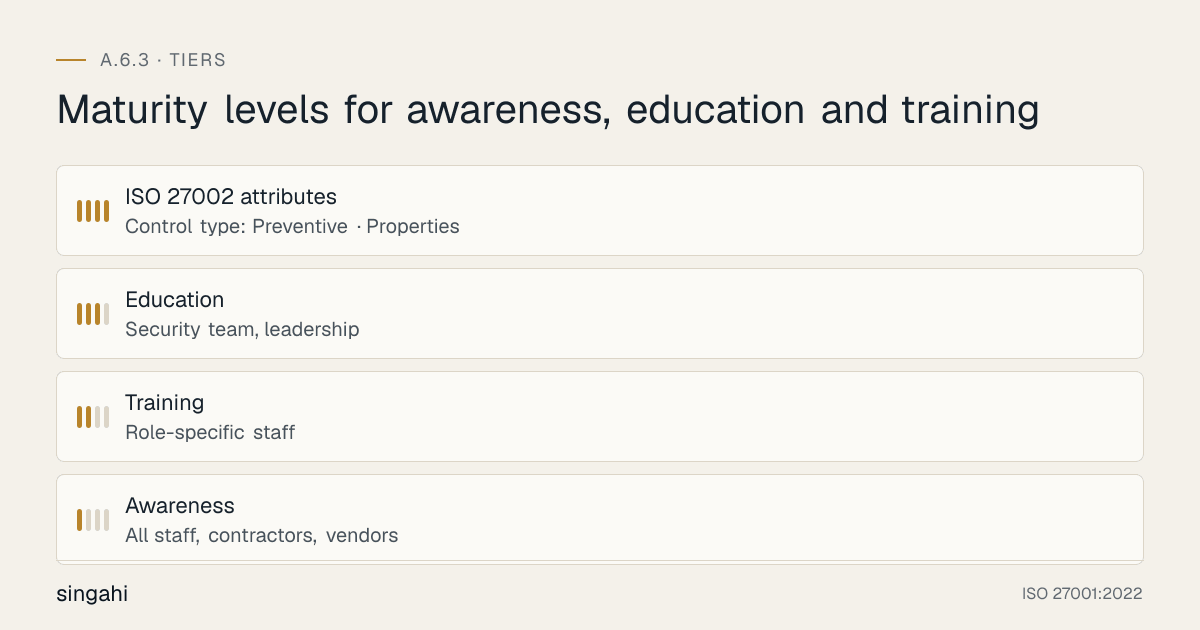
Figure · Tiers
Maturity levels for awareness, education and training
What is Annex A 6.3?
ISO 27001:2022 Annex A 6.3 requires organizations to define, implement, and maintain an information security awareness, education, and training program. Everyone who works for or with your organization must receive appropriate training at induction, when policies change, and periodically thereafter.
The Three Tiers of A.6.3:
| Tier | Audience | Frequency | Depth |
|---|---|---|---|
| Awareness | All staff, contractors, vendors | Continuous / Ongoing | General risks, policy requirements, reporting procedures |
| Training | Role-specific staff | Annually + upon change | Technical skills, procedures, tools |
| Education | Security team, leadership | Continuous | Advanced concepts, threat landscapes, strategic risk |
| ISO 27002 attributes | Control type: Preventive · Properties: Confidentiality, Integrity, Availability · Concepts: Protect · Capabilities: Human resource security · Domains: Governance and ecosystem |
What Auditors Check in 90 Seconds:
- Is there a documented security awareness policy? (Documented Information)
- Does everyone have training records? (Evidence)
- Is training assigned by role? (Risk-based approach)
- Are there metrics proving effectiveness? (Measurement)
- Is there a phishing simulation program? (Practical validation)
- Can you show me the last 3 new hire training records? (Scope verification)
The 5 Things Auditors Look For:
- Induction training promptly after joining (many organisations set 5 business days)
- Annual refresher for every single person
- Role-based curriculum (not one-size-fits-all)
- Measurable outcomes (not just completion percentages)
- Remediation process for those who fail or click
Common first-audit finding: missing training records for contractors and no role-based content.
What the Control Asks For
The Control in Brief
In short:
ISO 27001:2022 Annex A 6.3 asks organizations to give personnel appropriate security awareness, education, and training, with regular updates.
Do you need this control?
A.6.3 is not mandatory in itself: under clause 6.1.3 you include it if your risk assessment calls for it, and record the decision in your Statement of Applicability. Almost every organisation includes it, because clause 7.3 already makes awareness mandatory and A.6.3 is how most deliver it. Scale the programme to your size and risks; a small company can use short onboarding and annual refreshers.
The Annex A control statement uses "shall", but like every Annex A control it applies once selected through risk treatment (clause 6.1.3) and recorded in the Statement of Applicability. Awareness itself is mandatory through clause 7.3, and competence through clause 7.2, regardless of A.6.3. The clauses connect as follows:
- Clause 4.1 & 4.2: Understanding the organization and its context requires knowing your human risk landscape
- Clause 5.1: Leadership commitment includes ensuring resources for awareness
- Clause 6.1: Risk assessment must consider human factors
- Clause 7.2: Competence requires determining necessary skills and providing training
- Clause 7.3: Awareness requires persons to know the policy, their contribution, and implications of non-conformity
- Clause 9.1: Monitoring and measurement must include training effectiveness
- Clause 10.2: Nonconformity and corrective action must address awareness gaps (clause 10 has only 10.1 and 10.2)
ISO 27002:2022 Implementation Guidance
ISO 27002 6.3 guidance (paraphrased):
- Awareness should cover: (a) management's commitment to information security; (b) familiarity with and compliance with security rules and obligations, taking account of policies, laws, contracts and agreements; (c) personal accountability for one's own actions and inactions, and general responsibilities for protecting information; (d) basic security procedures (such as event reporting, A.6.8) and baseline controls (such as password security, A.5.17); (e) contact points and resources for further information and advice
- Awareness, education and training should be updated regularly, build on lessons learned from incidents, and cover external personnel working for the organisation where relevant
- Understanding should be assessed at the end of an activity to test knowledge transfer
- Education and training should follow a plan for technical teams whose roles need specific skills (for example in incident response, secure configuration or secure development), closing gaps by training or by hiring people who already have the skills
- Activities can be delivered in many ways: classroom, distance learning, web-based, self-paced, and others
Role-based examples that implement this:
- Developers: secure coding (A.8.28) · IT operations: incident response procedures and secure configuration · Procurement: supplier risk (A.5.19) · Compliance: legal and regulatory requirements · Executives: security governance
What Auditors Actually Check
Auditors tend to examine A.6.3 in a consistent way:
Stage 1 Audit (Documentation Review):
- Awareness and training policy (documented information)
- Risk assessment linking human factors to training needs
- Training matrix mapping roles to curricula
- Competence requirements defined in job descriptions
- Communication plan for security updates
Stage 2 Audit (Implementation Evidence):
- Training records for 100% of in-scope personnel
- Evidence of induction training (timestamps matter)
- Phishing simulation results (last 12 months)
- Knowledge test results with pass/fail thresholds
- Attendance records for in-person sessions
- LMS completion reports with date ranges
- Remediation records for failed training or simulations
- Management review meeting minutes discussing training metrics
- Budget approvals for training programs
- Vendor contracts for third-party training providers
The Auditor's Secret Checklist:
Auditors use a specific mental model when evaluating A.6.3. They want to see a closed loop:
- Risk identified → Training assigned → Training completed → Knowledge tested → Behavior measured → Gap identified → Remediation assigned → Loop continues
If any link in this chain is broken, you get a non-conformity. The most common broken link? Behavior measurement. Most organizations can show completion percentages. Almost none can show that completion percentages actually changed behavior.
Recommended Documentation Set
ISO 27001 requires documented evidence of competence (clause 7.2), not these specific documents. The templates below are one practical way to provide it:
- ISP-016: Information Security Awareness and Training Policy
- ISP-017: Training Needs Analysis Procedure
- ISP-018: Training Records Management Procedure
- ISP-019: Phishing Simulation Program Procedure
- ISP-020: Security Competence Matrix
- FM-031: Training Attendance Record
- FM-032: Knowledge Test Template
- FM-033: Training Needs Analysis Template
- FM-034: Competence Assessment Record
- FM-035: Security Awareness Metrics Dashboard
The A.6.3 Control Pack includes templates covering these documents.
The Awareness Framework: The 7 Layers of Awareness
Most organizations implement a single layer of awareness: annual training. This is fundamentally insufficient. The Singahi 7-Layer Awareness Framework ensures defense in depth for the human element.
Layer 1: Foundational Awareness (Everyone, Continuous)
What it is: The baseline security knowledge every person in the organization must possess.
Content:
- The organization's security policy (summary, not full text)
- Password requirements and MFA enrollment
- How to recognize and report phishing
- Data classification levels and handling rules
- Physical security (tailgating, clean desk, visitor management)
- Incident reporting process (who, what, when, how)
- Acceptable use of company resources
Delivery:
- 30-minute interactive e-learning module at induction
- Monthly 2-minute microlearning videos
- Security posters in common areas (rotated quarterly)
- Slack/Teams bot reminders (weekly tips)
- Email security tip of the week
Metrics:
- 100% completion within 5 business days of joining
- Monthly microlearning open rate >60%
- Quarterly knowledge check pass rate >85%
Layer 2: Role-Based Training (Role-Specific, Annual + Change)
What it is: Technical and procedural training tailored to specific job functions.
Content by Role:
- Developers: Secure coding, OWASP Top 10, SAST/DAST usage, secret management
- IT Operations: Secure configuration, patch management, incident response, backup verification
- HR: Background checks, offboarding security, data subject requests, privacy training
- Finance: BEC recognition, wire transfer verification, vendor validation, invoice fraud
- Sales: Customer data handling, CRM security, demo environment rules, NDA handling
- Marketing: Social media security, campaign tool access, customer list protection, phishing impersonation
- Legal: Privilege preservation, litigation hold security, third-party due diligence
- Executive: Board reporting, regulatory landscape, strategic risk, incident communication
Delivery:
- 60-90 minute role-specific modules
- Hands-on labs for technical roles
- Scenario-based exercises for business roles
- Quarterly updates when threat landscape changes
Metrics:
- 100% completion annually
- Role-specific knowledge test pass rate >90%
- Practical exercise completion rate 100%
Layer 3: Threat Simulation (Everyone, Quarterly)
What it is: Phishing simulations, vishing (voice phishing), and smishing (SMS phishing) campaigns that test real-world response.
Content:
- Email phishing (various templates: IT support, CEO fraud, invoice, HR, package delivery)
- Vishing phone calls (IT support impersonation, "urgent" requests)
- Smishing text messages (fake MFA alerts, package tracking)
- USB drop tests (physical social engineering)
- Social media pretexting (LinkedIn impersonation)
Delivery:
- Quarterly phishing campaigns (4-6 emails per campaign)
- Annual vishing test (10% random sample)
- Annual smishing test (10% random sample)
- Physical security tests (tailgating, USB drops) for high-risk sites
Metrics:
- Click rate trend (target: <5% by month 12)
- Report rate trend (target: >70% by month 12)
- Time-to-report (target: <15 minutes median)
- Repeat clicker rate (target: <2%)
Layer 4: Incident Response Drills (IR Team, Quarterly)
What it is: Tabletop exercises and live-fire simulations for the incident response team and key stakeholders.
Content:
- Ransomware scenario (full kill chain)
- Data breach scenario (insider threat)
- Supply chain compromise scenario
- Cloud misconfiguration exposure scenario
- Physical security breach scenario
- Regulatory investigation scenario
Delivery:
- Quarterly tabletop exercises (4 hours)
- Annual live-fire exercise (full day)
- Executive crisis communication drill (2 hours)
- Technical hands-on forensics exercise (SOC team)
Metrics:
- Mean time to detect (MTTD) during exercise
- Mean time to respond (MTTR) during exercise
- Decision quality score (exercise evaluator rubric)
- Communication timeline adherence
- Lessons learned action item closure rate (target: 100% within 30 days)
Layer 5: Security Champion Network (Champions, Monthly)
What it is: A distributed network of security-trained employees who act as local experts and advocates in their departments.
Content:
- Advanced threat briefing (monthly)
- Security tool deep-dives
- Teaching skills (how to train peers)
- Incident illustrative scenarios and lessons learned
- Policy interpretation and Q&A
Delivery:
- Monthly 60-minute champion meetings
- Quarterly full-day champion workshop
- Dedicated Slack/Teams channel
- Early access to new training content
Metrics:
- Champion coverage (target: 1 per 20-30 employees)
- Champion-led sessions per quarter (target: 2 per champion)
- Champion retention rate (target: >80% annually)
- Peer questions routed through champions (target: >30% of security questions)
Layer 6: Leadership & Governance (Board/Executive, Semi-Annual)
What it is: Strategic security education for decision-makers who control budgets and priorities.
Content:
- Threat landscape briefing (current and emerging)
- Regulatory and compliance updates
- Incident post-mortems (industry examples)
- Security investment ROI analysis
- Board reporting frameworks and KPIs
- Crisis communication and media training
- Director and officer liability (D&O) implications
Delivery:
- Semi-annual board security briefing (60 minutes)
- Quarterly executive risk committee update
- Annual security strategy offsite (half day)
- Industry conference attendance (CISO + 1 board member)
Metrics:
- Board security literacy assessment (target: >80%)
- Security budget approval rate (target: >90% of requested)
- Board questions per briefing (indicator of engagement)
- Security initiatives approved within 30 days of proposal
Layer 7: Specialized Education (Security Team, Continuous)
What it is: Advanced, ongoing education for the security team itself.
Content:
- Advanced persistent threat (APT) analysis
- Malware reverse engineering
- Cloud security architecture (AWS/Azure/GCP specific)
- Threat intelligence analysis and application
- Forensic investigation techniques
- Security architecture and design review
- Purple team exercises (red + blue collaboration)
- Certification preparation (certified, etc.)
Delivery:
- Weekly threat intelligence briefings (30 minutes)
- Monthly technical deep-dives (2 hours)
- Quarterly capture-the-flag exercises
- Annual conference attendance (Black Hat, DEF CON, RSA)
- Vendor-specific training (CrowdStrike, Splunk, etc.)
Metrics:
- Certifications maintained per team member (target: 1 active)
- Threat intelligence reports produced (target: 1 per week)
- Purple team exercises completed (target: 2 per quarter)
- Security architecture reviews completed (target: 100% of new projects)
🚀 The 7-Layer Framework seems overwhelming? It doesn't have to be.
Building an Awareness Program from Scratch
Phase 1: Discovery and Assessment (Weeks 1-3)
Step 1: Risk Assessment for Human Factors
Before designing any training, you must understand your specific human risk landscape. Use this template:
| Risk ID | Threat | Likelihood (1-5) | Impact (1-5) | Risk Score | Target Audience | Current Control | Gap |
|---|---|---|---|---|---|---|---|
| HUM-001 | Phishing leading to credential theft | 4 | 5 | 20 | All staff | Basic email filter | No training |
| HUM-002 | Developer hard-coding secrets | 3 | 4 | 12 | Engineering | Code review | No secure coding training |
| HUM-003 | Finance approving fraudulent wire | 2 | 5 | 10 | Finance | Dual approval | No BEC training |
| HUM-004 | Contractor accessing data post-engagement | 3 | 4 | 12 | All | Offboarding checklist | No contractor-specific training |
| HUM-005 | Remote worker using insecure Wi-Fi | 4 | 3 | 12 | Remote staff | VPN | No remote security training |
Step 2: Audience Inventory
Catalog every person type who touches your information assets:
- Full-time employees (by department, by access level)
- Part-time employees
- Contractors and consultants
- Temporary staff
- Interns
- Vendors with system access
- Managed service providers (MSPs)
- Cleaning and maintenance staff (physical access)
- Board members and advisors
- Customer support agents (if they handle your data)
- Acquired company staff (post-merger integration)
Step 3: Current State Audit
Document what exists today:
- Training materials (inventory with dates, quality, coverage)
- Delivery platforms (LMS, email, in-person)
- Completion records (existence, accessibility, format)
- Past phishing results (if any)
- Incident history related to human error (last 24 months)
- Budget (actual and allocated)
- Staff (dedicated, part-time, outsourced)
- Executive sponsorship (who owns this, who cares)
Phase 2: Design and Planning (Weeks 4-6)
Step 4: Curriculum Architecture
Design your curriculum using the 7-Layer Framework. For each audience, define:
- Modules: What topics?
- Format: How delivered?
- Frequency: How often?
- Duration: How long?
- Pass criteria: What constitutes completion?
- Remediation: What happens if they fail?
- Evidence: What record is kept?
Example Curriculum for a 500-Person SaaS Company:
| Audience | Layer 1 | Layer 2 | Layer 3 | Total Annual Hours |
|---|---|---|---|---|
| All Staff | 2 hrs (induction) + 1 hr (micro) | - | 0.5 hrs (sim) | 3.5 |
| Developers | 2 hrs | 4 hrs (secure coding) | 0.5 hrs | 6.5 |
| IT Ops | 2 hrs | 4 hrs (IR, config) | 0.5 hrs | 6.5 |
| Finance | 2 hrs | 2 hrs (BEC, fraud) | 0.5 hrs | 4.5 |
| HR | 2 hrs | 2 hrs (privacy, offboarding) | 0.5 hrs | 4.5 |
| Executives | 2 hrs | 2 hrs (strategy, governance) | 0.5 hrs | 4.5 |
| Security Team | 2 hrs | 40 hrs (continuous) | 2 hrs (internal tests) | 44+ |
| Contractors | 1 hr (abbreviated) | 1 hr (role-specific) | 0.5 hrs | 2.5 |
| Vendors | 1 hr (basic) | 1 hr (access-specific) | - | 2 |
Step 5: Governance Structure
Define who does what:
- Executive Sponsor: CISO or CEO, owns the program, approves budget, champions culture
- Program Manager: Security Awareness Manager or designated security team member, day-to-day operations
- Content Developer: Internal L&D, security team, or external vendor, creates materials
- LMS Administrator: IT or HR, manages platform, enrollments, reporting
- Phishing Simulation Lead: Security team member, designs campaigns, analyzes results
- Department Champions: 1 per 20-30 employees, local advocate, peer trainer, feedback channel
- External Trainers: Specialized vendors for technical deep-dives
- Auditor Interface: Program Manager or CISO, prepares evidence, attends audit
Step 6: Policy Documentation
Write the foundational policy document. This must be signed by executive leadership and communicated to all staff. Key sections:
- Purpose and scope (who it covers)
- Roles and responsibilities
- Training tiers (awareness, training, education)
- Curriculum requirements by role
- Induction requirements
- Refresher requirements
- Change-triggered training
- Compliance tracking
- Failure and remediation
- Metrics and reporting
- Review cycle (annual)
Phase 3: Content Development (Weeks 7-10)
Step 7: Content Creation Strategy
Decide build vs. buy for each module:
| Module | Build | Buy | Hybrid |
|---|---|---|---|
| Foundation awareness | ✓ | ||
| Role-specific technical | ✓ | ||
| Phishing simulation | ✓ | ||
| Industry-specific | ✓ | ||
| Incident response drill | ✓ | ||
| Executive briefings | ✓ | ||
| Microlearning series | ✓ |
Step 8: Content Production
For internally developed content, follow this production workflow:
- Learning Objective Definition: What must the learner be able to DO after this module?
- Threat Context: What specific threat does this address? Use real examples.
- Scenario Development: Build realistic scenarios from your industry and company context
- Content Draft: Script or slides with interactivity every 3-5 minutes
- Technical Review: Security team validates accuracy
- Legal Review: Legal approves examples, ensures no liability
- Pilot Test: 10-20 representative users test and provide feedback
- Revision: Update based on pilot feedback
- Final Approval: Security team + executive sponsor sign-off
- Deployment: LMS upload, enrollment rules, notification
Phase 4: Deployment (Weeks 11-12)
Step 9: Pilot Launch
Launch with a small group (50-100 people) to identify technical issues, content gaps, and process friction before full rollout.
Step 10: Full Rollout
Deploy to all in-scope personnel with:
- Clear communication from executive sponsor
- Defined completion deadline (30 days for existing staff, 5 days for new hires)
- Reminder schedule (Week 1: announcement, Week 2: reminder, Week 3: escalation, Week 4: manager escalation)
- Help desk support for technical issues
- Completion tracking dashboard
Phase 5: Measurement and Optimization (Ongoing)
Step 11: Metrics Baseline
Capture initial metrics:
- Baseline phishing click rate (before any training)
- Baseline knowledge test scores
- Training completion time distribution
- Help desk ticket volume during rollout
- Manager escalation rate
Step 12: Continuous Improvement Cycle
Run the program on a 90-day optimization cycle:
- Month 1: Data collection (completion, scores, clicks, reports)
- Month 2: Analysis (trends, outliers, repeat failures, content gaps)
- Month 3: Adjustment (content updates, campaign redesign, process changes, new modules)
Content by Audience Type
Board of Directors and Executive Leadership
Why they need special attention:
Board members are the ultimate risk owners. They approve budgets, set culture, and face personal liability in some jurisdictions. Yet they are often the most neglected audience in security training. They also receive the most targeted attacks (whaling).
Content Topics:
- Director and Officer Liability: Understanding personal liability for cyber incidents (SEC rules, GDPR fines, class actions)
- Threat Landscape Briefing: Current threats targeting C-suite (BEC, whaling, supply chain)
- Security Investment ROI: How to evaluate security spending like any other business investment
- Incident Communication: How to communicate during a breach (employees, customers, media, regulators, investors)
- Regulatory and Compliance Updates: New laws (DORA, NIS2, state privacy laws) and their board implications
- Board Reporting Frameworks: What KPIs to request, how to interpret them, red flags
- Crisis Management: Tabletop exercise scenarios specific to board-level decision making
Delivery Format:
- Semi-annual briefing (60 minutes, in-person, CISO-presented)
- Quarterly one-page risk memo (email, 2-minute read)
- Annual offsite (half-day, includes external speaker and tabletop exercise)
- On-demand access to incident response playbook and communication templates
Unique Considerations:
- Board members use personal devices for board communications (Diligent, BoardEffect)
- They travel extensively (airport Wi-Fi, hotel business centers)
- They receive high volumes of unsolicited contact (investors, press, partners)
- They have broad authority but limited technical background
- They may resist mandatory training ("I'm too busy")
The "Board Package" Approach:
Don't give board members the same LMS as staff. Create a Board Security Briefing Package:
- Printed executive summary (yes, printed, they read on planes)
- Video briefing (15 minutes, available on mobile)
- Annual live session with Q&A
- Access to a dedicated security advisor (CISO or external consultant)
CISO and Security Team
Why they need special attention:
The security team sets the standard. If they are not continuously learning, the program stagnates. They also need training in teaching, most security professionals are technical experts, not educators.
Content Topics:
- Advanced Threat Analysis: MITRE ATT&CK framework, threat actor tracking, TTP analysis
- Security Architecture: Zero trust architecture, cloud security architecture, SASE
- Incident Response: Advanced forensics, memory analysis, log analysis, threat hunting
- Governance and Compliance: ISO 27001, SOC 2, PCI DSS, NIST, DORA deep-dives
- Security Metrics and Reporting: Meaningful KPIs, board reporting, program measurement
- Teaching and Communication: How to train non-technical audiences, presentation skills, writing for impact
- Stress Management and Burnout: Security team mental health, alert fatigue, shift work health
- Legal and Ethics: Ethical hacking boundaries, evidence handling, disclosure responsibilities
Delivery Format:
- Weekly threat briefings (30 minutes, team meeting)
- Monthly deep-dive sessions (2 hours, hands-on)
- Quarterly certifications or training courses (SANS, Offensive Security, ISC²)
- Peer mentoring program (senior mentors junior)
- Cross-training rotation (SOC analyst shadows IR, IR shadows GRC)
IT Operations and System Administrators
Why they need special attention:
IT ops have privileged access. A compromised admin account is often a game-over scenario. They also face unique threats (supply chain attacks on management tools, compromised RMM platforms).
Content Topics:
- Privileged Access Management: Just-in-time access, break-glass procedures, credential vaulting
- Secure Configuration: CIS benchmarks, hardening guides, baseline compliance
- Patch Management: Prioritization, testing, emergency patching, out-of-band patches
- Backup and Recovery: 3-2-1 rule, immutable backups, restoration testing, ransomware resilience
- Network Security: Segmentation, micro-segmentation, VPN security, Zero Trust Network Access
- Cloud Security: IAM policies, bucket misconfigurations, shared responsibility model
- Incident Response: First responder actions, evidence preservation, escalation procedures
- Supply Chain Security: Software supply chain, vendor management tool security, SolarWinds lessons
Delivery Format:
- Hands-on labs (virtual or cloud-based)
- Certification training (CompTIA Security+, AWS/Azure/GCP security certs)
- Scenario-based exercises (configure a secure server in 30 minutes)
- Vendor-specific training (CrowdStrike, SentinelOne, Okta, etc.)
- Monthly "war stories" session (illustrative scenarios from breaches)
Software Developers and Engineers
Why they need special attention:
Developers create the code that becomes the product. Insecure code is the root cause of a massive percentage of vulnerabilities. The shift-left movement requires developers to be security practitioners, not just security consumers.
Content Topics:
- Secure Coding Practices: OWASP Top 10, SANS Top 25, language-specific guides (Java, Python, JS, Go, Rust)
- Authentication and Authorization: OAuth 2.0, OIDC, JWT security, session management, MFA implementation
- Input Validation and Sanitization: SQL injection, XSS, command injection, file upload risks
- Cryptography: Proper use of libraries, key management, hashing, encryption at rest and in transit
- API Security: REST and GraphQL security, rate limiting, API keys, authentication
- Secret Management: Hard-coded credentials, environment variables, vault solutions (HashiCorp Vault, AWS Secrets Manager)
- Dependency Security: SCA tools, transitive dependencies, known vulnerability databases
- DevSecOps: CI/CD security, IaC scanning, container security, GitOps security
- Code Review Security: How to review for security, common patterns, red flags
- Cloud-Native Security: Container security, Kubernetes security, serverless security
Delivery Format:
- Secure coding workshops (full-day, hands-on, language-specific)
- Capture-the-flag exercises (CTFs focused on application security)
- Bug bounty participation (internal or external)
- Peer code review training (how to find security issues in reviews)
- SAST/DAST tool training (understanding findings, not just running tools)
- Conference attendance (OWASP, DevSecCon, BSides)
The "Security Champion Developer" Model:
Every engineering team should have a Security Champion Developer:
- Receives advanced training (40 hours/year)
- Reviews security aspects in sprint planning
- Conducts team security demos (monthly)
- Acts as liaison with security team
- Gets 10-20% time allocation for security work
Human Resources
Why they need special attention:
HR handles the most sensitive personal data. They also control the employee lifecycle (hiring, access, termination) which is a critical security control point. HR is frequently targeted for pretexting ("I need to verify employment for a loan").
Content Topics:
- Data Privacy and GDPR/CCPA: Employee data handling, data subject requests, retention policies
- Background Check Security: Handling results, storing reports, adverse action procedures
- Onboarding Security: Access provisioning, security orientation, asset assignment
- Offboarding Security: Access revocation timing, asset recovery, knowledge transfer, exit interviews (security questions)
- Social Engineering Defense: Pretexting calls, employment verification scams, recruiter impersonation
- Recruiting Security: Protecting candidate data, interview security, assessment tool security
- Policy Management: Policy distribution, acknowledgment tracking, version control
- Incident Reporting: Handling reports of harassment, theft, or policy violations that may have security implications
Delivery Format:
- Quarterly workshops (2 hours, scenario-based)
- Process checklists (embedded in HRIS workflows)
- Annual privacy certification (IAPP or similar)
- Regular updates on social engineering tactics targeting HR
Finance and Accounting
Why they need special attention:
Content Topics:
- Business Email Compromise (BEC): Recognizing CEO fraud, attorney impersonation, vendor email compromise
- Wire Transfer Verification: Out-of-band verification procedures, change-of-banking-detail protocols
- Invoice Fraud: Duplicate invoice detection, vendor validation, unusual payment term flags
- Payroll Security: Direct deposit change verification, payroll system access, W-2 theft prevention
- Vendor Financial Validation: Bank account verification, vendor onboarding security checks
- Tax Season Security: W-2 scams, tax refund fraud, IRS impersonation
- Financial System Security: ERP security, MFA for financial systems, session timeout, privilege separation
- Audit and SOX Compliance: Segregation of duties, access reviews, change management
Delivery Format:
- Quarterly BEC simulation (realistic fake emails, test response)
- Annual workshop with real illustrative scenarios (FBI IC3 reports)
- Process-embedded training (wire transfer system shows verification reminder)
- Desk reference cards ( laminated cards with verification steps)
- Red team exercise (penetration tester calls pretending to be CFO)
Sales and Marketing
Why they need special attention:
Sales and marketing handle customer data, use numerous SaaS tools, and are highly visible on social media (making them easy targets for impersonation and pretexting). They also face pressure to close deals quickly, which can override security caution.
Content Topics:
- Customer Data Protection: CRM security, list handling, prospect data, NDA requirements
- Social Media Security: Impersonation detection, account takeover, executive impersonation, LinkedIn scams
- Demo Environment Security: Sandbox data, customer data in demos, credential sharing
- Email Security: Mass email tool security, phishing recognition, credential protection
- Event and Travel Security: Conference Wi-Fi, hotel security, device theft, shoulder surfing
- Partner and Channel Security: Co-selling data sharing, partner portal security, MDF abuse
- RFP and Security Questionnaire Integrity: Protecting security documentation, accurate representation
Delivery Format:
- Monthly microlearning (sales-friendly, 5 minutes, mobile-optimized)
- Pre-event security briefings (before major conferences)
- CRM security settings review (quarterly)
- Social media security audit (annual, with personalized report)
All Staff (General Workforce)
Why they need special attention:
This is your largest audience and your broadest attack surface. The goal is to make security intuitive, not burdensome.
Content Topics:
- Phishing and Social Engineering: Email, SMS, phone, social media, in-person
- Password Security: Passphrases, password managers, MFA enrollment and use
- Physical Security: Tailgating, clean desk, visitor management, secure printing
- Data Handling: Classification, labeling, encryption, sharing, disposal
- Remote Work Security: Home office, Wi-Fi, VPN, video conferencing, package delivery scams
- Mobile Device Security: Updates, app permissions, lost device reporting, MDM
- Incident Reporting: What to report, how to report, when to report, no-blame culture
- Social Engineering: Pretexting, baiting, quid pro quo, scareware
Delivery Format:
- Induction module (30 minutes, mandatory, day 1-5)
- Monthly microlearning (2-3 minutes, video or interactive)
- Quarterly newsletter (security tips, recent threats, success stories)
- Posters and digital signage (rotated monthly)
- Slack/Teams bot (weekly tips, instant phishing reporting)
- Annual refresher (45 minutes, complete update)
Contractors, Consultants, and Temporary Staff
Why they need special attention:
Contractors often have the same access as employees but receive less training. They also have divided loyalty, may use their own equipment, and are harder to track.
Content Topics:
- Scope of Access: What they can access, what they cannot, why
- Company Policy Summary: Key policies relevant to their engagement
- Data Handling Rules: Customer data, proprietary data, third-party data restrictions
- Incident Reporting: Reporting obligations during their engagement
- Equipment and Network: BYOD policy, VPN use, network segmentation
- Offboarding Awareness: Data return requirements, access termination timing
Delivery Format:
- Contractor-specific induction (15 minutes, focused on access scope)
- Contractor security addendum (in the contract, not just the training)
- Quarterly re-acknowledgment (for long-term contractors)
- Access review integration (training status linked to access provisioning)
Vendors and Third Parties with System Access
Why they need special attention:
Vendors with system access are an extension of your organization. Their failures become your breaches (Target, Home Depot, SolarWinds).
Content Topics:
- Access Scope and Limitations: What systems, what data, what timeframes
- Your Security Requirements: MFA, encryption, logging, patching obligations
- Incident Notification: How and when to notify you of incidents
- Audit and Monitoring: Your right to audit their access, monitoring in place
- Subcontractor Rules: No further delegation without written approval
Delivery Format:
- Vendor security requirements document (contract attachment)
- Annual acknowledgment (signed return)
- Access-specific briefing (before first access)
- Incident response integration (vendor included in tabletop exercises)
🚀 Audience-specific training is complex but critical. Get it right the first time.
Content by Topic
Phishing
The Threat:
Phishing was involved in 36% of breaches in Verizon's 2021 DBIR and remains a leading initial access vector. Modern phishing has evolved far beyond Nigerian prince emails. Today's phishing includes:
- Spear phishing: Targeted, personalized, often using OSINT from social media
- Whaling: Targeting C-suite and high-value individuals
- Clone phishing: Duplicating legitimate emails with malicious attachments
- Vishing: Voice phishing over phone calls
- Smishing: SMS phishing
- Quishing: QR code phishing (emerging threat, 2023-2024)
- Angler phishing: Fake customer support on social media
- Snowshoe spam: Distributed low-volume campaigns to evade filters
- Business Email Compromise (BEC): The most financially damaging form
Training Content Depth:
- Anatomy of a Phishing Email: Header analysis, URL inspection, attachment types, spoofing techniques
- Psychological Triggers: Urgency, authority, fear, curiosity, greed, how attackers exploit human psychology
- Real Examples: Deconstructed real phishing emails (anonymized) showing exactly what to look for
- Reporting Procedure: One-click reporting button, what happens after report, positive reinforcement
- Response to Click: "I clicked, now what?", immediate actions, no-blame reporting
- Mobile Phishing: How phishing differs on mobile (smaller screens, harder to inspect URLs, app-based attacks)
- Social Media Phishing: LinkedIn impersonation, fake job offers, fraudulent customer service accounts
Practical Exercises:
- Spot the phish: Side-by-side comparison of real and fake emails
- URL analysis drill: Hovering, inspecting, understanding punycode and homograph attacks
- Mobile phishing simulation: Text messages to company phones
- Social media simulation: Fake LinkedIn connection requests
Passwords and Authentication
The Threat:
Stolen credentials were involved in 49% of breaches in Verizon's 2023 DBIR. Password reuse, weak passwords, and lack of MFA are the primary culprits.
Training Content Depth:
- Password Physics: Why length beats complexity, entropy calculation, cracking time estimates
- Password Managers: How they work, why they are essential, comparison of options (1Password, Bitwarden, LastPass)
- Multi-Factor Authentication (MFA):
- What MFA is and why it matters (Microsoft: MFA blocks over 99.9% of automated account-compromise attacks)
- MFA methods ranked by security: FIDO2/WebAuthn > TOTP > SMS > Email
- MFA bypass techniques (MFA fatigue, SIM swapping, push bombing)
- How to respond to MFA fatigue attacks
- Passphrase Creation: The "random word" method (diceware), sentence-based passphrases
- Credential Stuffing: How breached passwords from other sites are used against your accounts
- Password Policy: Your organization's specific requirements, why they exist
- Account Recovery: Secure recovery methods, social engineering of help desks, recovery code storage
Practical Exercises:
- Password strength meter: Interactive tool showing crack time
- MFA enrollment workshop: Hands-on setup of authenticator apps and security keys
- Credential stuffing demo: Show how a breached password from Have I Been Pwned works
- Password manager setup: Guided installation and first vault creation
Social Engineering
The Threat:
Social engineering is the art of manipulating people into breaking security procedures. It is the root technique behind phishing, vishing, pretexting, and physical breaches.
Training Content Depth:
- The Six Principles of Influence (Cialdini) and how attackers use them:
- Reciprocity: "I helped you, now you owe me a favor"
- Commitment and Consistency: "You agreed to this earlier"
- Social Proof: "Everyone else is doing it"
- Authority: "I'm from IT, I need your password"
- Liking: "We went to the same school"
- Scarcity: "This offer expires in 1 hour"
- Pretexting: Creating a believable scenario to extract information
- Baiting: Physical media (USB drops) and digital bait (free downloads)
- Quid Pro Quo: "I'll fix your computer if you let me remote in"
- Tailgating: Following someone through a secure door
- Impersonation: IT support, delivery drivers, fire inspectors, auditors
- OSINT: How attackers research targets from social media, LinkedIn, company websites
- Psychological Defense: Verification procedures, healthy skepticism, escalation paths
Practical Exercises:
- Pretexting role-play: Practice responding to a "help desk" call
- USB drop test: Realistic test with tracking (consent-based, with follow-up training)
- Tailgating observation: Security team observes and provides feedback
- OSINT review: Show employees what attackers can learn about them online
Remote Work and Home Office Security
The Threat:
Remote work has permanently expanded the attack surface. Home networks, shared spaces, personal devices, and blurred work-life boundaries create new risks.
Training Content Depth:
- Home Network Security: Router defaults, Wi-Fi encryption, guest networks, IoT device isolation
- Workspace Security: Camera positioning, screen visibility, document handling, printer security
- Public Wi-Fi and VPN: When to use VPN, what VPN protects, what it doesn't
- Video Conferencing: Meeting passwords, waiting rooms, screen sharing controls, background blur
- Package and Delivery Scams: Porch pirates, fake delivery notifications, QR code scams on packages
- Family and Visitor Boundaries: Children on work devices, guests using work Wi-Fi, verbal work discussions
- Café and Co-working Security: Shoulder surfing, device theft, network segmentation, power outlet risks
- Physical Device Security: Laptop locks, cable locks, never leaving devices unattended
- Work-Life Separation: Separate accounts, browser profiles, notification management, mental health boundaries
Practical Exercises:
- Home network audit checklist: Self-assessment with scoring
- VPN setup and test: Verify VPN is working correctly
- Video conference security review: Check settings in Zoom/Teams/Meet
- Workspace photo review: Employees submit photos of workspace, security team provides feedback
BYOD and Mobile Device Security
The Threat:
BYOD programs reduce costs but increase risk. Personal devices often lack enterprise security controls, are shared with family members, and may not be patched promptly.
Training Content Depth:
- MDM Enrollment: What MDM can and cannot see, privacy boundaries, why it's required
- App Security: App store hygiene, sideloading risks, permission management, app review before download
- OS Updates: Why auto-update matters, update latency risks, zero-day protection
- Lost and Stolen Devices: Remote wipe capabilities, reporting procedures, insurance
- Mobile Phishing: SMS phishing, malicious apps, QR code risks, deep linking attacks
- Mobile MFA: Authenticator apps vs. SMS, hardware keys on mobile, backup codes
- Bluetooth and NFC: BlueBorne risks, NFC skimming, pairing security
- Charging Station Safety: Juice jacking, data exposure via public USB ports, using power-only adapters
Practical Exercises:
- Mobile security self-assessment: Checklist covering all topics
- MDM enrollment workshop: Step-by-step guided enrollment
- App permission audit: Review and restrict app permissions
- Lost device simulation: Practice reporting procedure with mock scenario
Data Handling and Classification
The Threat:
Data is the asset. Mishandling, whether through accidental sharing, improper disposal, or unauthorized access, is a leading cause of data breaches.
Training Content Depth:
- Data Classification Levels: Public, Internal, Confidential, Restricted (or your organization's model)
- Labeling Requirements: How and where to label, digital labels, physical labels, color coding
- Handling Rules by Classification: Storage, transmission, sharing, printing, disposal rules for each level
- Email Security: Encryption requirements, BCC vs. CC, auto-complete risks, reply-all mistakes
- File Sharing: Approved tools, link expiration, password protection, access revocation
- Cloud Storage: Approved vs. shadow IT, sync vs. backup, sharing links, version history
- Physical Media: USB drives, external hard drives, CDs, secure disposal (shredding, degaussing)
- Data Disposal: Secure deletion, device wiping, paper shredding, media destruction
- Privacy by Design: Minimization, purpose limitation, retention schedules, data subject rights
Practical Exercises:
- Data classification exercise: Classify sample documents (realistic company examples)
- Email risk assessment: Review real email scenarios for data handling risks
- File sharing audit: Review cloud storage shares and permissions
- Secure disposal workshop: Practice using shredder, witness degaussing if applicable
Incident Reporting
The Threat:
Delayed incident reporting dramatically increases breach impact. The Verizon DBIR shows that incidents reported by employees (rather than detected by tools) have significantly lower impact.
Training Content Depth:
- What to Report: Phishing, suspicious behavior, lost devices, policy violations, technical anomalies, "near misses"
- How to Report: One-click button, email hotline, phone hotline, Slack/Teams channel, anonymous options
- When to Report: Immediately, no "let me check first", no "it's probably nothing"
- What Happens After: Triage, investigation, containment, communication, feedback to reporter
- No-Blame Culture: Reporting is rewarded, not punished. Even if you clicked. Even if you made a mistake.
- False Positives: Better to report 10 false alarms than miss 1 real incident
- Legal Protections: Whistleblower protections, non-retaliation policy, anonymity guarantees
- Incident Examples: Real (anonymized) incidents that were caught early by employee reporting
Practical Exercises:
- Reporting drill: Simulated incident, practice the reporting process end-to-end
- Response time measurement: Track how long from incident to report
- Feedback loop demonstration: Show reporters what happened after their report (builds trust)
- Anonymous reporting test: Verify anonymous channel works and is truly anonymous
Physical Security
The Threat:
Physical security is the forgotten layer. Tailgating, device theft, shoulder surfing, and unauthorized access remain common attack vectors, especially in hybrid work environments.
Training Content Depth:
- Access Control: Badge usage, not holding doors, visitor escort, loading dock security
- Tailgating Defense: Polite but firm refusal, directing to reception, never assuming intent
- Clean Desk Policy: Document storage, screen locking, whiteboard erasure, secure printing
- Visitor Management: Sign-in, badges, escort rules, visitor Wi-Fi, NDAs for visitors
- Secure Printing: Don't leave documents at printer, use secure print release, dispose of misprints
- Equipment Security: Laptop locks, cable locks, never leaving devices in cars, hotel room safes
- Environmental Controls: Fire safety, flood awareness, temperature controls for server rooms
- Surveillance Awareness: Camera locations, blind spots, proper use of security footage
- Emergency Procedures: Evacuation, lockdown, shelter-in-place, communication during emergencies
Practical Exercises:
- Tailgating test: Security team attempts tailgating, provides feedback
- Clean desk audit: Random audits with scoring and feedback
- Visitor management drill: Walk through from reception to meeting room
- Emergency evacuation drill: Annual, includes equipment security steps
Malware and Ransomware
The Threat:
Training Content Depth:
- Malware Types: Viruses, worms, trojans, ransomware, spyware, adware, cryptominers, wipers
- Ransomware Mechanics: Initial access, lateral movement, privilege escalation, data exfiltration, encryption, ransom demand
- Delivery Methods: Phishing, malicious downloads, drive-by downloads, supply chain, RDP exploitation
- Prevention: Patch management, EDR, network segmentation, email filtering, MFA, backup strategy
- Detection: Slow performance, unexpected pop-ups, file extension changes, ransom notes, unusual network activity
- Response: Disconnect immediately, do not pay (ideally), report to IT, preserve evidence
- Backup Strategy: 3-2-1 rule, immutable backups, air-gapped backups, restoration testing
- Supply Chain Risk: How trusted vendors can deliver malware (SolarWinds, Kaseya, 3CX)
Practical Exercises:
- Ransomware tabletop: Full scenario from initial detection to recovery
- Phishing attachment analysis: Safe analysis of suspicious attachments (sandbox)
- Backup restoration test: Hands-on recovery exercise (with IT)
- Malware indicators quiz: Spot the signs of infection
Cloud Security
The Threat:
Cloud misconfigurations are a leading cause of data breaches. The shared responsibility model means customers are responsible for significant security configurations.
Training Content Depth:
- Shared Responsibility Model: What the cloud provider secures vs. what you secure (IaaS, PaaS, SaaS)
- IAM Security: Least privilege, role-based access, service accounts, access keys, rotation
- Storage Security: Bucket policies, public access blocks, encryption, versioning, logging
- Network Security: Security groups, NACLs, VPC design, VPN, private endpoints
- Data Protection: Encryption at rest and in transit, key management, data residency
- Monitoring and Logging: CloudTrail, CloudWatch, SIEM integration, anomaly detection
- SaaS Security: Shadow IT discovery, SSO, CASB, DLP, app-to-app permissions
- Container Security: Image scanning, runtime protection, registry security, secrets in containers
- Serverless Security: Function permissions, event injection, dependency scanning, cold start risks
- Multi-Cloud and Hybrid: Consistent security posture across AWS, Azure, GCP, on-premise
Practical Exercises:
- Cloud security configuration review: Review actual cloud resources for misconfigurations
- IAM audit: Review access policies, find overprivileged roles
- SaaS app audit: Review OAuth grants, connected apps, permissions
- Container security scan: Run scanner on a container image, review findings
Training Delivery Methods
In-Person Classroom Training
When to Use:
- Executive briefings (high-touch, relationship-building)
- Technical deep-dives (hands-on labs, complex Q&A)
- Incident response drills (tabletop exercises, crisis simulation)
- Security champion workshops (networking, collaboration)
- New hire orientation (first impression, culture-setting)
- Post-breach reinforcement (urgency, gravity, commitment)
Best Practices:
- Class size: 15-25 maximum for interaction
- Duration: 90-120 minutes optimal (attention decay after 45 minutes without breaks)
- Format: 50% presentation, 30% discussion, 20% exercise
- Facilitator: Subject matter expert with teaching skills, not just technical knowledge
- Materials: Printed handouts, digital follow-up, reference cards
- Engagement: Polls, breakouts, role-plays, illustrative scenarios, prizes for participation
- Follow-up: Email summary, resource links, Q&A document, knowledge test
Pros and Cons:
| Pros | Cons |
|---|---|
| Highest engagement and retention | Most expensive per person |
| Real-time Q&A | Scheduling challenges across time zones |
| Relationship building | No automatic audit trail (unless attendance tracked) |
| Cultural impact | Inconsistent delivery (depends on facilitator) |
| Immediate feedback | Scalability limits |
E-Learning and LMS Platforms
When to Use:
- Foundation awareness (scalable, consistent, trackable)
- Annual refresher (mandatory, compliance-tracked)
- Role-based modules (enrollment rules by role)
- Policy acknowledgment (digital signature, timestamp)
- Remote and distributed workforces (anytime, anywhere)
- Compliance tracking (automatic completion records)
Best Practices:
- Module length: 15-30 minutes maximum per session
- Interactivity: Every 3-5 minutes (click, drag, quiz, scenario)
- Mobile optimization: 40% of users will complete on mobile
- Progress saving: Allow pausing and resuming
- Accessibility: WCAG 2.1 AA compliance, screen reader support, captions
- Branding: Company colors, logos, real office photos, familiar faces
- Voice: Conversational, not corporate-speak. Use "you" and "we."
- Scenarios: Realistic, company-specific situations, not generic examples
- Branching: Different paths based on role, department, or knowledge level
- Gamification: Points, badges, leaderboards, streaks (use carefully, see below)
Pros and Cons:
| Pros | Cons |
|---|---|
| Scalable to thousands of users | Lower engagement than in-person |
| Consistent content delivery | Completion ≠ comprehension |
| Automatic compliance tracking | Technical issues (browser, mobile, LMS) |
| efficient at scale | "Click-through" culture (users skip to quiz) |
| Self-paced flexibility | Isolation (no peer learning) |
| Rich analytics | Content becomes stale quickly |
Phishing Simulations and Security Tests
When to Use:
- Quarterly awareness validation (all staff)
- Post-training reinforcement (after awareness module)
- New hire testing (within 30 days of joining)
- Vendor and contractor testing (quarterly)
- Post-incident validation (after a real phishing incident)
- Executive-specific testing (whaling simulations)
Best Practices:
- Realism: Use current real-world templates, not obvious fakes
- Variety: Rotate templates (IT, HR, finance, shipping, collaboration, social media)
- Difficulty progression: Start easy, increase sophistication over time
- Immediate feedback: Landing page explaining why it was fake, what to look for
- Safe reporting: One-click report button, positive reinforcement for reporting
- No punishment: Never punish clicks. Use as coaching opportunities.
- Metrics: Track click rate, report rate, time-to-report, repeat clickers
- Segmentation: Different campaigns for different roles, departments, geographies
- Timing: Randomize send times, avoid patterns (attackers don't schedule)
- Language: Localize for global workforces
Pros and Cons:
| Pros | Cons |
|---|---|
| Tests real-world behavior | Can create anxiety if not handled well |
| Provides measurable metrics | Requires careful ethical design |
| Immediate teachable moment | Potential for "security fatigue" |
| Identifies high-risk individuals | May damage trust if too aggressive |
| Justifies program investment | Not a substitute for education |
Gamification
When to Use:
- Younger workforces (digital natives expect engagement)
- Competitive cultures (sales, engineering)
- Low engagement contexts (mandatory training completion)
- Security champion programs (leaderboards, badges)
- Phishing simulation programs (reporting streaks, detection scores)
- Continuous microlearning (daily streaks, point accumulation)
Best Practices:
- Leaderboards: Public or private? Consider privacy, some may not want scores visible
- Rewards: Meaningful but not excessive. Coffee, lunch, extra PTO, charitable donation
- Team competitions: Department vs. department (builds camaraderie, not individual shame)
- Progression: Levels, unlocks, achievements (like a game)
- Storytelling: Narrative-driven learning ("You're a security analyst for a day")
- Challenge modes: Timed quizzes, escape rooms, capture-the-flag
- Balance: Gamification should enhance, not replace, substance. Avoid "points for clicking."
The Gamification Trap:
Gamification can backfire if:
- People game the system (click random answers to get points)
- It creates anxiety (fear of losing streaks, public shaming)
- It trivializes serious topics (ransomware isn't a game)
- It benefits only the already-engaged (disengaged remain disengaged)
Use gamification for reinforcement, not primary education.
Microlearning
When to Use:
- Continuous reinforcement (between major training events)
- Just-in-time training (before a risk event: tax season, holiday travel)
- High-volume, low-time audiences (executives, sales)
- Mobile-first workforces (field staff, remote workers)
- Culture embedding (security as a daily habit, not an annual event)
- Policy update communication ("Here's what changed and why")
Best Practices:
- Duration: 1-5 minutes maximum
- Format: Short video, interactive infographic, 3-question quiz, single scenario
- Frequency: Weekly or bi-weekly (daily can become noise)
- Channel: Email, Slack/Teams, LMS, mobile app, digital signage
- Relevance: Timely, topical, current threat-focused
- Actionable: Always end with one clear action or takeaway
- Trackable: Micro-completions should feed into overall compliance metrics
Example Microlearning Calendar:
| Week | Topic | Format | Duration |
|---|---|---|---|
| 1 | New phishing template spotted | 2-minute video | 2 min |
| 2 | MFA reminder + setup help | Interactive guide | 3 min |
| 3 | Clean desk policy spotlight | Infographic | 1 min |
| 4 | "Ask me anything", security team answers | Video Q&A | 4 min |
| 5 | New vendor scam alert | Text + scenario | 2 min |
| 6 | Password manager tip | Quick tutorial | 2 min |
| 7 | Incident reporting hero story | Video | 3 min |
| 8 | Physical security reminder | Checklist | 2 min |
Virtual Reality (VR) and Augmented Reality (AR)
When to Use:
- High-risk physical security scenarios (data center, lab, secure facility)
- Immersive phishing training (walk through a virtual office, identify threats)
- Incident response drills (virtual crisis room, make decisions under pressure)
- Executive and board training (immersive breach scenario)
- Technical training (virtual server room, identify misconfigurations)
- Novelty and engagement (PR, culture, recruiting)
Current State of VR/AR in Security Training:
VR/AR in security training is emerging, not mainstream. As of 2024:
- Content providers: PIXO VR, Strivr, Immerse (limited security-specific content)
- Use cases: Physical security walkthroughs, social engineering recognition, crisis simulation
- Challenges: Cost, hygiene (shared headsets), motion sickness, content creation expense, IT support
- ROI: Best for high-risk, high-consequence scenarios where immersion justifies cost
Recommendation for Most Organizations:
VR/AR is a Tier 2 or 3 investment. Implement it only after you have:
- Fully deployed foundational training (Layer 1)
- Established role-based programs (Layer 2)
- Running phishing simulations (Layer 3)
- Measured effectiveness and can justify experimental spend
For organizations with secure facilities, data centers, or manufacturing, VR physical security tours may have immediate ROI.
Podcasts and Audio Content
When to Use:
- Commute-time learning (drive time, public transit)
- Background learning (while working, exercising)
- Executive consumption (flexible, no screen required)
- Culture reinforcement (security team voices, humanizing the team)
- Global teams (timezone flexibility, asynchronous)
Best Practices:
- Duration: 10-20 minutes per episode
- Frequency: Weekly or bi-weekly
- Format: Interview, news roundup, illustrative scenario, Q&A
- Quality: Professional recording, not conference room mics
- Distribution: Internal podcast platform, Spotify for Podcasters, private RSS
- Topics: Threat of the week, interview with CISO, "war stories" from industry
Newsletters and Written Communication
When to Use:
- Threat intelligence distribution (current, relevant threats)
- Policy updates (must-read, compliance-critical)
- Success stories (positive reinforcement, culture building)
- Recognition (security heroes, reporting shout-outs)
- Event announcements (training, drills, awareness campaigns)
Best Practices:
- Subject line: Compelling, specific, not "Security Newsletter #47"
- Length: 3-5 minute read maximum
- Scannable: Bullet points, bold text, headers, no walls of text
- Visual: One relevant image or infographic per issue
- Actionable: One clear call-to-action per issue
- Tone: Conversational, not corporate. Use humor where appropriate.
- Mobile: 60%+ will read on mobile. Test on phones.
- Frequency: Monthly or bi-weekly (weekly can become noise, quarterly is too infrequent)
🚀 Delivery method selection is critical. The wrong method kills engagement.
Phishing Simulation Deep Dive
Figure · Matrix
How the options compare: Click Rate to Attachment Open Rate
Why Phishing Simulations Are Non-Negotiable
Phishing simulations are the most effective behavioral measurement tool in security awareness. They answer the question that compliance tracking cannot: "Can your people actually recognize and respond to a real attack?"
Auditors specifically look for phishing simulation programs because they provide:
- Objective behavioral data (not self-reported knowledge)
- Trend analysis (improving or declining over time)
- Risk identification (repeat clickers, high-risk departments)
- Program effectiveness proof (did training reduce clicks?)
- Remediation targeting (who needs extra help?)
Platform Comparison: Common Choices
| Platform | Strengths | Weaknesses | Best For |
|---|---|---|---|
| KnowBe4 | Market leader, largest template library, strong reporting, great integrations | Can feel "corporate," pricing escalates with modules | Growing companies to enterprise, complete needs |
| Proofpoint WTR | Excellent email gateway integration, strong analytics, realistic templates | Requires Proofpoint email security for full value, complex setup | Proofpoint email customers, advanced analytics |
| Cofense | Strong incident response integration, real threat intelligence, community templates | Higher price point, smaller template library than KnowBe4 | SOC-heavy organizations, IR-focused programs |
| Mimecast WTR | Good for Mimecast email customers, integrated DMARC | Narrower feature set, less standalone value | Mimecast email customers |
| SANS Security Awareness | Highly regarded content, strong educational foundation, certifications | Higher cost, less "point-and-click" than commercial platforms | Security-mature organizations, education-first |
| SecurityIQ (InfoSec) | Good content library, affordable, strong for smaller orgs | Less sophisticated analytics, smaller market presence | Small to growing companies, budget-conscious |
| MetaCompliance | Strong compliance features, policy management, EU focus | Less US market presence, smaller template library | EU organizations, compliance-heavy programs |
| Hoxhunt | Gamified, highly engaging, modern UX, strong for tech companies | Different model (subscription per user, can be pricey at scale), newer player | Tech companies, younger workforces, gamification fans |
Selection Criteria Matrix:
Evaluate platforms on these dimensions:
- Template quality and quantity: Are templates realistic? Updated frequently? Industry-specific?
- Reporting and analytics: Can you prove ROI? Can you segment by department? Trend over time?
- Integration ecosystem: Does it connect with your SIEM, SOAR, IAM, email gateway?
- Automation: Can you set up recurring campaigns, auto-enrollments, auto-remediation?
- Localization: Does it support your languages? Your time zones?
- Customization: Can you create custom templates? Custom landing pages? Custom metrics?
- Support and onboarding: What does implementation look like? Is there dedicated support?
- Compliance features: Does it track for ISO 27001, SOC 2, PCI DSS requirements?
- Price transparency: Are there hidden costs? Module-based pricing? Volume discounts?
- Scalability: Can it handle your growth? Your contractor count? Your seasonal workers?
Campaign Design: The 12-Month Calendar
A mature phishing program runs 12-16 campaigns per year with increasing sophistication. Here's a sample calendar:
Quarter 1: Foundation
- Week 1: Easy phishing (obvious grammar errors, suspicious sender), baseline measurement
- Week 4: Medium phishing (realistic IT password reset, known vendor)
- Week 8: Medium-hard phishing (CEO "urgent request," no links, reply-to attack)
Quarter 2: Seasonal
- Week 12: Tax season phishing (W-2 forms, IRS impersonation)
- Week 16: Vendor invoice phishing (fake vendor, change of banking details)
- Week 20: Collaboration tool phishing (fake Microsoft Teams/Slack/Google login)
Quarter 3: Advanced
- Week 24: Spear phishing (personalized, uses OSINT from LinkedIn)
- Week 28: Attachment-based (malicious PDF, fake DocuSign, fake calendar invite)
- Week 32: QR code phishing (quishing, emerging threat, 2024 focus)
Quarter 4: Stress Test
- Week 36: Multi-vector (email + SMS simultaneously)
- Week 40: Executive-specific (whaling simulation, board-related content)
- Week 44: Post-breach simulation (simulated "we've been breached, click here to check if you were affected")
- Week 48: Holiday phishing (shipping notifications, gift card scams, charitable giving)
Metrics That Matter
Primary Metrics (Track Every Campaign):
| Metric | Definition | Target | Why It Matters |
|---|---|---|---|
| Click Rate | % who clicked malicious link | <5% (mature), <10% (developing) | Core behavior measure |
| Report Rate | % who reported the email | >70% | Measures active defense |
| Time-to-Report | Median minutes from send to report | <15 minutes | Speed of detection |
| Repeat Clicker Rate | % who clicked in multiple campaigns | <2% | Identifies persistent risk |
| Credential Submission Rate | % who entered credentials on fake page | <1% | Most dangerous behavior |
| Attachment Open Rate | % who opened malicious attachment | <2% | Malware delivery risk |
Secondary Metrics (Track Monthly/Quarterly):
- Click rate trend: Declining over time? (Target: 20% reduction quarter-over-quarter in year 1)
- Report rate trend: Increasing over time? (Target: 20% increase quarter-over-quarter)
- Department comparison: Which departments are high-risk? (Target: all departments within 5% of average)
- Tenure correlation: Do new hires click more? (Target: new hire click rate <10% by month 3)
- Geographic correlation: Do certain offices/regions perform differently? (Target: within 5% of global average)
- Campaign difficulty correlation: Do harder campaigns spike clicks? (Expected: yes, but manageable)
Advanced Metrics (Track Annually):
- Behavioral correlation: Do low clickers also have fewer security incidents? (Hypothesis: yes)
- Training correlation: Does training completion correlate with lower click rates? (Hypothesis: yes)
- Retention correlation: Do employees with longer tenure have better scores? (Hypothesis: yes, but plateaus)
- Incident prevention: Can you attribute prevented incidents to awareness training? (Hard but valuable)
Avoiding Security Fatigue
The Fatigue Problem:
Over-simulation creates "security fatigue", employees become desensitized, ignore real threats, or develop hostile attitudes toward security.
Signs of Fatigue:
- Report rate drops while click rate stays flat (people stop caring)
- Help desk tickets spike after campaigns (anger, confusion)
- Employee satisfaction surveys show security complaints
- Managers report productivity complaints
- Security team receives negative feedback
Fatigue Prevention Strategies:
- Quality over quantity: 8-12 well-designed campaigns > 20 rushed campaigns
- Positive reinforcement: Reward reporters, not just punish clickers
- Business context: Explain why this matters to the company, not just "compliance"
- Rest periods: No campaigns during holidays, crunch times, or immediately after major releases
- Transparency: Tell people you're running simulations (but not when or what)
- Variety: Rotate templates, themes, and difficulty. Don't be predictable.
- Immediate value: Make landing pages educational, not just "gotcha" pages
- Management communication: Brief managers before campaigns so they can support, not blame
The "Report Rate" Pivot:
The most effective way to avoid fatigue is to pivot from click-shaming to report-celebrating. Instead of:
- "15% of you clicked" (negative framing)
Use:
- "85% of you didn't click, and 45% reported it. That's our best report rate ever." (positive framing)
- "Here are 3 things that made this email suspicious. Next time, you'll spot it instantly." (educational framing)
Ethical Design Principles
Phishing simulations walk a fine line. Poorly designed simulations can:
- Damage trust between employees and security team
- Create legal liability (simulating health issues, job loss, financial harm)
- Violate privacy (using real personal data in templates)
- Cause genuine harm (simulating active shooter, family emergency, medical issue)
The Ethical Boundary:
Never use these themes in simulations:
- Health or medical emergencies (COVID-19, cancer, medical results)
- Job loss or disciplinary action ("Your position has been terminated")
- Financial distress ("Your 401k has been liquidated")
- Personal tragedy (family emergency, death notification)
- Discriminatory or harassing content
- Anything that could trigger trauma or panic attacks
Best Practice:
Establish a Phishing Simulation Ethics Committee (or at minimum, a review process) that approves every campaign before launch. Include HR, legal, and a non-security employee representative.
Security Champions Program
What Is a Security Champions Program?
A Security Champions Program is a network of trained, motivated employees who act as security advocates, educators, and sensors within their departments. They are force multipliers, extending the reach of a small security team across a large organization.
The Champions Equation:
If you have 500 employees and 3 security team members, the ratio is 167:1. With a champion network of 20 people (1 per 25 employees), the effective ratio becomes 8:1. That's the difference between generic training and personalized support.
Program Structure
Tiered Champion Model:
| Tier | Title | Ratio | Role | Time Commitment |
|---|---|---|---|---|
| Tier 1 | Security Champion | 1:25 | Local advocate, peer trainer, feedback channel | 2-4 hrs/month |
| Tier 2 | Senior Champion | 1:100 | Department lead, content reviewer, escalation point | 4-8 hrs/month |
| Tier 3 | Champion Lead | 1:500 | Program coordinator, cross-department liaison, strategy input | 8-16 hrs/month |
Selection Criteria:
Don't just pick volunteers. Select champions who are:
- Respected by peers (influence, not just enthusiasm)
- Technically curious (willing to learn, not necessarily already experts)
- Good communicators (can explain concepts to non-technical audiences)
- Committed (not overburdened with other initiatives)
- Diverse (across departments, tenures, backgrounds, geographies)
- Not always the same people (avoid "security theater" where the same faces appear everywhere)
Recruitment Process:
- Manager nomination: Managers suggest candidates (not self-selection only)
- Security team interview: 30-minute conversation about motivation and availability
- Peer validation: Brief survey of department to confirm respect and influence
- Executive sponsor approval: CISO or equivalent signs off on network composition
- Manager agreement: Manager commits to 10-20% time allocation for champion activities
Champion Training Curriculum
Onboarding (Month 1):
- 4-hour kickoff workshop: Program overview, role expectations, communication skills
- Security fundamentals bootcamp: 8 hours across 2 weeks (deeper than standard awareness)
- Champion toolkit: Templates, guides, presentation materials, FAQ document
- Shadowing: Attend security team meeting, observe incident response, participate in phishing review
Ongoing Training (Monthly):
- Monthly threat briefing (1 hour): New threats, recent incidents, industry news
- Teaching skills workshop (quarterly, 2 hours): How to train peers, handle pushback, make security engaging
- Technical deep-dive (quarterly, 2 hours): One topic per quarter (cloud security, incident response, etc.)
- Peer exchange (monthly, 1 hour): Champions share wins, challenges, lessons learned
Annual Requirements:
- Recertification: Pass champion knowledge test (annual)
- Peer training session: Deliver at least 2 training sessions to their department
- Incident reporting: Report at least 2 security concerns or incidents per quarter
- Feedback submission: Submit at least 1 improvement suggestion per quarter
Champion Motivation and Recognition
Why Champions Participate (and Why They Stop):
Champions are not typically paid extra. Their motivation comes from:
- Prestige: Being seen as a security expert and leader
- Learning: Access to advanced training and early information
- Impact: Making a real difference in their team's security
- Career: Security experience enhances their resume and internal mobility
- Community: Belonging to an exclusive network with leadership access
Champions quit when:
- They feel unsupported by the security team (no communication, no resources)
- Their manager doesn't respect the time commitment
- They receive negative feedback from peers ("security police" perception)
- They don't see impact (no feedback loop, no visible improvements)
- The program becomes bureaucratic (too many meetings, too much reporting)
Recognition Framework:
| Level | Recognition | Frequency |
|---|---|---|
| Immediate | Slack/Teams shout-out for good catches | Real-time |
| Monthly | Champion spotlight in security newsletter | Monthly |
| Quarterly | Champion of the Quarter award (gift, public recognition) | Quarterly |
| Annual | Champion of the Year (substantial prize, executive presentation) | Annual |
| Career | Champion experience noted in performance reviews, promotion consideration | Ongoing |
| Professional | Conference attendance budget, certification sponsorship | Annual |
Measuring Champion Program Effectiveness
Champion-Specific Metrics:
- Champion coverage: % of departments with active champions (target: 100%)
- Champion retention: % of champions continuing year-over-year (target: >80%)
- Peer training sessions: Number of sessions delivered by champions (target: 2 per champion per quarter)
- Questions routed: % of security questions that come through champions vs. direct to security team (target: >30%)
- Incident reports from champions: Number of issues champions identify and report (target: 2 per champion per quarter)
- Department metrics: Do departments with champions have better phishing scores, fewer incidents, faster reporting? (target: yes, measurable improvement)
Organizational Impact Metrics:
- Security team workload reduction: Help desk tickets, direct questions, manual training delivery (target: 20% reduction)
- Culture metrics: Employee perception of security (survey), security team approachability (target: improving trend)
- Incident detection: Are incidents detected faster in champion-covered departments? (target: 25% faster MTTD)
🚀 A Security Champions Program is the highest-ROI investment in awareness.
Measuring Effectiveness
The Measurement Hierarchy
Most organizations measure training at Level 1 (completion). A mature program measures at all five levels:
Level 1: Reaction: Did they like it?
- Post-training survey (1-5 scale)
- Net Promoter Score ("Would you recommend this training?")
- Qualitative feedback (what was useful, what was missing)
Level 2: Learning: Did they learn it?
- Pre-training knowledge test
- Post-training knowledge test
- Comparison (did scores improve?)
- Retention test (30-90 days later, did they retain it?)
Level 3: Behavior: Did they change behavior?
- Phishing simulation click rates (before vs. after training)
- Incident report rates (are more people reporting?)
- Policy compliance metrics (clean desk audits, password manager usage)
- Security tool adoption (MFA enrollment, VPN usage)
- Help desk ticket trends (security-related questions)
Level 4: Results: Did it reduce risk?
- Security incidents involving human error (monthly trend)
- Mean time to detect (MTTD) for employee-reported incidents
- Mean time to respond (MTTR) for incidents
- Breach cost (if breach occurs, was it less severe?)
- Incident severity (are incidents less severe because they're caught early?)
Level 5: Culture: Did security become part of the culture?
- Employee security perception surveys (annual)
- Security team approachability scores
- Voluntary security engagement (optional training attendance, champion applications)
- Security mentioned in employee reviews (positive mentions)
- Customer and partner perception (security as a differentiator in sales)
Key Performance Indicators (KPIs)
Tier 1 KPIs (Track Weekly):
| KPI | Target | Calculation |
|---|---|---|
| Training completion rate | 100% | Completed / Required |
| Phishing click rate | <5% | Clicks / Emails sent |
| Phishing report rate | >70% | Reports / Emails sent |
| Time-to-report | <15 min | Median minutes from send to report |
| New hire training completion | 100% within 5 days | New hires completed / New hires joined |
Tier 2 KPIs (Track Monthly):
| KPI | Target | Calculation |
|---|---|---|
| Knowledge test pass rate | >85% | Passed / Taken |
| Knowledge test average score | >80% | Sum of scores / Number of tests |
| Repeat clicker rate | <2% | Repeat clickers / Total clickers |
| Incident report volume | Trending up | Total reports this month vs. last |
| Champion program engagement | >80% active | Active champions / Total champions |
| Microlearning open rate | >60% | Opens / Sends |
Tier 3 KPIs (Track Quarterly):
| KPI | Target | Calculation |
|---|---|---|
| Click rate trend | Declining 20% QoQ | This quarter click rate vs. last |
| Report rate trend | Increasing 20% QoQ | This quarter report rate vs. last |
| Security incident trend | Declining | Human-error incidents this quarter vs. last |
| Mean time to detect | Declining | Average MTTD for employee-reported incidents |
| Policy compliance rate | >90% | Compliant audits / Total audits |
| Training satisfaction | >4.0/5.0 | Average survey score |
Tier 4 KPIs (Track Annually):
| KPI | Target | Calculation |
|---|---|---|
| Security culture score | Improving | Annual survey, composite index |
| Security team efficiency | Improving | Incidents per security FTE |
| Employee retention correlation | Positive | Retention rate of trained vs. untrained (if applicable) |
| Certification audit results | Zero NCs | Non-conformities in A.6.3 |
Knowledge Testing Best Practices
Test Design Principles:
- Test before and after: Measure improvement, not just absolute knowledge
- Scenario-based questions: "What would you do if..." not "What is the definition of..."
- Real-world examples: Use actual phishing emails, real policy excerpts
- No trick questions: Tests should be fair, not tests of test-taking skill
- Randomized pools: Large question pools prevent cheating and sharing
- Time limits: Reasonable but present (prevents looking up every answer)
- Open-book for some tests: Reference-finding is a valid skill
- Remediation integration: Failed tests trigger additional training, not just a bad score
Sample Knowledge Test Structure (Annual Refresher):
| Section | Questions | Topic | Format |
|---|---|---|---|
| 1 | 5 | Phishing recognition | Multiple choice + image |
| 2 | 5 | Password and MFA | Multiple choice + scenario |
| 3 | 3 | Data handling | Scenario-based |
| 4 | 3 | Incident reporting | Scenario-based |
| 5 | 2 | Physical security | Image recognition |
| 6 | 2 | Remote work | Scenario-based |
| Total | 20 | Pass: 16/20 (80%) |
Remediation for Failed Tests:
- First failure: Retake with different questions, recommended review of specific modules
- Second failure: Mandatory 1:1 session with security champion or security team member
- Third failure: Manager notification, formal performance improvement plan, restricted access until resolved
- Policy: Document the remediation process in the security awareness policy
Behavioral Metrics: Beyond Phishing
Behavioral Measurement Toolkit:
| Behavior | Measurement Method | Tool/Process |
|---|---|---|
| MFA usage | % of logins with MFA | IAM logs, Okta/Azure AD reports |
| Password manager usage | % of employees with password manager | Password manager admin console, survey |
| VPN usage (remote) | % of remote connections via VPN | VPN logs, NAC reports |
| Clean desk compliance | % of desks compliant | Monthly random audits, scoring rubric |
| Screen lock compliance | % of screens locked when unattended | Random walk-through, technical enforcement |
| Incident reporting | # of reports per 100 employees | Incident management system |
| Security question engagement | # of security questions to help desk | Help desk ticketing system, tagged tickets |
| Policy acknowledgment | % of updated policies acknowledged | GRC platform, policy management system |
| Training completion | % of required training completed | LMS completion reports |
| Secure file sharing | % of files shared via approved tools | CASB, DLP reports, cloud access logs |
Dashboard Design for Leadership
The Executive Dashboard (One Page):
┌─────────────────────────────────────────────────────────────────────┐
│  SECURITY AWARENESS PROGRAM DASHBOARD — Q3 2024                    │
├─────────────────────────────────────────────────────────────────────┤
│  OVERALL HEALTH SCORE: 87/100 (▲ 5 from Q2)                        │
├─────────────────────────────────────────────────────────────────────┤
│  KEY METRICS          │  THIS Q    │  LAST Q   │  TARGET  │  TREND │
│  Training completion  │  98.2%     │  97.5%    │  100%    │  ▲    │
│  Phishing click rate  │  4.3%      │  5.8%     │  <5%     │  ▲    │
│  Phishing report rate │  72.1%     │  65.4%    │  >70%    │  ▲    │
│  Knowledge test pass  │  89.4%     │  86.2%    │  >85%    │  ▲    │
│  Security incidents   │  3         │  5        │  <5/Q    │  ▲    │
│  New hire compliance  │  100%      │  95.0%    │  100%    │  ▲    │
├─────────────────────────────────────────────────────────────────────┤
│  RISK ALERTS (2)                                                  │
│  ⚠ Engineering click rate (8.2%) — 3x company average           │
│  ⚠ 12 contractors without training records — access review pending │
├─────────────────────────────────────────────────────────────────────┤
│  ROI: 734%                                                         │
└─────────────────────────────────────────────────────────────────────┘
Dashboard Design Principles:
- One page: If it doesn't fit on one page, it's too detailed for executives
- Color-coded: Green (good), Yellow (watch), Red (action required)
- Trend arrows: Is it getting better or worse?
- Targets: What are we aiming for?
- Risk alerts: What needs attention right now?
- ROI: How does this translate to business value?
- Comparisons: Industry benchmarks, historical trends, peer groups
- Drill-down: Click to see department-level, individual-level detail (for managers)
Compliance Tracking
The Compliance Data Model
To pass an ISO 27001 audit, you need a complete, accessible, and accurate record of every person's training status. This is the data model:
Person Record:
- Unique identifier (employee ID)
- Name
- Department
- Role/title
- Employment type (full-time, part-time, contractor, vendor)
- Start date
- End date (if applicable)
- Manager
- Geographic location
- Risk level (based on access and role)
Training Record:
- Person identifier (links to person record)
- Training module identifier
- Module name and version
- Assignment date
- Completion date
- Completion status (completed, in-progress, overdue, exempt)
- Score (if applicable)
- Time spent (if applicable)
- Delivery method (e.g., e-learning, in-person)
- Evidence file (certificate, screenshot, attendance sheet)
- Remediation history (if failed and retaken)
- Auditor notes (if any)
Policy Acknowledgment Record:
- Person identifier
- Policy identifier
- Policy version
- Acknowledgment date
- Digital signature or confirmation method
- Evidence file
Phishing Simulation Record:
- Person identifier
- Campaign identifier
- Campaign date
- Email sent (yes/no)
- Email opened (yes/no)
- Link clicked (yes/no)
- Credentials entered (yes/no)
- Attachment opened (yes/no)
- Reported (yes/no)
- Report time (timestamp)
- Coaching provided (yes/no, date, method)
Automation Requirements
Manual tracking is an audit failure waiting to happen. Automate these processes:
Auto-Enrollment:
- HR system integration triggers automatic enrollment when new hire record created
- Role-based rules assign correct curriculum automatically
- Re-enrollment triggers on policy change, role change, or annual cycle
- Contractor onboarding triggers contractor-specific curriculum
Auto-Reminders:
- 7 days before deadline: Friendly reminder
- 3 days before deadline: Urgent reminder
- 1 day before deadline: Manager CC'd
- 1 day after deadline: Manager escalation, access review flag
- Repeat: Weekly until completed
Auto-Reporting:
- Weekly completion dashboard for managers
- Monthly executive summary for CISO/CEO
- Quarterly compliance report for auditors (pre-formatted)
- Annual program review document (auto-generated)
Auto-Remediation:
- Failed knowledge test → auto-assign retake module
- Failed phishing simulation → auto-assign remedial training
- Overdue training → auto-lock non-critical access (if policy allows)
- Repeat failure → auto-notify manager and security team
The 100% Completion Problem
Auditors will ask: "Can you prove that 100% of in-scope personnel completed training?"
This is harder than it sounds. Common gaps:
- New hires who joined mid-year: Did they get induction training within 5 days?
- Contractors who started yesterday: Are they in the system? Did they complete training?
- Maternity/paternity leave: Are they tracked? Do they complete training upon return?
- Long-term sick leave: Same question.
- Acquired company employees: Are they in scope? Did they receive training?
- Terminations: Are they removed from the "required" list promptly?
- Role changes: Did they get new role-specific training when they moved departments?
- Vendors with access: Are they tracked? Do they acknowledge policies?
The "Zero Gaps" Checklist:
Run this query before every audit:
SELECT
    person_id,
    name,
    department,
    employment_type,
    start_date,
    MAX(training_completion_date) as last_training_date,
    DATEDIFF(day, start_date, GETDATE()) as days_since_start
FROM personnel p
LEFT JOIN training_records t ON p.person_id = t.person_id
WHERE p.employment_status = 'active'
    AND p.in_scope = 'yes'
    AND (t.training_completion_date IS NULL
         OR t.training_completion_date < DATEADD(year, -1, GETDATE()))
GROUP BY person_id, name, department, employment_type, start_date
HAVING DATEDIFF(day, start_date, GETDATE()) > 5  -- Exempt first 5 days
The result should be zero rows. If not, you have audit gaps.
Record Retention
ISO 27001 doesn't specify exact retention periods, but auditors expect:
- Training records: Retain for the duration of employment + 3 years
- Phishing simulation records: Retain for 3 years (or duration of certification cycle + 1 year)
- Policy acknowledgments: Retain for the life of the policy version + 3 years
- Knowledge test results: Retain for 3 years
- Incident reports: Retain per incident retention policy (typically 7 years)
- Remediation records: Retain for 3 years
Digital vs. Physical:
- Digital records preferred (searchable, backed up, tamper-evident if properly managed)
- Physical attendance sheets acceptable if scanned and stored digitally
- Digital signatures must be timestamped and non-repudiable (audit trail)
- Video recordings of in-person sessions (optional, but strong evidence)
Audit Evidence Preparation
The "Audit Ready" Package:
Before the audit, prepare this package:
- Training Policy (ISP-016), current version, signed by executive sponsor
- Training Matrix (ISP-020), role-to-curriculum mapping, current version
- Completion Report: 100% of in-scope personnel, current and historical
- Phishing Simulation Results: last 12 months, all campaigns, aggregate and individual
- Knowledge Test Results: last 12 months, aggregate scores, pass rates
- New Hire Training Records: last 3 months, 100% completion proof
- Contractor/Vendor Records: all current contractors with access, training status
- Policy Acknowledgment Records: all current policies, all in-scope personnel
- Remediation Records: all failures, remedial actions, completion proof
- Metrics Dashboard: last 12 months of KPIs, trends, comparisons
- Program Review Minutes: management review meeting discussions of training
- Budget and Resource Documentation: proof of investment and resources
- Vendor Contracts: training platform contracts, content provider agreements
- Improvement Log: corrective actions, improvements made, effectiveness checks
Pro Tip for Auditors:
Present the evidence organized by control. Don't make the auditor hunt. Create a folder structure:
/ISO27001_Audit_2024/
  /A6.3_Awareness/
    /Policy/
    /Training_Records/
      /By_Person/
      /By_Module/
      /By_Date/
    /Phishing_Simulations/
      /Campaign_2024_Q1/
      /Campaign_2024_Q2/
      /Campaign_2024_Q3/
      /Campaign_2024_Q4/
    /Knowledge_Tests/
    /Policy_Acknowledgments/
    /Remediation/
    /Metrics/
    /Management_Review/
Content Development
Build vs. Buy Decision Framework
The most important strategic decision in your program is whether to build, buy, or hybrid your content.
Build (Internal Development):
When to choose:
- Highly specialized technical content (your stack, your architecture, your code)
- Strong internal L&D or security communication team
- Unique industry requirements (highly regulated, niche)
- Existing content library that can be refreshed
- Budget constraints (long-term, build is cheaper per year)
- Need for deep customization (company-specific scenarios, real office photos, actual tools)
When to avoid:
- Small team with no content expertise
- Tight timeline (build takes 3-6 months minimum)
- No budget for professional design and production
- Rapidly changing threat landscape (hard to keep current)
- Need for immediate compliance (buy, then build over time)
Buy (External Vendor):
When to choose:
- Need rapid deployment (2-4 weeks)
- No internal content expertise
- Want professional production quality (video, animation, interactivity)
- Need constantly updated content (vendors update monthly)
- Want industry benchmarking (compare your scores to peers)
- Need multiple languages and localization
- Want integrated phishing simulation (one platform, one vendor)
When to avoid:
- Content is too generic (doesn't reflect your environment)
- Ongoing cost is prohibitive (per-user-per-year adds up)
- Vendor lock-in concerns (content migration is difficult)
- Need deep technical customization (vendor content is surface-level)
- Security concerns (third-party content in your LMS, data sharing)
Hybrid (The Singahi Recommended Approach):
Best of both worlds:
- Buy foundation: Generic awareness modules (phishing, passwords, physical security) from a vendor
- Build role-specific: Technical content for developers, IT ops, finance (internal subject matter experts)
- Build industry-specific: Healthcare HIPAA, financial PCI DSS, SaaS customer data (internal expertise)
- Build company-specific: Policy training, tool-specific training, incident response (internal only)
- Buy simulations: Phishing simulation platform and templates (specialized vendor)
- Build culture: Internal newsletters, champion content, success stories (only you can do this)
Curriculum Design Methodology
The ADDIE Model for Security Content:
- Analyze: Who is the audience? What do they need to know? What are the risks? What are the gaps?
- Design: What are the learning objectives? What format? What duration? What assessments?
- Develop: Create the content. Script, design, build, review.
- Implement: Deploy. Enroll, communicate, track, support.
- Evaluate: Did it work? Test scores, behavior change, incident trends. Iterate.
Learning Objective Formula:
Every module must have observable, measurable learning objectives. Use the ABCD model:
- Audience: Who will learn?
- Behavior: What will they do? (action verb)
- Condition: Under what circumstances?
- Degree: To what standard?
Example: "After completing this module, all employees (A) will be able to identify and report (B) phishing emails in their inbox (C) with 90% accuracy on a knowledge test (D)."
Bad example: "Employees will understand phishing." (Not observable, not measurable)
Content Production Workflow
Step-by-Step Production Process:
- Threat Analysis (Week 1): Identify the specific threat this module addresses. Use real data, your incidents, industry reports, threat intelligence.
- Objective Definition (Week 1): Write 3-5 ABCD learning objectives.
- Outline Creation (Week 2): Structure the module. Introduction, 3-5 sections, conclusion, assessment.
- Script Writing (Week 3-4): Write narration, on-screen text, scenario dialogue. Use conversational language. Flesch-Kincaid readability: target 8th grade for general audience, 12th grade for technical.
- Scenario Development (Week 4): Create realistic scenarios. Use your company context, your tools, your real threats.
- Visual Design (Week 5): Storyboard, design screens, select images, create animations.
- Technical Development (Week 6-7): Build in authoring tool (Articulate, Captivate, Lectora, or custom).
- Interactivity Design (Week 7): Add quizzes, drag-and-drops, branching, simulations.
- Technical Review (Week 8): Security team validates accuracy. Red team reviews if applicable.
- Legal Review (Week 8): Legal reviews scenarios, ensures no liability, checks IP.
- Accessibility Review (Week 8): WCAG 2.1 AA compliance, screen reader, captions, alt text.
- Pilot Test (Week 9): 10-20 representative users. Collect feedback via survey and interview.
- Revision (Week 10): Update based on pilot feedback. A/B test changes if significant.
- Final Approval (Week 11): Security team, legal, executive sponsor sign-off.
- Deployment (Week 12): LMS upload, enrollment rules, communication, launch.
Total timeline: 12 weeks per module.
Updating and Refreshing Content
Content Decay is Real:
Security content becomes stale rapidly. Threats change, tools change, policies change, and employees memorize answers. You need a refresh cycle.
Refresh Schedule:
| Content Type | Refresh Frequency | Trigger Events |
|---|---|---|
| Foundation awareness | Annual | Major policy change, new threat, new tool |
| Phishing templates | Monthly | New real-world phishing campaign spotted |
| Technical training | Quarterly | New technology, new vulnerability, new tool |
| Policy training | Upon change | Policy revision, new regulation |
| Industry-specific | Annual | Regulatory change, industry incident |
| Microlearning | Weekly | Current threat, seasonal risk |
| Newsletter | Monthly | Current events, program updates |
Content Version Control:
Use semantic versioning for all content:
- Major version (1.0, 2.0): Complete rewrite, new structure, new learning objectives
- Minor version (1.1, 1.2): Significant updates, new scenarios, new threats
- Patch version (1.1.1, 1.1.2): Bug fixes, typo corrections, minor clarifications
Track:
- Version number
- Release date
- Changes from previous version
- Author
- Reviewer
- Approval date
- Retirement date (if applicable)
Localization and Global Deployment
The Localization Challenge:
If you have a global workforce, you need content in multiple languages and culturally adapted.
Localization Checklist:
- Translation: Professional translation, not Google Translate. Technical terms verified.
- Cultural adaptation: Scenarios relevant to local context. Examples: tax season varies by country, holidays differ, business norms differ.
- Legal compliance: GDPR for EU, LGPD for Brazil, PIPL for China, etc.
- Visual adaptation: Images reflect local diversity, office environments, clothing norms.
- Regulatory adaptation: PCI DSS for payment teams globally, but local financial regulations too.
- Threat adaptation: Local threat landscape (APAC phishing patterns differ from US)
- Time zone support: Campaigns, notifications, deadlines in local time.
- Right-to-left support: Arabic, Hebrew content requires RTL layout.
- Character set support: CJK, Cyrillic, Arabic script must render correctly.
Localization Production Workflow:
- Source content finalized in primary language
- Translation by professional security-aware translators
- Back-translation verification (translated back to primary language for accuracy check)
- Local security team review (cultural and technical accuracy)
- Local legal review (regulatory compliance)
- Pilot test with local users
- Revision based on feedback
- Final approval by local leadership
- Deployment with local enrollment rules
Cost Benchmark: Localization adds 30-50% to content production costs. Budget accordingly.
🚀 Content development is where most programs fail. Don't let generic content undermine your investment.
Industry-Specific Awareness
Healthcare
Unique Risks:
- Patient data is among the most sensitive personal data an organisation holds
- Medical devices and clinical systems often run legacy software
- Ransomware against hospitals has patient-safety implications
- Insider snooping on records of well-known patients or relatives
Training Additions (India):
- DPDP Act duties for patient data: purpose limitation, access on a need-to-know basis, breach reporting
- ABDM Health Data Management Policy rules, for ABDM participants
- NABH accreditation expectations on confidentiality and information management
- Ransomware response and why clinical systems cannot simply be shut down
- Patient identity verification and protection against medical identity fraud
US-based organisations handling protected health information also need HIPAA training (Security Rule §164.308(a)(5)).
Financial Services and PCI DSS
Unique Risks:
- Payment card data (CHD, SAD) is the primary target
- Insider trading and market manipulation
- Regulatory scrutiny (SEC, FINRA, CFPB, OCC, FDIC)
- Third-party risk (fintech partnerships, payment processors)
- ATM and branch security (physical + digital)
- Cryptocurrency and blockchain risks (emerging)
Training Additions:
- PCI DSS requirements 12.6: Security awareness program
- Cardholder data handling: Masking, encryption, tokenization, secure disposal
- Merchant security: Point-of-sale security, skimming detection, terminal inspection
- Trading floor security: Clean desk, screen privacy, conversation security, insider threat
- Wire transfer security: Dual control, out-of-band verification, SWIFT security
- Customer due diligence: KYC, AML, sanctions screening, suspicious activity reporting
- Regulatory examination prep: What regulators look for, how to respond, documentation requirements
- Cryptocurrency basics: Wallet security, exchange risks, DeFi scams
Regulatory Overlay:
- PCI DSS v4.0.1 Requirement 12.6: Security awareness program
- GLBA (Gramm-Leach-Bliley Act): Safeguards Rule training requirements
- SOX (Sarbanes-Oxley): Insider threat, access controls, segregation of duties
- FINRA Rule 3110: Supervision, including technology and cybersecurity
SaaS and Technology
Unique Risks:
- Customer data in multi-tenant environments (data isolation, tenant escape)
- CI/CD pipeline security (code injection, supply chain, secret leakage)
- API security (excessive permissions, lack of rate limiting, broken auth)
- Cloud misconfiguration (S3 buckets, IAM policies, security groups)
- Fast-moving environments (security can't slow down releases)
- Remote-first culture (no physical security perimeter, distributed team risks)
- Open source security (dependency risks, malicious packages, license compliance)
- Sales and demo security (customer data in sandboxes, credential sharing)
Training Additions:
- Secure SDLC: DevSecOps, shift-left, security in sprint planning, threat modeling
- Customer data isolation: Tenant architecture, data residency, encryption key management
- API security: OWASP API Top 10, authentication, authorization, rate limiting, logging
- Cloud security architecture: Shared responsibility, IAM, network segmentation, serverless
- Incident response for customer-impacting events: Communication, SLA implications, customer notification
- Third-party integration security: OAuth scopes, webhook security, app marketplace risks
- Open source security: SCA, Snyk/Dependabot, transitive dependency risks, license scanning
- Sales engineering security: Demo environment isolation, fake data generation, trial security
Regulatory Overlay:
- SOC 2 Type II: Security awareness is a common criteria requirement
- Customer contractual requirements: Most enterprise SaaS contracts require security training
- ISO 27001: Often required by enterprise customers as a condition of doing business
Government and Public Sector
Unique Risks:
- Nation-state targeting (APT groups, espionage, critical infrastructure)
- Classification levels (Confidential, Secret, Top Secret, SCI)
- Insider threat (espionage, ideology, coercion, financial stress)
- Supply chain security (foreign suppliers, TAA compliance, Berry Amendment)
- Public records and FOIA (transparency vs. security balance)
- Election security (disinformation, voter roll integrity, system security)
- Critical infrastructure (NERC CIP for energy, TSA for transportation)
- Compliance complexity (FISMA, NIST SP 800-53, FedRAMP, CMMC, StateRAMP)
Training Additions:
- Classification handling: Marking, storage, transmission, downgrading, destruction
- Insider threat indicators: Behavioral changes, financial stress, foreign contacts, policy violations
- Nation-state TTPs: APT groups targeting your sector, specific campaigns, IOCs
- Supply chain security: Foreign ownership, control, influence (FOCI), vendor vetting
- Public communication security: Social media policy, press release review, FOIA preparation
- Critical infrastructure protection: NERC CIP, TSA, CISA alerts, sector-specific ISACs
- Physical security for government facilities: SCIFs, access controls, classified meetings
- Foreign travel security: Device handling, counter-surveillance, reporting requirements
Regulatory Overlay:
- FISMA: Annual security awareness training mandatory
- NIST SP 800-53 AT-2, AT-3, AT-4: Security training, role-based training, training records
- CMMC: Level 2 requires documented security awareness program
- FedRAMP: Security awareness training for all personnel with access to federal data
Manufacturing and Industrial
Unique Risks:
- Operational Technology (OT) and Industrial Control Systems (ICS) security
- Safety systems integrity (safety and security convergence)
- Intellectual property theft (formulas, processes, designs)
- Supply chain disruption (just-in-time, single-source risks)
- IoT and IIoT security (sensors, actuators, PLCs, HMIs)
- Legacy systems (Windows XP, unsupported SCADA, no patching possible)
- Physical sabotage and tampering (product integrity, quality control)
- Environmental and safety regulations (EPA, OSHA integration with security)
Training Additions:
- OT/ICS security: Air gaps, Purdue model, convergence risks, patching constraints
- Safety system security: SIS (Safety Instrumented Systems) protection, safety-security integration
- Intellectual property protection: Trade secret handling, NDA enforcement, visitor controls in R&D
- Supply chain resilience: Dual sourcing, inventory buffers, supplier security assessments
- IoT security: Device onboarding, network segmentation, firmware updates, default credentials
- Legacy system protection: Compensating controls, network isolation, monitoring, upgrade planning
- Physical product security: Tamper evidence, counterfeit detection, quality control integration
- Environmental regulation compliance: EPA integration, incident reporting, public notification
Regulatory Overlay:
- NIST CSF: Manufacturing sector profile
- IEC 62443: Industrial automation and control systems security
- CISA ICS alerts: Specific training on current ICS threats
- Industry-specific: Automotive (ISO/SAE 21434), Medical Device (FDA cybersecurity guidance), Food (FSMA)
Remote & Hybrid Workforce Awareness
The Remote Work Security Perimeter
The shift to remote and hybrid work has dissolved the traditional security perimeter. The new perimeter is the employee's home, the coffee shop, the co-working space, and the airport lounge.
New Attack Surface:
- Home Wi-Fi routers (default passwords, outdated firmware, WPS vulnerabilities)
- Shared living spaces (family members, roommates, visitors seeing screens)
- Personal devices on work networks (BYOD, IoT devices, smart speakers)
- Video conferencing (Zoom bombing, background leakage, recording risks)
- Package delivery scams (porch pirates, fake delivery notifications, QR code scams)
- Physical theft (devices left in cars, cafes, airports)
- Work-life boundary erosion (work accounts on personal devices, personal browsing on work VPN)
- Mental health and security (burnout leads to shortcuts, fatigue leads to clicks)
Remote-Specific Training Content
Home Office Security Setup:
- Router Security: Change default admin password, disable WPS, enable WPA3 (or WPA2), update firmware, disable remote management, enable guest network for IoT
- Workspace Layout: Screen facing away from windows/doors, documents stored securely, shredder for sensitive papers, lockable storage
- Device Security: Laptop locks when not in use, never leave devices in vehicles, hotel safes for travel, cable locks for co-working spaces
- Network Segmentation: Work devices on main network, personal/IoT on guest network, no work devices on public Wi-Fi without VPN
- Video Conferencing: Virtual backgrounds (or blurred backgrounds), password-protected meetings, waiting rooms, no sensitive documents visible, mute when not speaking, be aware of what's behind you
- Physical Boundaries: Lock office door when away, family member boundaries (no work devices for children), visitor protocols, delivery handling
- Mental Health: Take breaks, set work hours, separate work and personal accounts, ergonomic setup, security shortcuts when exhausted
The "Home Office Security Checklist":
Distribute a self-assessment checklist that employees complete quarterly:
| # | Check | Yes | No | N/A |
|---|---|---|---|---|
| 1 | Router admin password changed from default | ☐ | ☐ | ☐ |
| 2 | Wi-Fi uses WPA2 or WPA3 encryption | ☐ | ☐ | ☐ |
| 3 | Router firmware updated within last 6 months | ☐ | ☐ | ☐ |
| 4 | Guest network enabled for non-work devices | ☐ | ☐ | ☐ |
| 5 | Work devices have screen lock (≤5 minutes) | ☐ | ☐ | ☐ |
| 6 | Workspace is not visible from outside | ☐ | ☐ | ☐ |
| 7 | Sensitive documents stored securely | ☐ | ☐ | ☐ |
| 8 | VPN used for all work connections | ☐ | ☐ | ☐ |
| 9 | Video conferencing uses waiting room/password | ☐ | ☐ | ☐ |
| 10 | Laptop has cable lock or is stored securely | ☐ | ☐ | ☐ |
| 11 | No work accounts on personal devices | ☐ | ☐ | ☐ |
| 12 | Family members do not use work devices | ☐ | ☐ | ☐ |
Score: 12/12 = Excellent, 9-11 = Good, 6-8 = Needs improvement, <6 = Immediate action required
Co-Working and Public Space Security
The Co-Working Risk Profile:
Co-working spaces offer convenience but introduce shared risks:
- Shared network (other tenants could sniff traffic, rogue access points)
- Physical access (day pass holders, no background checks)
- Shoulder surfing (open floor plans, glass walls, nosy neighbors)
- Device theft (high turnover, strangers, no building security)
- Printing risks (shared printers, forgotten documents, print queue access)
- Social engineering ("I'm also a member here, can you help me with the Wi-Fi?")
Training Content:
- VPN mandatory: Always use VPN on shared networks. Never trust co-working Wi-Fi.
- Personal hotspot: Consider using mobile hotspot instead of co-working Wi-Fi for sensitive work
- Screen privacy: Privacy filters for laptops, position screens away from common areas
- Device proximity: Never leave devices unattended, even for "just a minute"
- Bluetooth off: Disable Bluetooth in public spaces (BlueBorne, spoofing, pairing attacks)
- Printing: Avoid printing sensitive documents in co-working spaces. If necessary, use secure print release.
- Social boundaries: Be friendly but cautious. Don't share company names, project details, or access credentials with co-working "neighbors."
Travel Security
The Travel Risk Profile:
Business travel introduces concentrated risk: unfamiliar environments, jet lag, time pressure, public spaces, and high-value targets (executives with company data).
Training Content:
- Airport security: Never leave devices in checked luggage. Keep devices in carry-on. Be aware of "security checkpoint" scams (fake TSA agents asking for passwords).
- Hotel security: Use hotel safe for devices when not in room. Don't trust hotel business center computers (keyloggers common). Be cautious of hotel Wi-Fi (evil twin attacks).
- Conference security: Public Wi-Fi at conference centers, badge scanning (social engineering), hotel bar conversations (industrial espionage), device theft in crowded sessions.
- International travel: Border searches (device seizure, password demands), foreign Wi-Fi risks, state-sponsored surveillance, export control (encryption regulations).
- Device hygiene: Travel with a "clean" device if traveling to high-risk countries. Wipe and re-image upon return.
- Communication security: Assume all communications are monitored in certain countries. Use approved secure communication tools.
Mental Health and Security
The Burnout-Security Connection:
Burnout directly impacts security behavior. Exhausted employees:
- Click phishing links without thinking (cognitive load exceeded)
- Reuse passwords (too tired to use password manager)
- Skip security steps (VPN, MFA, lock screen) to save time
- Ignore security alerts (alert fatigue, too many notifications)
- Don't report incidents ("I don't have energy for this")
- Work from personal devices (easier than managing two)
Training Content:
- Security is self-care: Good security habits reduce stress (no account recovery, no breach aftermath)
- Shortcuts have costs: The 30 seconds saved skipping MFA is lost in 4 hours of account recovery
- When tired, slow down: Fatigue is when mistakes happen. Recognize your state.
- Ask for help: Security team is here to help, not judge. Report even when exhausted.
- Boundaries protect security: Work-life boundaries prevent spillover (work accounts on personal devices, personal issues causing work distractions)
- Manager support: Managers should model good security habits and not create pressure that leads to shortcuts
New Hire Onboarding Security
The First 5 Days: Critical Window
New hires are at maximum risk during their first weeks. They:
- Don't know the organization's security norms
- Are eager to please and may bypass procedures to be helpful
- Receive many legitimate emails from unfamiliar sources (IT setup, HR forms, manager introductions)
- Haven't yet developed "muscle memory" for security habits
- Are targeted by attackers who monitor job changes on LinkedIn
The 5-Day Onboarding Security Track:
Day 1: Foundation (30 minutes)
- Welcome message from CISO (video, 2 minutes)
- Security policy overview (15 minutes, interactive)
- Password setup and MFA enrollment (10 minutes, hands-on)
- Incident reporting introduction (3 minutes, bookmark the reporting button)
- Security team contact information (1 minute)
Day 2: Role-Specific (30-60 minutes)
- Department-specific security briefing (15 minutes)
- Tool-specific security training (15-30 minutes, based on tools they'll use)
- Data handling rules for their role (15 minutes)
- Physical security orientation (if applicable, 15 minutes)
Day 3: Tools and Access (30 minutes)
- VPN setup and test (10 minutes)
- Password manager setup and first vault (10 minutes)
- Approved file sharing tools (5 minutes)
- Device security configuration (5 minutes, MDM enrollment, updates)
Day 4: Practice (15 minutes)
- Phishing recognition exercise (5 minutes, spot the fake)
- Knowledge check (10 minutes, 10 questions, must pass to proceed)
- If failed: remedial training assigned, retake required
Day 5: Manager Check-in (15 minutes)
- Manager confirms security training completion
- Manager reviews role-specific security expectations
- Manager answers questions and provides context
- Employee confirms understanding of reporting procedures
Pre-Boarding Security
Before Day 1:
- Security welcome email sent 3 days before start (set expectations, build excitement)
- MFA hardware token shipped (if applicable) before start date
- Laptop/phone pre-configured with security tools, MDM enrolled, policies pushed
- Access provisioning ready but not yet activated (activate on Day 1)
- Manager briefed on security onboarding expectations
- Security champion assigned (if program active)
The New Hire Phishing Test
Week 2 Simulation:
Send a realistic phishing email to new hires in their second week. This is a teaching moment, not a trap.
Design principles for new hire phishing tests:
- Easy to moderately difficult: Not impossible, but not obvious
- IT-related theme: Fake IT support, password reset, account verification (common for new hires)
- Immediate feedback: Landing page explains why it was fake, what to look for
- No negative consequences: No manager notification, no performance impact
- Positive reinforcement: Celebrate those who reported it
- Remedial training: For those who clicked, immediate, kind, educational follow-up
- Repeat at 30 days: Second test to measure learning
30-60-90 Day Milestones
30 Days:
- All foundation training complete
- All role-specific training complete
- First phishing simulation passed (or remediated)
- Security team check-in (optional, for high-risk roles)
- Manager confirms security integration
60 Days:
- Second phishing simulation (should show improvement)
- First microlearning modules completed (4-8 modules)
- Security champion introduction (if applicable)
- First knowledge retention test (announced, not surprise)
90 Days:
- Fully integrated into security culture
- Phishing report rate at or above department average
- Participation in security activities (optional training, newsletter engagement)
- Security team "graduation" acknowledgment (small recognition, builds culture)
Contractor and Vendor Onboarding
Contractor-Specific Track:
- Abbreviated foundation: 15 minutes (essentials only, not full policy)
- Scope briefing: What they can access, what they cannot, why
- NDA and security addendum: Signed, stored, tracked
- Tool-specific training: Only tools they will use
- Offboarding preview: What happens when engagement ends (data return, access revocation)
- Single point of contact: Named security liaison for questions
- 30-day check-in: Are they following rules? Any issues?
Vendor-Specific Track:
- Vendor security requirements: Documented, acknowledged, contractual
- Access provisioning: Least privilege, time-bound, monitored
- Security briefing: Your expectations, your monitoring, your incident notification requirements
- No self-service: Vendor access must be provisioned by your team, not requested ad-hoc
- Quarterly re-acknowledgment: For long-term vendors, re-confirm requirements
- Annual access review: Does this vendor still need this access?
Annual Refresher Training
Why Annual Refresher is Mandatory
ISO 27001 A.6.3 requires "periodic" refresher training. In practice, annual is the standard. But annual isn't just a compliance checkbox, it's a critical reinforcement mechanism.
The Ebbinghaus Forgetting Curve:
Research on the forgetting curve, going back to Ebbinghaus (1885), shows that memory fades quickly without reinforcement; exact rates vary with the material and the learner. Annual training is the minimum viable frequency to combat this decay.
Why Annual is the Minimum:
- Threat landscape changes significantly in 12 months (new TTPs, new tools, new regulations)
- Policies are updated annually (new hires, new tools, new risks, new requirements)
- Employee roles change (promotions, transfers, new responsibilities)
- Culture reinforcement (security as a continuous priority, not a one-time event)
- Audit requirement (auditors expect annual records for 100% of in-scope personnel)
- Behavioral drift (people develop bad habits over time, need course correction)
Refresher Content Design
The Refresher is Not a Repeat:
Don't show the same annual training video every year. The refresher should be:
- Updated: New threats, new examples, new company context
- Focused: Emphasize what changed and what remains critical
- Shorter: 45-60 minutes (not 90+ like initial training)
- Interactive: More scenarios, less lecture
- Relevant: Tie to recent incidents, industry news, company changes
Refresher Content Structure:
- Year in Review (10 minutes): What happened in security this year? Company incidents, industry breaches, new threats, new tools.
- Policy Updates (10 minutes): What changed in our policies? New procedures, new requirements, new tools.
- Core Skills Reinforcement (20 minutes): Phishing, passwords, incident reporting, data handling. Updated scenarios, new examples.
- Role-Specific Updates (15 minutes): What's new in your role's security landscape? New tools, new threats, new procedures.
- Knowledge Test (5 minutes): 15-20 questions, 80% pass rate, immediate feedback.
The "New Year, New Threats" Format:
Make the refresher feel current and urgent:
- Use real breaches from the past 12 months (anonymized if involving your company)
- Reference current news ("You may have read about the X breach last month...")
- Show updated phishing examples ("This is what attackers are using right now...")
- Include company-specific changes ("Since we moved to [new tool], here's how to secure it...")
Refresher Timing and Logistics
When to Run:
- Calendar year: January-February ("New Year, New Security")
- Fiscal year: Align with fiscal year start
- Rolling anniversary: Each employee's hire date (complex but personalized)
- Quarterly waves: 25% of organization per quarter (manageable for support)
- Pre-audit: 60-90 days before audit (ensure 100% completion)
Logistics:
- Deadline: 30 days to complete (reasonable but finite)
- Reminders: Week 1 (announcement), Week 2 (reminder), Week 3 (urgent), Week 4 (manager escalation)
- Support: Help desk ready for technical issues, security team for content questions
- Exemptions: Documented, approved, tracked (maternity leave, long-term sick, new hires who just completed induction)
- Completion tracking: Real-time dashboard, weekly manager reports, escalation rules
Advanced Refresher: The "Security Year in Review"
For mature organizations, consider an advanced format:
The Annual Security Report (Employee Edition):
A visually rich, magazine-style document (or interactive digital experience) covering:
- Your security year: Stats, wins, improvements, investments
- Threat landscape: What changed, what's coming
- Your role: What you did well, what we can improve together
- New tools: What's new, how to use them securely
- Looking ahead: What's coming next year, how to prepare
- Recognition: Shout-outs to security heroes, champions, top reporters
- Interactive elements: Embedded quizzes, polls, feedback forms
This format builds culture, provides transparency, and makes security feel like a shared mission rather than a compliance burden.
Policy Acknowledgment Integration
Why Policy Acknowledgment is Part of A.6.3
Clause 7.3 of ISO 27001 requires that persons "be aware of... the information security policy." Annex A 6.3 reinforces this through training. But awareness isn't enough, you need documented evidence that every person has read, understood, and agreed to follow the policy.
The Policy Acknowledgment Chain:
- Policy is written and approved
- Policy is communicated to all affected personnel
- Personnel acknowledge they have read and understood the policy
- Acknowledgment is recorded and retained
- Policy is reviewed and updated periodically
- Re-acknowledgment is required when policy changes
The Policy Acknowledgment Process
Step 1: Policy Distribution
- Policies stored in central, accessible repository (intranet, GRC platform, LMS)
- Email notification sent to all affected personnel when policy is published or updated
- Notification includes: What changed, why it changed, when acknowledgment is due
- Policy available in all relevant languages
- Policy readable on mobile devices
Step 2: Acknowledgment Collection
- Digital acknowledgment form (not just "I agree", include comprehension check)
- Acknowledgment includes: Name, date, policy version, digital signature
- Optional: Brief quiz (2-3 questions) confirming understanding of key points
- Acknowledgment tied to training record (same system, same audit trail)
- Automatic enrollment: Policy update triggers automatic acknowledgment assignment
Step 3: Tracking and Enforcement
- Real-time completion dashboard
- Manager reports for their team
- Escalation: Overdue acknowledgment triggers manager notification, then access review
- Annual re-acknowledgment: Even if unchanged, re-acknowledge annually to reinforce
- New hire integration: Policy acknowledgment part of Day 1 onboarding
- Contractor/vendor integration: Acknowledgment required before access provisioning
Step 4: Audit Evidence
- Acknowledgment records exported by policy, by person, by date range
- Records include: Policy version, acknowledgment date, person details
- Retention: 3 years minimum (or per record retention policy)
- Accessibility: Auditor can view any person's acknowledgment history in <2 minutes
Policy Acknowledgment Best Practices
Make It Easy:
- One-click acknowledgment from email (no need to log into separate system)
- Mobile-friendly acknowledgment form
- Clear due dates (not "whenever you get around to it")
- Progress indicator ("You have 5 of 12 policies acknowledged")
Make It Meaningful:
- Summarize what changed (don't make people read the full legal text to find the delta)
- Explain why the change matters ("This protects customer data because...")
- Include real-world relevance ("Here's what could happen if we don't follow this...")
- Provide examples ("Here's what compliant behavior looks like...")
Make It Enforceable:
- Manager accountability (manager completion rate visible to leadership)
- Access linkage (policy acknowledgment required for system access, where feasible)
- Performance integration (acknowledgment compliance in performance reviews)
- No exceptions without documentation (HR approval for extended leave, etc.)
The Policy Matrix
Maintain a Policy-to-Person Matrix showing who needs to acknowledge which policies:
| Policy | All Staff | IT | Finance | HR | Exec | Contractor | Vendor |
|---|---|---|---|---|---|---|---|
| Information Security Policy | ✓ | ✓ | ✓ | ✓ | ✓ | ✓ | ✓ |
| Acceptable Use Policy | ✓ | ✓ | ✓ | ✓ | ✓ | ✓ | ✓ |
| Password Policy | ✓ | ✓ | ✓ | ✓ | ✓ | ✓ | ✓ |
| Data Classification Policy | ✓ | ✓ | ✓ | ✓ | ✓ | ✓ | ✓ |
| Incident Response Policy | ✓ | ✓ | ✓ | ✓ | ✓ | ✓ | ✓ |
| Remote Work Policy | ✓ | ✓ | ✓ | ✓ | ✓ | ✓ | ✓ |
| BYOD Policy | ✓ | ✓ | ✓ | ✓ | ✓ | ✓ | ✓ |
| Access Control Policy | ✓ | ✓ | ✓ | ✓ | ✓ | ✓ | ✓ |
| Vendor Management Policy | ✓ | ✓ | ✓ | ✓ | ✓ | ✓ | ✓ |
| Software Development Policy | ✓ | ||||||
| Financial Controls Policy | ✓ | ||||||
| HR Data Handling Policy | ✓ | ||||||
| Board Governance Policy | ✓ | ||||||
| Contractor Security Policy | ✓ | ✓ |
This matrix drives automatic acknowledgment assignments and audit scope definition.
🚀 Policy acknowledgment is where many audits fail. Don't let yours be one.
Security Culture & Behavior Change
The Psychology of Security Behavior
Security awareness is not about information, it's about behavior change. Most people already know they shouldn't click suspicious links. They do it anyway. Why?
The Behavior Change Equation (COM-B Model):
Behavior change requires three conditions:
- Capability: Do they have the knowledge and skills? (Training addresses this)
- Opportunity: Does the environment support secure behavior? (Tools, policies, time)
- Motivation: Do they want to behave securely? (Culture, incentives, identity)
Most training programs focus only on Capability. They ignore Opportunity (does the VPN actually work? Is the password manager easy to use?) and Motivation (does anyone care if I report this? Am I rewarded or punished?).
The Behavioral Economics of Security:
Humans are not rational security actors. We are influenced by:
- Cognitive biases: Availability heuristic (recent news), optimism bias ("it won't happen to me"), confirmation bias ("this looks like a real email")
- Mental shortcuts: System 1 thinking (fast, automatic, error-prone) vs. System 2 (slow, deliberate, accurate). Security requires System 2, but we're usually in System 1.
- Social norms: "Everyone else shares passwords" vs. "No one here shares passwords"
- Friction: Every additional click, every extra step, every delay reduces compliance
- Immediate vs. delayed consequences: Clicking feels good now; breach consequences are abstract and delayed
Nudge Theory in Security
Nudge Theory (Thaler & Sunstein) suggests that small changes in the environment can influence behavior without restricting choice. Applied to security:
Security Nudges:
| Nudge | Implementation | Expected Impact |
|---|---|---|
| Default settings | MFA enabled by default, not opt-in | 90%+ MFA enrollment |
| Default choice | Password manager auto-suggested at account creation | 70%+ adoption |
| Visual cues | Security tip in email footer | 15% increase in reporting |
| Social proof | "92% of your team reported this phishing email" | 20% increase in reporting |
| Loss aversion | "Your department has the lowest click rate, keep it up!" | 10% reduction in clicks |
| Progress visualization | "You're 3 modules away from Security Champion status" | 25% increase in completion |
| Simplification | One-click reporting button vs. "Forward to security@company.com" | 40% increase in reporting |
| Timing | Security reminder at login, not random email | 30% better retention |
| Personalization | "Hi [Name], here's a tip for your role as [Developer]" | 15% higher engagement |
| Commitment devices | Public pledge to security practices | 25% better adherence |
Social Proof and Normative Influence
Social Proof is the psychological tendency to conform to what others are doing. In security:
Positive Social Proof:
- "85% of employees reported the last phishing email" (encourages reporting)
- "Your team has the lowest click rate in the company" (pride, competition)
- "3 people in your department were recognized as Security Heroes this quarter" (aspiration)
- "Our CISO personally thanks everyone who reports suspicious emails" (leadership modeling)
Negative Social Proof (Avoid):
- "15% of you clicked the phishing email" (shame, creates fear, reduces reporting)
- "Your department had the worst scores" (stigmatization, not motivation)
- "These 10 people need remedial training" (public naming, HR risk)
Best Practice: Frame all metrics positively. Even when discussing clicks, frame as "85% didn't click" rather than "15% clicked."
Habit Formation for Security
The Habit Loop (Duhigg):
Habits form through: Cue → Routine → Reward
Security Habit Examples:
| Habit | Cue | Routine | Reward |
|---|---|---|---|
| Lock screen | Stand up from desk | Win+L (or automatic lock) | Peace of mind, no risk |
| Report phishing | See suspicious email | Click report button | Positive feedback, recognition, "good citizen" feeling |
| Use password manager | Create new account | Open password manager, generate password | Saved time, stronger security, no memorization burden |
| Check URL | Hover over link | Inspect URL, look for HTTPS | Avoided phishing, pride in detection |
| Use VPN | Connect to public Wi-Fi | Auto-connect VPN | Secure connection, no extra steps (if auto) |
Habit Formation Tips:
- Start small: One habit at a time, not 10 new behaviors simultaneously
- Attach to existing habits: "After I pour my morning coffee, I check for security updates"
- Make it easy: Reduce friction (auto-lock, one-click report, auto-connect VPN)
- Make it satisfying: Immediate positive feedback ("Thank you for reporting!"), leaderboards, recognition
- Track streaks: "You've reported 5 suspicious emails in a row!" (gamification of habit)
- Environment design: Posters, desktop wallpapers, Slack reminders as environmental cues
The "Security Identity" Approach
Identity-Based Behavior Change:
The most powerful motivator is not "I should do this" but "I am the kind of person who does this."
Building Security Identity:
- Language: "As a security-conscious team member..." not "You must comply with policy..."
- Recognition: "Security Hero" title, not just "compliant employee"
- Stories: Narratives of employees who caught threats, saved the company
- Community: Security champions program, security Slack channel, security lunch-and-learns
- Leadership modeling: Executives and managers visibly practicing security (locking screens, using MFA, reporting)
- Self-perception: "I am someone who protects our customers' data" (not "I follow rules because HR says so")
The "Don't Get Phished" vs. "Be a Security Guardian" Reframe:
| Avoid | Use Instead |
|---|---|
| "Don't click phishing links" | "You're our first line of defense" |
| "You must complete training" | "Join the team that keeps us safe" |
| "Policy violation will result in..." | "Here's how we protect each other..." |
| "15% of you failed" | "85% of you are security heroes" |
| "Security team requirements" | "Our shared security commitment" |
| "Compliance training" | "Security skills workshop" |
Overcoming Resistance and Pushback
Common Objections and Responses:
| Objection | Response | Action |
|---|---|---|
| "I'm too busy for training" | "This 15-minute module could save you 4 hours of account recovery" | Make training shorter, mobile-friendly, just-in-time |
| "Security is IT's job, not mine" | "IT protects the network. You protect the data. We're a team." | Role-specific training, show relevance |
| "The password manager is too slow" | "Let's set it up together. I'll show you the auto-fill shortcut." | Hands-on setup, show time savings |
| "I never get phishing emails" | "That's because our filters catch most. But the ones that get through are the dangerous ones." | Show real examples that bypassed filters |
| "I can spot phishing, I don't need training" | "Great! Let's test that. Here's a real example, what do you see?" | Respect competence, then challenge gently |
| "Reporting is a hassle" | "Now it's one click. Here's the button. Try it now." | Reduce friction, demonstrate ease |
| "I don't want to get someone in trouble" | "Reporting isn't tattling. It's protecting the team. No blame, ever." | Emphasize no-blame culture, show positive outcomes |
| "This is just compliance theater" | "Let's look at what happened to [Company X] when they thought that." | Real illustrative scenarios, real consequences |
| "The VPN slows down my connection" | "Let's test it. The security team optimized this last month." | Technical fix, performance benchmarking |
| "I work in sales, not security" | "Your customer relationships are our biggest asset. Protecting them protects your deals." | Connect to their goals, their success |
Measuring Culture Change
Culture Metrics:
- Security perception survey (annual): "Do you feel security helps or hinders your work?" (Target: >70% "helps")
- Voluntary engagement: % attending optional training, reading newsletters, joining security events (Target: >30%)
- Peer-to-peer security conversations: Frequency of security discussions in non-security contexts (measured by survey or observation)
- Security team approachability: "Would you feel comfortable asking the security team a question?" (Target: >80% yes)
- Security in performance reviews: Are managers discussing security behavior in 1:1s and reviews? (Target: 100% of managers)
- Security mentions in internal communications: Frequency of security topics in all-hands, newsletters, Slack (Target: 1+ per week)
- Employee Net Promoter Score for security: "Would you recommend our security program to a peer at another company?" (Target: >50 NPS)
Tool Comparison
Phishing Simulation Platforms
| Platform | Templates | Reporting | LMS Integration | Best For |
|---|---|---|---|---|
| KnowBe4 | 5,000+ | Excellent | 200+ integrations | General purpose, growing companies to enterprise |
| Proofpoint WTR | 1,000+ | Excellent | Proofpoint ecosystem | Proofpoint email customers |
| Cofense | 500+ | Excellent | Cofense Triage | SOC-integrated, IR-focused |
| Mimecast WTR | 300+ | Good | Mimecast ecosystem | Mimecast customers |
| Hoxhunt | 500+ | Good | Basic | Gamification, tech companies |
| SecurityIQ | 1,000+ | Good | Basic | Budget-conscious, small and growing companies |
| IronScales | 400+ | Good | Microsoft 365 | Microsoft-centric orgs |
| Cofense Reporter | N/A | N/A | Email plugin | Reporting-only (no sim) |
LMS and E-Learning Platforms
| Platform | Security Content | SCORM/xAPI | Mobile | Pricing model | Best For |
|---|---|---|---|---|---|
| KnowBe4 (mod) | Built-in, extensive | Yes | Yes | Included in WTR | Integrated awareness + phishing |
GRC and Policy Management
| Platform | Policy Mgmt | Training Tracking | Audit Evidence | Best For |
|---|---|---|---|---|
| GRC 20/20 (MetricStream) | Excellent | Excellent | Excellent | Enterprise, full GRC |
| RSA Archer | Excellent | Excellent | Excellent | Enterprise, mature GRC |
| ServiceNow GRC | Excellent | Good | Excellent | ServiceNow customers |
| SAP GRC | Excellent | Good | Excellent | SAP customers |
| ZenGRC (LogicGate) | Good | Good | Good | Growing-company GRC |
| Hyperproof | Good | Good | Good | Compliance-focused, audit-prep |
| Tugboat Logic | Good | Basic | Good | B2B tech, sales-driven |
| Scratch (manual) | Spreadsheets | Spreadsheets | Folders | Very small orgs, temporary |
The Integrated Stack Decision
Option A: Best-of-Breed (Singahi Recommended for Mature Programs)
| Function | Tool | Integration |
|---|---|---|
| Phishing simulation | KnowBe4 | API → SIEM, Slack |
| E-learning / LMS | KnowBe4 modules or SANS | SSO, HRIS sync |
| Policy management | Your GRC or policy-management tool | API → LMS, HRIS |
| GRC / audit evidence | Your GRC platform | Unified platform |
| HRIS | Workday / BambooHR | API → LMS auto-enroll |
| SIEM | Splunk / Sentinel | Phishing alerts, incident correlation |
| Identity / SSO | Okta / Azure AD | MFA enforcement, access gating |
Option B: All-in-One (simpler for startups and small teams)
| Function | Tool |
|---|---|
| Phishing + LMS + Training | KnowBe4 (full platform) |
| GRC + Policy + Audit | A GRC platform or a structured shared drive |
| HRIS | Existing HR platform (manual sync) |
| Identity / SSO | Okta or Azure AD |
Option C: Budget-Conscious
| Function | Tool |
|---|---|
| Phishing simulation | SecurityIQ |
| E-learning | OpenSesame + iSpring |
| Policy tracking | Google Sheets + DocuSign |
| GRC | Spreadsheets + folders |
| Trade-offs: |
- Best-of-breed: Highest capability, highest integration complexity, highest cost
- All-in-one: Faster deployment, less integration, less flexibility
- Budget: Functional but manual, higher admin overhead, weaker audit evidence
Tool Selection RFP Template
Use this RFP structure when evaluating vendors:
Section 1: Company and Program Overview
- Organization size, industry, geography
- Current state (what exists, what's missing)
- Goals (compliance, behavior change, culture, metrics)
- Timeline (when do you need to be live?)
- Budget range (give vendors a range, not a fixed number)
Section 2: Functional Requirements
- Phishing simulation capabilities (templates, customization, difficulty, reporting)
- E-learning capabilities (content library, customization, mobile, accessibility)
- LMS features (enrollment, tracking, reporting, SCORM/xAPI, SSO)
- Policy management (acknowledgment, version control, tracking)
- Integration requirements (HRIS, SIEM, SSO, Slack/Teams, email gateway)
- Multi-language support (which languages, how many, localization quality)
- Compliance reporting (ISO 27001, SOC 2, PCI DSS, customizable)
Section 3: Non-Functional Requirements
- Security (SOC 2, ISO 27001, data residency, encryption)
- Performance (uptime SLA, response time, scalability)
- Support (hours, channels, dedicated rep, implementation support)
- Implementation (timeline, resources required, data migration)
- Pricing (model, volume discounts, add-ons, contract terms)
- References (similar customers, contactable references)
Section 4: Evaluation Criteria
- Weighted scoring matrix (functionality 40%, security 20%, price 20%, support 20%)
- Demo requirements (live demo, custom scenario, pilot)
- Proof of concept (2-week pilot with 50 users)
- Reference checks (3 similar customers, ask about implementation, support, ROI)
🚀 Tool selection is a 3-year decision. Get it right.
Implementation Roadmap: 90 Days
The 90-Day Sprint
This roadmap takes you from "no formal program" to "audit-ready foundation" in 90 days. It requires dedicated resources and executive support.
WEEK 1-2: FOUNDATION
Day 1-3: Kickoff and Assessment
- Executive sponsor meeting: Confirm commitment, resources, timeline
- Stakeholder mapping: Identify all departments, key contacts, champions
- Current state audit: Inventory existing training, platforms, records, gaps
- Risk assessment: Human-factor risks, high-risk departments, priority audiences
- Audience inventory: Catalog all personnel types (employees, contractors, vendors)
Day 4-7: Strategy and Selection
- Define success criteria: What does "done" look like at 90 days?
- Select platform: Issue RFP or select vendor (phishing + LMS)
- Select policy management tool: GRC platform or manual tracking
- Define curriculum: Core modules, role-specific modules, audience mapping
- Draft policy: Write Information Security Awareness and Training Policy (v1.0)
- Assign team: Program manager, content lead, LMS admin, phishing lead
Day 8-14: Procurement and Setup
- Sign vendor contracts: Phishing platform, LMS, content (if buying)
- Technical setup: SSO, HRIS integration, email gateway integration
- Platform configuration: Branding, enrollment rules, reporting, notifications
- Content procurement: Purchase foundation modules or begin internal development
- Policy approval: Executive sponsor signs policy, communication plan drafted
- Pilot group selection: 50-100 representative users across departments
WEEK 3-6: CONTENT AND PILOT
Day 15-21: Content Development
- Foundation module: Complete first module (phishing awareness or general security)
- Policy training: Information security policy acknowledgment module
- Role-specific modules: Begin development for top 3 highest-risk roles
- Phishing templates: Configure first campaign (easy difficulty, generic template)
- Microlearning plan: Create 4-week microlearning content calendar
- Communication materials: Announcement email, FAQ, manager briefing deck
Day 22-28: Pilot Launch
- Pilot announcement: Email from executive sponsor, clear expectations
- Foundation module pilot: Deploy to pilot group, track completion
- First phishing campaign: Send to pilot group, track clicks and reports
- Feedback collection: Survey pilot users, interview 10-15 participants
- Technical issues: Fix SSO, mobile, browser, notification issues
- Content refinement: Update based on pilot feedback
- Manager briefing: Train managers on how to support their teams
Day 29-42: Pilot Analysis and Optimization
- Completion analysis: What % completed? Why didn't some complete?
- Phishing results: Click rate, report rate, time-to-report, repeat clickers
- Knowledge test results: Pass rate, common wrong answers, content gaps
- Process refinement: Enrollment rules, reminder timing, escalation thresholds
- Content revision: Update modules based on pilot insights
- Scale planning: Prepare for full rollout (enrollment, communication, support)
WEEK 7-10: FULL ROLLOUT
Day 43-49: Launch Preparation
- All-content readiness: Foundation + role-specific modules live
- Enrollment: Auto-enroll all in-scope personnel via HRIS integration
- Communication: All-hands announcement, email, Slack/Teams, posters
- Manager toolkit: Talking points, FAQs, how to check team completion
- Support readiness: Help desk briefed, technical FAQ, escalation path
- Executive sponsor message: Video or email from CEO/CISO emphasizing importance
Day 50-63: Full Deployment
- Week 1: Launch foundation module to all staff (30-day deadline)
- Week 2: First phishing campaign to all staff (easy difficulty)
- Week 3: Reminder wave 1 (to non-completers)
- Week 4: Reminder wave 2 + manager escalation (to non-completers)
- Daily monitoring: Completion dashboard, technical issues, help desk tickets
- Weekly reporting: Executive summary, department breakdown, risk alerts
Day 64-70: Remediation and Reinforcement
- Remedial training: Auto-assign to failed knowledge tests, clicked phishing
- 1:1 coaching: High-risk individuals (repeat clickers, non-completers)
- Manager meetings: Review team completion, identify barriers, provide support
- Second phishing campaign: Medium difficulty, different template
- Microlearning launch: First weekly microlearning deployed
- Policy acknowledgment: Launch policy acknowledgment campaign
WEEK 11-13: MEASUREMENT AND OPTIMIZATION
Day 71-77: Metrics and Reporting
- Completion report: 100% target, document gaps with remediation plans
- Phishing metrics: Click rate trend, report rate trend, department comparison
- Knowledge test analysis: Pass rates, improvement areas, content updates
- Dashboard creation: Executive dashboard, manager dashboards, audit evidence package
- ROI calculation: Baseline metrics, estimate risk reduction, calculate ROI
- Program review meeting: Present to executive sponsor, gather feedback, plan next quarter
Day 78-84: Optimization
- Content updates: Revise based on metrics, feedback, new threats
- Process improvements: Faster enrollment, better reminders, reduced friction
- Campaign planning: Design next quarter's phishing campaign calendar
- Champion recruitment: Begin recruiting first cohort of security champions
- New hire process: Integrate training into HR onboarding workflow
- Annual refresher planning: Design and schedule annual refresher module
Day 85-90: Audit Preparation
- Evidence package: Compile all training records, completion reports, phishing results
- Documentation: Finalize policy, procedures, training matrix, competency records
- Gap analysis: Identify remaining gaps, create corrective action plan
- Mock audit: Internal review simulating auditor questions and evidence requests
- Executive briefing: Present 90-day results, secure ongoing budget and resources
- 90-day report: Complete report documenting program status, metrics, next steps
90-Day Deliverables Checklist:
- Information Security Awareness and Training Policy (signed, v1.0)
- Training Needs Analysis (completed, documented)
- Training Matrix (role-to-curriculum mapping, current)
- Foundation awareness module (deployed, 100% completion or remediation plan)
- Role-specific modules (top 3 roles deployed)
- Phishing simulation platform (live, 2 campaigns completed)
- LMS / tracking platform (live, integrated, reporting functional)
- Policy acknowledgment system (live, tracking functional)
- Compliance tracking (100% of in-scope personnel tracked)
- Executive dashboard (functional, updated weekly)
- Manager reporting (functional, updated weekly)
- Remediation process (documented, tested, operational)
- Communication plan (implemented, measured)
- Champion program (recruitment begun, first cohort identified)
- New hire integration (training part of Day 1 onboarding)
- Audit evidence package (ready for review)
Common Audit Failures & Fixes
The Top 10 A.6.3 Non-Conformities
These are the most common A.6.3 failures and their fixes:
NC #1: Missing Training Records for Contractors
Finding: "The organization could not provide training records for 12 of 34 active contractors with system access."
Root Cause: Contractors are onboarded through procurement, not HR, and the training assignment process doesn't include non-employee personnel.
Fix:
- Extend HRIS or personnel inventory to include all contractors with system access
- Create contractor-specific onboarding workflow that includes security training before access provisioning
- Implement auto-enrollment triggered by contractor onboarding (not just employee onboarding)
- Quarterly contractor access review that includes training status verification
- Add contractor training to procurement contract templates (mandatory before start)
Evidence Required: Training completion records for 100% of contractors with access, dated within the last 12 months (or since engagement start if <12 months).
NC #2: No Role-Based Training
Finding: "All personnel receive the same generic training module regardless of role, risk level, or system access."
Root Cause: Organization deployed a one-size-fits-all e-learning module to meet the "everyone trained" checkbox without considering risk-based differentiation.
Fix:
- Conduct training needs analysis by role (developer, IT ops, finance, HR, executive, general staff)
- Develop or procure role-specific modules for high-risk roles (minimum: developers, IT ops, finance, executives)
- Implement role-based enrollment rules in LMS (HRIS job title drives curriculum assignment)
- Document the training matrix showing role-to-curriculum mapping
- Include risk assessment linkage (training addresses identified risks for each role)
Evidence Required: Training matrix (ISP-020), role-specific modules, enrollment rules, completion records showing different modules by role.
NC #3: No Phishing Simulation Program
Finding: "The organization has no documented or operational phishing simulation program to validate behavioral awareness."
Root Cause: Organization relied on training completion as proof of awareness without testing actual behavior.
Fix:
- Implement phishing simulation platform (KnowBe4, Proofpoint, Cofense, or equivalent)
- Design quarterly campaign calendar (minimum 4 campaigns per year)
- Run first campaign to establish baseline
- Document program in policy (ISP-019: Phishing Simulation Program Procedure)
- Track metrics: click rate, report rate, time-to-report, remediation
- Provide immediate feedback and remedial training for clickers
Evidence Required: Phishing simulation policy, campaign calendar, campaign results (aggregate and individual), remediation records, trend analysis.
NC #4: Training Content Not Updated
Finding: "The training module 'Information Security Awareness v1.0' was last updated in 2019 and contains outdated guidance, incorrect tool references, and stale threat examples."
Root Cause: No content review cycle, no ownership, no budget for updates.
Fix:
- Establish annual content review cycle (every module reviewed annually)
- Assign content ownership (who is responsible for each module's currency)
- Create content update trigger list: policy changes, tool changes, new threats, post-incident lessons
- Version control all content (semantic versioning: major.minor.patch)
- Document content review in management review meetings
- Budget for annual refresh (15-20% of initial development cost)
Evidence Required: Content review log, version history, update dates, review meeting minutes, change records.
NC #5: No Evidence of Training Effectiveness
Finding: "The organization tracks training completion but has no metrics demonstrating that training improved security behavior or reduced risk."
Root Cause: Measurement stopped at Level 1 (completion) without progressing to Level 3 (behavior) or Level 4 (results).
Fix:
- Implement phishing simulations (behavioral measurement)
- Conduct pre- and post-training knowledge tests (learning measurement)
- Track security incident trends involving human error (results measurement)
- Measure incident reporting volume (behavioral indicator)
- Create executive dashboard with trend analysis
- Include training effectiveness review in management review (Clause 9.3)
Evidence Required: Metrics dashboard, trend analysis, incident records correlated with training, management review meeting minutes discussing effectiveness.
NC #6: Missing Induction Training Records
Finding: "3 of 15 employees hired in the last 6 months have no security training records within their first 30 days of employment."
Root Cause: Manual training assignment, no HRIS integration, no auto-enrollment, no manager follow-up.
Fix:
- Implement auto-enrollment triggered by HRIS "new hire" record (Day 1)
- Set 5-business-day deadline for induction training completion
- Daily reminder schedule: Day 3 (friendly), Day 4 (urgent), Day 5 (manager escalation)
- Include training in IT onboarding checklist (access not granted until complete)
- Weekly new hire compliance report to HR and managers
- Integration with onboarding workflow (not a separate, optional process)
Evidence Required: New hire training records for 100% of hires in the last 12 months, completion dates within 5 business days of start date.
NC #7: No Policy Acknowledgment Evidence
Finding: "The organization cannot demonstrate that personnel have acknowledged the Information Security Policy."
Root Cause: Policy was distributed but no formal acknowledgment process was implemented.
Fix:
- Implement digital policy acknowledgment system (GRC platform, LMS, or DocuSign)
- Require acknowledgment for all in-scope personnel upon policy publication and updates
- Track acknowledgments in central repository with timestamp and version
- Include policy acknowledgment in onboarding (Day 1)
- Annual re-acknowledgment even if policy unchanged
- Escalation for non-acknowledgment (manager notification, access review)
Evidence Required: Policy acknowledgment records for 100% of in-scope personnel, current policy version, acknowledgment dates.
NC #8: No Remediation Process for Failures
Finding: "Personnel who failed the annual knowledge test or clicked phishing links did not receive documented remedial training or coaching."
Root Cause: No defined remediation process in the policy or procedures.
Fix:
- Define remediation in the awareness policy (what happens after failure)
- Automated remediation: LMS auto-assigns retake module upon failure
- Phishing remediation: Clickers automatically enrolled in remedial training
- Manager notification: Repeated failures trigger manager and security team notification
- 1:1 coaching: High-risk individuals receive personal coaching
- Re-test: Remediation must be followed by re-test or re-simulation
- Documentation: All remediation actions recorded in training record
Evidence Required: Remediation procedure (ISP-018 or equivalent), remediation records for all failures, re-test results, coaching documentation.
NC #9: No Management Review of Training Program
Finding: "Management review meeting minutes do not include discussion of the security awareness program, training metrics, or improvement actions."
Root Cause: Training program was not included in the management review agenda (Clause 9.3).
Fix:
- Add training program to management review agenda (quarterly or semi-annual)
- Prepare training metrics report for each review: completion, scores, phishing results, incidents, budget, issues, improvements
- Document decisions: Budget approvals, program changes, resource allocations, corrective actions
- Include training effectiveness in the review: Is it working? What needs to change?
- Maintain management review minutes as documented information (Clause 7.5)
Evidence Required: Management review meeting minutes showing training program discussion, metrics, decisions, and action items.
NC #10: No Training for Part-Time or Temporary Staff
Finding: "Part-time employees and temporary staff were excluded from the training program without documented justification or risk assessment."
Root Cause: Training scope was defined as "full-time employees only" without risk-based justification.
Fix:
- Define training scope based on information asset access, not employment type
- Include all personnel with access to information assets: full-time, part-time, temporary, contractor, vendor, intern
- Risk-based exception process: If someone is excluded, document risk assessment and compensating controls
- Part-time/temporary-specific training: Abbreviated but complete, focused on their access scope
- Integration with temp agency contracts: Security training requirement in vendor agreements
Evidence Required: Training scope definition in policy, risk assessment justifying any exclusions, training records for all in-scope personnel regardless of employment type.
Case Studies: Real Breaches Involving People
Summaries of publicly reported incidents. Sources include Ubiquiti's SEC filing (August 2015), the New York DFS report on the Twitter hack (October 2020), the US Senate Commerce Committee report on Target (2014), the UK National Audit Office report on WannaCry (October 2017) and Sequoia Capital's 2021 disclosure.
Case 1: Ubiquiti Networks Business Email Compromise (2015)
What Happened: Ubiquiti disclosed a loss of about USD 46.7 million after finance staff were tricked by emails impersonating executives and outside entities into transferring funds.
The Human Error:
- Finance employees failed to verify wire transfer requests through out-of-band channels
- Employees did not recognize subtle domain spoofing (e.g., ubiquiti-inc.com vs. ubiquiti.com)
- No dual-control verification was enforced for large transfers
- Employees were under pressure to process requests quickly and didn't question authority
The Lessons:
- BEC training is non-negotiable for finance: Every finance employee must be trained to recognize CEO fraud, attorney impersonation, and vendor email compromise.
- Out-of-band verification must be a hard rule: Any change to banking details or large transfer requests must be verified via phone call to a known number (not from the email).
- Dual control is essential: No single person should be able to authorize large transfers.
- Domain spoofing education: Finance employees must be trained to inspect sender domains carefully, including lookalike domains.
- Psychological safety: Employees must feel safe to question requests from executives. "The CEO asked for this" is not sufficient verification.
ISO 27001 A.6.3 Implication:
Had Ubiquiti implemented role-specific BEC training for finance (Layer 2 of the 7-Layer Framework), phishing simulations targeting finance (Layer 3), and a security culture that encouraged questioning authority (Layer 1), the likelihood of this breach would have been dramatically reduced.
Case 2: The Twitter Bitcoin Scam (July 2020)
What Happened:
In July 2020, attackers compromised Twitter's internal systems and took over 130 high-profile accounts (Obama, Biden, Musk, Bezos, Apple) to post a Bitcoin scam. The attackers social engineered Twitter employees through a phone spear phishing (vishing) campaign, convincing them to reveal credentials that allowed access to internal admin tools.
The Human Error:
- Twitter employees were successfully vished by attackers posing as IT support
- Employees revealed credentials over the phone, bypassing MFA through SIM swapping and social engineering
- Internal admin tools had insufficient access controls and monitoring
- The attack succeeded because employees trusted phone callers claiming to be from IT
The Lessons:
- Vishing is real and dangerous: Phone-based social engineering is highly effective. Employees must be trained to verify callers, even if they claim to be IT support.
- IT support verification protocol: Establish a code word or callback procedure. "I'll call you back at the IT support number listed on the intranet."
- Admin tool access controls: Even with credential compromise, admin tools should require additional verification (hardware MFA, manager approval, time-bound access).
- Insider threat awareness: Employees with access to powerful tools (admin panels, customer data) need heightened training and monitoring.
- Vishing simulations: Organizations must test phone-based social engineering, not just email phishing.
ISO 27001 A.6.3 Implication:
This case demonstrates the need for Layer 3 (Threat Simulation) to include vishing, not just email phishing. It also shows the importance of Layer 2 (Role-Based Training) for employees with privileged access. Twitter's admin tools should have had additional access controls, but the human layer was the first to fail.
Case 3: The Target Data Breach (2013, 40 Million Credit Cards)
What Happened:
In 2013, attackers compromised Target's network through a third-party HVAC vendor (Fazio Mechanical). The vendor had legitimate network access for monitoring building systems. Attackers stole the vendor's credentials through a phishing email, then used that access to move laterally to Target's payment systems, installing malware that captured 40 million credit card numbers.
The Human Error:
- Fazio Mechanical employee clicked a phishing email, revealing credentials
- Target had insufficient network segmentation between HVAC systems and payment systems
- The vendor had excessive access (should have been limited to HVAC systems only)
- Vendor security training was minimal or non-existent
- Target's vendor management program did not include security requirements or training
The Lessons:
- Vendor training is mandatory: Any vendor with system access must receive security training and acknowledge security requirements.
- Least privilege for vendors: Vendors should have the minimum access necessary for their specific function. HVAC vendor does not need payment system access.
- Network segmentation: Technical control, but awareness training must emphasize why segmentation matters and why vendors shouldn't try to access beyond their scope.
- Vendor security assessments: Before granting access, assess vendor security practices, including their awareness program.
- Supply chain security: Third-party risk is your risk. The weakest vendor link can compromise the entire organization.
Case 4: The WannaCry Ransomware (NHS, 2017)
What Happened:
In May 2017, the WannaCry ransomware attack crippled the UK's National Health Service (NHS), affecting 80 hospitals and 8% of GP practices. The ransomware spread through unpatched Windows systems using the EternalBlue exploit (leaked from NSA). The attack forced hospitals to cancel appointments, divert ambulances, and delay surgeries.
The Human Error:
- NHS organizations had not applied the MS17-010 patch (released 2 months prior) due to legacy system constraints and lack of urgency
- The UK National Audit Office found WannaCry spread as a worm through the SMB vulnerability (EternalBlue); it was not delivered by phishing emails, so the lesson for people is fast reporting and response, not phishing awareness
- Employees had not been trained on ransomware response (disconnect immediately, don't pay, report)
- The NHS had been warned about patch management but had not prioritized it due to resource constraints
The Lessons:
- Patch management is a shared responsibility: IT must patch, but employees must understand why patches matter and not delay updates.
- Ransomware-specific training: All employees need to know what ransomware looks like and what to do if they see it; IT teams need to understand why patching worm-able vulnerabilities is urgent.
- Immediate response training: "If you see a ransom note, disconnect from network immediately and call IT." This must be muscle memory.
- Legacy system awareness: Employees using legacy systems must understand the heightened risk and additional precautions.
- Life safety context: In healthcare, ransomware isn't just a data breach, it's a patient safety issue. Training must emphasize this gravity.
ISO 27001 A.6.3 Implication:
The NHS case shows that awareness without action is useless. Employees knew about ransomware conceptually but didn't have the specific training and muscle memory to respond immediately. The 7-Layer Framework's Layer 4 (Incident Response Drills) would have prepared the NHS for this scenario through tabletop exercises and live-fire drills.
Case 5: The Sequoia Capital Data Breach (2021)
What Happened:
In February 2021, Sequoia Capital, one of the world's largest venture capital firms, suffered a data breach when an employee fell for a phishing email. The attacker gained access to employee email accounts, exposing sensitive investor and portfolio company data. Sequoia notified investors and offered credit monitoring.
The Human Error:
- A single employee clicked a phishing email, compromising their email account
- The compromise went undetected for an unknown period (dwell time)
- The employee had access to sensitive investor data through email
- MFA was not enforced on email accounts (or was bypassed)
The Lessons:
- Single click, massive impact: Even the most sophisticated organizations can be breached by one employee's mistake. No one is immune.
- MFA is non-negotiable: Email accounts must have MFA. Period. No exceptions.
- Dwell time matters: The longer compromise goes undetected, the more damage. Employees must be trained to recognize and report quickly.
- Data minimization in email: Sensitive data shouldn't be stored long-term in email. Employees need training on secure data handling.
- Executive and investor awareness: VC firms hold highly sensitive data. Their employees need enhanced training and heightened awareness.
ISO 27001 A.6.3 Implication:
Sequoia's breach illustrates that maturity in other areas doesn't compensate for awareness gaps. Sequoia is a highly sophisticated organization with extensive technical controls. But one untrained or unvigilant employee bypassed all of it. This is why awareness matters so much: clause 7.3 makes awareness mandatory for every ISMS, and A.6.3 is how most organisations deliver it, because human error is always exploited if it is neglected.
The Common Thread
Every illustrative scenario shares the same pattern:
- A human made a mistake (clicked, revealed, trusted, failed to verify)
- The mistake was preventable (training, process, culture would have prevented it)
- The cost was enormous (financial, reputational, operational, sometimes life-safety)
- The organization had technical controls (but humans bypassed or undermined them)
- Post-breach, awareness was prioritized (too late, but eventually learned)
🚀 Every breach illustrative scenario starts with a human error. Don't let your organization be the next illustrative scenario.
Multi-Framework Mapping
ISO 27001 A.6.3
Control: Information security awareness, education and training Requirement: Make available to all persons working for or on behalf of the organization Key Evidence: Training records, policy, curriculum, metrics, phishing simulations, knowledge tests, management review Audit Focus: 100% coverage, role-based content, effectiveness measurement, remediation
SOC 2 (Trust Services Criteria)
CC1.4: Commitment to attract, develop and retain competent individuals: Training develops and maintains competence.
CC1.5: Individuals held accountable for internal control responsibilities: Training records support accountability.
CC2.2: Internal communication of information, including objectives and responsibilities: The awareness programme communicates security responsibilities to personnel.
CC2.3: Communication with external parties: Contractor and vendor awareness.
CC3.2: Identification and analysis of risks: Training needs analysis considers the threat landscape.
SOC 2 Specific Evidence:
- Training policy and procedures
- Training completion reports (100% of in-scope personnel)
- Role-based curriculum documentation
- Phishing simulation results (last 12 months)
- Knowledge test results with pass criteria
- New hire training records
- Annual refresher completion records
- Management review of training program
PCI DSS v4.0.1
Requirement 12.6: Security awareness education is an ongoing activity
12.6.1: A formal security awareness programme is implemented so all personnel are aware of the security policy and procedures and their role in protecting cardholder data.
12.6.2: The programme is reviewed at least once every 12 months and updated for new threats and vulnerabilities.
12.6.3: Personnel receive security awareness training upon hire and at least once every 12 months, using multiple methods, and acknowledge the security policy at least once every 12 months.
12.6.3.1: Training covers threats that could affect the CDE, including phishing and related attacks and social engineering.
12.6.3.2: Training covers acceptable use of end-user technologies (12.2.1).
PCI DSS Specific Evidence:
- Security awareness programme documentation and its annual review
- Training content covering phishing, social engineering and acceptable use
- Training records upon hire and annually for all personnel
- Annual policy acknowledgements
NIST Cybersecurity Framework (CSF 2.0)
Function: Protect (PR)
PR.AT-01: Personnel are provided with awareness and training so they have the knowledge and skills to perform general tasks with cybersecurity risks in mind: Maps directly to A.6.3 PR.AT-02: Individuals in specialised roles are provided with awareness and training so they have the knowledge and skills to perform relevant tasks: Maps to role-based training for admins, security staff, executives and third parties
NIST SP 800-53:
AT-1: Security awareness and training policy: Documented, disseminated, reviewed. AT-2: Security awareness training: Basic awareness for all users, before access, annually. AT-3: Role-based security training: Specific to roles, before access, annually. AT-4: Training records: Documented, retained, available for audit. AT-5: Contacts with security groups and associations: External learning for security team.
DORA (Digital Operational Resilience Act), EU
Article 5(4): Management body: Members of the management body must keep their knowledge of ICT risk up to date, including through regular training.
Article 13(6): Learning and evolving: Financial entities must run ICT security awareness programmes and digital operational resilience training for all staff, including senior management, and include ICT third-party service providers where relevant.
DORA Specific Requirements:
- Awareness and resilience training for all staff and the management body
- Incident classification and reporting training aligned to Articles 17–19
- Training for staff involved in resilience testing (Articles 24–27) and ICT third-party risk (Articles 28–30)
NIS2 (Network and Information Security Directive 2), EU
Article 20(2): Governance: Members of management bodies must follow training, and entities are encouraged to offer similar training to employees regularly.
Article 21(2)(g): Cybersecurity risk-management measures: Basic cyber hygiene practices and cybersecurity training.
Article 23: Reporting obligations: Staff need to know the reporting timelines (early warning within 24 hours).
NIS2 Specific Requirements:
- Management body training
- Cyber hygiene and awareness training for staff
- Incident reporting training
- Supply chain security training (for procurement and vendor management)
HIPAA (US Healthcare)
§164.308(a)(5): Security awareness and training
Implementation Specifications:
- Security reminders (periodic, ongoing)
- Protection from malicious software (malware awareness)
- Log-in monitoring (recognizing anomalies)
- Password management (creation, protection, changing)
HIPAA Specific Evidence:
- Training records for all workforce members (employees, volunteers, trainees, contractors)
- Training on PHI protection, minimum necessary, patient rights
- Security reminders (documented, periodic)
- Malware protection training
- Log-in monitoring awareness
- Password management training
- Training upon hire, periodically thereafter, when material changes occur
Cross-Framework Compliance Strategy
The Unified Approach:
Instead of building separate training programs for each framework, build one complete program that satisfies all requirements:
Core Program (Satisfies All Frameworks):
- Foundation awareness (all frameworks require this)
- Role-based training (all frameworks require this)
- Phishing simulation (most frameworks require or strongly recommend)
- Policy acknowledgment (all frameworks require)
- Incident reporting training (all frameworks require)
- Annual refresher (all frameworks require)
- New hire training (all frameworks require)
- Metrics and effectiveness (all frameworks require)
Framework-Specific Additions:
- PCI DSS: Add cardholder data handling, payment security
- HIPAA: Add PHI protection, patient privacy, minimum necessary
- DORA: Add incident reporting timelines, threat-led testing awareness
- NIS2: Add board training, supply chain security, sector-specific content
- SOC 2: Add trust services criteria, control environment understanding
Evidence Mapping:
Create a matrix showing how each piece of evidence satisfies multiple frameworks:
| Evidence | ISO 27001 | SOC 2 | PCI DSS | NIST | DORA | HIPAA |
|---|---|---|---|---|---|---|
| Training policy | A.6.3 | CC1.4 | 12.6.1 | AT-1 | Art 13(6) | 164.308(a)(5) |
| Completion records | A.6.3 | CC1.4 | 12.6.3 | AT-4 | Art 13(6) | 164.308(a)(5) |
| Phishing results | A.6.3 | CC2.2 | 12.6.3.1 | AT-2(1) | Art 13(6) | 164.308(a)(5) |
| Knowledge tests | A.6.3 | CC1.4 | 12.6.3 | AT-3 | Art 13(6) | 164.308(a)(5) |
| Role-based modules | A.6.3 | CC1.4 | 12.6.3 | AT-3 | Art 13(6) | 164.308(a)(5) |
| Management review | Clause 9.3 | CC1.2 | 12.6.2 | AT-1 | Art 5(4) | 164.308(a)(5) |
| Incident reporting training | A.6.3 | CC2.2 | 12.6.3 | AT-2 | Art 13(6) | 164.308(a)(5) |
This matrix saves audit time, reduces duplication, and demonstrates mature governance.
FAQ
Q1: Is ISO 27001 A.6.3 mandatory or just recommended?
A: Annex A controls are selected through risk treatment (clause 6.1.3), so A.6.3 itself is included through your Statement of Applicability. Awareness and competence, however, are mandatory under clauses 7.3 and 7.2, so in practice every organisation needs an awareness and training programme. If your risk assessment identifies human factors as risks (which it must), you need training to address those risks. Auditors will expect documented training records for 100% of in-scope personnel. Missing training is one of the most common non-conformities.
Q2: How often should we conduct security awareness training?
A: At minimum: induction training promptly after joining (5 business days is a common target), annual refresher for all personnel, and additional training when policies change or new threats emerge. Mature programs add quarterly phishing simulations, monthly microlearning, and continuous reinforcement through newsletters, posters, and Slack/Teams bots. The 7-Layer Framework in Section 4 provides the full structure.
Q3: Do contractors and vendors need training too?
A: Yes, in practice. A.6.3 covers personnel of the organization and relevant interested parties, and clause 7.3 covers "persons doing work under the organization's control". This includes contractors, consultants, temporary staff, interns, and vendors with system access. Most audit failures in A.6.3 involve missing contractor training records. Provide abbreviated but complete training focused on their access scope and your security requirements. Document everything.
Q4: What's the difference between awareness, training, and education?
A:
- Awareness: General knowledge for everyone. What are the risks? What are the policies? How do I report? (Broad, shallow, continuous)
- Training: Specific skills for role-based staff. How do I configure this securely? How do I respond to this incident? (Narrow, deep, periodic)
- Education: Advanced concepts for specialists and leaders. Why do these threats exist? How do we architect defense? (Strategic, theoretical, ongoing)
All three are required by A.6.3. Most organizations only implement awareness and fail the audit because they lack training and education components.
Q5: How do we measure if training is actually working?
A: Measure at five levels: (1) Reaction, did they like it? (2) Learning, did test scores improve? (3) Behavior, did phishing click rates decrease? (4) Results, did human-error incidents decrease? (5) Culture, do employees see security as part of their identity? Section 11 provides the complete measurement hierarchy, KPIs, and dashboard design.
Q6: What happens if someone fails the training or clicks a phishing email?
A: No punishment. The correct response is remediation, not punishment. For knowledge test failures: auto-assign retake training with different questions. For phishing clicks: immediate educational feedback, remedial training, and 1:1 coaching for repeat clickers. Punishment creates fear, reduces reporting, and damages culture. Remediation builds skills and trust. Document the remediation process in your policy. Section 23 covers common audit failures including missing remediation records.
Q7: How do we avoid "security fatigue" from too many simulations or reminders?
A: (1) Quality over quantity, 8-12 well-designed campaigns per year > 20 rushed ones. (2) Positive framing, celebrate reporters, not just shame clickers. (3) Business context, explain why this matters. (4) Rest periods, no campaigns during crunch times or holidays. (5) Transparency, tell people simulations are happening (just not when or what). (6) Immediate value, make landing pages educational. (7) Management support, brief managers so they support, not blame. Section 9.5 covers fatigue prevention in detail.
Q8: Do we need a dedicated security awareness manager?
A: For organizations under 50 people: 0.25 FTE (part-time security team member). For 50-200 people: 0.5 FTE. For 200-500 people: 0.5-1.0 FTE. For 500+ people: 1.0+ dedicated FTE. The program doesn't run itself. Someone needs to own curriculum, run campaigns, track metrics, manage vendors, and prepare audit evidence. Without dedicated ownership, the program decays. Section 20.2 provides the FTE requirements by organization size.
Conclusion
ISO 27001 Annex A 6.3 is not a checkbox. It is the human firewall that protects every technical control you have invested in. Firewalls, EDR, SIEM, and DLP can be bypassed by one employee who doesn't know better, doesn't care, or is too tired to think.
The organizations that treat security awareness as a strategic investment, not a compliance burden, are the organizations that avoid breaches, pass audits effortlessly, and build security into their culture.
Indian Regulatory Context and Illustrative Scenario for A.6.3
Indian regulators increasingly treat human-layer security as a core compliance requirement, not a checkbox. RBI's Cyber Security Framework in Banks (2016) expects awareness for staff, customers and the board; SEBI's CSCRF (2024) requires cyber security training for regulated entities' staff; the IRDAI Information and Cyber Security Guidelines (2023) require awareness programmes for insurers' staff; and India-specific threats (UPI and QR fraud, OTP-sharing scams, "digital arrest" impersonation, KYC-update phishing) should feature in content. RBI's Cyber Security Framework in Banks requires regular security awareness training for all employees and contractors, with role-based modules for privileged users. SEBI's CSCRF (2024) mandate annual awareness programs, phishing simulations and incident reporting training for market infrastructure institutions. CERT-In directions emphasize that organizations must train users to recognize and report phishing, ransomware and social engineering. The DPDP Act 2023 adds a data-protection duty: employees who handle personal data must understand purpose limitation, consent and breach notification obligations.
Illustrative Scenario, Indian NBFC Phishing Incident (composite): A mid-size NBFC in Mumbai suffered a fraudulent transfer after an accounting employee clicked a UPI-themed phishing email and entered credentials on a fake login page. The organization had an annual security awareness video but no phishing simulations and no reporting culture. Post-incident, the NBFC implemented monthly phishing simulations in English, Hindi and Marathi, introduced a one-click reporting button in Outlook, and added a 15-minute onboarding module for new hires. Within two quarters, click rates fell from 34% to 6%, and employee-reported phishing attempts increased from 2 to 45 per month. The revised program became a showcase during the next RBI cyber audit.
Lessons for Indian organizations:
- Localize training content and phishing lures to Indian contexts (UPI, GST, ITR, Aadhaar-themed scams).
- Run simulations at least quarterly; monthly for high-risk roles.
- Measure and report click rate, reporting rate and completion rate to the board.
- Integrate awareness metrics with ISO 27001 Clause 9.1 monitoring and Clause 7.2 competence records.
The next step is simple: act.
Whether you build it yourself or work with an external consultant, the most important thing is to start. Every day without a mature awareness program is a day your organization is vulnerable to the human element involved in 68% of breaches (Verizon DBIR 2024).