
On this page
- Quick Reference
- What the Control Asks For
- Why It Matters
- Scope and Applicability
- Key Definitions
- Relationship to Other Controls
- Implementation Roadmap
- Detailed Guidance
- Tools and Technologies
- Policy Templates and Documentation
- Risk Assessment
- Audit and Assessment Checklist
- Metrics and KPIs
- Common Pitfalls and How to Avoid Them
- Illustrative Scenarios
- Multi-Framework Mapping
- Regulatory and Compliance Context
- RACI Matrix
- Documentation and Record Keeping
- Continuous Improvement
- Toolkit Download
- Frequently Asked Questions
- References and Further Reading
Quick Reference
| Attribute | Detail |
|---|---|
| Control Number | A.7.7 |
| Control Title | Clear Desk and Clear Screen |
| ISO 27001:2022 Domain | Physical Controls (7) |
| Control Type | Preventive |
| Information Security Attribute | Confidentiality |
| Maturity Model Level | Level 1–5 (see the maturity model below) |
| Typical Implementation Time | 2–4 weeks for basic; 1–2 months for enterprise |
| Main cost drivers | Signage, training, enforcement tools |
| Primary Owner | Facilities Manager / Security Manager / HR |
| Key Stakeholders | All Employees, Facilities, Security, IT, Cleaning Staff, Visitors |
| Audit Frequency | Quarterly + annual complete assessment |
| ISO 27002 attributes | Control type: Preventive · Properties: Confidentiality · Concepts: Protect · Capabilities: Physical security · Domains: Protection |
What the Control Asks For
In short:
ISO 27001:2022 Annex A 7.7 asks organizations to set and enforce clear-desk rules for papers and removable media, and clear-screen rules for information processing facilities.
Do you need this control?
A.7.7 is not mandatory in itself: under clause 6.1.3 you include it if your risk assessment calls for it, and record the decision in your Statement of Applicability. Almost every organisation with offices or staff working in shared or public places includes it. The rules can be short, as long as they are defined and appropriately enforced.
What ISO 27002:2022 Adds
27002 7.7 (paraphrased) asks for a topic-specific clear desk and clear screen policy, communicated to everyone relevant, and suggests:
- (a) locking away sensitive or critical information on paper or storage media (ideally in a safe, cabinet or other security furniture) when it is not needed, especially when the office is empty
- (b) protecting user endpoint devices with key locks or other means when they are not in use or unattended
- (c) leaving devices logged off or screen-locked when unattended, with an automatic timeout or logout configured on all computers and systems
- (d) collecting printouts immediately, and using printers that release jobs only to the authenticated person standing at the printer
- (e) storing documents and removable media securely and, when no longer needed, disposing of them securely
- (f) rules for pop-ups and notifications on screens (for example turning off email and chat pop-ups during presentations, screen sharing or in public areas)
- (g) clearing sensitive information from whiteboards and other displays when no longer needed
It also asks for a procedure for vacating facilities, including a final sweep so nothing is left behind (for example documents fallen behind drawers or furniture).
Clear desk and clear screen rules are among the simplest physical controls: they need discipline and a few settings, not expensive technology. They are also among the most often broken, because they depend on habits.
Why It Matters
Prevents Visual Data Exposure
The most obvious risk of a cluttered desk or unlocked screen is that anyone who walks by can see sensitive information. A visitor, a cleaner, a contractor, or a malicious insider can simply look at a document on a desk or a screen to obtain confidential information. This is "visual hacking", the simplest form of data breach, requiring no technical skill, no malware, and no network access.
In the 3M Visual Hacking Experiment run by the Ponemon Institute (2015), a tester posing as a temporary worker was able to view or collect sensitive information in 91% of attempts, usually without being challenged. In an Indian context, where offices often have open-plan layouts, shared desks, and high visitor traffic, the risk is even higher.
Consider a hypothetical law firm where a visitor photographs a case-strategy memo left on a lawyer's desk over lunch. No system was breached, yet the client's confidential strategy is exposed, and the firm has to explain why the memo was left out.
Prevents Data Theft by Insiders and Visitors
A clear desk policy prevents physical theft of documents and removable media. An unattended desk with a USB drive, a printed report, or a notebook is an easy target for theft. Unlike digital theft, physical theft leaves no audit trail, the organization may never know that the data was stolen.
Consider a hypothetical fintech where a contractor with legitimate office access copies customer files from USB drives left on desks overnight. Physical theft like this leaves no system log, so it may be found only months later, when the data turns up elsewhere.
Prevents Data Loss and Disposal Errors
A cluttered desk increases the risk of documents being accidentally thrown away, lost, or mixed with non-sensitive papers. A document left on a desk may be swept into the trash by a cleaner, mixed with recycling, or taken home by mistake. Without a clear desk policy, the organization has no control over where documents end up.
Consider a hypothetical drug company whose confidential trial protocol, left on a desk overnight, is binned by the cleaning crew and ends up outside the company. Clear desk rules and secure disposal bins would have kept it inside.
Supports Regulatory Compliance
Clear desk and clear screen policies are required or strongly recommended by multiple regulatory frameworks:
- ISO 27001: if you select A.7.7 through risk treatment, it asks for clear desk and clear screen rules that are defined and appropriately enforced
- PCI DSS v4.0.1: 8.2.8 (re-authenticate after 15 minutes idle) and 9.4.x (physically secure and control media with cardholder data)
- HIPAA (for US health data): workstation use and security safeguards
- RBI, SEBI CSCRF (2024), IRDAI (2023): regulated entities must protect customer data and systems; clear desk and screen rules are a common way to show it
- GDPR: Requires protection of personal data from unauthorized access, including physical access
- DPDP Act 2023: Requires reasonable security safeguards for personal data, including physical protection
Auditors will always review clear desk and clear screen compliance during physical security assessments. A single unattended desk with a sensitive document can be a finding.
Reduces Social Engineering Risk
A cluttered desk provides information that can be used for social engineering attacks. An attacker who sees a document with a project name, a client name, or an internal phone number can use that information to craft a convincing phishing email or phone call. An attacker who sees a sticky note with a password or PIN has immediate access. An attacker who sees an org chart or contact list can identify targets for further attacks.
For example, a visitor who photographs a whiteboard listing project names and team members has everything needed for a convincing spear-phishing email.
Improves Workplace Safety and Professionalism
Beyond security, clear desk policies improve workplace safety and professionalism:
- Reduced clutter reduces fire hazards (paper is fuel)
- Reduced clutter improves emergency evacuation (clear pathways)
- Reduced clutter improves workplace hygiene and cleaning efficiency
- Clear screens reduce energy consumption (screen savers and sleep modes save power)
- A tidy workspace improves employee focus and productivity
- A professional appearance improves client and visitor impressions
Enables Rapid Incident Response
When a security incident occurs (e.g., a suspected insider threat, a visitor breach, or a loss of documents), a clear desk policy enables rapid incident response:
- The scope of potential exposure is limited to what was actually on the desk
- The investigation can quickly determine what was visible or accessible
- The organization can demonstrate that it had policies in place to prevent exposure
- Forensic investigators can quickly assess the physical scene without navigating clutter
Without a clear desk policy, incident response is hampered by the inability to determine what was exposed or stolen.
Scope and Applicability
Areas and Scenarios In Scope
Office Workspaces:
- Individual desks and cubicles
- Shared workstations and hot desks
- Open-plan office seating
- Manager and executive offices
- Reception and front desk areas
- Mail and package handling areas
- Break rooms and cafeterias (if employees work there)
- Training rooms and classrooms
- Library and reading areas
Meeting and Collaboration Spaces:
- Conference rooms and meeting rooms
- Huddle rooms and brainstorming spaces
- Video conferencing rooms
- Board rooms and executive meeting rooms
- Training rooms and auditoriums
- Interview rooms
- War rooms and project rooms
Common and Public Areas:
- Reception and waiting areas
- Lobby and visitor areas
- Printing and copying stations
- Fax and scanner stations
- Shared kiosks and terminals
- Library and resource centers
- Break rooms and cafeterias
- Gym and wellness centers (if work-related devices are used)
Remote and Mobile Work:
- Home offices and remote workspaces
- Co-working spaces and shared offices
- Coffee shops and public spaces where employees work
- Client sites and partner offices
- Hotels and airport lounges
- Vehicles and transport (if work is conducted in vehicles)
Specialized Environments:
- Data centers and server rooms
- Network operations centers (NOCs)
- Security operations centers (SOCs)
- Call centers and BPO floors
- Trading floors and dealing rooms
- Healthcare patient areas and clinical workstations
- Laboratory and research areas
- Manufacturing floor offices and control rooms
- Government and defense secure areas
Information and Assets In Scope
Papers and Documents:
- Printed reports, spreadsheets, and presentations
- Financial statements, invoices, and billing documents
- Contracts, agreements, and legal documents
- Customer lists, contact lists, and account information
- Employee records, payroll data, and HR documents
- Strategic plans, business cases, and board materials
- Research data, clinical trial data, and intellectual property
- Government filings, regulatory submissions, and audit reports
- Meeting minutes, notes, and whiteboard content
- Handwritten notes, sticky notes, and scratch paper
- Draft documents, redlined documents, and review copies
- Documents left on printers, copiers, and fax machines
- Documents in recycling bins and trash cans
- Documents on bulletin boards, whiteboards, and flip charts
Removable Storage Media:
- USB drives, flash drives, and thumb drives
- External hard drives and SSDs
- CDs, DVDs, and Blu-ray discs
- SD cards and memory cards
- Tape backups and backup cartridges
- Smartphones and tablets used for work
- Portable media players with work data
- Keys and access cards (if left on desks)
Information Processing Facilities:
- Desktop computers and workstations
- Laptop computers and docking stations
- Tablets and mobile devices
- Kiosks and public terminals
- Thin clients and virtual desktop terminals
- Point-of-sale (POS) terminals
- ATM terminals and banking kiosks
- Medical devices with screens (patient monitors, imaging systems)
- Industrial control systems with screens (SCADA, HMI)
- Smart boards and interactive displays
- Projectors and presentation screens
- Network management consoles and monitoring screens
Other Physical Items:
- Whiteboards with sensitive content
- Flip charts with meeting notes
- Sticky notes with passwords, PINs, or account numbers
- Business cards with sensitive contact information
- ID badges and access cards
- Keys and key cards for secure areas
- Printed photos of sensitive facilities or equipment
- Passwords and credentials written on paper
- Checklists and procedure documents with sensitive steps
- Internal phone directories and org charts
Organizational Size Considerations
Small Organizations (≤50 employees):
- Simple clear desk/clear screen policy (1–2 pages)
- Basic signage and reminders
- Manual screen lock (Windows key + L) training
- Simple locked storage (desk drawers, cabinets)
- Basic spot checks by manager or facilities
Medium Organizations (50–500 employees):
- Formal clear desk/clear screen policy with enforcement procedures
- Signage, desk plates, and reminder stickers
- Automated screen lock (group policy, GPO, MDM)
- Locked storage (desk drawers, filing cabinets, storage cabinets)
- Regular spot checks and compliance monitoring
- Training program with annual refresher
Large Organizations (≥500 employees):
- Complete clear desk/clear screen policy with detailed procedures
- Extensive signage, desk plates, and branded reminders
- Automated screen lock with centralized enforcement (GPO, Intune, MDM)
- Secure storage solutions (personal lockers, secure cabinets, smart storage)
- Regular audits, spot checks, and compliance monitoring
- Complete training program with testing and certification
- Integration with security awareness program and incident response
Key Definitions
| Term | Definition |
|---|---|
| Clear Desk Policy | A policy requiring employees to remove all sensitive documents, removable media, and other information assets from their desk when it is unattended |
| Clear Screen Policy | A policy requiring employees to lock their computer screen or log out when their information processing facility is unattended |
| Unattended | A desk, workspace, or screen that is not actively monitored by the authorized user, includes lunch breaks, meetings, bathroom breaks, end-of-day, and any absence from the desk |
| Sensitive Information | Any information that is classified as Internal, Confidential, or Restricted, or that could be used to harm the organization if exposed |
| Removable Storage Media | Portable devices that store data and can be easily removed from the workplace (USB drives, external hard drives, CDs, SD cards) |
| Information Processing Facility | Any device used to process, store, or display information (computers, laptops, tablets, kiosks, terminals, monitors) |
| Visual Hacking | The unauthorized viewing of information by simply looking at documents, screens, or displays without technical tools |
| Screen Lock | A security feature that requires authentication (password, PIN, biometric) to unlock the screen and resume access |
| Screen Saver | A program that displays a moving image or blank screen after a period of inactivity; may or may not require authentication to exit |
| Automatic Screen Lock | A technical control that automatically locks the screen after a defined period of inactivity, requiring authentication to unlock |
| Locked Storage | A secure container (drawer, cabinet, locker, safe) that requires a key, combination, or access control to open |
| Personal Locker | A locker assigned to an individual employee for storing personal items and sensitive work materials |
| Secure Cabinet | A cabinet with a lock or access control used for storing sensitive documents and media |
| Hot Desk | A shared workstation used by multiple employees at different times, common in flexible work environments |
| Clean Desk | A desk that has no sensitive documents, media, or items visible when unattended |
| Desk Check | A physical inspection of desks and workspaces to verify compliance with the clear desk policy |
| Screen Check | A physical inspection of screens and terminals to verify compliance with the clear screen policy |
| Compliance Rate | The percentage of desks or screens that comply with the policy during an inspection |
| Violation | A failure to comply with the clear desk or clear screen policy, such as leaving a document on a desk or a screen unlocked when unattended |
| Escort | A person who accompanies a visitor or contractor and ensures they do not access unauthorized areas or information |
| Visitor Badge | A temporary identification badge worn by visitors to distinguish them from employees |
| Tailgating | The unauthorized entry of a person into a secure area by following an authorized person through a controlled access point |
| Shoulder Surfing | The unauthorized viewing of a screen or document by looking over someone's shoulder |
| Paper Shredder | A device that destroys paper documents by cutting them into small pieces, preventing reconstruction |
| Media Sanitizer | A device or process that securely destroys data on removable media (degausser, shredder, crusher) |
| Secure Disposal Bin | A locked container for collecting sensitive documents and media awaiting secure destruction |
| End-of-Day Procedure | A routine performed by employees at the end of each workday to secure their desk, screen, and workspace |
| Workspace Risk Assessment | An evaluation of the security risks associated with a specific workspace or desk location |
Relationship to Other Controls
| Control | Relationship to A.7.7 |
|---|---|
| A.5.10 Acceptable use of information and other associated assets | Clear desk and screen rules are part of acceptable use |
| A.5.12 / A.5.13 Classification and labelling | Tell people which papers and media must be locked away |
| A.6.3 Awareness, education and training | Habits are built through training and reminders |
| A.6.7 Remote working | The same rules apply at home and in public places |
| A.7.6 Working in secure areas | Stricter rules for secure areas |
| A.7.9 Security of assets off-premises | Devices and papers taken out of the office |
| A.7.10 Storage media | Secure storage of removable media |
| A.7.14 Secure disposal or re-use of equipment | Disposal of media and devices |
| A.8.1 User endpoint devices | Screen lock and timeout settings on devices |
| A.8.10 Information deletion | Deleting information that is no longer needed |
Implementation Roadmap
Figure · Matrix
Comparison: Weekly to Event-triggered
Phase 1: Policy Design (Weeks 1–2)
| Week | Activity | Deliverable |
|---|---|---|
| 1 | Assess workspace risks and current compliance | Workspace risk assessment |
| 2 | Design clear desk and clear screen policy | Policy document |
Phase 2: Technical and Physical Controls (Weeks 3–4)
| Week | Activity | Deliverable |
|---|---|---|
| 3 | Deploy automated screen lock (GPO, MDM, Intune) | Screen lock deployed |
| 4 | Deploy secure storage (drawers, cabinets, lockers) | Secure storage deployed |
Phase 3: Communication and Training (Weeks 5–6)
| Week | Activity | Deliverable |
|---|---|---|
| 5 | Install signage, desk plates, and reminders | Signage deployed |
| 6 | Train all employees on policy and procedures | Training completion records |
Phase 4: Enforcement and Monitoring (Weeks 7–8)
| Week | Activity | Deliverable |
|---|---|---|
| 7 | Begin spot checks and compliance monitoring | Compliance monitoring reports |
| 8 | Implement violation handling and remediation | Violation records and remediation |
Phase 5: Continuous Improvement (Ongoing)
| Frequency | Activity | Deliverable |
|---|---|---|
| Weekly | Informal spot checks by managers and security | Spot check notes |
| Monthly | Formal compliance audits by security team | Monthly compliance report |
| Quarterly | Policy review and refinement | Quarterly review report |
| Bi-annually | Refresher training | Training records |
| Annually | Complete policy review and risk assessment | Annual review report |
| Event-triggered | Incident-driven reviews and updates | Incident review report |
Detailed Guidance
Clear Desk Policy Elements
Policy Statement:
"All employees must maintain a clear desk when their workspace is unattended. No sensitive documents, removable storage media, or other information assets may be left visible on desks, in printers, or in open areas when the employee is not present. All sensitive items must be secured in locked storage."
Key Requirements:
- No sensitive documents on desks when unattended: All documents containing Internal, Confidential, or Restricted information must be removed from the desk surface when the employee leaves, even for short periods (lunch, meetings, breaks)
- No removable storage media on desks: USB drives, external hard drives, CDs, SD cards, and other storage media must not be left on desks when unattended
- No passwords or credentials on desks: Passwords, PINs, access codes, and other credentials must not be written on paper, sticky notes, or whiteboards on or near the desk
- No sensitive items in open drawers: Desk drawers that are not lockable must be cleared of sensitive items when unattended
- No sensitive items in trash or recycling: Sensitive documents must be shredded, not placed in regular trash or recycling bins
- No sensitive items on printers, copiers, or fax machines: Documents must be collected immediately from printers, copiers, and fax machines; uncollected documents must be removed by facilities and placed in secure disposal
- No sensitive items on whiteboards or flip charts: Whiteboards and flip charts must be erased after meetings; sensitive content must not be left visible
- No sensitive items on bulletin boards: Bulletin boards must not display sensitive information (e.g., org charts with names, contact lists, project details)
- End-of-day clearance: At the end of each workday, employees must completely clear their desk of all sensitive items and secure them in locked storage
- Visitor presence: When visitors are present in the office, employees must be especially vigilant about clear desk compliance
Exceptions:
- Documents that are actively being worked on and are within arm's reach of the employee while they are present at the desk (but must be cleared when the employee leaves)
- Public documents (marked PUBLIC) that are intended for general distribution
- Personal items that do not contain sensitive information (but should be minimized)
- Items in locked storage (locked drawers, cabinets, lockers) that are not visible
Clear Screen Policy Elements
Policy Statement:
"All employees must lock their computer screen or log out whenever their information processing facility is unattended. Screen locks must be activated automatically after a defined period of inactivity. Screens must not display sensitive information when unattended."
Key Requirements:
- Manual screen lock: Employees must manually lock their screen (Windows key + L, Ctrl+Alt+Del + Lock, or equivalent) whenever they leave their workstation, even for short periods
- Automatic screen lock: Screens must lock automatically after a period of inactivity set by risk. Common benchmarks: CIS Controls v8 safeguard 4.3 (15 minutes or less for general-purpose devices, 2 minutes or less for mobile devices) and PCI DSS 8.2.8 (re-authenticate after 15 minutes idle); many organisations use 5 to 10 minutes in open offices
- Password-protected screen lock: Screen locks must require authentication (password, PIN, or biometric) to unlock; simple screen savers without password protection are not acceptable
- No sensitive information on unlocked screens: Employees must not leave sensitive documents or applications open on the screen when they leave; they must close, minimize, or lock the screen
- Shared and public terminals: Shared workstations, kiosks, and public terminals must log out after each session and require authentication for the next session
- Mobile devices: Mobile devices (smartphones, tablets) must lock automatically and require authentication (PIN, biometric, or password) to unlock
- Presentation screens: Screens used for presentations must not display sensitive information when the presenter is not present; they must be locked or turned off
- Remote desktop sessions: Remote desktop sessions must lock when unattended and must not be left open on shared or public terminals
- Multi-monitor setups: All monitors in a multi-monitor setup must lock when the screen is locked; the lock must cover all displays
- Projectors and shared displays: Projectors and shared displays must be turned off or disconnected when not in use for presentations; they must not display sensitive information
- Pop-ups and notifications: Turn on Do Not Disturb or Focus mode, and turn off email and chat pop-ups, when presenting, screen sharing or working in public places
Exceptions:
- Screens in secure areas with no visitor access and constant employee presence (e.g., SOC, NOC) may have longer inactivity timers, but must still lock when the area is unattended
- Screens used for public displays (reception, lobby) that display only public information may not require locking, but must be physically secured
- Screens in dedicated, locked, single-user offices may have relaxed requirements if the office is locked when the user is absent
Technical Controls for Screen Lock Enforcement
Windows Group Policy (GPO):
- Enable screen saver: Enabled
- Screen saver timeout: 300 seconds (5 minutes) for desktops, 120 seconds (2 minutes) for laptops
- Password protect the screen saver: Enabled
- Require password on wake: Enabled
- Prevent changing screen saver: Enabled (to prevent users from disabling it)
- Prevent changing lock screen image: Enabled (to enforce branding and security message)
- Interactive logon: Machine inactivity limit: 300 seconds (5 minutes)
Microsoft Intune / MDM:
- Device lock: Enabled
- Inactivity timeout: 5 minutes for desktops, 2 minutes for mobile devices
- Password required to unlock: Enabled
- Minimum password length: 6+ characters
- Biometric authentication: Allowed (if supported)
- Prevent users from changing lock settings: Enabled
macOS Configuration:
- Require password after sleep or screen saver begins: Immediately
- Start screen saver after: 5 minutes of inactivity
- Show a message when the screen is locked: "This screen is locked. Unauthorized access is prohibited."
- Disable automatic login: Enabled
Linux (GNOME/KDE):
- Screen lock: Enabled
- Lock screen after: 5 minutes of inactivity
- Require password to unlock: Enabled
- Blank screen after: 5 minutes of inactivity
- Lock screen when screensaver activates: Enabled
Mobile Devices (iOS/Android via MDM):
- Passcode required: Enabled
- Auto-lock: 1 minute (iOS) or 2 minutes (Android)
- Require passcode on device wake: Enabled
- Biometric authentication: Allowed
- Erase data after failed attempts: 10 attempts (for devices with sensitive data)
Kiosks and Public Terminals:
- Session timeout: 5 minutes of inactivity
- Log out after session timeout: Enabled
- Clear browser cache and history after session: Enabled
- Require authentication for each session: Enabled
- Disable USB ports (if not needed): Enabled
- Restricted shell or kiosk mode: Enabled
Physical Controls for Clear Desk Enforcement
Secure Storage Solutions:
- Lockable desk drawers: All desks must have at least one lockable drawer for storing sensitive documents. Keys must be kept with the employee or in a secure key management system.
- Filing cabinets: Shared filing cabinets must be locked when not in use. Cabinets containing sensitive information must be in areas with access controls.
- Personal lockers: In open-plan offices or hot-desking environments, personal lockers must be provided for each employee to store sensitive materials overnight.
- Secure storage cabinets: Cabinets with combination locks or access control for storing sensitive documents, media, and equipment.
- Safes: For highly sensitive materials (RESTRICTED documents, backup tapes, cryptographic keys), safes with combination or biometric locks must be provided.
- Cable locks: For laptops and mobile devices, cable locks (Kensington locks) must be provided to secure devices to desks when unattended.
- Media safes: Fireproof and waterproof safes for storing backup media and critical documents.
Signage and Reminders:
- Desk plates: Small signs or plates on each desk stating "Clear Desk Policy, Please Secure All Sensitive Documents"
- Wall signage: Posters in office areas, meeting rooms, and near printers reminding employees of the clear desk and clear screen policies
- Screen stickers: Small stickers on monitors or laptop screens reminding employees to lock their screen when leaving
- Keyboard stickers: Stickers on keyboards with the screen lock shortcut (e.g., "Windows + L = Lock Screen")
- Floor decals: Decals near exits or common areas reminding employees to clear their desk before leaving
- Digital reminders: Screensavers or desktop wallpapers with security messages reminding employees of the policies
- Email reminders: Periodic email reminders from the CISO or security team about clear desk/clear screen compliance
- Screensaver messages: Messages on screensavers reminding employees of the policy (e.g., "This screen is locked. Unauthorized access is prohibited. Contact security@company.com for access.")
Printer and Copier Controls:
- Secure print release: Employees must authenticate at the printer to release their print jobs (prevents uncollected documents from sitting in output trays)
- Automatic deletion: Print jobs that are not released within a defined time (e.g., 15 minutes) are automatically deleted
- Printer location: Printers for sensitive documents must be located in areas with access controls, not in public or visitor areas
- Printer monitoring: Printers and copiers must be monitored for uncollected documents; facilities staff must clear and secure uncollected documents
- Document collection policy: Employees must collect documents immediately after printing; documents left at printers for more than 15 minutes are considered a violation
Whiteboard and Flip Chart Controls:
- Whiteboard erasers: Erasers must be readily available at every whiteboard
- "Erase after use" signs: Signs on whiteboards and flip charts reminding users to erase or remove sensitive content after meetings
- Whiteboard covers: Covers or shutters for whiteboards in public areas to prevent visual exposure when not in use
- Flip chart removal: Flip chart pages with sensitive content must be removed and stored securely or shredded after meetings
- Digital whiteboards: Digital whiteboards must be configured to clear content after meetings and require authentication to access saved content
Visitor and Contractor Controls:
- Visitor escorts: Visitors must be escorted at all times in areas with desks and screens; escorts must ensure visitors do not view or photograph sensitive information
- Visitor badges: Visitors must wear conspicuous badges to identify them as non-employees
- Visitor areas: Visitors must be received in designated visitor areas, not in work areas with sensitive information
- Contractor agreements: Contractors must sign agreements acknowledging the clear desk/clear screen policy and agreeing to comply
- Contractor training: Contractors must receive basic security awareness training, including clear desk/clear screen requirements, before starting work
- Cleaning staff controls: Cleaning staff must be screened, trained, and supervised. They must not access locked drawers or cabinets. Cleaning must be scheduled during work hours when employees are present, or after hours with security supervision.
End-of-Day Procedure
Every employee must perform the following end-of-day procedure:
- Lock screen: Lock the computer screen or log out (Windows + L or equivalent)
- Close applications: Close all applications containing sensitive information (or ensure the screen is locked)
- Clear desk: Remove all sensitive documents from the desk surface and place them in locked storage
- Secure media: Remove all USB drives, external drives, CDs, and other media from the desk and place them in locked storage
- Secure credentials: Remove any sticky notes or papers with passwords, PINs, or access codes from the desk and shred them
- Clear whiteboard: Erase any sensitive content from whiteboards or flip charts near the desk
- Collect prints: Collect any documents from the printer, copier, or fax machine
- Shred or secure: Shred any sensitive documents that are no longer needed; secure those that are needed in locked storage
- Lock drawers: Lock all desk drawers containing sensitive items
- Secure devices: If the office is not locked, secure laptops and mobile devices with cable locks or place them in locked storage
- Verify: Do a final visual check of the desk to ensure nothing sensitive is visible
- Report issues: Report any security concerns (e.g., broken locks, missing storage, suspicious activity) to security or facilities
For employees who work remotely, an adapted end-of-day procedure must be followed:
- Lock the computer screen or shut down the device
- Secure all sensitive documents in a locked drawer or cabinet
- Secure all removable media in a locked drawer or cabinet
- Ensure the home office is not visible to visitors or family members who should not see sensitive information
- If working in a shared space (co-working, coffee shop), ensure all materials are collected and secured before leaving
Vacating Facilities
When you move out of an office, floor or meeting suite (common with IT-park relocations and co-working changes), run a final sweep before handing back the space:
- Empty and check every drawer, pedestal, cabinet and locker, including behind and under them
- Check printers, copiers and scanners for stored jobs and for paper in trays
- Wipe whiteboards and remove flip charts and wall notes
- Collect badges, keys and any media; route devices to secure disposal or re-use (A.7.14)
- Check server and comms cupboards, and remove labels that identify systems
- Record the sweep with the date, area and the person who did it
Compliance Monitoring and Enforcement
Spot Checks:
- Informal spot checks by managers, team leads, and security personnel during office hours
- Check for unlocked screens, visible documents, and unsecured media
- Spot checks should be random and unannounced to ensure genuine compliance
- Results should be documented and feedback provided to employees
- Spot checks should be positive and educational, not punitive (unless repeated violations occur)
Formal Audits:
- Monthly or quarterly formal audits by the security team or facilities team
- Audits cover all work areas, meeting rooms, and common areas
- Audit checklist includes: screen lock status, desk surface, open drawers, printers, whiteboards, and shared spaces
- Audit results are documented in a compliance report
- Audit results are shared with management and aggregated for trend analysis
- Areas with poor compliance are targeted for additional training and enforcement
Self-Assessment:
- Employees are encouraged to self-assess their workspace at the end of each day
- Self-assessment checklist posted at workstations or in the employee handbook
- Self-assessment creates a culture of personal responsibility rather than external enforcement
Peer Awareness:
- Employees are encouraged to remind colleagues to lock their screens or clear their desks
- A "security buddy" system where colleagues check each other's workspaces at the end of the day
- Positive peer pressure is more effective than top-down enforcement for behavioral change
Violation Handling:
- First violation: Verbal reminder and education from the employee's manager or security team
- Second violation: Written warning and mandatory refresher training
- Third violation: Formal disciplinary action (e.g., note in personnel file, performance review impact)
- Repeated violations: Escalation to HR and potential termination if the employee is willfully negligent
- Intentional violations: Immediate disciplinary action, including potential termination and legal action if the violation involves theft or espionage
- Visitor/contractor violations: Removal of the visitor/contractor from the premises and review of their access privileges
Positive Reinforcement:
- Recognition and rewards for departments or teams with high compliance rates
- Security awareness contests or challenges with prizes for clear desk/clear screen compliance
- Public recognition of employees who demonstrate good security habits
- Integration into performance reviews and appraisals for roles with high security sensitivity
Tools and Technologies
Screen Lock Enforcement Tools
| Tool | Type | Key Features |
|---|---|---|
| Microsoft Group Policy (GPO) | Windows | Screen lock, timeout, password protection, prevents user changes |
| Microsoft Intune | Cloud MDM | Screen lock, timeout, password policy, biometric, mobile device management |
| Idle Screen Lock | Open-source | Idle detection, automatic lock, timeout configuration |
| xPrintIdle | Linux | Idle detection, automatic lock for Linux |
Secure Storage Solutions
| Solution | Type | Key Features | Pricing model |
|---|---|---|---|
| Lockable Desk Drawers | Furniture | Standard desk with lockable drawer; key or combination | Commercial |
| Filing Cabinets | Furniture | Metal filing cabinet with lock; 2-drawer, 4-drawer, lateral | Commercial, per cabinet |
| Personal Lockers | Furniture | Individual locker for employee use; key or combination | Commercial |
| Storage Cabinets | Furniture | Secure cabinet with lock for media and documents; fireproof options | Commercial, per cabinet |
| Safes | Security | Combination or biometric safe for highly sensitive materials; fireproof/waterproof | Commercial |
| Media Safes | Security | Fireproof safe for backup tapes and media; specialized for media protection | Commercial |
| Key Cabinets | Security | Electronic key cabinet with access logging and audit trail | Commercial, per cabinet |
| Cable Locks (Kensington) | Device Security | Laptop cable lock; combination or key lock | Commercial |
| Desk Mount Laptop Locks | Device Security | Mounting bracket with lock for laptop storage | Commercial |
| Smart Lockers | Smart Storage | Electronic locker with card or biometric access; audit logging | Commercial |
| Document Shredders | Disposal | Cross-cut shredder for sensitive documents; personal and office sizes | Commercial |
| Media Degaussers | Disposal | Degaussing machine for destroying magnetic media data | Commercial |
| Media Shredders | Disposal | Shredder for CDs, DVDs, hard drives, and other media | Commercial |
| Secure Disposal Bins | Disposal | Locked bin for collecting sensitive documents awaiting shredding | Commercial |
Signage and Reminder Tools
| Tool | Type | Key Features | Pricing model |
|---|---|---|---|
| Desk Plates | Signage | Acrylic or metal desk plate with clear desk policy reminder | Commercial |
| Wall Posters | Signage | Laminated posters with clear desk/clear screen policy and tips | Commercial |
| Screen Stickers | Signage | Small sticker for monitors with screen lock shortcut reminder | Commercial |
| Keyboard Stickers | Signage | Sticker for keyboard with lock shortcut (e.g., "Windows + L") | Commercial |
| Floor Decals | Signage | Removable floor decals near exits reminding employees to clear desks | Commercial |
| Digital Signage | Signage | Screens in common areas rotating security reminders and tips | Commercial |
| Screensaver Messages | Software | Custom screensaver with security message and company branding | Free (custom design) |
| Desktop Wallpapers | Software | Custom desktop wallpaper with security reminders and lock shortcut | Free (custom design) |
| Email Reminder Templates | Communication | Pre-designed email templates for periodic security reminders | Free (custom design) |
Monitoring and Audit Tools
| Tool | Type | Key Features |
|---|---|---|
| CCTV Systems | Physical Monitoring | Camera monitoring of work areas to detect clear desk violations; evidence collection |
| Security Patrols | Physical Monitoring | Regular security patrols of office areas to check for unlocked screens and visible documents |
| Compliance Audit Checklists | Audit | Standardized checklists for formal clear desk/clear screen audits |
| Mobile Audit Apps | Audit | Tablet or smartphone apps for conducting and documenting spot checks and audits |
| Screen Lock Monitoring | Technical | Tools that monitor and report screen lock status across the network (via event logs) |
| Printer Management Software | Technical | Tools that monitor print queues, secure print release, and uncollected document tracking |
| Access Control Logs | Technical | Logs that track who entered secure areas and when, supporting incident investigation |
| Visitor Management Systems | Technical | Systems that track visitor presence, escort status, and area access |
| Security Information and Event Management (SIEM) | Technical | Integration of screen lock events, access logs, and physical security events for correlation |
Policy Templates and Documentation
Clear Desk and Clear Screen Policy (Template)
Template
Clear Desk and Clear Screen Policy
1. Purpose
This policy establishes the requirements for maintaining clear desks and clear screens to protect sensitive information from unauthorized physical access, visual exposure, and theft.
2. Scope
Applies to all employees, contractors, temporary staff, vendors, and visitors who access the organization's workspaces, offices, meeting rooms, and remote work locations. Applies to all desks, workstations, screens, printers, meeting rooms, and shared spaces.
3. Policy Statements
3.1 Clear Desk Requirements
- All employees must maintain a clear desk when their workspace is unattended
- Sensitive documents (Internal, Confidential, or Restricted) must not be left visible on desks, chairs, or nearby surfaces when unattended
- Removable storage media (USB drives, external hard drives, CDs, SD cards) must not be left on desks when unattended
- Passwords, PINs, access codes, and credentials must not be written on paper, sticky notes, or whiteboards on or near desks
- Documents must be collected immediately from printers, copiers, and fax machines
- Sensitive documents must not be placed in regular trash or recycling bins; they must be shredded
- Whiteboards and flip charts must be erased after meetings; sensitive content must not be left visible
- At the end of each workday, all sensitive items must be removed from the desk and secured in locked storage
3.2 Clear Screen Requirements
- All employees must lock their computer screen or log out whenever their workstation is unattended
- Screens must lock automatically after [N] minutes of inactivity, set by risk (for example 5 to 15 minutes for computers, 2 minutes or less for mobile devices)
- Screen locks must require authentication (password, PIN, or biometric) to unlock
- Employees must not leave sensitive applications or documents visible on unlocked screens when unattended
- Shared workstations and public terminals must log out after each session and require authentication for the next session
- Projectors and shared displays must be turned off or disconnected when not in use for presentations
- All monitors in a multi-monitor setup must lock when the screen is locked
3.3 Secure Storage Requirements
- All employees must have access to lockable storage for sensitive documents and media (lockable desk drawer, filing cabinet, or personal locker)
- Lockable storage must be used whenever the employee is not present at their desk
- Shared filing cabinets containing sensitive information must be locked when not in use
- Highly sensitive materials (RESTRICTED documents, backup media, cryptographic keys) must be stored in a safe or secure cabinet
- Laptops and mobile devices must be secured with cable locks or placed in locked storage when unattended in unlocked offices
3.4 Printer and Copier Requirements
- Sensitive documents must be printed only when the employee is present to collect them
- Secure print release must be used for sensitive documents (authentication at the printer to release the job)
- Print jobs not collected within 15 minutes must be deleted or secured by facilities
- Printers and copiers in public or visitor areas must not be used for sensitive documents
- Documents left at printers, copiers, or fax machines are considered a clear desk violation
3.5 Meeting Room Requirements
- Whiteboards and flip charts must be erased after meetings; sensitive content must not be left visible
- Meeting rooms must be checked for left-behind documents, media, and devices after each meeting
- Laptops and devices left in meeting rooms must be locked and secured
- Visitors in meeting rooms must not be left unattended with access to sensitive materials
3.6 Visitor and Contractor Requirements
- Visitors must be escorted at all times in work areas and must not be left unattended near desks or screens
- Contractors must comply with the clear desk/clear screen policy as a condition of their contract
- Cleaning staff must be trained and supervised; they must not access locked storage or handle sensitive documents
- Visitors and contractors who violate the policy may be removed from the premises and have their access revoked
3.7 Remote Work Requirements
- Remote workers must secure sensitive documents and media in locked storage at their home office when not in use
- Remote workers must lock their screen whenever they leave their workstation
- Remote workers working in shared spaces (co-working, coffee shops) must ensure all materials are collected and secured before leaving
- Remote workers must ensure that family members, visitors, or others cannot view sensitive information on screens or documents
3.8 End-of-Day Procedure
All employees must perform the following end-of-day procedure:
- Lock the computer screen or log out
- Close or secure all sensitive applications
- Remove all sensitive documents from the desk and place them in locked storage
- Remove all removable media from the desk and place them in locked storage
- Remove any written passwords or credentials from the desk and shred them
- Erase any sensitive content from whiteboards or flip charts
- Collect all documents from printers and copiers
- Shred unneeded sensitive documents; secure needed documents in locked storage
- Lock all desk drawers containing sensitive items
- Secure laptops and devices with cable locks or in locked storage
- Perform a final visual check to ensure nothing sensitive is visible
3.9 Compliance Monitoring
- Informal spot checks will be conducted by managers, security, and facilities
- Formal audits will be conducted monthly/quarterly by the security team
- Compliance rates will be tracked and reported to management
- Violations will be documented and addressed through the violation handling procedure
3.10 Violation Handling
- First lapse: reminder and education
- Repeated lapses: manager conversation and refresher training
- Persistent or deliberate breaches: the disciplinary process (A.6.4), which weighs intent, impact and history; the response is proportionate, not automatic
4. Roles and Responsibilities
- All Employees: Comply with the clear desk and clear screen policy; perform the end-of-day procedure; report security concerns
- Managers: Monitor and enforce compliance within their teams; conduct spot checks; address violations
- Security Team: Conduct formal audits; track compliance metrics; investigate violations; provide training
- Facilities Team: Manage secure storage, printers, and disposal; supervise cleaning staff; support audits
- IT Team: Configure and enforce automatic screen lock policies; provide technical support for secure storage
- HR: Include policy compliance in onboarding and performance reviews; handle disciplinary actions
- Visitors and Contractors: Comply with the policy while on premises; follow escort requirements
5. Exceptions
- Documents actively being worked on and within arm's reach while the employee is present at the desk (must be cleared when the employee leaves)
- Public documents marked PUBLIC and intended for general distribution
- Items in locked storage that are not visible
- Screens in secure areas with no visitor access and constant employee presence (relaxed timer requirements, but must still lock when unattended)
6. Review
This policy is reviewed annually and updated as needed.
Approved by: _______________ Date: _______________ CISO / Facilities Manager / HR Director
Supporting Document Templates
End-of-Day Checklist:
Template
End-of-Day Security Checklist
Employee Name: _______________ Date: _______________ Department: _______________ Workspace Location: _______________
Screen Security:
- Computer screen is locked or logged out
- All sensitive applications are closed or secured
- Laptop is secured (cable lock or locked storage)
Desk Security:
- No sensitive documents visible on desk surface
- No removable media (USB, CD, external drive) on desk
- No passwords or credentials written on paper or sticky notes
- All sensitive documents are in locked storage
- All removable media are in locked storage
- Desk drawers containing sensitive items are locked
Printer and Copier:
- All printed documents have been collected
- No documents left in printer output tray
- No documents left in copier or scanner
Whiteboard and Flip Chart:
- Whiteboard is erased (if sensitive content was written)
- Flip chart pages with sensitive content are removed and secured or shredded
Trash and Recycling:
- No sensitive documents in regular trash or recycling
- Sensitive documents are in secure disposal bin or shredded
Final Check:
- Visual check confirms nothing sensitive is visible
- Workspace is ready for overnight security
Signature: _______________ Time: _______________
Risk Assessment
Risks of Inadequate Clear Desk and Clear Screen Policies
| Risk | Likelihood | Impact | Risk Score | Mitigation |
|---|---|---|---|---|
| Visual hacking of sensitive documents | Very High | Medium | High | Implement clear desk policy with secure storage |
| Visual hacking of sensitive screen content | Very High | Medium | High | Implement clear screen policy with automatic screen lock |
| Theft of documents from unattended desks | High | High | Critical | Implement clear desk policy and locked storage |
| Theft of removable media from desks | High | High | Critical | Implement clear desk policy and locked storage |
| Social engineering from desk information | Medium | High | High | Implement clear desk policy and visitor controls |
| Accidental data loss or disposal | Medium | Medium | Medium | Implement clear desk policy and secure disposal |
| Unauthorized access to unlocked screens | High | High | Critical | Implement clear screen policy with automatic lock |
| Shoulder surfing in open-plan offices | High | Medium | High | Implement screen privacy filters and clear screen policy |
| Data exposure during meetings | Medium | High | High | Implement meeting room controls and clear desk policy |
| Visitor access to sensitive information | Medium | High | High | Implement visitor escort and clear desk policy |
| Cleaning staff exposure to documents | Medium | Medium | Medium | Implement clear desk policy and cleaning staff training |
| Remote work exposure to family/visitors | Medium | Medium | Medium | Implement remote work clear desk policy |
Risk Treatment Plan
| Risk | Treatment | Owner | Timeline |
|---|---|---|---|
| Visual hacking of documents | Deploy clear desk policy, secure storage, and signage | Security Manager | 2 weeks |
| Visual hacking of screens | Deploy automatic screen lock and clear screen policy | IT | 1 week |
| Theft of documents and media | Deploy locked storage and clear desk policy | Facilities | 2 weeks |
| Unauthorized screen access | Deploy automatic screen lock with password protection | IT | 1 week |
| Social engineering | Deploy clear desk policy and visitor controls | Security Manager | 2 weeks |
| Shoulder surfing | Deploy screen privacy filters and clear screen policy | IT / Facilities | 2 weeks |
| Meeting room exposure | Deploy meeting room controls and post-meeting checks | Facilities | 2 weeks |
| Visitor access | Deploy visitor escort and reception controls | Security Manager | 2 weeks |
Audit and Assessment Checklist
Documentation Review
- Is there a documented Clear Desk and Clear Screen Policy?
- Is the policy communicated to all employees, contractors, and visitors?
- Is there an end-of-day procedure documented?
- Are there secure storage solutions available for all employees?
- Is there signage and reminders in work areas?
- Is there training material on clear desk/clear screen?
- Is there a compliance monitoring and audit procedure?
- Is there a violation handling procedure?
- Are there exceptions documented and approved?
- Is the policy reviewed annually?
Implementation Review
- Are screens configured to lock automatically after a defined period of inactivity?
- Do screen locks require authentication (password, PIN, biometric)?
- Are all employees trained on the clear desk and clear screen policy?
- Is there evidence of secure storage (lockable drawers, cabinets, lockers) for all employees?
- Is there signage and reminders visible in work areas?
- Are printers configured for secure print release or monitored for uncollected documents?
- Are whiteboards and flip charts erased after meetings?
- Are visitors escorted in work areas?
- Are cleaning staff trained and supervised?
- Is there evidence of spot checks or compliance audits?
- Are remote workers trained on clear desk/clear screen for home offices?
Effectiveness Review
- What is the compliance rate during spot checks? (Target: ≥95%)
- What is the screen lock compliance rate? (Target: ≥99%)
- How many clear desk violations were detected in the last quarter? (Target: decreasing trend)
- How many clear screen violations were detected in the last quarter? (Target: decreasing trend)
- Are there any recurring violation patterns or areas?
- Is the training effective based on compliance rates?
- Are employees aware of the policy and why it matters?
- Is the policy still appropriate for the current work environment (remote, hybrid, open plan)?
- Are there any physical layout changes that affect the policy?
- Are there any new technologies or work practices that affect the policy?
Metrics and KPIs
Figure · Measures
The measures that show A.7.7 is working
- Clear Desk Compliance Rate≥95%Monthly
- Clear Screen Compliance Rate≥99%Monthly
- End-of-Day Compliance Rate≥95%Monthly
- Meeting Room Clearance Rate≥95%Weekly
- Printer Collection Rate≥95%Weekly
Compliance Metrics
| KPI | Formula | Target | Frequency |
|---|---|---|---|
| Clear Desk Compliance Rate | % of desks compliant during spot checks | ≥95% | Monthly |
| Clear Screen Compliance Rate | % of screens locked during spot checks | ≥99% | Monthly |
| End-of-Day Compliance Rate | % of employees performing end-of-day procedure | ≥95% | Monthly |
| Meeting Room Clearance Rate | % of meeting rooms cleared after meetings | ≥95% | Weekly |
| Printer Collection Rate | % of print jobs collected within 15 minutes | ≥95% | Weekly |
| Whiteboard Erasure Rate | % of whiteboards erased after meetings | ≥95% | Weekly |
| Violation Rate | Number of violations per month | Decreasing trend | Monthly |
| Repeat Violation Rate | % of violations that are repeat offenses | ≤10% | Monthly |
| Training Completion Rate | % of employees completing clear desk/screen training | ≥95% | Quarterly |
| Training Test Score | Average score on clear desk/screen knowledge test | ≥90% | Quarterly |
Operational Metrics
| KPI | Formula | Target | Frequency |
|---|---|---|---|
| Screen Lock Timeout Compliance | % of devices with correct screen lock timeout | 100% | Monthly |
| Secure Storage Availability | % of employees with access to lockable storage | 100% | Quarterly |
| Signage Coverage | % of work areas with clear desk/screen signage | 100% | Quarterly |
| Secure Print Usage | % of sensitive print jobs using secure print release | ≥90% | Monthly |
| Shredder Usage | % of sensitive documents shredded vs. discarded | ≥95% | Monthly |
| Visitor Escort Compliance | % of visitors escorted in work areas | 100% | Weekly |
| Cleaning Staff Training | % of cleaning staff trained on clear desk policy | 100% | Quarterly |
| Remote Work Compliance | % of remote workers compliant with clear desk/screen | ≥90% | Quarterly |
| Policy Exception Rate | Number of approved exceptions | Minimal | Quarterly |
| Policy Review Timeliness | Policy reviewed within annual cycle | 100% | Annual |
Business Impact Metrics
| KPI | Formula | Target | Frequency |
|---|---|---|---|
| Visual Hacking Incidents | Number of visual hacking incidents detected | 0 | Monthly |
| Document Theft Incidents | Number of document theft incidents | 0 | Monthly |
| Media Theft Incidents | Number of removable media theft incidents | 0 | Monthly |
| Social Engineering Incidents | Number of social engineering incidents using desk information | 0 | Monthly |
| Accidental Data Loss | Number of accidental data loss incidents from desks | 0 | Monthly |
| Visitor-Related Incidents | Number of incidents involving visitor access to desk information | 0 | Monthly |
| Audit Findings | Number of clear desk/screen-related audit findings | 0 | Annual |
| Regulatory Findings | Number of regulatory findings related to clear desk/screen | 0 | Annual |
| Employee Productivity | Measure of employee productivity (if tracked) | Stable or improving | Annual |
| Workplace Satisfaction | Employee satisfaction with workspace security | ≥80% | Annual |
Common Pitfalls and How to Avoid Them
Policy Is Written but Not Enforced
Pitfall: The organization has a clear desk/clear screen policy on paper, but it is never enforced. Employees ignore it, and management does not address violations. Impact: The policy becomes a "paper exercise" with no real effect. Compliance is low, and the organization has a false sense of security. Auditors will identify this as a finding. Solution: Enforcement requires a combination of technical controls (automatic screen lock), physical controls (secure storage), training, monitoring, and consequences. Managers must be held accountable for compliance in their teams. Violations must be addressed consistently, even if they seem minor. Start with positive reinforcement and education, but escalate to disciplinary action for repeated violations. Make compliance visible, publish compliance rates by department and recognize high performers.
No Secure Storage Available
Pitfall: The organization requires employees to clear their desks but does not provide lockable storage (drawers, cabinets, lockers). Employees have nowhere to put sensitive documents and media. Impact: Employees leave documents in unlocked drawers, under keyboards, or in bags under desks. The policy is unenforceable because the infrastructure does not support it. Solution: Provide lockable storage for every employee. At minimum, every desk should have a lockable drawer. In open-plan or hot-desking environments, provide personal lockers. For shared workspaces, provide secure cabinets. The cost of lockable storage is minimal compared to the cost of a data breach. Do not implement the policy before providing the infrastructure to support it.
Screen Lock Timeout Is Too Long or Not Enforced
Pitfall: Screens are set to lock after 30 minutes or longer, or the screen lock is not enforced by group policy and users can disable it. Impact: Screens remain unlocked for long periods, allowing anyone who walks by to access the system. A 30-minute timeout means an employee can go to lunch and leave their screen unlocked for the entire break. Solution: Set screen lock timeouts to 5 minutes for desktops and 2 minutes for laptops and mobile devices. Enforce these timeouts through group policy, MDM, or Intune so users cannot disable them. For high-security environments, consider 1-minute timeouts. Test the timeout to ensure it is not so short that it frustrates users and causes them to find workarounds. The goal is to balance security with usability.
Training Is a One-Time Event
Pitfall: Employees receive clear desk/clear screen training once during onboarding and never again. New employees learn the policy, but existing employees forget it, and the culture drifts. Impact: Compliance degrades over time. Employees who have been with the organization for years may not remember the policy or may have developed bad habits. New managers may not enforce the policy. Solution: Provide refresher training annually or bi-annually. Include clear desk/clear screen in ongoing security awareness campaigns. Use micro-learning (short videos, posters, email tips) to keep the topic fresh. Include clear desk/clear screen in security awareness tests and phishing simulations. Make it a recurring topic in team meetings and all-hands meetings. The policy must be kept alive in the organizational memory.
No Monitoring or Spot Checks
Pitfall: The organization has a policy and training but no monitoring or spot checks. Compliance is assumed, not verified. Impact: Employees learn that the policy is not enforced and gradually stop complying. The organization has no data on compliance rates or trends. When an audit occurs, the organization discovers widespread non-compliance. Solution: Implement regular spot checks and formal audits. Spot checks should be random, unannounced, and conducted by managers, security, or facilities. Formal audits should be conducted monthly or quarterly with a standardized checklist. Document results and share them with management. Use compliance data to identify areas that need additional training or enforcement. Be transparent about monitoring, employees should know that spot checks occur, which creates a deterrent effect.
Meeting Rooms and Common Areas Are Ignored
Pitfall: The policy focuses on individual desks but ignores meeting rooms, whiteboards, printers, and common areas where sensitive information is also exposed. Impact: Meeting rooms become a major source of data exposure. Whiteboards with project plans, flip charts with customer lists, and printers with uncollected reports are visible to anyone who enters the room. Visitors and cleaning staff have access to this information. Solution: Extend the policy to all areas where sensitive information is processed or displayed. Include meeting room checks in the end-of-day procedure. Provide whiteboard erasers and signs reminding users to erase after use. Implement secure print release for printers. Place printers for sensitive documents in secure areas, not public spaces. Include meeting rooms and common areas in spot checks and audits.
Remote Workers Are Not Covered
Pitfall: The policy applies to office workers but not remote workers, who may work in home offices, co-working spaces, or public spaces with different security risks. Impact: Remote workers expose sensitive information to family members, visitors, and the public. Documents on kitchen tables, screens visible to delivery personnel, and laptops left in cars create significant risks. Solution: Extend the policy to remote workers with adapted requirements. Remote workers must secure sensitive documents in locked storage at home. They must lock screens when leaving their workstation. They must ensure that screens and documents are not visible to family members or visitors. They must collect and secure all materials when working in shared spaces. Provide remote workers with secure storage solutions (lockable file boxes, cable locks) and training on home office security. Include remote workers in spot checks (via self-assessment or video check-ins).
Visitors and Contractors Are Not Addressed
Pitfall: The policy applies to employees but not to visitors, contractors, cleaning staff, or delivery personnel who have access to the office. Impact: Visitors and contractors may view or photograph sensitive information. Cleaning staff may handle sensitive documents left on desks. Delivery personnel may see information on screens or whiteboards near reception. Solution: Include visitors and contractors in the policy. Require visitor escorts in work areas. Require contractors to acknowledge the policy in their contracts. Train cleaning staff on the policy and supervise them. Restrict visitor access to work areas, visitors should be received in designated visitor areas, not at employees' desks. Include visitor and contractor areas in spot checks.
Policy Is Too Rigid or Too Vague
Pitfall: The policy is either so rigid that it is impossible to follow (e.g., "no papers on the desk at any time, even when working") or so vague that it is meaningless (e.g., "keep your desk tidy"). Impact: A rigid policy creates frustration and encourages circumvention. A vague policy is unenforceable because no one knows what compliance looks like. Both lead to low compliance and audit findings. Solution: The policy must be specific but practical. Define exactly what "sensitive" means (based on classification). Define exactly when the desk must be clear (when unattended). Define exactly what "unattended" means (out of arm's reach, out of sight). Provide examples of compliant and non-compliant desks. Include reasonable exceptions (e.g., documents actively being worked on while the employee is present). The policy should be clear enough that an auditor can objectively assess compliance.
No Positive Reinforcement
Pitfall: The policy focuses only on punishment and enforcement, with no recognition or reward for good behavior. Impact: Employees view the policy as a burden and a source of stress. Compliance is driven by fear rather than by understanding and commitment. The security culture becomes negative. Solution: Balance enforcement with positive reinforcement. Recognize departments and teams with high compliance rates. Reward employees who consistently demonstrate good security habits. Include clear desk/clear screen in security awareness contests and challenges. Share success stories and illustrative scenarios of how the policy prevented incidents. Make security a positive part of the organizational culture, not just a punitive rule.
Illustrative Scenarios
Illustrative scenario, a composite example for guidance, not a specific Singahi engagement or a verified outcome.
Illustrative Scenario 1: Indian BPO, Clear Desk and Clear Screen Policy Prevents Customer Data Exposure and Improves Client Audit Scores
Organization: BPO (Business Process Outsourcing) company (1,500 employees, 3 floors, 24/7 operations) based in Hyderabad, processing customer data for US and UK clients Sector: IT/ITeS / BPO Challenge: The BPO processed sensitive customer data (financial, healthcare, telecom) for international clients. The organization had no clear desk or clear screen policy. The floors were open-plan with 500 employees per floor, high visitor traffic (clients, auditors, vendors), and shared hot-desking for night shifts. Screens were often left unlocked during breaks (employees worked 9-hour shifts with multiple breaks). Documents were printed and left at printers. Whiteboards in meeting rooms had customer names and project details. The company had failed a client security audit because an auditor had photographed an unlocked screen showing customer data and found uncollected printouts at a printer.
Implementation:
- Phase 1 (Weeks 1–2): Policy design and infrastructure deployment. The CISO and Facilities Manager designed a clear desk and clear screen policy tailored to the BPO environment. They recognized that the open-plan, 24/7, hot-desking environment required specific controls:
- Automatic screen lock: Deployed via GPO with a 3-minute timeout (shorter than typical because of the high-risk environment). Screens locked with a password requirement. Employees were trained to use Windows + L before every break.
- Secure storage: Every workstation was equipped with a lockable drawer. Personal lockers were installed in the locker room for night shift employees who hot-desked. Secure cabinets were installed in each team area for shared documents.
- Secure print release: Implemented on all printers. Employees had to swipe their ID badge at the printer to release print jobs. Uncollected jobs were deleted after 10 minutes.
- Signage: "Clear Desk, Clear Screen" signs were posted at every workstation, every printer, every meeting room, and every entrance. Keyboard stickers with "Windows + L = Lock" were applied to all keyboards. Screen stickers reminded employees to lock before leaving.
- Whiteboard controls: Whiteboard erasers were provided in every meeting room. Signs reminded users to erase after use. Whiteboards were checked by facilities after each meeting.
- Visitor controls: Visitors were restricted to a dedicated visitor area on each floor. They were escorted if they needed to enter the work area. Visitor badges were bright red and clearly visible.
- Phase 2 (Weeks 3–4): Training and awareness. All 1,500 employees received 30-minute training on the new policy. The training included:
- Why the policy matters (client requirements, data protection, legal consequences)
- How to lock screens (demonstration of Windows + L, Ctrl+Alt+Del, and automatic lock)
- How to clear desks (demonstration of compliant vs. non-compliant desks)
- End-of-day procedure (step-by-step checklist)
- Consequences of violations (progressive discipline)
- Training was mandatory and tested. Employees had to pass a 10-question quiz to complete training. New employees received the training during onboarding.
- Phase 3 (Weeks 5–8): Monitoring and enforcement. The security team and team leads conducted daily spot checks during the first month. Spot checks were random and unannounced. The security team used a mobile app to record compliance status for each desk and screen. Compliance rates were published on a dashboard visible to all employees. Departments with high compliance were recognized in the company newsletter. Employees with violations received immediate feedback:
- First violation: Verbal reminder and coaching from team lead
- Second violation: Written warning and mandatory refresher training
- Third violation: Formal disciplinary action (note in file, performance review impact)
- After 4 weeks, compliance rates reached 96% for clear screen and 92% for clear desk. The few remaining violations were addressed individually.
- Phase 4 (Weeks 9–12): Client audit and continuous improvement. The client conducted a follow-up audit. The auditor found 100% screen lock compliance and 98% clear desk compliance. The secure print release system was praised as a "best practice." The visitor controls were noted as effective. The company implemented a quarterly refresher training program and monthly spot checks to maintain compliance.
Results:
- Client contract kept: The contract was renewed with an expanded scope, and the client cited the improvement in physical security.
- Compliance rates: 96% clear screen, 92% clear desk after 4 weeks; 99% clear screen, 97% clear desk after 12 weeks. The rates have been maintained above 95% for 2 years.
- Incident reduction: Zero visual hacking incidents, zero document theft incidents, and zero printer-related data exposure incidents in the 18 months following implementation. The previous 12 months had seen 3 incidents (1 visual hacking, 1 document theft, 1 printer exposure).
- Operational efficiency: The secure print release system reduced paper waste by 30% (uncollected print jobs were deleted). The clear desk policy improved workspace cleanliness and reduced clutter, making cleaning more efficient.
- Employee culture: The security culture shifted from "security is the CISO's problem" to "security is everyone's responsibility." Employees began reminding each other to lock screens and clear desks. The "Windows + L" habit became automatic.
- New client wins: The BPO won 2 new contracts from clients who were impressed by the physical security controls during site visits. The clear desk/clear screen policy was a differentiator in competitive bidding.
Key Success Factors:
- The client audit failure was the catalyst for change, the business risk was immediate and severe
- The 3-minute screen lock timeout was appropriate for the high-risk BPO environment
- Secure print release solved the printer exposure problem technically, not just through policy
- Daily spot checks in the first month created rapid behavioral change
- Positive reinforcement (department recognition, newsletter mentions) was as important as enforcement
- The keyboard stickers and screen reminders made the policy constantly visible
- The mobile app for spot checks made monitoring efficient and scalable
Lessons Learned:
- Client audits are powerful drivers for physical security investment in BPO and outsourcing
- Short screen lock timeouts (3 minutes) are acceptable in high-risk environments if communicated well
- Secure print release is a technical solution that solves a policy problem more effectively than policy alone
- Daily spot checks in the first month are essential for rapid culture change
- Positive reinforcement creates a better security culture than enforcement alone
- The cost of implementation is trivial compared to the cost of losing a client contract
- Physical security is a competitive differentiator in client-facing BPO environments
Illustrative Scenario 2: Indian Law Firm, Clear Desk Policy Prevents Competitor Intelligence Gathering and Protects Client Privilege
Organization: Full-service law firm (120 attorneys, 300 total staff, 4 floors) based in Mumbai, handling corporate litigation, M&A, and intellectual property Sector: Legal Services Challenge: The law firm handled highly sensitive client information, including litigation strategies, M&A deal terms, patent applications, and privileged attorney-client communications. The firm had an open-plan layout for associates and paralegals, with glass-walled offices for partners. Visitors (clients, opposing counsel, court officials, vendors) were frequent. The firm had no clear desk policy. Associates often left case files, legal research, and draft briefs on their desks overnight. Whiteboards in conference rooms had case strategies and client names. Printers in the common area produced documents that were not always collected immediately. The firm's managing partner became concerned after a junior associate reported that a visitor (who claimed to be a prospective client) had been seen taking photos of documents on a desk with a smartphone. The firm had no way to know what was photographed or how sensitive it was. The managing partner recognized that a clear desk policy was essential for client privilege, legal ethics, and competitive protection.
Implementation:
- Phase 1 (Weeks 1–2): Policy design and infrastructure. The Managing Partner and CISO (a senior associate with security responsibilities) designed a clear desk and clear screen policy tailored to the legal environment. Key elements:
- Attorney-client privilege protection: All documents related to client matters (even drafts and notes) were considered sensitive and subject to the policy. No client-related materials could be left visible when unattended.
- Secure storage: Every attorney and paralegal was provided with a lockable filing cabinet. Associates in open-plan areas received personal lockers for overnight storage. Partners' offices had lockable safes for highly sensitive materials (M&A deal terms, litigation strategies). The firm invested in 150 filing cabinets and 50 personal lockers.
- Automatic screen lock: Deployed via GPO with a 5-minute timeout for all workstations. Password protection required. The lock screen displayed the firm logo and a reminder: "This screen is locked. Unauthorized access is prohibited. Contact security@firm.com."
- Printer controls: All printers were moved to secure areas behind the reception desk. Secure print release was implemented, attorneys had to enter a PIN at the printer to release their job. Uncollected jobs were deleted after 15 minutes. This was a significant change (printers were previously in the open common area), but it was necessary for client privilege protection.
- Whiteboard controls: All whiteboards in conference rooms were replaced with "smart whiteboards" that could be saved digitally and erased remotely. A policy was implemented that all whiteboards must be erased after meetings, and the digital save was restricted to the attorney's secure folder. Signs reminded users to erase after use.
- Signage: Elegant, professional signage was designed to match the firm's brand. Desk plates stated: "Client Privilege, Please Maintain a Clear Desk." Meeting room signs stated: "Erase All Whiteboards After Use, Protect Client Privilege."
- Phase 2 (Weeks 3–4): Training and culture change. All 300 staff members received training on the new policy, with specialized training for attorneys on attorney-client privilege and the ethical obligations of confidentiality. The training included:
- Legal ethics requirements for client confidentiality (Bar Council of India rules)
- The risk of competitor intelligence gathering in the legal industry
- Real-world examples of law firms that had suffered breaches due to visual hacking
- Step-by-step clear desk and clear screen procedures
- End-of-day checklist for attorneys
- The Managing Partner sent a firm-wide email emphasizing that the policy was not just about security, it was about professional responsibility to clients. The message was: "A cluttered desk is a breach of client trust."
- Phase 3 (Weeks 5–8): Monitoring and enforcement. The Facilities Manager and a designated "Security Associate" (a rotating role among junior associates) conducted daily spot checks. The checks were discrete and professional, not punitive. Results were shared with the Managing Partner weekly. The firm implemented a "quiet hours" check at 8 PM (after most associates had left) to verify that desks were cleared. Compliance rates were tracked and published internally. The firm also implemented a "client visit protocol", when clients visited, the reception team notified the area in advance, and all staff performed a quick desk check before the client arrived.
- Phase 4 (Weeks 9–12): Continuous improvement and client communication. After 3 months, compliance rates were 98% for clear screen and 94% for clear desk. The firm added the clear desk policy to its client engagement letters, demonstrating its commitment to confidentiality. Clients appreciated the explicit security commitment. The firm also added a "clean desk clause" to its vendor and contractor agreements. The policy was reviewed quarterly by the Managing Partner and CISO.
Results:
- Zero visual hacking incidents: In the 18 months following implementation, there were zero confirmed or suspected visual hacking incidents. The previous 12 months had seen 1 confirmed incident (the visitor with the smartphone) and 2 suspected incidents.
- Client trust and retention: The firm retained all major clients (no client losses due to security concerns). 3 clients specifically praised the firm's physical security practices during annual reviews. 1 new client (a Fortune 500 company) cited the firm's "rigorous confidentiality controls" as a reason for engagement.
- Competitive protection: The firm successfully defended a high-stakes patent litigation case where the opposing party was known for aggressive intelligence gathering. The clear desk policy ensured that no litigation strategy was exposed to opposing counsel or their associates during court visits and depositions.
- Professional reputation: The firm was recognized by the Bombay High Court Advocates' Association for its "exemplary client confidentiality practices." The Managing Partner was invited to speak on physical security at a legal ethics conference.
- Attorney productivity: Attorneys reported that the clear desk policy improved their focus and reduced clutter-related stress. The end-of-day clearing ritual became a "mental reset" that helped attorneys transition from work to personal time.
- The reputational protection was invaluable.
Key Success Factors:
- The Managing Partner personally led the initiative, framing it as a professional responsibility, not just a security rule
- The policy was aligned with legal ethics (Bar Council rules, attorney-client privilege), making it a professional obligation, not just a company policy
- Secure print release and printer relocation solved the common-area printer exposure problem
- Smart whiteboards enabled digital saving while ensuring physical erasure
- The "client visit protocol" ensured that desks were cleared before client visits, demonstrating professionalism
- The policy was communicated to clients, turning security into a competitive advantage
- The rotating "Security Associate" role distributed responsibility and raised awareness among junior staff
Lessons Learned:
- Legal firms have a unique ethical obligation that makes clear desk policies a professional duty, not just a security control
- Client privilege is the highest-value asset in legal services, protecting it requires rigorous physical security
- Moving printers to secure areas is essential in environments with high visitor traffic
- Smart whiteboards solve the whiteboard exposure problem while preserving the convenience of whiteboard use
- Client communication about security practices builds trust and differentiates the firm
- The Managing Partner's personal involvement was essential for cultural change in a partnership environment
- Physical security is not just about preventing breaches, it is about demonstrating professionalism to clients
Multi-Framework Mapping
The rows below are the references that genuinely overlap with A.7.7. Use them when one set of clear desk and clear screen evidence must satisfy several frameworks.
| Framework | Reference | How it relates to A.7.7 |
|---|---|---|
| NIST SP 800-53 Rev 5 | AC-11 Device lock; AC-12 Session termination; PE-5 Access control for output devices | Screen lock after inactivity, ending idle sessions, and keeping printed output away from unauthorised people |
| PCI DSS v4.0.1 | 8.2.8 (re-authenticate after more than 15 minutes idle); 9.4.1 to 9.4.7 (media with cardholder data) | Session idle timeout, and physically securing and controlling media that holds cardholder data |
| CIS Controls v8 | Safeguard 4.3 Configure automatic session locking on enterprise assets | 15 minutes or less for general-purpose devices, 2 minutes or less for mobile devices |
| SOC 2 (2017 TSC) | CC6.1 (logical access); CC6.4 (physical access) | Screen lock is a logical access control; clear desk supports restricting physical access to information |
| NIST CSF 2.0 | PR.AA-06 (physical access managed); PR.PS-01 (configuration management) | Physical access to information, and enforced lock-screen configuration |
| DPDP Act 2023 | Section 8(5) reasonable security safeguards | Papers and screens showing personal data are part of the safeguards a Data Fiduciary must take |
Regulatory and Compliance Context
| Source | What it means for A.7.7 |
|---|---|
| DPDP Act 2023, s.8(5) | Reasonable security safeguards for personal data include keeping papers and screens showing personal data away from people who should not see them |
| IT Act 2000, s.43A and SPDI Rules | Reasonable security practices for sensitive personal data (until the DPDP provisions replace them) |
| RBI, SEBI CSCRF (2024), IRDAI (2023) | Regulated entities must protect customer data; clear desk and screen rules in branches, back offices and dealing rooms are a common way to show it |
| NABH standards (hospitals) | Protecting patient records and clinical workstations |
| PCI DSS v4.0.1 | 8.2.8 session idle timeout; 9.4.x media security |
| Client contracts (IT/ITeS, BPO) | Often require clean-desk and no-paper floors, audited by the client |
RACI Matrix
Clear Desk and Clear Screen Activities RACI
| Activity | Board | CISO | Facilities Manager | Security Manager | IT Manager | HR Manager | All Employees | Managers | Cleaning Staff |
|---|---|---|---|---|---|---|---|---|---|
| Strategy and Policy | |||||||||
| Define clear desk/screen policy | A | R | C | C | C | C | I | I | I |
| Approve clear desk/screen policy | A | R | C | C | C | C | I | I | I |
| Design enforcement procedures | C | A | C | R | C | C | I | I | I |
| Implementation | |||||||||
| Deploy secure storage | I | C | A | C | I | I | I | I | I |
| Deploy automatic screen lock | I | A | I | C | R | I | I | I | I |
| Install signage and reminders | I | C | A | C | I | I | I | I | I |
| Deploy secure print release | I | C | C | C | R | I | I | I | I |
| Develop training | I | A | C | R | C | C | I | I | I |
| Deliver training | I | A | C | R | C | C | I | I | I |
| Operations | |||||||||
| Clear own desk and screen | I | I | I | I | I | I | R | I | I |
| Perform end-of-day procedure | I | I | I | I | I | I | R | I | I |
| Conduct spot checks | I | C | A | R | I | I | I | R | I |
| Conduct formal audits | I | A | C | R | I | I | I | I | I |
| Monitor compliance | I | A | C | R | I | I | I | I | I |
| Address violations | I | A | C | R | I | R | I | R | I |
| Manage cleaning staff | I | I | A | C | I | I | I | I | R |
| Audit and Compliance | |||||||||
| Prepare audit evidence | I | A | C | R | C | I | I | I | I |
| Respond to findings | A | R | C | C | C | I | I | I | I |
| Report to management | A | R | C | C | I | I | I | I | I |
R = Responsible, A = Accountable, C = Consulted, I = Informed
Documentation and Record Keeping
Suggested Records
ISO 27001 sets no retention periods. The periods below are examples; set yours from legal, contractual and DPDP erasure obligations.
| Document | Purpose | Retention Period | Owner |
|---|---|---|---|
| Clear Desk and Clear Screen Policy | Defines the policy and requirements | 7 years | CISO |
| End-of-Day Procedure | Step-by-step procedure for employees | 3 years | Security Manager |
| Training Materials | Training content for employees | 3 years | Security Manager |
| Training Completion Records | Records of who completed training | 3 years | HR |
| Spot Check Records | Records of informal spot checks | 1 year | Security Manager |
| Formal Audit Records | Records of formal compliance audits | 3 years | Security Manager |
| Compliance Metrics Reports | Monthly/quarterly compliance reports | 3 years | Security Manager |
| Violation Records | Records of policy violations and remediation | 7 years | Security Manager |
| Disciplinary Action Records | Records of disciplinary actions for violations | 7 years | HR |
| Exception Records | Approved exceptions to the policy | 3 years | CISO |
| Signage and Reminder Inventory | Inventory of signage and reminders deployed | 1 year | Facilities Manager |
| Secure Storage Inventory | Inventory of lockable storage (drawers, cabinets, lockers) | 1 year | Facilities Manager |
| Screen Lock Configuration | Technical configuration for screen lock enforcement | 3 years | IT Manager |
| Secure Print Release Configuration | Technical configuration for secure print | 3 years | IT Manager |
| Visitor and Contractor Agreements | Agreements acknowledging the policy | Duration + 3 years | Security Manager |
| Cleaning Staff Training Records | Training records for cleaning staff | 3 years | Facilities Manager |
| Policy Review Records | Records of annual policy reviews | 3 years | CISO |
| Incident Correlation Records | Records of incidents related to clear desk/screen violations | 7 years | Security Manager |
| Audit Reports | Internal and external audit reports | 7 years | Compliance |
Record Keeping Best Practices
- Centralized Repository: Maintain clear desk/screen records in a centralized system (shared drive, document management system, or security management system)
- Access Control: Restrict access to compliance records based on role and need-to-know
- Version Control: Track version history for the policy, procedures, and training materials
- Audit Trail: Maintain complete audit trails for compliance monitoring, violations, and remediation
- Backup: Clear desk/screen records are important for compliance and must be backed up
- Privacy Compliance: Handle personal data in compliance records per DPDP Act
- Legal Privilege: Protect compliance records related to litigation or investigation
- Cross-Reference: Link compliance records to incident records, training records, and audit reports
- Retention Compliance: Align retention with legal and regulatory requirements
- Secure Destruction: Securely destroy records when retention periods expire
- Real-Time Access: Enable real-time access to compliance metrics for management reporting
- Reporting: Enable automated reporting on compliance rates and trends
- Integration: Integrate compliance records with security awareness, incident management, and HR systems
- Searchability: Ensure compliance records are searchable by employee, department, date, and violation type
- Dashboards: Provide real-time dashboards for compliance status and trends
Continuous Improvement
Figure · Tiers
Maturity levels for clear desk and clear screen
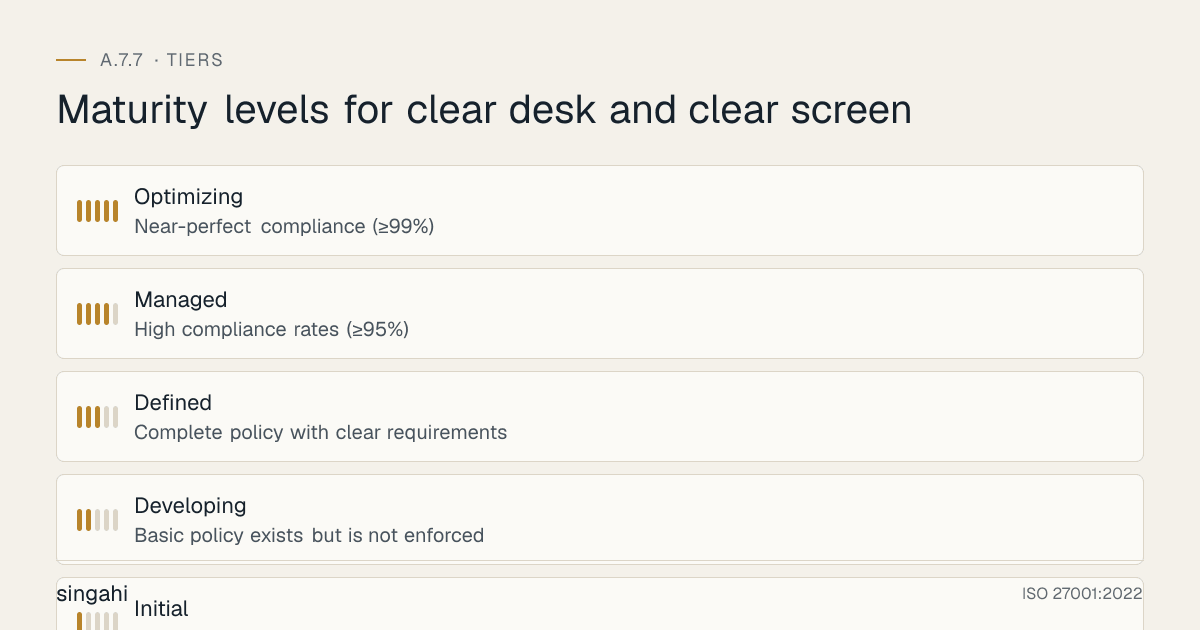
Maturity Model for A.7.7
| Level | Name | Characteristics | Evidence |
|---|---|---|---|
| 1 | Initial | No clear desk/screen policy; no enforcement; no training; desks and screens routinely left unsecured; high visual hacking risk | No documentation, no controls, no enforcement, frequent violations |
| 2 | Developing | Basic policy exists but is not enforced; some training provided; some employees comply; spot checks are occasional; compliance is inconsistent | Basic policy, some training, some compliance, some checks |
| 3 | Defined | Complete policy with clear requirements; automatic screen lock deployed; secure storage available; training for all employees; regular spot checks and formal audits; violation handling; quarterly review | Complete policy, automation, storage, training, monitoring, enforcement, review |
| 4 | Managed | High compliance rates (≥95%); automated monitoring of screen lock compliance; secure print release deployed; visitor management integrated; cleaning staff trained; metrics-driven; positive reinforcement culture; integration with security awareness program | High compliance, automation, integration, metrics, culture, positive reinforcement |
| 5 | Optimizing | Near-perfect compliance (≥99%); self-policing culture where employees correct each other; visitors and contractors automatically comply; remote work fully covered; policy is a competitive advantage; industry-leading practices; continuous optimization | Self-policing, near-perfect compliance, competitive advantage, industry-leading |
Improvement Cycle
Plan:
- Annual policy and procedure review
- Benchmarking against industry standards and peer organizations
- Regulatory change assessment and alignment (DPDP Act, RBI, SEBI, NABH)
- Technology evaluation for automation and enhancement (IoT, smart storage, biometric locks)
- Maturity assessment and target setting
- Incident analysis for lessons learned
- Workspace risk assessment updates (new layouts, new areas, remote work changes)
Do:
- Implement new automation tools (screen lock enforcement, secure print, smart storage)
- Expand training to new employees and refresher for existing employees
- Enhance signage and reminders with new designs and placements
- Deploy new secure storage solutions (personal lockers, smart cabinets)
- Extend policy to new areas (remote work, co-working spaces, new offices)
- Enhance visitor and contractor controls
- Improve cleaning staff training and supervision
- Conduct security awareness campaigns focused on clear desk/screen
- Implement positive reinforcement programs (recognition, rewards, contests)
Check:
- Monthly compliance metrics review (clear desk rate, clear screen rate, violation trends)
- Quarterly formal audit results review
- Annual complete policy and procedure review
- Compliance audit preparation and results
- Employee feedback and comprehension assessment
- Cost optimization and ROI measurement
- Incident correlation analysis (violations vs. incidents)
- Remote work compliance assessment
- Visitor and contractor compliance assessment
- Culture assessment (self-policing, peer awareness, positive reinforcement)
Act:
- Update policy based on findings, incidents, and emerging risks
- Refine procedures based on employee feedback and incident lessons
- Invest in tools that improve automation, accuracy, and monitoring
- Expand training for high-risk roles, new hires, and remote workers
- Report improvements to leadership and board
- Share best practices and lessons learned
- Benchmark against industry standards and peer organizations
- Engage with regulatory bodies on compliance
- Participate in industry forums on physical security best practices
- Publish illustrative scenarios and research on clear desk/screen effectiveness
Toolkit Download
The A.7.7 Control Pack contains a policy template, a step-by-step procedure, checklists, an audit evidence checklist, training materials, an issue playbook, a RACI, a metrics dashboard and a regulatory mapping.
Frequently Asked Questions
Q1: Is clear desk and clear screen mandatory for ISO 27001 certification?
A: Not automatically. No Annex A control is mandatory. Under clause 6.1.3 you choose the controls your risk assessment calls for, then record A.7.7 in your Statement of Applicability as included (and how) or excluded (and why). Almost every organisation with offices, shared spaces or staff working in public places includes it. If you include it, the 2022 control expects clear desk and clear screen rules to be defined and appropriately enforced, and auditors may walk the office to check.
Q2: How short should the automatic screen lock timeout be?
A: The timeout depends on the risk level of the environment:
- High-risk environments (BPO, trading floors, healthcare, areas with high visitor traffic): 2–3 minutes
- Standard office environments: 5 minutes
- Low-risk environments (private offices with no visitor access): 10 minutes
- Public/shared terminals: 1 minute The timeout should be short enough to prevent unauthorized access during brief absences (bathroom breaks, coffee runs) but not so short that it frustrates users and causes them to find workarounds. For most organizations, 5 minutes is the standard recommendation. For high-risk environments, 2–3 minutes is appropriate. Test the timeout with a pilot group before full deployment.
Q3: Do we need to provide lockable storage for every employee?
A: Yes, every employee who handles sensitive information must have access to lockable storage. At minimum, every desk should have at least one lockable drawer. In open-plan or hot-desking environments, personal lockers should be provided. The storage does not need to be expensive, a simple lockable desk drawer or a small filing cabinet is sufficient. The key is that employees have somewhere to put sensitive documents and media when they leave their desk. Without lockable storage, the policy is unenforceable.
Q4: How do we handle employees who say the policy is too inconvenient?
A: Inconvenience is a common complaint, but it can be addressed by: (1) making secure storage easily accessible (lockable drawer at the desk, not a cabinet across the room), (2) making screen lock automatic (not manual), (3) explaining the "why", real-world examples of breaches caused by visual hacking and document theft, (4) sharing compliance metrics that show the policy works, (5) making the end-of-day procedure a quick 2-minute routine, not a 30-minute chore, (6) providing positive reinforcement for compliance, not just punishment for violations. The key is to make compliance easier than non-compliance. If locking a drawer takes 5 seconds and the alternative is a disciplinary warning, employees will lock the drawer.
Q5: Should we enforce clear desk at the end of the day, or also during the day when employees leave for lunch or breaks?
A: Both. The policy should require clearing the desk whenever the employee is not present, even for short periods. This includes lunch breaks, coffee breaks, bathroom breaks, meetings, and any other absence from the desk. The rationale is that an attacker or visitor only needs a few seconds to photograph a document or copy a USB drive. However, the policy should be practical: documents actively being worked on can remain on the desk while the employee is present, but must be secured when the employee leaves. The end-of-day clearance is the most critical (all items secured overnight), but daytime clearance is also important.
Q6: How do we handle open-plan offices where desks are visible to everyone?
A: Open-plan offices are the highest-risk environment for clear desk violations because every desk is visible to everyone. In open-plan offices: (1) enforce the strictest clear desk policy (no sensitive documents visible when unattended), (2) provide personal lockers or lockable drawers for every employee, (3) use desk dividers or privacy screens to reduce visual exposure, (4) position screens to face away from main walkways (not toward reception or visitor areas), (5) use privacy filters on screens to reduce angle visibility, (6) conduct frequent spot checks, (7) train employees on the risks of open-plan layouts. Open-plan offices are popular for cost and collaboration, but they require the most rigorous clear desk enforcement.
Q7: What about hot-desking and shared workstations?
A: Hot-desking and shared workstations require adapted controls: (1) employees must clear the desk completely before leaving (no personal or sensitive items left behind), (2) screens must log out after each session (not just lock), (3) personal lockers must be provided for storing items between shifts, (4) shared workstations should have "session end" buttons that log out and clear temporary files, (5) USB ports may be disabled on shared workstations to prevent media storage, (6) each user should use their own credentials and not share accounts. Hot-desking environments are actually easier for clear desk enforcement because employees are already in the habit of taking their belongings with them when they leave.
Q8: How do we handle remote workers and home offices?
A: Remote workers must follow an adapted clear desk/clear screen policy: (1) lock screens when leaving the workstation, even at home, (2) secure sensitive documents in a locked drawer or cabinet when not in use, (3) ensure screens and documents are not visible to family members, visitors, or delivery personnel, (4) collect and secure all materials when working in shared spaces (co-working, coffee shops), (5) use privacy filters on screens in shared spaces, (6) do not leave work devices unattended in public spaces. Provide remote workers with guidance on home office setup, including secure storage recommendations. Include remote workers in training and compliance monitoring (via self-assessment or periodic check-ins).
Q9: How do we handle meeting rooms with whiteboards and flip charts?
A: Meeting rooms are a common source of data exposure. Controls: (1) all whiteboards must be erased after meetings; provide erasers and signs, (2) flip chart pages with sensitive content must be removed and stored securely or shredded, (3) digital whiteboards must be configured to clear content after meetings, (4) meeting rooms must be checked after each meeting for left-behind documents, laptops, or devices, (5) meeting rooms should have "erase after use" signs, (6) for highly sensitive meetings, consider non-permanent markers or digital whiteboards that don't retain physical traces. Assign a "meeting owner" responsibility to ensure the room is cleared.
Q10: How do we measure the effectiveness of clear desk and clear screen?
A: Key effectiveness indicators: (1) Clear desk compliance rate: percentage of desks compliant during spot checks (target: ≥95%), (2) Clear screen compliance rate: percentage of screens locked during spot checks (target: ≥99%), (3) End-of-day compliance rate: percentage of employees performing end-of-day procedure (target: ≥95%), (4) Violation rate: number of violations per month (target: decreasing trend), (5) Repeat violation rate: percentage of violations that are repeat offenses (target: ≤10%), (6) Training completion rate: percentage of employees completing training (target: ≥95%), (7) Training test score: average score on knowledge test (target: ≥90%), (8) Visual hacking incidents: number of visual hacking incidents detected (target: 0), (9) Document theft incidents: number of document theft incidents (target: 0), (10) Audit findings: number of clear desk/screen-related audit findings (target: 0). Measure baseline before implementation and track trends over time. Report improvements to leadership quarterly.
Q11: What should we do when visitors or auditors request to see documents or screens?
A: Visitors and auditors should never be allowed to view sensitive documents or screens without authorization. If an auditor needs to review documents, they must be provided in a controlled manner (e.g., in a meeting room, with an authorized employee present, with only the specific documents needed). If an auditor needs to see a system, they must be shown a demo or test environment, not the production system with live data. Visitors should be restricted to designated visitor areas. If a visitor needs to see a work area, they must be escorted, and the area should be prepared in advance (desks cleared, screens locked, sensitive documents removed). Never allow an unescorted visitor to walk through a work area.
Q12: How do we handle clear desk during emergencies (fire alarm, evacuation)?
A: During emergencies, personal safety takes priority over clear desk compliance. Employees should not delay evacuation to secure documents. However, the organization should consider: (1) the fire alarm or evacuation drill may be used as a social engineering tactic to clear the office for theft, so security personnel should monitor the area during evacuations, (2) after the emergency, employees should check their desks and report any missing items, (3) for planned drills, employees can practice "quick clear" procedures (taking critical items with them), (4) emergency procedures should be documented and communicated. The key is to balance safety with security, never require employees to risk safety for document security, but have post-incident procedures to address any exposure during the emergency.
Q13: Should we use screen privacy filters?
A: Screen privacy filters are recommended for high-risk environments (open-plan offices, customer-facing desks, areas with high visitor traffic). Privacy filters limit the viewing angle of the screen, so only the person directly in front of the screen can see the content. They are particularly useful for: (1) open-plan offices where screens are visible to neighbors, (2) reception and customer service desks where screens may be visible to customers, (3) areas where shoulder surfing is a risk, (4) employees who work with highly sensitive data (finance, HR, legal). Privacy filters are not a substitute for screen locks, they should be used in combination with screen locks. They are relatively inexpensive and can be installed by the user.
Q14: How do we handle cleaning staff who need to clean desks?
A: Cleaning staff are a common challenge for clear desk policies because they need to access desks to clean them. Solutions: (1) cleaning staff should be screened and trained on the clear desk policy, (2) cleaning staff should be supervised or work in teams, (3) cleaning should be scheduled during work hours when employees are present (if feasible), or after hours with security supervision, (4) cleaning staff should not access locked drawers or cabinets, (5) cleaning staff should report any sensitive documents found on desks to security or facilities, (6) cleaning staff should be required to sign confidentiality agreements. In high-security environments, cleaning staff may be escorted or limited to specific areas. The key is to balance the need for cleaning with the need for security.
Q15: How do we maintain compliance over the long term?
A: Long-term compliance requires: (1) Automation: automatic screen lock removes the human factor for screens, (2) Integration: make clear desk/screen part of the organizational culture, not a separate security initiative, (3) Reinforcement: periodic reminders, training, and awareness campaigns keep the topic fresh, (4) Metrics: track and publish compliance rates to maintain accountability, (5) Leadership modeling: executives and managers must visibly comply with the policy to set the tone, (6) Positive culture: create a culture where employees remind each other and take pride in security, rather than viewing it as a burden, (7) New hire training: every new employee learns the policy from day one, (8) Continuous improvement: review and refine the policy based on incidents, feedback, and changes in the work environment. Compliance is not a one-time project, it is a continuous practice that requires ongoing attention.
The following toolkit assets are available for this control:
| # | Toolkit File | Description |
|---|---|---|
| 1 | 01-clear-desk-and-clear-screen-policy-template.md | Policy Template |
| 2 | 02-clear-desk-and-clear-screen-procedure.md | Procedure |
| 3 | 03-clear-desk-and-clear-screen-checklist.md | Checklist |
| 4 | 04-audit-evidence-checklist.md | Audit Evidence Checklist |
| 5 | 05-implementation-roadmap.md | Implementation Roadmap |
| 6 | 06-quick-reference-card.md | Quick Reference Card |
| 7 | 07-training-materials.md | Training Materials |
| 8 | 08-incident-response-playbook.md | Incident Response Playbook |
| 9 | 09-risk-assessment-template.md | Risk Assessment Template |
| 10 | 10-vendor-security-template.md | Vendor Security Template |
| 11 | 11-metrics-and-kpi-dashboard.md | Metrics and KPI Dashboard |
| 12 | 12-gap-analysis-template.md | Gap Analysis Template |
| 13 | 13-raci-matrix.md | RACI Matrix |
| 14 | 14-tool-comparison-matrix.md | Tool Comparison Matrix |
| 15 | 15-communication-plan.md | Communication Plan |
| 16 | 16-roles-and-responsibilities.md | Roles and Responsibilities |
| 17 | 17-regulatory-mapping.md | Regulatory Mapping |
References and Further Reading
Standards and Frameworks
- ISO/IEC 27001:2022, Information Security, Cybersecurity and Privacy Protection, Information Security Management Systems, Requirements
- ISO/IEC 27002:2022, Information Security, Cybersecurity and Privacy Protection, Information Security Controls
- NIST SP 800-53, Security and Privacy Controls for Information Systems and Organizations
- COBIT 2019, IT Governance and Management Framework
- CIS Controls v8, Safeguard 4.3 (automatic session locking)
- PCI DSS v4.0.1, Requirements 8.2.8 and 9.4
- HIPAA Security Rule, workstation use and security (for US health data)
- GDPR, Article 32 (Security of Processing, including physical security)
Indian Legal and Regulatory References
- Digital Personal Data Protection Act, 2023
- Information Technology Act, 2000 (as amended through 2008)
- Official Secrets Act, 1923 (for government and defense classified information)
- RBI Cybersecurity Framework for Banks (2016, updated)
- SEBI Cybersecurity and Cyber Resilience Framework (CSCRF) for SEBI Regulated Entities, circular of 20 August 2024
- IRDAI Information and Cyber Security Guidelines (2023)
- NABH Accreditation Standards for Hospitals (relevant to patient information protection)
- Bharatiya Nyaya Sanhita, 2023 (replaced the Indian Penal Code from 1 July 2024): theft s.303, criminal breach of trust s.316
Industry and Research Sources
- Ponemon Institute for 3M, Visual Hacking Experiment (2015) and Global Visual Hacking Experiment (2016)
- ASIS International, physical security guidelines
Tool Documentation
- Microsoft Group Policy Documentation, Screen Saver and Screen Lock Configuration
- Microsoft Intune Documentation, Device Compliance and Screen Lock Policies
- Omnissa Workspace ONE (formerly VMware) Documentation, Device Management and Security Policies
- Jamf Pro Documentation, macOS Security and Screen Lock Configuration
- Ivanti Neurons for MDM (formerly MobileIron) Documentation, Mobile Device Security and Screen Lock
- Various printer manufacturer documentation for Secure Print Release (HP, Canon, Ricoh, Xerox)
- Various CCTV and visitor management system documentation
Document Control
- Version: 1.0
- Author: Singahi, ISO 27001 Implementation Experts
- Review Cycle: Quarterly + Annual
- Next Review: June 2027
- Classification: TLP:CLEAR, Public Information