
On this page
- Quick Reference
- What the Control Asks For
- Why It Matters
- Scope and Applicability
- Key Definitions
- Relationship to Other Controls
- Implementation Roadmap
- Detailed Guidance
- Tools and Technologies
- Policy Templates and Documentation
- Risk Assessment
- Audit and Assessment Checklist
- Metrics and KPIs
- Common Pitfalls and How to Avoid Them
- Illustrative Scenarios
- Multi-Framework Mapping
- Regulatory and Compliance Context
- RACI Matrix
- Documentation and Record Keeping
- Continuous Improvement
- Toolkit Download
- Frequently Asked Questions
- References and Further Reading
Quick Reference
| Attribute | Detail |
|---|---|
| Control Number | A.7.8 |
| Control Title | Equipment Siting and Protection |
| ISO 27001:2022 Domain | Physical Controls (7) |
| Control Type | Preventive |
| Information Security Attribute | Confidentiality, Integrity, Availability |
| Maturity Model Level | Level 1–5 (see the maturity model below) |
| Typical Implementation Time | 2–6 weeks for basic; 2–3 months for enterprise |
| Main cost drivers | Site assessment, equipment, monitoring, maintenance |
| Primary Owner | Facilities Manager / Security Manager / IT Infrastructure Manager |
| Key Stakeholders | Facilities, Security, IT, Engineering, Finance, Procurement, Risk Management, HR |
| Audit Frequency | Quarterly + annual complete assessment |
| ISO 27002 attributes | Control type: Preventive · Properties: Confidentiality, Integrity, Availability · Concepts: Protect · Capabilities: Physical security, Asset management · Domains: Protection |
What the Control Asks For
In short:
ISO 27001:2022 Annex A 7.8 asks organizations to site and protect equipment securely.
Do you need this control?
A.7.8 is not mandatory in itself: under clause 6.1.3 you include it if your risk assessment calls for it, and record the decision in your Statement of Applicability. Include it if you run your own servers, network equipment or comms rooms. If all infrastructure is in the cloud or a colocation facility, much of it is the provider's job, and you would record that.
What ISO 27002:2022 Adds
27002 7.8 (paraphrased) suggests:
- (a) siting equipment so that people do not need to pass through work areas unnecessarily and unauthorised access is avoided
- (b) positioning equipment that handles sensitive data so information cannot be viewed by unauthorised people while in use
- (c) controls against physical and environmental threats such as theft, fire, explosives, smoke, water or water-supply failure, dust, vibration, chemicals, electrical and communications interference, electromagnetic radiation and vandalism
- (d) guidelines for eating, drinking and smoking near information processing facilities
- (e) monitoring environmental conditions such as temperature and humidity
- (f) lightning protection for buildings and lightning protection filters on all incoming power and communications lines
- (g) special protection such as keyboard membranes for equipment in industrial environments
- (h) protecting equipment that processes confidential information against electromagnetic emanation
- (i) physically separating facilities the organisation manages from those it does not (for example landlord, ISP or other tenants' equipment in the same room or rack)
Point (i) is common in India: shared comms rooms in IT parks often hold the landlord's, the ISP's and other tenants' equipment. Keep a register of whose equipment is in your room, and lock your racks.
Why It Matters
Prevents Environmental Damage and Equipment Failure
Servers, network equipment and storage are sensitive to heat, humidity, dust, water and unstable power. Equipment placed in an unventilated cupboard, a warehouse without cooling or a basement prone to flooding fails sooner and more often. In India, summer heat, monsoon humidity and flooding, dust and voltage fluctuations make siting decisions especially important for branch offices and factories.
Reduces Unauthorised Access and Tampering
Equipment that visitors or unauthorised staff can reach can be tampered with, stolen or fitted with rogue devices such as hardware keyloggers or network implants. Siting critical equipment away from public routes and in locked rooms or racks removes most of this opportunity.
Prevents Visual and Emanation Leakage
Screens facing windows or public areas, and printers in open spaces, expose information. Research has shown that keyboard sounds and electromagnetic emanations can, in some conditions, be used to recover information. These attacks are rare and need a capable adversary, but where you process highly confidential information, distance and placement are cheap protections.
Supports Business Continuity
Good siting reduces single points of failure: a UPS in a cramped cupboard, a core switch under a leaking pipe or all servers in one basement room can take everything down at once. Siting decisions should be made with continuity (A.5.29, A.5.30) and redundancy (A.8.14) in mind.
Regulatory and Customer Expectations
The DPDP Act 2023 requires reasonable security safeguards (s.8(5)); regulated entities face RBI, SEBI CSCRF (2024) and IRDAI (2023) expectations for resilient infrastructure; and enterprise customers check equipment protection in security questionnaires and audits.
Scope and Applicability
Equipment In Scope
Information Processing Equipment:
- Servers (rack-mounted, tower, blade)
- Network equipment (routers, switches, firewalls, load balancers, wireless access points)
- Storage systems (SAN, NAS, tape libraries, backup appliances)
- Desktop computers and workstations
- Laptop computers and docking stations
- Tablets and mobile devices (when used as information processing equipment)
- Point-of-sale (POS) terminals and kiosks
- ATM terminals and banking kiosks
- Industrial control systems (SCADA, PLCs, HMI panels)
- Medical devices with data processing capabilities (patient monitors, imaging systems, EMR terminals)
- Telecommunications equipment (PBX, VoIP systems, video conferencing systems)
- Print and imaging devices (printers, copiers, scanners, fax machines, MFPs)
- Backup and archive equipment (tape drives, optical jukeboxes, backup servers)
- Cryptographic equipment (HSMs, key management appliances, encryption devices)
- Monitoring and surveillance equipment (CCTV systems, access control systems, alarm systems)
- Power protection equipment (UPS, generators, power distribution units, surge protectors)
- Cooling and environmental control equipment (AC units, chillers, fans, humidifiers, dehumidifiers)
- Cabling infrastructure (network cables, power cables, fiber optic cables, cable trays)
Facilities and Infrastructure:
- Data centers and server rooms
- Network operations centers (NOCs) and security operations centers (SOCs)
- Telecommunications rooms and equipment closets
- Distribution frame rooms and patch panel areas
- Power rooms and electrical distribution areas
- Cooling plant rooms and HVAC areas
- Cable risers and vertical cable shafts
- Satellite and antenna equipment
- Edge computing sites and micro data centers
- Branch office equipment rooms
- Remote site equipment shelters and enclosures
Environmental Threats In Scope
Thermal Threats:
- Excessive heat (ambient temperature above equipment specifications)
- Heat accumulation due to poor ventilation or airflow
- Heat from adjacent equipment (thermal stacking)
- Thermal cycling (temperature fluctuations causing expansion and contraction)
- Heat from external sources (sunlight, adjacent machinery, HVAC exhaust)
Humidity and Moisture Threats:
- High humidity (causing corrosion and condensation)
- Low humidity (causing electrostatic discharge)
- Water ingress (flooding, leaks, condensation, plumbing failures)
- Moisture from air conditioning failures or poor drainage
- Humidity fluctuations (causing material stress)
Particulate and Contamination Threats:
- Dust and particulates (clogging cooling systems, causing abrasion)
- Smoke and soot (from fires, industrial processes, pollution)
- Chemical contaminants (corrosive gases, industrial emissions, cleaning chemicals)
- Biological contaminants (mold, mildew, insect infestation)
- Construction debris and renovation dust
Physical and Mechanical Threats:
- Vibration (from machinery, vehicles, construction, HVAC)
- Shock and impact (from falling objects, collisions, seismic activity)
- Electromagnetic interference (EMI) from nearby equipment or power lines
- Radio frequency interference (RFI) from wireless devices or broadcasting equipment
- Static electricity and electrostatic discharge (ESD)
- Magnetic fields (from transformers, motors, MRI machines)
Power Quality Threats:
- Power surges and spikes
- Power sags and brownouts
- Power outages and blackouts
- Electrical noise and harmonics
- Poor grounding and earthing
- Lightning strikes and transients
Natural Disaster Threats:
- Flooding (monsoon, river overflow, storm surge, plumbing failure)
- Earthquakes (structural damage, equipment displacement)
- Cyclones and storms (wind damage, debris, power loss)
- Heatwaves and extreme temperatures
- Dust storms and sandstorms (particulate damage)
Organizational Size Considerations
Small Organizations (≤50 employees):
- Basic equipment siting assessment (1–2 days)
- Simple climate control (portable AC, basic ventilation)
- Basic surge protection (power strips with surge protection)
- Basic access control (locked room, key access)
- Simple monitoring (thermometer, humidity gauge)
- Budget: –Medium Organizations (50–500 employees):
- Formal equipment siting assessment and documentation
- Dedicated server room or equipment room with climate control
- UPS and power conditioning for critical equipment
- Structured cabling and cable management
- Environmental monitoring (temperature, humidity, water leak detection)
- Access control for equipment rooms (card access, biometrics)
- Budget: –Large Organizations (≥500 employees):
- Complete equipment siting assessment across all locations
- Data centers with precision cooling, fire suppression, and redundant power
- Enterprise environmental monitoring and management systems
- Redundant equipment and geographic distribution
- Disaster-resistant design (flood-proofing, seismic bracing, fire-rated construction)
- Integration with building management systems (BMS) and security systems
- Budget: –+ (depending on scale)
Key Definitions
| Term | Definition |
|---|---|
| Equipment Siting | The process of determining the physical location of information processing equipment to minimize environmental and security risks |
| Equipment Protection | The measures taken to protect equipment from environmental threats, unauthorized access, and physical damage |
| Environmental Threat | A condition in the physical environment that can damage equipment or cause failure (heat, humidity, water, dust, vibration, EMI) |
| Data Center | A dedicated facility or room designed to house information technology equipment with controlled environmental conditions and security |
| Server Room | A room designed to house servers and network equipment with environmental controls and access controls |
| Equipment Room | A general-purpose room for housing information processing equipment (telecom room, equipment closet, IDF) |
| Climate Control | Systems that regulate temperature, humidity, and air quality in equipment rooms (air conditioning, humidifiers, dehumidifiers, air filtration) |
| Precision Cooling | Specialized cooling systems designed for data centers and server rooms with precise temperature and humidity control |
| Hot Aisle / Cold Aisle | A data center layout where equipment racks are arranged in alternating rows (hot aisles for exhaust, cold aisles for intake) to optimize airflow |
| Rack | A standardized frame for mounting equipment (servers, switches, patch panels) in data centers and server rooms |
| UPS (Uninterruptible Power Supply) | A device that provides emergency power to equipment during power outages, with surge protection and power conditioning |
| PDU (Power Distribution Unit) | A device that distributes electrical power to multiple pieces of equipment from a single source |
| Surge Protector | A device that protects equipment from voltage spikes by diverting excess voltage to ground |
| EMI (Electromagnetic Interference) | Unwanted electromagnetic signals that disrupt the operation of electronic equipment |
| RFI (Radio Frequency Interference) | Unwanted radio frequency signals that disrupt the operation of electronic equipment |
| ESD (Electrostatic Discharge) | A sudden flow of electricity between two electrically charged objects, which can damage electronic components |
| Water Leak Detection | A system that detects water ingress or leaks in equipment rooms and alerts personnel |
| Fire Suppression | Systems that detect and suppress fires in equipment rooms (gas-based, water mist, or dry chemical) |
| Raised Floor | A floor system with a cavity beneath it for cable routing, airflow, and cooling distribution in data centers |
| Cable Management | The organization and protection of cables to prevent damage, reduce clutter, and improve airflow |
| Environmental Monitoring | Systems that continuously monitor temperature, humidity, water, smoke, and other environmental conditions in equipment rooms |
| Dust Filtration | Systems that remove dust and particulates from the air in equipment rooms |
| Seismic Bracing | Structural supports that secure equipment racks and infrastructure to prevent movement during earthquakes |
| Flood Barrier | Physical barriers that prevent water from entering equipment rooms |
| Equipment Enclosure | A cabinet or case that protects equipment from environmental threats and unauthorized access |
| Edge Computing Site | A small-scale data center or equipment room located at the edge of the network, closer to the data source |
| Branch Office Equipment | Information processing equipment located in branch offices, remote sites, or satellite locations |
| Remote Site | A location with information processing equipment that is not the primary headquarters or data center |
| Equipment Lifecycle | The period from equipment acquisition to disposal, during which siting and protection must be maintained |
| Business Impact Analysis (BIA) | An analysis that identifies the criticality of equipment and the impact of its failure on business operations |
| Mean Time Between Failures (MTBF) | The average time between equipment failures, used to assess reliability and plan siting |
| Mean Time To Repair (MTTR) | The average time to repair equipment after failure, used to assess recovery requirements |
Relationship to Other Controls
| Control | Relationship to A.7.8 |
|---|---|
| A.7.1–A.7.4 Perimeters, entry, offices, monitoring | Protect the rooms where equipment is sited |
| A.7.5 Physical and environmental threats | Site-level threat assessment that informs siting |
| A.7.7 Clear desk and clear screen | Screens positioned and locked to avoid exposure |
| A.7.11 Supporting utilities | Power, UPS and cooling for the equipment |
| A.7.12 Cabling security | Protecting power and data cables |
| A.7.13 Equipment maintenance | Access for maintenance without exposing equipment |
| A.8.1 User endpoint devices | Protecting endpoints in the office |
| A.5.9 Inventory of assets | Shows what equipment exists and where |
Implementation Roadmap
Figure · Matrix
Comparison: Weekly to Event-triggered
Figure · Timeline
Rollout in order
- Week 5Relocate equipment to designated sites
- Week 6Deploy environmental controls
- Week 7Deploy access controls and physical
- Week 8Implement cable management
Phase 1: Assessment and Planning (Weeks 1–2)
| Week | Activity | Deliverable |
|---|---|---|
| 1 | Inventory all equipment and assess current siting | Equipment inventory and siting assessment |
| 2 | Identify environmental risks and security gaps | Risk assessment and gap analysis |
Phase 2: Design and Procurement (Weeks 3–4)
| Week | Activity | Deliverable |
|---|---|---|
| 3 | Design equipment siting plan and protection measures | Siting plan and protection design |
| 4 | Procure environmental control and protection equipment | Procurement and delivery |
Phase 3: Implementation (Weeks 5–8)
| Week | Activity | Deliverable |
|---|---|---|
| 5 | Relocate equipment to designated sites | Equipment relocation |
| 6 | Deploy environmental controls (AC, UPS, monitoring) | Environmental controls deployed |
| 7 | Deploy access controls and physical protection | Access controls deployed |
| 8 | Implement cable management and structured cabling | Cable management completed |
Phase 4: Monitoring and Validation (Weeks 9–10)
| Week | Activity | Deliverable |
|---|---|---|
| 9 | Deploy environmental monitoring systems | Monitoring systems operational |
| 10 | Validate siting and protection effectiveness | Validation report |
Phase 5: Continuous Improvement (Ongoing)
| Frequency | Activity | Deliverable |
|---|---|---|
| Weekly | Environmental monitoring review | Environmental status report |
| Monthly | Equipment condition inspection | Equipment inspection report |
| Quarterly | Siting and protection review | Quarterly review report |
| Bi-annually | Environmental control maintenance | Maintenance records |
| Annually | Complete siting assessment | Annual assessment report |
| Event-triggered | Post-incident siting review | Incident review report |
Detailed Guidance
Equipment Siting Principles
Principle 1: Minimize Environmental Exposure
- Site equipment away from sources of heat, humidity, water, dust, and vibration
- Avoid basements and ground floors in flood-prone areas (locate critical equipment above ground level)
- Avoid attics and top floors in areas with extreme heat (unless adequately cooled)
- Avoid areas near windows, exterior walls, or roofs that may leak or overheat
- Avoid areas near industrial processes, kitchens, or chemical storage
- Avoid areas with high foot traffic, vibration from machinery, or exposure to external elements
Principle 2: Minimize Unauthorized Access
- Site equipment in rooms with controlled access (card access, biometric, key lock)
- Avoid siting equipment in public areas, reception areas, or visitor-accessible spaces
- Avoid siting equipment in areas visible from public spaces, windows, or shared corridors
- Keep equipment away from main entrances, exits, and loading docks
- Use physical barriers (walls, locked cabinets, enclosures) to restrict access
- Site equipment in rooms that can be easily monitored (CCTV, security patrols)
Principle 3: Optimize Operational Efficiency
- Site equipment in locations that are accessible for maintenance and repairs
- Ensure adequate space around equipment for airflow, service access, and cable management
- Site equipment near the users or systems that depend on it (to reduce latency and cabling costs)
- Consider future expansion and scalability in siting decisions
- Use structured cabling and cable management to reduce clutter and improve airflow
- Site equipment in locations with reliable power and network connectivity
Principle 4: Support Business Continuity
- Site critical equipment in locations with redundant power and cooling
- Distribute critical equipment across multiple locations to reduce single points of failure
- Site backup equipment in separate locations from primary equipment (geographic separation)
- Consider disaster-resistant design (seismic bracing, flood barriers, fire-rated construction)
- Ensure equipment can be quickly accessed and recovered after a disaster
Principle 5: Prevent Information Leakage
- Avoid siting equipment with visible indicators or displays near windows or public areas
- Position monitors and screens to face away from public areas and windows
- Use privacy filters on screens that face public areas or shared spaces
- Avoid siting printers and copiers in public areas or near windows
- Consider acoustic shielding for equipment that generates audible signals or noise
- Use shielded cabling and enclosures to reduce electromagnetic emanations
Server and Data Center Siting
Data Center Location:
- Data centers should be located in areas with low risk of natural disasters (floods, earthquakes, cyclones)
- Avoid ground floors and basements in flood-prone areas (e.g., monsoon-prone regions in India)
- Avoid top floors in areas with extreme heat unless precision cooling is available
- Avoid areas near airports, chemical plants, or military installations (risk of explosions, interference, or restrictions)
- Consider proximity to power grids, network backbones, and disaster recovery sites
- Consider political stability, regulatory environment, and data sovereignty requirements
Data Center Design:
- Raised floors for cable management and airflow distribution
- Hot aisle/cold aisle layout for efficient cooling
- Redundant power (UPS, generators, dual power feeds)
- Redundant cooling (N+1 or 2N configuration)
- Fire suppression (gas-based for data centers, water mist for non-electrical areas)
- Water leak detection under raised floors and in ceiling spaces
- Environmental monitoring (temperature, humidity, smoke, water, power quality)
- Physical security (access control, CCTV, mantraps, security guards)
- Seismic bracing for racks and infrastructure in earthquake-prone areas
- Dust filtration and positive air pressure to prevent dust ingress
Server Room Design (for smaller organizations):
- Dedicated room with solid walls and a lockable door
- Climate control (split AC or precision AC) with temperature and humidity monitoring
- UPS with adequate capacity for all equipment and runtime for graceful shutdown
- Power distribution with proper grounding and surge protection
- Fire detection (smoke detectors) and fire suppression (clean agent or CO2)
- Environmental monitoring (temperature, humidity, water leak detection)
- Cable management (racks, cable trays, velcro ties, labels)
- Access control (card reader, biometric, or key lock)
- Raised floor or cable trays for cable management (if budget allows)
- Dust prevention (positive air pressure, air filtration, sealed room)
Rack Siting and Layout:
- Racks should be arranged in hot aisle/cold aisle configuration
- Leave adequate space between racks and walls for airflow and maintenance (minimum 1 meter)
- Leave adequate space in front of racks for service access (minimum 1 meter)
- Heavy equipment should be placed at the bottom of racks for stability
- Equipment with high heat output should be distributed evenly, not concentrated
- UPS and power equipment should be in separate racks or areas from servers to reduce heat and noise
- Network equipment should be at the top of racks for easy access to cabling
- Cable management should be at the sides or rear of racks to avoid blocking airflow
Network Equipment Siting
Network Closets and IDFs (Intermediate Distribution Frames):
- Network closets should be in central locations to minimize cable runs
- Closets should be lockable, climate-controlled, and free of dust and moisture
- Avoid siting network closets in bathrooms, kitchens, or mechanical rooms
- Closets should have adequate power (UPS) and ventilation
- Use wall-mounted racks for small closets and floor-standing racks for larger closets
- Patch panels should be organized and labeled for easy maintenance
- Fiber optic cables should be protected from bending and crushing
- Network closets should be monitored for temperature and humidity
Wireless Access Points:
- Access points should be sited for optimal coverage, not convenience
- Avoid siting access points near metal objects, microwaves, or other RF interference sources
- Access points in public areas should be physically secured (ceiling-mounted, locked enclosures) to prevent tampering
- Outdoor access points should be in weatherproof enclosures with lightning protection
- Access points in industrial areas should be in dust-proof and vibration-resistant enclosures
Firewalls and Security Appliances:
- Firewalls should be in secure, access-controlled rooms (not in public areas)
- Security appliances should be sited to minimize network latency (at network boundaries or in DMZs)
- Critical security appliances (HSMs, key management servers) should be in high-security rooms with dual access control
- Security appliances should have dedicated UPS power and environmental monitoring
Desktop and Endpoint Equipment Siting
Workstations and Desktops:
- Position monitors to face away from public areas, windows, and shared corridors
- Use privacy filters on monitors in open-plan offices or customer-facing areas
- Avoid siting workstations in areas with high dust, heat, or vibration
- Ensure adequate ventilation around desktops (not in enclosed cabinets without airflow)
- Use cable management to reduce clutter and trip hazards
- Secure desktops with cable locks in high-risk areas or public spaces
- Avoid siting workstations in areas with direct sunlight (causes screen glare and overheating)
Laptops and Mobile Devices:
- Laptops should be stored in locked drawers or cabinets when not in use
- Docking stations should be in secure areas with power protection
- Mobile devices should not be left unattended in public areas
- Use laptop locks in shared workspaces, conference rooms, and public areas
- Avoid using laptops in areas with extreme heat, dust, or moisture (outdoor use, construction sites, kitchens)
Printers and Copiers:
- Printers should be in secure areas with access controls (not in public lobbies or visitor areas)
- Printers should be away from windows to prevent visual exposure of output
- Printers should be on dedicated power circuits with surge protection
- Printers with hard drives (MFPs) should be treated as information processing equipment and protected accordingly
- Secure print release should be used for sensitive documents
- Printers should be accessible for maintenance but not accessible to unauthorized users for data extraction
Industrial and Operational Equipment Siting
Industrial Control Systems (SCADA, PLCs, HMI):
- Industrial control systems should be in protected enclosures separate from the operational floor
- Control rooms should have climate control, dust filtration, and vibration isolation
- Control systems should be physically separated from IT networks (air gap or firewall)
- HMI panels should be in locations visible to operators but not to the public
- Control systems should have UPS power and surge protection
- In hazardous environments (explosive, corrosive), use intrinsically safe or explosion-proof enclosures
Medical Equipment:
- Medical devices with data processing should be in clean, climate-controlled areas
- Patient monitors and EMR terminals should be positioned for clinical access but protected from patient tampering
- Medical imaging equipment should be in shielded rooms with proper grounding
- Medical equipment must comply with NABH standards for patient safety and data protection
- Medical equipment should be protected from electromagnetic interference from other medical devices
Telecommunications Equipment:
- PBX and VoIP systems should be in secure, climate-controlled rooms with UPS power
- Telecommunications rooms should be in central locations with easy access for maintenance
- Fiber optic cables should be protected from bending, crushing, and moisture
- Antenna and satellite equipment should be secured and protected from weather and lightning
- Telecommunications equipment in outdoor locations should be in weatherproof enclosures
Power and Environmental Protection
Power Protection:
- All critical equipment should have UPS power with adequate capacity and runtime
- UPS should be in well-ventilated areas (not in cramped closets that cause overheating)
- UPS batteries should be replaced according to manufacturer recommendations (typically 3–5 years)
- Power distribution units (PDUs) should be in racks with circuit breakers and surge protection
- Generators should be tested regularly and fueled adequately
- Power cables should be properly sized, grounded, and protected from damage
- Lightning protection should be installed for facilities in lightning-prone areas
- Power quality monitoring should be used to detect surges, sags, and harmonics
Environmental Controls:
- Temperature should be maintained within equipment specifications (typically 18–27°C for data centers, 20–25°C for offices)
- Humidity should be kept within the equipment maker's range; ASHRAE's recommended envelope is a dew point of −9 °C to 15 °C with relative humidity up to 60%, which avoids condensation and corrosion
- Air conditioning should be sized for the heat load (including equipment, lighting, and people)
- Precision cooling (in-row, overhead, or underfloor) should be used in data centers
- Hot air should be exhausted, not recirculated (hot aisle/cold aisle design)
- Dust filtration should be used in dusty environments (India, construction areas, industrial areas)
- Humidifiers and dehumidifiers should be used to maintain humidity in dry or humid climates
- Water leak detection should be installed under raised floors, in ceilings, and near plumbing
Fire Protection:
- Smoke detectors should be installed in all equipment rooms
- Fire suppression systems should be appropriate for the equipment type (gas-based for electronics, water mist for mixed environments)
- Fire-rated construction should be used for equipment rooms (walls, doors, ceilings)
- Fire doors should be self-closing and have fire-rated seals
- Fire extinguishers should be readily accessible and appropriate for the fire type (CO2 for electrical fires)
- Fire drills should include evacuation procedures for equipment rooms
- Post-fire procedures should include equipment assessment and data recovery
Flood Protection:
- Critical equipment should not be in basements or ground floors in flood-prone areas
- Flood barriers should be installed at entrances to equipment rooms
- Water leak detection should be installed in all equipment rooms
- Sump pumps should be installed in basement equipment rooms
- Equipment should be raised off the floor (racks, raised floors, platforms)
- Critical equipment should be in waterproof or water-resistant enclosures
- Data backups should be stored off-site or in flood-proof locations
Seismic Protection (for earthquake-prone areas):
- Equipment racks should be bolted to the floor or walls
- Equipment should be secured with rack rails and retention straps
- Cable management should allow for movement without disconnection
- Raised floors should be designed for seismic loads
- Seismic bracing should be used for overhead cable trays and ductwork
- Critical equipment should be in seismically isolated rooms or on isolation platforms
Cable Management and Infrastructure Protection
Structured Cabling:
- Cables should be organized in cable trays, conduits, or raceways
- Cables should be labeled at both ends for easy identification and maintenance
- Cable trays should be properly supported and grounded
- Cables should not be run across floors where they can be damaged by foot traffic or equipment
- Cables should not be run in areas with heat, moisture, or chemical exposure
- Fiber optic cables should be protected from bending (minimum bend radius) and crushing
- Power cables and data cables should be separated to reduce EMI
- Cables should be secured with velcro ties (not zip ties, which can damage cables) at regular intervals
Cable Entry Points:
- Cable entry points through walls and floors should be sealed to prevent water, dust, and pest ingress
- Cable entry points should be fire-stopped to prevent fire spread
- External cable entry points should be protected from weather and physical damage
- Cable entry points should be monitored for unauthorized additions or tampering
Conduits and Ducts:
- Conduits should be used for cables in exposed or high-traffic areas
- Conduits should be properly grounded and protected from damage
- Conduits should not be overfilled (cable fill should be ≤40% for easy pulling and maintenance)
- Conduits should be sealed at entry points to prevent water and dust ingress
- Conduits should be labeled with the cables they contain
Environmental Monitoring and Management
Temperature Monitoring:
- Temperature sensors should be installed at multiple points in equipment rooms (inlet, outlet, top, bottom, middle)
- Temperature monitoring should be continuous and logged
- Alerts should be triggered when temperature exceeds thresholds (e.g., >27°C for data centers, >30°C for server rooms)
- Temperature trends should be analyzed to identify cooling system degradation
- Temperature maps should be created to identify hot spots and cooling inefficiencies
Humidity Monitoring:
- Humidity sensors should be installed in all equipment rooms
- Humidity monitoring should be continuous and logged
- Alerts should be triggered when humidity or dew point leaves the range you set (for example above 60% RH)
- Humidity trends should be analyzed to identify humidifier/dehumidifier issues or air conditioning problems
Water Leak Detection:
- Water leak sensors should be installed under raised floors, in ceilings, and near plumbing
- Water leak detection should be continuous with immediate alerts
- Water leak sensors should be tested regularly (quarterly)
- Water leak response procedures should be documented and practiced
- Water leak sensors should be connected to the monitoring system and BMS
Smoke and Fire Detection:
- Smoke detectors should be installed in all equipment rooms
- Smoke detectors should be tested regularly (quarterly or as per manufacturer)
- Smoke detection should be integrated with fire suppression systems
- Smoke detection should be connected to the monitoring system and fire alarm panel
- VESDA (Very Early Smoke Detection Apparatus) should be used in high-value data centers
Power Quality Monitoring:
- Power quality monitors should be installed on critical power feeds
- Power quality monitoring should track voltage, current, frequency, harmonics, and power factor
- Alerts should be triggered for power anomalies (surges, sags, outages, harmonic distortion)
- Power quality data should be analyzed to identify UPS, generator, or utility issues
Monitoring Integration:
- Environmental monitoring should be integrated with the building management system (BMS)
- Environmental monitoring should be integrated with the security management system
- Environmental monitoring should be integrated with the IT service management system (ITSM)
- Environmental alerts should be escalated to the appropriate personnel (facilities, security, IT, management)
- Environmental monitoring data should be retained for trend analysis and compliance reporting
Tools and Technologies
Environmental Monitoring Systems
| Tool | Type | Key Features |
|---|---|---|
| APC NetBotz | Data Center Monitoring | Temperature, humidity, water, smoke, door, camera; SNMP integration; alerting |
| Raritan Dominion SX | Intelligent PDUs | Power monitoring, temperature monitoring, remote access; outlet-level control |
| Schneider Electric EcoStruxure | BMS Integration | Temperature, humidity, power, water; BMS integration; cloud analytics |
| Sensaphone | Remote Monitoring | Temperature, humidity, water, power; cellular and ethernet connectivity; alerting |
| AKCP sensorProbe | SNMP Monitoring | Temperature, humidity, water, smoke, airflow; SNMP traps; web interface |
| IT WatchDogs | Environmental Monitoring | Temperature, humidity, water, smoke, door; SNMP; email/SMS alerts |
| Room Alert | Environmental Monitoring | Temperature, humidity, water, power; USB and network connectivity; alerts |
| TempDefender | Temperature Monitoring | Temperature, humidity, water; wireless sensors; cloud dashboard |
| Monnit | Wireless Sensors | Temperature, humidity, water, door, motion; wireless; cloud platform |
| WiFi Temperature Sensors | IoT Sensors | Temperature, humidity; WiFi connectivity; mobile app; lightweight |
| Zabbix / Nagios | Open-Source Monitoring | Temperature, humidity, power via SNMP; custom alerting; free |
| PRTG Network Monitor | Network Monitoring | Environmental monitoring via SNMP; dashboards; alerts |
| SolarWinds NPM | Network Monitoring | Environmental monitoring; power monitoring; integration with network monitoring |
| Datadog | Cloud Monitoring | Environmental monitoring integration; dashboards; alerting; APM |
| New Relic | Cloud Monitoring | Infrastructure monitoring; environmental data integration; dashboards |
Power Protection Equipment
| Equipment | Type | Key Features |
|---|---|---|
| APC Smart-UPS | UPS | Line-interactive; pure sine wave; LCD display; network management card; surge protection |
| APC Symmetra | UPS | Modular, scalable; online double-conversion; N+1 redundancy; hot-swappable |
| Eaton 9PX | UPS | Online double-conversion; high efficiency; scalable; network management |
| Tripp Lite SmartOnline | UPS | Online double-conversion; expandable battery; SNMP; LCD |
| CyberPower CP1500 | UPS | Line-interactive; LCD; USB; surge protection; affordable |
| Vertiv Liebert | UPS/Precision Cooling | Online UPS; precision cooling; integrated environmental monitoring; enterprise |
| Schneider Electric Galaxy | UPS | Online double-conversion; high efficiency; scalable; modular |
| PDU (Basic) | Power Distribution | Basic power distribution; circuit breakers; rack-mounted |
| PDU (Metered) | Power Distribution | Metered power distribution; remote monitoring; circuit-level monitoring |
| PDU (Switched) | Power Distribution | Switched outlets; remote control; outlet-level monitoring; environmental sensors |
| Surge Protector (Consumer) | Surge Protection | Basic surge protection; power strips; affordable |
| Surge Protector (Industrial) | Surge Protection | Industrial-grade surge protection; high joule rating; response time; network protection |
| Power Conditioner | Power Conditioning | Voltage regulation; noise filtering; surge protection; isolation |
| Generator (Diesel) | Backup Power | Diesel generator; automatic transfer switch; ATS; load bank testing |
| Generator (Gas) | Backup Power | Natural gas generator; cleaner; automatic transfer switch; continuous operation |
| Solar + Battery | Renewable Backup | Solar panels; battery storage; inverter; UPS functionality; green energy |
| Lightning Arrester | Lightning Protection | Surge protection from lightning strikes; grounding; bonding |
Climate Control Equipment
| Equipment | Type | Key Features |
|---|---|---|
| Precision AC (In-Row) | Data Center Cooling | In-row cooling; close-coupled; high efficiency; variable speed; hot aisle/cold aisle |
| Precision AC (Overhead) | Data Center Cooling | Overhead cooling; ducted; high capacity; redundant |
| Precision AC (Underfloor) | Data Center Cooling | Underfloor cooling; raised floor; high capacity; uniform distribution |
| Split AC (Wall-Mounted) | Server Room Cooling | Wall-mounted; affordable; easy installation; temperature control |
| Split AC (Cassette) | Server Room Cooling | Ceiling cassette; uniform distribution; quiet; efficient |
| Portable AC | Temporary Cooling | Portable; temporary; spot cooling; exhaust hose; affordable |
| Chiller | Central Cooling | Central chilled water; high capacity; scalable; redundant |
| CRAC (Computer Room Air Conditioner) | Data Center Cooling | Precision temperature and humidity control; high capacity; redundant |
| Humidifier | Humidity Control | Steam, ultrasonic, or evaporative; humidistat control; automatic |
| Dehumidifier | Humidity Control | Refrigerant or desiccant; automatic; drainage; humidistat |
| Air Purifier / Filtration | Dust Control | HEPA filtration; dust removal; positive air pressure; ionizer |
| Exhaust Fan | Ventilation | Exhaust fan; ventilation; heat removal; wall or ceiling mounted |
| Ventilation System | Air Exchange | Fresh air intake; air exchange; filtered; climate-controlled |
| Dust Filter | Dust Control | Replaceable filters; dust capture; HVAC integration; high efficiency |
Physical Security Equipment for Equipment Rooms
| Equipment | Type | Key Features |
|---|---|---|
| Card Access Reader | Access Control | Card reader; PIN; audit trail; integration with access control system |
| Biometric Reader | Access Control | Fingerprint, iris, or facial recognition; high security; audit trail |
| Mantrap | High Security | Two-door interlock; prevents tailgating; high security; data center |
| Security Door | Physical Security | Steel door; fire-rated; lockable; access control integration; viewing window |
| CCTV Camera | Surveillance | IP camera; motion detection; night vision; remote viewing; recording |
| CCTV NVR/DVR | Surveillance Recording | Network video recorder; digital video recorder; storage; remote access |
| Rack Security (Door) | Rack Security | Lockable glass or steel door; mesh; ventilation; key or combination |
| Rack Security (Side Panel) | Rack Security | Lockable side panels; mesh; ventilation; key or combination |
| Equipment Enclosure | Equipment Security | Cabinet or case; lockable; ventilated; dust-proof; wall-mounted or floor-standing |
| Cable Lock (Kensington) | Device Security | Laptop cable lock; combination or key; steel cable |
| Equipment Anchor | Anti-Theft | Floor or wall anchor; bolt-down; rack anchoring; seismic bracing |
| Flood Barrier | Flood Protection | Removable or permanent barrier; water-tight; door or wall mounted |
| Water Leak Sensor | Leak Detection | Cable or point sensor; water detection; immediate alert; battery or powered |
| Smoke Detector | Fire Detection | Photoelectric or ionization; interconnected; battery or powered; test button |
| VESDA | Early Fire Detection | Very early smoke detection; aspirating; high sensitivity; data center |
| Fire Suppression (FM-200) | Fire Suppression | Clean agent; gas-based; non-conductive; automatic; data center |
| Fire Suppression (Novec 1230) | Fire Suppression | Clean agent; gas-based; environmentally friendly; automatic; data center |
| Fire Suppression (CO2) | Fire Suppression | CO2; gas-based; automatic; non-conductive; electrical fires |
| Fire Suppression (Water Mist) | Fire Suppression | Water mist; low damage; effective; mixed environments |
| Fire Extinguisher (CO2) | Portable Fire Suppression | CO2; portable; electrical fires; non-conductive; data center |
| Fire Extinguisher (Dry Chemical) | Portable Fire Suppression | ABC dry chemical; portable; versatile; affordable |
| Seismic Bracing Kit | Seismic Protection | Rack bracing; floor anchors; wall anchors; cable tray bracing; seismic-rated |
| Raised Floor System | Data Center Infrastructure | Raised floor; tiles; pedestals; stringers; cable management; airflow |
| Rack (Standard 42U) | Data Center Infrastructure | 42U rack; 19-inch; steel; adjustable rails; casters; grounding |
| Rack (Wall-Mounted) | Small Equipment | Wall-mounted rack; 6U–12U; compact; lockable; ventilated |
| Cable Tray | Cable Management | Ladder or basket tray; steel; overhead or underfloor; supports cables |
| Cable Conduit | Cable Protection | PVC or metal conduit; cable protection; wall or ceiling mounted |
| Cable Manager (Vertical) | Rack Cable Management | Vertical cable manager; D-ring; brush strip; rack-mounted |
| Cable Manager (Horizontal) | Rack Cable Management | Horizontal cable manager; D-ring; brush strip; rack-mounted |
| Velcro Cable Ties | Cable Organization | Reusable; color-coded; no damage to cables; pack of 100 |
| Cable Labels | Cable Identification | Printable; adhesive; color-coded; durable; laser or thermal |
| Patch Panel | Network Organization | 24-port or 48-port; CAT5e/CAT6/CAT6A; rack-mounted; labeled |
| KVM Switch | Remote Access | Keyboard, video, mouse switch; remote access; IP-based; multi-server |
| Console Server | Out-of-Band Management | Serial console access; remote management; cellular backup; out-of-band |
| Environmental Monitoring Sensor | Temperature/Humidity | Temperature and humidity sensor; SNMP; web interface; alerting |
| Water Leak Detection Cable | Water Detection | Sensing cable; water detection; runs along floors and walls; immediate alert |
| Dust Filter (Rack-Mounted) | Dust Control | Rack-mounted dust filter; fan; reusable filter; equipment protection |
| Positive Air Pressure Fan | Dust Prevention | Fan with filter; creates positive pressure; prevents dust ingress; wall-mounted |
| EMI Shielding | EMI Protection | EMI shielding paint, foil, or panels; reduces electromagnetic interference; room or enclosure |
| RFI Shielding | RFI Protection | RFI shielding; reduces radio frequency interference; room or enclosure |
| Acoustic Shielding | Acoustic Protection | Acoustic panels; soundproofing; reduces acoustic emanations; room or enclosure |
| Privacy Filter (Monitor) | Visual Protection | Monitor privacy filter; limits viewing angle; anti-glare; removable |
| Equipment Cart | Mobile Equipment | Mobile cart; lockable; ventilated; for laptops, printers, or small equipment |
| Equipment Cabinet (Mobile) | Mobile Security | Mobile cabinet; lockable; ventilated; for sensitive equipment; wheels |
Policy Templates and Documentation
Equipment Siting and Protection Policy (Template)
Template
Equipment Siting and Protection Policy
1. Purpose
This policy establishes the requirements for the siting and protection of information processing equipment to minimize environmental threats, unauthorized access, and information leakage risks.
2. Scope
Applies to all information processing equipment, including servers, network equipment, storage systems, desktops, laptops, printers, industrial control systems, medical devices, and telecommunications equipment. Applies to all locations where equipment is sited, including data centers, server rooms, offices, branch locations, remote sites, and edge computing locations.
3. Policy Statements
3.1 Environmental Protection
- All equipment must be sited in locations with appropriate environmental controls (temperature, humidity, dust, water, vibration, EMI)
- Critical equipment must be in climate-controlled rooms with continuous environmental monitoring
- Equipment must be protected from water ingress, flooding, and moisture
- Equipment must be protected from dust and particulates (dust filtration, positive air pressure, sealed rooms)
- Equipment must be protected from excessive heat and thermal cycling (air conditioning, ventilation, heat dissipation)
- Equipment must be protected from vibration and shock (isolation, damping, secure mounting)
- Equipment must be protected from electromagnetic interference (shielding, separation, grounding)
- Equipment must be protected from power quality issues (UPS, surge protection, power conditioning, grounding)
3.2 Access Control and Physical Security
- Critical equipment must be in access-controlled rooms (card access, biometric, or key lock)
- Equipment must not be sited in public areas, visitor areas, or unsecured spaces
- Equipment must not be visible from public areas, windows, or shared corridors
- Equipment rooms must have CCTV monitoring and security patrols
- Equipment must be in locked racks, cabinets, or enclosures
- Equipment rooms must have fire-rated construction and fire suppression
- Equipment rooms must have water leak detection and flood protection
- Equipment must be protected from theft (cable locks, rack security, alarms)
3.3 Information Leakage Prevention
- Monitors and screens must face away from public areas and windows
- Privacy filters must be used on screens in open-plan offices or customer-facing areas
- Printers must not be in public areas or near windows
- Equipment with status indicators or displays must not be visible from outside the room
- Acoustic shielding must be used for equipment that generates sensitive signals
- Electromagnetic shielding must be used for equipment that generates sensitive emanations
- Cables must be shielded and protected from tapping or interception
3.4 Business Continuity and Resilience
- Critical equipment must have redundant power (UPS, generators, dual power feeds)
- Critical equipment must have redundant cooling (N+1 or 2N configuration)
- Critical equipment must be distributed across multiple locations to reduce single points of failure
- Backup equipment must be in separate locations from primary equipment
- Equipment must be in disaster-resistant locations (flood-proof, seismic-braced, fire-rated)
- Equipment must be accessible for recovery and restoration after a disaster
- Data backups must be stored off-site or in disaster-proof locations
3.5 Cable and Infrastructure Management
- All cables must be organized in cable trays, conduits, or raceways
- Cables must be labeled at both ends for easy identification and maintenance
- Cable trays must be properly supported and grounded
- Cables must not be run across floors or in areas where they can be damaged
- Power cables and data cables must be separated to reduce EMI
- Cable entry points must be sealed to prevent water, dust, and pest ingress
- Cable entry points must be fire-stopped to prevent fire spread
- Conduits must not be overfilled (cable fill ≤40%)
3.6 Environmental Monitoring and Management
- All equipment rooms must have continuous environmental monitoring (temperature, humidity, water, smoke, power)
- Environmental monitoring must be integrated with the building management system (BMS) and security system
- Environmental alerts must be escalated to the appropriate personnel (facilities, security, IT, management)
- Environmental monitoring data must be retained for trend analysis and compliance reporting
- Environmental monitoring systems must be tested regularly (quarterly)
- Environmental thresholds must be defined and documented for each equipment room
- Environmental incidents must be documented and investigated
3.7 Equipment Siting Approval
- All new equipment siting must be approved by the Facilities Manager and Security Manager
- Siting decisions must be documented with justification (risk assessment, environmental assessment, security assessment)
- Changes to equipment siting must go through change management (A.5.16)
- Temporary siting (e.g., for events, construction, emergencies) must be approved and time-limited
- Equipment siting must be reviewed during office relocations, renovations, and expansions
- Remote and branch office equipment siting must follow the same policy as headquarters
4. Roles and Responsibilities
- Facilities Manager: Approve equipment siting; manage environmental controls; manage cable infrastructure; manage environmental monitoring; conduct siting assessments
- Security Manager: Approve equipment siting from a security perspective; manage access controls; manage CCTV; manage physical security of equipment rooms; conduct security assessments
- IT Infrastructure Manager: Identify equipment requirements; recommend siting locations; manage equipment installation; manage power and cooling requirements; manage equipment maintenance
- CISO: Approve policy; ensure compliance; integrate with information security program; report to management; manage risk
- Risk Manager: Assess equipment siting risks; conduct business impact analysis; manage insurance and business continuity; advise on siting decisions
- All Employees: Comply with equipment siting policies; report environmental concerns; protect equipment from damage; follow access controls for equipment rooms
- Procurement: Procure equipment with siting requirements; ensure suppliers deliver equipment to approved locations; manage vendor access to equipment rooms
- Contractors and Vendors: Comply with equipment siting policies; follow access controls; protect equipment during installation and maintenance; report environmental concerns
5. Exceptions
- Temporary siting for emergencies or events (approved and time-limited)
- Equipment in mobile or field environments (adapted protection measures)
- Equipment in hazardous environments (specialized enclosures and protection)
- Equipment in shared or multi-tenant facilities (coordinated protection with facility owner)
- Exceptions must be documented, approved by the CISO and Facilities Manager, and reviewed regularly
6. Review
This policy is reviewed annually and updated as needed. Changes to equipment siting, office relocations, or new locations trigger a policy review.
Approved by: _______________ Date: _______________ CISO / Facilities Manager / Security Manager
Supporting Document Templates
Equipment Siting Assessment Form:
Template
Equipment Siting Assessment Form
Equipment Name: _______________ Equipment Type: _______________ Serial Number: _______________ Asset Tag: _______________ Location/Room: _______________ Proposed Siting Location: _______________
Environmental Assessment:
- Temperature is within equipment specifications (____°C)
- Humidity is within acceptable range (____% RH)
- Room has adequate ventilation and airflow
- Room is free from dust and particulates (or has dust control)
- Room is free from water ingress risk (not basement/ground floor in flood zone)
- Room is free from vibration and shock (not near machinery/vehicles)
- Room is free from electromagnetic interference (not near transformers/motors)
- Room has adequate power (UPS, surge protection, grounding)
- Room has fire detection and suppression
- Room has water leak detection
Security Assessment:
- Room has access control (card/biometric/key lock)
- Room is not in a public or visitor area
- Equipment is not visible from public areas or windows
- Room has CCTV monitoring
- Equipment is in a locked rack or cabinet
- Room has fire-rated construction
- Room has intrusion detection (door sensors, motion detectors)
- Cables are protected and organized
Business Continuity Assessment:
- Equipment has redundant power (UPS/generator)
- Equipment has redundant cooling (if critical)
- Equipment is not in a single point of failure location
- Backup equipment is in a separate location
- Equipment is accessible for recovery after a disaster
- Data backups are stored off-site or in disaster-proof location
Operational Assessment:
- Equipment is accessible for maintenance and repairs
- Adequate space around equipment for airflow and service
- Cabling is organized and manageable
- Equipment is near the users or systems that depend on it
- Room has adequate lighting for maintenance
- Room has adequate clearance for equipment removal and replacement
Risk Assessment:
- Environmental risks identified and mitigated
- Security risks identified and mitigated
- Business continuity risks identified and mitigated
- Information leakage risks identified and mitigated
- Residual risks are acceptable and documented
Approvals:
- IT Infrastructure Manager: _______________ Date: _______________
- Facilities Manager: _______________ Date: _______________
- Security Manager: _______________ Date: _______________
- CISO: _______________ Date: _______________
Notes and Conditions:
Environmental Monitoring Checklist:
Template
Environmental Monitoring Checklist
Equipment Room: _______________ Date: _______________ Inspector: _______________
Temperature:
- Temperature at inlet: _____°C (spec: _____°C)
- Temperature at outlet: _____°C (spec: _____°C)
- Temperature at top of rack: _____°C (spec: _____°C)
- Temperature at bottom of rack: _____°C (spec: _____°C)
- Temperature trend: Stable / Increasing / Decreasing
- Alert threshold: _____°C (current status: Normal / Alert / Critical)
Humidity:
- Humidity: _____% RH (spec: _____% RH)
- Humidity trend: Stable / Increasing / Decreasing
- Alert threshold: _____% RH (current status: Normal / Alert / Critical)
Water Leak Detection:
- Water leak sensors operational: Yes / No
- Water leak test performed: Yes / No (date: _____)
- Water leak status: Normal / Alert
Smoke/Fire Detection:
- Smoke detectors operational: Yes / No
- Smoke detector test performed: Yes / No (date: _____)
- Fire suppression system operational: Yes / No
- Fire suppression test performed: Yes / No (date: _____)
Power Quality:
- UPS status: Normal / Alert / Bypass / Maintenance
- UPS battery test performed: Yes / No (date: _____)
- Generator test performed: Yes / No (date: _____)
- Power quality monitoring: Normal / Alert
- Voltage: _____V (spec: _____V)
- Frequency: _____Hz (spec: _____Hz)
Physical Security:
- Access control operational: Yes / No
- CCTV operational: Yes / No
- Door sensors operational: Yes / No
- Intrusion detection operational: Yes / No
- Room is locked and secured: Yes / No
General:
- Room is clean and free of clutter: Yes / No
- Cables are organized and managed: Yes / No
- Equipment is free from dust: Yes / No
- Equipment is securely mounted: Yes / No
- Fire extinguishers are accessible and charged: Yes / No
- Emergency contact numbers are posted: Yes / No
Issues Identified:
Corrective Actions:
Inspector Signature: _______________ Time: _______________
Risk Assessment
Risks of Inadequate Equipment Siting and Protection
| Risk | Likelihood | Impact | Risk Score | Mitigation |
|---|---|---|---|---|
| Equipment failure due to overheating | High | High | Critical | Climate control, ventilation, temperature monitoring, hot aisle/cold aisle design |
| Equipment failure due to humidity | Medium | High | High | Humidity control, monitoring, corrosion protection |
| Equipment damage due to water/flooding | Medium | High | High | Flood protection, water leak detection, elevated siting, waterproof enclosures |
| Equipment damage due to dust | High | Medium | High | Dust filtration, positive air pressure, sealed rooms, regular cleaning |
| Equipment failure due to power issues | High | High | Critical | UPS, surge protection, power conditioning, generator, monitoring |
| Equipment tampering or theft | Medium | High | High | Access control, CCTV, locked racks, cable locks, alarms |
| Visual information leakage from screens | High | Medium | High | Privacy filters, monitor positioning, screen lock, blinds/shades |
| Acoustic/electromagnetic information leakage | Low | Medium | Medium | Acoustic shielding, EMI shielding, distance from public areas |
| Cascading failure due to shared infrastructure | Medium | High | High | Redundancy, separation, isolation, distributed architecture |
| Business interruption due to environmental failure | Medium | High | High | Redundancy, disaster recovery, backup sites, business continuity planning |
| Regulatory non-compliance due to poor siting | Medium | High | High | Regulatory alignment, audit readiness, documentation |
| Equipment lifespan reduction due to poor environment | High | Medium | High | Climate control, dust filtration, power quality, maintenance |
| Fire damage to equipment | Low | High | Medium | Fire detection, fire suppression, fire-rated construction, fire drills |
| Seismic damage to equipment (earthquake-prone areas) | Low | High | Medium | Seismic bracing, rack anchoring, isolation platforms |
| Lightning damage to equipment | Medium | High | High | Lightning protection, surge protection, grounding |
Risk Treatment Plan
| Risk | Treatment | Owner | Timeline |
|---|---|---|---|
| Overheating | Deploy climate control, temperature monitoring, hot aisle/cold aisle | Facilities Manager | 2–4 weeks |
| Humidity | Deploy humidity control, monitoring, dehumidifiers/humidifiers | Facilities Manager | 2–4 weeks |
| Water/flooding | Relocate from basements, deploy flood barriers, water leak detection | Facilities Manager | 1–2 weeks |
| Dust | Deploy dust filtration, positive air pressure, sealed rooms | Facilities Manager | 2–4 weeks |
| Power issues | Deploy UPS, surge protection, generators, power monitoring | IT Infrastructure Manager | 2–4 weeks |
| Tampering/theft | Deploy access control, CCTV, locked racks, cable locks | Security Manager | 2–4 weeks |
| Visual leakage | Deploy privacy filters, reposition monitors, window treatments | Security Manager | 1–2 weeks |
| Cascading failure | Deploy redundancy, separation, distributed architecture | IT Infrastructure Manager | 4–8 weeks |
| Fire damage | Deploy fire detection, suppression, fire-rated construction | Facilities Manager | 2–4 weeks |
| Lightning damage | Deploy lightning protection, surge protection, grounding | Facilities Manager | 1–2 weeks |
Audit and Assessment Checklist
Documentation Review
- Is there a documented Equipment Siting and Protection Policy?
- Is the policy communicated to all relevant personnel (facilities, security, IT, procurement)?
- Is there an equipment inventory with siting locations documented?
- Is there a siting assessment form for new equipment?
- Is there environmental monitoring documentation (thresholds, logs, alerts)?
- Is there a cable management plan and documentation?
- Is there a business continuity plan that includes equipment siting?
- Is there a risk assessment for equipment siting and environmental threats?
- Is there a change management process for equipment siting changes?
- Is the policy reviewed annually?
Implementation Review
- Is critical equipment in climate-controlled rooms with monitoring?
- Is equipment protected from water, dust, heat, and vibration?
- Is equipment in access-controlled rooms with CCTV?
- Is equipment not visible from public areas or windows?
- Are monitors and screens positioned to prevent visual hacking?
- Are cables organized, labeled, and protected?
- Is there redundant power (UPS, generator) for critical equipment?
- Is there redundant cooling for critical equipment?
- Is there fire detection and suppression in equipment rooms?
- Is there water leak detection in equipment rooms?
- Is there environmental monitoring integrated with BMS/security systems?
- Is there a documented end-of-day procedure for equipment rooms?
- Are equipment rooms clean, organized, and free of clutter?
- Is there evidence of regular environmental monitoring checks?
- Is there evidence of regular equipment maintenance?
- Are remote and branch offices following the same siting policy?
- Is there a documented incident response procedure for environmental failures?
Effectiveness Review
- What is the environmental incident rate? (Target: 0)
- What is the equipment failure rate due to environmental factors? (Target: decreasing trend)
- What is the uptime of critical equipment? (Target: ≥99.9%)
- What is the temperature compliance rate? (Target: 100% within spec)
- What is the humidity compliance rate? (Target: 100% within spec)
- What is the power outage impact on critical equipment? (Target: 0 unplanned outages)
- Are there any recurring environmental issues or patterns?
- Is the environmental monitoring effective based on incident detection?
- Are personnel aware of environmental risks and their responsibilities?
- Is the policy still appropriate for the current equipment and environment?
- Are there any new environmental threats (climate change, new construction, new neighbors)?
- Are there any new regulatory requirements affecting equipment siting?
- Is the business continuity plan effective based on equipment resilience?
- Are there any single points of failure in equipment siting?
- Is the cost of environmental protection justified by the reduction in incidents?
Metrics and KPIs
Figure · Measures
The measures that show A.7.8 is working
- Temperature Compliance Rate100%Daily
- Humidity Compliance Rate100%Daily
- Power Outage Incidents0Monthly
- Environmental Incident Rate0Monthly
- Equipment Failure Rate≤5%Monthly
Environmental Metrics
| KPI | Formula | Target | Frequency |
|---|---|---|---|
| Temperature Compliance Rate | % of time temperature is within spec | 100% | Daily |
| Humidity Compliance Rate | % of time humidity is within spec | 100% | Daily |
| Power Outage Incidents | Number of unplanned power outages affecting equipment | 0 | Monthly |
| Environmental Incident Rate | Number of environmental incidents per month | 0 | Monthly |
| Equipment Failure Rate (Environmental) | % of equipment failures caused by environmental factors | ≤5% | Monthly |
| Water Leak Detection Response Time | Time from detection to response | ≤5 minutes | Per incident |
| Fire Detection Response Time | Time from detection to response | ≤2 minutes | Per incident |
| Power Quality Anomaly Rate | Number of power quality anomalies per month | ≤5 | Monthly |
| Dust Accumulation Rate | Dust accumulation on equipment (measurable) | Minimal | Monthly |
| Cooling System Efficiency | Cooling capacity vs. heat load | ≥80% | Monthly |
| UPS Battery Health | % of UPS batteries within expected capacity | 100% | Quarterly |
| Generator Test Success Rate | % of generator tests successful | 100% | Monthly |
| Environmental Monitoring System Uptime | % of time monitoring system is operational | ≥99.9% | Monthly |
| Alert Response Time | Time from alert to personnel response | ≤15 minutes | Per alert |
| Environmental Audit Findings | Number of environmental-related audit findings | 0 | Annual |
Security Metrics
| KPI | Formula | Target | Frequency |
|---|---|---|---|
| Equipment Room Access Control Compliance | % of access events authorized and logged | 100% | Monthly |
| Equipment Tampering Incidents | Number of tampering incidents detected | 0 | Monthly |
| Equipment Theft Incidents | Number of theft incidents | 0 | Monthly |
| Visual Hacking Incidents | Number of visual hacking incidents from equipment exposure | 0 | Monthly |
| CCTV Coverage of Equipment Rooms | % of equipment rooms with CCTV coverage | 100% | Quarterly |
| Equipment Room Lock Compliance | % of equipment rooms locked when unattended | 100% | Weekly |
| Unauthorized Access Attempts | Number of unauthorized access attempts to equipment rooms | 0 | Monthly |
| Security Audit Findings | Number of security-related audit findings for equipment | 0 | Annual |
| Cable Integrity | % of cables properly managed and protected | 100% | Quarterly |
| Equipment Enclosure Compliance | % of critical equipment in locked racks or cabinets | 100% | Quarterly |
Business Continuity Metrics
| KPI | Formula | Target | Frequency |
|---|---|---|---|
| Critical Equipment Uptime | % of time critical equipment is operational | ≥99.9% | Monthly |
| Mean Time Between Failures (MTBF) | Average time between equipment failures | Increasing | Annual |
| Mean Time To Repair (MTTR) | Average time to repair equipment after failure | Decreasing | Annual |
| Disaster Recovery Test Success Rate | % of DR tests successful | 100% | Annual |
| RTO Compliance | % of DR tests meeting RTO | 100% | Annual |
| RPO Compliance | % of DR tests meeting RPO | 100% | Annual |
| Equipment Redundancy Coverage | % of critical equipment with redundancy | 100% | Quarterly |
| Geographic Distribution | Number of locations with critical equipment | ≥2 for critical | Annual |
| Backup Site Readiness | % of backup sites ready for failover | 100% | Quarterly |
| Business Interruption Cost | Cost of business interruption due to equipment failure | Decreasing | Annual |
Compliance Metrics
| KPI | Formula | Target | Frequency |
|---|---|---|---|
| Regulatory Compliance Rate | % of regulatory requirements met for equipment siting | 100% | Annual |
| Audit Findings | Number of equipment siting-related audit findings | 0 | Annual |
| Policy Compliance Rate | % of equipment compliant with siting policy | 100% | Quarterly |
| Siting Assessment Completion | % of new equipment with completed siting assessment | 100% | Quarterly |
| Exception Rate | Number of approved exceptions to siting policy | Minimal | Quarterly |
| Training Completion Rate | % of relevant personnel trained on equipment siting | ≥95% | Annual |
| Documentation Completeness | % of required documentation completed and current | 100% | Quarterly |
| Policy Review Timeliness | Policy reviewed within annual cycle | 100% | Annual |
| Incident Documentation Rate | % of environmental incidents fully documented | 100% | Per incident |
| Regulatory Reporting Accuracy | % of regulatory reports accurate and complete | 100% | Per report |
Common Pitfalls and How to Avoid Them
Equipment Sited for Convenience, Not Security
Pitfall: Equipment is sited in the most convenient location (e.g., near the user's desk, in the nearest closet, in the basement because space is available) without considering environmental threats, security risks, or business continuity. Impact: Equipment fails due to environmental stress, is tampered with due to physical exposure, or is destroyed in a disaster. The organization suffers downtime, data loss, and regulatory penalties. Solution: Equipment siting must be a deliberate, risk-based decision. Use the equipment siting assessment form for every piece of equipment. Require approval from Facilities, Security, and IT before any equipment is sited. Do not allow convenience to override security and resilience. If the ideal location is not available, invest in the necessary controls (climate control, access control, power protection) rather than accepting a poor location.
No Environmental Monitoring
Pitfall: Equipment is placed in a room with no environmental monitoring. The organization has no visibility into temperature, humidity, water leaks, or power quality until equipment fails. Impact: Environmental issues go undetected until they cause failure. A heatwave, a leaking pipe, or a power surge destroys equipment before anyone notices. The mean time to detect environmental issues is often longer than the mean time to failure. Solution: Deploy continuous environmental monitoring in all equipment rooms. At minimum, monitor temperature and humidity. For critical equipment, also monitor water leaks, smoke, and power quality. Integrate monitoring with alerting systems that notify facilities, security, and IT immediately when thresholds are exceeded. Test monitoring systems regularly. Environmental monitoring is cheap insurance against expensive failures.
UPS in Cramped, Unventilated Spaces
Pitfall: UPS systems are placed in cramped closets, under desks, or in areas with no ventilation. The UPS overheats, the batteries degrade faster, and the UPS fails when it is needed most. Impact: UPS failure during a power outage causes immediate downtime for all connected equipment. The UPS is supposed to be the safety net, but it becomes the single point of failure. Battery replacement costs are higher because batteries degraded faster due to heat. Solution: UPS systems must be in well-ventilated areas with adequate space for airflow and maintenance. Follow the manufacturer's recommendations for ventilation clearance (typically 30–50 cm on all sides). Do not place UPS in closets, under desks, or in areas with no airflow. Monitor UPS temperature and battery health. Replace batteries on schedule (typically 3–5 years). Test UPS regularly (monthly or quarterly). The UPS is the last line of defense for power, it must be protected as carefully as the equipment it protects.
No Redundancy in Critical Infrastructure
Pitfall: The organization relies on a single UPS, a single air conditioner, a single network path, or a single equipment room for all critical equipment. There is no redundancy or geographic distribution. Impact: A single failure in the UPS, AC, or power feed causes a complete outage. A localized disaster (fire, flood, earthquake) destroys all critical equipment because there is no backup location. The organization has no resilience. Solution: Design redundancy into critical infrastructure. Use N+1 or 2N configurations for power and cooling. Distribute critical equipment across multiple locations or rooms. Maintain backup equipment in a separate location. Use redundant network paths and power feeds. The cost of redundancy is high, but the cost of a complete outage is higher. For organizations that cannot afford full redundancy, prioritize the most critical equipment and ensure at least basic backup (portable AC, small UPS, off-site backups).
Cables as an Afterthought
Pitfall: Cables are run wherever is convenient, with no planning, no organization, no labeling, and no protection. Cables are run across floors, through doorways, under carpets, or in areas with heat and moisture. Cable management is non-existent. Impact: Cables are damaged by foot traffic, equipment, or environmental stress. Unorganized cables make maintenance difficult and time-consuming. Unlabeled cables make troubleshooting slow and error-prone. Cables in public areas are vulnerable to tapping or interception. Cable damage causes network outages and data loss. The "spaghetti" under the desk or in the closet is a security and operational risk. Solution: Use structured cabling standards (TIA/EIA-568, ISO/IEC 11801) for all cable installations. Plan cable routes before running cables. Use cable trays, conduits, and raceways for protection. Label every cable at both ends. Use velcro ties (not zip ties) for organization. Separate power and data cables. Do not run cables across floors or in areas with environmental hazards. Clean up legacy cables during upgrades. Cable management is not cosmetic, it is a security and reliability requirement.
Ignoring Remote and Branch Office Equipment
Pitfall: The organization focuses on headquarters and data centers but ignores equipment siting at branch offices, remote sites, and edge locations. Branch offices may have servers in closets, under desks, or in areas with no climate control. Impact: Branch office equipment fails more frequently due to poor siting, causing local outages and loss of branch data. Branch offices are often the weakest link in the security chain because they lack the controls of the headquarters. A breach at a branch office can provide a foothold for an attack on the headquarters. Solution: Extend equipment siting and protection policies to all locations, including branch offices and remote sites. Conduct siting assessments at every location. Provide branch offices with the necessary controls (portable AC, small UPS, locked cabinets, environmental monitoring). Use centralized monitoring to manage branch office environments remotely. Include branch offices in audits and assessments. The security chain is only as strong as its weakest link, and the weakest link is often the branch office.
No Business Continuity Consideration in Siting
Pitfall: Equipment is sited without considering business continuity and disaster recovery. All critical equipment is in a single location with no backup, no geographic distribution, and no disaster-resistant design. Impact: A localized disaster (fire, flood, earthquake, power failure) destroys all critical equipment and data. The organization has no recovery capability. Business continuity is theoretical, not practical. Solution: Include business continuity and disaster recovery requirements in every siting decision. Distribute critical equipment across multiple locations. Use geographic separation for backup sites. Design disaster-resistant equipment rooms (flood-proof, seismic-braced, fire-rated). Ensure equipment is accessible for recovery after a disaster. Maintain off-site backups. Test disaster recovery plans regularly. Siting is not just about the present, it is about resilience in the face of the unexpected.
Forgetting Information Leakage Risks
Pitfall: Equipment siting focuses on environmental protection and physical security but ignores information leakage risks. Monitors face windows, printers are in public areas, and equipment with status lights is visible from outside. Impact: Sensitive information is leaked through visual observation, acoustic capture, or electromagnetic emanations. An attacker with a camera, a microphone, or an RF receiver can gather intelligence from the equipment. The breach is silent and may go undetected for months or years. Solution: Include information leakage prevention in siting decisions. Position monitors and screens to face away from public areas and windows. Use privacy filters on screens in high-risk areas. Avoid siting printers in public areas. Shield equipment that generates sensitive emanations. Use shielded cables and enclosures. Consider the "side channel" risks of equipment siting, not just the direct access risks. Information leakage through visual and acoustic channels is real and must be addressed.
No Regular Review of Siting Decisions
Pitfall: Equipment siting decisions are made once and never reviewed. The environment changes (new construction, new neighbors, climate change), the equipment changes (new heat loads, new vulnerabilities), and the threats change (new attack methods, new regulations), but the siting remains static. Impact: Equipment that was properly sited 5 years ago may now be at risk due to changed conditions. A new building next door may create EMI. A new subway line may create vibration. A changing climate may increase heat or humidity. The organization does not detect these changes until equipment fails or is breached. Solution: Review equipment siting annually as part of the complete assessment. Review siting when the environment changes (construction, new neighbors, climate events). Review siting when equipment changes (new servers, new heat loads). Review siting when threats change (new regulations, new attack methods). Update siting and protection measures as needed. Siting is not a one-time decision, it is a continuous practice that must adapt to change.
Treating All Equipment the Same
Impact: Resources are wasted protecting low-value equipment, while high-value equipment may be under-protected. The organization spends money on controls that are not justified by the risk, while missing controls that are critical for high-value assets. Solution: Apply risk-based siting and protection. Use the asset inventory and business impact analysis to classify equipment by criticality (Critical, High, Medium, Low). Apply the highest protection to Critical equipment (dedicated server room, precision cooling, redundant power, biometric access). Apply standard protection to Medium equipment (office environment, basic climate control, standard access). Apply minimal protection to Low equipment (general office, no special controls). Risk-based siting optimizes the investment in protection and ensures that the most important assets are the most protected.
Illustrative Scenarios
Illustrative scenario, a composite example for guidance, not a specific Singahi engagement or a verified outcome.
Illustrative Scenario 1: Indian Bank, Equipment Siting Redesign After Branch Flooding
Organization: Scheduled commercial bank (150 branches, 2,000 employees, headquarters in Kolkata) with 3 data centers and 50 server rooms across branches Sector: Banking / Financial Services Challenge: The bank had experienced 3 equipment failures in 2 years due to environmental issues: (1) a server room in the basement of the Mumbai branch flooded during the monsoon, destroying 5 servers and causing a 2-day outage; (2) a server room in the Delhi branch overheated during a heatwave because the AC failed, causing 4 hours of downtime; (3) a UPS in the Chennai branch failed due to overheating in a cramped closet, causing a 6-hour outage. The bank was facing RBI scrutiny because the outages affected customer transactions and ATM services. RBI had issued a warning letter requiring the bank to improve its physical security and environmental controls within 6 months. The bank's CISO recognized that the root cause was poor equipment siting, servers were in basements, closets, and areas with no environmental controls. The bank needed a complete equipment siting redesign across all 150 branches.
Implementation:
- Phase 1 (Months 1–2): Complete assessment and planning. The bank hired a team of facilities engineers and security consultants to conduct a siting assessment at every branch, data center, and server room. The assessment included:
- Equipment inventory (every server, switch, UPS, and printer)
- Environmental assessment (temperature, humidity, water risk, dust, power quality, vibration)
- Security assessment (access control, visibility, CCTV, physical barriers)
- Business impact analysis (criticality of each piece of equipment, impact of failure, RTO, RPO)
- Risk assessment (environmental risks, security risks, business continuity risks)
- The assessment revealed that 40% of server rooms were in basements or ground floors, 60% had no environmental monitoring, 50% had no UPS, and 70% had no access control. The bank prioritized the 50 most critical branches (based on transaction volume and customer impact) for immediate redesign.
- Phase 2 (Months 3–4): Design and procurement. The bank designed a standardized equipment siting and protection package for branches, with three tiers based on criticality:
- Tier 1 (Critical branches, 50 branches): Dedicated server room with precision cooling, UPS, generator, environmental monitoring, biometric access control, CCTV, fire detection, water leak detection, seismic bracing, and dust filtration. Cost: per branch.
- Tier 2 (High-priority branches, 50 branches): Dedicated equipment room with split AC, UPS, environmental monitoring, card access control, CCTV, fire detection, and water leak detection. Cost: per branch.
- Tier 3 (Standard branches, 50 branches): Secured equipment cabinet or closet with portable AC, basic UPS, temperature monitoring, and key lock. Cost: per branch.
- The bank procured equipment in bulk to reduce costs and ensure standardization. All equipment was from the same vendor to simplify maintenance and support.
- Phase 3 (Months 5–6): Implementation and relocation. The implementation was phased by region to minimize disruption. The bank used weekends and holidays for relocations to avoid business hours. Key activities:
- Relocated servers from basements and ground floors to dedicated server rooms or equipment rooms on upper floors
- Installed precision cooling and split AC in server rooms
- Installed UPS and generators in critical branches
- Installed environmental monitoring (temperature, humidity, water, smoke, power) in all branches
- Installed access control (biometric for Tier 1, card for Tier 2, key lock for Tier 3) in all branches
- Installed CCTV in all equipment rooms
- Installed fire detection and suppression in all server rooms
- Installed water leak detection in all equipment rooms
- Installed seismic bracing in earthquake-prone regions (Kolkata, Guwahati, Shillong)
- Implemented structured cabling and cable management in all branches
- Replaced old UPS systems in cramped closets with properly ventilated UPS installations
- The bank also implemented a centralized environmental monitoring system that connected all branch environmental sensors to the headquarters NOC. The NOC could monitor all 150 branches in real-time and respond to alerts.
- Phase 4 (Month 7): Validation and RBI inspection. After implementation, the bank conducted a complete validation test at every branch. The RBI conducted a follow-up inspection. The RBI inspector found:
- All critical equipment was in climate-controlled rooms with monitoring
- All server rooms had access control and CCTV
- All branches had environmental monitoring integrated with the NOC
- All branches had fire detection and water leak detection
- The centralized monitoring system was praised as a "best practice"
- The RBI cleared the bank and noted "significant improvement in physical security and environmental controls"
- The RBI recommended the bank's approach as a model for other banks
Results:
- Zero environmental incidents: In the 18 months following implementation, there were zero environmental incidents (flooding, overheating, power failure) affecting critical equipment. The previous 2 years had seen 3 incidents.
- RBI compliance achieved: The bank passed the RBI inspection with no findings related to equipment siting or environmental controls. The RBI warning letter was closed.
- Uptime improvement: Critical equipment uptime improved from 99.5% to 99.95% (a 90% reduction in downtime). The average branch downtime due to environmental issues dropped from 4 hours per year to 0 hours per year.
- Operational efficiency: The standardized equipment siting and protection package simplified maintenance, training, and procurement. The bank could deploy a new branch with the same equipment package in 2 weeks, rather than 2 months.
- Regulatory reputation: The bank's compliance with RBI requirements improved its reputation with regulators. The bank was invited to present its approach at an RBI cybersecurity seminar for other banks.
- Employee morale: Branch staff appreciated the improved working conditions (cooler equipment rooms, organized cables, reliable power). The IT team reported that maintenance was faster and easier due to organized cabling and standardized equipment.
- Scalability: The standardized approach enabled the bank to open 10 new branches in the following year with the same equipment siting package, ensuring consistent security and compliance from day one.
Key Success Factors:
- The RBI warning letter was the catalyst for change, the regulatory risk was immediate and severe
- The complete assessment revealed the true scale of the problem (40% in basements, 60% with no monitoring)
- The three-tier approach (Tier 1/Tier 2/Tier 3) optimized the investment based on criticality
- Standardization (same vendor, same package, same monitoring) simplified operations and reduced costs
- The centralized monitoring system (NOC) provided real-time visibility into 150 branches
- Phased implementation by region minimized disruption and allowed lessons learned to be applied
- The RBI inspection validated the approach and provided positive reinforcement
Lessons Learned:
- RBI regulatory pressure is a powerful driver for investment in physical security and environmental controls
- A complete assessment is essential, the scale of the problem is often larger than expected
- Standardization across branches reduces costs, simplifies maintenance, and ensures consistency
- Centralized monitoring of branch environments is a force multiplier for security and compliance
- Three-tier protection based on criticality optimizes the investment and ensures the most critical assets are the most protected
- The cost of proper siting and protection is recovered quickly through avoided downtime and regulatory penalties
- Standardized equipment siting packages enable rapid branch expansion with built-in security
- Physical security and environmental controls are not just compliance requirements, they are business enablers
Illustrative Scenario 2: Indian Manufacturing Company, Moving Servers Off a Dusty Factory Floor
Organization: Automotive parts manufacturing company (1,200 employees, 2 factories, headquarters in Pune) with CNC machines, robotic assembly lines, and an ERP system running on on-premise servers Sector: Manufacturing / Automotive Challenge: The company had an on-premise ERP system (SAP) running on 4 servers located in a closet within the factory floor office. The factory environment was extremely dusty (metal shavings, oil mist, grinding dust) and vibrated from the CNC machines and robotic assembly lines. The servers were constantly failing, hard drives dying every 3 months, motherboards corroding, power supplies failing. The company was spending heavily every year on server repairs and replacements. The IT team had resorted to buying "ruggedized" consumer-grade servers, but they still failed. The factory manager wanted to move the servers to the cloud, but the ERP system was customized and could not be easily migrated. The company needed a solution that would protect the servers in the factory environment without moving them off-site.
Implementation:
- Phase 1 (Weeks 1–2): Assessment and root cause analysis. The IT team and an external consultant conducted a detailed assessment of the server environment. The assessment revealed:
- The server closet was on the factory floor, 10 meters from a CNC machine and 5 meters from a grinding station
- Dust levels in the closet were 50 times higher than office standards (measured with a dust meter)
- Vibration levels were 5 times higher than equipment specifications (measured with a vibration sensor)
- Temperature in the closet ranged from 35°C to 45°C (no air conditioning, only a small fan)
- Humidity ranged from 30% to 80% (no humidity control, affected by weather and factory processes)
- The closet had no air filtration, no vibration isolation, no climate control, and no access control
- The root cause was clear: the servers were in an industrial environment without industrial-grade protection. Consumer-grade servers are designed for offices, not factories.
- Phase 2 (Weeks 3–4): Design and procurement. The consultant designed a protected equipment room for the factory, with industrial-grade protection:
- Location: A new room was constructed on the mezzanine level (above the factory floor), away from the CNC machines and grinding stations. The mezzanine level had lower dust and vibration than the factory floor.
- Room construction: The room was built with dust-tight construction (sealed walls, ceiling, and floor). Positive air pressure was maintained using a filtered air supply system (HEPA filters, activated carbon filters for oil mist). The room had a double-door entry (airlock) to prevent dust ingress when the door was opened.
- Vibration isolation: The server rack was mounted on vibration isolation pads (neoprene and spring isolators) to dampen vibration from the factory floor. The rack was also bolted to the structural floor of the mezzanine (not the factory floor) for additional stability.
- Climate control: A precision air conditioner was installed to maintain 22°C and 50% RH. The AC had dust filtration and was designed for industrial environments. The AC was on a dedicated power circuit with a UPS.
- Power protection: A double-conversion online UPS was installed to protect the servers from power quality issues (voltage fluctuations, harmonics from CNC machines). The UPS was in a separate, ventilated cabinet adjacent to the server room.
- Environmental monitoring: Temperature, humidity, dust, vibration, and power quality sensors were installed in the room and connected to the IT team's monitoring dashboard. Alerts were set for threshold breaches.
- Physical security: The room had a card access control system, CCTV, and an intrusion alarm. The room was not visible from the factory floor.
- Cable management: All cables were run in sealed conduits from the mezzanine to the factory floor, with dust-tight seals at entry points. Cables were labeled and organized.
- This was higher than the cost of simply replacing servers, but it was a one-time investment that would last for years.
- Phase 3 (Weeks 5–6): Construction and relocation. The mezzanine room was constructed during a planned factory shutdown. The servers were relocated to the new room over a weekend. The relocation included:
- Installing the server rack on vibration isolation pads
- Installing the precision AC and testing climate control
- Installing the UPS and testing power protection
- Installing environmental monitoring and testing alerts
- Installing access control and CCTV
- Running cables in sealed conduits
- Testing all systems before bringing the ERP online
- The relocation was completed without any ERP downtime (the servers were shut down, moved, and restarted within 4 hours).
- Phase 4 (Weeks 7–12): Monitoring and validation. The IT team monitored the new room continuously for 6 months. The results were dramatic:
- Dust levels in the room were 1/100th of the factory floor (measured with the same dust meter)
- Vibration levels were 1/10th of the factory floor (measured with the same vibration sensor)
- Temperature was stable at 22°C (±1°C)
- Humidity was stable at 50% RH (±5%)
- Power quality was stable (no voltage fluctuations or harmonics)
- The servers ran without any failures for 6 months (previously, they had failed every 3 months)
- The IT team cleaned the dust filters monthly (a 10-minute task) and monitored the environmental dashboard daily
- After 12 months, the servers had zero failures. The equipment lifespan was projected to increase by 60% (from 3 years to 5 years) based on the improved environment.
- The company also noticed that the ERP system was faster and more stable because the servers were no longer thermal-throttling due to heat.
Results:
- Zero server failures: In the 12 months following implementation, there were zero server failures. The previous 12 months had seen 4 failures (hard drive, motherboard, power supply, and RAID controller).
- Longer equipment life: The servers were projected to last about 5 years instead of 3, cutting replacement costs.
- ERP performance improvement: The ERP system was faster and more responsive because the servers were no longer thermal-throttling. Employee productivity improved by 5% (measured by transaction processing time).
- Scalability: The company added 2 more servers to the room for a new manufacturing execution system (MES) without any environmental concerns. The room had capacity for expansion.
- Industry recognition: The company's approach was featured in a manufacturing industry magazine as a illustrative scenario in "industrial IT protection." The company was invited to speak at a manufacturing technology conference.
- Employee satisfaction: The IT team was no longer in "firefighting mode" dealing with server failures. The team could focus on strategic IT projects rather than reactive repairs. Employee satisfaction in the IT department improved by 20%.
Key Success Factors:
- The root cause analysis identified the true problem (dust and vibration), not just the symptoms (server failures)
- The mezzanine location reduced dust and vibration without moving the servers off-site
- The dust-tight construction and positive air pressure with HEPA filtration solved the dust problem
- The vibration isolation pads solved the vibration problem
- The precision AC and UPS solved the climate and power problems
- The environmental monitoring provided continuous visibility and early warning
- The factory shutdown provided a window for construction without disrupting production
Lessons Learned:
- Consumer-grade IT equipment cannot survive in industrial environments without protection
- The solution is not to buy more rugged equipment but to create a protected environment for standard equipment
- Dust is the silent killer of electronics, it causes overheating, corrosion, and abrasion
- Vibration damages hard drives, connectors, and solder joints, isolation is essential
- Positive air pressure with HEPA filtration is the most effective dust control for equipment rooms
- A protected equipment room in a factory is a strategic investment that pays for itself quickly
- Environmental monitoring is essential for early warning and continuous validation
- The IT team should focus on strategic projects, not reactive repairs, proper siting enables this
Multi-Framework Mapping
The rows below are the references that genuinely overlap with A.7.8. Most other frameworks cover equipment siting only indirectly, through physical and environmental protection.
| Framework | Reference | How it relates to A.7.8 |
|---|---|---|
| NIST SP 800-53 Rev 5 | PE-14 Environmental controls; PE-18 Location of system components; PE-19 Information leakage; PE-9 Power equipment and cabling; PE-11 Emergency power; PE-15 Water damage protection | Siting equipment away from physical and environmental hazards, protecting power, and limiting emanations |
| SOC 2 (2017 TSC) | A1.2 (environmental protections, software, data backup and recovery infrastructure) | Environmental protection of the infrastructure that supports availability commitments |
| PCI DSS v4.0.1 | 9.2.3 (physical access to networking and communications hardware restricted); 9.5.1 (POI devices protected from tampering and substitution) | Applies where equipment is in the cardholder data environment or is a point-of-interaction device |
| COBIT 2019 | DSS01.04 Manage the environment; DSS01.05 Manage facilities | Environmental and facilities controls for IT equipment |
| NIST CSF 2.0 | PR.IR-02 (technology assets protected from environmental threats) | The closest CSF 2.0 outcome to equipment siting and protection |
| CIS Controls v8 | No direct safeguard | CIS v8 does not cover physical and environmental protection |
| DPDP Act 2023 | Section 8(5) reasonable security safeguards | Protecting equipment that processes personal data from damage, loss and unauthorised viewing |
Regulatory and Compliance Context
| Source | What it means for A.7.8 |
|---|---|
| DPDP Act 2023, s.8(5) | Reasonable security safeguards for personal data, including protecting the equipment that processes it |
| IT Act 2000, s.43A and SPDI Rules | Reasonable security practices for sensitive personal data. s.43A still applies until DPDP s.44(2) commences (about May 2027) |
| IT Act 2000, s.72A | Penalty for disclosing personal information in breach of a lawful contract; relevant to service providers handling client data |
| RBI, SEBI CSCRF (2024), IRDAI (2023) | Regulated entities face expectations for resilient, protected infrastructure; follow your sector's directions |
| National Building Code 2016, Part 4; CEA Safety Regulations 2023 | Fire and electrical safety constraints on equipment rooms |
| PCI DSS v4.0.1 9.2.3, 9.5.1 | Restrict physical access to network hardware; protect point-of-interaction devices |
RACI Matrix
Equipment Siting and Protection Activities RACI
| Activity | Board | CISO | Facilities Manager | Security Manager | IT Infrastructure Manager | Risk Manager | Procurement | All Employees |
|---|---|---|---|---|---|---|---|---|
| Strategy and Policy | ||||||||
| Define equipment siting policy | A | R | C | C | C | C | I | I |
| Approve equipment siting policy | A | R | C | C | C | C | I | I |
| Design siting procedures | C | A | C | R | R | C | I | I |
| Assessment and Planning | ||||||||
| Conduct equipment inventory | I | C | C | I | A | I | I | I |
| Conduct siting assessment | I | C | A | R | R | C | I | I |
| Conduct environmental risk assessment | I | C | A | C | C | R | I | I |
| Conduct business impact analysis | I | C | C | I | C | A | I | I |
| Design and Procurement | ||||||||
| Design equipment siting plan | I | A | R | C | R | C | C | I |
| Design environmental controls | I | C | A | C | R | C | C | I |
| Design access controls | I | A | C | R | C | C | C | I |
| Procure equipment and controls | I | C | C | C | C | I | A | I |
| Implementation | ||||||||
| Relocate equipment | I | C | A | C | R | I | I | I |
| Install environmental controls | I | C | A | C | R | I | I | I |
| Install access controls | I | C | C | A | C | I | I | I |
| Install monitoring systems | I | C | A | C | R | I | I | I |
| Implement cable management | I | C | A | C | R | I | I | I |
| Operations | ||||||||
| Monitor environmental conditions | I | C | A | C | R | I | I | I |
| Respond to environmental alerts | I | C | A | C | R | I | I | I |
| Conduct equipment inspections | I | C | A | C | R | I | I | I |
| Maintain environmental controls | I | C | A | C | R | I | I | I |
| Manage access to equipment rooms | I | C | C | A | C | I | I | I |
| Audit and Compliance | ||||||||
| Prepare audit evidence | I | A | C | R | C | I | I | I |
| Respond to findings | A | R | C | C | C | I | I | I |
| Report to management | A | R | C | C | I | I | I | I |
R = Responsible, A = Accountable, C = Consulted, I = Informed
Documentation and Record Keeping
Suggested Records
ISO 27001 sets no retention periods. The periods below are examples; set yours from legal, contractual and DPDP erasure obligations.
| Document | Purpose | Retention Period | Owner |
|---|---|---|---|
| Equipment Siting and Protection Policy | Defines the policy and requirements | 7 years | CISO |
| Equipment Inventory | Inventory of all equipment with siting locations | 3 years | IT Infrastructure Manager |
| Siting Assessment Forms | Assessment of siting for each piece of equipment | 3 years | Facilities Manager |
| Environmental Risk Assessment | Risk assessment for environmental threats | 3 years | Risk Manager |
| Business Impact Analysis | BIA for critical equipment | 3 years | Risk Manager |
| Siting Plan and Design | Design of equipment siting and protection | 3 years | Facilities Manager |
| Environmental Monitoring Configuration | Configuration of monitoring systems | 3 years | Facilities Manager |
| Environmental Monitoring Logs | Logs of temperature, humidity, water, smoke, power | 3 years | Facilities Manager |
| Equipment Inspection Records | Records of equipment condition inspections | 3 years | Facilities Manager |
| Maintenance Records | Records of environmental control maintenance | 3 years | Facilities Manager |
| Access Control Records | Records of access to equipment rooms | 3 years | Security Manager |
| CCTV Records | CCTV footage of equipment rooms | 30 days–1 year | Security Manager |
| Incident Records | Records of environmental or security incidents | 7 years | Security Manager |
| Audit Records | Records of internal and external audits | 7 years | Compliance |
| Exception Records | Approved exceptions to siting policy | 3 years | CISO |
| Change Management Records | Records of siting changes | 3 years | Facilities Manager |
| Procurement Records | Records of equipment and control procurement | 7 years | Procurement |
| Training Records | Records of personnel training on siting and protection | 3 years | HR |
| Policy Review Records | Records of annual policy reviews | 3 years | CISO |
| Vendor and Contractor Agreements | Agreements acknowledging siting requirements | Duration + 3 years | Security Manager |
| Insurance Records | Insurance documentation for equipment | 7 years | Risk Manager |
| Warranty Records | Warranty documentation for equipment | Duration + 3 years | IT Infrastructure Manager |
| Disposal Records | Records of equipment disposal and decommissioning | 7 years | IT Infrastructure Manager |
| Cable Management Documentation | Cable maps, labels, and infrastructure documentation | 3 years | Facilities Manager |
| Power Distribution Documentation | Power distribution maps, circuit diagrams, load calculations | 3 years | Facilities Manager |
| Fire Protection Documentation | Fire suppression system design, maintenance records, test results | 3 years | Facilities Manager |
| Flood Protection Documentation | Flood barriers, water leak detection, drainage system documentation | 3 years | Facilities Manager |
| Seismic Protection Documentation | Seismic bracing design, installation records, inspection records | 3 years | Facilities Manager |
| Electromagnetic Shielding Documentation | EMI/RFI shielding design, test results, maintenance records | 3 years | Facilities Manager |
| Acoustic Shielding Documentation | Acoustic shielding design, test results, maintenance records | 3 years | Facilities Manager |
| Disaster Recovery Documentation | DR plan, equipment recovery procedures, backup site documentation | 3 years | Risk Manager |
| Business Continuity Documentation | BCP, equipment resilience procedures, continuity test records | 3 years | Risk Manager |
Record Keeping Best Practices
- Centralized Repository: Maintain equipment siting and protection records in a centralized system (shared drive, document management system, or facility management system)
- Access Control: Restrict access to records based on role and need-to-know
- Version Control: Track version history for policies, plans, and designs
- Audit Trail: Maintain complete audit trails for siting changes, environmental monitoring, and incident response
- Backup: Equipment siting and protection records are critical for compliance and must be backed up
- Privacy Compliance: Handle personal data in compliance records per DPDP Act
- Legal Privilege: Protect records related to litigation or investigation
- Cross-Reference: Link records to incident records, maintenance records, and audit reports
- Retention Compliance: Align retention with legal and regulatory requirements
- Secure Destruction: Securely destroy records when retention periods expire
- Real-Time Access: Enable real-time access to environmental monitoring data for operational decision-making
- Reporting: Enable automated reporting on environmental metrics and compliance status
- Integration: Integrate records with BMS, ITSM, and security management systems
- Searchability: Ensure records are searchable by equipment, location, date, and incident type
- Dashboards: Provide real-time dashboards for environmental status and trends
- Mobile Access: Enable mobile access to environmental monitoring and alert data for on-call personnel
- Geographic Management: Manage records across multiple locations (headquarters, branches, remote sites)
- Vendor Management: Maintain vendor records for environmental control equipment and maintenance services
- Warranty Tracking: Track warranty status for all environmental control equipment and monitoring systems
- Lifecycle Management: Track the lifecycle of equipment and environmental controls for replacement planning
Continuous Improvement
Figure · Tiers
Maturity levels for equipment siting and protection
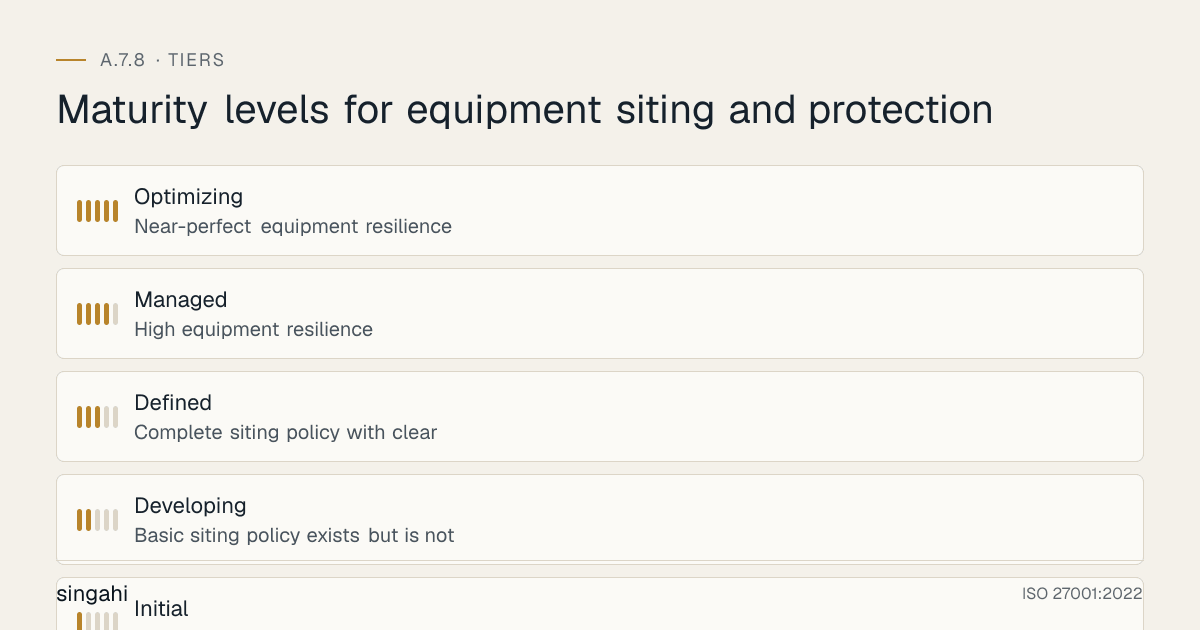
Maturity Model for A.7.8
| Level | Name | Characteristics | Evidence |
|---|---|---|---|
| 1 | Initial | No formal equipment siting policy; equipment placed wherever convenient; no environmental controls; no monitoring; high failure rate; reactive approach | No documentation, no controls, no monitoring, frequent failures, reactive repairs |
| 2 | Developing | Basic siting policy exists but is not consistently followed; some environmental controls (basic AC, basic UPS); some monitoring (temperature); some access control (key locks); inconsistent protection | Basic policy, some controls, some monitoring, some access control, inconsistent |
| 3 | Defined | Complete siting policy with clear requirements; environmental controls deployed (climate control, UPS, surge protection); environmental monitoring deployed (temperature, humidity, water, smoke); access control for equipment rooms; cable management; regular inspections; quarterly review; risk-based siting | Complete policy, environmental controls, monitoring, access control, cable management, inspections, review |
| 4 | Managed | High equipment resilience; environmental monitoring integrated with BMS and security systems; proactive maintenance; redundant systems; disaster-resistant design; business continuity integration; metrics-driven; continuous optimization; branch office coverage | High resilience, integration, proactive maintenance, redundancy, disaster-resistant, metrics-driven |
| 5 | Optimizing | Near-perfect equipment resilience; self-optimizing environmental controls; predictive maintenance using AI/ML; zero environmental incidents; industry-leading practices; continuous innovation; equipment siting as a competitive advantage; sustainability focus (green IT, energy efficiency) | Self-optimizing, predictive, zero incidents, industry-leading, competitive advantage, sustainable |
Improvement Cycle
Plan:
- Annual policy and procedure review
- Benchmarking against industry standards and peer organizations (Uptime Institute, TIA-942, ASHRAE)
- Regulatory change assessment and alignment (RBI, SEBI, IRDAI, NABH, DPDP Act)
- Technology evaluation for automation and enhancement (AI/ML for predictive maintenance, IoT sensors, smart buildings)
- Maturity assessment and target setting
- Incident analysis for lessons learned
- Environmental threat assessment updates (climate change, new construction, new neighbors)
- Business continuity and disaster recovery plan updates
- Energy efficiency and sustainability initiatives (green IT, carbon reduction)
- Vendor and contractor performance review
Do:
- Implement new environmental controls (precision cooling, smart UPS, energy-efficient systems)
- Expand monitoring to new areas and new parameters (air quality, vibration, acoustic)
- Upgrade access controls (biometric, smart locks, visitor management)
- Improve cable management and infrastructure (structured cabling, cable trays, labels)
- Enhance disaster-resistant design (flood barriers, seismic bracing, fire-rated construction)
- Extend siting policy to new locations (new branches, remote sites, edge computing)
- Improve environmental monitoring integration (BMS, ITSM, security systems)
- Implement predictive maintenance (condition-based monitoring, AI/ML analytics)
- Enhance business continuity and disaster recovery capabilities (backup sites, redundant systems)
- Improve energy efficiency (free cooling, hot aisle containment, variable speed drives)
- Conduct security awareness training on equipment protection
- Implement sustainability initiatives (green IT, renewable energy, e-waste management)
Check:
- Monthly environmental metrics review (temperature, humidity, power, water)
- Quarterly equipment condition inspections and environmental control performance reviews
- Annual complete siting assessment and policy review
- Compliance audit preparation and results
- Personnel feedback and comprehension assessment
- Cost optimization and ROI measurement
- Incident correlation analysis (environmental conditions vs. incidents)
- Branch office and remote site compliance assessment
- Vendor and contractor performance assessment
- Energy efficiency and sustainability metrics review
- Maturity assessment against target level
- Benchmarking against industry standards and peer organizations
- Technology trend analysis and readiness assessment
Act:
- Update policy based on findings, incidents, and emerging risks
- Refine procedures based on personnel feedback and incident lessons
- Invest in tools that improve automation, accuracy, and monitoring
- Expand training for high-risk roles, new hires, and remote site personnel
- Report improvements to leadership and board
- Share best practices and lessons learned
- Benchmark against industry standards and peer organizations
- Engage with regulatory bodies on compliance
- Participate in industry forums on equipment siting and protection best practices
- Publish illustrative scenarios and research on equipment resilience and environmental protection
- Implement sustainability initiatives and report on green IT progress
- Innovate with new technologies (AI/ML, IoT, digital twins, smart buildings)
- Continuously optimize energy efficiency and reduce carbon footprint
Toolkit Download
The A.7.8 Control Pack contains a policy template, a step-by-step procedure, checklists, an audit evidence checklist, training materials, an issue playbook, a RACI, a metrics dashboard and a regulatory mapping.
Frequently Asked Questions
Q1: Is equipment siting and protection mandatory for ISO 27001 certification?
A: Not automatically. No Annex A control is mandatory. Under clause 6.1.3 you choose the controls your risk assessment calls for, then record A.7.8 in your Statement of Applicability as included (and how) or excluded (and why). Organisations that run their own servers, network equipment or comms rooms usually include it. If all your infrastructure is in the cloud or a colocation provider, much of A.7.8 is covered by that provider, and you would explain this in the Statement of Applicability.
Q2: How do we determine the right environmental conditions for our equipment?
A: The right environmental conditions depend on the equipment manufacturer's specifications and the criticality of the equipment. For servers and network equipment, ASHRAE's recommended envelope is 18–27°C with a dew point of −9 °C to 15 °C and relative humidity up to 60%. Office equipment is usually fine at normal office conditions. For industrial equipment, the specifications may be wider. Always check the manufacturer's datasheet for the specific equipment. For critical equipment, aim for the middle of the recommended range, not the edges. Monitor continuously and set alerts well before the threshold (e.g., alert at 25°C if the maximum is 27°C) to allow time for response.
Q3: Do we need a dedicated server room, or can we use a closet or office?
A: For organizations with critical servers, a dedicated server room is strongly recommended. A closet or office is acceptable for very small organizations with low criticality, but it has significant limitations: limited climate control, limited access control, limited fire protection, and limited expansion capacity. If you use a closet or office, you must still provide: climate control (dedicated AC, not general office AC), access control (lockable door, not just a closet door), power protection (UPS, not just a power strip), environmental monitoring (temperature, humidity), and cable management. As the organization grows, plan to move to a dedicated server room. The cost of a dedicated server room is recovered through improved reliability, security, and lifespan.
Q4: How do we protect equipment in branch offices and remote sites?
A: Branch offices and remote sites need adapted protection: (1) use a locked equipment cabinet or small server room (not a closet under a sink), (2) use a portable AC or split AC for climate control, (3) use a small UPS for power protection, (4) use temperature and humidity sensors for monitoring, (5) use card access or key lock for access control, (6) use a small fire extinguisher for fire protection, (7) use cable management for organization, (8) use remote monitoring to manage the site from headquarters. The key is to scale the protection to the site's criticality and risk. A branch with 5 users and a single server needs less protection than a branch with 50 users and multiple servers. But every branch needs basic protection, no server should be under a desk or in a closet without climate control.
Q5: What is the most common environmental threat to equipment in India?
A: In India, the most common environmental threats are: (1) Heat: summer temperatures in many parts of India exceed 45°C, and offices without adequate cooling can reach 35°C+, causing equipment to overheat and thermal-throttle. (2) Dust: India's dust levels are high, especially in northern and western regions, and dust clogs cooling systems and causes overheating. (3) Power quality: power fluctuations, voltage spikes, and brownouts are common in India, damaging power supplies and causing data corruption. (4) Monsoon flooding: basements and ground floors in many Indian cities flood during monsoons, destroying equipment. (5) Humidity: coastal areas have high humidity, causing corrosion; dry areas have low humidity, causing static electricity. Addressing these five threats will prevent the majority of environmental failures in India.
Q6: How do we protect equipment in a factory or industrial environment?
A: Industrial environments require specialized protection: (1) Dust: use dust-tight enclosures, positive air pressure with HEPA filtration, and regular filter cleaning. (2) Vibration: use vibration isolation pads, seismic bracing, and rack mounting on structural floors (not the factory floor). (3) Heat: use precision cooling designed for industrial environments, not office AC. (4) Chemicals: use corrosion-resistant enclosures and activated carbon filters for chemical vapors. (5) EMI: use shielded cables and enclosures, and separate equipment from high-power machinery. (6) Power quality: use industrial-grade UPS and power conditioning to handle voltage fluctuations and harmonics from machinery. (7) Location: site equipment in a mezzanine or separate room above the factory floor, not on the factory floor itself. Consumer-grade equipment cannot survive in industrial environments without protection. The solution is to create a protected environment, not to buy more rugged equipment.
Q7: What is the ideal temperature for a server room or data center?
A: The ideal temperature for a server room or data center is 18–27°C (64–81°F), as recommended by ASHRAE (American Society of Heating, Refrigerating and Air-Conditioning Engineers). For most organizations, 22–24°C is the sweet spot, cool enough to prevent overheating but not so cold that energy is wasted. The temperature should be measured at the inlet of the equipment (the cold aisle), not at the outlet or in the room generally. Keep humidity within ASHRAE's recommended envelope (dew point −9 °C to 15 °C, up to 60% RH). Higher temperatures (up to 27°C) are acceptable for modern equipment but require better airflow management. Lower temperatures (below 18°C) waste energy and can cause condensation. The key is consistency, temperature fluctuations are more damaging than a slightly higher stable temperature.
Q8: How do we handle power outages and voltage fluctuations?
A: Power protection requires a layered approach: (1) Surge protectors at the outlet level for all equipment (basic protection against voltage spikes). (2) UPS (Uninterruptible Power Supply) for all critical equipment (provides battery backup during outages and power conditioning during fluctuations). (3) Power conditioners for sensitive equipment (stabilizes voltage and filters noise). (4) Generators for extended outages (provides long-term backup power). (5) Dual power feeds for critical data centers (redundant power from separate utility feeds). (6) Proper grounding for all equipment (reduces static electricity and provides a safe path for surges). In India, where power quality is often poor, a UPS is essential for every critical piece of equipment. The UPS should be sized for the equipment load and should provide enough runtime for graceful shutdown or generator startup.
Q9: How do we protect against monsoon flooding?
A: Monsoon flooding is a major risk in India. Protection measures: (1) Do not site critical equipment in basements or ground floors in flood-prone areas. (2) If equipment must be on the ground floor, raise it on platforms or racks at least 1 meter above the floor. (3) Install flood barriers at equipment room entrances. (4) Install water leak detection sensors under raised floors and in ceilings. (5) Install sump pumps in basement equipment rooms. (6) Use waterproof or water-resistant enclosures for equipment in flood-prone areas. (7) Store data backups off-site or in flood-proof locations. (8) Ensure drainage systems are clear and functional before the monsoon. (9) Have a post-flood recovery plan that includes equipment assessment, drying, and replacement. In Chennai, Mumbai, and other coastal cities, flooding is a predictable annual risk, plan for it before the monsoon, not after.
Q10: How do we monitor environmental conditions remotely?
A: Remote environmental monitoring is essential for branch offices, data centers, and remote sites. Use environmental monitoring systems with network connectivity (SNMP, Ethernet, WiFi, or cellular). The sensors (temperature, humidity, water, smoke, power) connect to a central monitoring system or cloud platform. Alerts can be sent via email, SMS, or mobile app to on-call personnel. The monitoring system should be accessible from headquarters so that the central IT team can monitor all locations. Popular options include APC NetBotz, Raritan, Sensaphone, and WiFi temperature sensors. For a lightweight solution, use WiFi temperature/humidity sensors with a mobile app (e.g., SensorPush, Govee). The key is to have real-time visibility and immediate alerting for all locations, not just headquarters.
Q11: What is the difference between a UPS and a generator?
A: A UPS (Uninterruptible Power Supply) provides immediate battery backup when power fails, with no interruption (0 milliseconds transfer time). It also conditions power (filters surges, sags, and noise). A UPS is for short-term outages (minutes to hours) and for power quality protection. A generator provides long-term backup power (hours to days) by burning fuel (diesel, petrol, or gas). A generator does not provide immediate backup, it takes 10–30 seconds to start, so there is a gap between power failure and generator startup. The UPS covers this gap. The UPS and generator work together: the UPS handles the immediate switchover and short-term backup, while the generator handles long-term outages. For critical equipment, you need both: UPS for immediate protection and generator for extended outages.
Q12: How do we handle equipment siting during office relocations or renovations?
A: Office relocations and renovations are high-risk events for equipment siting. Follow these steps: (1) Conduct a siting assessment for the new location before moving equipment. (2) Identify the ideal equipment room in the new location (climate control, access control, power, space). (3) If the ideal room does not exist, plan and budget for the necessary upgrades before the move. (4) Do not move equipment to a location that does not meet the siting policy. (5) Use the relocation as an opportunity to improve siting (move servers from basements to upper floors, improve cable management, upgrade environmental controls). (6) Document the new siting with assessment forms and approvals. (7) Test environmental controls and monitoring before moving critical equipment. (8) Move equipment in a planned sequence (non-critical first, critical last). (9) Validate the new siting after the move. Office relocations are often rushed, and equipment siting is an afterthought. Make siting a deliberate part of the relocation plan.
Q13: How do we protect against electromagnetic interference (EMI)?
A: EMI can disrupt equipment operation and cause data corruption. Protection measures: (1) Separate data cables from power cables (minimum 30 cm separation, or use shielded cables). (2) Use shielded cables (STP, FTP) for sensitive data connections. (3) Use shielded enclosures or racks for sensitive equipment. (4) Avoid siting equipment near EMI sources (transformers, motors, high-voltage lines, radio transmitters). (5) Use EMI filters on power lines. (6) Use ferrite cores on cables to reduce high-frequency noise. (7) Ensure proper grounding for all equipment and cable shields. (8) In high-EMI environments, use fiber optic cables (immune to EMI). EMI is more of a concern in industrial environments, near medical equipment (MRI machines), or in buildings with high-voltage infrastructure. In most office environments, basic cable separation and shielded cables are sufficient.
Q14: How do we balance security with accessibility for maintenance?
A: Equipment must be both secure and accessible for maintenance. Solutions: (1) Site equipment in rooms with controlled access (not public areas) but accessible to authorized personnel. (2) Use access control systems that allow authorized maintenance personnel to enter quickly (card access, biometric) without compromising security. (3) Leave adequate space around equipment for maintenance (minimum 1 meter in front and back of racks). (4) Use equipment racks with removable side panels and front/rear access for easy maintenance. (5) Use cable management that allows cables to be traced and replaced without disorganization. (6) Use labeled cables and patch panels for easy identification. (7) Use KVM switches or remote management tools (IPMI, iDRAC, iLO) for remote maintenance without physical access. (8) Schedule maintenance during planned windows to minimize disruption. The goal is to make maintenance easy for authorized personnel and impossible for unauthorized personnel.
References and Further Reading
Standards and Frameworks
- ISO/IEC 27001:2022, Information Security, Cybersecurity and Privacy Protection, Information Security Management Systems, Requirements
- ISO/IEC 27002:2022, Information Security, Cybersecurity and Privacy Protection, Information Security Controls
- NIST SP 800-53, Security and Privacy Controls for Information Systems and Organizations
- COBIT 2019, IT Governance and Management Framework
- CIS Controls v8, Controls 1 (Inventory and Control of Enterprise Assets) and 4 (Secure Configuration)
- PCI DSS v4.0.1, Physical Security Requirements for Cardholder Data Environment
- HIPAA Security Rule, Physical Safeguards (Workstation Security, Device and Media Controls)
- GDPR, Article 32 (Security of Processing, including physical security)
- TIA-942, Telecommunications Infrastructure Standard for Data Centers
- ANSI/BICSI 002, Data Center Design and Implementation Best Practices
- ASHRAE TC 9.9, Data Center Power and Equipment Thermal Guidelines
- Uptime Institute Tier Standards, Data Center Tier Classification
- ISO/IEC 11801, Information Technology, Generic Cabling for Customer Premises
- TIA/EIA-568, Commercial Building Telecommunications Cabling Standard
Indian Legal and Regulatory References
- Digital Personal Data Protection Act, 2023
- Information Technology Act, 2000 (as amended through 2008)
- Official Secrets Act, 1923 (for government and defense classified information)
- RBI Cybersecurity Framework for Banks (2016, updated)
- SEBI Cybersecurity and Cyber Resilience Framework (CSCRF) for SEBI Regulated Entities, circular of 20 August 2024
- IRDAI Information and Cyber Security Guidelines (2023)
- NABH Accreditation Standards for Hospitals (relevant to patient information protection)
- Bharatiya Nyaya Sanhita, 2023 (replaced the Indian Penal Code from 1 July 2024): theft s.303, criminal breach of trust s.316
- Companies Act, 2013 (relevant to data protection and board responsibility)
- National Building Code of India (relevant to building design and fire safety)
- Indian Electricity Rules, 1956 (relevant to electrical safety and grounding)
Industry and Research Sources
- ASHRAE TC 9.9, Thermal Guidelines for Data Processing Environments
- Uptime Institute, annual outage analysis
- ANSI/TIA-942, Telecommunications Infrastructure Standard for Data Centers
Tool Documentation
- APC by Schneider Electric, UPS, NetBotz, and Data Center Infrastructure Documentation
- Eaton, UPS, Power Distribution, and Environmental Monitoring Documentation
- Vertiv (Liebert), Precision Cooling, UPS, and Data Center Infrastructure Documentation
- Raritan, Intelligent PDUs and Environmental Monitoring Documentation
- Siemens, Building Management Systems (BMS) and Environmental Control Documentation
- Honeywell, Fire Detection and Suppression System Documentation
- Kidde / Johnson Controls, Fire Suppression and Detection Documentation
- Various HVAC manufacturer documentation for precision cooling systems
- Various cable manufacturer documentation for structured cabling standards
Document Control
- Version: 1.0
- Author: Singahi, ISO 27001 Implementation Experts
- Review Cycle: Quarterly + Annual
- Next Review: June 2027
- Classification: TLP:CLEAR, Public Information