
On this page
- Quick Reference (60 Seconds)
- What the Control Asks For
- Why Synchronization of clocks Matters
- Scope and Applicability
- Key Definitions and Terminology
- Relationship to Other Controls
- Implementation Roadmap (Week-by-Week)
- Detailed Implementation Guidance
- Tools, Technologies, and Solutions
- Policy and Procedure Templates
- Risk Assessment and Treatment
- Audit and Compliance Checklist
- Metrics and KPIs
- Common Pitfalls and How to Avoid Them
- Illustrative Scenarios
- Multi-Framework Mapping
- Regulatory and Industry Context
- Roles and Responsibilities (RACI)
- Documentation and Evidence Requirements
- Continuous Improvement
- FAQ
- References and Further Reading
Quick Reference (60 Seconds)
Figure · At a glance
A.8.17 at a glance
- Control ID
- A.8.17
- Control Name
- Synchronization of clocks
- ISO 27002:2022 Section
- 8.17
- Primary Purpose
- Ensure that all information processing
- Key Activities
- Deploy NTP/PTP, configure time sources
- Typical Owners
- IT Operations Manager, Network Administrator
| Aspect | Summary |
|---|---|
| Control ID | A.8.17 |
| Control Name | Synchronization of clocks |
| ISO 27002:2022 Section | 8.17 |
| Primary Purpose | Ensure that all information processing facilities have accurate, synchronized clocks to support reliable log timestamps, forensic investigation, and evidence integrity |
| Key Activities | Deploy NTP/PTP, configure time sources, set timezone standards, monitor clock drift, document procedures, test synchronization, maintain accuracy |
| Typical Owners | IT Operations Manager, Network Administrator, Security Operations Manager, CISO |
| Implementation Effort | Low (2–4 weeks) |
| Main cost drivers | Internal NTP servers (or GPS-disciplined appliances for larger sites), configuration across all systems including CCTV and access control, and drift monitoring |
| ISO 27002 attributes | Control type: Detective · Properties: Integrity · Concepts: Protect, Detect · Capabilities: Information security event management · Domains: Protection, Defence |
Bottom Line: If your system clocks are wrong, your logs are wrong. If your logs are wrong, your forensic investigation is wrong. If your forensic investigation is wrong, you cannot prove what happened, when, or who did it. A.8.17 is a simple control with massive consequences. Clock synchronization is the foundation of accurate logging, reliable evidence, and trustworthy audit trails. Without it, all your other security controls are built on sand.
What the Control Asks For
In short:
ISO 27001:2022 Annex A 8.17 asks organizations to keep system clocks synchronized to approved, accurate time sources.
Do you need this control?
A.8.17 is not mandatory in itself: under clause 6.1.3 you include it if your risk assessment calls for it, and record the decision in your Statement of Applicability. Include it if your systems produce logs or time-dependent records, which is everyone. In India the CERT-In Directions also require clocks to sync to NIC or NPL time servers.
What ISO 27002:2022 Adds
27002 8.17 (paraphrased):
- document requirements for time representation, synchronisation and accuracy from law, regulation, contracts, standards and monitoring needs
- define a standard reference time for the organisation and apply it to all systems, including building management, entry and exit systems and anything else that may support an investigation (CCTV recorders, access control, biometric attendance)
- use a reference clock linked to a national atomic clock or GPS (in India, NPL keeps national time), and keep systems synchronised with NTP or PTP
- consider two external time sources at once for reliability, and manage any variance
- with multiple cloud services or hybrid setups, monitor and record each service's clock difference
Time zone: UTC is a good choice for logs; CERT-In reports and many Indian regulators work in IST, so record the offset or convert consistently.
Why Synchronization of clocks Matters
The Timestamp Threat
Every security event, log entry, transaction, and audit trail relies on timestamps. If timestamps are inaccurate or inconsistent, the entire security and compliance infrastructure collapses. A discrepancy of even a few seconds can corrupt forensic timelines, invalidate evidence, and create legal vulnerabilities. In high-stakes environments like banking, trading, and healthcare, timestamp accuracy is not a technical nicety, it is a legal and operational requirement.
Why It Matters
- Correlation depends on time: SIEM rules and incident timelines break when systems disagree by seconds or minutes
- Physical evidence too: CCTV and access-control systems are often minutes off, which undermines investigations that combine physical and digital evidence
- Indian law sets the source: the CERT-In Directions (2022) require all service providers, intermediaries, data centres, body corporates and government organisations to synchronise ICT clocks to the NTP servers of NIC or NPL, or to servers traceable to them
- Card environments: PCI DSS v4.0.1 10.6 requires time synchronisation using trusted sources
- Trading: exchanges and SEBI set timestamp precision requirements for trading systems; check the circulars that apply to you
- NTP can be attacked: restrict who can query and change your NTP servers, and use authenticated time (NTS) where supported
How It Goes Wrong (hypothetical patterns)
- A bank in Mumbai had a dispute with a customer over a fraudulent transaction. The customer claimed the transaction occurred at 14:30, but the bank's logs showed 14:25. The bank's server clock was 5 minutes slow. The customer used this discrepancy to challenge the bank's evidence in court. The bank lost the case and had to refund the transaction. The court ruled that the bank's evidence was unreliable due to timestamp inconsistency. A simple NTP configuration would have prevented this.
- A trading firm in Delhi experienced a regulatory investigation after a suspicious trade. The firm's trading system clock was 2 milliseconds faster than the NSE reference clock. The trade appeared to occur before the market data was available, suggesting front-running. The firm was unable to prove the timing was due to clock skew, not insider trading. The SEBI investigation lasted 18 months and cost the firm heavily in legal fees. The firm had to implement PTP with microsecond accuracy to prevent recurrence.
- A hospital in Chennai had a medical malpractice lawsuit. The EMR system clock was 15 minutes slow compared to the surgical equipment clock. The timestamps for medication administration and surgical procedures did not align. The discrepancy was used by the plaintiff's lawyer to challenge the timeline of care, suggesting the hospital's records were unreliable. The hospital settled the case. The hospital implemented NTP with GPS reference time across all medical devices.
- A SaaS company in Bangalore had a security incident where an attacker compromised 5 servers. The SIEM showed the attack timeline, but each server had a different clock offset (ranging from -2 minutes to +3 minutes). The correlation of events across servers was impossible. The SOC could not determine the sequence of the attack or the initial compromise point. The forensic investigation took 3 weeks instead of 3 days. The company had to manually reconstruct the timeline using file system timestamps, which were also inconsistent. The extended investigation added significant cost.
- A government department had an audit that found system clocks varying by up to 30 minutes across servers. The audit team could not verify the sequence of financial transactions because the timestamps were inconsistent. The CAG issued an adverse finding, and the department was required to implement NTP across all systems before the next audit. The department's reputation was damaged, and the head of IT was transferred.
Regulatory and Business Drivers
- RBI Cyber Security Framework mandates clock synchronization for all banking systems, with accuracy requirements for core banking and trading
- SEBI CSCRF (2024) requires sub-millisecond accuracy for trading systems, with NSE/BSE reference time
- PCI DSS v4.0.1 Requirement 10.4 requires synchronized clocks for all systems in the cardholder data environment
- ISO 27001: A.8.17 is one of the Annex A controls you consider when treating risk (clause 6.1.3). If your risk assessment calls for it, it goes in your Statement of Applicability with how it is implemented; if not, you record why it is excluded
- NIST 800-53 AU-8 requires time stamps for audit records
- CERT-In Directions (2022) require clock sync to NIC or NPL time servers (or servers traceable to them) for all service providers, intermediaries, data centres, body corporates and government organisations
- IT Act 2000 requires reliable electronic records, including accurate timestamps
- Digital signatures under the IT Act require accurate timestamps for legal validity
- Legal proceedings require accurate timestamps for evidence admissibility
- Forensic investigations require synchronized timestamps for timeline reconstruction
- SIEM correlation requires synchronized timestamps for accurate event linking
- Business transactions require accurate timestamps for audit trails and reconciliation
- SLA monitoring requires accurate timestamps for uptime and performance measurement
Scope and Applicability
What Must Be Synchronized
- All servers (physical and virtual), Windows, Linux, Unix, macOS
- All network devices, routers, switches, firewalls, load balancers, VPN gateways, wireless access points
- All security devices, IDS/IPS, SIEM, DLP, EDR, firewalls, WAF, email security gateways
- All database systems, Oracle, SQL Server, PostgreSQL, MySQL, MongoDB, etc.
- All application servers, web servers, application servers, API gateways, message queues
- All storage systems, SAN, NAS, object storage, backup systems
- All cloud resources, VMs, containers, serverless functions, cloud services (AWS, Azure, GCP)
- All endpoints, workstations, laptops, mobile devices, tablets
- All IoT/OT devices, sensors, controllers, SCADA systems, industrial equipment (if networked)
- All logging systems, SIEM, log collectors, log aggregators, syslog servers
- All authentication systems, Active Directory, LDAP, RADIUS, TACACS+, IAM systems
- All monitoring systems, monitoring dashboards, alerting systems, APM tools
- All virtualization platforms, VMware ESXi, Hyper-V, KVM, Xen
- All container orchestration, Kubernetes, Docker Swarm, OpenShift
- All backup systems, backup servers, tape libraries, cloud backup services
- All DR site systems, DR servers, DR network devices, DR storage
- All third-party managed systems, MSP-managed systems, cloud-managed services, SaaS integrations
What Is Not Typically Required to Be Synchronized
- Standalone devices with no network connectivity and no logging (but should be synchronized if possible)
- Devices with internal clocks that are not used for security or compliance (but synchronization is still good practice)
- Personal devices not used for business (but BYOD policy should address this)
- Devices in air-gapped networks (may use local time source like GPS or atomic clock)
- Devices with hardware limitations (legacy devices may not support NTP, but alternative methods should be considered)
Applicability by Organization Type
| Organization Type | Applicability | Key Clock Synchronization Concerns |
|---|---|---|
| BFSI | Critical | Core banking timestamp accuracy, trading system microsecond accuracy, RBI compliance, SEBI compliance, transaction audit trails, NSE/BSE reference time |
| Healthcare | High | EMR timestamp accuracy, medical device synchronization, surgical equipment timing, NABH compliance, malpractice defense |
| IT/Software Services | High | Development environment synchronization, CI/CD pipeline timing, cloud resource synchronization, log correlation accuracy, distributed system consistency |
| SaaS/Cloud | Critical | Multi-tenant timestamp consistency, API request timing, cloud region synchronization, customer SLA monitoring, SOC 2 compliance |
| Retail/E-commerce | High | Transaction timestamp accuracy, payment gateway synchronization, fraud detection timing, inventory system synchronization, PCI DSS compliance |
| Manufacturing | High | SCADA/ICS synchronization, production line timing, IoT device synchronization, industrial control timing, safety system synchronization |
| Government/Defense | Critical | Citizen service timestamp accuracy, classified system synchronization, defense system timing, critical infrastructure synchronization, CAG audit compliance |
| Telecom | Critical | Call detail record timing, network equipment synchronization, billing system accuracy, TRAI compliance, 5G timing requirements |
| Education | Medium | Exam system timing, student portal synchronization, research data timing, financial record accuracy |
| Media/OTT | Medium | Streaming timing, content delivery synchronization, subscriber billing accuracy, DRM timing |
Key Definitions and Terminology
| Term | Definition |
|---|---|
| NTP (Network Time Protocol) | A networking protocol for clock synchronization between computer systems over packet-switched, variable-latency data networks (RFC 5905). NTPv4 is the current version. Typical accuracy: milliseconds over the internet, microseconds over LAN. |
| SNTP (Simple Network Time Protocol) | A simplified version of NTP for clients that do not need full NTP functionality. Less accurate than NTP but simpler to implement. |
| PTP (Precision Time Protocol / IEEE 1588) | A protocol for clock synchronization with sub-microsecond accuracy, used in high-frequency trading, telecom, and industrial control. |
| NTP Stratum | The distance from the reference clock (Stratum 0 = atomic clock/GPS; Stratum 1 = directly connected to Stratum 0; Stratum 2 = synced to Stratum 1; etc.). Lower stratum = more accurate. |
| Reference Clock (Stratum 0) | The ultimate source of time (atomic clock, GPS, radio clock, national time standard). |
| Time Server (Stratum 1) | A server directly connected to a reference clock, providing time to downstream servers. |
| NTP Client | A device or system that synchronizes its clock with an NTP server. |
| NTP Server | A device or system that provides time synchronization to NTP clients. |
| NIC / NPL time servers | India's national time sources for NTP: NIC (samay1.nic.in, samay2.nic.in) and the National Physical Laboratory (time.nplindia.org). CERT-In requires Indian organisations to sync to these, or to servers traceable to them. |
| GPS Time | Time derived from GPS satellites, highly accurate (nanoseconds), commonly used as a reference clock. |
| UTC (Coordinated Universal Time) | The primary time standard by which the world regulates clocks and time. UTC+5:30 is Indian Standard Time (IST). |
| IST (Indian Standard Time) | UTC+5:30, the official time zone for India. |
| Time Zone | A region where the same standard time is used. India uses a single time zone (IST) for the entire country. |
| Daylight Saving Time (DST) | Not applicable in India (India does not observe DST). |
| Clock Drift | The gradual deviation of a clock from the reference time due to hardware imperfections, temperature changes, or power fluctuations. |
| Clock Skew | The difference between two clocks at a specific point in time. |
| Leap Second | An occasional one-second adjustment to UTC to account for Earth's irregular rotation. |
| Time Stamp | A record of the date and time when an event occurred. |
| Timestamp Accuracy | The degree to which a timestamp matches the actual time of the event. |
| Timestamp Precision | The granularity of a timestamp (e.g., seconds, milliseconds, microseconds, nanoseconds). |
| Offset | The difference between the local clock and the reference time. |
| Jitter | The variation in network latency that affects NTP synchronization accuracy. |
| Root Delay | The total round-trip delay from the client to the reference clock. |
| Root Dispersion | The total error budget relative to the reference clock. |
| NTP Authentication | The use of cryptographic keys to authenticate NTP messages, preventing spoofing. |
| NTP Autokey | NTP's public key authentication protocol (deprecated in favor of symmetric key). |
| NTP Symmetric Key | Shared secret key authentication for NTP (more common than Autokey). |
| NTS (Network Time Security) | TLS-based authentication and encryption for NTP (RFC 8915), preventing man-in-the-middle attacks. |
| Chrony | A modern NTP implementation that is more accurate and strong than the traditional ntpd, especially in intermittent network conditions. |
| ntpd | The traditional NTP daemon (reference implementation). |
| Windows Time Service (W32Time) | The built-in time synchronization service in Windows. |
| NTP Amplification Attack | A DDoS attack that exploits the monlist feature of NTP servers to amplify traffic. |
| Time Spoofing | An attack that falsifies time information to deceive systems (e.g., GPS spoofing, NTP spoofing). |
| GPS Spoofing | An attack that broadcasts fake GPS signals to manipulate time and location information. |
| Time Synchronization Domain | A logical group of systems that synchronize to the same time source. |
| Master Clock | The primary clock in a synchronization hierarchy that provides time to other clocks. |
| Slave Clock | A clock that receives time from a master clock. |
| Grandmaster Clock | The highest-level clock in a PTP hierarchy, providing time to all other clocks. |
| Boundary Clock | A clock in a PTP hierarchy that acts as both a slave to a grandmaster and a master to downstream clocks. |
| Transparent Clock | A network device in a PTP hierarchy that measures and compensates for network delay. |
| TAI (International Atomic Time) | A high-precision time standard based on atomic clocks, not adjusted for leap seconds. |
| Unix Timestamp | The number of seconds since January 1, 1970, 00:00:00 UTC. |
| ISO 8601 | The international standard for date and time representation (YYYY-MM-DDTHH:MM:SS+HH:MM). |
| NTP Orphan Mode | A mode where NTP servers serve time to each other when no external reference is available. |
| NTP Burst Mode | A mode where NTP clients send multiple queries in quick succession to achieve faster synchronization. |
| NTP Interleave Mode | A mode that improves accuracy by using receive and transmit timestamps alternately. |
| Clock Discipline | The algorithm that adjusts the local clock based on NTP measurements. |
| Phase-Locked Loop (PLL) | A control system that generates an output signal whose phase is related to the phase of an input signal. |
| Frequency-Locked Loop (FLL) | A control system that adjusts clock frequency based on offset measurements. |
| NTP Kiss-o'-Death Packet | A special NTP packet sent by a server to tell a client to stop querying (used for rate limiting). |
| NTP Stratum-16 | Indicates an unsynchronized clock (NTP clients show stratum 16 when not synchronized). |
| System Clock | The hardware clock in a computer that keeps time even when the system is powered off. |
| Real-Time Clock (RTC) | The hardware clock chip that maintains time when the system is powered off. |
| Hardware Timestamping | The use of network interface card (NIC) hardware to timestamp packets at the physical layer, improving accuracy. |
| Software Timestamping | The use of operating system timestamps, less accurate than hardware timestamping. |
| NTP Monitor | A feature of NTP servers that exposes statistics (should be disabled for security). |
| NTP Query (ntpq) | A command-line tool for querying NTP servers. |
| NTP Date (ntpdate) | A legacy command for one-time time synchronization (deprecated in favor of ntpd/chrony). |
| NTP Configuration (ntp.conf) | The configuration file for the NTP daemon. |
Relationship to Other Controls
| Control | Relationship |
|---|---|
| A.8.15 Logging | Clock synchronization ensures accurate timestamps in logs |
| A.8.13 Information backup | Backup timestamps must be accurate for recovery coordination |
| A.8.16 Monitoring activities | Monitoring timestamps must be accurate for alert correlation |
| A.5.25 Assessment and decision on information security events | Event timestamps must be accurate for incident assessment |
| A.5.26 Response to information security incidents | Incident response requires accurate timestamps for timeline reconstruction |
| A.5.28 Collection of evidence | Evidence timestamps must be accurate for legal admissibility |
| A.5.30 ICT readiness for continuity | DR failover requires accurate time coordination |
| A.8.20 Network security | NTP is a network service that must be secured |
| A.8.21 Security of network services | NTP service must be protected against abuse |
| A.8.22 Segregation in networks | NTP traffic should be in a secure network segment |
| A.8.24 Use of cryptography | NTP authentication and NTS use cryptography |
| A.8.9 Configuration of information systems | Time configuration is part of system configuration |
| A.8.34 Protection of information systems during disruption | Time synchronization helps maintain system coordination during disruptions |
| A.5.7 Threat intelligence | Time synchronization supports threat intelligence correlation |
| A.5.1 Policies for information security | Time synchronization policy aligns with overall security policy |
| A.7.13 Equipment disposal | Time-synchronized devices may contain accurate timestamp data |
Implementation Roadmap (Week-by-Week)
Week 1: Assessment and Planning
- Inventory all systems that require time synchronization (servers, network devices, security devices, databases, applications, cloud resources, endpoints, IoT/OT)
- Identify current time synchronization status for each system (synced/unsynced, time source, accuracy)
- Identify current time zones in use across the organization (check for inconsistencies)
- Identify current time sources (external NTP servers, local NTP server, no synchronization)
- Assess clock drift on each system (compare local time to reference time)
- Identify systems with no time synchronization (critical gap)
- Identify systems with inaccurate time (clock skew > 1 second)
- Identify systems using different time zones (inconsistency risk)
- Identify systems using local time instead of UTC (best practice gap)
- Identify NTP servers (if any) and their configuration
- Identify NTP amplification risk (check if monlist is enabled on NTP servers)
- Document current time synchronization architecture
- Define target time synchronization architecture (NTP servers, hierarchy, time sources, security)
- Define timezone standard (UTC for all systems, or IST with UTC offset, or documented local time)
- Define accuracy requirements (general IT: < 100ms; trading: < 1ms; high-frequency: < 1μs)
- Approve plan by IT Operations Manager and CISO
Week 2: NTP Infrastructure Setup
- Select NTP time sources (external: NIC/NPL servers as required by CERT-In; internal: GPS-based stratum 1 server traceable to UTC)
- Deploy internal NTP servers (at least 2 for redundancy, preferably 3)
- Configure NTP server security (disable monlist, restrict queries, enable authentication, disable monitoring)
- Configure NTP server hierarchy (stratum 1 internal servers sync to external sources; stratum 2 internal servers sync to stratum 1; clients sync to stratum 2)
- Configure NTP server firewall rules (allow NTP traffic only from internal network, block external access to NTP servers)
- Configure NTP server access controls (restrict which clients can query, use authentication)
- Test NTP server functionality (verify synchronization with external sources, verify serving time to clients)
- Configure NTP server monitoring (monitor drift, offset, reachability, stratum)
- Document NTP server configuration and architecture
Week 3: Client Configuration and Deployment
- Configure Windows clients (W32Time service, domain-based time sync, manual NTP configuration)
- Configure Linux clients (chrony or ntpd, NTP server addresses, authentication)
- Configure network devices (routers, switches, firewalls, NTP client configuration)
- Configure security devices (IDS/IPS, SIEM, firewalls, NTP client configuration)
- Configure database servers (Oracle, SQL Server, PostgreSQL, OS time sync + database time settings)
- Configure application servers (web servers, app servers, OS time sync, application time settings)
- Configure cloud resources (AWS, Azure, GCP, cloud time sync configuration, instance time settings)
- Configure virtualization platforms (VMware, Hyper-V, host time sync, guest time sync, disable guest time sync if using NTP in VM)
- Configure container orchestration (Kubernetes, node time sync, pod time sync, sidecar for NTP if needed)
- Configure IoT/OT devices (if supported, NTP client or local time sync)
- Configure backup systems (backup server time sync, backup timestamp accuracy)
- Configure DR site systems (DR site time sync, ensure DR site time matches primary site)
- Verify all clients are syncing to internal NTP servers (not directly to external sources)
- Verify all clients are using consistent timezone (UTC or IST with offset)
- Test time synchronization on each client (check offset, verify sync status)
Week 4: Monitoring, Documentation, and Audit
- Set up NTP monitoring dashboard (server status, client sync status, drift, offset, stratum)
- Configure clock drift alerts (alert if any system drifts > 1 second from reference)
- Configure NTP server health alerts (alert if NTP server fails or becomes unreachable)
- Configure NTP client sync failure alerts (alert if any client stops syncing)
- Configure timezone consistency alerts (alert if any system uses different timezone)
- Document all time synchronization procedures (configuration, monitoring, troubleshooting)
- Create NTP troubleshooting runbook (how to diagnose and fix sync issues)
- Create time zone management procedure (how to handle timezone changes, DST if applicable)
- Train IT staff on NTP configuration and troubleshooting
- Conduct internal audit of time synchronization (checklist-based)
- Verify all systems are synchronized (random sample check)
- Verify NTP security (no monlist, no unauthorized access, authentication enabled)
- Verify log timestamps are consistent (check logs from multiple systems for same event)
- Prepare documentation for external audit (ISO 27001, RBI, SEBI, PCI DSS)
- Plan for continuous improvement (monthly drift checks, quarterly NTP server review, annual architecture review)
Detailed Implementation Guidance
Figure · Matrix
How the options compare: UTC with offset to UTC only
NTP Architecture Design
NTP Hierarchy (Recommended):
| Stratum | Role | Time Source | Accuracy | Example |
|---|---|---|---|---|
| Stratum 0 | Reference Clock | GPS, atomic clock, radio clock, national time standard | Nanoseconds | GPS receiver, atomic clock |
| Stratum 1 | Primary NTP Server | Directly connected to Stratum 0 | Microseconds | Internal NTP server with GPS |
| Stratum 2 | Secondary NTP Server | Synced to Stratum 1 | Milliseconds | Internal NTP server for LAN |
| Stratum 3 | Client | Synced to Stratum 2 | Milliseconds | End systems, servers, network devices |
| Stratum 4+ | Client | Synced to Stratum 3 | Milliseconds | Low-priority devices (if needed) |
Architecture Components:
| Component | Description | Quantity | Redundancy | Location |
|---|---|---|---|---|
| External Time Sources | NIC and NPL NTP servers (required by CERT-In for Indian entities) or GPS receivers | 2–4 | Multiple sources | Internet or roof-mounted GPS antenna |
| Stratum 1 NTP Server | Internal NTP server synced directly to external sources or GPS | 2 | Active-Active | Primary data center |
| Stratum 2 NTP Server | Internal NTP server for LAN distribution, synced to Stratum 1 | 2–3 per site | Active-Active | Each site (primary and DR) |
| NTP Clients | All systems that need time synchronization | All systems | Sync to multiple Stratum 2 servers | Every system |
| NTP Authentication | Symmetric keys or NTS for securing NTP traffic | All servers and clients | Key backup and rotation | Key management system |
| NTP Monitoring | Tools to monitor NTP health and clock drift | 1 | Redundant monitoring | Central monitoring system |
Recommended NTP Server Configuration:
- Primary data center: 2 Stratum 1 servers (sync to external NTP + GPS), 2 Stratum 2 servers (sync to Stratum 1)
- DR site: 2 Stratum 2 servers (sync to primary Stratum 1 servers or external sources)
- Branch offices: 1 Stratum 2 server per major branch (sync to primary Stratum 2), or direct sync to primary Stratum 2 if WAN is reliable
- Cloud: Use cloud provider NTP service (AWS Time Sync, Azure Time Sync, Google NTP) + sync to internal NTP servers for hybrid consistency
NTP Server Configuration Examples
Linux NTP Server (Chrony - Recommended):
## /etc/chrony/chrony.conf
## Stratum 1 Server (syncs to external NTP + GPS)
server samay1.nic.in iburst
server samay2.nic.in iburst
server time.nplindia.org iburst

## GPS reference (if GPS receiver is connected)
refclock SHM 0 offset 0.5 delay 0.2 refid GPS

## Allow internal clients to sync
allow 10.0.0.0/8
allow 192.168.0.0/16
allow 172.16.0.0/12

## Authentication (symmetric key)
keyfile /etc/chrony/chrony.keys
## (commandkey is obsolete in modern chrony; use NTS on servers that support it, for example:
##  server <nts-capable-server> iburst nts)

## Logging
log tracking measurements statistics
logdir /var/log/chrony

## Disable NTP monitor (security)
ntpsigndsocket /var/lib/samba/ntp_signd

## Drift file
driftfile /var/lib/chrony/drift

## Make step adjustments for large offsets
makestep 1.0 3

## Enable kernel synchronization
rtcsync

## Hardware timestamping (if supported)
hwtimestamp eth0
Linux NTP Server (ntpd - Legacy):
## /etc/ntp.conf
## Stratum 2 Server (syncs to Stratum 1 servers)
server ntp1.internal.company.com iburst
server ntp2.internal.company.com iburst
server samay1.nic.in iburst

## Restrict access
restrict default kod nomodify notrap nopeer noquery
restrict 10.0.0.0 mask 255.0.0.0 nomodify notrap
restrict 192.168.0.0 mask 255.255.0.0 nomodify notrap
restrict 172.16.0.0 mask 255.240.0.0 nomodify notrap
restrict 127.0.0.1

## Disable monitor (security - prevents NTP amplification)
disable monitor

## Authentication
keys /etc/ntp/keys
trustedkey 1 2 3
requestkey 1
controlkey 2

## Drift file
driftfile /var/lib/ntp/drift

## Statistics
statistics loopstats peerstats clockstats
filegen loopstats file loopstats type day enable
filegen peerstats file peerstats type day enable
filegen clockstats file clockstats type day enable
Windows NTP Server (W32Time):
## Configure Windows Server as NTP server
w32tm /config /syncfromflags:manual /manualpeerlist:"samay1.nic.in,samay2.nic.in,time.nplindia.org" /reliable:yes /update

## Configure as reliable time source for domain
w32tm /config /syncfromflags:domhier /update

## Restart W32Time service
net stop w32time && net start w32time

## Register as time source in domain
w32tm /register

## Configure access restrictions (via registry or Group Policy)
## Registry: HKLM\SYSTEM\CurrentControlSet\Services\W32Time\TimeProviders\NtpServer
## Enabled = 1
## AllowAccess = 10.0.0.0/8,192.168.0.0/16,172.16.0.0/12
Windows NTP Client (W32Time):
## Configure Windows client to sync to internal NTP servers
w32tm /config /syncfromflags:manual /manualpeerlist:"ntp1.internal.company.com ntp2.internal.company.com" /update

## Restart W32Time service
net stop w32time && net start w32time

## Resync immediately
w32tm /resync /force

## Verify synchronization
w32tm /query /status
w32tm /query /source
w32tm /query /peers
Linux NTP Client (Chrony):
## /etc/chrony/chrony.conf (Client)
server ntp1.internal.company.com iburst
server ntp2.internal.company.com iburst
server ntp3.internal.company.com iburst

## Authentication
keyfile /etc/chrony/chrony.keys

## Drift file
driftfile /var/lib/chrony/drift

## Make step adjustments for large offsets
makestep 1.0 3

## Enable kernel synchronization
rtcsync

## Hardware timestamping (if supported)
hwtimestamp *
NTP Security Best Practices
| Security Measure | Implementation | Why It Matters |
|---|---|---|
| Disable NTP Monitor (monlist) | Add disable monitor to ntp.conf or use default chrony config | Prevents NTP amplification DDoS attacks (CVE-2013-5211) |
| Restrict Queries | Use restrict directives to limit which IPs can query NTP server | Prevents unauthorized use of NTP server, reduces attack surface |
| NTP Authentication | Use symmetric keys (ntp.conf keys) or NTS (chrony ntsserverkey) | Prevents NTP spoofing and man-in-the-middle attacks |
| NTP over VPN | Route NTP traffic through VPN tunnel for external sources | Prevents interception and modification of NTP traffic |
| Use Internal NTP Servers | All internal clients sync to internal servers, not directly to internet | Reduces external exposure, consistent hierarchy, better control |
| Firewall NTP Ports | Block UDP 123 from internet to internal NTP servers, allow only from internal network | Prevents external NTP attacks and abuse |
| Disable NTP on Unused Interfaces | Bind NTP service to specific interfaces, not all interfaces | Reduces attack surface |
| NTP Server Hardening | Harden NTP server OS (patch, minimal services, access controls) | NTP server compromise can compromise all client clocks |
| GPS Spoofing Mitigation | Use multiple time sources (GPS + terrestrial + NTP pool), monitor for anomalies | Prevents GPS spoofing attacks from manipulating time |
| NTP Server Redundancy | Deploy at least 2 NTP servers per site | Prevents single point of failure in time synchronization |
| NTP Client Redundancy | Configure each client with at least 3 NTP servers | Prevents failure if one server is unreachable |
| NTP Logging | Enable NTP server logging (chrony log tracking, ntpd statistics) | Provides audit trail for NTP operations and troubleshooting |
| NTP Monitoring | Monitor NTP server health, client sync status, drift | Detects NTP failures, attacks, and anomalies |
| NTP Update Strategy | Keep NTP software updated (chrony, ntpd) | Patches security vulnerabilities |
| NTP Burst Mode Restrictions | Limit burst mode to prevent abuse | Prevents clients from overwhelming NTP server |
| NTP Kiss-o'-Death Handling | Monitor for KoD packets and investigate | Detects misconfigured or abusive clients |
Time Zone and Format Standards
Recommended Time Zone Standard for India:
| Standard | Format | Example | Use Case |
|---|---|---|---|
| UTC with offset | ISO 8601 with timezone | 2026-06-16T14:32:15+05:30 | All logs, databases, APIs, cloud resources (recommended) |
| IST (Indian Standard Time) | Local time with IST label | 2026-06-16 14:32:15 IST | User-facing displays, reports, business documents |
| Unix Timestamp | Seconds since epoch | 1750083135 | APIs, databases, programming, machine-readable |
| UTC only | ISO 8601 with Z | 2026-06-16T09:02:15Z | Global systems, cross-border transactions, international compliance |
Best Practice: Store all timestamps internally in UTC (or UTC+05:30 with offset). Convert to local time (IST) only for display purposes. This ensures consistency across all systems, regardless of location or user timezone. When displaying to users, always show the timezone explicitly (e.g., "14:32:15 IST" or "09:02:15 UTC"). Never assume the user knows the timezone.
Timestamp Format Requirements:
| System Type | Recommended Format | Precision | Example |
|---|---|---|---|
| General IT logs | ISO 8601 with offset | Milliseconds | 2026-06-16T14:32:15.123+05:30 |
| Database timestamps | ISO 8601 with offset or Unix timestamp | Milliseconds | 2026-06-16T14:32:15.123+05:30 |
| API timestamps | ISO 8601 with offset or Unix timestamp | Milliseconds | 2026-06-16T14:32:15.123+05:30 |
| Trading systems | ISO 8601 with offset | Microseconds | 2026-06-16T14:32:15.123456+05:30 |
| High-frequency trading | ISO 8601 with offset or TAI | Nanoseconds | 2026-06-16T14:32:15.123456789+05:30 |
| Network device logs | ISO 8601 or Unix timestamp | Seconds | 2026-06-16T14:32:15+05:30 |
| Security logs | ISO 8601 with offset | Milliseconds | 2026-06-16T14:32:15.123+05:30 |
| Cloud logs | ISO 8601 with offset (cloud-native) | Milliseconds | 2026-06-16T09:02:15.123Z |
| IoT/OT logs | ISO 8601 or Unix timestamp | Seconds or Milliseconds | 2026-06-16T14:32:15+05:30 |
| Legal/Forensic evidence | ISO 8601 with offset + chain of custody | Milliseconds | 2026-06-16T14:32:15.123+05:30 |
PTP for High-Precision Requirements
PTP (IEEE 1588) is required for:
- High-frequency trading (sub-microsecond accuracy)
- Telecom networks (5G timing, synchronization of base stations)
- Industrial control (SCADA/ICS coordination)
- Broadcast media (lip-sync for audio/video)
- Scientific instruments (data correlation across instruments)
- Power grid synchronization (phasor measurement units)
- Financial market data (tick-level timestamping)
PTP Architecture:
| Component | Description | Accuracy |
|---|---|---|
| Grandmaster Clock | The primary time source (GPS or atomic clock) | Nanoseconds |
| Boundary Clock | Switches/routers that forward PTP while measuring delay | Sub-microsecond |
| Transparent Clock | Switches that measure and compensate for network delay | Sub-microsecond |
| Slave Clock | End systems that receive time from grandmaster or boundary clock | Sub-microsecond |
PTP vs NTP Comparison:
| Feature | NTP | PTP |
|---|---|---|
| Accuracy | Milliseconds (internet), microseconds (LAN) | Sub-microsecond, nanoseconds |
| Protocol | UDP port 123 | UDP port 319 (event), 320 (general) |
| Hardware Support | Software-based | Requires hardware timestamping (PTP-capable NICs) |
| Network Requirements | Works over any network | Requires PTP-aware switches (transparent/boundary clocks) |
| Cost | Free (software) | expensive (hardware, specialized switches) |
| Complexity | Low | High |
| Use Case | General IT, logging, databases, most applications | Trading, telecom, industrial control, media, science |
PTP Implementation for Trading (India):
- NSE and BSE provide PTP reference time via their co-location facilities
- Trading firms must use PTP-capable NICs (Intel i210, Mellanox ConnectX)
- Trading firms must use PTP-aware switches (Cisco, Arista, Juniper)
- PTP grandmaster is typically a GPS-synced clock in the co-location facility
- SEBI mandates that trading system timestamps must be traceable to NSE/BSE reference time
- Accuracy requirement: typically < 100 microseconds for algorithmic trading, < 1 microsecond for high-frequency trading
Tools, Technologies, and Solutions
NTP Software
| Software | Type | Platform | Key Features | Pricing model |
|---|---|---|---|---|
| Chrony | NTP client/server | Linux | Modern, accurate, strong, works well with intermittent connectivity, NTS support | Free (open-source) |
| ntpd | NTP client/server | Linux, Unix, Windows | Reference implementation, mature, widely supported | Free (open-source) |
| W32Time | NTP client | Windows | Built-in Windows time service, domain integration, Group Policy configurable | Free (included) |
| Meinberg NTP | NTP client/server | Windows, Linux | Windows-friendly, GUI, GPS integration, reliable | Free (open-source) |
| NTPsec | NTP client/server | Linux, Unix | Secure fork of ntpd, reduced attack surface, modern codebase | Free (open-source) |
| OpenNTPD | NTP client/server | Unix, Linux | OpenBSD implementation, simple, secure, minimal | Free (open-source) |
| Windows Time (W32Time) | NTP client/server | Windows | Built-in, domain hierarchy, Kerberos integration | Free (included) |
| PTPd | PTP client/server | Linux | Open-source PTP implementation, IEEE 1588 | Free (open-source) |
| Linux PTP (ptp4l) | PTP client/server | Linux | Linux Foundation project, high-quality, hardware timestamping | Free (open-source) |
| TimeKeeper | PTP/NTP | Linux, Windows | Commercial, high-precision, trading-focused, GPS integration | Commercial |
| Orolia (Safran) | PTP/NTP/GPS | Hardware | Commercial, atomic clock, GPS, PTP grandmaster, enterprise | Commercial |
| Microchip (Symmetricom) | PTP/NTP/GPS | Hardware | Commercial, GPS, atomic clock, PTP grandmaster, telecom | Commercial |
| EndRun Technologies | NTP/GPS | Hardware | Commercial, GPS-synchronized NTP server, rugged, reliable | Commercial |
| Spectracom | PTP/NTP/GPS | Hardware | Commercial, GPS, PTP, NTP, time distribution, defense-grade | Commercial |
NTP Monitoring Tools
| Tool | Type | Key Features | Pricing model |
|---|---|---|---|
| ntpq | CLI (ntpd) | Query NTP server status, peers, associations, statistics | Free (included with ntpd) |
| chronyc | CLI (chrony) | Query chronyd status, tracking, sources, statistics, configuration | Free (included with chrony) |
| NTPMon | Monitoring | Web-based NTP monitoring, visual status, alerts | Free (open-source) |
| Prometheus + NTP Exporter | Monitoring | Prometheus metrics for NTP, Grafana dashboards, alerting | Free (open-source) |
| Nagios NTP Check | Monitoring | Nagios plugin for NTP monitoring, alerting on drift | Free (open-source) |
| Zabbix NTP Template | Monitoring | Zabbix template for NTP server/client monitoring | Free (open-source) |
| PRTG NTP Sensor | Monitoring | PRTG sensor for NTP monitoring, alerts, reporting | Commercial |
| Datadog NTP Check | Monitoring | Datadog integration for NTP monitoring, cloud-native | Commercial |
| SolarWinds NTP Monitor | Monitoring | SolarWinds integration for NTP monitoring, enterprise | Commercial |
| Checkmk NTP Plugin | Monitoring | Checkmk plugin for NTP monitoring, auto-discovery | Free (open-source) or Commercial |
| NTPQ Monitoring Scripts | Custom | Custom scripts for NTP monitoring, lightweight, customizable | Free (custom) |
| NTP Pool Monitor | External | External monitoring of NTP server from NTP Pool project | Free (external) |
GPS Time Sources
| Vendor | Product | Key Features | Pricing model |
|---|---|---|---|
| Garmin | GPS 18x LVC | GPS receiver with PPS output, NTP server input, affordable | Commercial |
| u-blox | NEO-M8N / ZED-F9P | High-precision GPS module, PPS, multi-GNSS, affordable | Commercial |
| Trimble | Thunderbolt E / RES 720 | Professional GPS timing receiver, high accuracy, NTP/PTP | Commercial |
| Meinberg | GPS170 / GPS180 | GPS timing receiver, NTP server, PTP grandmaster, reliable | Commercial |
| Orolia (Safran) | SecureSync / VersaSync | Military-grade GPS timing, atomic clock backup, PTP/NTP | Commercial |
| Microchip (Symmetricom) | SyncServer S600 / S650 | Enterprise GPS NTP/PTP server, rubidium backup, high accuracy | Commercial |
| EndRun Technologies | Sonoma D12 / CDMA 12 | GPS/CDMA timing server, NTP, rugged, reliable | Commercial |
| Spectracom | NetClock 9400 / TSync 2400 | GPS timing, NTP/PTP, defense-grade, high accuracy | Commercial |
| Raspberry Pi + GPS HAT | DIY GPS NTP | lightweight GPS timing for small organizations, hobbyist-grade | Commercial |
Policy and Procedure Templates
Time Synchronization Policy Template
Template
Time Synchronization Policy
1. Purpose
This policy establishes requirements for accurate and consistent time synchronization across all information processing systems to ensure reliable logging, forensic investigation, evidence integrity, and regulatory compliance.
2. Scope
This policy applies to all information processing systems, including servers, network devices, security devices, databases, applications, cloud resources, endpoints, IoT/OT devices, and backup systems.
3. Time Synchronization Principles
3.1 Universal Synchronization
- All information processing systems must be synchronized to a single reference time source
- No system is exempt from time synchronization without documented CISO approval
- Time synchronization is not optional, it is a security and compliance requirement
3.2 Accurate and Consistent Time
- All system clocks must be accurate to within defined tolerances:
- General IT systems: < 100 milliseconds
- Database systems: < 50 milliseconds
- Security systems (SIEM, firewalls, IDS): < 50 milliseconds
- Trading systems: < 1 millisecond (or per SEBI/NSE requirements)
- High-frequency trading: < 1 microsecond (PTP required)
- IoT/OT systems: < 1 second (if supported)
- All systems must use consistent timestamps across the organization
- Clock drift must be detected and corrected automatically
3.3 Standardized Time Zone
- All internal timestamps must be stored in UTC or IST with UTC offset (+05:30)
- UTC is preferred for all internal systems, databases, APIs, and logs
- IST may be used for user-facing displays and business documents, with explicit timezone indication
- Never use local time without timezone indication
- Never mix UTC and IST in the same system without explicit labeling
- All systems must be configured with the correct timezone (Asia/Kolkata for IST)
- Daylight Saving Time (DST) is not observed in India, ensure DST is disabled on all systems
3.4 Secure Time Synchronization
- NTP traffic must be authenticated where possible (symmetric keys or NTS)
- NTP servers must be hardened and protected against abuse
- NTP amplification attacks must be prevented (disable monlist, restrict queries)
- NTP servers must not be accessible from the internet (internal-only)
- GPS time sources must be protected against spoofing (multi-source validation, anomaly detection)
- Time synchronization must be monitored for security anomalies
3.5 Redundant and Reliable Time
- At least 2 NTP servers must be deployed per site for redundancy
- Each client must be configured with at least 3 NTP servers (2 primary + 1 backup)
- External time sources must be redundant (multiple NTP pool servers + GPS if available)
- NTP server failure must not cause widespread time desynchronization
- DR site must have independent time synchronization or sync to primary site NTP servers
4. NTP Architecture
4.1 Time Source Hierarchy
- Stratum 0: External reference clocks (GPS, atomic clock, NTP pool servers)
- Stratum 1: Internal primary NTP servers (2 per primary data center, synced to Stratum 0)
- Stratum 2: Internal secondary NTP servers (2 per site, synced to Stratum 1)
- Stratum 3: Clients (all systems, synced to Stratum 2)
4.2 NTP Server Configuration
- NTP servers must run chrony (preferred) or ntpd (legacy)
- NTP servers must sync to at least 4 external time sources
- NTP servers must be GPS-synchronized if available (Stratum 1)
- NTP servers must restrict client access to internal networks only
- NTP servers must disable monitor functionality (monlist disabled)
- NTP servers must enable authentication (symmetric keys or NTS)
- NTP servers must be hardened (minimal OS, patching, access controls)
- NTP servers must be monitored for health, drift, and reachability
4.3 NTP Client Configuration
- All clients must sync to at least 2 internal NTP servers (preferably 3)
- Clients must not sync directly to external NTP servers (use internal hierarchy)
- Clients must use iburst for fast initial synchronization
- Clients must authenticate to NTP servers if authentication is enabled
- Clients must be configured with the correct timezone (Asia/Kolkata)
- Clients must enable kernel synchronization (rtcsync or equivalent)
- Clients must be monitored for sync status and drift
5. Time Zone and Timestamp Standards
5.1 Internal Storage
- All databases, logs, APIs, and internal systems must use UTC or IST with +05:30 offset
- Unix timestamps may be used for APIs and databases (always UTC)
- ISO 8601 format (YYYY-MM-DDTHH:MM:SS.sss+05:30) is mandatory for all internal timestamps
5.2 User-Facing Displays
- User-facing applications may display IST (Indian Standard Time)
- All displays must include explicit timezone indication (e.g., "14:32:15 IST" or "14:32:15 UTC+05:30")
- Users must be able to view timestamps in their preferred timezone (converted from UTC/IST)
5.3 Cross-Border Systems
- Systems that interact with international partners must use UTC
- All cross-border transactions must be timestamped in UTC with offset
- All international APIs must accept and return UTC timestamps
6. Monitoring and Maintenance
6.1 Clock Drift Monitoring
- All systems must be monitored for clock drift (difference from reference time)
- Alert if drift exceeds 1 second for general IT systems
- Alert if drift exceeds 100 milliseconds for trading systems
- Alert if drift exceeds 50 milliseconds for security systems
- Alert if any system stops synchronizing with NTP servers
- Alert if NTP server becomes unreachable or unsynchronized
6.2 NTP Server Health Monitoring
- NTP server reachability must be monitored (ping, NTP query)
- NTP server stratum must be monitored (alert if stratum changes unexpectedly)
- NTP server offset must be monitored (alert if offset from reference grows)
- NTP server peer count must be monitored (alert if too few peers)
- NTP server authentication status must be monitored
- NTP server must be monitored for DDoS attacks (traffic volume, query rate)
6.3 Regular Maintenance
- NTP server software must be updated quarterly (patch security vulnerabilities)
- NTP server configuration must be reviewed annually
- NTP authentication keys must be rotated annually
- NTP server hardware must be maintained (GPS antenna, network connectivity, power)
- All systems must be verified for correct timezone configuration annually
- Clock drift must be verified on all systems quarterly (random sample)
- Log timestamp consistency must be verified quarterly (compare timestamps across systems for same event)
7. Roles and Responsibilities
- CISO: Policy approval, incident oversight, audit compliance, risk assessment
- IT Operations Manager: Overall time synchronization program, NTP server management, budget, vendor management
- Network Administrator: NTP server configuration, network connectivity, firewall rules, NTP security
- System Administrator: Client configuration, OS time settings, timezone configuration, troubleshooting
- Security Operations Manager: NTP security monitoring, anomaly detection, incident response
- Database Administrator: Database time settings, transaction timestamp accuracy, replication timing
- Cloud Architect: Cloud resource time sync, cloud NTP configuration, hybrid time consistency
- Application Owner: Application time handling, timestamp formatting, timezone conversion, user-facing displays
- Compliance Officer: Regulatory compliance verification, audit evidence, timestamp accuracy for compliance
- SOC Analysts: Monitoring clock drift alerts, investigating time anomalies, incident response
8. Enforcement
- Systems with clock drift > 1 second are considered non-compliant and must be remediated within 24 hours
- Systems not synchronized to NTP are considered non-compliant and must be remediated immediately
- NTP server compromise is treated as a critical security incident
- Unauthorized modification of time settings is treated as a security violation
- Time synchronization failures during incidents must be escalated to IT Operations Manager and CISO
- Time synchronization policy violations are included in performance reviews and disciplinary actions
9. Review
This policy is reviewed annually or after any major security incident involving timestamps, regulatory change, or technology change affecting time synchronization.
NTP Troubleshooting Runbook Template
Template
NTP Troubleshooting Runbook
1. Symptom: System Clock is Wrong
Diagnostic Steps:
- Check current system time:
date(Linux) orGet-Date(PowerShell) - Check NTP sync status:
chronyc tracking(Linux chrony) orw32tm /query /status(Windows) - Check NTP sources:
chronyc sources(Linux chrony) orw32tm /query /peers(Windows) - Check NTP configuration:
cat /etc/chrony/chrony.conf(Linux) orw32tm /query /configuration(Windows) - Check network connectivity to NTP servers:
ping ntp1.internal.company.com - Check NTP port (UDP 123) is open:
nc -vu ntp1.internal.company.com 123(Linux) - Check firewall rules (NTP port blocked?)
- Check NTP server health (is the NTP server running and reachable?)
- Check system timezone:
timedatectl(Linux) orGet-TimeZone(PowerShell) - Check hardware clock (RTC):
hwclock(Linux)
Remediation Steps:
- If NTP not running: Start NTP service (
systemctl start chronydornet start w32time) - If NTP configuration wrong: Fix configuration and restart service
- If network blocked: Open firewall rules for UDP 123
- If NTP server unreachable: Check NTP server health, switch to backup NTP server
- If timezone wrong: Set correct timezone (
timedatectl set-timezone Asia/KolkataorSet-TimeZone -Id "India Standard Time") - If hardware clock wrong: Sync hardware clock (
hwclock --systohcorw32tm /resync /force) - If large offset: Force immediate sync (
chronyc makesteporw32tm /resync /force)
2. Symptom: NTP Server Not Responding
Diagnostic Steps:
- Check NTP server process:
systemctl status chronydorsystemctl status ntpd - Check NTP server logs:
/var/log/chrony/or/var/log/ntp/ - Check NTP server network connectivity:
pingto NTP server - Check NTP server port:
netstat -ulnp | grep 123(Linux) - Check NTP server firewall:
iptables -L | grep 123(Linux) - Check NTP server external sync:
chronyc sourcesorntpq -p - Check NTP server resource usage: CPU, memory, disk
- Check for DDoS attack: High traffic volume, many queries from unexpected sources
Remediation Steps:
- If NTP process stopped: Start process (
systemctl start chronyd) - If NTP configuration corrupted: Restore from backup, restart
- If external sources unreachable: Check internet connectivity, switch to alternate sources
- If firewall blocking: Fix firewall rules
- If DDoS attack: Block offending IPs, enable rate limiting, contact ISP if volumetric
- If resource exhaustion: Scale up NTP server resources, add load balancing
3. Symptom: Clock Drift is Increasing
Diagnostic Steps:
- Check drift rate:
chronyc tracking(Look at "Last offset" and "RMS offset") - Check system load: High CPU or I/O can affect clock accuracy
- Check hardware clock quality: Old hardware may have poor RTC
- Check temperature: High ambient temperature can affect clock drift
- Check VM configuration: VMs may have clock drift issues if not using paravirtualized clock
- Check NTP server quality: Are the NTP servers themselves drifting?
Remediation Steps:
- If high system load: Reduce load, add resources, or optimize processes
- If poor hardware clock: Replace hardware or use NTP more frequently
- If temperature issue: Improve cooling, monitor environmental conditions
- If VM issue: Enable VM guest agent time sync, use VMware Tools/Xen Tools, or disable host time sync and use NTP only
- If NTP server issue: Check NTP server health, add more NTP servers, use GPS reference
4. Symptom: Timestamp Inconsistency in Logs
Diagnostic Steps:
- Compare timestamps from multiple systems for the same event
- Check timezone configuration on each system (
timedatectl,Get-TimeZone) - Check NTP sync status on each system
- Check if any system is using local time instead of UTC
- Check if any system has DST enabled (should be disabled in India)
- Check application timestamp handling (is the application converting timezones incorrectly?)
Remediation Steps:
- Standardize timezone across all systems (UTC or IST with +05:30)
- Disable DST on all systems (India does not observe DST)
- Fix NTP sync on systems with drift
- Fix application timezone handling (store UTC, convert for display)
- Reprocess logs with correct timestamps if needed (for compliance/audit)
Risk Assessment and Treatment
Risk Assessment Matrix for A.8.17
| Risk ID | Threat | Vulnerability | Likelihood | Impact | Risk Level | Treatment |
|---|---|---|---|---|---|---|
| R1 | Forensic investigation fails because timestamps are inconsistent across systems | No NTP synchronization; clocks drift independently; different timezones; no monitoring | High | Critical | Critical | Deploy NTP; synchronize all systems; standardize timezone; monitor drift |
| R2 | Legal evidence is challenged due to timestamp inaccuracy | Clock skew > 30 seconds; no NTP; no timestamp verification; no chain of custody | Medium | High | High | NTP synchronization; timestamp accuracy verification; legal hold process; evidence integrity |
| R3 | SIEM correlation fails, causing missed security alerts | Clock skew > 1 second; no NTP; logs from different systems have different timestamps; correlation rules fail | High | High | Critical | NTP synchronization; timestamp normalization; correlation tuning; clock drift monitoring |
| R4 | Trading system regulatory violation due to timestamp inaccuracy | Clock skew > 1ms; no PTP; no GPS sync; not traceable to NSE/BSE reference time | Medium | Critical | Critical | PTP deployment; GPS synchronization; NSE/BSE reference time; microsecond accuracy; SEBI compliance |
| R5 | NTP server compromise allows attacker to manipulate system clocks | NTP server not hardened; no authentication; internet-accessible; no monitoring | Low | Critical | High | NTP server hardening; authentication; restrict access; monitoring; redundant sources |
| R6 | NTP amplification DDoS attack from internal NTP server | monlist enabled; no query restrictions; NTP server exposed to internet | Medium | High | High | Disable monlist; restrict queries; firewall NTP port; monitor traffic; DDoS mitigation |
| R7 | GPS spoofing attack manipulates time for critical systems | Single GPS source; no multi-source validation; no anomaly detection; no backup time source | Low | High | High | Multi-source validation (GPS + terrestrial + NTP pool); anomaly detection; backup sources |
| R8 | Time synchronization failure during DR failover causes data corruption or inconsistency | DR site not synchronized with primary; different time sources; clock skew during failover; no DR time sync plan | Medium | High | High | DR site NTP sync; same time source as primary; sync before failover; verify after failover |
| R9 | Timezone inconsistency causes business errors or compliance failures | Some systems use UTC, some use IST; no timezone standard; DST enabled; application timezone bugs | Medium | Medium | Medium | Standardize timezone (UTC for internal, IST for display); disable DST; application guidelines; audit |
| R10 | Legacy systems cannot synchronize time, creating compliance gaps | Legacy OS does not support NTP; hardware too old; no GPS support; vendor no longer supports | Medium | Medium | Medium | Upgrade legacy systems; use alternative sync methods (serial GPS, manual sync); compensate with monitoring; plan for replacement |
| R11 | Cloud resource clock drift due to virtualized environment | VM clock drift; hypervisor time sync conflicts; no NTP in VM; cloud provider time sync not configured | Medium | Medium | Medium | Disable hypervisor time sync; use NTP in VM; configure cloud time sync; monitor VM drift |
| R12 | NTP client misconfiguration causes sync to wrong time source | Client configured to sync to external NTP instead of internal; client configured to wrong timezone; client uses SNTP instead of NTP | Medium | Medium | Medium | Standardize client configuration; use configuration management; automated deployment; regular audit |
| R13 | Leap second causes system crashes or timestamp errors | Systems not leap-second aware; applications not handling leap seconds; database not handling leap seconds; trading systems not prepared | Low | High | Medium | Leap second awareness; test leap second handling; NTP smearing or stepping; application testing; vendor patches |
| R14 | Time synchronization failure goes unnoticed due to lack of monitoring | No NTP monitoring; no clock drift alerts; no sync failure alerts; no health checks; manual verification only | High | Medium | High | NTP monitoring; drift alerts; sync failure alerts; automated health checks; dashboard |
| R15 | Cost of high-precision time synchronization exceeds budget | Over-engineering time sync for non-critical systems; PTP for all systems; expensive GPS receivers for minor systems; unnecessary redundancy | Medium | Low | Low | Right-size time sync (NTP for general, PTP for trading); value analysis; phased approach; open-source tools |
Audit and Compliance Checklist
Internal Audit Checklist (30 Questions)
Policy and Governance (5 Questions)
- Is a time synchronization policy documented and approved?
- Does the policy define accuracy requirements for different system types?
- Does the policy define timezone standards?
- Does the policy define NTP architecture and security requirements?
- Are roles and responsibilities for time synchronization defined?
NTP Infrastructure (5 Questions)
- Are NTP servers deployed (at least 2 per site)?
- Are NTP servers synced to reliable external sources (NTP pool, GPS, national time)?
- Are NTP servers hardened (disable monlist, restrict queries, authentication)?
- Are NTP servers not accessible from the internet?
- Are NTP server health and sync status monitored?
Client Configuration (5 Questions)
- Are all critical systems configured to sync to internal NTP servers?
- Are clients configured with at least 2 NTP servers?
- Are clients not syncing directly to external NTP servers?
- Are clients configured with the correct timezone (Asia/Kolkata)?
- Are clients configured with correct DST setting (disabled for India)?
Clock Accuracy (5 Questions)
- Is clock drift monitored for all critical systems?
- Is clock drift within defined tolerances (< 100ms for general IT, < 1ms for trading)?
- Are systems with excessive drift alerted and remediated?
- Are log timestamps consistent across systems (verified by sample comparison)?
- Are transaction timestamps accurate and traceable?
Security (5 Questions)
- Is NTP authentication enabled (symmetric keys or NTS)?
- Is NTP traffic restricted to internal network?
- Are NTP servers protected against DDoS (monlist disabled, rate limiting)?
- Are NTP servers included in vulnerability management and patching?
- Is NTP server access logged and audited?
Compliance and Documentation (5 Questions)
- Are time synchronization procedures documented?
- Is NTP configuration documented for all servers and clients?
- Is time synchronization tested regularly (quarterly verification)?
- Are trading systems traceable to NSE/BSE reference time (if applicable)?
- Is there evidence of time synchronization for audit (logs, monitoring, reports)?
Audit Scoring
- 30–27: Excellent (Green), Full compliance
- 26–22: Good (Yellow), Minor gaps, address within 30 days
- 21–15: Needs Improvement (Orange), Significant gaps, address within 60 days
- 14–0: Critical (Red), Major non-compliance, immediate action required
Metrics and KPIs
Figure · Measures
The measures that show A.8.17 is working
- Clock Sync Coverage100%Monthly
- NTP Server Availability>= 99.9%Monthly
- Clock Drift<= 100 millis…Daily
- Clock Drift<= 50 millise…Daily
- Clock Drift<= 1 millisec…Daily
Key Performance Indicators
| KPI | Formula | Target | Measurement Frequency |
|---|---|---|---|
| Clock Sync Coverage | (Systems synchronized to NTP / Total systems) x 100 | 100% | Monthly |
| NTP Server Availability | (NTP server uptime / Total time) x 100 | >= 99.9% | Monthly |
| Clock Drift (General IT) | Average clock drift from reference time | <= 100 milliseconds | Daily |
| Clock Drift (Security Systems) | Average clock drift from reference time | <= 50 milliseconds | Daily |
| Clock Drift (Trading Systems) | Average clock drift from reference time | <= 1 millisecond | Daily |
| Clock Drift (High-Frequency Trading) | Average clock drift from reference time | <= 1 microsecond | Daily |
| NTP Client Sync Failure Rate | (Clients not syncing / Total clients) x 100 | 0% | Daily |
| NTP Server Stratum Compliance | (NTP servers at expected stratum / Total NTP servers) x 100 | 100% | Daily |
| Timezone Consistency | (Systems with correct timezone / Total systems) x 100 | 100% | Monthly |
| DST Misconfiguration | (Systems with DST enabled / Total systems) x 100 | 0% | Monthly |
| Log Timestamp Consistency | (Log sources with consistent timestamps / Total log sources) x 100 | 100% | Quarterly |
| Transaction Timestamp Accuracy | (Transactions with accurate timestamps / Total transactions) x 100 | 100% | Monthly |
| NTP Authentication Coverage | (NTP clients using authentication / Total NTP clients) x 100 | >= 80% | Monthly |
| NTP Security Compliance | (NTP servers with monlist disabled / Total NTP servers) x 100 | 100% | Monthly |
| NTP Patch Compliance | (NTP servers patched within 30 days / Total patches) x 100 | 100% | Monthly |
| Clock Drift Alert Response Time | Average time from drift alert to remediation | <= 4 hours | Per alert |
| NTP Configuration Audit Pass Rate | (Systems passing NTP config audit / Total systems audited) x 100 | >= 95% | Quarterly |
| Time Sync DR Readiness | (DR site systems synchronized / Total DR systems) x 100 | 100% | Quarterly |
| Policy Review Cycle Adherence | (Reviews on time / Required reviews) x 100 | 100% | Annually |
| Audit Finding Closure Rate | (Closed findings / Total findings) x 100 | 100% within 60 days | Per audit |
Common Pitfalls and How to Avoid Them
Pitfall 1: "We Don't Need NTP, Our Clocks Are Fine"
Problem: Organizations assume that their system clocks are accurate enough without NTP. They manually set clocks during installation and never check them again. Over months, clocks drift by seconds, minutes, or even hours. When a security incident occurs, the timestamps are wrong, and the investigation is corrupted. The organization discovers too late that their clocks were wrong all along. Solution: Deploy NTP on all systems from day one. Do not rely on manual clock setting or hardware clocks. Hardware clocks drift by seconds per day, minutes per month, and hours per year. NTP corrects this drift automatically. Even a drift of 1 minute can corrupt a forensic timeline. For a bank, 1 minute of clock skew can mean the difference between a valid transaction and a fraudulent one. For a trading firm, 1 millisecond can mean millions of rupees. NTP is not a luxury, it is a necessity. The cost of NTP deployment is negligible (free software, minimal infrastructure). The cost of not having NTP is catastrophic (failed investigations, legal losses, regulatory penalties). Deploy NTP everywhere, monitor it, and verify it. Never assume a clock is correct without NTP.
Pitfall 2: "All Our Systems Are in India, We Use IST Everywhere"
Problem: Organizations use IST (Indian Standard Time) for all systems, including databases, APIs, logs, and internal systems. When they need to integrate with international systems, exchange data with partners, or analyze logs across time zones, the IST timestamps cause confusion and errors. Applications convert IST to UTC incorrectly, causing timestamp mismatches. Log correlation with international SIEMs fails because of timezone differences. Database replication across regions fails because of timestamp conflicts. Solution: Use UTC for all internal systems, databases, APIs, and logs. Store UTC internally. Convert to IST only for user-facing displays. This is the global standard and the only way to ensure consistency. When you store UTC, you avoid all timezone conversion errors. When you display IST, you convert from UTC to IST at the display layer, not the storage layer. This ensures that all internal systems agree on the time, regardless of where they are located or who is using them. India uses a single timezone (IST), which is a simplification, but UTC is still the better internal standard. For user-facing applications, display "14:32:15 IST" (converted from UTC). For internal systems, store "2026-06-16T09:02:15Z" (UTC). Never mix UTC and IST in the same database or log without explicit labeling. The "Z" in ISO 8601 means UTC. Always use ISO 8601 format with timezone indication.
Pitfall 3: "Our VMs Sync Time from the Hypervisor, We Don't Need NTP"
Problem: Organizations rely on hypervisor time sync (VMware Tools, Hyper-V Integration Services) instead of NTP in VMs. Hypervisor time sync is not as accurate as NTP and can cause problems: (1) Hypervisor time sync may conflict with NTP if both are enabled, (2) VM migration (vMotion) can cause time jumps, (3) Hypervisor clock drift affects all VMs, (4) Hypervisor time sync does not provide the same accuracy as NTP (especially for trading systems), (5) Hypervisor time sync may not be available in all VM configurations (nested virtualization, containers). The result is inconsistent timestamps across VMs, corrupted logs, and failed correlation.
Solution: Disable hypervisor time sync for VMs and use NTP inside the VM instead. VMware: Set tools.syncTime = "FALSE" in VMX configuration. Hyper-V: Disable time synchronization in Integration Services. Xen: Disable independent_wallclock or set it appropriately. Then configure NTP (chrony or W32Time) inside the VM, syncing to internal NTP servers. This provides consistent, accurate time across all VMs, regardless of hypervisor state. For containers (Kubernetes, Docker), use NTP on the host node, and ensure containers inherit the host time or use sidecar NTP containers if needed. The only exception is when the VM does not have network access, in that case, hypervisor time sync may be the only option, but it should be monitored closely for drift.
Pitfall 4: "We Use Public NTP Servers Directly, It's Easier"
Problem: Organizations configure all systems to sync directly to public NTP servers instead of using internal NTP servers. This causes several problems: (1) Security risk, NTP traffic to the internet is visible and can be intercepted or spoofed, (2) Firewall complexity, every system needs outbound UDP 123 access, increasing attack surface, (3) No control, you cannot enforce authentication, restrict queries, or monitor NTP traffic, (4) Inconsistent hierarchy, some systems may sync to different public servers with different accuracy, (5) NTP amplification risk, if any system is misconfigured as an NTP server, it can be abused for DDoS, (6) Compliance risk, some regulations require internal NTP servers for auditability, (7) Reliability risk, public NTP servers may be unavailable or blocked. The convenience of public NTP is not worth the security and compliance risks. Solution: Deploy internal NTP servers (Stratum 1 or 2) and configure all internal systems to sync to them. The internal NTP servers sync to the NIC/NPL servers (required by CERT-In) or to GPS. This provides: (1) Security, internal NTP traffic is not exposed to the internet, (2) Control, you can enforce authentication, restrict queries, monitor traffic, (3) Consistency, all systems sync to the same hierarchy, (4) Compliance, internal NTP servers are auditable and controllable, (5) Reliability, internal NTP servers are under your control, (6) Performance, LAN-based NTP is faster and more accurate than internet-based NTP. The internal NTP servers should be the only systems with internet access for NTP. All other systems should sync internally. This is the standard architecture for enterprise NTP and is required by most security frameworks.
Pitfall 5: "NTP is Not a Security Risk, We Don't Need to Secure It"
Problem: Organizations treat NTP as a benign utility and do not secure it. They leave NTP servers unhardened, enable monlist, allow queries from anywhere, and disable authentication. Attackers exploit this: (1) NTP amplification DDoS attacks (using monlist to amplify traffic), (2) NTP spoofing attacks (falsifying time to manipulate systems), (3) NTP man-in-the-middle attacks (intercepting and modifying NTP traffic), (4) NTP server compromise (gaining access to the NTP server to manipulate time for all clients). NTP is a network service, and like all network services, it must be secured.
Solution: Secure NTP completely: (1) Disable monlist on all NTP servers (disable monitor in ntp.conf, or default in chrony), (2) Restrict queries to internal networks only (restrict directives), (3) Enable authentication (symmetric keys or NTS), (4) Use NTP over VPN for external sources if possible, (5) Harden NTP server OS (patch, minimal services, access controls), (6) Monitor NTP traffic for anomalies (DDoS, spoofing), (7) Deploy NTP server redundancy (prevent single point of failure), (8) Use multiple time sources (GPS + terrestrial + NTP pool, prevent spoofing), (9) Keep NTP software updated (patch vulnerabilities), (10) Include NTP in vulnerability management and security audits. NTP security is not optional, it is a core component of network security. An attacker who can manipulate your NTP can manipulate your logs, your evidence, and your security controls. Treat NTP as a critical security service.
Pitfall 6: "We Don't Need to Monitor Clock Drift, NTP Handles It Automatically"
Problem: Organizations assume that NTP handles everything automatically and never monitor clock drift. They discover clock drift problems only when they cause incidents: (1) A system with a failing RTC drifts despite NTP because NTP is not running or configured incorrectly, (2) A VM with hypervisor time sync disabled and no NTP client drifts significantly, (3) A network device with NTP disabled by default after a firmware update drifts, (4) A cloud instance with no NTP configuration drifts, (5) A system with NTP blocked by a new firewall rule stops syncing. Without monitoring, these problems go unnoticed until they cause a security or compliance incident. Solution: Monitor clock drift continuously. Use NTP monitoring tools (chronyc, ntpq, Prometheus NTP exporter, Nagios, Zabbix) to track drift on all systems. Set alerts for drift thresholds: > 1 second for general IT, > 100ms for trading, > 50ms for security systems. Alert immediately if a system stops syncing (NTP client failure). Alert if NTP server becomes unreachable. Alert if timezone is changed unexpectedly. Alert if DST is enabled (should be disabled in India). Alert if NTP server stratum changes unexpectedly (potential compromise). Monitoring is the only way to detect NTP failures before they cause incidents. NTP is reliable, but it is not infallible. Monitoring ensures reliability.
Pitfall 7: "Trading Systems Need PTP, But We Can't Afford It"
Problem: Trading firms recognize the need for PTP (Precision Time Protocol) for high-frequency trading but believe it is too expensive. They continue to use NTP, which provides millisecond accuracy at best. Their trading timestamps are inaccurate, their correlation with market data is unreliable, and they face regulatory scrutiny from SEBI. They cannot prove that their trades were not front-running or insider trading because their timestamps are not precise enough. Solution: PTP is expensive but necessary for high-frequency trading. However, not all trading systems need PTP: (1) Order management systems may need only millisecond accuracy (NTP is sufficient), (2) Execution algorithms may need sub-millisecond accuracy (PTP is required), (3) Post-trade processing may need only second accuracy (NTP is sufficient), (4) Risk management systems may need millisecond accuracy (NTP is sufficient). Right-size the time synchronization: use PTP only for systems that genuinely need microsecond accuracy. For the rest, use NTP with GPS reference. The cost of not having PTP is regulatory penalties, legal fees, and lost trading opportunities. For SEBI compliance, PTP is mandatory for certain trading activities. Budget for it as a regulatory cost, not a technical luxury. Consider cloud-based PTP services (some co-location providers offer PTP as a service) to reduce capital expenditure. The key is to comply with SEBI requirements, not to over-engineer every system.
Illustrative Scenarios
Illustrative scenario, a composite example for guidance, not a specific Singahi engagement or a verified outcome.
Illustrative Scenario 1: Indian Trading Firm, PTP Implementation for SEBI Compliance (Growing company)
Organization: A 50-employee algorithmic trading firm in Mumbai with 10 trading servers, co-located at NSE Challenge: The firm used NTP for time synchronization on all trading servers. NTP provided millisecond accuracy, but SEBI's new guidelines for algorithmic trading required timestamp accuracy of < 100 microseconds, traceable to NSE reference time. The firm was audited by SEBI and found non-compliant. SEBI threatened to revoke the firm's algorithmic trading license. The firm had 6 months to implement PTP or lose its primary business. The firm had no experience with PTP and limited budget ( for the entire project, including hardware, software, and consulting). Before State:
- 10 trading servers using NTP (millisecond accuracy)
- No PTP infrastructure (no PTP NICs, no PTP switches, no GPS)
- SEBI audit: non-compliant on timestamp accuracy
- SEBI threat: Revocation of algorithmic trading license
- NSE co-location: No PTP service available from NSE at the time
- Budget approved for full PTP implementation
- Timeline: 6 months to comply
- No in-house expertise in PTP or high-precision timing
Implementation: Month 1: Engaged an external security consultant for PTP assessment and design. Assessed all trading systems for PTP requirements. Identified that only 3 execution servers needed PTP (microsecond accuracy); the remaining 7 servers (OMS, risk, reporting) could use enhanced NTP (GPS-synced, sub-millisecond). Designed hybrid architecture: PTP for execution, GPS-NTP for everything else. Selected efficient hardware: Intel i210 NICs with PTP hardware timestamping (each), a basic PTP-enabled switch (MikroTik CRS326 with PTP support, ), a GPS receiver (u-blox NEO-M8N with PPS, ), and a Raspberry Pi 4 as a PTP grandmaster (with GPS HAT, ). Total hardware cost: Month 2: Hardware procurement and setup. Installed GPS receiver on co-location facility roof (with antenna, cable, lightning protector). Configured Raspberry Pi as PTP grandmaster (Linux PTP ptp4l, GPS time source, hardware timestamping). Configured PTP switch (transparent clock mode). Installed PTP NICs in 3 execution servers. Configured execution servers as PTP slaves (Linux PTP ptp4l, hardware timestamping). Tested PTP accuracy (measured with ptp4l logs and oscilloscope, achieved < 50 microsecond accuracy, exceeding SEBI requirement). Month 3: Enhanced NTP for non-trading systems. Deployed GPS-synchronized NTP server (Stratum 1, using the same GPS receiver as PTP grandmaster). Configured all 7 non-trading servers to sync to GPS-NTP server (achieved < 1 millisecond accuracy). Configured NTP authentication (symmetric keys). Configured NTP monitoring (chronyc tracking, Prometheus exporter, Grafana dashboard). Verified all systems synchronized and accurate. Month 4: Integration and testing. Integrated PTP timestamps with trading application (modified application to use PTP hardware timestamps for order timestamps). Tested end-to-end order timestamping (order received → order processed → order sent to exchange → confirmation received). Verified all timestamps were < 100 microseconds accurate and traceable to GPS. Tested failover (GPS receiver failure → NTP backup, PTP grandmaster failure → backup grandmaster). Tested SEBI compliance reporting (generated timestamp accuracy report with evidence). Month 5: Documentation and training. Documented PTP architecture, configuration, procedures, and troubleshooting. Trained IT staff on PTP operations and maintenance. Trained traders on timestamp accuracy and compliance. Created SEBI compliance report with evidence of PTP implementation, accuracy measurements, and traceability to NSE reference time. Submitted compliance report to SEBI. Month 6: SEBI audit and approval. SEBI empanelled auditor reviewed PTP implementation. Verified hardware timestamping accuracy. Verified GPS traceability. Verified NTP backup. Verified documentation and procedures. Audit result: Compliant. SEBI approved continuation of algorithmic trading license. Firm passed SEBI audit with "satisfactory" rating for timestamp accuracy.
Results (After 12 Months):
- 100% PTP coverage for execution servers (3 servers, < 50 microsecond accuracy)
- 100% GPS-NTP coverage for non-trading systems (7 servers, < 1 millisecond accuracy)
- 100% SEBI compliance for timestamp accuracy (traceable to GPS, < 100 microseconds)
- Zero SEBI findings on time synchronization (down from non-compliance)
- 2 additional trading firms signed up as clients of the firm (citing "SEBI-compliant timestamp infrastructure")
- Trading performance improved: More accurate latency measurement enabled optimization, reducing average execution latency by 15%
- Insurance premium reduced by 10% (insurer cited "strong time synchronization and compliance")
- Firm received "Best Practices in Algorithmic Trading Technology" award from a trade association
Key Lesson: For trading firms, time synchronization is not optional, it is a regulatory mandate with existential consequences. The cost of PTP is often overestimated. A growing trading firm can implement PTP at modest cost using efficient hardware (Intel i210, Raspberry Pi grandmaster, basic PTP switch) and open-source software (Linux PTP). The key is to right-size the implementation: PTP only for systems that need microsecond accuracy, enhanced NTP for everything else. The investment pays for itself through license preservation, performance improvement, and competitive advantage. For Indian trading firms, SEBI compliance is not a burden, it is a differentiator.
Illustrative Scenario 2: Large Indian Bank, NTP Overhaul for Forensic Integrity and RBI Compliance (Enterprise)
Organization: A large public sector bank with 5,000 branches, 50 million customers, and 20,000+ systems Challenge: The bank had a fragmented NTP infrastructure with no central management. Each data center had its own NTP servers, some synced to public NTP, some to GPS, some to each other. The result was widespread clock inconsistency: (1) Core banking servers drifted by up to 30 seconds, (2) Branch servers had clocks varying by 2–5 minutes, (3) ATM logs had timestamps that did not match the core banking timestamps, (4) Trading systems (for treasury operations) had millisecond-level drift, (5) SIEM correlation failed because log timestamps from different systems were inconsistent, (6) A forensic investigation of a fraud incident was hampered because the timeline could not be reconstructed accurately. The RBI cyber audit found 8 critical findings related to time synchronization and required a complete overhaul. The bank faced potential operational restrictions. Before State:
- 20,000+ systems with no consistent NTP architecture
- 3 data centers with independent NTP servers (no coordination)
- 5,000 branch servers with no NTP or incorrect NTP configuration
- 2,000 ATMs with no time synchronization (ATM clocks set manually)
- Core banking system clock drift: up to 30 seconds
- Branch server clock variance: 2–5 minutes
- SIEM correlation failure rate: 40% due to timestamp inconsistency
- Trading system drift: milliseconds (treasury operations affected)
- Fraud investigation: Timeline reconstruction impossible due to timestamp inconsistency
- RBI audit: 8 critical findings on time synchronization
- No NTP monitoring (no one knew clocks were wrong until audit)
- No NTP security (monlist enabled on some servers, no authentication, internet-accessible)
- No GPS reference time (all NTP from public internet)
- No timezone standard (some systems UTC, some IST, some local time)
- DST enabled on some Windows systems (India does not observe DST)
- Budget allocated for the NTP overhaul
- Timeline: 12 months to comply
Implementation: Phase 1 (Months 1–4): NTP architecture redesign and core deployment. Designed unified NTP architecture: 2 Stratum 1 GPS-synchronized NTP servers per data center (primary and DR), 2 Stratum 2 NTP servers per site, all clients sync to Stratum 2. Deployed GPS receivers (u-blox NEO-M8N with PPS) at both data centers (each). Deployed Stratum 1 NTP servers (Linux with chrony, GPS reference, hardware timestamping, 2 per data center). Deployed Stratum 2 NTP servers (Linux with chrony, synced to Stratum 1, 2 per site, including branch offices). Configured NTP security (disable monlist, restrict queries to internal networks, enable symmetric key authentication, firewall rules). Configured NTP monitoring (chronyc tracking, Prometheus exporter, Grafana dashboard, alerting for drift > 1 second). Configured NTP redundancy (each client with 3 NTP servers: 2 local + 1 remote data center). Phase 2 (Months 5–8): Branch and ATM synchronization. Deployed NTP to all 5,000 branch servers (configured via Group Policy for Windows, Ansible for Linux). Deployed NTP to all 2,000 ATMs (configured ATM firmware to sync to nearest branch NTP server or data center NTP server). Standardized timezone across all systems (UTC for internal, IST for user-facing, all systems set to Asia/Kolkata). Disabled DST on all Windows systems (via Group Policy). Verified all systems synchronized (automated verification script, checked 1,000 random systems per week). Fixed misconfigured systems (automated remediation for common issues, manual remediation for complex issues). Configured NTP for all network devices (routers, switches, firewalls, via SNMP/SSH automation). Configured NTP for all security devices (SIEM, firewalls, IDS/IPS, DLP, EDR). Configured NTP for all database systems (Oracle RAC, SQL Server, PostgreSQL, OS time sync + database time settings). Configured NTP for all cloud resources (AWS Time Sync, Azure Time Sync, GCP NTP, integrated with internal NTP hierarchy). Phase 3 (Months 9–10): SIEM and monitoring integration. Fixed SIEM correlation by normalizing all timestamps to UTC. Reconfigured SIEM to account for timezone differences (all sources now UTC, no conversion needed). Implemented timestamp validation in SIEM (alert if log timestamp is > 5 seconds off from SIEM receipt time). Implemented log timestamp consistency checks (compare timestamps from different sources for same event, alert if inconsistent). Implemented NTP-based evidence integrity (all forensic evidence includes timestamp accuracy verification). Trained SOC analysts on timestamp-aware investigation (how to verify timestamp accuracy, how to handle timezone conversion, how to reconstruct timelines with accurate timestamps). Phase 4 (Months 11–12): Trading system enhancement and RBI audit. Enhanced treasury trading system time sync (deployed GPS-synchronized NTP with sub-millisecond accuracy, not PTP but close enough for treasury operations). Verified trading timestamps matched RBI reference time (traceable to GPS). Conducted internal audit of all 20,000+ systems (automated audit script, verified NTP sync, timezone, DST, drift). RBI empanelled auditor conducted complete time synchronization audit. Verified NTP architecture, security, monitoring, and accuracy. Verified all systems synchronized (random sample of 500 systems). Verified log timestamp consistency (compared timestamps across 10 systems for same event). Verified trading system accuracy (measured drift with specialized tools). All 8 previous findings resolved. New audit: zero critical findings. RBI satisfied; no operational restrictions. Bank passed RBI cyber audit with "commendable" rating for time synchronization.
Results (After 18 Months):
- 100% NTP coverage (20,000+ systems, 5,000 branches, 2,000 ATMs, all data centers, all cloud resources)
- 100% GPS reference time (2 GPS receivers per data center, traceable to national time standard)
- 100% timezone standardization (UTC for internal, IST for user-facing, Asia/Kolkata everywhere, DST disabled)
- 100% NTP security (monlist disabled, authentication enabled, restricted queries, firewall rules)
- 100% NTP monitoring (automated drift monitoring, alerting, dashboard, quarterly verification)
- Core banking clock drift: < 50 milliseconds (down from 30 seconds)
- Branch server clock variance: < 100 milliseconds (down from 2–5 minutes)
- ATM timestamp accuracy: < 1 second (down from no synchronization)
- SIEM correlation failure rate: 2% (down from 40%, 20x improvement)
- Trading system drift: < 1 millisecond (down from milliseconds, treasury operations now accurate)
- Fraud investigation capability: Timeline reconstruction now possible with high confidence
- RBI audit findings: 0 critical findings (down from 8)
- Forensic evidence admissibility: Timestamps now legally defensible with GPS traceability
- Customer trust: Maintained (no incidents related to timestamp issues)
- Regulatory standing: Excellent (RBI "commendable" rating)
- Industry recognition: "Best Time Synchronization Practices" award from Indian Banks' Association
Investment: (GPS receivers, NTP servers, hardware, software, automation tools, consulting, training, audit)
Key Lesson: For large, distributed organizations like banks, time synchronization is a massive undertaking but essential for compliance, security, and operations. The key challenges are scale (20,000+ systems), distribution (5,000 branches), heterogeneity (Windows, Linux, network devices, ATMs, cloud), and legacy (old systems with no NTP support). The solution was a unified architecture with GPS reference, standardized configuration, automated deployment, and complete monitoring. The investment was significant but necessary. The RBI's mandate accelerated the transformation, but the bank's complete approach (GPS reference, unified architecture, automated deployment, monitoring, SIEM integration) created a resilient foundation. The bank's transformation became a model for public sector banks. The investment was large, but the cost of not investing was regulatory non-compliance and operational risk.
Multi-Framework Mapping
ISO 27001:2022 A.8.17 to Other Frameworks
| ISO 27001:2022 A.8.17 | NIST 800-53 Rev 5 | PCI DSS v4.0 | SOC 2 CC6.1 | CIS Controls v8 | COBIT 2019 |
|---|---|---|---|---|---|
| Synchronization of clocks | AU-8 (Time Stamps) | Req 10.6.1–10.6.3 (Time synchronisation) | CC7.2 (monitoring support) | CIS 8.4 (Standardise time synchronisation) | DSS05.07 |
| NTP security | SC-45 (System Time Synchronization) | Req 10.6.2 (time data protected) | CC7.2 | CIS 8.4 | DSS05.07 |
| Timestamp accuracy | AU-8 (b) | Req 10.6.1 | CC7.2 | CIS 8.4 | DSS05.07 |
| Time zone standardization | AU-8 (c) | Req 10.6.1 | CC7.2 | CIS 8.4 | DSS05.07 |
NIST 800-53 Rev 5:
- AU-8: Time Stamps, Requires synchronized time for audit records
- SC-45: System Time Synchronization, Requires time synchronization mechanisms
PCI DSS v4.0.1:
- Requirement 10.4: Synchronize critical system clocks and times
- Requirement 10.4.1: Synchronization mechanism is tamper-resistant
- Requirement 10.4.2: Only authorized personnel can modify time settings
SOC 2 CC6.1:
- System operations including time synchronization
CIS Controls v8:
- CIS Control 8.6: Collect logs from cloud services (includes time synchronization)
- CIS Control 8.7: Collect logs from network devices (includes time synchronization)
Regulatory and Industry Context
India-Specific Regulatory Requirements
RBI Cyber Security Framework:
- Banks must maintain synchronized clocks for all critical systems (CBS, payment systems, ATM network, internet banking)
- Core banking system timestamps must be accurate and traceable
- Payment system timestamps (UPI, RTGS, NEFT) must be synchronized for reconciliation
- ATM timestamps must match core banking timestamps for transaction verification
- Trading system timestamps (for treasury operations) must be accurate
- RBI audit must review time synchronization architecture, accuracy, and monitoring
- Cyber security incident reports to RBI must include accurate timestamps
- Operational restrictions may be imposed for inadequate time synchronization
SEBI CSCRF (2024):
- Trading systems must have timestamp accuracy as per SEBI requirements
- Algorithmic trading systems must have timestamps traceable to NSE/BSE reference time
- High-frequency trading systems require microsecond accuracy (PTP)
- Annual compliance audit must include time synchronization review
- SEBI may conduct spot checks on timestamp accuracy
- Non-compliance may result in trading license revocation or restrictions
IRDAI Guidelines:
- Insurance core systems must have accurate timestamps for transactions
- Customer data access timestamps must be accurate for audit trails
- Claim processing timestamps must be accurate for dispute resolution
TRAI Regulations:
- Telecom systems must have accurate timestamps for call detail records (CDRs)
- Billing system timestamps must be accurate for customer billing
- Network equipment timestamps must be synchronized for network management
- 5G systems require precise timing (PTP) for base station synchronization
CERT-In Guidelines:
- All service providers, intermediaries, data centres, body corporates and government organisations must connect to the NTP servers of NIC or NPL, or servers traceable to them (entities spanning several countries may use another accurate source that does not deviate from NPL/NIC)
- Incident response requires accurate timestamps for timeline reconstruction
- Logs submitted to CERT-In must have accurate timestamps
- Time synchronization must be part of cyber resilience planning
IT Act 2000 (as amended):
- Section 43A: Reasonable security practices include accurate timestamps for sensitive data
- Timestamp duties come mainly from the CERT-In Directions (issued under s.70B), not from s.79 (which is the intermediary safe harbour)
- Secure electronic signatures and records rely on reliable time (s.15)
- Electronic evidence needs reliable timestamps; admissibility is governed by Section 63 of the Bharatiya Sakshya Adhiniyam, 2023 (formerly Evidence Act s.65B)
DPDP Act 2023:
- Data fiduciaries must maintain accurate timestamps for data processing records
- Data subject requests must be timestamped for response time tracking
- Data breach notifications must include accurate timestamps
- Consent records must have accurate timestamps
Company Act 2013:
- Companies must maintain accurate timestamps for electronic records
- Financial records must have accurate timestamps for audit
- Board meeting minutes must have accurate timestamps
- Auditor access to electronic records requires timestamp accuracy
Industry-Specific Context
BFSI:
- RBI mandates synchronized clocks for all banking systems
- CBS timestamp accuracy is critical for transaction reconciliation
- Payment system timestamps (UPI, RTGS, NEFT) must be synchronized for clearing and settlement
- ATM timestamps must match CBS timestamps for fraud detection
- Trading system timestamps must meet SEBI requirements
- Customer dispute resolution requires accurate timestamps
- Cyber insurance requires accurate timestamps for incident evidence
- RBI can impose monetary penalties under the Banking Regulation Act and issue supervisory restrictions for weak time synchronization
- Digital banking requires accurate timestamps for session management and audit trails
Healthcare:
- NABH requires accurate timestamps for patient care records
- EMR timestamps must be accurate for clinical decision-making
- Medical device timestamps must be synchronized for patient safety
- Surgical equipment timestamps must align with EMR timestamps
- Medication administration timestamps must be accurate for dosage tracking
- Telemedicine timestamps must be accurate for session recording
- Patient safety incidents require accurate timestamps for investigation
- Malpractice defense requires accurate timestamps for care timeline
Government/Defense:
- Government records must have accurate timestamps for transparency and accountability
- Citizen service portals must have accurate timestamps for transaction tracking
- Defense systems require precise timing for coordination and synchronization
- Critical infrastructure (power, water, transport) requires synchronized clocks for SCADA/ICS
- Election data must have accurate timestamps for integrity verification
- Aadhaar data requires accurate timestamps for audit trails
- RTI responses must have accurate timestamps for compliance tracking
SaaS/Cloud:
- Multi-tenant SaaS must have accurate timestamps for tenant isolation and billing
- Cloud API timestamps must be accurate for rate limiting and throttling
- Customer SLA monitoring requires accurate timestamps for uptime calculation
- Data processing timestamps must be accurate for DPDP compliance
- Cross-region replication requires synchronized clocks for consistency
- Cloud provider SLAs require accurate timestamps for performance measurement
- SOC 2 requires accurate timestamps for system operations evidence
- Customer audit rights often require timestamp verification
Retail/E-commerce:
- Transaction timestamps must be accurate for payment reconciliation
- Inventory system timestamps must be accurate for stock management
- Order processing timestamps must be accurate for fulfillment tracking
- Customer portal timestamps must be accurate for session management
- Fraud detection requires accurate timestamps for pattern analysis
- Peak season (Diwali, year-end) requires timestamp accuracy for high-volume transactions
- PCI DSS requires synchronized clocks for all systems in cardholder data environment
- Customer trust requires transparent and accurate timestamps
Manufacturing:
- SCADA/ICS timestamps must be accurate for production coordination
- Industrial control systems require precise timing (some use PTP)
- IoT device timestamps must be accurate for sensor data correlation
- Production line timestamps must be accurate for quality control
- Safety system timestamps must be accurate for incident investigation
- ERP timestamps must be accurate for inventory and order tracking
- Supply chain timestamps must be accurate for logistics coordination
- OT/IT convergence requires synchronized clocks for unified monitoring
Telecom:
- Call detail records (CDRs) require accurate timestamps for billing
- Network equipment requires synchronized clocks for network management
- 5G base stations require PTP-level accuracy for synchronization
- TRAI mandates accurate timestamps for quality of service monitoring
- Interconnection timestamps must be accurate for revenue settlement
- Roaming timestamps must be accurate for international billing
- Fraud detection requires accurate timestamps for call pattern analysis
- Regulatory reporting requires accurate timestamps for compliance
Roles and Responsibilities (RACI)
| Activity | CISO | IT Operations Manager | Network Administrator | System Administrator | Security Operations Manager | Database Administrator | Cloud Architect | Application Owner | Compliance Officer | SOC Analysts |
|---|---|---|---|---|---|---|---|---|---|---|
| Policy Development | A | R | C | C | C | C | C | C | R | C |
| NTP Architecture Design | C | R | R | C | C | C | C | C | C | I |
| NTP Server Deployment | I | R | R | C | C | I | C | I | I | I |
| NTP Client Configuration | I | C | C | R | I | C | R | C | I | I |
| NTP Security Configuration | C | R | R | C | R | I | C | I | C | I |
| NTP Monitoring Setup | I | R | C | C | R | I | C | I | I | R |
| Clock Drift Monitoring | I | R | C | C | R | C | C | I | I | R |
| Timezone Standardization | C | R | C | R | I | C | R | R | C | I |
| Trading System PTP | C | R | C | C | C | I | I | R | C | I |
| NTP Troubleshooting | I | R | R | R | C | I | C | I | I | C |
| Log Timestamp Verification | C | I | I | I | R | C | I | C | R | R |
| Audit Support | A | R | C | C | R | C | C | C | R | C |
| Incident Response (Time-Related) | A | R | C | C | R | C | C | I | C | R |
| Continuous Improvement | A | R | C | C | R | C | C | C | R | C |
Documentation and Evidence Requirements
| Document | Purpose | Retention Period | Owner |
|---|---|---|---|
| Time Synchronization Policy | Defines time sync requirements | Duration + 3 years | CISO |
| NTP Architecture Diagram | Visual representation of NTP hierarchy | Duration + 3 years | IT Operations Manager |
| NTP Server Configuration | Documents NTP server settings | Duration + 3 years | Network Administrator |
| NTP Client Configuration | Documents client NTP settings | Duration + 3 years | System Administrator |
| NTP Monitoring Reports | Evidence of NTP health monitoring | 1 year | Security Operations Manager |
| Clock Drift Reports | Evidence of drift monitoring and remediation | 1 year | SOC Analysts |
| Log Timestamp Consistency Reports | Evidence of timestamp consistency across systems | 1 year | Security Operations Manager |
| NTP Security Audit Reports | Evidence of NTP security compliance | Duration + 3 years | Security Operations Manager |
| Time Sync Test Reports | Evidence of NTP testing and verification | Duration + 3 years | IT Operations Manager |
| Trading System PTP Reports | Evidence of PTP accuracy and compliance | Duration + 7 years | IT Operations Manager |
| Timezone Configuration Audit | Evidence of timezone standardization | Duration + 3 years | System Administrator |
| NTP Troubleshooting Records | Evidence of NTP issue resolution | 1 year | IT Operations Manager |
| Audit Checklist and Results | Audit evidence | Duration + 3 years | Internal Audit |
| Risk Assessment | Risk treatment evidence | Duration + 3 years | CISO |
| Training Records | Awareness evidence | Duration + 3 years | HR |
Continuous Improvement
Figure · Tiers
Maturity levels for clock synchronization
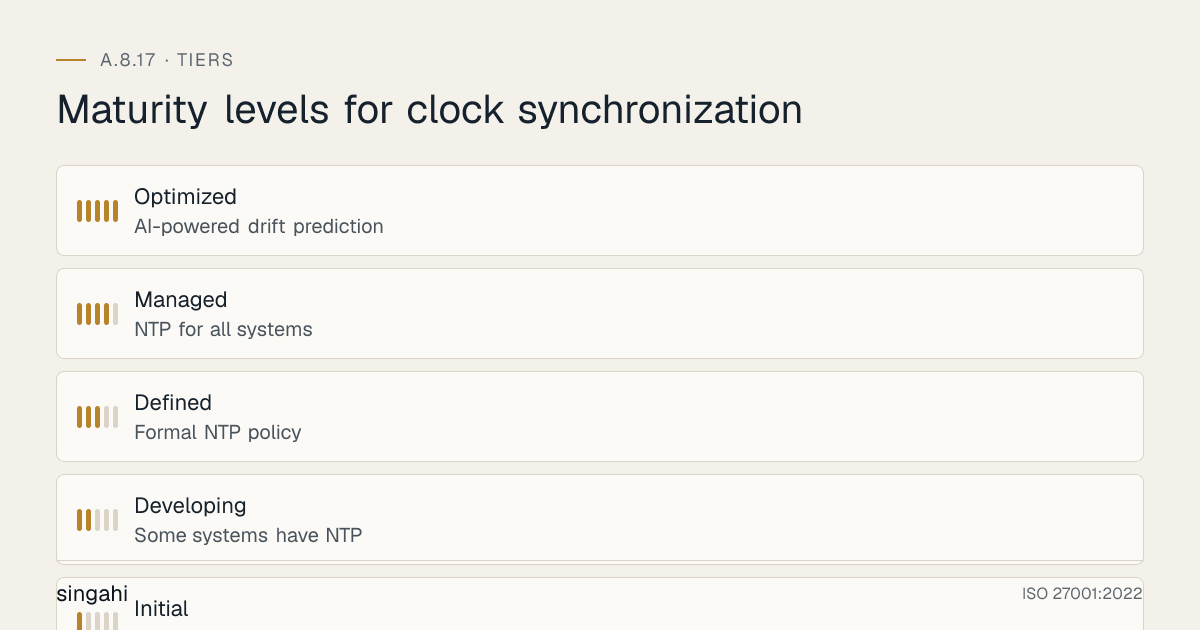
Maturity Model for A.8.17
| Level | Name | Characteristics | Evidence |
|---|---|---|---|
| 1 | Initial | No NTP; no time synchronization; clocks set manually; no monitoring; no policy; widespread drift; no compliance; timestamps unreliable | No NTP; no policy; manual clocks; no monitoring; drift everywhere |
| 2 | Developing | Some systems have NTP; informal configuration; no standardization; occasional monitoring; no policy; some drift; inconsistent timestamps; reactive only | Partial NTP; informal; no standardization; rare monitoring; no policy; some drift |
| 3 | Defined | Formal NTP policy; NTP for critical systems; centralized architecture; standardized timezone; basic monitoring; documented procedures; daily sync verification; proactive and reactive | Policy; critical systems synced; centralized architecture; standardized timezone; basic monitoring; procedures; daily verification |
| 4 | Managed | NTP for all systems; redundant architecture; GPS reference; authentication; complete monitoring; automated drift detection; quarterly verification; SIEM integration; trading system PTP; metrics-driven; compliant | All systems synced; redundant; GPS; authentication; complete monitoring; automated detection; quarterly verification; SIEM integration; PTP; metrics; compliant |
| 5 | Optimized | AI-powered drift prediction; self-healing time sync; autonomous timestamp verification; zero drift tolerance; blockchain-based timestamp integrity; multi-source validation; GPS spoofing detection; continuous improvement; industry-leading accuracy and compliance | AI prediction; self-healing; autonomous verification; zero drift; blockchain integrity; multi-source validation; spoofing detection; continuous improvement; industry-leading |
Continuous Improvement Activities
Monthly:
- NTP server health review (reachability, stratum, offset, peers)
- Clock drift review (random sample of systems, drift trend analysis)
- NTP client sync failure review (any clients not syncing, investigate and fix)
- NTP security review (authentication status, query restrictions, monlist status)
- NTP configuration audit (random sample of systems, verify correct config)
- Timezone consistency check (verify no systems with wrong timezone or DST enabled)
- Log timestamp consistency check (compare timestamps across systems for same event)
- NTP software update check (patch availability, security advisories)
Quarterly:
- Full NTP policy review
- NTP architecture review (optimize for new systems, sites, cloud resources)
- NTP server configuration audit (verify all servers correctly configured)
- NTP client configuration audit (verify all clients correctly configured)
- Clock drift verification on all systems (automated scan, report outliers)
- Log timestamp consistency verification (complete cross-system check)
- NTP security audit (vulnerability scan, penetration test of NTP infrastructure)
- NTP backup and restoration test (verify log timestamp backup and restoration)
- NTP monitoring dashboard review (tune alerts, adjust thresholds)
- Trading system PTP accuracy verification (if applicable, measure and report)
- Internal audit of time synchronization controls
- Technology evaluation (new NTP tools, new PTP hardware, new GPS receivers)
Annually:
- Full time synchronization policy review
- Complete NTP architecture review (redesign if needed for scale, new sites, cloud)
- Maturity assessment against target level
- External audit preparation (ISO 27001, RBI, SEBI, PCI DSS)
- Benchmark against industry best practices (financial industry timing standards, telecom standards)
- Vendor security assessment (NTP software vendors, GPS hardware vendors)
- NTP hardware refresh (GPS receivers, NTP servers, network infrastructure)
- Regulatory compliance review (RBI, SEBI, TRAI updates)
- Budget and resource planning for next year
- Board/security committee reporting on time synchronization maturity and effectiveness
- NTP authentication key rotation (annual key rotation)
- GPS antenna maintenance (check antenna, cable, lightning protector, clear view of sky)
- Leap second readiness review (check systems are leap-second aware, test if possible)
Trigger-Based:
- After any security incident involving timestamp inconsistency or time manipulation
- After any failed audit or compliance finding related to time synchronization
- After any new system or application introduction (ensure NTP is configured)
- After any infrastructure change (new data center, cloud migration, network upgrade)
- After any new regulatory requirement (updated SEBI guidelines, new RBI circular)
- After any significant change in NTP software (major version update, security patch)
- After any GPS or NTP hardware failure
- After any merger, acquisition, or divestiture (integrate NTP for new entities)
- After any leap second event (review system behavior, verify no issues)
- After any NTP-related security advisory (CVE, vendor advisory)
- After any peer or industry incident involving time synchronization ("could this happen to us?")
- After any forensic investigation that encountered timestamp issues (improve based on lessons learned)
FAQ
Q1: What is the difference between NTP and SNTP? A: NTP (Network Time Protocol) is the full protocol with complex algorithms for accurate time synchronization, handling network jitter, clock drift, and multiple time sources. SNTP (Simple Network Time Protocol) is a simplified version that does not have the complex algorithms. SNTP is less accurate but simpler to implement. For most systems, NTP is preferred because it provides better accuracy and reliability. SNTP is acceptable for simple devices (IoT, embedded systems) that do not need high accuracy. However, SNTP does not handle network jitter well and may have larger errors. For security-critical systems, use NTP (chrony or ntpd), not SNTP. SNTP is the "lite" version of NTP, it works but is not as strong.
Q2: Do we need GPS for NTP, or can we use public NTP servers? A: For most general IT systems, internal NTP servers synced to the NIC/NPL time servers (which CERT-In requires for Indian entities) are sufficient. GPS is needed for: (1) High-precision requirements (trading, telecom, industrial control), (2) Air-gapped networks (no internet access, need local time source), (3) Legal admissibility (GPS provides traceability to national time standard), (4) NTP server redundancy (GPS + public NTP = multiple sources), (5) Security (reduces dependence on internet, prevents NTP spoofing). For a growing company, public NTP servers are sufficient. For a bank, GPS is recommended for core systems (RBI requirement). For a trading firm, GPS is mandatory (SEBI requirement). For a government facility, GPS may be required for classified systems. The cost of a GPS receiver for NTP is –50,000 (affordable). The cost of not having GPS is regulatory non-compliance or legal vulnerability. If you have the budget, deploy GPS. It is the most reliable and traceable time source.
Q3: Can we use the public NTP Pool (pool.ntp.org)? A: Not as your reference in India. The CERT-In Directions (2022) require clocks to be synchronised to the NTP servers of NIC or NPL, or to servers traceable to them. Use NIC/NPL (or GPS traceable to UTC) for your internal stratum servers, and do not point clients directly at public servers; use your internal NTP servers. The pool is safe if: (1) You use it only for your NTP servers, not all clients, (2) You use multiple pool servers (not just one), (3) You monitor your NTP servers for accuracy, (4) You use authentication if possible (the pool does not support authentication, so use it only for Stratum 1 servers that also have GPS or other authenticated sources). The pool is not safe if: (1) You configure all clients to sync directly to the pool (increases external exposure, no control), (2) You rely solely on the pool with no backup (single point of failure), (3) You do not monitor (drift or spoofing could go undetected). For India, use the Indian pool servers (0.in.pool.ntp.org, 1.in.pool.ntp.org, etc.) for better latency. Also consider using NPL India (National Physical Laboratory) time servers if available (npltime1.nplindia.org, npltime2.nplindia.org). NPL is the official timekeeper for India and provides traceability to the national time standard.
Q4: How do we handle time synchronization for systems in an air-gapped network? A: Air-gapped networks have no internet access, so public NTP servers are unavailable. Solutions: (1) GPS receiver in the air-gapped facility (roof-mounted antenna, GPS receiver connected to NTP server inside the air-gapped network), (2) Radio clock (DCF77 in Europe, WWVB in US, MSF in UK, not available in India, but GPS is), (3) Atomic clock (cesium or rubidium clock, expensive but provides ultimate accuracy without external signals), (4) Manual sync (not recommended, human error, inconsistent, not scalable), (5) Transfer time via one-way media (data diode, optical isolation, transfer time from internet-connected network to air-gapped network via one-way link). For India, GPS is the best option for air-gapped networks. GPS signals are received via satellite and do not require internet connectivity. A GPS receiver in an air-gapped facility provides accurate time without network exposure. For classified defense facilities, GPS may be jammed or spoofed, so an atomic clock (rubidium) may be used as a backup. The key is to have a local time source that does not depend on external network connectivity.
Q5: What is a leap second, and how does it affect our systems? A: A leap second is an occasional one-second adjustment to UTC to account for Earth's irregular rotation. Leap seconds are added or removed by the International Earth Rotation and Reference Systems Service (IERS). The last leap second was added on December 31, 2016. Leap seconds can cause issues: (1) Systems may crash if not leap-second aware (some Linux kernels had issues), (2) Databases may have timestamp conflicts (a duplicate second can cause unique key violations), (3) Applications may fail if they assume time is monotonic, (4) NTP may "step" the clock back by 1 second, causing issues for time-sensitive applications, (5) Trading systems may reject timestamps with leap seconds. To handle leap seconds: (1) Ensure all systems are leap-second aware (modern OS kernels handle leap seconds correctly), (2) Use NTP "smearing" (spread the leap second over several hours instead of a single step, Google and Amazon use this), (3) Test leap second handling before the event (some organizations conduct leap second drills), (4) Monitor systems during leap second events (some organizations have dedicated monitoring during leap seconds), (5) Use TAI (International Atomic Time) for applications that require monotonic time (TAI does not have leap seconds). For most systems, the OS and NTP handle leap seconds automatically. The risk is highest for custom applications that do their own time handling. Test your critical applications for leap second behavior. India follows UTC, so leap seconds apply to Indian systems.
Q6: How do we handle time synchronization for containers (Docker, Kubernetes)?
A: Containers inherit time from the host OS by default. Best practices: (1) Ensure the host OS has accurate time (NTP on the host node), (2) Containers will automatically have the same time as the host, (3) Do not run NTP inside containers (unnecessary, adds complexity), (4) For containers that need independent time verification, mount the host's /etc/localtime and /usr/share/zoneinfo into the container, (5) For Kubernetes, ensure all nodes have synchronized time (use NTP on each node), (6) Use Kubernetes DaemonSet to deploy NTP monitoring on all nodes, (7) For containers that generate timestamps, ensure they use the container's time (which is the host's time), (8) For multi-region Kubernetes clusters, ensure all nodes across all regions are synchronized to the same time source (use NTP servers that are synchronized to each other, or use a global NTP service like Google Public NTP). The key principle is: synchronize time at the host level, not the container level. Containers are ephemeral, they should not manage their own time. The host manages time, and containers inherit it. This is the standard and recommended approach.
Q7: What is the most common audit finding for A.8.17? A: The most common findings are: (1) No NTP synchronization (systems not synced to any time source), (2) Clock drift > 1 second (systems drifting without correction), (3) No timezone standardization (some systems UTC, some IST, some local time), (4) DST enabled on Windows systems (India does not observe DST), (5) No NTP monitoring (no one knows if clocks are wrong), (6) NTP security issues (monlist enabled, no authentication, internet-accessible), (7) Systems syncing directly to external NTP instead of internal servers, (8) Log timestamp inconsistency (timestamps from different systems do not match for same event), (9) No PTP for trading systems (SEBI non-compliance), (10) No GPS reference time (traceability to national standard not established). Auditors will check: NTP configuration, clock accuracy, timezone consistency, NTP security, monitoring, and log timestamp consistency. They will also physically check system clocks or use automated tools to verify.
Q8: How do we handle time synchronization for legacy systems that do not support NTP? A: Legacy systems that do not support NTP are challenging: (1) Some legacy Unix systems (AIX, HP-UX, Solaris) support NTP but may need older NTP versions, (2) Some legacy Windows systems (Windows NT, 2000) support W32Time but with limited accuracy, (3) Some embedded systems (old PLCs, controllers) have no network stack and cannot use NTP, (4) Some mainframe systems (IBM z/OS) have their own time synchronization (STP, Server Time Protocol). Solutions: (1) For systems with limited NTP support, use older NTP versions or SNTP (less accurate but better than nothing), (2) For systems with no network time support, use serial GPS (connect GPS receiver to serial port), (3) For systems with no time sync capability, use manual sync (not recommended, but last resort, document the limitation, schedule regular manual checks, accept the risk), (4) For mainframes, use IBM STP or equivalent vendor protocol, (5) Plan for system replacement (legacy systems without time sync are a compliance risk, include time sync capability in replacement requirements). The key is to document the limitation and mitigate it as much as possible. If a legacy system truly cannot synchronize, you must accept the risk and have compensating controls (e.g., manual verification, separate logging, limited use). But most systems can synchronize with some effort, even old systems often support NTP or SNTP.
Q9: What is the difference between NTP authentication and NTS (Network Time Security)? A: NTP authentication uses symmetric keys (shared secret between client and server) or Autokey (public key, deprecated). The client and server share a secret key, and NTP messages are authenticated with a MAC (Message Authentication Code). NTS (Network Time Security, RFC 8915) is a modern, TLS-based authentication and encryption for NTP. NTS uses TLS for key exchange and AES for encryption of NTP messages. NTS is more secure than symmetric key authentication because it does not require pre-shared keys and provides encryption in addition to authentication. NTS is supported by chrony (since version 4.0) and some public NTP servers (Cloudflare, Netnod). NTS is the future of NTP security. For new deployments, use NTS if possible. For legacy deployments, symmetric key authentication is still effective. NTS requires TLS certificates (like HTTPS), so it is more complex to set up but provides better security. If your NTP servers support NTS (chrony 4.0+), use it. If not, use symmetric key authentication. Both prevent NTP spoofing and man-in-the-middle attacks.
Q10: How do we handle time synchronization for systems across multiple countries with different time zones? A: For global organizations, time synchronization is more complex: (1) Use UTC for all internal systems, databases, logs, and APIs, regardless of location, (2) Convert to local time only for user-facing displays (e.g., show IST in India, EST in US, CET in Europe), (3) Use ISO 8601 format with timezone offset for all timestamps (e.g., 2026-06-16T14:32:15+05:30 for India, 2026-06-16T05:02:15-04:00 for US Eastern), (4) Ensure all NTP servers sync to the same global time source (UTC, GPS), (5) Deploy NTP servers in each region (for low latency and redundancy), but ensure they all sync to the same reference (e.g., all sync to the NIC/NPL servers or GPS), (6) Use PTP for cross-region trading systems that need microsecond accuracy, (7) Use cloud provider time sync services (AWS Time Sync, Azure Time Sync, Google NTP) for cloud resources, but verify they are traceable to UTC, (8) Document timezone handling in application design guidelines (store UTC, convert for display), (9) Test cross-region timestamp correlation (ensure logs from different regions can be correlated using UTC timestamps). The key principle is: UTC internally, local time externally. Never store local time in databases or logs without timezone indication. Never mix different local times in the same system without explicit conversion. UTC is the universal language of time, use it everywhere internally.
Q11: What is the cost of implementing NTP for a growing company? A: For a growing company with 100 servers and 200 endpoints: NTP software (free, chrony, W32Time), NTP servers (2 Linux VMs or old servers repurposed, if using existing hardware, or –1,00,000 for new small servers), GPS receiver (optional, –50,000), network configuration (firewall rules, VLAN, minimal cost), monitoring (Prometheus + Grafana or Nagios, free or lightweight), consulting (–2,00,000 for architecture and deployment). Total: –3,00,000 for basic NTP. For a more strong setup with GPS, redundant servers, and professional monitoring: –5,00,000. For trading systems needing PTP: –15,00,000 (PTP NICs, PTP switch, GPS receiver, consulting). The cost is minimal compared to the value. NTP is one of the highest-ROI security investments. The cost of not having NTP is failed investigations, legal losses, regulatory penalties, and compliance failures. For a growing company, NTP should cost less than 1% of the annual IT security budget.
Q12: How do we handle time synchronization during a disaster recovery event? A: DR events require time synchronization coordination: (1) Before DR: Ensure DR site NTP servers are synchronized and operational (daily health checks), (2) During DR failover: Verify DR site time is correct before activating DR systems (check NTP sync status, verify no drift), (3) During DR operations: Continue monitoring DR site time (ensure DR site NTP servers remain synced), (4) After DR failback: Verify primary site time is correct before failback (sync primary site NTP servers, verify no drift), (5) After failback: Verify all systems have correct time (check for drift during the DR event, correct any issues), (6) Document time synchronization during DR (record any time issues, how they were resolved, lessons learned). Time synchronization is often overlooked during DR planning, but it is critical. If the DR site has a different time than the primary site, failover can cause data corruption (timestamps in databases may conflict), log inconsistency (SIEM may not correlate events), and application errors (time-sensitive applications may fail). Include NTP verification in DR runbooks. Test NTP during DR drills. The DR site should have the same NTP architecture as the primary site (same NTP servers, same time sources, same hierarchy). The DR site should sync to the same external time sources or to the primary site NTP servers (if WAN is available). Do not assume DR site time is correct, verify it.
Q13: What is the future of time synchronization? A: Time synchronization is evolving: (1) NTS (Network Time Security) becoming standard (TLS-based NTP authentication and encryption), (2) GPS/GNSS multi-constellation (GPS + GLONASS + Galileo + BeiDou for better accuracy and anti-spoofing), (3) Atomic clocks becoming smaller and cheaper (chip-scale atomic clocks for edge devices), (4) PTP over 5G (5G networks provide timing as a service, enabling PTP-level accuracy for mobile devices), (5) Quantum time transfer (using quantum entanglement for theoretically perfect time transfer, experimental), (6) Blockchain-based timestamping (distributed, immutable timestamping for maximum evidence integrity), (7) AI-powered drift prediction (predicting clock drift before it happens, preemptive correction), (8) Edge time synchronization (synchronizing IoT and edge devices with high accuracy using local time sources), (9) Cloud-native time services (cloud providers offering time synchronization as a managed service, integrated with cloud resources), (10) Continuous time monitoring (real-time monitoring of time accuracy across all systems, with automated correction and alerting). The future of time synchronization is more secure, more accurate, more distributed, and more automated. Time synchronization will become a ubiquitous, invisible service that ensures accuracy across all devices and systems.
Q14: How do we handle time synchronization for mobile devices and BYOD? A: Mobile devices and BYOD (Bring Your Own Device) are challenging for time synchronization: (1) Mobile devices sync time from cellular networks (automatic, generally accurate), (2) BYOD laptops may not be domain-joined and may sync to public NTP or manufacturer time servers, (3) Mobile devices may have user-controlled time settings (users can manually change time), (4) BYOD devices may not be managed by corporate MDM, making time sync control difficult. Solutions: (1) For corporate-managed mobile devices, use MDM (Mobile Device Management) to enforce automatic time sync (prevent manual time changes), (2) For BYOD laptops, include time sync requirements in BYOD policy (must sync to corporate NTP or reliable public NTP), (3) For authentication systems, use server-side timestamps (do not trust client timestamps), (4) For applications, validate client timestamps against server time (reject requests with timestamps that are too far off), (5) For logging, log server receipt time in addition to client-sent time (so you have both timestamps), (6) For security, do not rely on client timestamps for security decisions (e.g., do not use client timestamp for session expiration). The key is: do not trust client devices for time. Use server-side time for all security and compliance purposes. Client time is a convenience for the user; server time is the authority for the system. If a user manually changes their device time, it should not affect the server's security or logging.
Q15: What is the role of time synchronization in digital forensics and legal proceedings? A: Time synchronization is critical for digital forensics and legal proceedings: (1) Evidence integrity, accurate timestamps prove when evidence was collected, preserved, and analyzed, (2) Chain of custody, timestamps document who handled evidence and when, (3) Timeline reconstruction, accurate timestamps allow forensic investigators to reconstruct the sequence of events, (4) Correlation, synchronized timestamps across multiple systems allow correlation of events (e.g., firewall log + server log + database log all showing the same incident), (5) Legal admissibility, courts require accurate timestamps for evidence to be admissible, (6) Alibi verification, timestamps can prove or disprove whether someone was where they claimed to be, (7) Contract enforcement, timestamps prove when transactions occurred, payments were made, or agreements were signed, (8) Regulatory compliance, accurate timestamps prove compliance with time-sensitive regulations (e.g., DPDP response times, SLA compliance). Without accurate time synchronization, forensic evidence is questionable, legal cases are weakened, and regulatory compliance is unprovable. For legal proceedings, timestamps must be: accurate (synchronized to a reliable source), consistent (all systems agree), traceable (linked to a known time source like GPS or national standard), and tamper-evident (protected against modification). Time synchronization is not just a technical control, it is a legal control that underpins the entire evidence and compliance framework.
References and Further Reading
Standards and Frameworks
- ISO/IEC 27001:2022, Information Security, Cybersecurity and Privacy Protection, Information Security Management Systems, Requirements
- ISO/IEC 27002:2022, Information Security, Cybersecurity and Privacy Protection, Information Security Controls
- NIST SP 800-53 Rev 5, Security and Privacy Controls for Information Systems and Organizations
- PCI DSS v4.0.1, Payment Card Industry Data Security Standard
- CIS Controls v8, CIS Controls Version 8
- COBIT 2019, Control Objectives for Information and Related Technologies
- NIST SP 800-92, Guide to Computer Security Log Management
NTP and Time Protocols
- RFC 5905, Network Time Protocol Version 4: Protocol and Algorithms Specification
- RFC 8915, Network Time Security for the Network Time Protocol
- RFC 7822, Network Time Protocol Version 4 (NTPv4) Extension Fields
- IEEE 1588-2019, Precision Time Protocol (PTP) Standard
- RFC 1305, Network Time Protocol (Version 3) Specification, Implementation and Analysis (legacy)
Indian Regulations
- RBI Cyber Security Framework for Banks
- SEBI Cybersecurity and Cyber Resilience Framework (CSCRF) for SEBI Regulated Entities, circular of 20 August 2024
- SEBI Guidelines for Algorithmic Trading (including timestamp requirements)
- IRDAI Guidelines on Information and Cyber Security for Insurers
- TRAI Regulations on Network Availability and Quality of Service
- CERT-In Guidelines for Information Security Practices
- Information Technology Act, 2000 (as amended)
- Digital Personal Data Protection Act, 2023 (India)
- Company Act, 2013
Books and Publications
- Computer Network Time Synchronization: The Network Time Protocol on Earth and in Space by David L. Mills (inventor of NTP)
- NTP Security: A Quick-Start Guide by Aanchal Malhotra and Sharon Goldberg
- ISO 27001/27002: A Pocket Guide by Alan Calder
- Understanding the Network Time Protocol by David L. Mills
- Precision Time Protocol (IEEE 1588) for Industrial Automation by James Eidson
NTP Resources
- CERT-In Directions (28 April 2022) and FAQs, on clock synchronisation to NIC/NPL NTP servers
- NTP.org (reference implementation): https://www.ntp.org
- Chrony: https://chrony.tuxfamily.org
- Linux PTP (ptp4l): https://linuxptp.sourceforge.net
- Meinberg NTP: https://www.meinberg.de
- NTPsec: https://www.ntpsec.org
- NPL India Time Services: https://www.nplindia.in
- ISRO Time Services: https://www.isro.gov.in
Cloud Time Services
- AWS Time Sync: https://docs.aws.amazon.com/AWSEC2/latest/UserGuide/set-time.html
- Azure Time Sync: https://docs.microsoft.com/azure/virtual-machines/time-sync
- Google NTP: https://developers.google.com/time
- Cloudflare Time: https://www.cloudflare.com/time