
On this page
- Quick Reference (60 Seconds)
- What the Control Asks For
- Why Use of privileged utility programs Matters
- Scope and Applicability
- Key Definitions and Terminology
- Relationship to Other Controls
- Implementation Roadmap (Week-by-Week)
- Detailed Implementation Guidance
- Tools, Technologies, and Solutions
- Policy and Procedure Templates
- Risk Assessment and Treatment
- Audit and Compliance Checklist
- Metrics and KPIs
- Common Pitfalls and How to Avoid Them
- Illustrative Scenarios
- Multi-Framework Mapping
- Regulatory and Industry Context
- Roles and Responsibilities (RACI)
- Documentation and Evidence Requirements
- Continuous Improvement
- FAQ
- References and Further Reading
Quick Reference (60 Seconds)
Figure · At a glance
A.8.18 at a glance
- Control ID
- A.8.18
- Control Name
- Use of privileged utility programs
- ISO 27002:2022 Section
- 8.18
- Primary Purpose
- Restrict and control the use of utility
- Key Activities
- Identify privileged utilities
- Typical Owners
- System Administrator, CISO
| Aspect | Summary |
|---|---|
| Control ID | A.8.18 |
| Control Name | Use of privileged utility programs |
| ISO 27002:2022 Section | 8.18 |
| Primary Purpose | Restrict and control the use of utility programs that can bypass or override system controls, ensuring they are only used by authorized personnel for legitimate purposes |
| Key Activities | Identify privileged utilities, restrict access, implement usage controls, monitor usage, log all activity, require authorization, review and audit |
| Typical Owners | System Administrator, CISO, IT Operations Manager, Security Operations Manager |
| Implementation Effort | Low-Medium (2–4 weeks) |
| Main cost drivers | Application control (WDAC, AppLocker or EDR features), privileged access tooling, and engineering time to build allowlists |
| ISO 27002 attributes | Control type: Preventive · Properties: Confidentiality, Integrity, Availability · Concepts: Protect · Capabilities: System and network security, Secure configuration, Application security · Domains: Protection |
Bottom Line: Privileged utility programs, debuggers, system monitors, password crackers, recovery tools, and administrative scripts, can bypass normal security controls. If unrestricted, they can be used by anyone to escalate privileges, extract data, modify logs, or destroy evidence. A.8.18 requires organizations to identify these tools, restrict their use to authorized personnel, require authorization for each use, and monitor every action. This is the "lock on the master key" control, it protects the tools that can bypass all other protections.
What the Control Asks For
In short:
ISO 27001:2022 Annex A 8.18 asks organizations to tightly limit utility software that is able to bypass system and application controls.
Do you need this control?
A.8.18 is not mandatory in itself: under clause 6.1.3 you include it if your risk assessment calls for it, and record the decision in your Statement of Applicability. Include it if utilities that can override system or application controls exist in your environment, which is almost always true. Restrict, log and approve their use.
What ISO 27002:2022 Adds
27002 8.18 (paraphrased): restrict and tightly control utility programs that can override system and application controls. Consider:
- (a) limiting their use to the minimum number of trusted, authorised users (see 8.2)
- (b) identification, authentication and authorisation for utilities, with unique identification of the person using them
- (c) defined and documented authorisation levels
- (d) authorisation for ad hoc use
- (e) not making utilities available to users who have access to applications where segregation of duties is required
- (f) removing or disabling unnecessary utilities
- (g) at least logical segregation of utilities from application software, and where practical, segregating their network traffic
- (h) limiting availability of utilities to the duration of an authorised change, for example
- (i) logging all use
Examples of such utilities include diagnostic, patching, anti-virus, disk defragmentation, debugging, backup and network tools, and anything that can read memory, change files or alter logs.
Why Use of privileged utility programs Matters
The Privileged Utility Threat
Privileged utility programs are the "skeleton keys" of the IT world. They can bypass normal access controls, read any data, modify any file, change system configurations, and erase audit trails. In the wrong hands, they are devastating. In the right hands, they are essential for system administration, troubleshooting, and recovery. The challenge is ensuring they are only used by the right people, at the right time, for the right reasons.
Why It Matters
- Attackers "live off the land": they prefer legitimate admin tools (PowerShell, PsExec, remote-support software, credential dumpers such as Mimikatz) because they blend in with normal administration
- Remote-support tools are a fraud vector in India: scammers commonly persuade victims to install AnyDesk-style tools; block unapproved remote-access software and allow one sanctioned tool with MFA and session logging
- PCI DSS v4.0.1 expects only necessary functions enabled (2.2.4), least privilege (7.2.x) and logging of administrative actions (10.2.1.2)
How It Goes Wrong (hypothetical patterns)
- A bank in Mumbai had a disgruntled system administrator who used Mimikatz (a credential extraction tool) to dump passwords from memory on the core banking server. The administrator had unrestricted access to Mimikatz because it was part of the standard administrator toolkit. The administrator extracted 50 administrator passwords and sold them on the dark web. The bank was breached 3 months later by an attacker using these credentials. The administrator was eventually caught, but only after the damage was done. The bank had no policy restricting Mimikatz use, no authorization requirement, and no logging of its usage.
- A hospital in Delhi had a junior IT staff member who downloaded a password recovery tool from the internet to "reset" a forgotten administrator password. The staff member did not have authorization. The tool was actually a trojanized version that installed a backdoor. The attacker gained access to the hospital's network through the backdoor and deployed ransomware. The hospital lost all patient records for 2 weeks. The hospital had no policy restricting the download of utility programs, no approval process, and no monitoring of tool usage.
- An IT services company in Bangalore had a contractor who used PsExec (a remote execution tool) to run unauthorized scripts on 100 client servers. The contractor used PsExec to install crypto-mining software, consuming client resources and generating cryptocurrency for the contractor. The activity went undetected for 6 months because PsExec was not monitored. The company faced lawsuits from 5 clients and lost the contracts. The company had no controls over PsExec usage, no logging, and no review of utility usage.
- A government department in India had a senior administrator who used a file recovery utility to restore deleted files from a decommissioned server. The administrator recovered classified documents that were supposed to be permanently destroyed. The administrator leaked the documents to a journalist. The department faced a national security investigation. The department had no policy restricting the use of recovery utilities, no authorization for recovery operations, and no audit of utility usage.
- A manufacturing company in Chennai had a system administrator who used a debug tool to modify the production database directly, bypassing application controls. The administrator made unauthorized changes to supplier pricing data, benefiting a personal contact. The fraud was discovered during an audit, but the administrator had already deleted the debug tool logs. The company had no controls over debug tool usage, no requirement to log usage, and no review of administrative activities.
Regulatory and Business Drivers
- RBI (Cyber Security Framework 2016), SEBI CSCRF (2024) and IRDAI (2023) expect privileged access and admin tools to be restricted, logged and reviewed
- PCI DSS v4.0.1 Requirement 11.5.1 requires detection of unauthorized use of privileged utilities
- CERT-In Guidelines mandate controls over system utilities that can bypass security controls
- IT Act 2000 requires reasonable security practices, including controls over privileged access and tools
- DPDP Act 2023 requires data fiduciaries to protect personal data, including through controls over privileged utilities
- ISO 27001: A.8.18 is one of the Annex A controls you consider when treating risk (clause 6.1.3). If your risk assessment calls for it, it goes in your Statement of Applicability with how it is implemented; if not, you record why it is excluded
- SOC 2 requires controls over privileged access and tool usage
- Cyber Insurance increasingly requires privileged utility monitoring as a condition of coverage
Scope and Applicability
What Is Covered (Privileged Utilities)
System-Level Utilities:
- Debuggers: WinDbg, gdb, lldb, OllyDbg, IDA Pro, x64dbg, ProcDump, DebugView
- System Monitors: Process Monitor (ProcMon), Process Explorer (Procexp), TCPView, Wireshark, tcpdump, netstat, lsof, strace, dtrace
- Memory Dump Tools: Mimikatz, ProcDump, WinDbg, Volatility, Rekall, Memoryze
- Password Tools: John the Ripper, Hashcat, Ophcrack, Hydra, Medusa, Ncrack, Mimikatz, LaZagne, Windows Credential Editor
- Remote Execution Tools: PsExec, WMIexec, SMBexec, WinRM, PowerShell Remoting, SSH, Telnet, RDP, AnyDesk, TeamViewer, Chrome Remote Desktop
- System Recovery Tools: Recuva, TestDisk, PhotoRec, Foremost, Scalpel, Autopsy, Sleuth Kit, R-Studio, EaseUS Data Recovery
- Disk Encryption Tools: BitLocker recovery tools, VeraCrypt recovery, TrueCrypt recovery, LUKS recovery
- File System Tools: chkdsk, fsck, diskpart, fdisk, gparted, ntfsprogs, debugfs
- Registry Tools: regedit, reg (command-line), Registry Explorer, Registry Viewer, CCleaner (registry cleaner)
- Boot Tools: bootrec, bcdedit, grub, Syslinux, Live CDs, bootable USB tools, Hiren's BootCD, Ultimate Boot CD
- Virtualization Tools: VMWare Tools, VirtualBox Guest Additions, Hyper-V Integration Services, QEMU tools, Virtual Machine Manager
- Backup/Restore Tools: ntbackup, wbadmin, rsync, dd, tar, cpio, ghost, clonezilla, Acronis, Veeam recovery tools
- Network Tools: nmap, masscan, zmap, hping, netcat, nc, socat, iperf, scapy, ettercap, dsniff, Cain & Abel, Responder, Inveigh
- Scripting/Automation Tools: PowerShell (administrative scripts), Python (system scripts), Bash (shell scripts), AutoIt, AutoHotkey, VBScript, WMI scripts, CScript
- Application Debug Tools: SQL Profiler, SQL Server Management Studio (advanced features), Oracle SQL*Plus (sysdba), MySQL root client, MongoDB mongosh (admin), Redis CLI, Kubernetes kubectl (admin), Docker CLI (root), AWS CLI (admin credentials), Azure CLI (admin credentials), GCP CLI (admin credentials)
- Data Manipulation Tools: SQL injection tools (sqlmap), database browsers (DB Browser for SQLite, HeidiSQL, DBeaver with admin privileges), hex editors (HxD, 010 Editor, Hex Fiend), file editors (vi, vim, nano, emacs with elevated privileges)
- Malware Analysis Tools: Cuckoo Sandbox, REMnux, Flare VM, Malware Analysis Tools (if installed on production systems)
Application-Level Utilities:
- Database Admin Tools: SQL Server Management Studio (SSMS) with sysadmin, Oracle SQL*Plus with SYSDBA, MySQL with root, PostgreSQL with postgres, MongoDB with admin, Redis with CONFIG command, Elasticsearch with admin API
- Cloud Admin Tools: AWS CLI with admin credentials, Azure CLI with Global Admin, GCP CLI with Organization Admin, kubectl with cluster-admin, Terraform with admin service account, CloudFormation with admin access
- Source Code Tools: Git with admin access (force push, history rewrite), SVN with admin access, code review tools with admin privileges, CI/CD pipeline tools with admin access (Jenkins admin, GitLab admin, GitHub admin)
- Email Admin Tools: Exchange Management Shell, Google Admin Console, Office 365 Admin Center, mail server admin tools (Postfix admin, Sendmail admin)
- Identity Management Tools: Active Directory Users and Computers, ADSI Edit, LDP, LDAP browsers with admin credentials, IAM admin consoles (AWS IAM, Azure AD, Google IAM), privilege management tools (CyberArk admin, BeyondTrust admin, Delinea admin)
What Is Not Covered
- Standard user tools that do not bypass controls (e.g., Word, Excel, browsers without admin extensions)
- Standard development tools used in approved development environments (subject to A.8.31 separation)
- Standard monitoring tools used by authorized users (subject to A.8.16)
- Tools embedded in the operating system that are not explicitly used for privileged operations (e.g., standard file explorer, standard command prompt without elevation)
- Tools used by automated systems under approved change management (subject to change control)
Applicability by Organization Type
| Organization Type | Applicability | Key Privileged Utility Concerns |
|---|---|---|
| BFSI | Critical | Core banking database tools, payment system utilities, ATM admin tools, trading system debuggers, credential extractors, RBI compliance |
| Healthcare | High | EMR admin tools, medical device debuggers, patient data extraction tools, PACS admin tools, NABH compliance |
| IT/Software Services | High | Source code admin tools, CI/CD admin tools, cloud admin CLI, database admin tools, debuggers, remote access tools |
| SaaS/Cloud | Critical | Cloud admin CLI, Kubernetes admin tools, database admin tools, customer tenant admin tools, SOC 2 compliance |
| Retail/E-commerce | High | Payment system tools, transaction database tools, inventory admin tools, PCI DSS compliance |
| Manufacturing | High | SCADA/ICS admin tools, PLC programming tools, industrial debuggers, production system utilities, safety system tools |
| Government/Defense | Critical | Classified system admin tools, defense debuggers, citizen database admin tools, critical infrastructure tools, CAG compliance |
| Telecom | High | Network admin tools, billing system utilities, call detail record tools, TRAI compliance |
| Education | Medium | Student database admin tools, exam system utilities, research data tools, financial admin tools |
| Media/OTT | Medium | Content management admin tools, subscriber database tools, DRM admin tools, streaming system utilities |
Key Definitions and Terminology
| Term | Definition |
|---|---|
| Privileged Utility Program | A software tool or utility that can bypass or override normal system and application controls, allowing access to data, functions, or configurations that would normally be restricted |
| Debugger | A tool that allows inspection and modification of running programs, memory, and system state (e.g., WinDbg, gdb, OllyDbg) |
| System Monitor | A tool that provides real-time information about system processes, network connections, file system activity, and registry changes (e.g., Process Monitor, Wireshark) |
| Credential Extraction Tool | A tool that extracts passwords, hashes, or tokens from memory or storage (e.g., Mimikatz, LaZagne, Windows Credential Editor) |
| Password Cracker | A tool that attempts to recover passwords by brute force, dictionary attack, or hash cracking (e.g., John the Ripper, Hashcat, Ophcrack) |
| Remote Execution Tool | A tool that allows execution of commands or programs on remote systems (e.g., PsExec, PowerShell Remoting, SSH) |
| System Recovery Tool | A tool that recovers deleted, corrupted, or lost data from storage media (e.g., Recuva, TestDisk, PhotoRec) |
| Hex Editor | A tool that allows direct editing of binary data at the byte level (e.g., HxD, 010 Editor, Hex Fiend) |
| System Shell | A command-line interface that provides direct access to system functions (e.g., PowerShell with admin, bash with root, cmd with system privileges) |
| Break-Glass Access | Emergency access to privileged utilities outside normal authorization procedures, requiring post-incident review and justification |
| Just-In-Time (JIT) Privilege | Temporary elevation of privileges for a specific task, with automatic revocation after the task is complete |
| Privilege Escalation | The act of gaining higher-level privileges than originally granted, often using utility programs |
| Living Off The Land (LOTL) | Attack techniques that use legitimate system tools and utilities for malicious purposes (e.g., PowerShell, WMI, certutil) |
| Dual Control | A security measure requiring two authorized individuals to perform a privileged operation together |
| Four-Eyes Principle | Same as dual control, two people must approve and observe a sensitive operation |
| Privilege Management | The process of controlling and monitoring access to privileged accounts, tools, and functions |
| Privileged Access Management (PAM) | A complete solution for managing, monitoring, and securing privileged access and tools |
| Application Whitelisting | A security approach that allows only approved applications to run, blocking all others (including unauthorized utilities) |
| Application blocklisting | Blocks known bad applications (less effective than allowlisting, the term 27002:2022 uses) |
| Execution Control | Mechanisms that control whether and how applications can execute (e.g., AppLocker, Software Restriction Policies, Group Policy) |
| Software Restriction Policy (SRP) | A Windows feature that controls which applications can run based on rules |
| AppLocker | A Windows feature that allows administrators to control which applications and files users can run |
| Windows Defender Application Control (WDAC) | A modern Windows feature for application control (successor to AppLocker) |
| User Account Control (UAC) | A Windows feature that prevents unauthorized changes by requiring administrator approval for privileged operations |
| sudo | A Linux command that allows authorized users to execute commands as root or another user |
| su | A Linux command that allows switching to another user account, typically root |
| sudoers | The configuration file for sudo that defines who can run what commands with what privileges |
| PolicyKit (pkexec) | A Linux framework for controlling system-wide privileges |
| setuid | A Linux permission bit that allows a program to run with the privileges of the file owner, not the user running it |
| Capabilities | Linux kernel features that provide fine-grained privileges to processes without full root access |
| SELinux | A Linux security module that provides mandatory access control (MAC) |
| AppArmor | A Linux security module that provides mandatory access control, similar to SELinux |
| Container Security | Mechanisms to restrict privileged operations within containers (e.g., seccomp, capabilities, AppArmor/SELinux profiles) |
| seccomp | A Linux kernel feature that restricts the system calls a process can make |
| CapDrop | Dropping Linux capabilities to reduce privileges (e.g., dropping CAP_SYS_ADMIN in containers) |
| Read-Only Root Filesystem | A container security measure that makes the root filesystem read-only, preventing modifications |
| Privileged Container | A Docker/containerd container that runs with full host privileges (should be avoided or strictly controlled) |
| Rootless Container | A container that runs without root privileges (recommended for security) |
| Signed Scripts | Scripts that are cryptographically signed to verify their authenticity and integrity before execution |
| Script Constrained Language Mode | A PowerShell feature that restricts language features to prevent malicious scripts (e.g., ConstrainedLanguage mode) |
| AMSI (Antimalware Scan Interface) | A Windows feature that allows antivirus software to scan scripts and other content before execution |
| Credential Guard | A Windows feature that uses virtualization-based security to isolate credential storage from the OS |
| LSA Protection | A Windows feature that protects the Local Security Authority from credential extraction tools |
| WDAG (Windows Defender Application Guard) | A Windows feature that isolates untrusted applications in a virtualized container |
| Attack Surface Reduction (ASR) Rules | Windows Defender ASR rules that block specific risky behaviors (e.g., child process creation, credential theft from LSASS) |
| Device Guard | A Windows feature that combines WDAC and Credential Guard for complete application control |
| Software Inventory | A complete list of all software installed on systems, including utility programs |
| Software Asset Management (SAM) | The practice of managing and optimizing software assets, including tracking and controlling utility programs |
Relationship to Other Controls
| Control | Relationship |
|---|---|
| A.5.1 Policies for information security | Privileged utility policy aligns with overall security policy |
| A.5.18 Access rights | Privileged utilities require access rights management |
| A.5.17 Authentication information | Privileged utilities require strong authentication |
| A.5.25 Assessment and decision on information security events | Utility usage must be assessed for security events |
| A.5.26 Response to information security incidents | Utility usage may be part of incident response |
| A.5.28 Collection of evidence | Utility usage logs may be evidence |
| A.5.30 ICT readiness for continuity | Utility programs may be needed for recovery |
| A.8.1 User endpoint devices | Endpoint utilities must be controlled |
| A.8.2 Privileged access rights | Privileged utilities relate to privileged access |
| A.8.5 Secure authentication | Privileged utilities require strong authentication |
| A.8.7 Protection against malware | Utility programs may be used to spread malware |
| A.8.15 Logging | All utility usage must be logged |
| A.8.16 Monitoring activities | Utility usage must be monitored |
| A.8.17 Synchronization of clocks | Utility usage logs require accurate timestamps |
| A.8.19 Installation of software on operational systems | Utility programs are software that must be controlled |
| A.8.20 Network security | Network utilities must be controlled |
| A.8.25 Secure development life cycle | Development utilities must be controlled |
| A.8.31 Separation of development, test and production environments | Development utilities must be separated from production |
| A.8.9 Configuration management | Unnecessary utilities removed from baselines |
| A.5.3 Segregation of duties | Utilities withheld from users of SoD-sensitive applications (27002 8.18 (e)) |
| A.8.32 Change management | Utility availability limited to authorised changes (27002 8.18 (h)) |
| A.8.33 Test data | Test utilities must be controlled |
| A.8.34 Protection of information systems during disruption | Utility programs may be needed during disruptions |
| A.7.13 Equipment disposal | Utility programs on disposed equipment must be considered |
| A.5.20 Addressing information security when contracting with suppliers | Supplier utility usage must be controlled |
| A.5.8 Information security in project management | Project utilities must be controlled |
| A.6.7 Remote working | Remote access utilities must be controlled |
Implementation Roadmap (Week-by-Week)
Week 1: Inventory and Assessment
- Inventory all utility programs installed on all systems (servers, workstations, network devices, cloud resources)
- Categorize utilities by risk level (critical, high, medium, low) based on their ability to bypass controls
- Identify which utilities are legitimately needed for operations (system administration, troubleshooting, recovery)
- Identify which utilities are not needed and should be removed or disabled
- Identify which utilities are already restricted and which are not
- Identify users who currently have access to privileged utilities
- Assess current logging of utility usage (what is logged, where, how long retained)
- Assess current monitoring of utility usage (who monitors, how often, what alerts)
- Assess current authorization process for utility usage (is there a process? who approves?)
- Document findings and gaps
Week 2: Policy and Authorization Process Development
- Draft privileged utility policy
- Define risk classification for utilities (critical, high, medium, low)
- Define access controls for each risk level (who can access, under what conditions)
- Define authorization process (who must approve before use, how to request, how to document)
- Define logging requirements (what must be logged, where, retention)
- Define monitoring requirements (what must be monitored, alert thresholds, response procedures)
- Define break-glass procedures (emergency access without authorization, post-incident review)
- Define removal/disabling procedures for unnecessary utilities
- Approve policy by CISO and IT Operations Manager
Week 3: Access Controls and Technical Implementation
- Remove or disable all unnecessary utilities from production systems
- Restrict access to critical utilities (only authorized administrators, require MFA, require justification)
- Implement application whitelisting or execution control (AppLocker, WDAC, SRP, Linux policies)
- Implement privilege management (PAM, sudo, just-in-time elevation, privilege escalation controls)
- Implement logging for all utility usage (command logging, process logging, file access logging)
- Implement monitoring for utility usage (alert on unauthorized use, alert on suspicious patterns)
- Implement digital signatures for approved scripts (require signed scripts, block unsigned scripts)
- Implement container security (drop capabilities, read-only root filesystem, non-root containers)
- Implement Windows-specific controls (UAC, Credential Guard, LSA Protection, ASR rules, AMSI)
- Implement Linux-specific controls (sudoers, SELinux/AppArmor, seccomp, capabilities)
- Test all controls (verify utilities are blocked for unauthorized users, verify authorized users can access with approval)
Week 4: Monitoring, Documentation, and Audit
- Set up utility usage monitoring dashboard (who used what, when, from where, why)
- Configure alerts for unauthorized utility usage (immediate alert on blocked attempt)
- Configure alerts for suspicious patterns (e.g., Mimikatz usage, credential extraction attempts, mass remote execution)
- Configure alerts for break-glass usage (immediate alert on emergency access)
- Document all utility usage procedures (how to request, how to approve, how to use, how to close)
- Create quick reference cards for common utility usage scenarios
- Create escalation procedures for unauthorized utility usage
- Train all administrators on privileged utility policy and procedures
- Conduct internal audit of utility usage controls (checklist-based)
- Prepare documentation for external audit (ISO 27001, RBI, PCI DSS)
- Plan for continuous improvement (monthly usage review, quarterly policy review, annual audit)
Detailed Implementation Guidance
Risk Classification of Privileged Utilities
| Risk Level | Examples | Access Control | Authorization | Logging | Monitoring |
|---|---|---|---|---|---|
| Critical | Mimikatz, credential extractors, password crackers, hex editors with admin, root shells, debuggers with system access | Require MFA, PAM vault, just-in-time elevation, dual control for sensitive systems | CISO or senior IT manager approval required for each use; documented justification | Complete (command, output, user, time, system, justification) | Real-time alerting; SOC review within 1 hour; monthly usage review |
| High | PsExec, remote execution tools, PowerShell admin, WMI admin, database admin tools, cloud admin CLI | Restricted to authorized administrators; PAM recommended; no standing privileges | IT Operations Manager approval required; documented justification | Complete (command, user, time, system, justification) | Daily alerting; SOC review within 4 hours; weekly usage review |
| Medium | Process monitors, network sniffers, file recovery tools, registry editors, disk tools | Restricted to system administrators; no regular users | System administrator self-approval with documentation; supervisor review weekly | Standard (user, time, system, utility name) | Weekly review; alert on unusual usage patterns; monthly review |
| Low | Standard system tools (task manager, event viewer, system info), read-only monitoring tools | Available to authorized IT staff; no general users | No pre-approval required; log all usage | Basic (user, time, utility name) | Monthly review; no real-time alerting unless anomaly detected |
Access Control Mechanisms by Platform
Windows Controls:
| Control | Implementation | Best For |
|---|---|---|
| AppLocker | Group Policy-based application control; rules for executables, scripts, installers, DLLs | Windows enterprise environments; controlling which utilities can run |
| WDAC (Windows Defender Application Control) | Modern application control; code integrity policy; stronger than AppLocker | Windows 10/11, Server 2016+; high-security environments |
| Software Restriction Policies (SRP) | Legacy application control; hash, path, certificate, zone rules | Legacy Windows environments; basic control |
| UAC (User Account Control) | Prompt for admin approval; prevents silent elevation | All Windows systems; preventing unauthorized elevation |
| Credential Guard | Virtualization-based isolation of credential storage | Windows 10/11 Enterprise; preventing credential extraction |
| LSA Protection | Prevents credential extraction from Local Security Authority | Windows Server; protecting against Mimikatz-style attacks |
| ASR Rules | Attack Surface Reduction rules block risky behaviors (e.g., LSASS access, child process creation) | Windows 10/11, Server 2016+; blocking LOTL attacks |
| AMSI | Antimalware Scan Interface scans scripts before execution | Windows 10/11; blocking malicious scripts |
| PowerShell Constrained Language Mode | Restricts PowerShell features to prevent malicious use | Windows environments; controlling PowerShell usage |
| PowerShell Logging | Module logging, script block logging, transcription | Windows environments; complete PowerShell audit trail |
| Windows Defender Application Guard | Isolates untrusted applications in virtualized container | Windows 10/11 Enterprise; isolating risky utilities |
| Device Guard | Combines WDAC + Credential Guard | Windows 10/11 Enterprise; complete control |
| Group Policy | Restrict software installation, restrict access to tools, disable specific utilities | All Windows domains; centralized control |
| PAM Solutions | CyberArk, BeyondTrust, Delinea, Microsoft Identity Manager | Enterprise environments; complete privilege management |
Linux Controls:
| Control | Implementation | Best For |
|---|---|---|
| sudo / sudoers | Restrict which users can run which commands as root | All Linux systems; granular command-level control |
| sudo with logging | Configure sudo to log all commands and output (log_input, log_output) | All Linux systems; complete audit trail |
| sudo with timestamp_timeout | Require re-authentication after short timeout (e.g., 5 minutes) | All Linux systems; preventing privilege persistence |
| PolicyKit (pkexec) | Fine-grained authorization for GUI and CLI applications | Linux desktop environments; non-root privilege escalation |
| SELinux | Mandatory access control; restricts what processes can do | RHEL/CentOS/Fedora; enterprise security |
| AppArmor | Mandatory access control; profile-based restrictions | Ubuntu/Debian/SUSE; enterprise security |
| seccomp | Restricts system calls a process can make | Containers, Chrome, Firefox; sandboxing |
| Capabilities | Fine-grained privileges without full root (e.g., cap_net_admin without CAP_SYS_ADMIN) | Linux systems; reducing privilege scope |
| Filesystem Permissions | Remove execute permissions from utility binaries for non-admin users | All Linux systems; basic access control |
| chroot / Jail | Restrict utility to a limited filesystem view | Linux servers; isolating utility impact |
| Namespaces | Isolate process view of system resources (PID, network, mount, IPC, UTS, user, cgroup) | Containers, advanced Linux; isolation |
| Auditd | Linux audit framework; log all system calls, file access, command execution | All Linux systems; complete audit logging |
| Auditd with Rules | Custom rules to log specific utility usage (e.g., log all mimikatz executions, all passwd changes) | All Linux systems; targeted monitoring |
| PAM (Pluggable Authentication Modules) | Flexible authentication and session management; can log all root access | All Linux systems; authentication and logging |
| AIDE / Tripwire | File integrity monitoring; detect unauthorized utility installation | Linux servers; detecting unauthorized tools |
| NoNewPrivileges | Prevent a process from gaining additional privileges (systemd, containers) | Containers, systemd services; privilege containment |
| ProtectKernelModules | Prevent loading of kernel modules (systemd) | Linux servers; preventing rootkit installation |
| ProtectHome / ProtectSystem | Restrict access to home directories and system directories (systemd) | Linux services; filesystem containment |
Cloud and Container Controls:
| Control | Implementation | Best For |
|---|---|---|
| IAM Policies | Restrict who can use cloud admin CLI, API, and console | AWS, Azure, GCP; cloud access control |
| RBAC (Kubernetes) | Role-based access control for kubectl and cluster resources | Kubernetes; controlling admin tool access |
| Pod Security Standards | Restricted, Baseline, Privileged pod security policies | Kubernetes; container security |
| Seccomp Profiles | Default, RuntimeDefault, or custom profiles restricting system calls | Kubernetes, Docker; syscall restriction |
| AppArmor/SELinux Profiles | Container profiles restricting filesystem and network access | Kubernetes, Docker; MAC for containers |
| ReadOnlyRootFilesystem | Make container root filesystem read-only | Kubernetes, Docker; preventing modifications |
| RunAsNonRoot | Prevent containers from running as root | Kubernetes, Docker; non-root containers |
| Drop Capabilities | Remove Linux capabilities from containers (e.g., drop ALL, add back only needed) | Kubernetes, Docker; capability reduction |
| Privileged Container Restriction | Block or strictly control privileged containers | Kubernetes, Docker; preventing full host access |
| Container Image Scanning | Scan images for unauthorized utilities before deployment | CI/CD pipelines; preventing tool introduction |
| OPA/Gatekeeper | Policy engine for Kubernetes admission control (block privileged utilities, enforce security policies) | Kubernetes; policy enforcement |
| Falco | Runtime security monitoring for containers (detect suspicious utility usage in containers) | Kubernetes, Docker; runtime detection |
| CloudTrail / Monitor / Logging | Log all cloud CLI and API usage | AWS, Azure, GCP; cloud audit trail |
| Service Control Policies (SCP) | AWS Organizations policies that restrict actions across accounts | AWS multi-account; organization-wide control |
| Azure Policy | Enforce organizational standards and assess compliance at scale | Azure; policy enforcement |
| GCP Organization Policies | Restrict resource configurations across the organization | GCP; organization-wide control |
Authorization and Approval Process
Standard Authorization Process for Critical Utilities:
| Step | Action | Responsible | Timeline | Documentation |
|---|---|---|---|---|
| 1. Request | Administrator submits request for utility usage (utility name, system, purpose, duration, expected outcome) | System Administrator | Before use | Request form (ticket, email, or system) |
| 2. Risk Assessment | Security team assesses risk of the requested usage (impact, data exposure, system criticality) | Security Analyst | Within 4 hours | Risk assessment record |
| 3. Approval | Authorized approver reviews request and risk assessment, approves or denies | IT Operations Manager / CISO (for critical) | Within 8 hours | Approval record with justification |
| 4. Provisioning | PAM system or manual process grants temporary access (just-in-time, time-limited, scoped) | IT Operations / PAM Admin | Within 1 hour of approval | Provisioning record |
| 5. Execution | Administrator uses utility with granted access; all actions logged in real-time | System Administrator | During approved window | Real-time logs |
| 6. Monitoring | SOC monitors usage in real-time; alert on deviation from approved scope | SOC Analyst | During usage | Monitoring logs |
| 7. Completion | Administrator completes task; access is automatically or manually revoked | PAM System / IT Operations | Immediately after completion | Revocation record |
| 8. Review | Supervisor reviews usage logs and outcomes; verify compliance with approved scope | IT Operations Manager | Within 24 hours | Review record |
| 9. Audit | Internal audit verifies the entire process (request, approval, execution, review) | Internal Audit | Quarterly | Audit record |
Break-Glass Emergency Process:
| Step | Action | Responsible | Timeline | Documentation |
|---|---|---|---|---|
| 1. Emergency | Critical incident requires immediate utility usage without normal approval | System Administrator | Immediate | Incident declaration |
| 2. Break-Glass | Administrator uses emergency access (pre-staged emergency account, PAM break-glass, or physical access) | System Administrator | Immediate | Break-glass activation log |
| 3. Immediate Alert | Automated alert sent to CISO, IT Operations Manager, and SOC | PAM System / Monitoring | Within 1 minute | Alert record |
| 4. Emergency Usage | Administrator uses utility; all actions logged in real-time | System Administrator | During incident | Real-time logs |
| 5. Post-Incident Review | Within 24 hours, formal review of break-glass usage (justification, actions taken, outcome, lessons learned) | CISO + IT Operations Manager | Within 24 hours | Post-incident review report |
| 6. Access Revocation | Emergency access revoked; credentials rotated | IT Operations / PAM Admin | Within 24 hours | Revocation record |
| 7. Audit | Internal audit reviews break-glass usage for compliance | Internal Audit | Within 1 week | Audit record |
Logging and Monitoring of Utility Usage
What Must Be Logged for Each Utility Usage:
| Log Field | Description | Example |
|---|---|---|
| Timestamp | Date and time of usage (with timezone, synchronized) | 2026-06-16T14:32:15.123+05:30 |
| User ID | Identity of the person using the utility | john.doe (admin) |
| User IP | IP address from which the utility was launched | 192.168.1.100 |
| System/Host | System where the utility was used | DBServer01 |
| Utility Name | Name and path of the utility executable | C:\Tools\Mimikatz.exe, /usr/bin/gdb |
| Utility Hash | Cryptographic hash of the utility executable (verify integrity) | SHA256: abc123... |
| Command Line | Full command line with arguments | mimikatz.exe "privilege::debug" "sekurlsa::logonpasswords" |
| Process ID | Process ID of the utility process | PID 1234 |
| Parent Process | Process that launched the utility | cmd.exe (PID 5678) |
| Approval ID | Reference to the authorization request/approval | REQ-2026-0616-001 |
| Justification | Business reason for the usage | Password recovery for service account SA-DB01 |
| Session Duration | Start and end time of the usage session | 14:32:15 to 14:35:22 |
| Actions Performed | Summary of what the utility did (output, files modified, data accessed) | Dumped 5 credential hashes; no passwords in plaintext |
| Output Destination | Where the utility output was saved (if applicable) | C:\Temp\mimikatz_output.txt (deleted after review) |
| Privileges Used | Privilege level during usage (admin, root, system, service account) | SYSTEM |
| Elevation Method | How privileges were obtained (UAC, sudo, PAM, JIT, break-glass) | PAM Just-in-Time Elevation |
| Success/Failure | Whether the utility achieved its intended purpose | Success |
| Review Status | Whether the usage was reviewed and approved post-execution | Reviewed and approved by IT Operations Manager on 2026-06-17 |
Monitoring Alerts:
| Alert | Trigger | Severity | Response |
|---|---|---|---|
| Unauthorized utility execution | Utility executed by non-authorized user or without approval | Critical | Block execution; alert SOC; investigate immediately; revoke access |
| Critical utility usage | Mimikatz, credential extractor, password cracker, or equivalent used | Critical | Alert SOC immediately; supervisor review within 1 hour; verify authorization |
| Break-glass activation | Emergency access used | Critical | Alert CISO and IT Operations Manager immediately; review within 24 hours |
| Utility usage outside approved scope | Utility used for purpose different from approved justification | High | Alert supervisor; investigate; revoke access if necessary |
| Utility usage outside approved time | Utility used outside approved time window | High | Alert supervisor; investigate; revoke access |
| Mass utility usage | Same utility used on many systems simultaneously | High | Alert SOC; investigate for potential attack or misuse |
| Utility downloaded from internet | New utility downloaded and executed | High | Alert SOC; quarantine; analyze; approve or remove |
| Utility modified or replaced | Utility executable hash does not match approved hash | High | Alert SOC; block execution; investigate tampering |
| Utility usage by terminated employee | Utility executed by account of terminated or disabled employee | Critical | Block execution; alert CISO; investigate immediately |
| Utility usage from unusual location | Utility executed from IP or system not associated with the user | Medium | Alert SOC; investigate for compromised account |
| PowerShell with encoded commands | PowerShell executed with -encodedcommand or similar obfuscation | High | Alert SOC; investigate; block if unauthorized |
| WMI/psexec remote execution | Remote execution tool used without authorization | High | Alert SOC; investigate; block if unauthorized |
| Debug privilege granted | Process granted SeDebugPrivilege or equivalent | High | Alert SOC; investigate; verify authorization |
| LSASS access | Process accessing LSASS memory (credential extraction indicator) | Critical | Alert SOC immediately; investigate for Mimikatz-style attack |
Tools, Technologies, and Solutions
Privileged Access Management (PAM) Solutions
| Vendor | Product | Key Features | Pricing model |
|---|---|---|---|
| CyberArk | Privileged Access Manager | Enterprise PAM, vaulting, session recording, JIT, threat detection, compliance | Commercial |
| BeyondTrust | Privileged Remote Access / Password Safe | PAM, remote access control, session recording, password management, analytics | Commercial |
| Delinea (Thycotic) | Secret Server / Privilege Manager | PAM, secret vaulting, session recording, privilege elevation, compliance | Commercial |
| Microsoft | Entra Permissions Management / Azure AD PIM | Cloud-native PAM, JIT, privileged identity management, Azure integration | Commercial |
| One Identity | Safeguard / Authentication Services | PAM, session recording, password management, Unix/Linux privilege management | Commercial |
| Wallix | Bastion / Privileged Access Management | PAM, session recording, password vaulting, compliance, affordable | Commercial |
| WALLIX (alternative) | AdminByRequest | Just-in-time elevation, approval workflow, logging, affordable for growing companies | Commercial |
| Devolutions | Password Hub / Server | Password management, privileged access, affordable, SMB-friendly | Commercial |
| ManageEngine | PAM360 | PAM, password vaulting, session recording, compliance, affordable | Commercial |
| Foxpass | Privileged Access Management | Cloud-based PAM, JIT, session recording, affordable | Commercial |
| OpenSource | Teleport / Keycloak + custom | Open-source PAM alternatives, self-hosted, community-supported | Free (open-source) or Commercial |
Application Control and Execution Prevention
| Vendor | Product | Key Features | Pricing model |
|---|---|---|---|
| Microsoft | WDAC (Windows Defender Application Control) | Built-in Windows application control, code integrity, Group Policy | Free (included in Windows) |
| Microsoft | AppLocker | Built-in Windows application control, rules for executables, scripts, installers | Free (included in Windows) |
| Microsoft | ASR Rules (Attack Surface Reduction) | Built-in Windows rules that block risky behaviors (LSASS access, child processes, etc.) | Free (included in Windows Defender) |
| Microsoft | Credential Guard + LSA Protection | Built-in Windows credential protection | Free (included in Windows Enterprise) |
| VMware | AppDefense / Carbon Black | Endpoint protection, application control, behavioral monitoring | Commercial |
| CrowdStrike | Falcon Prevent / Falcon Complete | Endpoint protection, application control, threat intelligence, managed service | Commercial |
| SentinelOne | Singularity | Endpoint protection, application control, behavioral AI, rollback | Commercial |
| Sophos | Intercept X | Endpoint protection, application control, ransomware protection | Commercial |
| McAfee | MVISION / Endpoint Security | Endpoint protection, application control, DLP, encryption | Commercial |
| Trend Micro | Apex One | Endpoint protection, application control, vulnerability protection | Commercial |
| Ivanti | Application Control (AppSense) | Application control, privilege management, device trust | Commercial |
| FileArmor | Application Control | Application whitelisting, USB control, affordable | Commercial |
| Linux | SELinux / AppArmor / seccomp | Built-in Linux security modules, free, highly effective | Free (included in Linux) |
| Linux | sudo / auditd | Built-in Linux privilege control and audit, free | Free (included in Linux) |
Endpoint Detection and Response (EDR) / Extended Detection and Response (XDR)
| Vendor | Product | Key Features | Pricing model |
|---|---|---|---|
| CrowdStrike | Falcon Intelligence / Falcon XDR | EDR, threat intelligence, utility usage detection, managed threat hunting | Commercial |
| Microsoft | Defender for Endpoint | EDR, utility usage detection, ASR integration, cloud-native | Commercial |
| SentinelOne | Singularity XDR | EDR, XDR, utility usage detection, autonomous response | Commercial |
| Palo Alto | Cortex XDR | EDR, XDR, utility usage detection, behavioral analytics | Commercial |
| Trend Micro | Vision One | XDR, EDR, utility usage detection, threat intelligence | Commercial |
| Sophos | Intercept X Advanced with XDR | EDR, XDR, utility usage detection, managed threat response | Commercial |
| VMware | Carbon Black | EDR, utility usage detection, behavioral analytics, managed service | Commercial |
| IBM | ReaQta (XDR) | EDR, XDR, utility usage detection, AI-powered | Commercial |
| HarfangLab | EDR | EDR, utility usage detection, European, affordable | Commercial |
| WithSecure | Elements EDR | EDR, utility usage detection, affordable, cloud-native | Commercial |
| Elastic | Elastic Security | EDR, SIEM, utility usage detection, open-source, efficient | Free (open-source) or Commercial |
| Wazuh | Wazuh EDR | Open-source EDR, utility usage detection, file integrity monitoring, affordable | Free (open-source) or Commercial |
Container Security and Runtime Protection
| Vendor | Product | Key Features | Pricing model |
|---|---|---|---|
| Falco | Falco (CNCF) | Open-source runtime security for containers, detects suspicious utility usage, system call monitoring | Free (open-source) or Commercial |
| Sysdig | Sysdig Secure | Container security, runtime detection, vulnerability management, compliance | Commercial |
| Aqua Security | Aqua Platform | Container security, runtime protection, image scanning, compliance | Commercial |
| Palo Alto | Prisma Cloud ( Twistlock) | Container security, runtime protection, compliance, cloud-native | Commercial |
| Trend Micro | Deep Security / Cloud One | Container security, runtime protection, vulnerability scanning | Commercial |
| Snyk | Snyk Container | Container image scanning, vulnerability detection, developer-friendly | Commercial |
| Red Hat | Advanced Cluster Security (StackRox) | Kubernetes security, runtime detection, policy enforcement, OpenShift integration | Commercial |
| Kubernetes | OPA / Gatekeeper (Open Policy Agent) | Policy engine for Kubernetes admission control, block privileged utilities | Free (open-source) |
| Kubernetes | Pod Security Standards / Pod Security Admission | Built-in Kubernetes pod security policies, restrict privileged containers | Free (included in Kubernetes) |
| Docker | Docker Bench for Security | Open-source script to check Docker security configuration, including privileged container usage | Free (open-source) |
Policy and Procedure Templates
Privileged Utility Policy Template
Template
Privileged Utility Program Usage Policy
1. Purpose
This policy establishes requirements for controlling the use of utility programs that can bypass or override system and application controls, ensuring they are only used by authorized personnel for legitimate purposes with proper authorization and monitoring.
2. Scope
This policy applies to all utility programs installed on or accessible from any information system, including servers, workstations, network devices, cloud resources, and containers. This includes system utilities, debuggers, password tools, remote execution tools, recovery tools, and any other program capable of bypassing normal controls.
3. Risk Classification
3.1 Critical Risk Utilities
Utilities that can extract credentials, bypass authentication, or provide unrestricted system access. Examples: Mimikatz, credential extractors, password crackers, debuggers with system access, root shells with unrestricted access.
- Access: Require MFA, PAM vault, just-in-time elevation
- Authorization: CISO or senior IT manager approval required for each use
- Logging: Complete logging of all commands, output, and actions
- Monitoring: Real-time alerting; SOC review within 1 hour
- Dual Control: Required for sensitive systems (two authorized personnel present)
3.2 High Risk Utilities
Utilities that can remotely execute commands, access databases with admin privileges, or modify system configurations. Examples: PsExec, PowerShell admin, WMI admin, database admin tools, cloud admin CLI, registry editors.
- Access: Restricted to authorized administrators; PAM recommended
- Authorization: IT Operations Manager approval required for each use
- Logging: Complete logging of commands and actions
- Monitoring: Daily alerting; SOC review within 4 hours
- Dual Control: Recommended for critical systems
3.3 Medium Risk Utilities
Utilities that can monitor systems, recover deleted files, or modify disk structures. Examples: Process monitors, network sniffers, file recovery tools, disk tools, hex editors.
- Access: Restricted to system administrators
- Authorization: Self-approval with documentation; supervisor review weekly
- Logging: Standard logging of usage
- Monitoring: Weekly review; alert on unusual patterns
3.4 Low Risk Utilities
Standard system tools that provide read-only or limited functionality. Examples: Task Manager, Event Viewer, System Information, standard command-line tools without elevation.
- Access: Available to authorized IT staff
- Authorization: No pre-approval required; log all usage
- Logging: Basic logging
- Monitoring: Monthly review
4. Access Controls
4.1 General Requirements
- No utility program capable of bypassing controls shall be available to normal users or installed on systems where it is not needed
- All critical and high-risk utilities shall be removed from production systems unless explicitly required for operations
- All utility programs shall be stored in a controlled location (PAM vault, restricted directory, encrypted storage) with access logging
- Utility programs shall not be downloaded from the internet without authorization and security scanning
- Utility programs shall be digitally signed or hash-verified before execution
- Utility programs shall be executed only from approved locations (not from temporary directories, user downloads, or removable media)
4.2 Windows-Specific Controls
- AppLocker or WDAC shall be used to control which utilities can execute
- UAC shall be enabled and set to maximum security level
- Credential Guard and LSA Protection shall be enabled on all systems where supported
- ASR rules shall be enabled to block credential theft, child process creation, and other risky behaviors
- PowerShell Constrained Language Mode shall be used where possible
- PowerShell script execution shall require digital signatures (AllSigned or RemoteSigned policy)
- WMI and PowerShell remoting shall be restricted to authorized users and systems
- Remote Desktop shall be restricted to authorized users and require MFA
4.3 Linux-Specific Controls
- sudo shall be configured with granular permissions (specific commands, not blanket root access)
- sudo shall log all commands and output (log_input, log_output)
- sudo shall require re-authentication after short timeout (timestamp_timeout <= 5 minutes)
- SELinux or AppArmor shall be enabled in enforcing mode
- seccomp shall be used for container and application sandboxing
- Capabilities shall be dropped to minimum required (especially CAP_SYS_ADMIN, CAP_SYS_PTRACE, CAP_SYS_MODULE)
- Auditd shall be configured to log all privileged utility usage
- Filesystem permissions shall prevent non-admin users from executing utility binaries
4.4 Cloud and Container Controls
- IAM policies shall restrict cloud admin CLI and API usage to authorized personnel
- Kubernetes RBAC shall restrict kubectl and cluster-admin access
- Pod Security Standards shall be enforced (Restricted profile preferred)
- Privileged containers shall be prohibited or require explicit CISO approval
- Container images shall be scanned for unauthorized utilities before deployment
- Falco or equivalent shall monitor container runtime for suspicious utility usage
- CloudTrail / Monitor / Logging shall record all cloud CLI and API usage
5. Authorization Process
5.1 Standard Authorization
- All critical and high-risk utility usage requires pre-approval
- Approval request must include: utility name, target system, business justification, expected duration, expected outcome, data/systems affected
- Approval must be granted by authorized approver (IT Operations Manager for high-risk, CISO for critical)
- Approval must be documented in ticketing system or authorization log
- Usage must be within approved scope, time, and system
- Post-usage review must be conducted within 24 hours
5.2 Break-Glass Emergency Authorization
- Emergency usage without pre-approval is permitted only for critical incidents (system outage, security breach, data recovery)
- Break-glass usage triggers immediate alert to CISO and IT Operations Manager
- Break-glass usage must be documented within 1 hour of activation
- Post-incident review must be conducted within 24 hours
- All break-glass credentials must be rotated after use
- All break-glass usage is subject to internal audit
6. Logging and Monitoring
6.1 Logging Requirements
- All utility usage must be logged with: timestamp, user ID, system, utility name, command line, privileges, approval ID, justification
- Critical utility logs must include full command output (within privacy and security constraints)
- Logs must be protected against tampering (immutable storage, integrity checks)
- Logs must be retained for 2 years (or longer per regulatory requirements)
- Logs must be forwarded to SIEM in real-time
6.2 Monitoring Requirements
- Critical utility usage triggers immediate SOC alert
- High-risk utility usage triggers daily SOC review
- Unusual patterns (mass usage, off-hours usage, terminated employee usage) trigger immediate investigation
- All alerts must be investigated and documented
- False positives must be tuned to reduce alert fatigue
7. Roles and Responsibilities
- CISO: Policy approval, critical utility approval, break-glass oversight, incident oversight, audit compliance
- IT Operations Manager: High-risk utility approval, PAM management, break-glass review, usage review
- System Administrator: Utility usage requests, authorized usage execution, compliance with policy, documentation
- Security Operations Manager: SOC monitoring, alert investigation, incident response, threat hunting
- SOC Analysts: Real-time utility usage monitoring, alert triage, investigation, reporting
- PAM Administrator: PAM vault management, access provisioning, access revocation, credential rotation
- Compliance Officer: Regulatory compliance verification, audit evidence, policy review
- Application Owner: Application-level utility usage approval, business justification, impact assessment
- Database Administrator: Database utility usage requests, authorized usage, compliance
- Cloud Architect: Cloud utility usage control, IAM policy enforcement, container security
8. Enforcement
- Unauthorized utility usage is treated as a critical security incident
- Utility usage without approval triggers immediate investigation and disciplinary action
- Unauthorized utility installation triggers removal and investigation
- Tampering with utility usage logs triggers investigation and potential legal action
- Policy violations are included in performance reviews and disciplinary actions
9. Review
This policy is reviewed quarterly or after any major security incident involving utility misuse, new utility introduction, or technology change affecting utility controls.
Utility Usage Request Form Template
Template
Privileged Utility Usage Request Form
Request Information
- Request ID: AUTO-GENERATED
- Request Date: YYYY-MM-DD HH:MM
- Requester Name: _______________
- Requester ID: _______________
- Requester Department: _______________
- Requester Contact: _______________
Utility Information
- Utility Name: _______________
- Utility Version: _______________
- Utility Path/Location: _______________
- Utility Risk Level: [ ] Critical [ ] High [ ] Medium [ ] Low
- Utility Hash (SHA-256): _______________
- Utility Source: [ ] Internal Approved [ ] Downloaded (with approval) [ ] Other: _______________
Usage Details
- Target System(s): _______________
- Target Environment: [ ] Production [ ] Staging [ ] Test [ ] Development [ ] DR
- Business Justification: _______________
- Expected Duration: _______________
- Expected Outcome: _______________
- Data/System Impact: _______________
- Rollback Plan: _______________
Authorization
- Approver Name: _______________
- Approver ID: _______________
- Approval Date: _______________
- Approval Status: [ ] Approved [ ] Denied [ ] Conditional
- Approval Conditions: _______________
- Approved Scope: _______________
- Approved Time Window: _______________
Post-Usage Review
- Actual Usage Start: _______________
- Actual Usage End: _______________
- Actions Performed: _______________
- Outcome: _______________
- Issues Encountered: _______________
- Logs Reviewed By: _______________
- Review Date: _______________
- Review Status: [ ] Compliant [ ] Non-Compliant [ ] Needs Follow-up
- Follow-up Actions: _______________
Risk Assessment and Treatment
Risk Assessment Matrix for A.8.18
| Risk ID | Threat | Vulnerability | Likelihood | Impact | Risk Level | Treatment |
|---|---|---|---|---|---|---|
| R1 | Insider uses credential extractor to steal passwords and sell them | No restriction on Mimikatz/credential tools; no approval; no logging; no monitoring; available to all admins | High | Critical | Critical | Remove from production; PAM vault; JIT elevation; approval required; complete logging; real-time monitoring; dual control |
| R2 | Attacker uses remote execution tool to move laterally and install malware | PsExec/PowerShell remoting unrestricted; no approval; no logging; available to all admins; no network segmentation | High | Critical | Critical | Restrict to PAM; approval required; log all usage; monitor for mass execution; network segmentation; ASR rules |
| R3 | Administrator uses debugger to bypass application controls and commit fraud | Debuggers unrestricted; no approval; no logging; admin can debug any application; no separation of duties | Medium | High | High | Restrict debuggers; approval required; log all usage; dual control for sensitive systems; application controls |
| R4 | Password cracker used to brute-force accounts | Password crackers available; no approval; no logging; weak password policy; no account lockout | Medium | High | High | Remove password crackers from production; restrict to PAM vault; approval required; strong password policy; account lockout; monitoring |
| R5 | File recovery tool used to recover destroyed evidence | Recovery tools unrestricted; no approval; no logging; no data destruction verification; tools available on all systems | Medium | High | High | Restrict recovery tools; approval required; log all usage; secure data destruction (A.8.10); verify destruction |
| R6 | Unauthorized utility downloaded from internet and installed | No controls on software installation; users can download and install; no whitelisting; no scanning; no approval | High | High | Critical | Application whitelisting (WDAC/AppLocker); prevent internet downloads; require approval; scan all software; remove admin rights |
| R7 | Container privileged mode used to escape and compromise host | Privileged containers allowed; no approval; no runtime monitoring; no pod security standards; no seccomp | Medium | Critical | Critical | Prohibit privileged containers (CISO approval exception); Pod Security Standards; seccomp; runtime monitoring (Falco); image scanning |
| R8 | PowerShell used for living-off-the-land attack | PowerShell unrestricted; no logging; no AMSI; no constrained language mode; no script signing; all admins can use | High | High | Critical | PowerShell logging; AMSI; constrained language mode; require signed scripts; restrict to authorized users; monitor for encoded commands |
| R9 | Cloud admin CLI used to exfiltrate data or destroy resources | Cloud CLI unrestricted; no approval; no logging; no IAM restrictions; no monitoring; MFA not enforced | Medium | Critical | Critical | IAM policies restrict CLI usage; approval required; CloudTrail logging; MFA enforced; monitoring for unusual API calls; SCP/Azure Policy/GCP Org Policy |
| R10 | Break-glass access abused for unauthorized utility usage | Break-glass credentials not rotated; no immediate alert; no post-incident review; break-glass available to too many people | Low | High | High | Immediate alert on break-glass; rotate credentials after use; 24-hour review; limit to 2 people; dual control; complete logging |
| R11 | Utility usage logs tampered with to hide evidence | Logs not protected; no immutability; administrators can modify logs; no integrity checks; no separate log storage | Medium | High | High | Immutable logs; integrity checks; separate log storage; no admin access to logs; tamper detection; WORM storage |
| R12 | Legacy system with no utility controls | Legacy OS does not support AppLocker/SELinux; no PAM; no logging; no application control; no modern security features | Medium | Medium | Medium | Compensating controls (network segmentation, monitoring, manual review); plan for replacement; use jump hosts for access |
| R13 | Third-party contractor uses utilities without authorization | Contractor has admin access; no utility restrictions; no approval for contractors; no contractor-specific monitoring; no contract clauses | Medium | High | High | Contractor-specific utility policy; contractor PAM accounts; approval for contractor usage; enhanced monitoring; contract clauses |
| R14 | Overly restrictive utility policy prevents legitimate operations | Policy too restrictive; all utilities blocked; no break-glass; no approval process; administrators cannot do their jobs; shadow IT emerges | Medium | Medium | Medium | Right-size restrictions; approval process for legitimate needs; break-glass for emergencies; PAM for controlled access; quarterly review |
| R15 | Privileged utility monitoring causes excessive alerting and alert fatigue | Too many alerts; poorly tuned SIEM; no baseline; no correlation; false positive rate > 50%; SOC ignores alerts | Medium | Medium | Medium | Tune SIEM rules; establish baseline; use correlation; risk-based alerting; prioritize critical utilities; weekly tuning review |
Audit and Compliance Checklist
Internal Audit Checklist (30 Questions)
Policy and Governance (5 Questions)
- Is a privileged utility policy documented and approved?
- Does the policy define risk classification for utilities?
- Does the policy define authorization requirements for each risk level?
- Does the policy define logging and monitoring requirements?
- Are roles and responsibilities for utility control defined?
Utility Inventory and Control (5 Questions)
- Is there an inventory of all privileged utility programs?
- Are critical and high-risk utilities removed from production systems where not needed?
- Are utilities stored in controlled locations with access logging?
- Are utilities digitally signed or hash-verified?
- Are unauthorized utilities detected and removed?
Access Controls (5 Questions)
- Are critical utilities restricted to authorized personnel only?
- Is application whitelisting or execution control implemented?
- Is PAM used for privileged utility access?
- Is MFA required for utility access?
- Is just-in-time elevation used for utility access?
Authorization (5 Questions)
- Is pre-approval required for critical utility usage?
- Is pre-approval required for high-risk utility usage?
- Is break-glass access documented and reviewed?
- Is post-usage review conducted within 24 hours?
- Are all approvals documented and auditable?
Logging and Monitoring (5 Questions)
- Is all utility usage logged with user, time, system, utility, and command?
- Are logs protected against tampering?
- Is critical utility usage monitored in real-time?
- Are unauthorized utility usage attempts alerted and investigated?
- Is utility usage reviewed weekly/monthly by security team?
Platform-Specific Controls (5 Questions)
- Are Windows-specific controls implemented (UAC, Credential Guard, ASR, AppLocker/WDAC)?
- Are Linux-specific controls implemented (sudo, SELinux/AppArmor, seccomp, auditd)?
- Are cloud-specific controls implemented (IAM, RBAC, CloudTrail, container security)?
- Are container-specific controls implemented (Pod Security, seccomp, Falco, image scanning)?
- Are all platforms included in the audit scope?
Audit Scoring
- 30–27: Excellent (Green), Full compliance
- 26–22: Good (Yellow), Minor gaps, address within 30 days
- 21–15: Needs Improvement (Orange), Significant gaps, address within 60 days
- 14–0: Critical (Red), Major non-compliance, immediate action required
Metrics and KPIs
Figure · Measures
The measures that show A.8.18 is working
- Utility Inventory Coverage100%Quarterly
- Critical Utility Removal Rate100%Quarterly
- Application Whitelisting Coverage>= 95%Monthly
- PAM Coverage>= 95%Monthly
- Utility Usage Authorization Rate100% for crit…Daily
Key Performance Indicators
| KPI | Formula | Target | Measurement Frequency |
|---|---|---|---|
| Utility Inventory Coverage | (Systems with utility inventory / Total systems) x 100 | 100% | Quarterly |
| Critical Utility Removal Rate | (Critical utilities removed from production / Total unnecessary critical utilities) x 100 | 100% | Quarterly |
| Application Whitelisting Coverage | (Systems with application control / Total systems) x 100 | >= 95% | Monthly |
| PAM Coverage | (Privileged accounts in PAM / Total privileged accounts) x 100 | >= 95% | Monthly |
| Utility Usage Authorization Rate | (Usage with documented approval / Total usage) x 100 | 100% for critical/high | Daily |
| Break-Glass Review Completion Rate | (Break-glass usage reviewed within 24h / Total break-glass usage) x 100 | 100% | Per usage |
| Utility Usage Log Coverage | (Usage events logged / Total usage events) x 100 | 100% | Daily |
| Critical Utility Alert Response Time | Average time from critical utility alert to investigation start | <= 1 hour | Per alert |
| Unauthorized Utility Detection Rate | (Unauthorized utility attempts detected / Total attempts) x 100 | 100% | Daily |
| Utility Usage Review Completion Rate | (Weekly/monthly reviews completed / Required reviews) x 100 | 100% | Weekly/Monthly |
| False Positive Rate (Utility Alerts) | (False positives / Total utility alerts) x 100 | <= 10% | Monthly |
| Privileged Container Compliance | (Non-privileged containers / Total containers) x 100 | >= 95% | Monthly |
| Container Image Scan Pass Rate | (Images passing utility scan / Total images scanned) x 100 | 100% | Per scan |
| PowerShell Logging Coverage | (Systems with PowerShell logging / Total Windows systems) x 100 | 100% | Monthly |
| Script Signing Enforcement Rate | (Signed scripts executed / Total scripts executed) x 100 | >= 90% | Monthly |
| Credential Guard Coverage | (Systems with Credential Guard / Total supported systems) x 100 | >= 95% | Monthly |
| LSA Protection Coverage | (Servers with LSA Protection / Total Windows servers) x 100 | 100% | Monthly |
| ASR Rule Deployment Rate | (ASR rules enabled / Total planned ASR rules) x 100 | 100% | Monthly |
| Linux Auditd Coverage | (Linux systems with auditd / Total Linux systems) x 100 | >= 95% | Monthly |
| Policy Review Cycle Adherence | (Reviews on time / Required reviews) x 100 | 100% | Quarterly |
| Audit Finding Closure Rate | (Closed findings / Total findings) x 100 | 100% within 60 days | Per audit |
Common Pitfalls and How to Avoid Them
Pitfall 1: "We Trust Our Administrators, We Don't Need to Restrict Utilities"
Problem: Organizations assume that because they trust their administrators, they don't need to restrict utility usage. Administrators are given blanket access to all tools without authorization, logging, or monitoring. When an administrator is compromised (phishing, credential theft, insider threat), the attacker has unrestricted access to Mimikatz, PsExec, PowerShell, and every other powerful tool. The breach is devastating because there are no controls to slow the attacker down. Trust is not a security control. Solution: Implement the principle of least privilege for utilities. Even trusted administrators should not have standing access to critical utilities. Use PAM with just-in-time elevation, administrators request access for specific tasks, get temporary access, and lose it when the task is complete. Log every usage. Monitor for anomalies. Trust but verify. Administrators are human, they can be compromised, coerced, or make mistakes. Controls protect both the organization and the administrator (an administrator with restricted access cannot be blamed for unauthorized usage they could not perform). The goal is not to distrust administrators but to protect against the consequences of compromised or misused administrator access. For critical utilities, implement dual control, two administrators must be present for the operation. This prevents single points of failure and provides accountability.
Pitfall 2: "We Have Antivirus, It Will Block Malicious Utilities"
Problem: Organizations rely on antivirus to block malicious utilities. But antivirus is signature-based and cannot reliably detect legitimate tools used maliciously (Living Off The Land). Mimikatz, PsExec, PowerShell, WMI, and certutil are all legitimate tools. Antivirus will not block them because they are not malware. Attackers use these tools precisely because they are legitimate and trusted. Antivirus is not a substitute for utility usage controls. Solution: Implement application control (AppLocker, WDAC, SRP) to block unauthorized utilities, even if they are legitimate. Implement EDR to detect malicious behavior of legitimate tools (e.g., Mimikatz extracting credentials, PsExec running ransomware). Implement ASR rules to block specific risky behaviors (e.g., LSASS access, child process creation from Office). Implement PowerShell logging and constrained language mode to prevent malicious script execution. Implement PAM to restrict when and how utilities can be used. The layered approach is: (1) Application control blocks unauthorized tools, (2) PAM restricts authorized tools to authorized times and users, (3) EDR detects malicious behavior of any tool, (4) Logging provides the audit trail. Antivirus is one layer, but it is not sufficient for utility control. Living Off The Land attacks bypass antivirus by design. You need behavior-based controls, not just signature-based controls.
Pitfall 3: "PowerShell is Essential, We Can't Restrict It"
Problem: Organizations rely heavily on PowerShell for administration and automation. They believe that restricting PowerShell will prevent legitimate operations. So they leave PowerShell unrestricted on all systems. Attackers exploit this by using PowerShell for credential theft, lateral movement, data exfiltration, and malware execution. PowerShell is the #1 Living Off The Land tool used by attackers. Unrestricted PowerShell is a massive vulnerability. Solution: Restrict PowerShell without preventing legitimate use. The key is granularity: (1) Enable PowerShell logging (module logging, script block logging, transcription), this provides complete audit trail without restricting usage, (2) Enable AMSI (Antimalware Scan Interface), this scans PowerShell scripts for malicious content before execution, (3) Use Constrained Language Mode for non-administrators, this restricts dangerous language features while allowing basic operations, (4) Require digital signatures for scripts (AllSigned or RemoteSigned execution policy), this prevents execution of untrusted scripts, (5) Restrict PowerShell remoting to authorized users and systems, require MFA, limit to specific IP ranges, use JEA (Just Enough Administration) for delegation, (6) Use JEA (Just Enough Administration), create constrained endpoints that allow only specific commands, not full PowerShell, (7) Monitor for encoded commands (PowerShell -encodedcommand), this is a common evasion technique, (8) Block PowerShell v2 (deprecated and insecure), attackers prefer v2 because it lacks logging. PowerShell is essential, but it must be controlled. The goal is not to eliminate PowerShell but to make it unusable for attackers while remaining usable for administrators. Microsoft provides all the tools to do this, use them.
Pitfall 4: "We Don't Know What Utilities Are on Our Systems"
Problem: Organizations have no inventory of utility programs installed on their systems. They don't know which systems have Mimikatz, PsExec, debuggers, or password crackers. They discover these tools only during incidents or audits. The lack of inventory means they cannot control what they cannot see. Unknown utilities are invisible risks. Solution: Implement complete software inventory: (1) Use endpoint management tools (SCCM, Intune, Ansible, Puppet) to inventory all software, (2) Use EDR tools to detect utility programs on endpoints, (3) Use file integrity monitoring (AIDE, Tripwire, OSSEC) to detect new utility installations, (4) Use application discovery tools (Lansweeper, ManageEngine, Spiceworks) to scan for software, (5) Use cloud asset management to inventory cloud-based utilities, (6) Conduct quarterly manual audits of critical systems (check for known utilities), (7) Implement application whitelisting, unknown utilities are blocked by default, (8) Scan container images for unauthorized utilities before deployment. The inventory should be complete and updated continuously. Once you know what utilities exist, you can classify them by risk, restrict unauthorized ones, and monitor authorized ones. Inventory is the foundation of control. You cannot restrict what you cannot see.
Pitfall 5: "We Allow Break-Glass Access for Emergencies, But We Never Review It"
Problem: Organizations implement break-glass access (emergency admin accounts) for critical incidents but never review their usage. The break-glass credentials are shared among multiple administrators, not rotated after use, and not monitored. Break-glass access becomes a permanent backdoor. Administrators use it routinely instead of going through normal approval. When an incident occurs, the organization cannot determine if the break-glass was used legitimately or maliciously because there is no review process. Solution: Implement strict break-glass controls: (1) Limit break-glass to 2–3 people maximum (not all administrators), (2) Store break-glass credentials in a physical safe or sealed envelope (not digital storage), (3) Require dual control to access break-glass (two people to open the safe), (4) Trigger immediate alert when break-glass is used (CISO, IT Operations Manager, SOC), (5) Rotate break-glass credentials immediately after use (automatically if possible), (6) Conduct mandatory post-incident review within 24 hours (justification, actions taken, outcome, lessons learned), (7) Document all break-glass usage in incident report, (8) Audit all break-glass usage quarterly, (9) Prohibit routine use of break-glass (it is for true emergencies only, not for convenience). Break-glass is a safety net, not a shortcut. If break-glass is used frequently, it indicates a problem with the normal authorization process, fix the normal process, don't rely on break-glass. The goal is zero break-glass usage per quarter (or very few, with full documentation). If you are using break-glass weekly, your normal process is broken.
Pitfall 6: "We Restricted Utilities on Servers, But Not on Endpoints or Cloud"
Problem: Organizations implement strong utility controls on servers but ignore endpoints, cloud resources, and containers. Attackers target the weakest link, they compromise an endpoint via phishing, use PowerShell to download utilities, and then move laterally to servers. Or they compromise a cloud IAM key, use the AWS CLI to exfiltrate data, and bypass all server controls. Server controls are important, but they are not sufficient if endpoints, cloud, and containers are uncontrolled. Solution: Implement utility controls across all environments: (1) Endpoints, AppLocker/WDAC, PowerShell logging, ASR rules, Credential Guard, EDR, (2) Servers, PAM, application whitelisting, sudo audit, SELinux/AppArmor, (3) Cloud, IAM policies, SCP/Azure Policy/GCP Org Policy, CloudTrail logging, MFA for CLI, (4) Containers, Pod Security Standards, seccomp, Falco, image scanning, privileged container restriction, (5) Network, segmentation, jump hosts, no direct admin access from internet, (6) Remote access, MFA for all remote access, VPN required, no RDP/SSH from internet. The attack surface is the sum of all environments. Attackers will find the weakest environment and exploit it. Controls must be complete and consistent. A chain is only as strong as its weakest link. If your endpoints are uncontrolled, your server controls are bypassable. If your cloud is uncontrolled, your on-premise controls are irrelevant. Implement defense in depth across all environments.
Pitfall 7: "We Log Utility Usage, But We Never Review the Logs"
Problem: Organizations configure logging for utility usage but never review the logs. The logs are collected and stored but never analyzed. Unauthorized usage goes unnoticed. Suspicious patterns are missed. The logs are only reviewed after an incident, when it is too late. Logging without review is a false sense of security. Solution: Implement active log review: (1) SOC analysts must review utility usage logs daily (critical utilities) or weekly (high-risk utilities), (2) Automated alerts must trigger on critical utility usage (Mimikatz, credential extractors, break-glass), (3) Supervisors must review all utility usage approvals weekly (verify that usage matched approved scope), (4) Security team must review utility usage trends monthly (identify patterns, anomalies, tuning opportunities), (5) Internal audit must review utility usage quarterly (verify compliance, identify gaps), (6) Automated analytics must flag unusual patterns (e.g., first-time usage of a utility, usage outside normal hours, usage by new administrator), (7) Use UBA (User Behavior Analytics) to detect anomalous utility usage (e.g., administrator who never used Mimikatz suddenly using it). Log review is an operational activity, not an occasional event. It must be scheduled, staffed, and measured. If you don't review the logs, you might as well not log. The most expensive log is the one that is never reviewed. Allocate SOC resources to utility log review. It is a high-value activity that prevents incidents.
Illustrative Scenarios
Illustrative scenario, a composite example for guidance, not a specific Singahi engagement or a verified outcome.
Illustrative Scenario 1: Indian IT Services Company, Controlling Privileged Utilities After a Credential Breach (Growing company)
Organization: A 200-employee IT services company in Hyderabad with 50 client environments under management Challenge: The company had a security incident where an attacker compromised a junior administrator's credentials via phishing. The attacker used the administrator's unrestricted access to download Mimikatz, extract credentials from 20 client servers, and sell them on the dark web. The attacker also used PsExec to deploy ransomware on 5 client servers. The incident was discovered when a client reported ransomware. The investigation revealed that the company had no controls over privileged utility usage, all administrators had unrestricted access to Mimikatz, PsExec, PowerShell, and every other tool. There was no approval process, no logging, no monitoring, and no review. The company faced lawsuits from 5 clients, lost 3 major contracts, and faced further lawsuits. The CEO faced personal exposure under the IT Act for negligence. The incident was a wake-up call for the entire organization. Before State:
- 50 administrators with unrestricted access to all utilities
- No PAM or privilege management system
- No application whitelisting or execution control
- No approval process for utility usage
- No logging of utility usage (only standard Windows event logs)
- No monitoring of utility usage (no SIEM rules for utilities)
- No inventory of utility programs (did not know what was installed where)
- Mimikatz, PsExec, PowerShell, WMI available on all servers without restriction
- No credential protection (Credential Guard, LSA Protection not enabled)
- No ASR rules (Windows Defender default only)
- No PowerShell logging or constrained language mode
- Break-glass access shared among 20 administrators (no review, no rotation)
- No container security (privileged containers allowed, no image scanning)
- No cloud utility controls (AWS CLI available to all developers with admin keys)
- Incident: 20 client servers compromised, 5 ransomware deployments, credentials sold
- Client lawsuits: 5 clients sued
- Contract losses: 3 major contracts (/year revenue lost)
- CEO liability: Personal liability under IT Act Section 43A for negligence
Implementation: Month 1: Emergency response and immediate controls. Removed Mimikatz, PsExec, and all unnecessary utilities from all production systems. Disabled PowerShell remoting on all servers. Enabled PowerShell logging and transcription. Enabled Credential Guard and LSA Protection on all Windows servers where supported. Enabled ASR rules (block credential theft, block child process creation, block office child processes). Enabled Windows Defender Application Control (WDAC) in audit mode (to learn before enforcing). Deployed CyberArk PAM (privileged access management) for 10 critical administrators. Configured just-in-time elevation (administrators request access, get temporary access, lose it after task). Implemented break-glass (reduced to 2 people, immediate alert, credential rotation after use). Implemented emergency log review (SOC reviewed all utility usage logs for the past 30 days to detect other incidents). Month 2: Expanded controls and monitoring. Deployed WDAC in enforced mode (blocked all unauthorized utilities). Deployed AppLocker for older systems that did not support WDAC. Expanded PAM to all 50 administrators. Implemented approval workflow (all critical/high utility usage requires approval via ticket system). Implemented complete logging (all utility usage logged to SIEM with command line, output, user, system, time). Implemented monitoring (SIEM rules for Mimikatz, PsExec, credential extraction, encoded PowerShell, break-glass). Trained SOC analysts on utility usage monitoring and investigation. Implemented software inventory (Lansweeper scan of all systems, inventory of all utilities, removal of unauthorized tools). Implemented file integrity monitoring (AIDE on Linux, OSSEC on Windows) to detect new utility installations. Month 3: Cloud, container, and endpoint controls. Implemented IAM policies for AWS/Azure/GCP (restricted CLI usage to authorized users, MFA required, CloudTrail logging). Implemented SCP (Service Control Policies) for AWS Organizations (blocked risky actions across all accounts). Implemented Azure Policy for Azure resources (enforced security policies). Implemented container security (Pod Security Standards, privileged container restriction, Falco runtime monitoring, image scanning with Snyk). Implemented endpoint controls (AppLocker on all endpoints, PowerShell constrained language mode, ASR rules, EDR deployment with CrowdStrike). Implemented remote access controls (MFA required for all remote access, VPN required, no direct RDP/SSH from internet, jump hosts for server access). Implemented third-party contractor controls (contractor-specific PAM accounts, contractor utility policy, enhanced monitoring for contractors). Month 4: Policy, training, and audit. Documented privileged utility policy (risk classification, authorization process, logging, monitoring, break-glass, dual control). Documented all procedures (how to request, approve, use, review, and audit utility usage). Trained all 50 administrators on the new policy (mandatory training, quiz, acknowledgment). Trained SOC analysts on utility usage monitoring (2-day training workshop). Conducted internal audit (utility inventory, access controls, logging, monitoring, authorization, break-glass). Prepared for client audits (5 clients conducted audits after the incident; company passed all 5 with "satisfactory" ratings for utility controls). Implemented continuous improvement (monthly utility usage review, quarterly policy review, annual complete audit).
Results (After 12 Months):
- 100% utility inventory coverage (all 2,000+ systems inventoried, all utilities classified by risk)
- 100% removal of unnecessary critical utilities from production (Mimikatz, password crackers, debuggers removed)
- 100% PAM coverage for all 50 administrators (all privileged access through PAM vault)
- 100% WDAC/AppLocker coverage on all Windows systems (all unauthorized utilities blocked)
- 100% PowerShell logging and transcription (all PowerShell commands logged)
- 100% Credential Guard and LSA Protection on supported Windows systems
- 100% ASR rules deployment (all Windows systems with ASR rules enabled)
- 100% IAM policy enforcement for cloud (all cloud CLI usage restricted and logged)
- 100% container image scanning (all images scanned before deployment, no unauthorized utilities in images)
- 100% privileged container restriction (all privileged containers removed or CISO-approved with monitoring)
- 100% approval workflow compliance (all critical/high utility usage with documented approval)
- 100% break-glass review compliance (all break-glass usage reviewed within 24 hours)
- 100% SOC monitoring (all utility usage monitored, critical alerts within 1 hour)
- Zero unauthorized Mimikatz/PsExec usage in 12 months (blocked by WDAC, detected by EDR if attempted)
- Zero credential extraction incidents in 12 months (Credential Guard + LSA Protection effective)
- Zero ransomware deployments in 12 months (ASR rules + EDR blocked all attempts)
- 2 unauthorized utility usage attempts detected and blocked (both were legitimate tools used without approval, policy violation, not attack)
- Client trust restored: 2 new clients signed specifically citing "strong privileged utility controls"
- Insurance claim approved: "adequate privileged utility controls" (premium reduced by 15%)
- Legal liability resolved: CEO no longer personally liable; company has documented due diligence
- Zero client lawsuits in 12 months (vs. 5 lawsuits before)
- Zero contract losses in 12 months (vs. 3 lost before)
Key Lesson: For IT services companies that manage client environments, privileged utility controls are not just a security measure, they are a business survival measure. A single compromised administrator with unrestricted utility access can destroy multiple client environments and the company's reputation. The investment in PAM, application control, and monitoring is a fraction of the cost of a single incident. The key is complete coverage, servers, endpoints, cloud, containers, and remote access. The growing company implemented enterprise-grade controls (CyberArk, CrowdStrike, WDAC) at a cost that was manageable. The transformation from "trust-based" to "zero-trust" utility control was the most important security improvement the company made.
Illustrative Scenario 2: Large Indian Bank, Complete PAM and Utility Control Transformation (Enterprise)
Organization: A large public sector bank with 5,000 branches, 50 million customers, and 25,000+ systems Challenge: The bank had a massive privileged utility problem. With 2,000+ administrators across 5,000 branches, the bank had no centralized control over utility usage. Every branch administrator had local admin rights on branch servers, with unrestricted access to PowerShell, PsExec, database tools, and network utilities. The bank had no PAM, no application control, no utility logging, and no monitoring. The RBI cyber audit found 12 critical findings related to privileged utility abuse. The bank had experienced 3 incidents in the past year: (1) A branch administrator used a password cracker to brute-force the branch manager's account, (2) A regional IT manager used PsExec to install unauthorized software on 200 branch servers, (3) A contractor used Mimikatz to extract credentials from the core banking environment. The bank's board mandated a complete PAM and utility control transformation within 18 months, with no budget constraints. Before State:
- 2,000+ administrators with unrestricted local admin rights
- No PAM or privilege management system (admin passwords shared, no vaulting, no rotation)
- No application whitelisting (any executable could run on any system)
- No approval process for utility usage (administrators used any tool without approval)
- No logging of utility usage (standard Windows logs only, no command-line logging)
- No monitoring of utility usage (no SIEM rules for utilities, no EDR)
- No inventory of utilities (no one knew what tools were installed on 25,000 systems)
- Mimikatz, PsExec, PowerShell, SQL*Plus, database tools available on all servers without restriction
- No credential protection (Credential Guard not enabled, LSA Protection not enabled)
- No ASR rules (Windows Defender default only)
- No PowerShell logging or constrained language mode
- Break-glass access shared among 100+ administrators (no review, no rotation, no alert)
- No cloud utility controls (AWS CLI available to 200 developers with admin keys)
- No container security (no containerization, but legacy virtualization unrestricted)
- 3 incidents in 12 months: password cracking, unauthorized software installation, credential extraction
- RBI audit: 12 critical findings on privileged utility abuse
- Board mandate: Complete transformation in 18 months, no budget constraints
- Estimated risk: large potential loss from a major utility-based breach
Implementation: Phase 1 (Months 1–6): PAM deployment and immediate lockdown. Deployed CyberArk Privileged Access Manager across all 5,000 branches (centralized vault, remote access, session recording, password rotation). Vaulted all 2,000+ administrator credentials (removed local admin rights, all access through PAM). Implemented just-in-time elevation (administrators request access for specific systems, get temporary access, lose it after task). Implemented session recording (all privileged sessions recorded, searchable, auditable). Implemented password rotation (automatic rotation of all service accounts and admin passwords every 30 days). Removed all unnecessary utilities from production systems (Mimikatz, password crackers, debuggers, unauthorized network tools). Enabled PowerShell logging and transcription on all Windows systems. Enabled Credential Guard and LSA Protection on all supported Windows servers. Enabled ASR rules (block credential theft, block child process creation, block office child processes). Implemented break-glass (reduced to 5 people, immediate alert, credential rotation, 24-hour review). Implemented emergency monitoring (SOC monitored all utility usage in real-time during transition period). Trained 500 IT staff on PAM usage (regional training sessions, mandatory certification). Phase 2 (Months 7–12): Application control and advanced monitoring. Deployed Windows Defender Application Control (WDAC) across all 25,000 systems (blocked all unauthorized utilities, allowed only approved applications). Deployed AppLocker for older systems (Windows 7/8, Server 2008). Implemented application whitelisting for all endpoints (branch workstations, ATMs, kiosks). Implemented PowerShell Constrained Language Mode for non-administrators (full language mode only through PAM). Implemented script signing (all administrative scripts must be signed, unsigned scripts blocked). Implemented EDR (Microsoft Defender for Endpoint) across all 25,000 systems (utility usage detection, behavioral monitoring, threat intelligence). Implemented utility usage inventory (Microsoft SCCM + manual audits, identified and removed 500+ unauthorized utilities). Implemented file integrity monitoring (OSSEC on Windows, AIDE on Linux) to detect new utility installations. Implemented database utility controls (CyberArk for database admin accounts, SQL query logging, audit trails for all database tools). Implemented network utility controls (restricted access to network tools, required approval for nmap, Wireshark, etc.). Implemented cloud utility controls (AWS IAM policies, Azure AD PIM, GCP IAM restrictions, CloudTrail logging, MFA for all cloud CLI). Phase 3 (Months 13–16): Policy, procedures, and compliance. Documented complete privileged utility policy (risk classification, authorization, logging, monitoring, break-glass, dual control, cloud, database, network). Documented all procedures (request, approval, execution, review, audit, break-glass, incident response). Created 50+ runbooks for common utility usage scenarios (database administration, network troubleshooting, password reset, recovery, etc.). Trained all 2,000+ administrators on the new policy (online training, quiz, annual recertification). Trained SOC analysts on utility usage monitoring (dedicated training program, 2-week workshop). Trained branch managers on oversight (branch managers must review utility usage reports monthly). Implemented compliance reporting (automated reports for RBI, SEBI, internal audit). Implemented internal audit program (quarterly audits of utility controls, random branch inspections, automated compliance checks). Implemented continuous improvement (monthly utility usage review, quarterly policy review, annual complete audit, technology refresh planning). Phase 4 (Months 17–18): RBI audit and validation. RBI empanelled auditor conducted complete privileged utility audit. Verified PAM deployment (all 2,000+ administrators in vault, JIT elevation, session recording). Verified application control (WDAC/AppLocker on all systems, unauthorized utilities blocked). Verified logging (all utility usage logged, SIEM integration, retention). Verified monitoring (real-time alerts, SOC review, incident response). Verified authorization (approval workflow, documented justifications, post-usage review). Verified break-glass (limited to 5 people, immediate alert, rotation, review). Verified credential protection (Credential Guard, LSA Protection). Verified PowerShell controls (logging, constrained language, script signing). Verified cloud controls (IAM, MFA, logging). All 12 previous findings resolved. New audit: zero critical findings. RBI satisfied; no operational restrictions. Bank passed RBI cyber audit with "commendable" rating for privileged utility controls. Bank received "Best Privileged Access Management Practices" award from Indian Banks' Association.
Results (After 24 Months):
- 100% PAM coverage (2,000+ administrators, all privileged access through CyberArk vault)
- 100% WDAC/AppLocker coverage (25,000+ systems, all unauthorized utilities blocked)
- 100% PowerShell logging and transcription (all 25,000 systems)
- 100% Credential Guard and LSA Protection (all supported Windows systems)
- 100% ASR rules deployment (all Windows systems)
- 100% utility inventory (all 25,000+ systems inventoried, 500+ unauthorized utilities removed)
- 100% approval workflow compliance (all critical/high utility usage with documented approval)
- 100% break-glass review compliance (all break-glass usage reviewed within 24 hours)
- 100% session recording (all privileged sessions recorded, searchable, auditable)
- 100% password rotation (all 10,000+ service accounts and admin passwords rotated every 30 days)
- 100% cloud utility control (all cloud CLI usage restricted, logged, MFA-enforced)
- 100% EDR coverage (all 25,000 systems with Microsoft Defender for Endpoint)
- Zero unauthorized Mimikatz/PsExec usage in 24 months (blocked by WDAC, detected by EDR if attempted)
- Zero credential extraction incidents in 24 months (Credential Guard + LSA Protection + PAM effective)
- Zero unauthorized software installation incidents in 24 months (WDAC + AppLocker + PAM effective)
- 5 unauthorized utility usage attempts detected and blocked (all policy violations, not attacks, employees trying to use tools without approval)
- 3 insider threats detected via PAM session recording (employees accessing data beyond their role, detected in recorded sessions, investigated, and action taken)
- RBI audit findings: 0 critical findings (down from 12)
- Customer trust: Maintained (no incidents related to utility abuse)
- Regulatory standing: Excellent (RBI "commendable" rating, IBA award)
- Industry recognition: "Best Privileged Access Management Practices" award
- Insurance premium: Reduced by 20% (insurer cited "industry-leading PAM and utility controls")
Investment: (CyberArk PAM, Microsoft Defender for Endpoint, WDAC implementation, PowerShell controls, cloud IAM, EDR, training, consulting, documentation, audit, internal team expansion)
Key Lesson: For large organizations with thousands of administrators, privileged utility control is a massive undertaking but absolutely essential. The scale of the problem (2,000 administrators, 25,000 systems, 5,000 branches) requires enterprise-grade solutions (CyberArk, Microsoft Defender, WDAC). The key to success was phased implementation: PAM first (immediate lockdown), application control second (prevent unauthorized tools), monitoring third (detect what gets through), and culture fourth (train and enforce). The bank's complete approach (PAM, WDAC, EDR, logging, monitoring, policy, training, audit) created a defense-in-depth system that made utility abuse extremely difficult. The investment was large, but the cost of not investing was catastrophic.
Multi-Framework Mapping
ISO 27001:2022 A.8.18 to Other Frameworks
| Framework | Reference | How it relates to A.8.18 |
|---|---|---|
| NIST SP 800-53 Rev 5 | CM-7 Least functionality; CM-7(5) Authorised software (allowlisting); CM-11 User-installed software; AC-6(1), AC-6(2) Least privilege for security functions | Direct |
| PCI DSS v4.0.1 | 2.2.4 Only necessary functions enabled; 7.2.x Least privilege; 10.2.1.2 Log admin actions | Supports |
| SOC 2 (2017 TSC) | CC6.1, CC6.3, CC6.8 | Supports |
| CIS Controls v8 | 2.5 Allowlist authorised software; 2.7 Allowlist authorised scripts; 5.4 Restrict administrator privileges | Direct |
| COBIT 2019 | DSS05.04 Manage user identity and logical access; DSS06.03 Manage roles, responsibilities, access privileges | Supports |
Regulatory and Industry Context
India-Specific Regulatory Requirements
RBI: the Cyber Security Framework (2016) and the Master Direction on IT Governance (2023) expect privileged access, administrative tools and changes to be restricted, logged and reviewed for critical systems.
SEBI CSCRF (2024): privileged access management, application control and logging for regulated entities by category.
IRDAI (2023): privileged access and administrative activity controls for insurers.
CERT-In: unauthorised access to systems and malicious use of tools are listed incident types, reportable within 6 hours; ICT logs (including utility use) must be kept 180 days in India.
DPDP Act 2023: controls over tools that can read or alter personal data are part of reasonable security safeguards (s.8(5)).
IT Act 2000: s.43 and s.66 (unauthorised access and damage, including through tools); s.43A (until DPDP s.44(2) commences); s.72A (disclosure in breach of contract).
Industry-Specific Context
BFSI:
- RBI mandates utility controls for all critical banking systems
- CBS must restrict database admin tools, debuggers, and credential extractors
- Payment systems must restrict utilities that can modify transaction data
- ATM systems must restrict remote execution tools and debuggers
- Trading systems must restrict utilities that can manipulate market data or timestamps
- Customer data access must be controlled through PAM, not unrestricted utilities
- Cyber insurance requires utility control as a condition
- RBI can impose monetary penalties under the Banking Regulation Act and issue supervisory restrictions for weak utility controls
- Fraud investigation requires utility usage logs as evidence
Healthcare:
- NABH requires controls over utilities that can access patient data
- EMR systems must restrict database admin tools and debuggers
- Medical devices must restrict utilities that can modify device configurations
- Patient safety systems must restrict utilities that can alter safety parameters
- Telemedicine systems must restrict utilities that can intercept video/audio
- NABH accreditation requires utility control evidence
- Malpractice defense requires utility usage logs to prove no unauthorized access
Government/Defense:
- Government systems must restrict utilities that can access classified data
- Defense systems must restrict utilities that can compromise operational security
- Citizen service portals must restrict utilities that can modify citizen records
- Critical infrastructure must restrict utilities that can disrupt operations (SCADA/ICS)
- RTI data access must be controlled, not through unrestricted utilities
- CAG audits require utility control evidence for financial systems
- National security requires controls over utilities that can exfiltrate data
SaaS/Cloud:
- Multi-tenant SaaS must restrict utilities that can access other tenants' data
- Cloud admin CLI must be controlled through IAM, PAM, and logging
- Customer audit rights often require evidence of utility controls
- SOC 2 requires utility control as part of system operations
- ISO 27001: selected through risk treatment (clause 6.1.3) and recorded in the Statement of Applicability
- Data breach liability requires utility controls to prove due diligence
- Container security requires restriction of privileged utilities and containers
Retail/E-commerce:
- Payment systems must restrict utilities that can access cardholder data (PCI DSS Req 11.5.1)
- Transaction systems must restrict utilities that can modify transaction records
- Inventory systems must restrict utilities that can alter stock levels
- Customer data must be protected from utility-based access
- PCI DSS requires detection of unauthorized utility use in cardholder data environment
- Fraud detection requires utility usage monitoring
Manufacturing:
- SCADA/ICS systems must restrict utilities that can modify control parameters
- Production systems must restrict utilities that can alter production schedules
- Safety systems must restrict utilities that can disable safety interlocks
- Industrial control systems must restrict debuggers and remote execution tools
- IoT devices must restrict utilities that can access device firmware
- Quality control systems must restrict utilities that can modify test results
- NIST Cybersecurity Framework for ICS requires utility controls
Telecom:
- Network management systems must restrict utilities that can modify network configurations
- Billing systems must restrict utilities that can alter call records or billing data
- Customer data systems must restrict utilities that can access personal information
- 5G systems must restrict utilities that can interfere with network timing
- TRAI requires controls over systems that process customer data
- Fraud detection requires utility usage monitoring
- Interconnection systems must restrict utilities that can manipulate traffic data
Roles and Responsibilities (RACI)
| Activity | CISO | IT Operations Manager | System Administrator | Security Operations Manager | SOC Analysts | PAM Administrator | Compliance Officer | Application Owner | Database Administrator | Cloud Architect | Network Administrator |
|---|---|---|---|---|---|---|---|---|---|---|---|
| Policy Development | A | R | C | C | I | C | R | C | C | C | C |
| Utility Inventory | C | R | R | C | I | C | I | C | R | R | R |
| Risk Classification | C | R | R | R | C | C | C | R | R | R | R |
| Access Control Implementation | C | R | C | R | I | R | I | C | C | R | R |
| PAM Deployment | C | R | I | C | I | R | I | I | C | I | I |
| Application Control Implementation | C | R | R | R | I | I | I | C | I | C | C |
| Authorization Process | C | R | C | R | C | R | C | R | C | C | C |
| Break-Glass Management | A | R | C | R | C | R | I | I | C | I | I |
| Logging Configuration | C | R | R | R | C | C | I | C | R | R | R |
| Monitoring Setup | C | R | C | R | R | C | I | I | C | C | C |
| Real-Time Monitoring | C | I | I | R | R | I | I | I | I | I | I |
| Alert Investigation | C | C | C | R | R | C | I | C | C | C | C |
| Usage Review | C | R | C | R | C | C | R | C | C | C | C |
| Incident Response | A | R | C | R | R | C | C | C | C | C | C |
| Audit Support | C | R | C | R | C | C | R | C | C | C | C |
| Training | C | R | R | R | C | R | C | C | R | R | R |
| Continuous Improvement | A | R | C | R | C | R | C | C | C | C | C |
Documentation and Evidence Requirements
| Document | Purpose | Retention Period | Owner |
|---|---|---|---|
| Privileged Utility Policy | Defines utility control requirements | Duration + 3 years | CISO |
| Utility Inventory | Documents all utility programs and their risk classification | Duration + 3 years | IT Operations Manager |
| Utility Risk Assessment | Documents risk analysis for each utility category | Duration + 3 years | Security Operations Manager |
| Access Control Configuration | Documents technical controls (AppLocker, WDAC, PAM, sudo) | Duration + 3 years | System Administrator |
| Authorization Records | Documents all utility usage approvals | Duration + 3 years | IT Operations Manager |
| Break-Glass Records | Documents all break-glass activations and reviews | Duration + 3 years | CISO |
| Utility Usage Logs | Evidence of utility usage (commands, users, systems, times) | Duration + 3 years | Security Operations Manager |
| SOC Monitoring Reports | Evidence of utility usage monitoring and alert response | 1 year | SOC Analysts |
| Usage Review Reports | Evidence of post-usage review and compliance | 1 year | IT Operations Manager |
| Incident Investigation Reports | Evidence of utility-based incident investigation | Duration + 3 years | Security Operations Manager |
| Training Records | Evidence of administrator and SOC training | Duration + 3 years | HR |
| Audit Checklist and Results | Audit evidence | Duration + 3 years | Internal Audit |
| Risk Assessment | Risk treatment evidence | Duration + 3 years | CISO |
| Application Control Policy | Documents allowlisting and blocklisting rules | Duration + 3 years | System Administrator |
| PAM Configuration Records | Documents PAM vault configuration, policies, and access rules | Duration + 3 years | PAM Administrator |
| Container Security Policies | Documents container security policies for utility control | Duration + 3 years | Cloud Architect |
| Cloud IAM Policies | Documents cloud utility access controls | Duration + 3 years | Cloud Architect |
Continuous Improvement
Figure · Tiers
Maturity levels for use of privileged utility programs
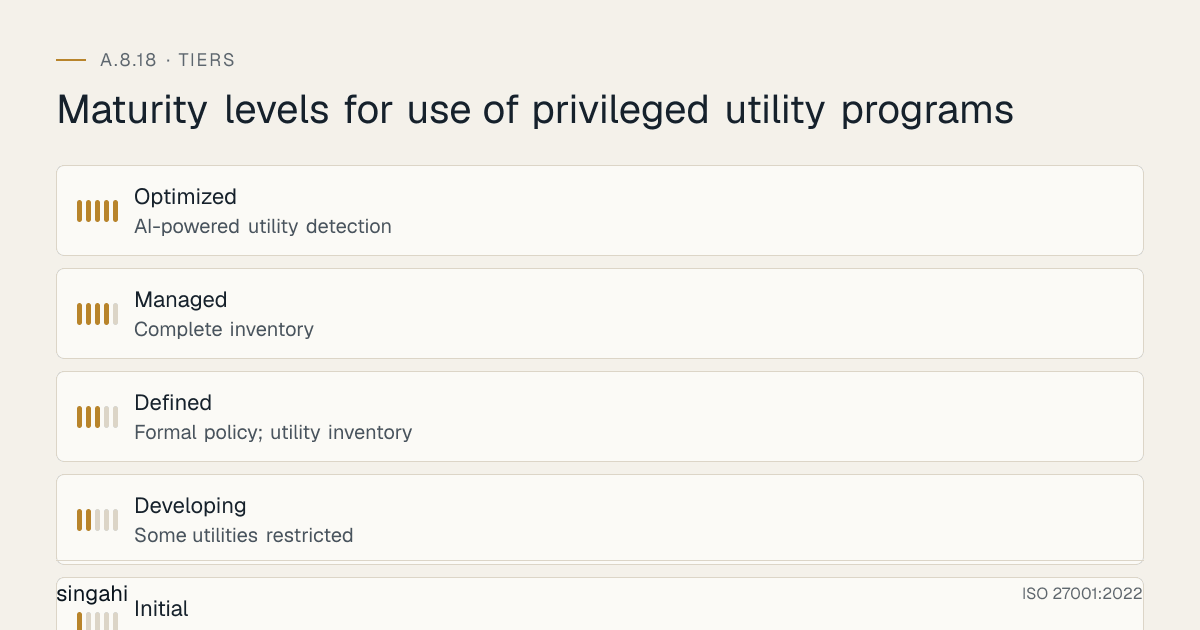
Maturity Model for A.8.18
| Level | Name | Characteristics | Evidence |
|---|---|---|---|
| 1 | Initial | No controls; no inventory; no policy; all utilities unrestricted; no logging; no monitoring; no approval; no PAM; incidents frequent and undetected | No policy; no inventory; unrestricted; no logging; no monitoring; no PAM |
| 2 | Developing | Some utilities restricted; informal inventory; no policy; basic logging; no monitoring; no approval; no PAM; reactive only | Partial restrictions; informal inventory; basic logging; no monitoring; no PAM |
| 3 | Defined | Formal policy; utility inventory; risk classification; approval for critical utilities; basic logging; basic monitoring; some PAM for critical accounts; proactive and reactive | Policy; inventory; classification; approval; basic logging; basic monitoring; some PAM |
| 4 | Managed | Complete inventory; PAM for all privileged accounts; application control (WDAC/AppLocker); complete logging; real-time monitoring; approval for all high-risk utilities; quarterly review; metrics-driven; compliant | Full inventory; PAM; application control; complete logging; real-time monitoring; approval; quarterly review; metrics; compliant |
| 5 | Optimized | AI-powered utility detection; predictive insider threat detection; autonomous response; zero standing privileges; continuous verification; self-tuning application control; blockchain-verified utility integrity; industry-leading detection and prevention; zero utility-based incidents | AI detection; predictive; autonomous; zero standing privileges; continuous verification; self-tuning; blockchain; industry-leading; zero incidents |
Continuous Improvement Activities
Monthly:
- Utility inventory review (new utilities detected, removed, or reclassified)
- PAM usage review (who used PAM, for what, any anomalies)
- Application control effectiveness review (blocked executions, false positives, tuning)
- Utility usage log review (critical utilities, suspicious patterns, policy violations)
- Break-glass review (if any break-glass usage occurred)
- EDR utility detection review (detected threats, false positives, tuning)
- Container image scan review (new unauthorized utilities in images)
- Cloud utility usage review (unusual API calls, unauthorized CLI usage)
- Policy violation trend analysis (increasing/decreasing violations, root causes)
- False positive rate analysis (tune SIEM and EDR rules)
Quarterly:
- Full utility policy review
- Complete utility inventory audit (random sample of systems, verify inventory accuracy)
- PAM configuration review (policies, access rules, password rotation, session recording)
- Application control policy review (update rules, add new approved utilities, remove obsolete)
- Authorization process review (efficiency, compliance, user feedback, improvements)
- Logging and monitoring review (log coverage, alert effectiveness, response times)
- Break-glass process review (if no break-glass in quarter, review readiness; if break-glass used, detailed review)
- Training effectiveness review (quiz results, incident correlation, user feedback)
- Internal audit of utility controls (checklist-based, complete)
- Technology evaluation (new PAM features, new EDR capabilities, new application control tools)
- Vendor security assessment (PAM vendor, EDR vendor, application control vendor)
- Regulatory compliance review (RBI, SEBI, PCI DSS updates)
Annually:
- Full utility control policy review
- Complete utility risk assessment (reclassify utilities based on new threats, new tools, new vulnerabilities)
- Maturity assessment against target level
- External audit preparation (ISO 27001, RBI, PCI DSS, SOC 2)
- Benchmark against industry best practices (financial industry PAM standards, CIS benchmarks)
- PAM architecture review (optimize for new systems, cloud migration, technology changes)
- Budget and resource planning for next year (PAM expansion, EDR upgrade, training)
- Board/security committee reporting on utility control maturity and effectiveness
- Complete penetration test (include utility bypass attempts, PAM bypass attempts)
- Red team exercise (simulate attacker using utilities, test detection and response)
- Insurance review (update cyber insurance based on improved controls, seek premium reduction)
Trigger-Based:
- After any security incident involving utility misuse or compromise
- After any failed audit or compliance finding
- After any new utility introduction (new tool, new version, new capability)
- After any new threat intelligence about utility-based attacks (new Mimikatz technique, new PowerShell exploit)
- After any significant change in technology (new OS version, new cloud service, new container platform)
- After any new regulatory requirement (updated RBI guidelines, new SEBI circular, PCI DSS update)
- After any PAM vendor update or new feature release
- After any merger, acquisition, or divestiture (integrate utility controls for new entities)
- After any insider threat incident (review utility controls based on lessons learned)
- After any red team or penetration test finding (improve controls based on test results)
- After any industry peer incident ("could this happen to us?")
- After any new CVE affecting utility programs or PAM systems (patch and review)
FAQ
Q1: What is the difference between a privileged utility and a privileged account? A: A privileged account is an identity (user, service account, admin account) with elevated permissions. A privileged utility is a software tool that can bypass or override controls. The difference is: the account is "who" has access; the utility is "what" can be done. A privileged account without privileged utilities is limited (the account can only do what normal tools allow). A privileged utility without a privileged account is also limited (the utility cannot bypass controls without elevated permissions). The combination of privileged account + privileged utility is the highest risk. Controls must address both: restrict who has privileged accounts (A.8.2) and restrict what utilities they can use (A.8.18). PAM solutions manage both, they control privileged accounts and can restrict the utilities those accounts can use. The two controls are complementary: A.8.2 is about "who" and A.8.18 is about "what." Both are essential.
Q2: How do we handle utilities that are built into the operating system (e.g., PowerShell, WMI, cmd)? A: Built-in utilities are the hardest to control because they are essential for operations and cannot be removed. The approach is: (1) Restrict access to the utility (only authorized users can launch it), (2) Restrict what the utility can do (constrained language mode, JEA, restricted WMI namespaces, restricted cmd capabilities), (3) Log everything (PowerShell logging, WMI logging, command-line logging), (4) Monitor for malicious behavior (EDR detects malicious use of legitimate tools), (5) Block specific risky behaviors (ASR rules block credential theft from LSASS, block child process creation from Office), (6) Require approval for elevated usage (UAC, sudo, PAM JIT), (7) Use application control to restrict which scripts can run (signed scripts only). Built-in utilities cannot be removed, but their usage can be controlled. The key is not to eliminate the utility but to make it unusable for attackers while remaining usable for administrators. This requires granular controls, not blanket restrictions. For example, PowerShell is essential, the goal is to log it, scan it, restrict dangerous features, and require elevation for risky operations. WMI is essential, the goal is to restrict WMI namespaces, log WMI queries, and detect suspicious WMI usage. The balance is between security and usability.
Q3: What is the difference between application whitelisting and application blacklisting? A: Application whitelisting (allowlisting) allows only approved applications to run and blocks everything else. Application blacklisting (blocklisting) blocks known bad applications and allows everything else. Whitelisting is more secure because it blocks unknown and unauthorized applications by default. Blacklisting is less secure because it only blocks known threats, new or unknown utilities are allowed. Whitelisting is the recommended approach for high-security environments (RBI, SEBI, PCI DSS). However, whitelisting is more difficult to implement and maintain because it requires identifying and approving all legitimate applications. Blacklisting is easier to implement but less effective. Best practice: Use whitelisting for critical systems (servers, ATMs, trading systems) and blacklisting for general endpoints (if whitelisting is too restrictive). For utility control, whitelisting is ideal because it blocks all unauthorized utilities by default, including legitimate tools used maliciously. WDAC (Windows Defender Application Control) is Microsoft's modern whitelisting solution. AppLocker is a simpler whitelisting solution. For Linux, SELinux and AppArmor provide application control. For containers, Pod Security Standards and seccomp provide runtime control. The choice depends on the environment and security requirements. For maximum security, whitelisting is preferred.
Q4: How do we handle utility control in a DevOps/CI/CD environment? A: DevOps environments are challenging for utility control because developers need tools for building, testing, and deploying. The approach is: (1) Separate development and production environments (A.8.31), utilities are allowed in development but restricted in production, (2) Use CI/CD pipelines with approved utility versions (pin utility versions in pipeline configuration, scan pipeline images for unauthorized utilities), (3) Use container security in pipelines (scan images before deployment, reject images with unauthorized utilities), (4) Use infrastructure as code (IaC) for utility configuration (Terraform, Ansible, Puppet, utilities are configured through code, not manual installation), (5) Use ephemeral build environments (build agents are temporary, destroyed after build, preventing persistent tool installation), (6) Use approved base images (development containers use approved base images with pre-approved utilities, no ad-hoc installations), (7) Log all CI/CD pipeline activities (who triggered the pipeline, what utilities were used, what was deployed), (8) Restrict production deployment approvals (require approval for production deployments, even if automated). The key is to treat the CI/CD pipeline as a privileged utility itself, it has the power to deploy code, modify infrastructure, and access production. Control the pipeline, and you control the utilities. Do not allow ad-hoc utility installation in CI/CD environments. All tools must be pre-approved, version-pinned, and scanned. Developers should have the tools they need in development, but those tools should not leak into production. The separation of environments (A.8.31) is the foundation of DevOps utility control.
Q5: What is the most common audit finding for A.8.18? A: The most common findings are: (1) No privileged utility policy, (2) No utility inventory (organization does not know what utilities exist), (3) No application control (any utility can run on any system), (4) No PAM (all administrators have standing access to all utilities), (5) No approval process (utility usage is not authorized or documented), (6) No logging (utility usage is not logged or logs are not retained), (7) No monitoring (no one reviews utility usage), (8) Critical utilities available on all systems (Mimikatz, PsExec, debuggers installed everywhere), (9) No credential protection (Credential Guard, LSA Protection not enabled), (10) PowerShell unrestricted (no logging, no constrained language, no script signing), (11) Break-glass not controlled (shared credentials, no review, no rotation), (12) Cloud utilities unrestricted (AWS CLI, Azure CLI available to all developers), (13) Container privileged mode allowed (no restriction on privileged containers), (14) Third-party contractors with unrestricted utility access. Auditors will check: utility inventory, access controls, authorization, logging, monitoring, platform-specific controls, and evidence of actual control effectiveness.
Q6: How do we balance utility control with operational efficiency? A: Utility control can slow down operations if not implemented thoughtfully. Balance security and efficiency: (1) Right-size restrictions, only restrict critical and high-risk utilities; allow low-risk utilities for IT staff, (2) Use PAM with JIT, administrators get temporary access when needed, not standing access, (3) Pre-approve common scenarios, create runbooks and pre-approved procedures for common tasks (password reset, log review, troubleshooting), (4) Automate where possible, use IaC, automated scripts, and self-service portals to reduce manual utility usage, (5) Use JEA (Just Enough Administration), create constrained endpoints that allow only specific commands, not full utility access, (6) Train administrators, well-trained administrators work faster and need fewer break-glass accesses, (7) Monitor and tune, if restrictions are causing excessive delays, adjust the policy (but don't remove security), (8) Use break-glass for true emergencies, not for convenience, (9) Review quarterly, gather feedback from administrators and optimize the process. The goal is not to prevent legitimate work but to prevent unauthorized work. If administrators are spending 30% of their time requesting utility access, the approval process is too slow, optimize it. But never remove the authorization requirement entirely. The right balance is: fast approval for pre-approved scenarios (seconds), standard approval for common tasks (minutes to hours), and thorough approval for critical utilities (hours to days). Break-glass is for emergencies (seconds, with post-review). If you implement this tiered approach, operational efficiency is maintained while security is enforced.
Q7: What is the future of privileged utility control? A: Privileged utility control is evolving rapidly: (1) AI-powered utility detection (ML models detect malicious use of legitimate tools based on behavior, not signatures), (2) Zero Standing Privileges (ZSP), no one has permanent utility access; all access is just-in-time, just-enough, and time-limited, (3) Continuous Verification (users and utilities are re-verified continuously, not just at login), (4) Autonomous PAM (AI-driven PAM that automatically grants, revokes, and monitors access based on risk), (5) Blockchain-verified utility integrity (blockchain ensures utility binaries have not been tampered with), (6) Quantum-resistant utility authentication (preparing for quantum threats to PAM and application control), (7) Cloud-native utility control (serverless PAM, cloud-integrated application control, SaaS-based EDR), (8) Edge utility control (controlling utilities on IoT and edge devices with limited resources), (9) DevSecOps integration (utility control built into CI/CD pipelines, automated scanning, policy-as-code), (10) Behavioral biometrics for utility access (using keystroke dynamics, mouse patterns, and behavior to verify the user is who they claim to be). The future of utility control is AI-driven, zero-trust, continuous, and automated. The goal is to make utility control invisible to legitimate users while being impenetrable to attackers. The "master key" tools will still exist, but they will be locked in AI-powered vaults that only open for the right person, at the right time, for the right reason, with the right behavior.
Q8: How do we handle utility control for third-party vendors and MSPs? A: Third-party vendors and MSPs (Managed Service Providers) often need utility access to manage systems. This is a major risk because they are outside your direct control. Solutions: (1) Vendor-specific PAM accounts (create dedicated PAM accounts for each vendor, not shared credentials), (2) Vendor utility restrictions (restrict vendors to specific utilities they need, not all utilities), (3) Vendor session recording (record all vendor sessions, review regularly), (4) Vendor time restrictions (limit vendor access to specific hours, e.g., business hours only), (5) Vendor MFA (require MFA for all vendor access, even if they resist), (6) Vendor approval workflow (require your approval for vendor utility usage, not just their internal approval), (7) Vendor contract clauses (include utility control requirements in contracts, with audit rights), (8) Vendor monitoring (monitor vendor utility usage more closely than internal usage), (9) Vendor access revocation (immediately revoke access when contract ends or when not needed), (10) Vendor insurance (require cyber insurance that covers utility misuse). Third-party vendors are a common attack vector, attackers target vendors to gain access to their clients. The SolarWinds and Kaseya incidents are examples of vendor-based attacks. Treat vendor utility access as higher risk than internal access. Do not give vendors the same trust level as employees. Verify, monitor, and restrict vendor utility usage more strictly than internal usage. Vendors should have the minimum utility access necessary to perform their contracted work, and nothing more.
Q9: How do we handle utility control in a remote work environment? A: Remote work increases utility control challenges because administrators work from home, on personal networks, with less supervision. Solutions: (1) VPN required for all remote access (no direct RDP/SSH from internet), (2) MFA required for all remote utility access (not just login, but also privilege elevation), (3) PAM with JIT (even more important for remote, no standing privileges), (4) Session recording (record all remote privileged sessions, review samples), (5) Time-based restrictions (limit remote utility access to business hours, require extra approval for after-hours), (6) Geo-location restrictions (alert if utility access is from unusual location), (7) Device compliance (only managed, compliant devices can access utilities), (8) Network segmentation (remote access goes to jump hosts, not directly to production servers), (9) Enhanced monitoring (monitor remote utility usage more closely than on-premise), (10) Zero Trust (never trust remote access, always verify). Remote work is here to stay, and utility control must adapt. The principle is: remote utility access is inherently riskier than on-premise access, so it requires stronger controls. Do not relax utility controls for remote workers, strengthen them. The convenience of remote work should not compromise security. If an administrator cannot perform a task remotely because controls are too strict, they can come to the office or use break-glass (with approval). Do not remove controls for convenience.
Q10: How do we measure the effectiveness of our utility control program? A: Measure effectiveness through metrics: (1) Utility coverage, what percentage of systems have inventory and controls, (2) Unauthorized utility detection, how many unauthorized utilities were detected and blocked, (3) Approval compliance, what percentage of utility usage was properly authorized, (4) Break-glass usage, how many times break-glass was used (trending downward is good), (5) Incident reduction, how many utility-based incidents occurred (trending downward is good), (6) Mean time to detect (MTTD), how quickly unauthorized utility usage is detected, (7) Mean time to respond (MTTR), how quickly unauthorized usage is stopped, (8) False positive rate, how many alerts are false (trending downward is good), (9) Policy violation rate, how many policy violations occur (trending downward is good), (10) Audit findings, how many audit findings related to utilities (trending downward is good), (11) Cost of utility control, cost per system (trending downward through optimization), (12) User satisfaction, administrator satisfaction with the utility control process (not too restrictive, not too permissive). The ultimate measure of effectiveness is incident reduction. If you had 3 utility-based incidents last year and zero this year, your program is working. If you had zero incidents but administrators are circumventing controls (shadow IT, break-glass abuse), your program is too restrictive. Measure both security outcomes and operational outcomes. A good utility control program reduces incidents without crippling operations. The metrics should reflect both.
Q11: What is the cost of implementing utility control for a growing company? A: For a growing company with 100 servers and 200 endpoints: PAM solution (CyberArk, BeyondTrust, Delinea, –10,00,000/year; or open-source/free alternatives for small deployments), application control (WDAC/AppLocker, free, built into Windows; or third-party for advanced features, –5,00,000/year), EDR (CrowdStrike, Microsoft Defender, SentinelOne, –8,00,000/year), logging and monitoring (SIEM integration, –3,00,000/year), consulting (–3,00,000 for implementation), training (–1,00,000). Total: –30,00,000/year. For a smaller company with 50 servers and 100 endpoints: Use open-source/free tools (Wazuh, Open-source PAM, built-in WDAC, built-in PowerShell logging) + consulting (–3,00,000). Total: –5,00,000/year. For a large enterprise with 5,000+ systems: Enterprise PAM (–50,00,000/year), enterprise EDR (–50,00,000/year), enterprise application control (–20,00,000/year), consulting (–15,00,000), training (–5,00,000). Total: –1,40,00,000/year. The cost is proportional to size and complexity. The investment in utility control is a fraction of that. For all sizes, utility control is one of the highest-ROI security investments. The cost of not controlling utilities is far higher than the cost of controlling them.
Q12: How do we handle utility control during a merger or acquisition? A: Mergers and acquisitions create utility control challenges because two organizations with different controls must be integrated. Approach: (1) During due diligence, assess the target company's utility controls (inventory, policy, PAM, application control, monitoring), (2) Identify gaps between your controls and the target's controls, (3) Plan integration (bring target systems up to your control standards, or implement unified controls across both), (4) Implement temporary controls during transition (restrict utility access, enhanced monitoring, approval for all critical utility usage), (5) Integrate PAM systems (merge vaults, migrate accounts, unify policies), (6) Integrate application control (deploy your whitelisting rules to target systems, or create unified rules), (7) Integrate monitoring (target utility logs into your SIEM, create unified alerting), (8) Train target company administrators on your utility policy, (9) Conduct post-merger audit (verify all systems meet unified control standards), (10) Document the integration (policies, procedures, roles, responsibilities for the merged entity). M&A is a high-risk period for utility abuse, disgruntled employees, overlapping access, unclear ownership, and rushed integration create opportunities. Do not relax utility controls during M&A, strengthen them temporarily. The goal is to unify controls as quickly as possible, but not at the expense of security. Temporary restrictions are acceptable during transition. Permanent unification is the goal.
Q13: What is the relationship between utility control and Zero Trust? A: Zero Trust is a security model that assumes breach and verifies every access request. Utility control is a core component of Zero Trust: (1) Never trust a utility by default, verify its integrity (hash, signature) before execution, (2) Verify the user before granting utility access, MFA, PAM, JIT, (3) Verify the device, only managed, compliant devices can access utilities, (4) Verify the context, time, location, behavior, risk score, (5) Least privilege, only grant the minimum utility access needed for the task, (6) Assume breach, monitor utility usage as if an attacker already has access, (7) Continuous verification, re-verify during the session, not just at login, (8) Micro-segmentation, restrict utility access to specific network segments, (9) Data protection, protect data even if utilities are compromised (encryption, DLP), (10) Analytics, use AI to detect anomalous utility usage. Utility control is Zero Trust in practice for the most powerful tools in the organization. Zero Trust is not just about network access, it is about every tool, every account, every access. Privileged utilities are the highest-risk targets in a Zero Trust architecture because they can bypass Zero Trust controls. Therefore, they need the strongest Zero Trust protections. Implementing Zero Trust without controlling privileged utilities is like building a castle with a moat but leaving the drawbridge down.
Q14: How do we handle utility control for non-Windows systems (Linux, macOS, cloud, containers)? A: Non-Windows systems need utility control too, but the tools are different: (1) Linux, sudo/sudoers for command restriction, SELinux/AppArmor for application control, seccomp for syscall restriction, auditd for logging, capabilities for privilege reduction, (2) macOS, sudo for command restriction, Gatekeeper for application control, System Integrity Protection (SIP) for system file protection, Endpoint Security API for monitoring, (3) Cloud, IAM policies for CLI/API restriction, CloudTrail for logging, SCP/Azure Policy/GCP Org Policy for organization-wide control, PAM for cloud admin access, (4) Containers, Pod Security Standards for pod security, seccomp for syscall restriction, AppArmor/SELinux for MAC, Falco for runtime monitoring, image scanning for pre-deployment control, (5) Network devices, AAA (TACACS+/RADIUS) for command authorization, command logging, SNMP monitoring, (6) IoT/OT, limited options due to resource constraints; use network segmentation, jump hosts, and monitoring. The principles are the same across all platforms: identify utilities, classify risk, restrict access, require authorization, log usage, monitor behavior, and review regularly. The implementation differs by platform. Do not neglect non-Windows systems, attackers target Linux and cloud systems with the same utilities (Mimikatz for Windows, LinPEAS for Linux, cloud-native tools for cloud). A complete utility control program covers all platforms.
Q15: What is the role of utility control in preventing ransomware? A: Utility control is critical for ransomware prevention because ransomware attackers rely on privileged utilities to: (1) Extract credentials (Mimikatz, credential extractors), (2) Move laterally (PsExec, WMI, PowerShell Remoting, RDP), (3) Disable security (using admin tools to turn off antivirus, EDR, backup), (4) Encrypt data (using legitimate encryption tools or custom encryptors), (5) Delete backups (using vssadmin, wbadmin, or PowerShell to delete shadow copies), (6) Exfiltrate data (using PowerShell, cloud CLI, or Rclone to upload data to attacker servers). If you control these utilities, you make ransomware attacks much harder: (1) Credential extraction is blocked (Credential Guard, LSA Protection, ASR rules), (2) Lateral movement is detected (EDR alerts on PsExec, WMI, PowerShell remoting), (3) Security tampering is blocked (WDAC/AppLocker prevents execution of unauthorized tools, PAM prevents unauthorized admin access), (4) Backup deletion is detected (monitoring vssadmin, wbadmin, shadow copy deletion), (5) Data exfiltration is detected (DLP, cloud monitoring, EDR). Ransomware is not magic, it is a sequence of steps, many of which require privileged utilities. If you break the sequence by controlling utilities, you prevent the ransomware from achieving its goal. Utility control is a ransomware prevention control, not just a general security control. The organizations that survive ransomware attacks are those that control privileged utilities. The organizations that pay ransoms are those that don't.
References and Further Reading
Standards and Frameworks
- ISO/IEC 27001:2022, Information Security, Cybersecurity and Privacy Protection, Information Security Management Systems, Requirements
- ISO/IEC 27002:2022, Information Security, Cybersecurity and Privacy Protection, Information Security Controls
- NIST SP 800-53 Rev 5, Security and Privacy Controls for Information Systems and Organizations
- PCI DSS v4.0.1, Payment Card Industry Data Security Standard
- CIS Controls v8, CIS Controls Version 8
- COBIT 2019, Control Objectives for Information and Related Technologies
- NIST SP 800-114, User's Guide to Securing External Devices for Telework and Remote Access
Privileged Access Management
- CyberArk: https://www.cyberark.com
- BeyondTrust: https://www.beyondtrust.com
- Delinea (Thycotic): https://delinea.com
- Microsoft PIM: https://docs.microsoft.com/azure/active-directory/privileged-identity-management
- NIST SP 800-63, Digital Identity Guidelines
Application Control
- Microsoft WDAC: https://docs.microsoft.com/windows/security/threat-protection/windows-defender-application-control
- Microsoft AppLocker: https://docs.microsoft.com/windows/security/threat-protection/applocker/applocker-overview
- Microsoft ASR Rules: https://docs.microsoft.com/microsoft-365/security/defender-endpoint/attack-surface-reduction
- Microsoft Credential Guard: https://docs.microsoft.com/windows/security/identity-protection/credential-guard/credential-guard-how-it-works
- SELinux: https://selinuxproject.org
- AppArmor: https://apparmor.net
- MITRE ATT&CK: https://attack.mitre.org
Books and Publications
- ISO 27001/27002: A Pocket Guide by Alan Calder
- The Art of Deception by Kevin Mitnick (insider threat and utility abuse)
- Windows Internals by Mark Russinovich, David Solomon, and Alex Ionescu (understanding Windows utilities)
- PowerShell in Depth by Don Jones, Richard Siddaway, and Jeffrey Hicks (PowerShell security)
- The Linux Programming Interface by Michael Kerrisk (Linux security and capabilities)
- Container Security by Liz Rice (container security and utility control)