
On this page
- Quick Reference (60 Seconds)
- What the Control Asks For
- Why This Control Matters
- Scope and Applicability
- Key Definitions
- Relationship to Other Controls
- Implementation Roadmap
- Detailed Implementation Guidance
- Tools and Technologies
- Policy Templates
- Risk Assessment
- Audit Checklist
- Metrics and KPIs
- Common Pitfalls and How to Avoid Them
- Illustrative Scenarios
- Multi-Framework Mapping
- Regulatory and Industry Context
- RACI Matrix
- Documentation and Evidence Requirements
- Continuous Improvement
- FAQ
- References
Quick Reference (60 Seconds)
| Aspect | Summary |
|---|---|
| Control ID | A.8.19 |
| Control Name | Installation of software on operational systems |
| Primary Purpose | Prevent unauthorized, malicious, or unapproved software from being installed on production systems |
| Key Activities | Inventory, approve, restrict rights, scan, verify integrity, document, monitor, remove unauthorized |
| Typical Owners | IT Operations, Security Operations, CISO, Change Manager |
| Implementation Effort | Medium (4–8 weeks) |
| Main cost drivers | Software distribution and application control tooling (often in existing endpoint management), SCA/SBOM tools for open source, and admin time for approvals |
| ISO 27002 attributes | Control type: Preventive · Properties: Confidentiality, Integrity, Availability · Concepts: Protect · Capabilities: Secure configuration, Application security · Domains: Protection |
Bottom Line: Every software installation on operational systems is a potential attack vector. A.8.19 is your gatekeeper, controlling who can install what, ensuring only approved software enters your environment, and detecting/removing anything unauthorized.
What the Control Asks For
ISO 27001:2022 states:
ISO 27001:2022 Annex A 8.19 asks organizations to securely control how software gets installed onto production systems.
Do you need this control?
A.8.19 is not mandatory in itself: under clause 6.1.3 you include it if your risk assessment calls for it, and record the decision in your Statement of Applicability. Include it if software is installed on operational systems, which is everyone. Allowlisting and controlled deployment pipelines are the usual implementation.
What ISO 27002:2022 Adds
27002 8.19 (paraphrased) suggests that, when installing and changing software on operational systems:
- (a) updates are made only by trained administrators with management authorisation
- (b) operational systems hold only approved executable code, with no development code or compilers
- (c) software is installed and updated only after extensive and successful testing (8.29, 8.31)
- (d) program source libraries are updated
- (e) a configuration control system keeps track of all software
- (f) a rollback strategy is defined before changes are made
- (g) an audit log of all updates is kept
- (h) old versions are archived, with configuration details, parameters and supporting software, for as long as data archived with them may need to be read
Upgrade decisions should weigh business needs and security (for example new security functions, or the number and severity of known problems in the current version). Supplier software should be kept at a supported level, and the risk of using unsupported software (including unmaintained open-source software) considered. Externally supplied packages should be monitored and controlled. Suppliers may need physical or logical access for support, only when necessary and with management approval, and their activities should be monitored (5.22). Rules on which software users may install should be set and enforced (least privilege), covering for example allowed software (system updates, security patches), prohibited software (personal-use, unknown or suspicious), and access to software installation only for the people who need it.
Why This Control Matters
The Threat
Unauthorized software is the entry point for most malware: trojans disguised as PDF converters, backdoors in "free" tools, cryptominers in pirated software, ransomware via unpatched applications.
Key Statistics
- Software supply chain attacks rose sharply: Sonatype's 2022 State of the Software Supply Chain report recorded a 742% average annual increase over three years
- Open-source components with known vulnerabilities are common in commercial codebases (Synopsys, now Black Duck, Open Source Security and Risk Analysis reports)
- Trojanised "free" tools, pirated software and unvetted browser extensions remain common infection routes
How It Goes Wrong (hypothetical patterns)
- Bank: A customer service rep installs a "free PDF converter" that is a trojan; 10,000 customer records are stolen and RBI takes supervisory action.
- Hospital: Radiologist installed a "free image viewer" with a backdoor. Ransomware encrypted all medical images. No approval process, no inventory.
- IT services firm: Developer installed an unapproved GitHub tool with a known CVE. Attacker injected malicious code into a client project. The client terminates the contract.
- Manufacturer: An engineer installs pirated PLC software containing a cryptominer; 80% of CPU is consumed for 3 months, slowing production.
- Government office: A clerk installs a "free typing tutor" bundled with adware, causing embarrassment and a clean-up across the office.
Regulatory Drivers
- RBI (Cyber Security Framework 2016; IT Governance Master Direction 2023) expects software inventories, authorised installation and change control
- SEBI CSCRF (2024) requires change control and software asset management for regulated entities
- PCI DSS v4.0.1 6.3.2 (inventory of bespoke and third-party software components), 6.5.1 (change procedures) and 11.5.2 (change-detection on critical files)
- CERT-In advisories recommend application allowlisting and patched software; malicious code attacks are reportable within 6 hours
- DPDP Act 2023 s.8(5) reasonable security safeguards
- SOC 2 CC8.1 (change management) and CC6.8 (unauthorised software)
Scope and Applicability
Covered
- All software on operational systems: servers, workstations, network devices, cloud resources, containers, mobile devices
- Operating systems, patches, firmware updates
- Business applications, middleware, databases, security tools
- Development tools, cloud CLI tools, container tools
- Mobile code, browser extensions, mobile apps
- Open source libraries, dependencies, packages
- Third-party software, contractor-provided software
- Scripts, automation, scheduled tasks
- Updates, upgrades, temporary software, trial software
- Personal software and shadow IT
Not Typically Covered
- Pre-installed vendor software (but must be inventoried)
- Development/test environment software (subject to A.8.31)
- Personal devices not used for business (BYOD policy applies)
Applicability by Sector
| Sector | Priority | Key Concerns |
|---|---|---|
| BFSI | Critical | Core banking, payment, trading software; RBI compliance |
| Healthcare | Critical | EMR, PACS, medical device software; NABH compliance |
| IT/Software | Critical | CI/CD tools, cloud tools, open source dependencies |
| SaaS/Cloud | Critical | Container software, multi-tenant isolation |
| Manufacturing | High | SCADA, PLC, ERP, MES, IoT firmware |
| Government | Critical | Citizen services, classified systems, MeitY compliance |
| Telecom | Critical | OSS/BSS, 5G, network management software |
| Retail | High | POS, payment, e-commerce platforms; PCI DSS |
Key Definitions
| Term | Definition |
|---|---|
| Software Inventory | Complete list of all installed software with versions, licenses, and dates |
| Application Whitelisting | Security approach allowing only approved software to run |
| Software Asset Management (SAM) | Managing software assets from procurement to retirement |
| SBOM | Software Bill of Materials, list of all components and dependencies |
| SCA | Software Composition Analysis, identifying open source components and vulnerabilities |
| Shadow IT | Software/services used without IT approval |
| PUP | Potentially Unwanted Program, not malicious but unwanted (adware, toolbars) |
| Drive-By Download | Unintentional software download from a website |
| Supply Chain Attack | Attacking the software supply chain to inject malicious code |
| Dependency Confusion | Uploading malicious packages with names similar to internal packages |
| Typosquatting | Malicious packages with names similar to popular ones (e.g., "reqeusts") |
| Code Signing | Cryptographically signing software to prove authenticity |
| Sandboxing | Running software in isolation to prevent host system impact |
| UAC | User Account Control, Windows feature requiring admin approval for installation |
| WDAC | Windows Defender Application Control, modern application control using code integrity policies |
| Standard Change | Pre-approved change not requiring CAB review |
| Normal Change | Change requiring CAB assessment and approval |
| Emergency Change | Critical change implemented immediately (e.g., security patch) |
| Software Baseline | Documented approved configuration used for drift detection |
| Drift Detection | Identifying when a system deviates from its approved baseline |
| True-Up | Reconciling actual software usage with licensed quantities |
Relationship to Other Controls
| Control | Relationship |
|---|---|
| A.5.1 Policies | Software installation policy is part of the ISMS policy framework |
| A.5.9 Inventory | Software inventory feeds into the overall asset inventory |
| A.5.18 Access rights | Installation rights are a subset of access rights management |
| A.5.37 Documented ops | Software installation procedures must be documented |
| A.6.2 Terms of employment | Employee contracts should prohibit unauthorized software installation |
| A.8.1 User endpoint devices | Endpoint and BYOD rules govern software on devices used for work |
| A.8.2 Privileged access | Only privileged users should have installation rights |
| A.8.4 Source code | Controls on who can install and modify source code |
| A.8.7 Malware | Software controls prevent malware entry; malware scanning verifies software |
| A.8.8 Vulnerabilities | Vulnerability management identifies risks in installed software |
| A.8.15 Logging | Installation events must be logged and monitored |
| A.8.16 Monitoring | Activities monitor for unauthorized software |
| A.8.17 Clock sync | Accurate timestamps for installation events |
| A.8.18 Privileged utilities | Utilities used for installation must be controlled |
| A.8.20 Network security | Network controls prevent unauthorized software downloads |
| A.8.25 Secure development | Secure SDLC prevents vulnerable software from being built |
| A.8.28 Secure coding | Secure coding prevents vulnerabilities in custom software |
| A.8.29 Security testing | Software tested before deployment to production |
| A.8.31 Separation of environments | Dev/test software must not reach production uncontrolled |
| A.8.32 Change management | Software installation and updates go through change management |
| A.8.9 Configuration management | Baselines define approved software |
| A.5.32 Intellectual property | Software licensing compliance protects intellectual property rights |
Implementation Roadmap
Week 1: Assessment and Planning
- Days 1–2: Audit current software on all operational systems using discovery tools ( Lansweeper, Microsoft SCCM, Open-AudIT)
- Days 3–4: Categorize discovered software into approved, unauthorized, unknown, and shadow IT
- Days 5–7: Draft software installation policy and procedure; define approval workflow
- Deliverables: Software inventory report, policy draft, approval workflow design
Week 2: Baseline and Rights Restriction
- Days 1–3: Define software baseline for each system type (server, workstation, network device)
- Days 4–5: Remove local admin rights from standard users (Windows UAC, Linux sudo restrictions)
- Days 6–7: Deploy application control tools (AppLocker, WDAC, or third-party EDR with application control)
- Deliverables: System baselines, restricted admin rights, application control deployed
Week 3: Approval and Distribution
- Days 1–3: Create approved software catalog and self-service portal (or IT ticket-based request system)
- Days 4–5: Implement change management integration (software installation requests flow through CAB or standard change process)
- Days 6–7: Deploy software distribution system (Microsoft Intune, SCCM, Jamf, or open-source alternatives)
- Deliverables: Software catalog, change integration, distribution system deployed
Week 4: Verification and Monitoring
- Days 1–3: Implement malware scanning for all software before installation (integrate with antivirus/EDR)
- Days 4–5: Implement integrity verification (hash checks, code signature validation)
- Days 6–7: Deploy monitoring for unauthorized installation attempts (SIEM alerts, FIM alerts)
- Deliverables: Malware scanning, integrity verification, monitoring alerts
Week 5–6: Cleanup and Hardening
- Days 1–7 (Week 5): Remove all unauthorized software from operational systems; quarantine suspicious software
- Days 1–7 (Week 6): Harden package managers (trusted repositories, GPG verification, lock files); restrict scripts, macros and browser extensions (browser extensions)
- Deliverables: Cleaned systems, hardened package managers, mobile code restrictions
Week 7–8: Documentation and Training
- Days 1–4: Document all procedures, baselines, and configurations
- Days 5–7: Train IT staff, system administrators, and end-users on the new software installation policy
- Deliverables: Complete documentation, training records, knowledge base articles
Ongoing: Monitoring and Improvement
- Monthly: Review software inventory for unauthorized additions; run drift detection
- Quarterly: Review and update approved software catalog; assess open source vulnerabilities with SCA tools
- Annually: Full software audit; license true-up; review and update policy
Detailed Implementation Guidance
Software Inventory and Discovery
Objective: Know every piece of software on every operational system.
Steps:
- Deploy discovery tools: Use automated asset discovery tools (Lansweeper, Open-AudIT, Microsoft SCCM, Qualys Asset Inventory, or Flexera) to scan all endpoints
- Manual verification: For critical systems (air-gapped, ICS, legacy), supplement automated discovery with manual verification
- Cloud and container discovery: Use cloud-native tools (AWS Systems Manager, Azure Monitor, GCP Asset Inventory) and container scanners (Trivy, Snyk Container, Aqua Security) to inventory cloud resources and container images
- Open source dependency inventory: Use SCA tools (Snyk, Mend, OWASP Dependency-Check, Sonatype Nexus IQ) to inventory all open source libraries and dependencies in applications
- Document and categorize: Record software name, version, vendor, license type, installation date, system name, and business justification. Categorize as: Approved, Unauthorized, Unknown, Shadow IT, Legacy/EOL, Open Source
Tools: Lansweeper, Open-AudIT, Microsoft SCCM, Qualys, Flexera, Snyk, Mend, Trivy
Indian context: Many Indian organizations use a mix of Windows, Linux, and legacy systems. Ensure your discovery tool supports all platforms. For value-focused organizations, Open-AudIT (open source) and Lansweeper (free tier) are good starting points.
Software Approval Process
Objective: Only approved software is installed on operational systems.
Steps:
- Define approval criteria: Business need, security assessment, license compliance, vendor reputation, support availability, compatibility with existing systems
- Create a software request form: Include fields for: software name, version, vendor, business justification, number of users, system requirements, security assessment, license type, cost
- Establish approval workflow:
- Level 1 (IT): Technical feasibility, compatibility, license check
- Level 2 (Security): Security assessment, malware scan, vulnerability check
- Level 3 (Management): Business justification, budget approval, risk acceptance
- Maintain approved software catalog: A curated list of pre-approved software that users can request through a self-service portal or IT ticket
- Standard changes: Pre-approved software updates (e.g., Windows Update, approved antivirus updates) can follow a standard change process without CAB review
- Normal changes: New software installations require CAB or designated approver review
- Emergency changes: Critical security patches can follow an emergency change process with post-approval documentation
Tools: ServiceNow, Jira Service Management, Freshservice, ManageEngine ServiceDesk Plus, GLPI (open source)
Indian context: For small and growing companies, a simple IT ticket-based approval workflow in Freshservice or Jira Service Management (starting at /user/month) is sufficient. For enterprises, ServiceNow provides full ITSM integration.
Restricting Installation Rights
Objective: Only authorized users can install software on operational systems.
Steps:
- Remove local admin rights: Standard users should not have local administrator or root privileges
- Windows: Use Group Policy to remove users from the Administrators group; enforce UAC prompts for all elevation requests
- Linux: Restrict sudo access using /etc/sudoers; require password for sudo; use sudo logging
- macOS: Use standard user accounts; require admin password for software installation
- Application control:
- Windows: AppLocker (built-in) or Windows Defender Application Control (WDAC), define rules based on publisher, path, or hash
- Linux: SELinux or AppArmor policies; restrict execution in /tmp and user directories
- macOS: Gatekeeper (allows only signed software); System Integrity Protection (SIP) prevents modifications to system files
- Mobile device management:
- iOS: MDM restricts app installation to the App Store or corporate apps; prevent sideloading
- Android: MDM restricts app installation to Google Play or approved sources; disable "Unknown sources"
- Cloud and container environments:
- Use IAM policies to restrict who can deploy containers or modify infrastructure
- Implement pod security policies or OPA/Gatekeeper to prevent unauthorized container images
- Restrict package manager access in production containers (remove apt, npm, pip from production images)
Tools: Microsoft Intune, Jamf, Omnissa Workspace ONE (formerly VMware), Ivanti Neurons for MDM (formerly MobileIron), SOTI, 42Gears, Microsoft AppLocker, WDAC, SELinux, AppArmor, OPA Gatekeeper, Kyverno
Indian context: Many Indian organizations rely on Windows desktops with local admin rights. Removing these rights is often the single most impactful security improvement. Use a phased approach: start with non-critical users, then expand. Communicate clearly to avoid productivity disruption.
Malware Scanning Before Installation
Objective: All software is scanned for malware before it is installed on operational systems.
Steps:
- Centralized scanning: All software downloads and installers must be scanned by the organization's antivirus/EDR before execution
- Endpoint scanning: EDR should automatically scan any file downloaded or executed on endpoints
- Email scanning: All email attachments should be scanned before delivery (A.8.7)
- Web filtering: Block known malicious download sites and categories (A.8.23)
- Sandbox analysis: For high-risk or unknown software, use sandbox analysis (e.g., Any.Run, Joe Sandbox, or on-premise sandbox) to observe behavior before approval
- Hash verification: Compare software hashes against known good hashes from the vendor
Tools: CrowdStrike, SentinelOne, Microsoft Defender for Endpoint, Kaspersky, Symantec, McAfee, Any.Run, Joe Sandbox, Cuckoo Sandbox
Indian context: Indian organizations often use a mix of international and domestic antivirus solutions. Kaspersky, Quick Heal, and Seqrite are popular in India. Ensure the chosen solution provides centralized management and reporting for compliance audits.
Integrity Verification
Objective: Verify that software has not been tampered with before installation.
Steps:
- Code signature verification: Verify digital signatures on all executables, installers, and updates
- Windows: Use
signtool verifyor PowerShellGet-AuthenticodeSignature - Linux: Verify GPG signatures on packages (
rpm -K,dpkg-sig --verify) - macOS: Gatekeeper verifies signatures automatically; use
codesign -vfor manual verification
- Windows: Use
- Hash verification: Compare SHA-256 or SHA-512 hashes of downloaded software against vendor-published hashes
- Document the hash verification process in the software approval procedure
- Repository signing: Ensure all internal software repositories use GPG keys or HTTPS with certificate pinning
- Container image signing: Use Docker Content Trust, Notary, or Sigstore/cosign to sign and verify container images
- SBOM verification: For critical software, verify the SBOM against the actual installed components
Tools: Sigstore/cosign, Docker Content Trust, Notary, GPG, OpenSSL, Microsoft signtool, PowerShell
Indian context: Many Indian organizations download software from vendor websites without verifying hashes. Train IT staff to always verify hashes, especially for security patches and firmware updates. For air-gapped systems, verify hashes on a connected system before transferring to the isolated network.
Change Management Integration
Objective: All software installations are controlled through the change management process.
Steps:
- Categorize software changes:
- Standard change: Pre-approved, low-risk, routine (e.g., approved antivirus updates, Windows Update patches)
- Normal change: Requires assessment and approval (e.g., new business application, middleware upgrade)
- Emergency change: Implemented immediately, documented retrospectively (e.g., critical security patch, outage fix)
- Change request content: Software name, version, business justification, risk assessment, impact analysis, rollback plan, testing results, approval signatures
- CAB review: For normal changes, the CAB (or designated approver) reviews the security assessment, compatibility, and business need before approval
- Implementation window: Schedule installations during approved maintenance windows to minimize business impact
- Post-implementation review: Verify successful installation, document any issues, update the software inventory
Tools: ServiceNow Change Management, Jira Service Management, Freshservice, ManageEngine, BMC Remedy, GLPI
Monitoring and Detection
Objective: Detect unauthorized software installation attempts in real-time.
Steps:
- SIEM integration: Forward all software installation events (Windows Event ID 11707, 11708, 11724; Linux package manager logs; macOS installation logs) to the SIEM
- Alerting rules: Create alerts for:
- Software installation by non-admin users
- Installation of software not in the approved catalog
- Installation from untrusted sources (non-HTTPS, unknown domains)
- Multiple installation attempts in a short time (potential malware)
- Execution of unsigned or untrusted software
- File Integrity Monitoring (FIM): Monitor critical directories (e.g.,
/usr/bin,/usr/local/bin,C:\Program Files,C:\Windows) for unauthorized file additions - EDR behavioral detection: Use EDR to detect suspicious behavior (e.g., installer running PowerShell, installer making network connections, installer modifying registry run keys)
- Drift detection: Compare current system state against the approved baseline weekly; alert on deviations
Tools: Splunk, IBM QRadar, Microsoft Sentinel, Elastic SIEM, Wazuh, OSSEC, AIDE, Tripwire, CrowdStrike, SentinelOne
Indian context: Many Indian organizations are moving to cloud-based SIEMs (Microsoft Sentinel, Splunk Cloud) to avoid on-premise infrastructure costs. For budget-conscious organizations, Wazuh (open source) provides SIEM and FIM capabilities free.
Unauthorized Software Removal
Objective: Promptly detect and remove unauthorized software from operational systems.
Steps:
- Automated detection: Use application control tools to automatically block unauthorized software execution
- Quarantine: When unauthorized software is detected, quarantine the system or file for analysis rather than immediately deleting (to preserve evidence)
- Removal procedure: Documented procedure for removing unauthorized software, including:
- Uninstalling the software
- Removing residual files, registry entries, or configuration
- Scanning for malware or backdoors that may have been installed
- Reviewing system logs for evidence of compromise
- Reimaging the system if the compromise is severe
- Incident response: Treat unauthorized software as a potential security incident; follow the incident response procedure (A.5.24–A.5.26)
- Recurring offenders: Track which users or systems repeatedly have unauthorized software; address the root cause (training, rights restriction, policy enforcement)
Tools: Same as monitoring tools; add system reimaging tools (Microsoft MDT, Clonezilla, FOG)
Scripts, Macros and Browser Extensions
Objective: Control code that can run without a traditional installation: scripts, Office macros, browser extensions and legacy plug-ins (Java applets and ActiveX are obsolete; remove them where they survive in legacy systems).
Steps:
- Browser controls:
- Disable Java and ActiveX in browsers (both are largely deprecated but may still exist in legacy environments)
- Restrict browser extensions and plugins to approved ones only
- Use browser policies (Chrome Enterprise, Firefox ESR, Microsoft Edge policies) to control extension installation
- Script execution:
- Use Windows AppLocker or WDAC to restrict script execution (PowerShell, VBScript, batch files)
- Use PowerShell Constrained Language Mode to restrict PowerShell to approved commands
- Use Linux AppArmor or SELinux to restrict script execution
- Disable macros in Office documents by default (A.8.7)
- JavaScript frameworks: Assess and approve JavaScript frameworks used in web applications; monitor for known vulnerabilities
Tools: Chrome Enterprise, Firefox ESR, Microsoft Edge, AppLocker, WDAC, PowerShell Constrained Language Mode, AppArmor, SELinux
Open Source and Third-Party Software Risk Assessment
Objective: Assess and manage risks from open source and third-party software before installation.
Steps:
- Vendor assessment: For commercial software, assess the vendor's security practices, reputation, support lifecycle, and financial stability
- Open source assessment:
- Check the project's maintenance status (last commit, number of maintainers, community health)
- Check for known vulnerabilities (CVEs, NVD, OSV)
- Check the license (GPL, MIT, Apache, etc.) for compliance with organizational policy
- Check for signs of malicious activity (sudden maintainer changes, suspicious commits, typosquatting)
- SCA scanning: Run SCA tools on all applications to identify open source dependencies and their vulnerabilities
- Dependency management:
- Use lock files (package-lock.json, Pipfile.lock, Cargo.lock, go.sum) to pin exact dependency versions
- Use private registries (Artifactory, Nexus, GitHub Packages) to cache and control dependencies
- Scan dependencies for typosquatting and dependency confusion attacks
- SBOM generation: Generate and maintain SBOMs for all applications; use SBOMs to track vulnerabilities across the software supply chain
Tools: Snyk, Mend (formerly WhiteSource), OWASP Dependency-Check, Sonatype Nexus IQ, FOSSA, Black Duck, Syft, Grype, Trivy, OSV
Indian context: Indian software companies heavily rely on open source. The Log4j (Log4Shell) vulnerability in 2021 affected thousands of Indian organizations. Implement SCA tools and SBOM generation as a priority. The Indian government has also mandated SBOMs for critical software under CERT-In guidelines.
Tools and Technologies
Software Inventory and Discovery
| Tool | Type | Cost | Best For |
|---|---|---|---|
| Lansweeper | On-premise | Freemium | Windows-centric environments |
| Open-AudIT | Open source | Free | Mixed environments, value-focused |
| Microsoft SCCM | On-premise | License | Microsoft-centric enterprises |
| Microsoft Intune | Cloud | Subscription | Modern cloud-managed endpoints |
| Qualys Asset Inventory | Cloud | Subscription | Large enterprises with diverse assets |
| Flexera | Enterprise | License | Software asset management and license optimization |
| ManageEngine AssetExplorer | On-premise | License | Indian growing companies |
Application Control
| Tool | Type | Best For |
|---|---|---|
| AppLocker | Windows built-in | Windows environments with AD |
| WDAC | Windows built-in | Modern Windows 10/11 security |
| Microsoft Defender for Endpoint | Cloud | Integrated Windows security stack |
| CrowdStrike Falcon | Cloud | Enterprise EDR with application control |
| SentinelOne | Cloud | Autonomous EDR with application control |
| Ivanti Application Control | Enterprise | Legacy enterprise environments |
| BeyondTrust Privilege Management | Enterprise | Privilege management with application control |
| SELinux | Linux built-in | Linux servers and workstations |
| AppArmor | Linux built-in | Ubuntu/Debian environments |
| OPA Gatekeeper | Kubernetes | Kubernetes policy enforcement |
| Kyverno | Kubernetes | Kubernetes-native policy management |
Software Distribution
| Tool | Type | Best For |
|---|---|---|
| Microsoft Intune | Cloud | Modern cloud-managed endpoints |
| Microsoft SCCM | On-premise | On-premise Windows environments |
| Jamf Pro | Enterprise | macOS and iOS environments |
| Omnissa Workspace ONE (formerly VMware) | Enterprise | Multi-platform UEM |
| Ansible | Open source | Linux and cloud automation |
| Puppet | Open source | Large-scale configuration management |
| Chef | Open source | Infrastructure as code |
| Chocolatey | Open source | Windows software package management |
| Winget | Windows built-in | Windows 10/11 package management |
| Homebrew | macOS/Linux | macOS and Linux package management |
Malware Scanning and EDR
| Tool | Type | Best For |
|---|---|---|
| Microsoft Defender for Endpoint | Cloud | Microsoft-centric organizations |
| CrowdStrike Falcon | Cloud | Enterprise EDR |
| SentinelOne | Cloud | Autonomous AI-powered EDR |
| Kaspersky | On-premise/Cloud | Strong in Indian market |
| Quick Heal Seqrite | On-premise | Indian SMB market |
| McAfee | Enterprise | Traditional enterprise |
| Symantec | Enterprise | Traditional enterprise |
| Wazuh | Open source | Open source EDR and SIEM |
| OSSEC | Open source | Host-based intrusion detection |
SCA and SBOM
| Tool | Type | Best For |
|---|---|---|
| Snyk | Cloud | Developer-friendly SCA |
| Mend (WhiteSource) | Cloud | Enterprise SCA |
| Sonatype Nexus IQ | Enterprise | Enterprise with Nexus repositories |
| FOSSA | Cloud | Open source compliance |
| OWASP Dependency-Check | Open source | Free SCA for CI/CD |
| Syft | Open source | SBOM generation |
| Grype | Open source | Vulnerability scanning from SBOMs |
| Trivy | Open source | Container and SBOM scanning |
| OSV | Open source | Open source vulnerability database |
| Black Duck | Enterprise | Enterprise open source management |
SIEM and Monitoring
| Tool | Type | Cost | Best For |
|---|---|---|---|
| Microsoft Sentinel | Cloud | Subscription | Azure/Microsoft environments |
| Splunk | Cloud/On-premise | Subscription | Enterprise SIEM |
| IBM QRadar | Enterprise | License | Large enterprise SIEM |
| Elastic SIEM | Open source | Free/Paid | Open source SIEM with Elastic Stack |
| Wazuh | Open source | Free | Open source SIEM and FIM |
| LogRhythm | Enterprise | License | Growing companies to enterprise |
| ManageEngine Log360 | On-premise | License | Indian growing companies |
| AIDE | Open source | Free | Linux file integrity monitoring |
| Tripwire | Enterprise | License | Enterprise FIM and compliance |
Policy Templates
Software Installation Policy (Template)
1. PURPOSE
   To control the installation of software on operational systems to prevent
   unauthorized, malicious, or unapproved software from compromising security.

2. SCOPE
   This policy applies to all software installed on operational systems, including
   servers, workstations, network devices, cloud resources, containers, and mobile
   devices.

3. POLICY STATEMENTS
   3.1 Only approved software may be installed on operational systems.
   3.2 Only authorized personnel with appropriate privileges may install software.
   3.3 All software must be scanned for malware and verified for integrity before installation.
   3.4 All software installations must be documented and approved through the change
       management process.
   3.5 Unauthorized software must be detected and removed promptly.
   3.6 Open source and third-party software must be assessed for security risks before
       approval.
   3.7 Scripts, macros and browser extensions must be controlled; legacy plug-ins (Java applets, ActiveX) must be removed.
   3.8 Software must be kept up to date with security patches.
   3.9 End-of-life and unsupported software must be retired or replaced.

4. ROLES AND RESPONSIBILITIES
   4.1 CISO: Owns the policy, ensures compliance, reports to management.
   4.2 IT Operations: Maintains software inventory, manages distribution, restricts
       installation rights.
   4.3 Security Operations: Scans software for malware, monitors for unauthorized
       installations, investigates incidents.
   4.4 Change Manager: Manages software change requests and CAB reviews.
   4.5 End Users: Must not install unauthorized software; must request software through
       the approved process.

5. APPROVAL PROCESS
   5.1 Standard Change: Pre-approved software updates (e.g., Windows Update, antivirus
       updates) follow the standard change procedure.
   5.2 Normal Change: New software installations require a change request, security
       assessment, and CAB approval.
   5.3 Emergency Change: Critical security patches may be installed immediately with
       retrospective documentation and approval.

6. ENFORCEMENT
   Violations of this policy may result in disciplinary action, including termination.
   Unauthorized software installation that causes a security incident may result in
   legal action.

7. REVIEW
   This policy shall be reviewed annually or after any significant security incident.
Software Installation Procedure (Template)
1. SOFTWARE REQUEST
   1.1 User submits a software request form or ticket via the IT service desk.
   1.2 The request includes: software name, version, vendor, business justification,
       number of users, and system requirements.

2. INITIAL ASSESSMENT (IT Operations)
   2.1 Verify technical feasibility and compatibility with existing systems.
   2.2 Check if the software is already in the approved catalog.
   2.3 If already approved, proceed to installation (standard change).
   2.4 If not approved, forward to Security Operations for security assessment.

3. SECURITY ASSESSMENT (Security Operations)
   3.1 Scan the software installer for malware using the organization's antivirus/EDR.
   3.2 Verify the digital signature and hash of the software.
   3.3 Check for known vulnerabilities (CVEs) in the software and its dependencies.
   3.4 For open source software, assess the project's health, license, and maintenance.
   3.5 Document the security assessment findings.
   3.6 If the software passes the security assessment, forward to the Change Manager.
   3.7 If the software fails, reject the request and notify the user with the reason.

4. CHANGE MANAGEMENT (Change Manager)
   4.1 For standard changes (pre-approved software), schedule installation during the
       next maintenance window.
   4.2 For normal changes, submit the change request to the CAB for review.
   4.3 The CAB reviews the business justification, security assessment, impact analysis,
       and rollback plan.
   4.4 If approved, schedule the installation during an approved maintenance window.
   4.5 If rejected, document the reason and notify the requester.

5. INSTALLATION
   5.1 Install the software using the approved software distribution system or manual
       installation procedure.
   5.2 Verify the installation was successful and the software is functioning correctly.
   5.3 Update the software inventory with the new installation details.
   5.4 Document the installation in the change record and system documentation.

6. POST-INSTALLATION
   6.1 Conduct a post-implementation review to verify success and identify any issues.
   6.2 Monitor the system for any unusual behavior or performance issues.
   6.3 Update the software baseline for the affected system.
   6.4 Close the change request and update the knowledge base.

7. UNAUTHORIZED SOFTWARE DETECTION AND REMOVAL
   7.1 Automated tools monitor for unauthorized software installation attempts.
   7.2 If unauthorized software is detected:
       a. Quarantine the system or file for analysis.
       b. Uninstall the unauthorized software.
       c. Remove residual files, registry entries, or configuration.
       d. Scan the system for malware or backdoors.
       e. Review system logs for evidence of compromise.
       f. If compromise is confirmed, initiate the incident response procedure.
   7.3 Document the detection and removal in the incident log.
   7.4 Update the user and their manager on the incident and required actions.
Risk Assessment
Risk Scenarios
| Risk ID | Threat | Vulnerability | Impact | Likelihood | Risk Level | Mitigation |
|---|---|---|---|---|---|---|
| R1 | User installs unauthorized software | No installation rights restriction | Malware infection, data breach | High | Critical | Remove local admin rights, deploy application control |
| R2 | Attacker exploits unpatched software | Missing patches on operational systems | System compromise, data theft | High | Critical | Patch management, vulnerability scanning |
| R3 | Developer installs unapproved open source | No open source assessment process | Supply chain attack, vulnerable dependencies | High | Critical | SCA tools, SBOM generation, open source approval |
| R4 | Contractor installs unauthorized tools | No contractor software controls | Backdoor, data exfiltration | Medium | High | Contractor policy, monitored environments, temporary accounts |
| R5 | Malicious software in approved update | Compromised vendor update mechanism | Widespread compromise (SolarWinds-style) | Low | High | Code signing verification, hash checks, vendor risk assessment |
| R6 | Shadow IT cloud services | No cloud service approval | Data leakage, compliance violation | High | High | Cloud access security broker (CASB), cloud service catalog |
| R7 | Legacy EOL software | No retirement process | Unpatched vulnerabilities | Medium | High | Software rationalization, EOL tracking, replacement planning |
| R8 | Pirated software | No license compliance | Malware, legal liability | Medium | Medium | Software audit, license management, employee training |
| R9 | Mobile code execution | No browser/script restrictions | Drive-by download, malware execution | Medium | Medium | Browser policies, script restrictions, user training |
| R10 | Container image tampering | No image signing | Compromised production containers | Medium | High | Container image signing (cosign), registry scanning, admission control |
Risk Treatment Options
| Risk | Treatment | Residual Risk | Owner |
|---|---|---|---|
| R1 | Implement application whitelisting + remove admin rights | Low | IT Operations |
| R2 | Deploy automated patch management + vulnerability scanning | Low | IT Operations |
| R3 | Deploy SCA tools + mandatory SBOM review | Low | Security / Development |
| R4 | Contractor access policy + jump boxes + session recording | Medium | HR / IT Operations |
| R5 | Vendor security assessment + code signing verification | Low | Procurement / Security |
| R6 | Deploy CASB + cloud service catalog | Medium | IT Operations / Security |
| R7 | EOL tracking + replacement planning + compensating controls | Medium | IT Operations |
| R8 | Software audit + license management tool + training | Low | IT Operations / Legal |
| R9 | Browser hardening + script restriction policies | Low | IT Operations |
| R10 | Container signing + registry scanning + admission control | Low | DevOps / Security |
Audit Checklist
Internal Audit Questions (20 Questions)
- Is there a documented software installation policy? (A.8.19)
- Is the policy approved by management and communicated to all relevant personnel? (A.5.1)
- Is there a maintained inventory of all software installed on operational systems? (A.8.19)
- Is the inventory accurate and up to date (verified within the last quarter)? (A.8.19)
- Is there an approved software catalog? (A.8.19)
- Is there a formal approval process for software installation? (A.8.19)
- Are all software installations approved before implementation? (A.8.19)
- Is the approval process integrated with change management? (A.8.19)
- Are standard changes (pre-approved updates) documented and periodically reviewed? (A.8.19)
- Are local administrator/root privileges restricted to authorized personnel only? (A.8.2)
- Are application control tools (AppLocker, WDAC, SELinux) deployed on operational systems? (A.8.19)
- Is all software scanned for malware before installation? (A.8.7)
- Is software integrity verified (digital signatures, hash checks) before installation? (A.8.19)
- Are open source and third-party software assessed for security risks before approval? (A.8.19)
- Are software installation events logged and monitored? (A.8.15)
- Are unauthorized software installations detected and removed promptly? (A.8.19)
- Is there a documented procedure for removing unauthorized software? (A.8.19)
- Are mobile code controls (browser extensions, script execution) implemented? (A.8.19)
- Is software kept up to date with security patches? (A.8.8)
- Are EOL/unsupported software identified and tracked for replacement? (A.8.19)
Evidence to Review
- Software installation policy and procedure (documented, approved, dated)
- Software inventory (current, complete, verified)
- Approved software catalog (current, accessible to users)
- Software request forms (sample of last 12 months)
- Change records for software installations (sample of last 12 months)
- CAB meeting minutes (for normal changes)
- Application control configuration (AppLocker policies, WDAC policies, SELinux policies)
- Malware scanning reports for software installers
- Integrity verification records (hash checks, signature verification)
- Open source assessment records (SBOMs, SCA reports)
- SIEM/EDR alerts for unauthorized installation attempts
- Incident records for unauthorized software detections
- Software removal records (quarantine, uninstall, reimage)
- User access reviews (admin rights, installation privileges)
- Training records for software installation policy
- Vendor security assessment records
- License compliance records
- EOL software tracking list
- Patch management records
Metrics and KPIs
Figure · Measures
The measures that show A.8.19 is working
- Software Inventory Accuracy≥ 95%Quarterly
- Unauthorized Software Detection Rate≤ 2%Monthly
- Unauthorized Software Removal Time≤ 24 hoursMonthly
- Software Installation Approval Rate≥ 98%Monthly
- Standard Change Compliance100%Quarterly
Effectiveness Metrics
| KPI | Formula | Target | Frequency |
|---|---|---|---|
| Software Inventory Accuracy | (Verified software items / Total inventory items) × 100 | ≥ 95% | Quarterly |
| Unauthorized Software Detection Rate | (Unauthorized instances detected / Total systems scanned) × 100 | ≤ 2% | Monthly |
| Unauthorized Software Removal Time | Average time from detection to removal | ≤ 24 hours | Monthly |
| Software Installation Approval Rate | (Approved installations / Total installation requests) × 100 | ≥ 98% | Monthly |
| Standard Change Compliance | (Standard changes following procedure / Total standard changes) × 100 | 100% | Quarterly |
| Malware Scan Coverage | (Software scanned before install / Total software installed) × 100 | 100% | Monthly |
| Integrity Verification Coverage | (Software verified before install / Total software installed) × 100 | 100% | Monthly |
| Open Source Vulnerability Remediation Time | Average time from vulnerability discovery to remediation | ≤ 30 days | Monthly |
| Patch Compliance | (Systems patched within SLA / Total systems) × 100 | ≥ 95% | Monthly |
| Admin Rights Compliance | (Users without local admin / Total users) × 100 | ≥ 90% | Quarterly |
| Application Control Enforcement | (Systems with application control enabled / Total systems) × 100 | 100% | Quarterly |
| Shadow IT Discovery Rate | (Shadow IT services discovered / Total cloud services used) × 100 | ≤ 5% | Quarterly |
| EOL Software Ratio | (EOL software instances / Total software instances) × 100 | ≤ 5% | Quarterly |
| License Compliance Rate | (Compliant licenses / Total licenses) × 100 | 100% | Annually |
| Software Installation Incident Rate | (Incidents caused by unauthorized software / Total systems) × 100 | ≤ 1% | Annually |
| Policy Training Completion | (Staff trained / Total staff required to be trained) × 100 | 100% | Annually |
| Drift Detection Coverage | (Systems with drift detection / Total systems) × 100 | 100% | Quarterly |
| SBOM Generation Coverage | (Applications with SBOM / Total applications) × 100 | ≥ 80% | Quarterly |
| Container Image Signing Coverage | (Signed images / Total images deployed) × 100 | 100% | Monthly |
| Software Baseline Adherence | (Systems matching baseline / Total systems) × 100 | ≥ 95% | Quarterly |
Reporting Dashboard
Monthly Security Operations Report:
- Unauthorized software detections (count, systems, types)
- Malware scan results (clean, infected, quarantined)
- Software installation requests (approved, rejected, pending)
- Open source vulnerabilities (critical, high, medium, low)
- Patch compliance status (compliant, non-compliant, EOL)
- Application control blocks (count, types, users)
Quarterly Management Review:
- Software inventory accuracy trend
- Cost of unauthorized software incidents
- License compliance status optimization
- Shadow IT discovery and remediation
- EOL software retirement progress
- Open source risk assessment summary
- SBOM coverage and maturity
Common Pitfalls and How to Avoid Them
Pitfall 1: "We Trust Our Users"
Mistake: Assuming employees will not install unauthorized software because they are trustworthy. Reality: Even well-meaning users install "helpful" tools that turn out to be malicious. Trust is not a control. Solution: Implement technical controls (application whitelisting, admin rights removal) that do not rely on user behavior. Train users on the risks and the approved process.
Pitfall 2: "Application Whitelisting Is Too Complex"
Mistake: Avoiding application whitelisting because it seems difficult to maintain. Reality: Modern tools (WDAC, AppLocker with default allow rules) make whitelisting manageable. The security benefit is enormous. Solution: Start with a default-deny approach for critical systems (servers, finance workstations). Use publisher-based rules for common software (Microsoft, Adobe, Google). Gradually expand coverage. Use audit mode before enforcement.
Pitfall 3: "We Only Need to Worry About Windows"
Mistake: Focusing software controls only on Windows endpoints. Reality: Linux servers, macOS workstations, cloud VMs, and containers are equally vulnerable to unauthorized software. Solution: Extend controls to all platforms. Use SELinux/AppArmor for Linux, Gatekeeper for macOS, IAM policies for cloud, and admission controllers for Kubernetes.
Pitfall 4: "Open Source Is Free and Safe"
Mistake: Assuming open source software is inherently secure because the source code is visible. Reality: Open source has vulnerabilities (Log4j, Heartbleed, Shellshock). Many projects are under-maintained. Typosquatting and dependency confusion are real threats. Solution: Implement SCA tools, generate SBOMs, use private registries, pin dependency versions with lock files, and monitor for vulnerabilities continuously.
Pitfall 5: "We Can Patch Later"
Mistake: Delaying software patches because of operational concerns. Reality: Unpatched software is the primary entry point for ransomware and exploits. WannaCry, NotPetya, and EternalBlue all exploited unpatched systems. Solution: Implement a risk-based patching strategy. Critical patches within 24–48 hours. High-risk patches within 1 week. Test patches in a staging environment before production deployment. Use emergency change procedures for critical patches.
Pitfall 6: "We Don't Need to Inventory Cloud Software"
Mistake: Ignoring cloud resources and SaaS applications in the software inventory. Reality: Shadow IT in the cloud is a major risk. Unauthorized SaaS apps can store sensitive data outside organizational control. Solution: Use cloud asset inventory tools (AWS Systems Manager, Azure Resource Graph, GCP Asset Inventory) and CASB tools (Microsoft Defender for Cloud Apps, Netskope, Zscaler) to discover and control cloud software.
Pitfall 7: "Contractors Can Install What They Need"
Mistake: Giving contractors full admin rights without restrictions. Reality: Contractors may install unapproved tools, pirated software, or inadvertently introduce malware. Solution: Use temporary, restricted accounts for contractors. Require software approval for any installation. Monitor contractor activity with session recording. Use jump boxes for contractor access.
Pitfall 8: "We Only Need to Check Once"
Mistake: Performing a one-time software inventory and never updating it. Reality: Software is constantly changing. New installations, updates, and unauthorized additions happen daily. Solution: Automate continuous inventory discovery. Run weekly drift detection. Integrate installation events with the SIEM. Review the inventory quarterly.
Pitfall 9: "Removing Admin Rights Will Break Everything"
Mistake: Fear of removing admin rights because of legacy applications that require them. Reality: Most applications do not need admin rights. Those that do can often be configured to run with elevated privileges via application control or privilege management tools. Solution: Use a privilege management tool (BeyondTrust, CyberArk Endpoint Privilege Manager) to elevate specific applications without giving full admin rights. Test applications in a pilot group before broad deployment.
Pitfall 10: "We Don't Have Budget for Tools"
Mistake: Believing that software control requires expensive enterprise tools. Reality: Many effective controls are free or lightweight: AppLocker, WDAC, SELinux, AppArmor, Open-AudIT, Wazuh, OWASP Dependency-Check, Syft, Grype, Trivy. Solution: Start with free tools and built-in OS features. Gradually invest in commercial tools as the organization grows. The cost of a breach far exceeds the cost of tools.
Illustrative Scenarios
Illustrative scenario, a composite example for guidance, not a specific Singahi engagement or a verified outcome.
Illustrative Scenario 1: Indian Growing-company IT Services Company, "From Open Door to Fortified"
Organization: A 200-employee IT services company in Pune, providing software development and support to clients in the US and Europe. ISO 27001 certified but with a weak A.8.19 implementation.
Solution: The company engaged an external security consultant to implement A.8.19 controls:
- Week 1: Deployed Lansweeper to inventory all software. Discovered 847 unauthorized software instances across 200 workstations, including 23 pirated tools, 15 unknown browser extensions, and 47 unapproved open source utilities.
- Week 2: Removed local admin rights from all developers. Deployed AppLocker with default-deny rules on all workstations. Approved a catalog of 45 essential development tools.
- Week 3: Implemented a software request workflow in Jira Service Management. All new software requests required security team approval. Deployed Snyk for SCA scanning of all code repositories.
- Week 4: Integrated software installation events into the SIEM (Wazuh). Configured alerts for unauthorized installation attempts. Removed all unauthorized software.
- Week 5–8: Trained all developers on the new policy. Generated SBOMs for all client projects. Implemented container image signing with cosign.
Results:
- Unauthorized software instances: 847 → 0 (within 6 weeks)
- Software installation incidents: 3 per month → 0 (ongoing)
- Open source vulnerabilities: 234 critical/high → 12 (remediated within 90 days)
- Client confidence: Restored. The company retained all clients and won 2 new contracts based on improved security posture.
- ISO 27001 surveillance audit: Passed with zero non-conformities for A.8.19.
Illustrative Scenario 2: Large Indian Manufacturing Enterprise, "Securing the OT-IT Boundary"
Organization: A 5,000-employee manufacturing group in Gujarat, with 12 plants across India, producing automotive components. ISO 27001 certified, but OT (operational technology) environments were excluded from scope.
Challenge: The company's IT environment had basic software controls, but the OT environment (SCADA, PLCs, HMIs, engineering workstations) had no controls. Maintenance engineers shared administrator passwords for engineering workstations. They frequently downloaded PLC programming tools, firmware updates, and HMI configuration software from peer-to-peer networks, vendor forums, and WhatsApp groups. A maintenance engineer at the Gujarat plant downloaded a "free PLC simulator" from a WhatsApp group link. The simulator was a trojan that installed a backdoor and a cryptominer. The cryptominer consumed 80% of the PLC's CPU, causing production line delays and quality defects. The backdoor allowed an attacker to access the plant's SCADA network. The attacker encrypted the SCADA historian database with ransomware and demanded a ransom. The company could not determine what software was installed on the 45 engineering workstations because there was no inventory. The incident caused 3 days of production stoppage, affecting just-in-time delivery to a major automotive OEM.
Solution: The company engaged an external security consultant to extend A.8.19 to OT environments:
- Phase 1 (Air-gapped inventory): Deployed portable asset discovery tools on air-gapped engineering workstations. Created a manual software inventory for all 45 workstations. Discovered 312 unauthorized software instances, including 67 pirated tools, 18 outdated firmware versions, and 23 unknown executables.
- Phase 2 (Access control): Implemented unique accounts for each maintenance engineer. Removed shared admin passwords. Deployed jump boxes for remote vendor access. Implemented session recording for all OT remote access.
- Phase 3 (Software approval): Created an OT-approved software catalog with 28 essential tools. All new software required dual approval (OT manager + CISO). Firmware updates required vendor hash verification and testing on a spare PLC before production deployment.
- Phase 4 (Network segmentation): Segregated OT networks from IT networks using industrial firewalls (A.8.22). Implemented unidirectional gateways for data transfer from OT to IT.
- Phase 5 (Monitoring): Deployed OT-specific IDS (Nozomi Networks, Claroty) to monitor for unauthorized software execution and network anomalies. Integrated OT alerts with the IT SIEM (IBM QRadar).
Results:
- Unauthorized OT software: 312 → 0 (within 4 months)
- Shared admin passwords: 45 → 0 (replaced with unique accounts + MFA)
- OT security incidents: 2 per quarter → 0 (ongoing)
- Production downtime due to security: 3 days → 0
- OEM relationship: Preserved. The automotive OEM conducted a security audit and approved the plant for continued supply.
- ISO 27001 scope expansion: Successfully included OT environments in the ISMS scope.
- Cost: for OT security tools, network segmentation, and consulting. The security investment paid for itself 9x in the first year.
Multi-Framework Mapping
| ISO 27001:2022 A.8.19 | NIST CSF 2.0 | CIS Controls v8 | PCI DSS v4.0.1 | SOC 2 | COBIT 2019 | NIST SP 800-53 Rev 5 |
|---|---|---|---|---|---|---|
| Software inventory | ID.AM-02 | 2.1 Software inventory | 6.3.2 Component inventory | CC6.8 | BAI09.01 | CM-8 |
| Authorised software only | PR.PS-05 (unauthorised software prevented) | 2.2 Supported software; 2.3 Address unauthorised software | 6.3.2 | CC6.8 | BAI03.02 | CM-7(5), CM-11 |
| Installation rights restricted | PR.AA-05 | 5.4 Restrict admin privileges | 7.2.x | CC6.1 | DSS05.04 | CM-11, AC-6 |
| Allowlisting | PR.PS-05 | 2.5 Allowlist software; 2.6 Libraries; 2.7 Scripts | 2.2.4 | CC6.8 | DSS05.01 | CM-7(5) |
| Change management and rollback | PR.PS-02 (software maintained) | 4.1 Secure configuration process | 6.5.1 Change procedures | CC8.1 | BAI06.01 | CM-3, CM-14 (signed components) |
| Change detection | DE.CM-09 | No direct safeguard | 11.5.2 Change-detection mechanism | CC7.1 | DSS05.07 | SI-7 |
| Supported versions and open source | ID.RA-01 | 2.2 Ensure authorised software is supported | 6.3.2 | CC7.1 | BAI03.02 | SA-22 Unsupported components |
Regulatory and Industry Context
Indian Regulatory Requirements
| Regulation | Relevant Requirements | A.8.19 Application |
|---|---|---|
| RBI (Cyber Security Framework 2016; IT Governance Master Direction 2023) | Software inventory, authorised installation, change and patch management | Banks, NBFCs and payment system operators |
| SEBI CSCRF (2024) | Change control, software asset management and integrity | SEBI-regulated entities by category |
| IRDAI (2023) | Software controls and change management for insurers | Insurers and intermediaries |
| CERT-In | Advisories recommend allowlisting and patching; malicious code incidents reportable within 6 hours | All body corporates |
| IT Act 2000 (s.43A) | Reasonable security practices (until DPDP s.44(2) commences) | Systems processing sensitive personal data |
| DPDP Act 2023 (s.8(5)) | Reasonable security safeguards | Systems processing personal data |
| Copyright Act 1957 | Unlicensed software is infringement (A.5.32) | All organisations |
| ISO 27001:2013 → 2022 | A.12.5.1 and A.12.6.2 became A.8.19 | Similar intent, broader guidance |
Industry-Specific Context
Banking (RBI):
- Core banking software changes require RBI notification and dual control
- ATM software must be from approved vendors only; no third-party tools
- SWIFT infrastructure requires dedicated software with no unauthorized additions
- UPI and payment gateway software must be certified by NPCI
Healthcare (NABH):
- Medical device software (FDA 21 CFR Part 820 equivalent) requires validation before use
- EMR software must be from CDAC-certified or NABH-approved vendors
- PACS software must be assessed for patient data security
- Telemedicine platforms must comply with Ministry of Health guidelines
Manufacturing (Make in India):
- SCADA and PLC software must be assessed for supply chain security
- IoT firmware must be verified for backdoors (especially Chinese-origin IoT devices)
- Industrial robots and CNC machines must have controlled software environments
- Smart factory initiatives (Industry 4.0) require secure software supply chains
IT/ITeS (STPI/SEZ):
- Client-mandated software security requirements often exceed ISO 27001
- Export control regulations (EAR, ITAR) may restrict software origin
- GDPR compliance for EU clients requires software controls on personal data processing
- Many clients require SBOMs and software supply chain attestations
RACI Matrix
| Activity | CISO | IT Operations | Security Ops | Change Manager | End User | HR |
|---|---|---|---|---|---|---|
| Policy ownership | A | C | C | I | I | I |
| Software inventory | I | A/R | C | I | I | I |
| Approval workflow design | A | C | C | R | I | I |
| Security assessment | A | I | R | C | I | I |
| CAB review | C | I | C | A/R | I | I |
| Rights restriction | I | A/R | C | I | I | I |
| Application control deploy | I | A/R | C | I | I | I |
| Malware scanning | I | C | A/R | I | I | I |
| Integrity verification | I | C | A/R | I | I | I |
| Installation execution | I | A/R | I | C | I | I |
| Monitoring | A | I | R | I | I | I |
| Unauthorized removal | I | A/R | C | I | I | I |
| Incident response | A | C | R | I | I | I |
| Open source assessment | A | I | R | I | I | I |
| License compliance | I | A/R | C | I | I | C |
| Training | A | C | R | I | R | C |
| Vendor assessment | C | I | R | I | I | I |
| Audit | A | R | C | I | I | I |
| Drift detection | I | A/R | C | I | I | I |
| SBOM generation | A | I | R | I | I | I |
A = Accountable, R = Responsible, C = Consulted, I = Informed
Documentation and Evidence Requirements
Documents Required
- Software Installation Policy: Approved by management, communicated to all staff
- Software Installation Procedure: Step-by-step process for requesting, assessing, approving, installing, and verifying software
- Approved Software Catalog: Curated list of approved software with versions, vendors, and business justifications
- Software Request Form: Template for requesting new software
- Software Inventory: Complete inventory of all software on all operational systems
- Software Baseline: Approved configuration for each system type
- Change Management Records: All software installation change requests and approvals
- CAB Meeting Minutes: For normal changes requiring CAB review
- Security Assessment Reports: Malware scans, vulnerability checks, open source assessments
- Integrity Verification Records: Hash checks, signature verification logs
- Software Removal Records: Documentation of unauthorized software detection and removal
- Incident Records: Any security incidents related to unauthorized software
- Training Records: Evidence that staff have been trained on the software installation policy
- Vendor Security Assessments: For third-party and commercial software
- License Compliance Records: Software license inventory and compliance status
- EOL Software Tracking: List of end-of-life software with replacement plans
- SBOMs: Software Bill of Materials for all applications
- Drift Detection Reports: Regular comparisons of system state against baselines
- Monitoring Alerts: SIEM/EDR alerts for unauthorized installation attempts
- Audit Reports: Internal and external audit findings for A.8.19
Evidence Retention
- Policies and procedures: Retain current version + all previous versions for 7 years
- Software inventory: Update monthly; retain historical snapshots for 3 years
- Change records: Retain for 7 years (or as per regulatory requirements)
- Security assessments: Retain for 3 years
- Incident records: Retain for 7 years (or as per regulatory requirements)
- Training records: Retain for 3 years after employee departure
- Audit reports: Retain for 7 years
- SBOMs: Retain for the lifetime of the application + 3 years
Continuous Improvement
Figure · Tiers
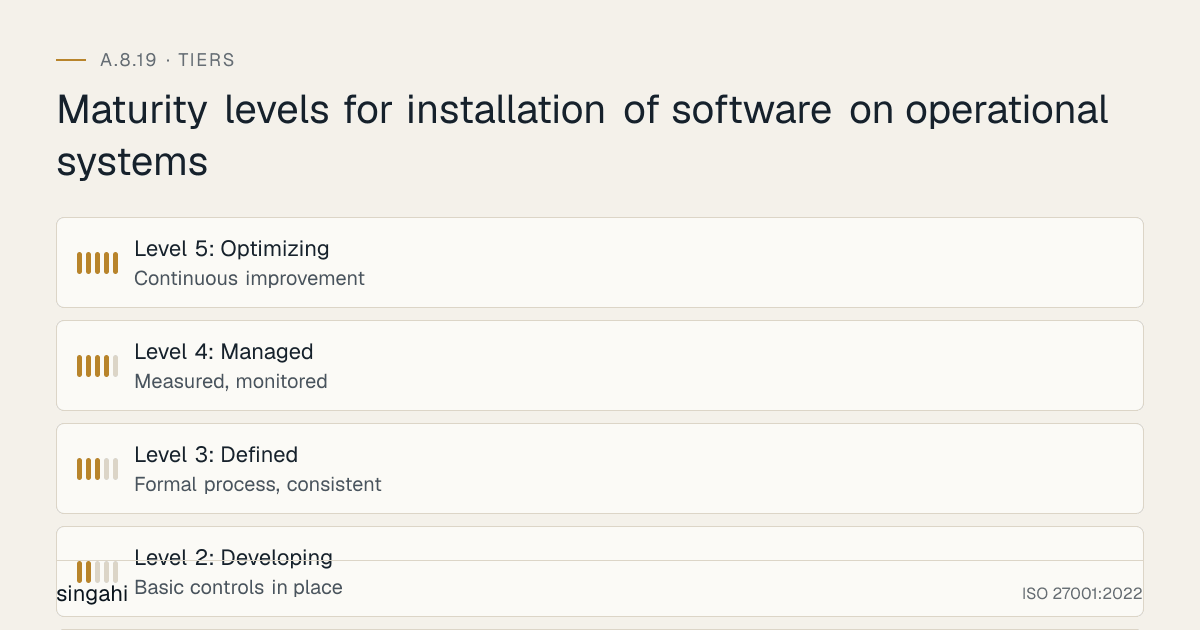
Maturity levels for installation of software on operational systems
Maturity Model for A.8.19
| Level | Description | Characteristics |
|---|---|---|
| Level 1: Initial | Ad hoc, reactive | No formal process; software installed freely; no inventory; incidents drive action |
| Level 2: Developing | Basic controls in place | Basic inventory exists; some admin rights removed; informal approval for some software; malware scanning on some systems |
| Level 3: Defined | Formal process, consistent | Complete inventory; formal approval workflow; all admin rights removed; malware scanning for all software; application control on critical systems |
| Level 4: Managed | Measured, monitored | Automated inventory and drift detection; real-time monitoring; SCA for all applications; SBOMs for all software; license optimization; regular audits |
| Level 5: Optimizing | Continuous improvement | AI-powered anomaly detection; automated remediation; zero-trust application control; full software supply chain visibility; predictive vulnerability management; integration with threat intelligence |
Improvement Roadmap
- From Level 1 to 2: Create basic inventory; remove admin rights from 50% of users; implement informal approval for critical software
- From Level 2 to 3: Complete inventory; formalize approval workflow; remove all admin rights; deploy application control on all systems; integrate with change management
- From Level 3 to 4: Automate inventory discovery; implement real-time monitoring; deploy SCA tools; generate SBOMs for all applications; implement license management
- From Level 4 to 5: Implement AI-powered monitoring; automate unauthorized software remediation; deploy zero-trust application control; integrate with threat intelligence feeds; predictive patch management
Key Improvement Metrics
- Year-over-year reduction in unauthorized software instances
- Year-over-year reduction in open source vulnerabilities
- Year-over-year improvement in patch compliance
- Year-over-year reduction in software-related security incidents
- Year-over-year efficiency gains from license optimization and software rationalization
FAQ
Q1: Does A.8.19 apply to cloud resources? A: Yes. Cloud VMs, containers, serverless functions, and SaaS desktop clients are all operational systems. You must control what software is installed on cloud resources, just as you do on-premise.
Q2: Do we need to restrict software installation on development workstations? A: Yes, but with a different baseline. Developers need more software, but all software should still be approved, inventoried, and assessed. Development environments must be separated from production (A.8.31).
Q3: How do we handle emergency security patches? A: Use an emergency change procedure. Install the patch immediately, document the change retrospectively, and obtain approval within 24 hours. Do not let bureaucracy delay critical security updates.
Q4: What about software installed by vendors or MSPs? A: Vendor-installed software must go through the same approval process. Include software requirements in vendor contracts. Monitor vendor activity with session recording. Require vendors to provide hashes and signatures for all software they install.
Q5: How do we control software on BYOD devices? A: Use MDM/UEM tools to manage corporate data and apps on BYOD devices. Implement app-level policies that restrict installation of unapproved apps. Use containerization (e.g., Microsoft Intune App Protection) to isolate corporate data from personal apps.
Q6: Is open source software inherently risky? A: No, but it requires assessment. Many open source projects are well-maintained and secure. The risk comes from unmaintained projects, vulnerable dependencies, and malicious packages. Use SCA tools, SBOMs, and private registries to manage open source risk.
Q7: How do we handle legacy software that cannot be removed? A: Isolate legacy systems on a separate network segment. Implement compensating controls (network monitoring, strict access controls, application firewalls). Plan for replacement. Document the risk and obtain management acceptance.
Q8: What is the difference between application whitelisting and blacklisting? A: Whitelisting (allowlisting) allows only approved software, everything else is blocked. Blacklisting (blocklisting) blocks known bad software, everything else is allowed. Whitelisting is more secure but requires more maintenance. For critical systems, use whitelisting. For general systems, a combination of both is practical.
Q9: How do we balance security with developer productivity? A: Create a developer-approved software catalog with all essential tools. Use self-service portals for rapid approval of common tools. Implement SCA in CI/CD so developers get immediate feedback on vulnerabilities. Standardize development environments (devcontainers, Docker) to reduce "works on my machine" issues.
Q10: Do we need to inventory firmware? A: Yes, firmware is software embedded in hardware. Firmware vulnerabilities (e.g., BIOS, UEFI, router firmware, IoT firmware) are increasingly exploited. Include firmware in your inventory, track versions, and apply vendor updates through your change management process.
References
- ISO/IEC 27001:2022: Information security, cybersecurity and privacy protection, Information Security Management Systems, Requirements
- ISO/IEC 27002:2022: Information security, cybersecurity and privacy protection, Information security controls
- NIST Cybersecurity Framework 2.0: Identify, Protect, Detect, Respond, Recover, Govern
- CIS Controls v8: Control 2: Software Asset Management and Control 10: Malware Defenses
- PCI DSS v4.0.1: Requirements 6.3.2, 6.5.1 and 11.5.2
- RBI Cyber Security Framework: Software inventory and change management requirements
- CERT-In advisories and guidelines: Application whitelisting and software inventory
- DPDP Act 2023: Data protection and system security requirements
- NIST SP 800-53 Rev 5: CM-7 (Least Functionality), CM-8 (System Component Inventory), CM-11 (User-Installed Software), SI-3 (Malicious Code Protection)
- OWASP Software Component Verification Standard: For open source and third-party software verification
- NTIA SBOM Minimum Elements: For Software Bill of Materials implementation
- CISA Known Exploited Vulnerabilities Catalog: For prioritizing patch management
This guide is part of the Singahi ISO 27001:2022 Annex A Control Guide Series.