
On this page
- Quick Reference (60 Seconds)
- What the Control Asks For
- Why Network Security Matters
- Scope and Applicability
- Key Definitions
- Relationship to Other Controls
- Implementation Roadmap
- Detailed Implementation Guidance
- Tools and Technologies
- Policy Templates
- Risk Assessment
- Audit Checklist
- Metrics and KPIs
- Common Pitfalls and How to Avoid Them
- Illustrative Scenarios
- Multi-Framework Mapping
- Regulatory and Industry Context
- RACI Matrix
- Documentation and Evidence Requirements
- Continuous Improvement
- FAQ
- References
Quick Reference (60 Seconds)
| Aspect | Summary |
|---|---|
| Control ID | A.8.20 |
| Control Name | Network security |
| Primary Purpose | Protect networks and network services from unauthorized access, misuse, and attacks through architectural controls, firewalls, segmentation, monitoring, and hardening |
| Key Activities | Network architecture design, firewall deployment, segmentation, intrusion detection, wireless security, remote access control, network monitoring, device hardening |
| Typical Owners | Network Administrator, Security Architect, CISO, IT Operations Manager |
| Implementation Effort | High (8–16 weeks) |
| Main cost drivers | Firewalls and secure gateways (or cloud equivalents), segmentation work, network access control, monitoring, and engineering time |
| ISO 27002 attributes | Control type: Preventive, Detective · Properties: Confidentiality, Integrity, Availability · Concepts: Protect, Detect · Capabilities: System and network security · Domains: Protection |
Bottom Line: Your network is the backbone of your digital infrastructure, and the primary target of attackers. A.8.20 requires organizations to design, implement, and maintain secure networks that prevent unauthorized access, contain breaches, and ensure availability. Without proper network security, a single compromised endpoint can lead to a complete organizational breach.
What the Control Asks For
In short:
ISO 27001:2022 Annex A 8.20 asks organizations to secure and manage networks and network devices so data moving through systems and applications stays protected.
Do you need this control?
A.8.20 is not mandatory in itself: under clause 6.1.3 you include it if your risk assessment calls for it, and record the decision in your Statement of Applicability. Include it if you operate networks, including cloud virtual networks. A cloud-only organisation still applies it to VPCs, security groups and remote access.
What ISO 27002:2022 Adds
27002 8.20 (paraphrased): protect information in networks and connected services from unauthorised access. Consider:
- (a) the type and classification of information each network can carry
- (b) responsibilities and procedures for managing network equipment
- (c) up-to-date network diagrams and device configuration files
- (d) separating network operations from ICT system operations where appropriate (5.3)
- (e) protecting confidentiality and integrity over public, third-party and wireless networks, and availability of network services
- (f) logging and monitoring network activity (8.15, 8.16)
- (g) coordinated network management so controls are applied consistently
- (h) authenticating systems on the network
- (i) restricting and filtering connections (for example firewalls)
- (j) detecting, restricting and authenticating devices that connect
- (k) hardening network devices
- (l) segregating network administration channels from other traffic (management VLANs or out-of-band access)
- (m) temporarily isolating critical subnetworks ("drawbridges") when under attack
- (n) disabling vulnerable protocols
Apply equivalent controls to virtualised networks (SDN, SD-WAN, cloud VPCs), which can help by separating traffic logically.
Why Network Security Matters
The Network Threat Landscape
Your network is the primary attack surface. Every system, application, and user connects through the network. Attackers target networks to gain initial access, move laterally, exfiltrate data, and disrupt operations. The most damaging breaches, ransomware, data theft, espionage, all rely on network access.
Why It Matters
- Edge devices are a favourite target: the Verizon DBIR 2025 found exploitation of edge devices and VPNs a growing share of vulnerability-based breaches
- Flat networks turn one compromise into many: ransomware operators rely on lateral movement, which segmentation and admin-channel separation slow down
- Indian rules touch the network: CERT-In reporting (6 hours) and log keeping (180 days in India) cover network devices; PCI DSS v4.0.1 Requirements 1 and 2 cover network security controls and secure configuration for card environments
How It Goes Wrong (hypothetical patterns)
- An NBFC: Had a flat network with no segmentation. A phishing email compromised one HR workstation. The attacker moved laterally through the network, reaching the core banking server within 4 hours. The attacker encrypted all customer loan records with ransomware and demanded a ransom. The NBFC had no network segmentation, no IDS, and no lateral movement detection. RBI imposed a monetary penalty and restricted the NBFC from onboarding new customers for 6 months.
- A hospital: Had a wireless network with WPA2-PSK and a shared password posted on the reception desk. An attacker connected to the Wi-Fi, scanned the network, and found the hospital's PACS server on the same subnet as the guest Wi-Fi. The attacker encrypted all medical images with ransomware. The hospital had no wireless segmentation, no guest isolation, and no network monitoring. The incident was reported to the National Human Rights Commission and caused a 2-week disruption in diagnostic services.
- A SaaS company: Had a cloud VPC with overly permissive security groups (0.0.0.0/0 access to SSH and database ports). An attacker scanned the internet, found the open ports, and brute-forced the SSH credentials. The attacker gained access to the database containing 500,000 customer records, exfiltrated the data, and sold it on the dark web. The company had no network access controls, no VPC segmentation, and no cloud security monitoring. The company faced GDPR fines from EU customers and lost 40% of its revenue.
- A manufacturing plant: Had the OT network (SCADA, PLCs) connected to the IT network with no segmentation. An attacker compromised an IT workstation via phishing, moved laterally to the OT network, and modified PLC configurations to alter production parameters. The result was 10,000 defective components shipped to an automotive OEM, causing a recall. The plant had no OT-IT segmentation, no industrial IDS, and no network monitoring. The production loss and recall overhead .
- A government department: Had a VPN for remote employees with no MFA (split tunnelling made the exposure worse, but the root cause was missing MFA and device checks). An attacker compromised a remote employee's home network, accessed the VPN, and used the split tunneling to bridge the government network to the internet. The attacker exfiltrated citizen data for 2 months before detection. The department had no VPN hardening, no MFA, and no remote access monitoring. MeitY required a complete network security overhaul.
Regulatory and Business Drivers
- RBI Cyber Security Framework (2016) expects network segmentation, perimeter controls and monitoring for banking systems
- SEBI CSCRF (2024) sets network security and segmentation requirements by entity category
- PCI DSS v4.0.1 Requirements 1 (network security controls) and 2 (secure configuration, including wireless in 2.3)
- CERT-In Directions (2022) are binding for all body corporates: report listed incidents within 6 hours and keep ICT logs (including network device logs) for 180 days in India; CERT-In advisories add recommended practices such as segmentation
- IT Act 2000 requires reasonable security practices including network controls for sensitive data
- DPDP Act 2023 requires data fiduciaries to protect systems, including network security
- ISO 27001: A.8.20 is one of the Annex A controls you consider when treating risk (clause 6.1.3). If your risk assessment calls for it, it goes in your Statement of Applicability with how it is implemented; if not, you record why it is excluded
- SOC 2 requires network controls as part of system operations (CC6.1, CC6.6, CC6.7)
- Cyber Insurance increasingly requires network segmentation and monitoring as a condition of coverage
- Business continuity requires network availability and integrity
Scope and Applicability
What Is Covered
- Network architecture and design: LAN, WAN, WLAN, VLAN, VPN, cloud networks (VPC, VNet), SD-WAN, OT networks, ICS networks, SCADA networks
- Network security controls: Firewalls (perimeter, internal, host-based, cloud-native), IDS/IPS, NAC, WAF, DDoS protection, email security gateways, DNS security
- Network segmentation: VLANs, subnets, micro-segmentation, zero-trust network architecture, OT-IT segmentation
- Wireless networks: Wi-Fi (802.11a/b/g/n/ac/ax/6E/7), Bluetooth, cellular (4G/5G), IoT wireless protocols (Zigbee, LoRaWAN, Z-Wave)
- Remote access: VPN (IPsec, SSL/TLS, WireGuard), Zero Trust Network Access (ZTNA), remote desktop gateways, bastion hosts, jump boxes
- Network device hardening: Routers, switches, firewalls, load balancers, wireless access points, VPN concentrators, SD-WAN appliances, cloud networking components
- Network protocols: TCP/IP, DNS, DHCP, BGP, OSPF, MPLS, IPv6, HTTP/HTTPS, SSH, TLS, IPsec, SMTP, SNMP, NTP, LDAP, Kerberos, RADIUS, TACACS+
- Network monitoring: NetFlow, sFlow, packet capture, network performance monitoring (NPM), network detection and response (NDR)
- Third-party connections: Vendor VPNs, partner networks, cloud service provider connections, MPLS links, internet peering
- Cloud networking: VPC, security groups, network ACLs, cloud firewalls, transit gateways, cloud WAN, service meshes, API gateways
- Container networking: Kubernetes network policies, CNI plugins, service meshes (Istio, Linkerd), container network segmentation
Applicability by Organization Type
| Organization Type | Applicability | Key Network Security Concerns |
|---|---|---|
| BFSI | Critical | Core banking network isolation, payment network segmentation, SWIFT network security, RBI compliance, DDoS protection |
| Healthcare | Critical | Patient data network isolation, medical device network segmentation, PACS security, NABH compliance, Wi-Fi security |
| IT/Software Services | Critical | Client network isolation, cloud VPC security, VPN security, development network segmentation |
| SaaS/Cloud | Critical | Multi-tenant network isolation, cloud-native security, API gateway security, DDoS protection, SOC 2 compliance |
| Retail/E-commerce | High | POS network segmentation, payment network isolation, PCI DSS compliance, e-commerce platform security |
| Manufacturing | Critical | OT-IT segmentation, SCADA network isolation, ICS security, smart factory networking, safety system isolation |
| Government/Defense | Critical | Classified network isolation, air-gapped networks, citizen service network security, government security guidelines (NIC/MeitY, CERT-In) |
| Telecom | Critical | 5G network security, core network protection, BSS/OSS security, signaling security (SS7/Diameter), TRAI compliance |
| Education | Medium | Campus Wi-Fi security, student network isolation, research network segmentation, exam network security |
| Media/OTT | Medium | CDN security, streaming platform security, DRM network protection, subscriber data isolation |
Key Definitions
| Term | Definition |
|---|---|
| Network Segmentation | Dividing a network into smaller subnetworks to isolate systems and contain breaches |
| VLAN (Virtual LAN) | A logical grouping of network devices that appear to be on the same LAN regardless of physical location |
| Subnet | A logical subdivision of an IP network, defined by a subnet mask |
| Firewall | A network security device that monitors and filters incoming and outgoing network traffic based on security policies |
| IDS (Intrusion Detection System) | A system that monitors network traffic for suspicious activity and alerts administrators |
| IPS (Intrusion Prevention System) | An IDS that can also automatically block or prevent detected threats |
| NAC (Network Access Control) | A system that enforces security policies on devices seeking access to the network |
| WAF (Web Application Firewall) | A firewall that filters, monitors, and blocks HTTP/HTTPS traffic to and from web applications |
| DDoS (Distributed Denial of Service) | An attack that overwhelms a network or service with traffic from multiple sources |
| VPN (Virtual Private Network) | An encrypted connection over a less secure network (e.g., internet) that provides secure remote access |
| ZTNA (Zero Trust Network Access) | A security model that provides secure remote access based on identity and context, not network location |
| Zero Trust Architecture | A security model that assumes no trust by default, verifying every access request regardless of origin |
| Micro-segmentation | Fine-grained network segmentation down to individual workloads or applications |
| SD-WAN (Software-Defined WAN) | A technology that uses software to manage and optimize wide-area network connections |
| VPC (Virtual Private Cloud) | A logically isolated network within a public cloud provider |
| Security Group | A cloud firewall that controls inbound and outbound traffic for cloud resources |
| Network ACL | A stateless firewall that controls traffic at the subnet level in cloud environments |
| Bastion Host / Jump Box | A hardened server that provides controlled access to internal networks from external sources |
| DMZ (Demilitarized Zone) | A perimeter network that hosts externally-facing services while isolating the internal network |
| NAT (Network Address Translation) | A method of remapping IP addresses to improve security and conserve IP addresses |
| BGP (Border Gateway Protocol) | The routing protocol used to exchange routing information between autonomous systems on the internet |
| NetFlow / sFlow | Network protocols for collecting IP traffic information for monitoring and analysis |
| NDR (Network Detection and Response) | A security solution that monitors network traffic for threats and responds automatically |
| Network Hardening | The process of securing network devices by reducing their attack surface |
| Port Security | A feature on switches that restricts which devices can connect to specific physical ports |
| 802.1X | A network access control protocol that provides authentication for devices connecting to LAN or Wi-Fi |
| RADIUS / TACACS+ | Authentication protocols for network access control and device administration |
| Split Tunneling | A VPN configuration where only some traffic goes through the VPN while other traffic goes directly to the internet |
| Full Tunneling | A VPN configuration where all traffic goes through the VPN tunnel |
| Air-Gapped Network | A network completely isolated from other networks (including the internet) for maximum security |
| Data Diode | A hardware device that allows data to flow in only one direction, used for unidirectional network communication |
| OT Network | Operational Technology network connecting industrial control systems (ICS, SCADA, PLCs) |
| ** Purdue Model** | A reference model for industrial control system network segmentation (Levels 0–5) |
| Network Time Protocol (NTP) | A protocol for synchronizing clocks across network devices (see A.8.17) |
| DNS Security (DNSSEC) | Extensions to DNS that provide authentication and integrity protection for DNS queries |
| DHCP Snooping | A security feature that validates DHCP messages and filters untrusted DHCP traffic |
| Dynamic ARP Inspection (DAI) | A security feature that validates ARP packets to prevent ARP spoofing attacks |
| IP Source Guard | A feature that prevents IP spoofing by filtering traffic based on IP-MAC binding |
| Private VLAN | A VLAN configuration that isolates devices within the same VLAN from communicating with each other |
| Network Loop Prevention | Protocols like STP (Spanning Tree Protocol) and RSTP that prevent network loops |
| Link Aggregation (LACP) | A protocol that bundles multiple physical links into a single logical link for redundancy and bandwidth |
| Network Resilience | The ability of a network to maintain service during failures (redundancy, failover, load balancing) |
| Cloud WAN | A cloud-based wide-area network service that connects enterprise networks to cloud resources |
| Service Mesh | A dedicated infrastructure layer for service-to-service communication in microservices architectures |
| CNI (Container Network Interface) | A specification for configuring network interfaces in Linux containers |
| Network Policy (Kubernetes) | A specification of how pods are allowed to communicate with each other and with network endpoints |
| Ingress/Egress Control | Controlling inbound (ingress) and outbound (egress) network traffic |
| East-West Traffic | Network traffic within a data center or cloud environment (server-to-server) |
| North-South Traffic | Network traffic entering or leaving a data center or cloud environment (client-to-server) |
| Network Anomaly Detection | Using AI/ML to detect unusual network behavior that may indicate a threat |
| Threat Intelligence | Information about existing or emerging threats that can be used to improve network security |
| Network Access Control List (ACL) | A set of rules that control which users or systems can access network resources |
| Stateful Firewall | A firewall that tracks the state of active connections and makes decisions based on connection state |
| Stateless Firewall | A firewall that filters packets based on static rules without tracking connection state |
| Next-Generation Firewall (NGFW) | A firewall that combines traditional firewall capabilities with intrusion prevention, application awareness, and threat intelligence |
| Unified Threat Management (UTM) | A device that combines multiple security functions (firewall, IDS/IPS, VPN, antivirus, etc.) |
| Secure Web Gateway (SWG) | A security service that filters web traffic to protect against web-based threats |
| Cloud Access Security Broker (CASB) | A security policy enforcement point between cloud service consumers and providers |
| Software-Defined Perimeter (SDP) | A security framework that dynamically provisions network access based on identity and context |
| BeyondCorp | Google's zero-trust security model that provides access based on device and user credentials |
| SASE (Secure Access Service Edge) | A converged network and security architecture that combines SD-WAN with cloud-delivered security services |
Relationship to Other Controls
| Control | Relationship |
|---|---|
| A.5.1 Policies | Network security policy is part of the ISMS policy framework |
| A.5.9 Inventory | Network devices and services are part of the asset inventory |
| A.5.18 Access rights | Network access is controlled through access rights management |
| A.5.37 Documented ops | Network configurations and procedures must be documented |
| A.8.2 Privileged access | Network administrators have privileged access to network devices |
| A.8.7 Malware | Network controls (firewalls, IDS) prevent malware entry and spread |
| A.8.8 Vulnerabilities | Network devices must be patched to address vulnerabilities |
| A.8.15 Logging | Network events must be logged and monitored |
| A.8.16 Monitoring | Network activities are monitored for anomalies and threats |
| A.8.17 Clock sync | Network devices must have synchronized clocks for accurate logging |
| A.8.18 Privileged utilities | Network diagnostic tools are privileged utilities |
| A.8.19 Software installation | Network device firmware and software must be controlled |
| A.8.21 Security of network services | Specific network services require additional security controls |
| A.8.22 Segregation in networks | Network segmentation is a key component of A.8.20 |
| A.8.23 Web filtering | Web filtering is a network security control for outbound traffic |
| A.8.25 Secure development | Secure network architecture is part of secure system design |
| A.8.31 Separation of environments | Networks must separate development, test, and production environments |
| A.5.32 Intellectual property | Network controls protect intellectual property from exfiltration |
Implementation Roadmap
Phase 1: Assessment and Architecture Design (Weeks 1–2)
- Week 1: Network discovery and mapping. Use tools (Nmap, Open-AudIT, Lansweeper, cloud-native discovery) to map all network segments, devices, and connections. Create a current-state network topology diagram.
- Week 2: Risk assessment and target architecture design. Identify high-risk areas (flat networks, open ports, weak wireless, missing segmentation). Design a secure target network architecture with segmentation, firewall placement, and monitoring points.
- Deliverables: Current network topology, risk assessment report, target network architecture design
Phase 2: Core Security Controls (Weeks 3–6)
- Week 3: Firewall deployment and hardening. Deploy or configure perimeter firewalls, internal firewalls, and cloud-native firewalls (security groups, network ACLs). Implement default-deny policies with explicit allow rules.
- Week 4: Network segmentation implementation. Create VLANs/subnets for different trust zones (guest, corporate, servers, databases, management, OT). Implement inter-VLAN routing with firewall inspection.
- Week 5: IDS/IPS deployment. Deploy network-based IDS/IPS (Suricata, Snort, commercial NDR) at critical network segments. Configure signature-based and anomaly-based detection.
- Week 6: Network device hardening. Harden all routers, switches, and firewalls: disable unused services, enforce strong passwords, enable SSH with key-based auth, disable Telnet/SNMPv1, enable logging, configure NTP, implement management VLAN isolation.
- Deliverables: Hardened firewalls, segmented network, IDS/IPS deployed, hardened network devices
Phase 3: Advanced Controls (Weeks 7–10)
- Week 7: Wireless security hardening. Deploy WPA3-Enterprise (or WPA2-Enterprise with strong crypto), 802.1X authentication, wireless intrusion detection, guest network isolation, and RF monitoring.
- Week 8: Remote access security. Implement VPN with MFA, certificate-based authentication, split tunneling restrictions (or full tunneling), session timeouts, and client posture checks. Consider ZTNA for modern remote access.
- Week 9: NAC deployment. Deploy Network Access Control to enforce device compliance (antivirus, patches, certificate) before granting network access. Implement 802.1X on wired and wireless ports.
- Week 10: Cloud network security. Implement VPC security groups, network ACLs, cloud-native firewalls (AWS Network Firewall, Azure Firewall, GCP Firewall), transit gateway security, and cloud WAN security.
- Deliverables: Secure wireless, hardened remote access, NAC deployed, cloud network secured
Phase 4: Monitoring and Optimization (Weeks 11–14)
- Week 11: Network monitoring deployment. Deploy NetFlow/sFlow collectors, network performance monitoring, and integrate network logs with SIEM. Configure alerts for anomalies.
- Week 12: NDR/NTA deployment. Deploy Network Detection and Response (NDR) or Network Traffic Analysis (NTA) for advanced threat detection using behavioral analysis and machine learning.
- Week 13: Testing and validation. Conduct penetration testing, vulnerability scanning of network devices, and firewall rule review. Validate segmentation effectiveness with lateral movement testing.
- Week 14: Documentation and training. Document all network configurations, security policies, and procedures. Train network administrators and IT staff.
- Deliverables: Network monitoring, NDR deployed, tested and validated network, complete documentation
Ongoing: Operations and Improvement
- Monthly: Review firewall logs, IDS/IPS alerts, and network anomaly reports. Update firewall rules and IDS signatures.
- Quarterly: Network vulnerability scans, penetration testing, firewall rule audit, wireless security assessment, third-party connection review
- Annually: Full network architecture review, network security policy review, disaster recovery testing, business continuity validation
Detailed Implementation Guidance
Network Architecture and Design
Objective: Design a secure network architecture that implements defense in depth, least privilege, and segmentation.
Principles:
- Defense in Depth: Multiple layers of security controls so that if one fails, others remain
- Least Privilege: Network access should be limited to what is strictly necessary
- Segmentation: Isolate systems based on sensitivity, function, and trust level
- Zero Trust: Never trust, always verify, regardless of network location
- Simplicity: Complex networks are harder to secure and troubleshoot
Architecture Layers:
- Perimeter Layer: Internet-facing firewalls, DDoS protection, WAF, email security gateways, DNS security
- DMZ Layer: Externally-facing services (web servers, mail servers, DNS) isolated from internal networks
- Internal Layer: Corporate network, segmented by department or function
- Sensitive Systems Layer: Databases, core applications, domain controllers, critical servers, highest security
- Management Layer: Out-of-band management network for network devices, separate from production traffic
- OT/ICS Layer: Industrial control systems, isolated from IT networks (see A.8.22)
- Cloud Layer: VPCs, VNets, cloud resources with cloud-native security controls
Indian Context: Many Indian organizations started with flat networks and are now transitioning to segmented architectures. A phased approach is recommended: start with separating servers from workstations, then add guest network isolation, then implement departmental VLANs, and finally add micro-segmentation for critical assets. This minimizes disruption while progressively improving security.
Firewall Deployment and Management
Objective: Deploy and maintain firewalls that enforce security policies at network boundaries.
Types of Firewalls:
- Perimeter Firewall: Between internet and internal network (or DMZ)
- Internal Firewall: Between internal network segments (e.g., corporate and servers)
- Host-Based Firewall: On individual systems (Windows Firewall, iptables, firewalld)
- Cloud-Native Firewall: AWS Network Firewall, Azure Firewall, GCP Firewall, NSX Distributed Firewall
- Web Application Firewall (WAF): Protects web applications from HTTP-based attacks
- Next-Generation Firewall (NGFW): Combines traditional firewall with IPS, application control, URL filtering, and threat intelligence
Firewall Rules Best Practices:
- Default Deny: Block all traffic by default; explicitly allow only required traffic
- Least Privilege: Allow only specific source/destination IPs, ports, and protocols
- Rule Order: Place most specific rules before general rules
- Logging: Log all denied traffic and allowed traffic to sensitive zones
- Regular Review: Review firewall rules quarterly; remove unused or redundant rules
- Change Control: All firewall changes require approval and documentation
- Segmentation: Use firewalls between network segments, not just at the perimeter
Example Firewall Rule Set for a Database Server:
## Allow application servers to access database on port 5432
allow tcp from 10.1.10.0/24 to 10.1.50.10 port 5432

## Allow backup server to access database on port 5432
allow tcp from 10.1.20.10 to 10.1.50.10 port 5432

## Allow management network to access database on SSH port 22
allow tcp from 10.1.100.0/24 to 10.1.50.10 port 22

## Deny all other traffic to database server
deny all to 10.1.50.10

## Log all denied attempts
log deny all to 10.1.50.10
Tools: Palo Alto, Fortinet, Cisco ASA/FTD, Juniper SRX, Check Point, Sophos, pfSense, OPNsense, AWS Network Firewall, Azure Firewall, GCP Firewall, NSX Distributed Firewall, iptables, nftables, firewalld, Windows Firewall
Indian Context: Indian growing companies often use UTM devices (Sophos, Fortinet, SonicWall) that combine firewall, IDS, VPN, and antivirus in one appliance. For value-focused organizations, pfSense or OPNsense (open source) on commodity hardware provides enterprise-grade firewall capabilities at a fraction of the cost. Cloud-native firewalls are essential for organizations with cloud workloads.
Network Segmentation
Objective: Divide the network into segments to limit lateral movement and contain breaches.
Segmentation Strategies:
- VLAN-Based Segmentation: Create separate VLANs for different trust zones
- Corporate VLAN (user workstations)
- Server VLAN (application servers)
- Database VLAN (databases, storage)
- Management VLAN (network device management)
- Guest VLAN (guest Wi-Fi)
- DMZ VLAN (public-facing services)
- OT VLAN (industrial control systems)
- Subnet-Based Segmentation: Use IP subnets to create logical boundaries
- Micro-segmentation: Fine-grained segmentation using software-defined networking (VMware NSX, Cisco ACI, cloud security groups) or host-based firewalls
- Zero Trust Segmentation: Every workload is isolated; communication is explicitly allowed based on identity and policy
Implementation Steps:
- Identify Trust Zones: Classify systems by sensitivity, function, and access requirements
- Create VLANs/Subnets: Allocate separate VLANs and subnets for each zone
- Implement Inter-VLAN Routing: Use Layer 3 switches or firewalls to route between VLANs with access control
- Deploy Firewall Rules: Create explicit allow rules between segments; default deny everything else
- Monitor East-West Traffic: Deploy IDS/IPS or NDR within segments to detect lateral movement
Indian Context: Many Indian organizations have "flat" networks where all systems are on the same subnet. This is a critical vulnerability. The first priority should be separating servers from workstations. Then add guest network isolation. For BFSI and manufacturing, OT-IT segmentation is mandatory under RBI and CERT-In guidelines.
Intrusion Detection and Prevention
Objective: Detect and prevent malicious network activity in real-time.
IDS/IPS Types:
- Network-Based IDS/IPS (NIDS/NIPS): Monitors network traffic at strategic points (e.g., between segments, at the perimeter)
- Host-Based IDS/IPS (HIDS/HIPS): Monitors individual systems for suspicious activity
- Wireless IDS/IPS (WIDS/WIPS): Monitors wireless networks for rogue access points and attacks
Deployment Strategy:
- Perimeter NIDS: Monitor all internet-bound traffic for inbound attacks and outbound C2 traffic
- Internal NIDS: Monitor traffic between network segments (east-west traffic) for lateral movement
- Critical Asset NIDS: Deploy dedicated IDS for high-value segments (database, domain controllers, OT)
- Cloud NIDS: Deploy cloud-native IDS (AWS VPC Traffic Mirroring, Azure Virtual Network TAP, GCP Packet Mirroring) or agent-based NDR
Signature-Based vs. Behavioral Detection:
- Signature-Based: Detects known threats using predefined patterns (fast, low false positives, but misses unknown threats)
- Behavioral/Anomaly-Based: Detects unusual patterns using baselines and ML (catches unknown threats, but higher false positives)
- Best Practice: Use both. Signature-based for known threats; behavioral for zero-days and advanced persistent threats.
Tools: Suricata, Snort, Zeek (formerly Bro), Cisco Firepower, Palo Alto Threat Prevention, Fortinet FortiGuard, Darktrace, Vectra AI, ExtraHop, Corelight, AWS VPC Traffic Mirroring, Azure Virtual Network TAP, GCP Packet Mirroring
Indian Context: Open-source IDS (Suricata, Snort, Zeek) with a commercial management layer (SELKS, Stamus Networks) provides enterprise-grade detection at a lower cost. For organizations without dedicated security analysts, managed detection and response (MDR) services can operate the IDS/IPS on their behalf.
Wireless Network Security
Objective: Secure wireless networks against unauthorized access, eavesdropping, and attacks.
Best Practices:
- Authentication:
- Use WPA3-Enterprise (or WPA2-Enterprise with AES-CCMP) for corporate networks
- Implement 802.1X with RADIUS for user/device authentication
- Use certificate-based authentication (EAP-TLS) for the strongest security
- Avoid WPA2-PSK (pre-shared key) for corporate networks; if unavoidable, use a very long (20+ character) random key and rotate it monthly
- Encryption:
- Use AES-CCMP (WPA2/WPA3) or GCMP-128 (WPA3)
- Disable WEP, WPA-TKIP, and any legacy encryption
- Guest Network:
- Create a separate guest SSID with client isolation (users cannot see each other)
- Use a captive portal with terms of service acceptance
- Isolate guest traffic on a separate VLAN with no access to corporate resources
- Rate-limit guest bandwidth to prevent abuse
- SSID Management:
- Do not broadcast hidden SSIDs (security through obscurity is ineffective and causes client probing)
- Use descriptive but non-revealing SSID names (avoid "CompanyName-Finance")
- Physical Security:
- Position access points to minimize signal leakage outside the building
- Use directional antennas where appropriate
- Conduct wireless site surveys to identify rogue access points and signal coverage
- Rogue AP Detection:
- Deploy WIDS/WIPS to detect unauthorized access points
- Configure automatic containment of rogue APs (if legal in your jurisdiction)
- Monitor for evil twin attacks (rogue APs with the same SSID as your corporate network)
- IoT and BYOD:
- Create a separate IoT VLAN for wireless devices (printers, cameras, smart devices)
- Implement MAC address filtering or device certificates for IoT devices
- Use MDM to enforce Wi-Fi security policies on BYOD devices
Tools: Aruba ClearPass, Cisco ISE, Fortinet FortiAP, Ruckus, Ubiquiti UniFi, Aerohive, wireless site survey tools (Ekahau, AirMagnet)
Indian Context: Indian organizations often have open guest Wi-Fi or WPA2-PSK with weak passwords shared publicly. This is a common attack vector. The Delhi hospital case (see Section 3) is a textbook example. Implementing 802.1X with RADIUS may seem complex, but freeRADIUS (open source) and Windows NPS provide enterprise authentication at lightweight.
Remote Access Security
Objective: Secure remote access to the corporate network from any location.
Remote Access Methods:
- VPN (Traditional):
- IPsec VPN: Site-to-site and client-to-site tunnels with strong crypto (AES-256, SHA-256, DH Group 14+)
- SSL/TLS VPN: Clientless or thin-client access via web browser (more convenient, but monitor for web-based attacks)
- WireGuard: Modern, lightweight VPN protocol with strong cryptography and high performance
- Zero Trust Network Access (ZTNA):
- No implicit trust based on network location
- Access granted based on identity, device health, and context
- Micro-tunnels to specific applications, not full network access
- Continuous verification and session monitoring
- Remote Desktop Gateway:
- Secure gateway for RDP/SSH access to internal systems
- MFA required, session recording, access limited to specific systems
- Bastion Host / Jump Box:
- Hardened server that provides controlled access to internal networks
- All administrative access must go through the bastion host
- Session recording, command logging, MFA required
Best Practices:
- Multi-Factor Authentication (MFA): Mandatory for all remote access, regardless of method
- Full Tunneling: Route all remote traffic through the corporate network to ensure inspection and prevent split tunneling risks
- Client Posture Checks: Verify that remote devices have updated antivirus, patches, and encryption before granting access
- Session Timeouts: Automatically disconnect idle sessions after 15–30 minutes
- Concurrent Session Limits: Limit the number of simultaneous sessions per user
- IP Whitelisting: Restrict VPN access to specific IP ranges where possible (e.g., home ISP ranges, known locations)
- No Direct RDP/SSH from Internet: Never expose RDP (port 3389) or SSH (port 22) directly to the internet. Use VPN or bastion hosts.
- Monitoring and Logging: Log all remote access sessions, commands executed, and files transferred. Integrate with SIEM.
Tools: Palo Alto GlobalProtect, Cisco AnyConnect, Fortinet FortiClient, Pulse Secure, WireGuard, OpenVPN, Zscaler Private Access, Cloudflare Access, Microsoft Azure AD Application Proxy, AWS Client VPN, Google Cloud IAP, Teleport, StrongDM, BastionZero
Indian Context: Post-pandemic, remote work is permanent for many Indian organizations. However, many still rely on basic VPNs without MFA or client posture checks. The government department case (see Section 3) demonstrates the risk of weak VPNs. Implementing ZTNA (e.g., Cloudflare Access, Microsoft Azure AD Application Proxy) is often more efficient and secure than traditional VPNs for cloud-first organizations.
Network Device Hardening
Objective: Secure routers, switches, firewalls, and other network devices against compromise.
Hardening Checklist:
- Physical Security:
- Lock network devices in secure racks or rooms
- Restrict physical access to authorized personnel only
- Use tamper-evident seals on critical devices
- Access Control:
- Disable default accounts (admin, root, cisco, etc.)
- Enforce strong, unique passwords for each device
- Use role-based access control (RBAC) for device administration
- Implement centralized authentication (RADIUS/TACACS+) with MFA
- Disable console access if not needed; if needed, require authentication
- Management Security:
- Use out-of-band management network (separate VLAN) for device administration
- Disable in-band management (Telnet, HTTP, SNMP v1/v2c), use SSH (v2) and HTTPS only
- Disable unused ports and services
- Implement management access lists (ACLs) restricting admin access to specific IPs
- Encryption:
- Use SSH v2 for CLI access (disable Telnet)
- Use HTTPS for web management (disable HTTP)
- Use SNMPv3 with encryption and authentication (disable SNMPv1/v2c)
- Encrypt all management traffic (NTP with authentication, syslog with TLS)
- Logging:
- Enable complete logging (configuration changes, authentication attempts, command execution)
- Send logs to a centralized syslog server or SIEM
- Log to a tamper-resistant storage (WORM, append-only)
- Enable NTP for accurate timestamps (A.8.17)
- Firmware and Patching:
- Keep device firmware and software up to date
- Subscribe to vendor security advisories
- Test patches in a lab environment before production deployment
- Verify firmware integrity before installation (hash/signature verification)
- Configuration Backup:
- Automate daily configuration backups to a secure, off-site location
- Encrypt configuration backups (they contain passwords and keys)
- Test restoration procedures quarterly
- Switch Security:
- Enable port security (limit MAC addresses per port, disable unused ports)
- Enable DHCP snooping to prevent rogue DHCP servers
- Enable Dynamic ARP Inspection (DAI) to prevent ARP spoofing
- Enable IP Source Guard to prevent IP spoofing
- Enable BPDU Guard to prevent unauthorized switches
- Disable unused switch ports and assign them to a blackhole VLAN
- Routing Security:
- Enable BGP MD5 authentication and prefix filtering
- Enable OSPF authentication
- Implement route filtering and prefix lists
- Use RPKI (Resource Public Key Infrastructure) for BGP origin validation
Tools: Cisco IOS hardening guides, Juniper hardening guides, NIST SP 800-123, Center for Internet Security (CIS) Benchmarks for network devices, Ansible, Puppet, Chef, SolarWinds NCM, ManageEngine Network Configuration Manager, Rancid, Oxidized
Indian Context: Many Indian organizations use networking equipment from multiple vendors (Cisco, Juniper, Huawei, D-Link, TP-Link). Standardize hardening using CIS Benchmarks and vendor-specific guides. For small organizations, Ansible playbooks can automate hardening across devices free.
Network Monitoring and Detection
Objective: Continuously monitor network traffic for anomalies, unauthorized access, and attacks.
Monitoring Components:
- Flow-Based Monitoring:
- NetFlow, sFlow, IPFIX for traffic analysis
- Collectors: ntopng, Plixer, ManageEngine NetFlow Analyzer, Cisco Stealthwatch
- Analyze traffic patterns, top talkers, bandwidth use, and anomalous flows
- Packet Capture:
- Full packet capture (FPC) for forensic analysis (high storage requirements)
- Selective packet capture triggered by alerts
- Tools: Wireshark, tcpdump, Moloch/Arkime, Stenographer
- Network Performance Monitoring (NPM):
- Monitor latency, packet loss, jitter, and bandwidth
- Tools: SolarWinds NPM, ManageEngine OpManager, PRTG, Nagios, Zabbix, Prometheus + Grafana
- Network Detection and Response (NDR):
- Behavioral analysis using ML/AI to detect unknown threats
- Tools: Darktrace, Vectra AI, ExtraHop, Corelight, Cisco Stealthwatch, Arista NDR
- Cloud Network Monitoring:
- AWS VPC Flow Logs, Azure NSG Flow Logs, GCP VPC Flow Logs
- Cloud-native NDR: AWS GuardDuty, Azure Sentinel, GCP Security Command Center
- Cloud network traffic mirroring for packet inspection
Alerting Priorities:
- Critical: DDoS attack detected, C2 communication detected, large data exfiltration, unauthorized VPN access, lateral movement to sensitive segments
- High: New device on network, port scanning, brute force attempts, suspicious DNS queries, tunneling detected
- Medium: Bandwidth anomalies, new network services, configuration changes, expired certificates
- Low: Performance degradation, routine traffic pattern changes
Indian Context: Many Indian organizations have limited network monitoring beyond basic SNMP. Deploying NetFlow/sFlow collectors (ntopng is free and excellent) provides immediate visibility into network traffic patterns. For cloud environments, VPC Flow Logs are essential and lightweight.
Cloud Network Security
Objective: Secure cloud-native networks with appropriate controls.
Cloud Network Controls:
- VPC/VNet Design:
- Use multiple VPCs for different environments (prod, dev, test) and business units
- Implement VPC peering or transit gateways for controlled inter-VPC communication
- Use private subnets for internal resources; public subnets only for internet-facing resources
- Implement NAT gateways for outbound internet access from private subnets
- Security Groups and NACLs:
- Security groups are stateful firewalls at the instance level (default deny, explicit allow)
- Network ACLs are stateless firewalls at the subnet level (default allow, explicit deny)
- Use both for defense in depth: NACLs for broad subnet-level rules; security groups for fine-grained instance-level rules
- Avoid overly permissive rules (0.0.0.0/0 to any port)
- Cloud Firewalls:
- AWS Network Firewall, AWS WAF, Azure Firewall, Azure WAF, GCP Firewall, GCP Cloud Armor
- Deploy at VPC/VNet boundaries for centralized traffic inspection
- Cloud WAN and SD-WAN:
- AWS Transit Gateway, Azure Virtual WAN, GCP Cloud Interconnect
- Secure connections between cloud and on-premise networks
- Container Networking:
- Kubernetes Network Policies to restrict pod-to-pod communication
- CNI plugins with built-in security (Calico, Cilium)
- Service meshes (Istio, Linkerd) for mTLS and traffic policies
- Serverless Networking:
- VPC integration for Lambda, Azure Functions, Cloud Functions
- Private endpoints for cloud services (AWS PrivateLink, Azure Private Link, GCP Private Service Connect)
Indian Context: Indian organizations are rapidly adopting cloud (AWS, Azure, GCP, and Indian providers like JioCloud, E2E Networks). Cloud network security is often overlooked, many organizations use default VPCs with open security groups. Implementing cloud-native firewalls and private subnets should be a top priority.
OT and ICS Network Security
Objective: Secure operational technology networks that control industrial processes.
Purdue Model Levels:
- Level 0: Physical processes (sensors, actuators)
- Level 1: Basic control (PLCs, RTUs, IEDs)
- Level 2: Supervisory control (SCADA, HMI, DCS)
- Level 3: Manufacturing operations (MES, historians, production scheduling)
- Level 4: Business planning (ERP, business systems)
- Level 5: Enterprise network (internet, cloud)
Key Controls:
- OT-IT Segmentation: Implement an industrial firewall (data diode or unidirectional gateway) between Level 3 and Level 4. No direct connection from IT to OT.
- Zone Segmentation: Within OT, create zones (e.g., safety systems, control systems, monitoring systems) with firewalls between them.
- Read-Only from IT to OT: IT should only read data from OT, not write commands. Use unidirectional gateways or data diodes for data flow from OT to IT.
- No Internet from OT: OT networks should not have internet access. If patches are needed, use a manual transfer process (staging server, USB with verification).
- Vendor Access Control: Vendor remote access to OT should go through a secure jump box with session recording, MFA, and time-limited access.
- Industrial IDS/IPS: Deploy OT-specific IDS (Nozomi Networks, Claroty, Dragos, CyberX) that understand ICS protocols (Modbus, DNP3, IEC 61850, OPC-UA).
- Asset Inventory: Maintain a complete inventory of all OT assets (PLCs, RTUs, HMIs, switches) with firmware versions and configurations.
- Patch Management: OT patching is complex and requires vendor approval. Plan maintenance windows and test patches on non-production systems first.
Indian Context: Indian manufacturing is rapidly adopting Industry 4.0 and smart factory initiatives, which increase OT-IT convergence. However, many plants still have no OT-IT segmentation. CERT-In and the Indian government have issued guidelines for ICS security. The Chennai manufacturing case (see Section 3) is a wake-up call for the sector.
Tools and Technologies
Firewalls
| Tool | Type | Cost | Best For |
|---|---|---|---|
| Palo Alto PA-Series | Enterprise NGFW | High | Large enterprises, advanced threat prevention |
| Fortinet FortiGate | UTM/NGFW | Medium | Growing companies to enterprise, integrated security stack |
| Cisco ASA / FTD | Enterprise | High | Cisco-centric environments |
| Juniper SRX | Enterprise | High | Service providers, large networks |
| Check Point | Enterprise | High | Advanced threat prevention, enterprise |
| Sophos XG | UTM | Medium | SMB to growing companies |
| pfSense | Open source | Free | value-focused organizations, small to growing companies |
| OPNsense | Open source | Free | value-focused, modern features |
| AWS Network Firewall | Cloud-native | Usage-based | AWS environments |
| Azure Firewall | Cloud-native | Usage-based | Azure environments |
| GCP Firewall / Cloud Armor | Cloud-native | Usage-based | GCP environments |
| NSX Distributed Firewall | SDN | License | VMware environments, micro-segmentation |
| iptables / nftables | Linux built-in | Free | Linux servers, cloud-native |
| Windows Firewall | Windows built-in | Free | Windows endpoints |
IDS/IPS / NDR
| Tool | Type | Cost | Best For |
|---|---|---|---|
| Suricata | Open source NIDS | Free | value-focused, high performance |
| Snort | Open source NIDS | Free | value-focused, signature-based |
| Zeek (Bro) | Open source NIDS | Free | Network analysis, scripting |
| Cisco Firepower | Enterprise NIPS | High | Cisco-centric environments |
| Palo Alto Threat Prevention | NGFW-integrated | High | Palo Alto customers |
| Fortinet FortiGuard | UTM-integrated | Medium | Fortinet customers |
| Darktrace | AI NDR | High | Enterprise, behavioral detection |
| Vectra AI | AI NDR | High | Enterprise, lateral movement detection |
| ExtraHop | NDR/NTA | High | Enterprise, real-time analytics |
| Corelight | Zeek-based NDR | High | Enterprise, open-source powered |
| AWS GuardDuty | Cloud-native | Usage-based | AWS threat detection |
| Azure Sentinel | Cloud SIEM/NDR | Usage-based | Azure security analytics |
| GCP Security Command Center | Cloud-native | Usage-based | GCP threat detection |
Network Monitoring
| Tool | Type | Best For |
|---|---|---|
| SolarWinds NPM | Enterprise NPM | Windows-centric enterprises |
| ManageEngine OpManager | Enterprise NPM | Indian growing companies |
| PRTG | Growing-company NPM | Diverse environment monitoring |
| Nagios | Open source | Open source infrastructure monitoring |
| Zabbix | Open source | Large-scale open source monitoring |
| Prometheus + Grafana | Open source | Cloud-native, container monitoring |
| ntopng | Open source | NetFlow/sFlow analysis |
| Wireshark | Open source | Packet analysis, troubleshooting |
| Arkime (formerly Moloch) | Open source | Large-scale packet capture |
| Cisco Stealthwatch | Enterprise NDR | Cisco-centric enterprises |
Wireless Security
| Tool | Type | Cost | Best For |
|---|---|---|---|
| Aruba ClearPass | NAC/Wireless | High | Enterprise wireless security |
| Cisco ISE | NAC/Wireless | High | Cisco-centric environments |
| Fortinet FortiAP | Wireless | Medium | Fortinet-integrated wireless |
| Ruckus | Enterprise wireless | Medium | High-density wireless |
| Ubiquiti UniFi | Growing companies | Low | value-focused, growing companies |
| Aerohive / Extreme | Enterprise wireless | Medium | Cloud-managed wireless |
| Ekahau | Site survey | Medium | Wireless planning and survey |
| AirMagnet | Site survey | Medium | Wireless troubleshooting |
Remote Access / VPN / ZTNA
| Tool | Type | Cost | Best For |
|---|---|---|---|
| Palo Alto GlobalProtect | VPN | Medium | Palo Alto customers |
| Cisco AnyConnect | VPN | Medium | Cisco-centric environments |
| Fortinet FortiClient | VPN | Medium | Fortinet customers |
| WireGuard | Open source VPN | Free | Modern, high-performance VPN |
| OpenVPN | Open source VPN | Free | Flexible VPN solution |
| Zscaler Private Access | ZTNA | High | Cloud-first ZTNA |
| Cloudflare Access | ZTNA | Medium | Cloud-native zero trust |
| Microsoft Azure AD App Proxy | ZTNA | Subscription | Microsoft/Azure environments |
| AWS Client VPN | VPN | Usage-based | AWS remote access |
| Teleport | Open source | Free | Infrastructure access gateway |
| StrongDM | Access control | Medium | Database and server access |
| BastionZero | Zero trust | Medium | Zero trust infrastructure access |
NAC
| Tool | Type | Cost | Best For |
|---|---|---|---|
| Cisco ISE | Enterprise NAC | High | Cisco-centric environments |
| Aruba ClearPass | Enterprise NAC | High | Aruba wireless environments |
| Fortinet FortiNAC | NAC | Medium | Fortinet-integrated NAC |
| ForeScout | Enterprise NAC | High | Agentless NAC |
| Portnox | Cloud NAC | Medium | Cloud-managed NAC |
| PacketFence | Open source NAC | Free | value-focused organizations |
| macmon | NAC | Medium | European growing companies |
OT/ICS Security
| Tool | Type | Cost | Best For |
|---|---|---|---|
| Nozomi Networks | OT Security | High | ICS/SCADA monitoring |
| Claroty | OT Security | High | Enterprise OT security |
| Dragos | OT Security | High | Industrial threat detection |
| CyberX (Microsoft) | OT Security | High | Microsoft-integrated OT |
| Tenable.ot | OT Security | Medium | Tenable-integrated OT |
| Indegy (Tenable) | OT Security | Medium | Asset inventory and monitoring |
| SCADAfence (Rapid7) | OT Security | Medium | Rapid7-integrated OT |
| Tripwire Industrial | OT Security | Medium | FIM and configuration for OT |
Policy Templates
Network Security Policy (Template)
1. PURPOSE
   To establish requirements for the secure design, implementation, operation,
   and monitoring of the organization's networks to protect information and systems.

2. SCOPE
   This policy applies to all networks, network devices, network services, and
   network connections owned or managed by the organization, including on-premise,
   cloud, and remote access networks.

3. POLICY STATEMENTS
   3.1 Networks shall be designed with defense in depth, segmentation, and least
       privilege principles.
   3.2 Firewalls shall be deployed at all network boundaries with default-deny
       policies and explicit allow rules.
   3.3 Networks shall be segmented into trust zones with controlled inter-zone
       communication.
   3.4 Wireless networks shall use WPA3-Enterprise or WPA2-Enterprise with strong
       authentication and encryption.
   3.5 Remote access shall require multi-factor authentication, encrypted tunnels,
       and client posture verification.
   3.6 Network devices shall be hardened following vendor and industry best practices.
   3.7 Networks shall be monitored continuously for anomalies, unauthorized access,
       and attacks.
   3.8 Network changes shall be documented, approved, and tested before implementation.
   3.9 Third-party network connections shall be controlled, monitored, and reviewed
       regularly.
   3.10 OT/ICS networks shall be isolated from IT networks with unidirectional or
        strictly controlled gateways.

4. ROLES AND RESPONSIBILITIES
   4.1 CISO: Owns the policy, ensures compliance, reports to management.
   4.2 Network Administrator: Designs, implements, and maintains network security
       controls.
   4.3 Security Architect: Reviews network designs for security compliance.
   4.4 Security Operations: Monitors network security events and responds to incidents.
   4.5 IT Operations: Maintains network devices, applies patches, and manages backups.

5. ENFORCEMENT
   Violations of this policy may result in disciplinary action. Network security
   incidents caused by policy violations may result in legal action.

6. REVIEW
   This policy shall be reviewed annually or after any significant network security
   incident or architecture change.
Risk Assessment
Risk Scenarios
| Risk ID | Threat | Vulnerability | Impact | Likelihood | Risk Level | Mitigation |
|---|---|---|---|---|---|---|
| R1 | Lateral movement after initial compromise | Flat network with no segmentation | Complete organizational breach | High | Critical | Implement network segmentation, VLANs, internal firewalls |
| R2 | Ransomware propagation | No east-west traffic monitoring | Widespread encryption, business shutdown | High | Critical | Deploy IDS/IPS, NDR, network segmentation |
| R3 | Unauthorized remote access | VPN without MFA, open RDP/SSH | Data breach, system compromise | High | Critical | Enforce MFA, disable direct RDP/SSH, use bastion hosts |
| R4 | Data exfiltration | No egress filtering, permissive outbound rules | Data theft, regulatory violation | High | Critical | Implement egress filtering, DLP at network layer, NDR |
| R5 | Wireless network compromise | Weak Wi-Fi encryption, shared passwords | Network infiltration, man-in-the-middle | Medium | High | Deploy WPA3-Enterprise, 802.1X, WIDS/WIPS |
| R6 | Network device compromise | Default credentials, unpatched firmware | Complete network control by attacker | Medium | High | Harden devices, change defaults, patch regularly, central auth |
| R7 | OT network compromise | OT-IT connectivity without segmentation | Production disruption, safety incidents | Medium | High | Implement Purdue model segmentation, industrial firewalls |
| R8 | DDoS attack | No DDoS protection | Service unavailability, revenue loss | Medium | High | Deploy DDoS protection (cloud or on-premise) |
| R9 | Cloud network misconfiguration | Open security groups, public resources | Cloud data breach, unauthorized access | High | High | Implement cloud security posture management (CSPM), least privilege |
| R10 | Insider threat | No internal network monitoring | Data theft, sabotage | Medium | High | Deploy internal NDR, user behavior analytics, network segmentation |
| R11 | Rogue access point | No WIDS/WIPS | Man-in-the-middle, credential theft | Low | Medium | Deploy WIDS/WIPS, conduct regular wireless surveys |
| R12 | BGP hijacking | No BGP security | Traffic interception, outage | Low | Medium | Implement BGP MD5 auth, RPKI, prefix filtering |
| R13 | DNS poisoning | No DNSSEC | Traffic redirection, phishing | Medium | Medium | Deploy DNSSEC, DNS filtering, secure DNS resolvers |
| R14 | Third-party network breach | Uncontrolled vendor VPNs | Lateral movement from partner network | Medium | Medium | Vendor network segmentation, restricted VPNs, monitoring |
| R15 | Network misconfiguration | No change control | Outages, security gaps | Medium | Medium | Implement network change management, configuration backups |
Audit Checklist
Internal Audit Questions (20 Questions)
- Is there a documented network security policy? (A.8.20)
- Is there a current network topology diagram? (A.8.20)
- Are firewalls deployed at all network boundaries with default-deny policies? (A.8.20)
- Are firewall rules reviewed and audited quarterly? (A.8.20)
- Is the network segmented into trust zones with controlled inter-zone communication? (A.8.20, A.8.22)
- Are wireless networks secured with WPA3-Enterprise or WPA2-Enterprise? (A.8.20)
- Is there a separate guest wireless network with client isolation? (A.8.20)
- Is remote access protected with VPN and multi-factor authentication? (A.8.20)
- Are network devices hardened (default passwords changed, unused services disabled, SSH only)? (A.8.20)
- Are network devices patched with the latest firmware within defined SLAs? (A.8.8)
- Is network traffic monitored for anomalies and unauthorized access? (A.8.20, A.8.16)
- Are IDS/IPS or NDR solutions deployed on critical network segments? (A.8.20)
- Are network configuration changes documented and approved? (A.8.20)
- Are network device configurations backed up regularly? (A.8.13)
- Is there an out-of-band management network for network devices? (A.8.20)
- Are third-party network connections controlled and monitored? (A.8.20)
- Is OT/ICS network isolated from IT network? (A.8.20, A.8.22)
- Are network device logs sent to a centralized SIEM? (A.8.15)
- Is network time synchronized across all devices? (A.8.17)
- Is there a network disaster recovery plan tested annually? (A.8.14)
Evidence to Review
- Network security policy and procedure (documented, approved, dated)
- Network topology diagrams (current, accurate, including cloud and OT)
- Firewall configuration and rule sets (current, audited)
- Firewall rule review records (quarterly)
- VLAN/subnet allocation documentation
- Network segmentation test results (e.g., lateral movement testing)
- Wireless network configuration (encryption, authentication, SSID settings)
- Guest network isolation test results
- Remote access configuration (VPN, MFA, client posture checks)
- Network device hardening checklists and configurations
- Network device firmware patch records
- IDS/IPS or NDR configuration and alert logs
- Network monitoring dashboards and reports
- Network change management records
- Network device configuration backup records
- Network device syslog/SIEM integration records
- NTP configuration and synchronization status
- Third-party connection agreements and monitoring records
- OT-IT segmentation documentation and test results
- Network penetration test reports
- Network disaster recovery test results
Metrics and KPIs
Figure · Measures
The measures that show A.8.20 is working
- Firewall Rule Review Compliance100%Quarterly
- Segmentation Coverage100%Quarterly
- Wireless Security Compliance100%Quarterly
- Remote Access MFA Coverage100%Monthly
- Network Device Hardening100%Quarterly
| KPI | Formula | Target | Frequency |
|---|---|---|---|
| Firewall Rule Review Compliance | (Rules reviewed on schedule / Total rules) × 100 | 100% | Quarterly |
| Segmentation Coverage | (Segments with controlled access / Total segments) × 100 | 100% | Quarterly |
| Wireless Security Compliance | (Secure Wi-Fi networks / Total Wi-Fi networks) × 100 | 100% | Quarterly |
| Remote Access MFA Coverage | (Remote access with MFA / Total remote access) × 100 | 100% | Monthly |
| Network Device Hardening | (Hardened devices / Total network devices) × 100 | 100% | Quarterly |
| Network Device Patch Compliance | (Patched devices within SLA / Total devices) × 100 | ≥ 95% | Monthly |
| IDS/IPS Alert Response Time | Average time from alert to investigation | ≤ 1 hour | Monthly |
| Network Anomaly Detection Rate | (Anomalies detected / Total monitored traffic) | Baseline + trend | Monthly |
| Unauthorized Network Access Attempts | Count of blocked/detected unauthorized access attempts | Trending down | Monthly |
| VPN Session Monitoring | (VPN sessions monitored / Total VPN sessions) × 100 | 100% | Monthly |
| Network Change Approval Rate | (Approved changes following procedure / Total changes) × 100 | 100% | Monthly |
| Network Configuration Backup Success | (Successful backups / Scheduled backups) × 100 | 100% | Weekly |
| OT-IT Segmentation Effectiveness | (OT systems isolated from IT / Total OT systems) × 100 | 100% | Quarterly |
| Cloud Network Security Score | CSPM security score for cloud network | ≥ 90% | Monthly |
| DDoS Attack Mitigation Success | (Attacks mitigated / Total attacks) × 100 | 100% | Per event |
| Network Uptime | (Network available time / Total time) × 100 | ≥ 99.9% | Monthly |
| Network Incident Resolution Time | Average time from detection to resolution | ≤ 4 hours | Monthly |
| Third-Party Connection Review | (Connections reviewed on schedule / Total connections) × 100 | 100% | Quarterly |
| Network Penetration Test Findings | Critical and high findings from pen tests | 0 critical | Annually |
| Network Security Training Completion | (Staff trained / Total network staff) × 100 | 100% | Annually |
Common Pitfalls and How to Avoid Them
Pitfall 1: "We Only Need a Perimeter Firewall"
Mistake: Believing that a single perimeter firewall is sufficient. Reality: 70% of attacks involve lateral movement after initial compromise. Internal firewalls and segmentation are essential. Solution: Implement defense in depth with firewalls at multiple boundaries: perimeter, internal segments, cloud boundaries, and host-based.
Pitfall 2: "Segmentation Will Break Our Applications"
Mistake: Avoiding segmentation because of fear of application disruption. Reality: Most applications work fine across segments if the right ports are opened. The security benefit is enormous. Solution: Implement segmentation in phases. Start with a VLAN for servers. Map required traffic flows before creating rules. Test thoroughly in staging.
Pitfall 3: "Our Wi-Fi Password Is Strong Enough"
Mistake: Using WPA2-PSK with a password posted on the wall. Reality: Anyone with the password can capture traffic, perform ARP spoofing, and attack internal systems. Solution: Implement WPA3-Enterprise with 802.1X and RADIUS. Separate guest networks. Use certificate-based authentication where possible.
Pitfall 4: "RDP on the Internet Is Fine With a Strong Password"
Mistake: Exposing Remote Desktop directly to the internet. Reality: RDP is one of the most attacked protocols. Brute force, credential stuffing, and BlueKeep-style vulnerabilities are constant threats. Solution: Never expose RDP or SSH to the internet. Use VPN, ZTNA, or bastion hosts. If absolutely necessary, restrict by IP and use MFA.
Pitfall 5: "We Don't Need to Monitor Internal Traffic"
Mistake: Only monitoring internet-bound traffic. Reality: Lateral movement, insider threats, and ransomware propagation happen inside the network. Solution: Deploy IDS/IPS or NDR on internal segments. Monitor east-west traffic. Use behavioral analysis to detect anomalies.
Pitfall 6: "Cloud Networks Are Secure by Default"
Mistake: Assuming cloud providers secure your network automatically. Reality: Cloud networks are secure-by-design but not secure-by-default. Default VPCs often have open security groups and public subnets. Solution: Design cloud networks with private subnets, restrictive security groups, and cloud-native firewalls. Use CSPM tools to detect misconfigurations.
Pitfall 7: "OT Networks Don't Need Security"
Mistake: Treating industrial networks as "not IT" and therefore "not security." Reality: OT networks are increasingly targeted. Stuxnet, Industroyer, and Triton all targeted OT systems. OT-IT convergence increases risk. Solution: Implement OT-IT segmentation following the Purdue model. Use industrial firewalls. Deploy OT-specific IDS. Vendor remote access must be controlled and monitored.
Pitfall 8: "We Can Patch Network Devices Later"
Mistake: Delaying network device patching because "they just route traffic." Reality: Network device vulnerabilities (Cisco ASA, Juniper, F5) are actively exploited. A compromised router or switch gives an attacker complete network control. Solution: Include network devices in the vulnerability management program. Patch within defined SLAs. Test patches in a lab environment.
Pitfall 9: "Split Tunneling Saves Bandwidth"
Mistake: Using VPN split tunneling to reduce corporate internet bandwidth usage. Reality: Split tunneling allows malware on a home network to access the corporate VPN. It also bypasses corporate security controls for internet traffic. Solution: Use full tunneling for all remote access. If split tunneling is required, implement strict endpoint security and DNS security.
Pitfall 10: "Network Diagrams Are a Waste of Time"
Mistake: Not maintaining accurate network topology diagrams. Reality: Network diagrams are essential for incident response, auditing, and architecture planning. You cannot secure what you cannot visualize. Solution: Maintain current network diagrams using automated tools (Lansweeper, Open-AudIT, cloud-native tools). Review and update diagrams quarterly.
Illustrative Scenarios
Illustrative scenario, a composite example for guidance, not a specific Singahi engagement or a verified outcome.
Illustrative Scenario 1: Indian NBFC, "From Flat Network to Fortress"
Organization: A 300-employee NBFC in Mumbai with 15 branches, providing microfinance and vehicle loans. ISO 27001 certified but with a weak network architecture.
Challenge: The NBFC had a completely flat network. All 300 workstations, 20 servers, and the core banking system were on the same VLAN with no segmentation. The perimeter firewall had a default-allow outbound policy. There was no internal firewall, no IDS, and no network monitoring. A phishing email compromised an HR workstation. The attacker used built-in Windows tools (net view, PowerShell) to discover the network. Within 4 hours, the attacker had moved laterally to the file server, domain controller, and core banking server. The attacker deployed ransomware (LockBit) across all 300 workstations and 20 servers. The NBFC had no network segmentation to contain the breach, no IDS to detect lateral movement, and no network logs to trace the attack path. RBI imposed a monetary penalty and restricted new customer onboarding for 6 months.
Solution: The NBFC engaged an external security consultant to redesign their network security:
- Phase 1 (Architecture): Designed a segmented network with 6 VLANs: Corporate, Servers, Database, Management, Guest, and Branch VPN. Created a DMZ for internet-facing services.
- Phase 2 (Firewalls): Deployed a next-generation firewall (Fortinet FortiGate) at the perimeter with default-deny policies. Deployed an internal firewall between the Corporate and Server VLANs. Deployed host-based firewalls on all servers.
- Phase 3 (Segmentation): Implemented VLANs and inter-VLAN routing with ACLs. The core banking server was isolated in the Database VLAN with explicit allow rules only from the application server on port 1521 (Oracle).
- Phase 4 (Monitoring): Deployed Suricata IDS on the internal firewall interface. Integrated firewall and IDS logs into the SIEM (Wazuh). Configured alerts for lateral movement patterns (suspicious SMB, RDP, PowerShell remoting).
- Phase 5 (Remote Access): Replaced the basic VPN with Fortinet FortiClient VPN with MFA (Duo Security), full tunneling, and client posture checks. Implemented branch-to-head-office VPN with IPsec.
- Phase 6 (Wireless): Replaced WPA2-PSK with WPA2-Enterprise using FortiAP + FortiAuthenticator (RADIUS). Created separate guest SSID with isolation and bandwidth limits.
- Phase 7 (Hardening): Hardened all switches and routers (Cisco): disabled unused ports, enabled port security, enabled DHCP snooping, enabled DAI, configured management VLAN, centralized authentication with TACACS+.
Results:
- Network segments: 1 (flat) → 6 (segmented)
- Firewall rules: 15 (permissive) → 120 (explicit, least privilege)
- Internal firewall: None → Deployed with default-deny
- IDS alerts: 0 → 50+ per day (investigated by SOC)
- Lateral movement: Unrestricted → Contained to the compromised segment
- Ransomware impact: 320 systems encrypted → 1 workstation isolated (subsequent simulation test)
- RBI penalty: → Zero non-conformities in the next RBI inspection
- Network security audit: Passed with zero critical findings
Illustrative Scenario 2: Large Indian Manufacturing Group, "Bridging the OT-IT Divide"
Organization: A 4,000-employee manufacturing group in Gujarat with 8 plants, producing automotive and industrial components. ISO 27001 certified for IT, but OT was out of scope.
Challenge: The group had a modern IT network with firewalls, segmentation, and monitoring. However, the OT network (SCADA, PLCs, HMIs, DCS) at each plant was connected to the IT network via a simple Layer 2 switch with no segmentation. The OT network had no firewall, no monitoring, and no hardening. PLCs and HMIs had default passwords. An engineering workstation on the IT network was compromised via phishing. The attacker used the Layer 2 connection to move into the OT network. The attacker also encrypted the SCADA historian with ransomware and demanded a ransom. The plant had no OT-IT segmentation, no industrial IDS, and no OT security monitoring. The incident caused 5 days of production stoppage and a supply chain disruption to a major automotive OEM.
Solution: The group engaged an external security consultant to secure their OT network and bridge the OT-IT gap:
- Phase 1 (Assessment): Conducted an OT security assessment across all 8 plants. Discovered 180 PLCs with default passwords, 45 HMIs with weak passwords, 12 OT-IT direct connections with no firewall, and 23 unauthorized vendor remote access accounts.
- Phase 2 (Segmentation): Implemented the Purdue Model segmentation at each plant:
- Level 0–1 (PLCs, sensors): Isolated on a dedicated OT control network
- Level 2 (SCADA, HMI): On a supervisory network with a firewall to Level 1
- Level 3 (MES, historians): On a manufacturing operations network with a firewall to Level 2
- Level 3.5 (Industrial DMZ): A buffer zone between OT and IT with unidirectional data diodes for data flow from OT to IT
- Level 4–5 (IT/Enterprise): Existing IT network, no direct access to OT
- Phase 3 (Industrial Firewall): Deployed industrial firewalls (Moxa EDR, Tofino Security) between each Purdue level. Configured strict protocol-aware rules (only Modbus TCP on port 502 from SCADA to PLCs, only OPC-UA from MES to SCADA).
- Phase 4 (OT IDS): Deployed OT-specific IDS (Nozomi Networks Guardians) at each plant. Configured alerts for unauthorized PLC programming, unusual Modbus traffic, and HMI credential changes.
- Phase 5 (Hardening): Changed all default PLC passwords. Implemented read-only access for SCADA operators. Disabled unused PLC network ports. Hardened HMI operating systems (Windows Embedded) with patches and endpoint protection.
- Phase 6 (Vendor Access): Implemented vendor jump boxes in the industrial DMZ. All vendor remote access required MFA, session recording, and time-limited access (maximum 4 hours). Vendors could only access specific PLCs, not the entire OT network.
- Phase 7 (Monitoring): Integrated OT security alerts with the IT SIEM (IBM QRadar). Created a centralized OT security dashboard for the group CISO.
Results:
- OT-IT connections: 12 direct connections → 8 unidirectional data diodes
- PLC passwords: 180 default → 180 unique, complex passwords
- OT security incidents: 3 per quarter → 0 (ongoing)
- Vendor remote access: 23 uncontrolled accounts → 8 controlled, monitored jump boxes
- Production stoppage due to security: 5 days → 0
- OEM relationship: Supply chain disruption → OEM conducted a security audit and approved the plant for continued supply
- ISO 27001 scope: Successfully expanded to include OT environments
Multi-Framework Mapping
| ISO 27001:2022 A.8.20 | NIST CSF 2.0 | CIS Controls v8 | PCI DSS v4.0.1 | SOC 2 | NIST SP 800-53 Rev 5 |
|---|---|---|---|---|---|
| Network architecture and diagrams | PR.IR-01 | 12.4 Architecture diagrams | 1.2.3, 1.2.4 Diagrams and data flows | CC6.1 | SC-7, PL-8 |
| Filtering and firewall controls | PR.IR-01 | 4.4, 4.5 Firewalls; 13.4 Traffic filtering between segments | 1.2–1.4 Network security controls | CC6.6 | SC-7 |
| Segmentation | PR.IR-01 | 12.2 Secure network architecture; 3.12 Segment data processing | 1.3, 1.4 | CC6.6 | SC-7(13) |
| Wireless | PR.IR-01 | 12.6 Secure network management and communication protocols | 2.3 Wireless environments | CC6.1 | AC-18 |
| Remote access | PR.AA-03 | 12.7 Remote devices via VPN and AAA; 6.4 MFA for remote network access | 8.4.2 MFA | CC6.6 | AC-17 |
| Admin channel separation | PR.IR-01 | 12.8 Dedicated admin computing resources | 1.2 | CC6.1 | SC-7(15), AC-17(4) |
| Device authentication and NAC | PR.AA-03 | 13.9 Port-level access control | 1.5 Devices on untrusted networks | CC6.1 | IA-3 |
| Device hardening; vulnerable protocols | PR.PS-01 | 4.1, 4.2 Secure configuration | 2.2 Secure configuration | CC6.1 | CM-6, CM-7 |
| Network monitoring | DE.CM-01 | 13.1–13.3, 13.6 Network monitoring | 10.2, 11.5.1 IDS/IPS | CC7.2 | SI-4 |
| Encryption in transit | PR.DS-02 | 3.10 Encrypt data in transit | 4.2.1 Strong cryptography over open networks | CC6.7 | SC-8 |
Regulatory and Industry Context
Indian Regulatory Requirements
| Regulation | Relevant Requirements | A.8.20 Application |
|---|---|---|
| RBI Cyber Security Framework | Network segmentation, firewall controls, monitoring for banking systems | Critical for all banks, NBFCs, and payment processors |
| SEBI CSCRF (2024) | Network controls for trading systems, market infrastructure, and brokerages | Critical for capital market participants |
| IRDAI Cybersecurity Guidelines | Network security for insurance systems and customer data | High for insurers and TPAs |
| CERT-In Directions (2022) | 6-hour incident reporting; ICT (including network device) logs kept 180 days in India; NIC/NPL time sync | Binding on all body corporates; advisories add segmentation and monitoring practice |
| IT Act 2000 (Section 43A) | Reasonable security practices including network controls | Network security protects systems processing sensitive data |
| DPDP Act 2023 | Data fiduciary must protect systems and networks | Network controls prevent unauthorized access to personal data |
| Government guidelines (NIC/MeitY security guidelines; CERT-In guidelines for government CISOs) | Network security for government systems | Government departments |
| PCI DSS v4.0.1 | Requirements 1 (network security controls), 2 (secure configuration, wireless 2.3) | Cardholder data environments |
| Telecommunications Act 2023 and licence conditions | Security conditions for telecom networks | Telecom operators |
| NCIIPC | Guidance for protected systems (critical information infrastructure) | Notified CII entities |
Industry-Specific Context
Banking (RBI):
- Core banking network must be isolated from internet and corporate networks
- SWIFT infrastructure requires dedicated network segment with no external access
- UPI and payment gateway networks must be segmented with strict firewall rules
- ATM networks must be isolated and monitored for unauthorized connections
- RBI mandates annual network penetration testing by CERT-In empanelled auditors
Manufacturing (Make in India / Industry 4.0):
- OT-IT segmentation is mandatory for smart factory initiatives
- Industrial IoT (IIoT) devices must be on isolated networks with gateway security
- Robotics and CNC machines must have controlled network access
- Vendor remote access to OT must be controlled and time-limited
- Safety instrumented systems (SIS) must be air-gapped from control networks
Telecom (TRAI):
- 5G core network (5GC) security requires network slicing and segmentation
- Signaling security (SS7, Diameter, GTP) requires dedicated firewalls and monitoring
- BSS/OSS networks must be isolated from customer-facing networks
- Tower infrastructure (BTS) remote access must be secured and monitored
- IoT connectivity networks (e.g., Jio IoT) require subscriber isolation
Healthcare (NABH):
- Patient data networks must be isolated from guest Wi-Fi and administrative networks
- Medical device networks (MRI, CT, patient monitors) must be segmented
- Telemedicine platforms require secure network architecture for real-time video
- PACS networks must be isolated with DICOM-aware firewalls
- Hospital Wi-Fi must use 802.1X for staff and captive portals for patients
RACI Matrix
| Activity | CISO | Network Admin | Security Architect | SecOps | IT Ops | Change Manager |
|---|---|---|---|---|---|---|
| Policy ownership | A | C | C | I | I | I |
| Network architecture design | C | R | A | C | I | I |
| Firewall deployment | I | A/R | C | I | C | I |
| Segmentation implementation | I | A/R | C | I | C | I |
| IDS/IPS deployment | A | R | C | R | I | I |
| Wireless security | I | A/R | C | I | I | I |
| Remote access setup | I | A/R | C | C | I | I |
| Device hardening | I | A/R | C | I | C | I |
| Network monitoring | A | C | I | R | I | I |
| Network change control | C | R | C | I | I | A/R |
| Incident response | A | C | I | R | C | I |
| OT security | A | C | R | C | R | I |
| Cloud network security | I | A/R | C | I | C | I |
| Third-party connections | C | R | C | I | I | A/R |
| Penetration testing | A | C | C | R | I | I |
| Audit | A | R | C | C | I | I |
| Training | A | R | I | C | I | I |
A = Accountable, R = Responsible, C = Consulted, I = Informed
Documentation and Evidence Requirements
Documents Required
- Network Security Policy: Approved by management
- Network Architecture Diagrams: Current, accurate, including all segments, cloud, and OT
- Network Device Inventory: All routers, switches, firewalls, access points, VPN concentrators
- Firewall Rule Documentation: Business justification for each rule, reviewed quarterly
- VLAN/Subnet Allocation: Documentation of all segments and their purposes
- Network Segmentation Test Results: Evidence that segmentation works (e.g., lateral movement tests)
- Wireless Network Configuration: Encryption, authentication, SSID settings
- Remote Access Configuration: VPN settings, MFA configuration, client posture checks
- Network Device Hardening Checklists: Per-device hardening evidence
- Network Change Records: All network changes with approval and testing
- Network Monitoring Configuration: IDS/IPS rules, SIEM integration, alert thresholds
- Network Penetration Test Reports: Annual or bi-annual testing
- Network Vulnerability Scan Reports: Quarterly scanning of network devices
- OT Network Segmentation Documentation: Purdue Model implementation, industrial firewall rules
- Third-Party Connection Agreements: Security requirements for vendor/partner connections
- Network Disaster Recovery Plan: Failover procedures, redundant links, backup connectivity
- Network Configuration Backups: Automated backup records with restoration test results
- Training Records: Network staff training on security policies and procedures
Evidence Retention
ISO 27001 sets no retention periods; set your own in a retention schedule. Typical choices:
- Network diagrams and documentation: Retain current + all versions for 7 years
- Firewall rules and change records: Retain for 7 years
- Network logs (SIEM): Retain for 1 year, and at least 180 days in India for logs covered by the CERT-In Directions
- Network penetration test reports: Retain for 3 years
- Vulnerability scan reports: Retain for 3 years
- Configuration backups: Retain daily backups for 1 year
- Incident records: Retain for 7 years
- Training records: Retain for 3 years after employee departure
Continuous Improvement
Figure · Tiers
Maturity levels for networks security
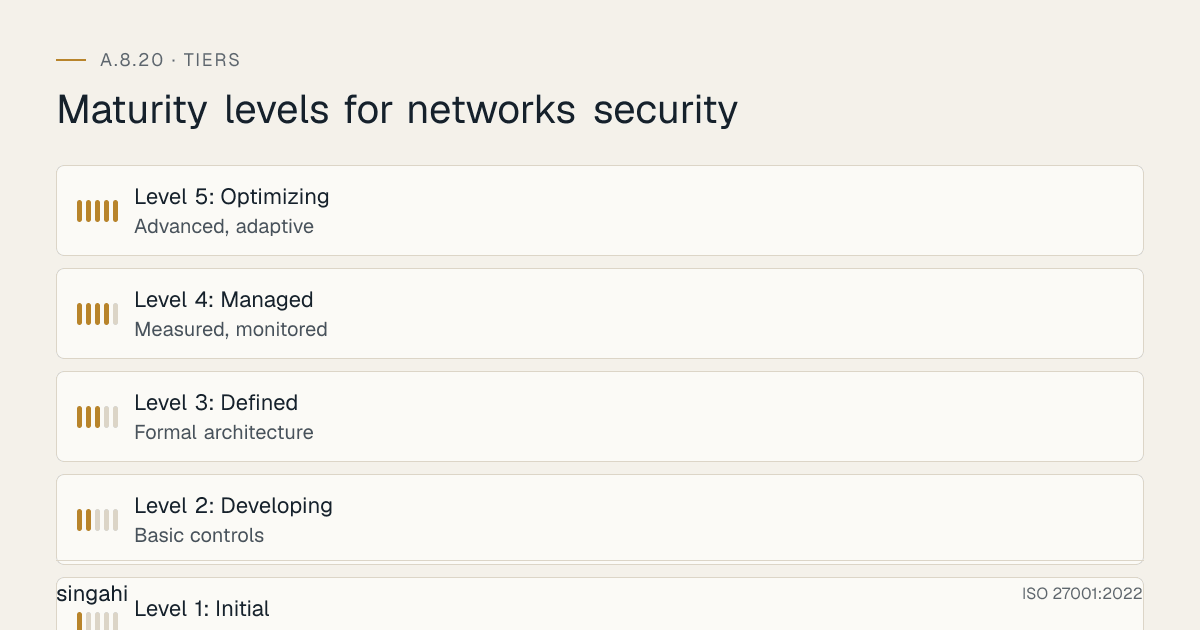
Maturity Model for A.8.20
| Level | Description | Characteristics |
|---|---|---|
| Level 1: Initial | Ad hoc, reactive | Flat network, basic perimeter firewall, no segmentation, no monitoring |
| Level 2: Developing | Basic controls | Some VLANs, basic firewall rules, basic wireless security, basic VPN |
| Level 3: Defined | Formal architecture | Segmented network, hardened devices, IDS/IPS, secure wireless, MFA VPN, documented policies |
| Level 4: Managed | Measured, monitored | NDR/NTA, behavioral detection, cloud network security, OT segmentation, regular pen testing, ZTNA |
| Level 5: Optimizing | Advanced, adaptive | AI-powered network anomaly detection, automated threat response, full zero-trust architecture, SASE, predictive network security |
Improvement Roadmap
- From Level 1 to 2: Create basic VLANs (servers, corporate, guest). Deploy a basic internal firewall. Implement WPA2-Enterprise. Configure basic VPN with MFA.
- From Level 2 to 3: Implement full segmentation with trust zones. Deploy IDS/IPS. Harden all network devices. Document architecture and policies. Implement NAC.
- From Level 3 to 4: Deploy NDR/NTA. Implement cloud-native security. Add OT segmentation. Implement ZTNA. Conduct regular penetration testing and red teaming.
- From Level 4 to 5: Implement AI-powered network security. Deploy SASE architecture. Full zero-trust with continuous verification. Automated threat response and containment.
FAQ
Q1: Does A.8.20 require network segmentation? A: While A.8.20 broadly covers network security, detailed segmentation guidance is in A.8.22. However, A.8.20 implicitly requires segmentation as a key network security control. Implement both controls together for maximum security.
Q2: How do we secure a flat network without major disruption? A: Implement segmentation in phases. Start with a separate VLAN for servers. Then add guest Wi-Fi isolation. Then add departmental VLANs. Use firewall rules that mirror existing traffic patterns to minimize disruption. Test in a pilot group before rolling out broadly.
Q3: What is the minimum firewall requirement for a small organization? A: At minimum: a perimeter firewall with default-deny inbound and explicit allow outbound, host-based firewalls on all servers, and a separate guest network. For cloud, use cloud-native firewalls and restrictive security groups. Open-source options like pfSense provide enterprise-grade features free.
Q4: Do we need both IDS and IPS? A: IPS is recommended for automated blocking at the perimeter. IDS is recommended for monitoring internal segments where automated blocking might disrupt operations. In practice, most modern solutions combine both (NIDS/NIPS, NDR). Deploy IPS at the perimeter and IDS/NDR internally.
Q5: How do we handle cloud network security? A: Design cloud networks with private subnets for internal resources, public subnets only for internet-facing services, and restrictive security groups. Use cloud-native firewalls (AWS Network Firewall, Azure Firewall) for centralized inspection. Implement VPC Flow Logs for monitoring. Use CSPM tools to detect misconfigurations.
Q6: Is OT-IT segmentation really necessary for small manufacturing plants? A: Yes. Even small plants with a few PLCs are at risk. The cost of a production disruption (even for one day) usually exceeds the cost of segmentation. Start with a simple industrial firewall between OT and IT. Use unidirectional data diodes or read-only gateways for data collection.
Q7: What is the difference between VPN and ZTNA? A: VPN provides network-level access, once connected, the user is on the network. ZTNA provides application-level access, users access specific applications based on identity and context, without being on the network. ZTNA is more secure and is the modern replacement for VPN.
Q8: How do we monitor encrypted network traffic? A: Deploy SSL/TLS inspection on the firewall or IDS (with appropriate privacy controls and legal compliance). Alternatively, use NDR that analyzes metadata (NetFlow, packet headers) without decrypting content. For internal traffic, consider mTLS with mutual authentication.
Q9: What is SASE and should we adopt it? A: SASE (Secure Access Service Edge) converges SD-WAN with cloud-delivered security (firewall, CASB, ZTNA, SWG). It is ideal for organizations with distributed workforces and cloud workloads. For cloud-first Indian organizations, SASE can replace traditional VPNs and on-premise security appliances.
Q10: How do we measure network security effectiveness? A: Key metrics: time to detect lateral movement, time to contain a breach, network segmentation coverage, firewall rule review compliance, patch compliance for network devices, network penetration test findings, and mean time to respond to network incidents.
The following toolkit assets are available for this control:
| # | Toolkit File | Description |
|---|---|---|
| 1 | 01-network-security-policy-template.md | Policy Template |
| 2 | 02-network-security-procedure.md | Procedure |
| 3 | 03-network-security-checklist.md | Checklist |
| 4 | 04-audit-evidence-checklist.md | Audit Evidence Checklist |
| 5 | 05-implementation-roadmap.md | Implementation Roadmap |
| 6 | 06-quick-reference-card.md | Quick Reference Card |
| 7 | 07-training-materials.md | Training Materials |
| 8 | 08-incident-response-playbook.md | Incident Response Playbook |
| 9 | 09-risk-assessment-template.md | Risk Assessment Template |
| 10 | 10-vendor-security-template.md | Vendor Security Template |
| 11 | 11-metrics-and-kpi-dashboard.md | Metrics and KPI Dashboard |
| 12 | 12-gap-analysis-template.md | Gap Analysis Template |
| 13 | 13-raci-matrix.md | RACI Matrix |
| 14 | 14-tool-comparison-matrix.md | Tool Comparison Matrix |
| 15 | 15-communication-plan.md | Communication Plan |
| 16 | 16-roles-and-responsibilities.md | Roles and Responsibilities |
| 17 | 17-regulatory-mapping.md | Regulatory Mapping |
References
- ISO/IEC 27001:2022: Information security, cybersecurity and privacy protection, Information Security Management Systems, Requirements
- ISO/IEC 27002:2022: Information security, cybersecurity and privacy protection, Information security controls
- NIST Cybersecurity Framework 2.0: Identify, Protect, Detect, Respond, Recover, Govern
- CIS Controls v8: Control 12: Network Infrastructure Management
- PCI DSS v4.0.1: Requirements 1.x and 2.x
- RBI Cyber Security Framework: Network security requirements for banking
- CERT-In advisories and guidelines: Network security
- NIST SP 800-82 Rev 3: Guide to Operational Technology (OT) Security
- Purdue Model for Industrial Control System Security: ANSI/ISA-99 / IEC 62443
- CIS Benchmarks for Network Devices: Cisco, Juniper, Fortinet, etc.
- NIST SP 800-125: Guide to Security for Full Virtualization Technologies
- NIST SP 800-207: Zero Trust Architecture
- CISA Network Security Guidance: Best practices for network security
This guide is part of the Singahi ISO 27001:2022 Annex A Control Guide Series.
Contact: security@singahi.com | singahi.com