
On this page
- Quick Reference: A.8.5 in 60 Seconds
- What the Control Asks For
- Why A.8.5 Matters: The Business Case
- Scope and Applicability
- Key Definitions and Concepts
- Relationship to Other Controls
- The 8 Pillars of Secure Authentication
- Risk-Based Authentication Model
- Password Policy: The Modern Standard
- Multi-Factor Authentication (MFA) Deep Dive
- Passwordless & Passkey Authentication
- Single Sign-On (SSO) & Identity Providers
- Non-Human Authentication (APIs, Service Accounts, Bots)
- Secure Log-On Design
- Session Management
- Brute Force & Attack Protection
- Authentication Logging & Monitoring
- Zero Trust Architecture for Authentication
- Cloud-Native Authentication (AWS, Azure, GCP)
- Kubernetes & Container Authentication
- AI/ML & API Authentication
- Industry-Specific Authentication Requirements
- Authentication Tool Comparison
- Implementation Roadmap: 12 Weeks
- Common Audit Failures & How to Fix Them
- Illustrative Scenarios: When Authentication Fails
- Metrics & KPIs
- Multi-Framework Mapping
- Indian Regulatory Context
- Maturity Model: Level 1 to Level 5
- RACI Matrix
- Documentation and Evidence Requirements
- Continuous Improvement
- FAQ
- References
Quick Reference: A.8.5 in 60 Seconds
| Question | Answer |
|---|---|
| What is it? | A control requiring secure authentication technologies and procedures to verify user and entity identity before granting access to information systems. |
| Why does it matter? | Credential-based attacks are the #1 breach vector globally. Weak authentication undermines every other control in your security framework. |
| Minimum requirement | Documented authentication standard + MFA for privileged/remote access + strong password policy + session management + complete logging. |
| Audit red flag | No MFA on admin accounts, shared credentials, default passwords, SMS as the only MFA option, or missing authentication logs. |
| Quick win | Enable MFA on all admin accounts and cloud consoles today. |
| Time to implement | 2–12 weeks depending on organizational size and complexity. |
| Related controls | A.5.15 (Access Control), A.5.16 (Identity Management), A.5.17 (Authentication Information), A.8.2 (Privileged Access), A.8.15 (Logging), A.8.16 (Monitoring) |
| ISO 27002 attributes | Control type: Preventive · Properties: Confidentiality, Integrity, Availability · Concepts: Protect · Capabilities: Identity and access management · Domains: Protection |
One-Sentence Summary: A.8.5 ensures that every person, application, and device attempting to access your systems can prove who they are, using methods strong enough for the risk of what they're accessing.
What the Control Asks For
ISO 27001:2022 A.8.5 Text
ISO 27001:2022 Annex A 8.5 asks organizations to implement secure authentication technologies and procedures based on access restrictions and the access control policy.
Do you need this control?
A.8.5 is not mandatory in itself: under clause 6.1.3 you include it if your risk assessment calls for it, and record the decision in your Statement of Applicability. Essentially every organisation with systems includes it. What you adapt is the strength of authentication by risk, for example MFA everywhere and phishing-resistant methods for admins.
This single sentence is deceptively simple but contains three critical requirements:
- "Technologies": You must use appropriate technical solutions (not just passwords)
- "Procedures": You must have documented processes for how authentication works
- "Based on information access restrictions and the organization's access control policy": Authentication strength must match the sensitivity of what's being accessed
ISO 27002:2022 Implementation Guidance (Section 8.5)
ISO 27002 8.5 (paraphrased):
- Choose an authentication technique suited to the identity being proved (users, software, messages, other entities), with strength matched to the classification of the information accessed.
- Where strong authentication is needed, use alternatives to passwords such as digital certificates, smart cards, tokens or biometrics.
- Use multi-factor authentication for critical systems, and consider step-up factors under rules such as access from an unusual location, device or time.
- Biometric data must be invalidated if compromised: and biometrics need at least one fallback method (fingerprints can fail with moisture or age).
Log-on procedures should:
- (a) show no sensitive system information until log-on succeeds
- (b) display a notice that only authorised users may access the system
- (c) give no help that aids an attacker (for example not saying which part of the input was wrong)
- (d) validate log-on data only when all input is complete
- (e) protect against brute force (CAPTCHA, reset after failed attempts, lockout)
- (f) log successful and unsuccessful attempts
- (g) raise a security event when a breach of log-on controls is attempted or detected (for example alert after repeated failures)
- (h) on success, show or send on a separate channel the date and time of the previous successful log-on and any failed attempts since
- (i) not show passwords in clear text while typed (with an exception where needed, for example for accessibility)
- (j) never send passwords in clear text over a network
- (k) end inactive sessions after a defined period, especially in high-risk locations
- (l) restrict connection times for high-risk applications to reduce the window of opportunity
The sections below map the page's checklists to these points.
What Auditors Actually Check
| Auditor Action | What They Want to See | Evidence Type |
|---|---|---|
| Review authentication policy | Signed, dated, version-controlled policy document | Document |
| Inspect MFA configuration | Screenshots or exports showing MFA is enforced, not just enabled | Configuration export |
| Test password policy | Attempt to create a weak password, it should be blocked | Live test |
| Check session timeouts | Configuration screenshots showing timeout values | Screenshot |
| Review authentication logs | SIEM logs showing success/failure events | Log sample |
| Sample user accounts | 10% of accounts checked for MFA enrollment | Account review |
| Inspect service accounts | Evidence of unique credentials, rotation, and vault storage | Vault audit |
| Test break-glass access | Emergency access procedure documented and tested | Test record |
| Verify non-human auth | API keys, service principals, certificates documented | Inventory |
| Check password storage | Hash algorithm verification, no plaintext | Technical review |
Why A.8.5 Matters: The Business Case
Figure · Matrix
Comparison: Stolen credentials to Accounts with MFA
The Credential Crisis
Authentication is the front door to every system, every database, every customer record. Yet it remains the most attacked vector:
| Statistic | Source | Year |
|---|---|---|
| Stolen credentials were used in about 31% of breaches over the previous ten years | Verizon DBIR | 2024 |
| Credential abuse was the most common initial access vector, at 22% of breaches | Verizon DBIR | 2025 |
| MFA blocks over 99.9% of automated account-compromise attacks | Microsoft | 2019 |
| Accounts with MFA enabled were 99.22% less likely to be compromised in a large sample | Microsoft research | 2023 |
The Indian Context
India's rapid digital transformation makes secure authentication particularly critical:
- UPI transactions: 12+ billion per month, every transaction requires authentication
- Digital India: over 1.4 billion Aadhaar numbers generated (UIDAI), with authentication at national scale
- Startups: 100,000+ startups, many lack mature authentication practices
- Remote work: 70% of Indian tech workers work remotely at least part-time, remote access authentication is essential
- CERT-In Directions (2022): unauthorised access and identity theft are among the incident types to report within 6 hours, and ICT logs (including authentication logs) must be kept for 180 days in India
Business Impact of Weak Authentication
| Impact Category | Direct Cost | Indirect Cost | Recovery Time |
|---|---|---|---|
| Data breach | Commercial | Reputation loss, customer churn | 6–18 months |
| Ransomware | Commercial | Business disruption, SLA penalties | 2–6 months |
| Regulatory fine | Commercial | Legal costs, audit remediation | 1–3 years |
| IP theft | Unmeasurable | Competitive disadvantage | Permanent |
| Customer trust loss | Customer acquisition cost × churn | Brand damage, negative press | 2–5 years |
Scope and Applicability
What A.8.5 Covers
A.8.5 applies to all authentication mechanisms across the organization:
| System Type | Authentication Mechanism | A.8.5 Applicable? |
|---|---|---|
| Corporate laptops/desktops | Windows/macOS login | ✅ Yes |
| Cloud services (AWS, Azure, GCP) | Console, CLI, API | ✅ Yes |
| SaaS applications (Slack, Salesforce, Jira) | SSO, native auth | ✅ Yes |
| VPN/Remote access | RADIUS, SAML, OIDC | ✅ Yes |
| Internal web applications | Form-based, SSO, API key | ✅ Yes |
| Mobile applications | Biometric, PIN, OAuth | ✅ Yes |
| APIs and microservices | OAuth 2.0, mTLS, API key | ✅ Yes |
| Service accounts | Password, certificate, managed identity | ✅ Yes |
| Database connections | SQL auth, IAM auth, certificate | ✅ Yes |
| IoT devices | X.509, TPM, shared secret | ✅ Yes |
| Network equipment (switches, routers) | SSH, console, SNMP | ✅ Yes |
| Physical access control (badges) | RFID, biometric | ⚠️ Partial (often A.7.1) |
| Guest Wi-Fi | Captive portal, social login | ✅ Yes |
| Third-party/contractor access | VPN, VDI, dedicated accounts | ✅ Yes |
| Customer-facing portals | Self-registration, OAuth | ✅ Yes |
What A.8.5 Does NOT Cover
| Area | Covered By | Why |
|---|---|---|
| Physical building access | A.7.1 (Physical Security) | Badges, biometrics for doors |
| Authorization (what you can do) | A.5.15 (Access Control) | A.8.5 is about WHO, A.5.15 is about WHAT |
| Credential lifecycle (creation, distribution, revocation) | A.5.17 (Authentication Information) | A.8.5 is the door, A.5.17 is the key management |
| Identity proofing (verifying real-world identity) | A.5.16 (Identity Management) | Onboarding, background checks |
| Privileged access management | A.8.2 (Privileged Access Rights) | PAM is a specialization of A.8.5 |
Key Definitions and Concepts
Authentication vs. Authorization vs. Identity
| Term | Definition | Example | ISO 27001 Control |
|---|---|---|---|
| Authentication | Proving who you are | Entering password + MFA code | A.8.5 |
| Authorization | Determining what you can access | Role-based access control (RBAC) | A.5.15 |
| Identity | The unique representation of a user | User ID, email, employee number | A.5.16 |
| Account | The digital entity used to access systems | Active Directory account, AWS IAM user | A.8.5 |
| Credential | The secret used to prove identity | Password, certificate, biometric template | A.5.17 |
Authentication Factors
| Factor Type | What It Is | Examples | Strength |
|---|---|---|---|
| Knowledge | Something you know | Password, PIN, security question | ⭐⭐ Weak (can be guessed, phished) |
| Possession | Something you have | Phone, hardware key, smart card | ⭐⭐⭐⭐ Strong (physical required) |
| Inherence | Something you are | Fingerprint, face, iris, voice | ⭐⭐⭐⭐ Strong (biometric) |
| Location | Somewhere you are | GPS, IP address, network | ⭐⭐ Medium (can be spoofed) |
| Behavior | Something you do | Typing pattern, mouse movement | ⭐⭐⭐ Medium (adaptive) |
Key Terms
| Term | Definition | Why It Matters |
|---|---|---|
| Multi-Factor Authentication (MFA) | Requiring two or more different factor types | The single most effective control against credential attacks |
| Two-Factor Authentication (2FA) | A specific case of MFA requiring exactly two factors | Common implementation, but MFA is the broader term |
| Single Sign-On (SSO) | One login grants access to multiple systems | Reduces password fatigue, centralizes control |
| Identity Provider (IdP) | The central system that authenticates users | Okta, Azure AD, Google Workspace |
| Service Provider (SP) | The application that relies on the IdP | Salesforce, Slack, your internal apps |
| Passwordless | Authentication without passwords | Uses passkeys, biometrics, or hardware keys |
| Passkey | FIDO2/WebAuthn credential replacing passwords | Phishing-resistant, no shared secrets |
| Token | A temporary credential issued after authentication | JWT, OAuth token, session cookie |
| Session | The period of authenticated access after login | Must be managed, timed out, and secured |
| Brute force | Trying many passwords systematically | Rate limiting and account lockout prevent this |
| Credential stuffing | Using leaked credentials from other breaches | Breach detection and MFA prevent this |
| Phishing | Fake login page to steal credentials | FIDO2/WebAuthn and user training prevent this |
| Man-in-the-Middle (MitM) | Intercepting authentication traffic | TLS, mTLS, certificate pinning prevent this |
| Non-Human Identity (NHI) | Accounts for applications, services, bots | Often overlooked, increasingly attacked |
| Break-glass | Emergency access when normal auth fails | Must be documented, tested, and monitored |
| Zero Trust | Never trust, always verify | Every request authenticated regardless of source |
| Conditional Access | Dynamic policy based on risk signals | Location, device, behavior, time |
| Risk-Based Authentication (RBA) | Adjusting authentication strength based on risk | Balances security and usability |
| Just-in-Time (JIT) | Temporary access granted for specific tasks | Reduces standing privileges |
| Privileged Access Management (PAM) | Specialized controls for admin accounts | Often implemented alongside A.8.5 |
Relationship to Other Controls
A.8.5 Ecosystem Map
                    ┌─────────────────────────────────────┐
                    │     A.5.15 — ACCESS CONTROL          │
                    │    (What can you access?)             │
                    └─────────────────┬───────────────────┘
                                      │
                    ┌─────────────────┴───────────────────┐
                    │     A.8.5 — SECURE AUTHENTICATION    │
                    │    (Who are you? Prove it.)           │
                    └─────────────────┬───────────────────┘
                                      │
        ┌─────────────────────────────┼─────────────────────────────┐
        │                             │                             │
   ┌────┴────┐                  ┌─────┴─────┐                ┌──────┴──────┐
   │ A.5.16  │                  │ A.5.17    │                │  A.8.2      │
   │ Identity│                  │ Auth Info │                │ Privileged  │
   │ Mgmt    │                  │ Mgmt      │                │ Access      │
   │(Who are  │                  │(Keys,    │                │(Admin      │
   │ you?)    │                  │ passwords)│                │ accounts)   │
   └────┬────┘                  └─────┬─────┘                └──────┬──────┘
        │                             │                             │
   ┌────┴────┐                  ┌─────┴─────┐                ┌──────┴──────┐
   │ A.8.15  │                  │ A.8.16    │                │  A.8.4      │
   │ Logging │                  │ Monitoring│                │  Removal    │
   │(Record   │                  │(Detect   │                │  of Access  │
   │ events)  │                  │ anomalies)│                │  Rights     │
   └─────────┘                  └───────────┘                └─────────────┘
Detailed Control Relationships
| Control | Relationship to A.8.5 | How They Work Together |
|---|---|---|
| A.5.12, Classification | A.5.12 determines what needs protection; A.8.5 determines how strongly to authenticate | Higher classification = stronger authentication (AAL2-AAL3) |
| A.5.15, Access Control | A.8.5 proves identity; A.5.15 controls what that identity can do | Authentication first, authorization second |
| A.5.16, Identity Management | A.5.16 creates the identity; A.8.5 verifies it at access time | Identity lifecycle feeds into authentication |
| A.5.17, Authentication Information | A.5.17 manages credentials (creation, distribution, revocation); A.8.5 uses them | Credential management enables secure authentication |
| A.6.3, Awareness Training | Users must understand why authentication matters and how to use it | Training reduces MFA fatigue, phishing success |
| A.7.1, Physical Security | Physical access to devices enables authentication bypass | Secure devices = secure authentication |
| A.8.2, Privileged Access | Privileged accounts need the strongest authentication (AAL3 with contextual checks) | A.8.2 is a specialization of A.8.5 for admin accounts |
| A.8.4, Removal of Access | When access is removed, authentication credentials must be revoked | A.8.5 must be updated when A.8.4 is triggered |
| A.8.15, Logging | A.8.5 generates authentication events; A.8.15 records them | Every auth event must be logged |
| A.8.16, Monitoring | A.8.16 analyzes authentication logs for anomalies | Monitoring makes authentication effective |
| A.8.19, Installing Software | New software may need new authentication mechanisms | A.8.5 must be updated for new systems |
| A.8.28, Secure Coding | Applications must implement authentication securely | Development practices ensure A.8.5 is built in |
| A.8.29, Development/Test/Live Separation | Test environments must not use live authentication credentials | Separation prevents credential leakage |
| A.8.30, Outsourced Development | Third-party developers need authenticated but limited access | Authentication controls for external parties |
| A.8.31, Dev/Test/Live Separation | Same as A.8.29, separation of environments | Test credentials must be different from production |
| A.5.32, Intellectual Property | Authentication protects access to IP | Strong auth for R&D, source code, patents |
| A.8.12, Data Leakage Prevention | Authentication prevents unauthorized data exfiltration | Access controls start with authentication |
The 8 Pillars of Secure Authentication
Think of A.8.5 as 8 interlocking pillars. Weakness in any one pillar compromises the entire structure. Each pillar must be implemented with equal rigor.
                    ┌─────────────────────────────────────┐
                    │     PILLAR 1: AUTHENTICATION         │
                    │         STANDARD & POLICY             │
                    │   (The foundation — everything       │
                    │    references this document)          │
                    └─────────────────┬───────────────────┘
                                      │
        ┌─────────────────────────────┼─────────────────────────────┐
        │                             │                             │
   ┌────┴────┐                  ┌─────┴─────┐                ┌──────┴──────┐
   │ PILLAR 2│                  │ PILLAR 3  │                │  PILLAR 4   │
   │  RISK-  │                  │ PASSWORD  │                │    MFA      │
   │  BASED  │                  │  POLICY   │                │  & FACTORS  │
   │  MODEL  │                  │           │                │             │
   └────┬────┘                  └─────┬─────┘                └──────┬──────┘
        │                             │                             │
   ┌────┴────┐                  ┌─────┴─────┐                ┌──────┴──────┐
   │ PILLAR 5│                  │ PILLAR 6  │                │  PILLAR 7   │
   │ SESSION │                  │  SECURE   │                │  NON-HUMAN  │
   │   MGMT  │                  │ LOG-ON    │                │     AUTH     │
   │         │                  │  DESIGN   │                │             │
   └────┬────┘                  └─────┬─────┘                └──────┬──────┘
        │                             │                             │
        └─────────────────────────────┼─────────────────────────────┘
                                      │
                    ┌─────────────────┴───────────────────┐
                    │     PILLAR 8: LOGGING & MONITORING │
                    │   (The nervous system — detects     │
                    │    breaches and provides evidence)  │
                    └─────────────────────────────────────┘
Pillar 1: Authentication Standard & Policy
The foundation document that defines your organization's approach to authentication. Every other pillar references this.
Required elements:
- Authentication principles (risk-based, MFA mandate, passwordless target)
- Factor requirements by system classification
- Password policy (length, complexity, rotation, storage)
- MFA policy (enforcement, exceptions, methods)
- Session management (timeouts, concurrent sessions, re-authentication)
- Non-human authentication (service accounts, APIs, IoT)
- Logging and monitoring requirements
- Exception process and risk acceptance
- Roles and responsibilities
- Review and update cycle (annual minimum)
Pillar 2: Risk-Based Model
Not all systems need the same authentication strength. Assign Authentication Assurance Levels (AAL) based on risk.
Pillar 3: Password Policy
Modern, evidence-based password requirements that prioritize length over complexity and eliminate harmful practices like forced rotation.
Pillar 4: MFA & Factors
Multi-factor authentication is the single most effective control against credential attacks. Implement it everywhere feasible.
Pillar 5: Session Management
Authentication is not a one-time event. Sessions must be actively managed with timeouts, re-authentication, and secure token handling.
Pillar 6: Secure Log-On Design
Login interfaces must be designed to resist reconnaissance, enumeration, and brute force attacks. Generic errors, rate limiting, and minimal disclosure are essential.
Pillar 7: Non-Human Authentication
Service accounts, APIs, bots, and IoT devices now outnumber human accounts. They need the same, often stronger, authentication controls.
Pillar 8: Logging & Monitoring
Every authentication event must be logged, retained, and monitored. This is your evidence for audits and your detection mechanism for attacks.
Risk-Based Authentication Model
Figure · Tiers
Maturity levels for secure authentication
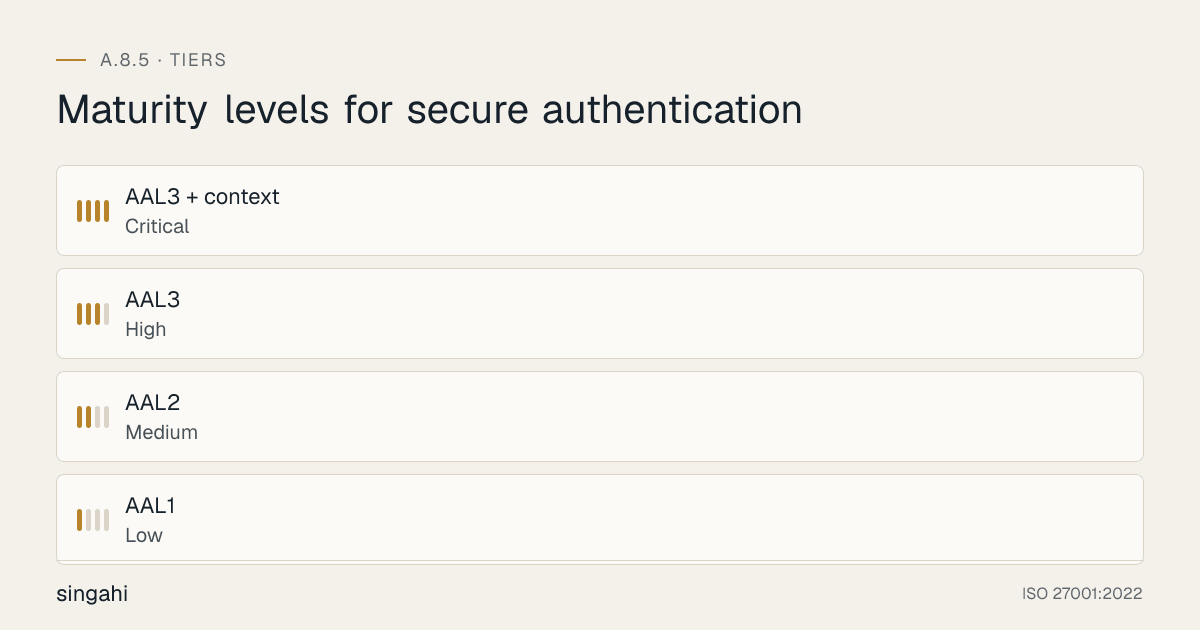
The most important concept in A.8.5: not all systems need the same authentication strength. Applying the same authentication to every system is either wasteful (over-protecting low-risk systems) or dangerous (under-protecting high-risk ones).
The Authentication Assurance Levels (AAL)
| Level | Name | Use Case | Required Factors | Example Systems |
|---|---|---|---|---|
| AAL1 | Low | Public information, marketing content | Single factor (password acceptable) | Company blog, public website, careers page |
| AAL2 | Medium | Internal tools, non-sensitive data, general workforce | Two factors (password + TOTP/push) | HR portal, internal wiki, expense system |
| AAL3 | High | Financial systems, customer data, production environments | Two factors (password + hardware key) | AWS console, banking app, CRM, ERP |
| AAL3 + context (organisation-defined) | Critical | Crown jewels, admin access, break-glass, C-suite | Phishing-resistant hardware authenticator plus device and location checks | Domain admin, production root, CFO account |
(NIST SP 800-63B defines three Authenticator Assurance Levels, AAL1 to AAL3. The top row is an organisation-defined tier that adds contextual checks on top of AAL3; it is not a NIST level.)
How to Assign Authentication Levels
Step 1: Classify Your Information (A.5.12)
Map your information classification directly to authentication requirements:
| Classification | Authentication Level | MFA Required? | Factor Requirements |
|---|---|---|---|
| Public | AAL1 | No | Password minimum 12 characters |
| Internal | AAL1 | No | Password minimum 12 characters |
| Confidential | AAL2 | Yes (TOTP minimum) | Password + TOTP or push |
| Highly Confidential | AAL3 | Yes (hardware key preferred) | Password + hardware key |
| Restricted | AAL3 + context | Yes (hardware key + context) | Password + hardware key + location/device verification |
Step 2: Assess Additional Risk Factors
Add +1 to your required level if any of these apply:
- System is internet-facing (public IP, no VPN required)
- System allows remote access (VPN, RDP, SSH from outside)
- System handles financial transactions (payments, payroll, accounting)
- System contains PII, health data, or payment card data
- System is privileged/admin access (domain admin, root, cloud admin)
- System has no compensating controls (no WAF, no network segmentation)
- System is accessed by third parties (contractors, vendors, partners)
- System is a single point of failure (no redundancy, no backup)
Step 3: Document the System-by-System Authentication Matrix
| System | Classification | Risk Factors | Required AAL | Actual AAL | Gap? | Action |
|---|---|---|---|---|---|---|
| AWS Console | Highly Confidential | Internet + Remote + Admin | AAL3 + context | AAL2 | ⚠️ Gap | Migrate to hardware key + location check |
| Salesforce | Confidential | Internet + Customer Data | AAL3 | AAL3 | ✅ OK | Maintain |
| Internal Wiki | Internal | None | AAL1 | AAL1 | ✅ OK | Maintain |
| VPN | Confidential | Remote + Network Access | AAL3 | AAL2 | ⚠️ Gap | Add hardware key for VPN |
| GitHub Org | Highly Confidential | Source Code + Admin | AAL3 | AAL3 | ✅ OK | Maintain |
| Financial ERP | Restricted | Financial + Admin + PII | AAL3 + context | AAL3 | ⚠️ Gap | Add hardware key + context |
| HR Portal | Confidential | PII + Internet | AAL3 | AAL2 | ⚠️ Gap | Add TOTP minimum |
| Jira/Confluence | Internal | None | AAL1 | AAL1 | ✅ OK | Maintain |
| CI/CD Pipeline | Highly Confidential | Production deployment | AAL3 | AAL2 | ⚠️ Gap | Add hardware key for pipeline access |
| Database Admin | Highly Confidential | Customer data + Admin | AAL3 + context | AAL3 | ⚠️ Gap | Add hardware key + JIT approval |
Risk-Based Authentication in Practice
Example: Adaptive Authentication Flow
User attempts to log in
         │
         ▼
┌─────────────────────────┐
│ 1. Evaluate risk signals │
│    • Location (known? )  │
│    • Device (managed? )  │
│    • Time (business hrs? )│
│    • Behavior (anomaly? ) │
│    • Network (corporate? ) │
└─────────────────────────┘
         │
         ▼
┌─────────────────────────┐
│ 2. Calculate risk score  │
│    0-20: Low risk        │
│    21-50: Medium risk    │
│    51-80: High risk      │
│    81-100: Critical risk │
└─────────────────────────┘
         │
         ▼
┌─────────────────────────┐
│ 3. Apply policy          │
│    Low: Standard auth    │
│    Medium: + TOTP        │
│    High: + hardware key  │
│    Critical: Block + alert│
└─────────────────────────┘
Real-World Risk Signals:
| Signal | Risk Impact | Mitigation |
|---|---|---|
| Login from new country | +40 points | Require hardware key + manager approval |
| Login from Tor network | +60 points | Block + alert SOC |
| Login outside business hours | +20 points | Require additional MFA step |
| Unmanaged device | +30 points | Require device enrollment + MFA |
| Impossible travel (2 logins, 1 hour, 1000km apart) | +70 points | Block + force password reset |
| First login from new device | +25 points | Require email verification + TOTP |
| Failed login followed by success | +15 points | Log + alert |
| Credential stuffing pattern | +50 points | Block IP + require CAPTCHA |
Password Policy: The Modern Standard
What NIST SP 800-63B Says (And Why ISO 27001 Aligns)
The old password rules have been overturned by research and by NIST SP 800-63B, whose fourth revision (SP 800-63B-4, 2025) says passwords used as the only factor must be at least 15 characters (at least 8 when used with MFA), verifiers must not impose composition rules or periodic changes, and passwords must be checked against lists of breached and common passwords. Here's the evidence-based approach:
| Old Rule | Why It's Wrong | Research Evidence | Modern Rule |
|---|---|---|---|
| 8 characters + complexity | Users pick P@ssw0rd123!, easily cracked by GPUs | CrackLib studies show "complex" passwords are cracked faster than long passphrases | Minimum 15 characters for single-factor use (8 with MFA): no composition rules |
| Change every 90 days | Users increment: Password1, Password2 | University of North Carolina study (Zhang, Monrose and Reiter, 2010): many new passwords could be guessed quickly from the old ones | Change only on compromise |
| Special characters required | P@ssw0rd is in every dictionary | Dictionary attacks crack 90% of "complex" passwords in hours | Length over complexity |
| Security questions | "Mother's maiden name" is public data | Social media makes security questions trivial to answer | Ban security questions: use MFA instead |
| Password hints | Help attackers as much as users | Hints often reveal the password or make it easy to guess | Ban password hints |
| Maximum age enforcement | Creates predictable patterns | NIST: "Verifiers SHOULD NOT require memorized secrets to be changed arbitrarily" | No maximum age |
Active Directory / Entra ID Configuration
Group Policy Settings (Windows Active Directory):
| Setting | Old Value | Modern Value | Policy Path |
|---|---|---|---|
| Minimum password length | 8 | 14 | Computer Config > Policies > Windows Settings > Security Settings > Account Policies > Password Policy |
| Password must meet complexity requirements | Enabled | Disabled | Same path |
| Maximum password age | 90 days | 0 (never expires) | Same path |
| Minimum password age | 1 day | 0 | Same path |
| Store password using reversible encryption | Disabled | Disabled (verify) | Same path |
| Account lockout threshold | 5 | 10 | Account Policies > Account Lockout Policy |
| Account lockout duration | 30 minutes | 30 minutes | Same path |
| Reset account lockout counter | 30 minutes | 30 minutes | Same path |
Entra ID (Azure AD) Settings:
| Setting | Recommended Value | Path |
|---|---|---|
| Password protection (custom banned list) | Company name, common terms, department names, product names | Entra ID > Security > Authentication Methods > Password Protection |
| Password protection (mode) | Enforced | Same path |
| Password protection (on-premises integration) | Yes | Same path |
| Smart lockout | 10 failed attempts, 5-minute lockout duration | Entra ID > Security > Authentication Methods > Password Protection |
| Self-service password reset (SSPR) | Enabled for all users | Entra ID > Password Reset |
| SSPR authentication methods | Mobile app code, email, mobile phone | Same path |
| Registration required | Yes (prompt users to register) | Same path |
Okta Settings:
| Setting | Recommended Value | Path |
|---|---|---|
| Password complexity | Minimum 12 characters, no complexity requirements | Security > Authentication > Password |
| Password history | Prevent last 10 passwords | Same path |
| Password lockout | 10 attempts, 30-minute lockout | Same path |
| Password show/hide | Enabled | Same path |
| Password reset | Enabled, requires MFA | Same path |
Password Hashing Best Practices
| Algorithm | Status | Work Factor | Notes |
|---|---|---|---|
| Argon2id | ✅ Recommended | m=65536, t=3, p=4 | Winner of Password Hashing Competition, memory-hard |
| bcrypt | ✅ Acceptable | cost=12+ | Older but widely supported, GPU-resistant |
| scrypt | ✅ Acceptable | N=2^14, r=8, p=1 | Memory-hard, good for embedded systems |
| PBKDF2 | ⚠️ Acceptable with high iterations | 600,000+ iterations | NIST recommended but slower than Argon2 |
| SHA-256/SHA-512 | ❌ Not for passwords | N/A | Fast = easily brute-forced |
| MD5 | ❌ Never | N/A | Broken since 2004 |
| SHA-1 | ❌ Never | N/A | Broken since 2017 |
| Crypt() | ❌ Never | N/A | Outdated, weak salts |
Multi-Factor Authentication (MFA) Deep Dive
The MFA Factor Hierarchy (Strongest to Weakest)
| Rank | Factor | Strength | Vulnerabilities | Best For | Cost |
|---|---|---|---|---|---|
| 1 | FIDO2 / WebAuthn / Passkeys | ⭐⭐⭐⭐⭐ Phishing-resistant | None significant | All users, especially admin | Free (built into devices) |
| 2 | Hardware Security Keys (YubiKey, Titan) | ⭐⭐⭐⭐⭐ Phishing-resistant | Physical loss | Admin, developers, high-risk | Commercial |
| 3 | Authenticator Apps (TOTP: Google Authenticator, Authy, Microsoft Authenticator) | ⭐⭐⭐⭐ Strong | Phishing (if user tricked), device compromise | General workforce | Free |
| 4 | Push Notifications (Duo, Microsoft Authenticator) | ⭐⭐⭐⭐ Strong | Push fatigue attacks, MFA bombing | General workforce | Commercial |
| 5 | SMS / Email OTP | ⭐⭐ Weak | SIM swapping, SS7 attacks, phishing, interception | Avoid, transitional only | Included in phone plan |
| 6 | Phone Call | ⭐⭐ Weak | Caller ID spoofing, SIM swapping, voice synthesis | Avoid | Included in phone plan |
| 7 | Security Questions | ⭐ Weak | Social engineering, public data, easy to research | Ban | Free |
NIST SP 800-63B Authenticator Assurance Levels (AAL)
| AAL | Factors Required | Examples | Use Case |
|---|---|---|---|
| AAL1 | Single factor | Password, PIN | Low-risk, public information |
| AAL2 | Two factors (any two different types) | Password + TOTP, Password + push | Standard workforce, internal systems |
| AAL3 | Two factors (hardware-based + memorized) | Password + hardware key, Password + FIDO2 | High-risk, admin, financial |
| AAL1 | Single factor | Password, PIN | Low-risk, public information |
| AAL2 | Two factors (any two different types) | Password + TOTP, Password + push | Standard workforce, internal systems |
| AAL3 | Two factors (hardware-based + memorized) | Password + hardware key, Password + FIDO2 | High-risk, admin, financial |
MFA Enforcement Strategy: The 4-Phase Rollout
Phase 1: Immediate (Week 1), Critical Accounts
- Enable MFA for all admin accounts (AWS root, Azure AD Global Admin, Domain Admin, Google Super Admin)
- Enable MFA for all cloud console access (AWS Management Console, Azure Portal, GCP Console)
- Enable MFA for VPN access (all remote access methods)
- Enable MFA for remote desktop (RDP, SSH jump boxes, VDI)
- Enable MFA for code repository admin access (GitHub Org Admin, GitLab Admin)
- Enable MFA for financial system admin access (ERP, accounting, payroll)
- Document all exceptions with risk acceptance forms
Phase 2: Short Term (Weeks 2–4), Workforce Expansion
- Enable MFA for all SaaS apps (Google Workspace, Microsoft 365, Salesforce, Slack, Jira)
- Enable MFA for all Git/code repositories (GitHub, GitLab, Bitbucket, all users, not just admins)
- Enable MFA for financial systems (ERP, accounting, all users)
- Enable MFA for HR systems (HRMS, payroll, benefits)
- Enable MFA for customer support tools (Zendesk, Freshdesk, Intercom)
- Target: 80% workforce MFA enrollment by end of Week 4
Phase 3: Medium Term (Weeks 5–8), Complete Coverage
- Enable MFA for all customer-facing systems (if applicable, B2B portals, customer dashboards)
- Enable MFA for all third-party contractor access (time-limited, scoped)
- Enable MFA for CI/CD pipeline access (GitHub Actions, Jenkins, GitLab CI)
- Enable MFA for database admin tools (pgAdmin, MySQL Workbench, DataGrip)
- Enable MFA for monitoring and alerting tools (Datadog, Grafana, PagerDuty)
- Target: 95% workforce MFA enrollment by end of Week 8
Phase 4: Long Term (Weeks 9–12), Optimization
- Enable MFA for ALL users on ALL systems (zero exceptions except documented)
- Migrate from SMS/TOTP to FIDO2/passkeys for all admin accounts
- Implement passwordless for low-risk systems (internal wiki, non-sensitive tools)
- Implement risk-based step-up (unusual location = additional factor)
- Implement conditional access (managed device + known location = standard auth)
- Target: 100% MFA enrollment, 50% passwordless adoption
MFA Exceptions (Documented Only)
Some systems genuinely cannot support MFA. Document these with formal exceptions:
| Exception | Justification | Compensating Control | Review Date | Approved By | Risk Acceptance ID |
|---|---|---|---|---|---|
| Legacy printer admin interface | No MFA support in firmware | Network segmentation, IP whitelisting, no internet access | 2026-12-31 | CISO | RA-2026-001 |
| Old SCADA system | Vendor lock-in, no updates available | Air-gapped network, physical access only, no remote access | 2026-09-30 | CTO | RA-2026-002 |
| Service account for legacy ERP integration | Cannot enroll in MFA | Certificate-based auth, IP restriction, rotation every 30 days, vault storage | 2026-12-31 | Security Lead | RA-2026-003 |
| Break-glass account | Emergency access when IdP is down | Offline hardware key, sealed envelope, quarterly test, 24-hour auto-expiry | 2026-06-30 | CISO | RA-2026-004 |
Rule: Every exception must have:
- Risk acceptance form (CISO or higher approved)
- Compensating control (at least one)
- Quarterly review date
- Risk acceptance ID for tracking
- Retirement plan (how to eliminate the exception)
MFA Methods by Use Case
| Use Case | Recommended Method | Alternative | Why |
|---|---|---|---|
| General workforce | Push notification or TOTP | FIDO2 (encourage) | Balance of security and usability |
| Developers | Hardware key (FIDO2) + backup key | TOTP (secondary) | Phishing-resistant, protects source code |
| System administrators | Hardware key (FIDO2) + backup key | TOTP (emergency) | Highest security, no SMS fallback |
| Executives/C-suite | Hardware key or push notification | TOTP (travel backup) | High-profile targets, need strong protection |
| Customer app (B2C) | Passkeys / FIDO2 | Password + TOTP (fallback) | Best UX, phishing-resistant, no password reset |
| API/service accounts | mTLS or OAuth 2.0 client credentials | Certificate-based | No human interaction, automated |
| IoT devices | X.509 certificates or TPM | Pre-shared key (avoid) | Hardware-based, no passwords |
| Contractors | TOTP + conditional access | Push (if short-term) | Time-limited, location-restricted, scoped |
| Third-party vendors | Dedicated account + TOTP | Hardware key (if long-term) | Isolated, monitored, time-bound |
| Break-glass | Offline hardware key | Sealed envelope + escrow | Emergency only, tested quarterly |
MFA Fatigue and Number Matching
The Problem: Attackers bombard users with push notifications until they accept one ("MFA fatigue" or "MFA bombing"). The Uber breach (2022) was caused by this exact technique.
Defenses:
| Defense | How It Works | Implementation |
|---|---|---|
| Number matching | User must enter a number displayed on the login screen into their authenticator app | Microsoft Authenticator, Duo, Okta |
| Push limits | Maximum 3 push notifications per login attempt | Configure in IdP |
| Geofencing | Block push notifications from high-risk countries | Conditional access policy |
| Contextual push | Show location, IP, and device in the push notification | Microsoft Authenticator, Duo |
| Risk-based step-up | Unusual location triggers additional verification | Azure AD Identity Protection, Okta |
| User education | Train users to NEVER accept unexpected push notifications | Security awareness training (A.6.3) |
| Admin push restrictions | Admin accounts require hardware key, not push | Policy in IdP |
FIDO2/WebAuthn Implementation Guide
FIDO2 is the gold standard for authentication. It is phishing-resistant by design because the credential is bound to the website domain.
How FIDO2 Works:
- User registers a FIDO2 authenticator (hardware key, phone, laptop TPM)
- During registration, the authenticator creates a public/private key pair
- The private key NEVER leaves the authenticator
- During authentication, the website sends a challenge
- The authenticator signs the challenge with the private key
- The website verifies the signature with the stored public key
- If the website is a fake phishing site (wrong domain), the authenticator will refuse
Implementation Steps:
- Enable in IdP: Okta (Okta FastPass), Azure AD (FIDO2 security key), Google Workspace (FIDO2)
- Enable in applications: Use WebAuthn API for custom apps
- Distribute hardware keys: Order YubiKey 5 NFC or Bio series for admin accounts
- Train users: Provide setup guides for Windows Hello, Apple Touch ID, Android fingerprint
- Monitor adoption: Track FIDO2 enrollment percentage
- Target: 100% admin accounts on FIDO2 within 3 months
Recommended Hardware Keys:
| Product | Features | Best For |
|---|---|---|
| YubiKey 5 NFC | FIDO2, OTP, NFC, USB-C | General workforce, mobile |
| YubiKey 5 Nano | FIDO2, OTP, USB-A (small) | Laptop users |
| YubiKey Bio | FIDO2 + fingerprint | High-security environments |
| Google Titan Key | FIDO2, USB-C | Google Workspace shops |
| Thetis FIDO2 Key | FIDO2, budget | Cost-conscious deployments |
Passwordless & Passkey Authentication
What Are Passkeys?
Passkeys are FIDO2/WebAuthn credentials that replace passwords entirely. They represent the future of authentication, eliminating the weakest link (passwords) while improving user experience.
Key characteristics:
- Phishing-resistant: Bound to the website domain, cannot be tricked by fake sites. The credential only works for the exact domain it was registered for.
- No shared secrets: Private key never leaves the device. The server only stores a public key, which is useless to attackers.
- Cross-device: Sync via Google Password Manager, Apple iCloud Keychain, 1Password, or Dashlane. Use your phone to authenticate on your laptop.
- User-friendly: Biometric (fingerprint/face) or PIN unlock. No passwords to remember, no passwords to forget.
- Breach-proof: If the server is breached, attackers only get public keys, which cannot be used to authenticate.
- No credential reuse: Each passkey is unique per site. No risk of the same password being used across multiple services.
Passkey vs. Password Comparison
| Factor | Password | Passkey | Winner |
|---|---|---|---|
| User experience | Remember/Type/Reset/Forgot | Biometric/PIN, one touch | ✅ Passkey |
| Phishing resistance | ❌ Vulnerable to fake sites | ✅ Domain-bound, impossible to phish | ✅ Passkey |
| Credential reuse | ❌ Common across sites | ✅ Unique per site | ✅ Passkey |
| Breach impact | ❌ Hash can be cracked offline | ✅ Public key only, useless to attackers | ✅ Passkey |
| Server storage | ❌ Hash (crackable offline) | ✅ Public key only | ✅ Passkey |
| Brute force | ❌ Vulnerable to guessing | ✅ Cryptographically impossible | ✅ Passkey |
| Support | ✅ Universal (everything supports passwords) | ⚠️ Growing (all major platforms now) | Password (for now) |
| Recovery | ❌ Complex reset flows | ✅ Cloud sync or hardware backup | ✅ Passkey |
| Implementation cost | ✅ Free (built-in) | ⚠️ Requires IdP/app support | Password (for now) |
| User training | ❌ Constant password hygiene training | ✅ Minimal (just "use your fingerprint") | ✅ Passkey |
Passkey Implementation Roadmap
Phase 1: Enable (Month 1)
- Enable passkey support in your IdP (Okta, Azure AD, Google Workspace)
- Enable passkey support in your customer-facing apps (WebAuthn API)
- Communicate to users: "You can now use passkeys instead of passwords"
- Provide passkey setup guides for iOS, Android, Windows, macOS
- Train IT help desk on passkey troubleshooting
- Target: 10% passkey adoption
Phase 2: Encourage (Months 2–3)
- Make passkey the default option during enrollment
- Provide passkey setup guides for all platforms
- Offer incentives: "Set up a passkey, get a coffee gift card" (optional)
- Add passkey to security awareness training
- Share success stories: "No more password resets!"
- Target: 25% passkey adoption
Phase 3: Push (Months 4–6)
- Require passkey for new accounts (make it the default)
- Require passkey for admin accounts (hardware key or platform authenticator)
- Send reminders to users still on passwords: "Your account is more secure with a passkey"
- Disable password-based authentication for low-risk systems (pilot)
- Target: 50% passkey adoption
Phase 4: Sunset (Months 6–12)
- Disable password-based authentication for low-risk systems (all)
- Disable password-based authentication for medium-risk systems
- Retain password as fallback only for high-risk systems (with strong MFA)
- Target: 80% passkey adoption, password only for legacy exceptions
- Plan for full password elimination by Month 18
Passkey Platform Support (2026)
| Platform | Passkey Support | Sync Method | Notes |
|---|---|---|---|
| Windows 11/10 | ✅ Native (Windows Hello) | Microsoft account | PIN, fingerprint, face |
| macOS | ✅ Native (Touch ID) | iCloud Keychain | Touch ID, Apple Watch |
| iOS | ✅ Native (Face ID/Touch ID) | iCloud Keychain | Face ID, Touch ID |
| Android | ✅ Native (fingerprint/PIN) | Google Password Manager | Fingerprint, PIN, pattern |
| Chrome | ✅ Native | Google Password Manager | Cross-device sync |
| Safari | ✅ Native | iCloud Keychain | Apple ecosystem |
| Firefox | ✅ Native (limited) | Firefox Account | Limited sync |
| 1Password | ✅ Extension | 1Password vault | Cross-platform |
| Dashlane | ✅ Extension | Dashlane vault | Cross-platform |
| Bitwarden | ✅ Extension | Bitwarden vault | Cross-platform, open source |
Break-Glass with Passkeys
Challenge: What happens if the IdP is down and you need emergency access?
Solution: Offline hardware keys
- Store 2–3 hardware keys in a physical safe (separate locations)
- Register them as break-glass authenticators
- Test quarterly (physical retrieval + login test)
- Auto-expire break-glass sessions after 24 hours
- Require CISO approval for any break-glass use
- Document all break-glass usage in incident log
Single Sign-On (SSO) & Identity Providers
SSO Architecture Decision: SAML vs. OIDC
| Factor | SAML 2.0 | OpenID Connect (OIDC) | Recommendation |
|---|---|---|---|
| Age | 2005 (mature, stable) | 2014 (modern, actively developed) | OIDC for new implementations |
| Format | XML (verbose, complex) | JSON (lightweight, readable) | OIDC for modern APIs |
| Use case | Enterprise web apps, legacy | Modern apps, mobile, APIs, SPAs | OIDC for everything new |
| Complexity | High (XML signatures, assertions) | Medium (JWT tokens, simpler flow) | OIDC is easier to implement |
| Security | XML signature wrapping attacks possible | Modern JWT, better security primitives | OIDC with PKCE |
| Mobile/API | ❌ Poor support | ✅ Native support (OAuth 2.0) | OIDC |
| Legacy apps | ✅ Wide support (older apps) | ⚠️ May need adapter or proxy | SAML for legacy, OIDC for new |
| Token size | Large (XML) | Small (JWT) | OIDC |
| Session management | Limited | Better (refresh tokens, revocation) | OIDC |
| Federation | Established standard | Growing support | Either works |
Recommendation: Use OIDC for all new applications. Maintain SAML only for legacy apps that cannot be migrated. Plan SAML-to-OIDC migration over 2–3 years.
Centralized IdP Strategy
The Goal: One identity provider, one source of truth, one place to enforce policy. This is the "single pane of glass" for identity.
| Tier | IdP | Use Case | MFA Enforcement | Federation |
|---|---|---|---|---|
| Primary | Okta / Microsoft Entra ID / Ping Identity | All corporate apps, SSO hub, central policy | Enforced at IdP level | SAML, OIDC, WS-Fed |
| Secondary | Google Workspace | Email, calendar, docs, Google Cloud | Synced with primary IdP (via federation) | SAML, OIDC |
| Cloud | AWS IAM Identity Center / Azure AD | Cloud console access, CLI, API | Enforced via federation with primary IdP | SAML, OIDC |
| Customer | Auth0 / Firebase Auth / AWS Cognito | B2C / B2B customer apps, external portals | Customer-managed or enforced by you | OIDC, SAML |
| Legacy | Active Directory (on-prem) | On-prem apps, legacy systems | Synced with primary IdP (Azure AD Connect) | LDAP, Kerberos |
SSO Implementation Checklist
- All SaaS apps integrated with IdP (zero standalone authentication)
- MFA enforced at IdP level, not per-app (consistent policy, no gaps)
- Session timeout enforced at IdP (30 minutes idle, 8 hours maximum)
- Conditional access rules configured (location, device, risk, time)
- User provisioning/deprovisioning automated (SCIM protocol)
- Break-glass accounts documented (emergency access without SSO)
- IdP logs forwarded to SIEM (centralized visibility)
- IdP configuration reviewed quarterly (access reviews, policy updates)
- IdP high availability configured (no single point of failure)
- IdP backup and recovery tested annually
- IdP administrator roles segregated (no single admin has full control)
- IdP certificate rotation automated (SAML signing, OIDC discovery)
SCIM Provisioning
SCIM (System for Cross-domain Identity Management) automates user lifecycle:
Automated Actions:
- New hire → IdP creates account → SCIM provisions to all apps
- Role change → IdP updates groups → SCIM updates app permissions
- Termination → IdP disables account → SCIM deprovisions from all apps
- Leave → IdP suspends → SCIM suspends app access
Benefits:
- Eliminates manual account creation/deletion errors
- Ensures access is removed within hours, not days
- Reduces help desk tickets by 60%
- Improves audit compliance (provable access removal)
Break-Glass and Emergency Access
When the IdP fails, you still need access to critical systems. Plan for this:
| Scenario | Solution | Implementation |
|---|---|---|
| IdP outage | Offline hardware keys | Store 2–3 YubiKeys in physical safe, test quarterly |
| IdP admin lockout | Secondary admin account | Separate Entra ID tenant, separate Okta org, different credentials |
| IdP compromise | Air-gapped admin accounts | Local AD accounts with no cloud sync, physical access only |
| Complete infrastructure failure | Printed emergency procedures | Sealed envelope, CISO safe, tested annually |
Non-Human Authentication (APIs, Service Accounts, Bots)
The Non-Human Identity Problem
Non-human identities (NHIs) now outnumber human identities 10:1 in most organizations. They are also the most neglected and most attacked.
| NHI Type | Authentication Method | Risk Level | Common Mistake |
|---|---|---|---|
| Service accounts (Windows/Linux) | Password or certificate | 🔴 High | Shared across apps, hardcoded |
| API keys (SaaS integrations) | Static key | 🔴 High | Committed to Git, no rotation |
| OAuth 2.0 service principals | Client credentials | 🟡 Medium | Long-lived secrets, no expiration |
| Managed identities (AWS IAM, Azure MSI) | Platform-managed | 🟢 Low | Best practice, no credentials to manage |
| Kubernetes service accounts | Token | 🟡 Medium | Default token with broad permissions |
| CI/CD pipeline tokens | Personal access token | 🔴 High | Long-lived, over-permissioned |
| Database connection strings | Password in config | 🔴 High | Hardcoded, shared, no rotation |
| IoT device certificates | X.509 | 🟡 Medium | Self-signed, no revocation plan |
| Bot accounts (Slack, Teams) | OAuth token | 🟡 Medium | Stored in environment variables |
| Cloud service accounts | IAM key | 🔴 High | Downloaded to local machines |
Service Account Best Practices
1. Unique Identity
- One service account per application/integration (never share)
- Naming convention:
svc-{appname}-{environment}-{purpose} - Examples:
svc-invoice-prod-api,svc-reporting-staging-etl - Document owner, purpose, and retirement date in CMDB
2. No Passwords Where Possible
- Use managed identities (Azure MSI, AWS IAM roles, GCP service accounts)
- Use certificate-based authentication (X.509, no shared secrets)
- Use OAuth 2.0 client credentials with short-lived tokens (1-hour expiry)
- Use workload identity (IRSA, Azure AD Workload Identity, GCP Workload Identity)
3. If Password Is Required
- Generate 32+ character random password (vault-generated)
- Store in vault only (HashiCorp Vault, Azure Key Vault, AWS Secrets Manager)
- Rotate every 30–90 days (automated, no human intervention)
- Never hardcode in source code, config files, or environment variables
- Never commit to Git (use .gitignore, pre-commit hooks, secret scanning)
- Never share via email, Slack, or chat
4. Least Privilege
- Service account has ONLY the permissions needed (no "just in case" access)
- No admin rights for service accounts (ever)
- Regular access reviews (quarterly), "Does this account still need this access?"
- Time-bound access where possible (JIT for service accounts)
5. Monitoring
- Log every service account authentication
- Alert on unusual usage (wrong IP, wrong time, excessive calls)
- Alert on service account used from human workstation (major red flag)
- Alert on service account accessing data it doesn't normally access
- Alert on service account authentication outside business hours
API Authentication Patterns
| Pattern | Use Case | Security Level | Implementation | Example |
|---|---|---|---|---|
| API Key | Internal APIs, low-risk, legacy | ⭐⭐ | X-API-Key: sk-abc123 in header | Internal reporting API |
| OAuth 2.0 (Client Credentials) | Service-to-service | ⭐⭐⭐⭐ | Token exchange, short-lived (1 hour) | Microservices communication |
| OAuth 2.0 (Authorization Code + PKCE) | User-facing apps | ⭐⭐⭐⭐ | Mobile apps, SPAs | Customer mobile app |
| mTLS (Mutual TLS) | High-security internal | ⭐⭐⭐⭐⭐ | Certificate-based, no passwords | Banking microservices |
| JWT (Signed Tokens) | Stateless auth | ⭐⭐⭐ | RS256, short expiry (15 min), scopes | API gateway |
| HMAC (Signed Requests) | Webhooks, callbacks | ⭐⭐⭐ | Signed with shared secret, verify signature | GitHub webhooks, Stripe |
| AWS Signature V4 | AWS API calls | ⭐⭐⭐⭐ | AWS SDK handles signing | S3, EC2, Lambda API |
| Azure AD Managed Identity | Azure services | ⭐⭐⭐⭐⭐ | Platform-managed, no secrets | Azure Functions, VM |
| GCP Service Account | GCP services | ⭐⭐⭐⭐ | Platform-managed, keyless | Cloud Functions, GCE |
Anti-Patterns, Never use API keys in:
- ❌ Frontend JavaScript (visible to users, can be extracted)
- ❌ Mobile app source code (can be decompiled)
- ❌ Public GitHub repos (scanning bots find these in minutes)
- ❌ URL parameters (logged in server logs, browser history, proxy logs)
- ❌ Email or chat (Slack, Teams, WhatsApp, searchable forever)
- ❌ Browser extensions (can be inspected)
- ❌ Client-side storage (localStorage, cookies without HttpOnly)
Database Authentication Best Practices
| Database | Authentication Method | Best Practice |
|---|---|---|
| PostgreSQL | IAM auth (AWS RDS) or certificate | No passwords in connection strings |
| MySQL | IAM auth (AWS RDS) or certificate | Use IAM auth token, rotate automatically |
| SQL Server | Entra ID auth (Azure SQL) | No SQL logins, use Entra ID |
| MongoDB | X.509 certificate or SCRAM-SHA-256 | Certificate preferred, no default credentials |
| Redis | Redis ACL or password | Strong password, no default |
| Elasticsearch | API key or OAuth | Scoped API keys, not master credentials |
| Snowflake | Key pair authentication | RSA key pair, no password |
| Oracle | OS authentication or certificate | Avoid default accounts (SCOTT, SYSTEM) |
Secure Log-On Design
The 6 Principles of Secure Log-On
| Principle | Implementation | Why It Matters | Risk If Ignored |
|---|---|---|---|
| Minimal Disclosure | No system name, version, or internal details on login page | Prevents reconnaissance | Attackers know what to target |
| Generic Errors | "Invalid username or password", never specify which | Prevents user enumeration | Attackers can build valid user list |
| Validate Together | Check all fields at once, don't reveal which failed | Prevents username enumeration | Attackers confirm valid usernames |
| Rate Limiting | Max 5 attempts per 15 minutes, exponential backoff | Prevents brute force | Passwords cracked via automation |
| Account Lockout | Temporary lockout after 10 failed attempts | Prevents brute force | Account takeover via guessing |
| CAPTCHA | After 3 failed attempts, require CAPTCHA | Prevents automated attacks | Bot-driven credential stuffing |
Login Page Security Checklist
Visual Design:
- No software version numbers visible ("v2.4.1", "Powered by Django 4.0")
- No "Powered by [Framework]" badges
- No links to admin panels, documentation, or API references
- Generic banner: "Authorized use only. Unauthorized access may be monitored and prosecuted."
- No organization-specific details that aid reconnaissance
Form Security:
- Password field masked by default (dots/asterisks)
- "Show password" toggle available (accessibility)
- No autocomplete for username on shared devices (optional, configurable)
- HTTPS only (HSTS enabled, TLS 1.3 minimum)
- Content Security Policy (CSP) prevents XSS on login page
- X-Frame-Options: DENY (prevents clickjacking)
- Referrer-Policy: no-referrer (prevents credential leakage in referrer)
Functional Security:
- Rate limiting implemented (per IP, per user, per session)
- Account lockout implemented (temporary, not permanent)
- CAPTCHA after failed attempts (reCAPTCHA v3 or hCaptcha)
- Log every attempt (success and failure)
- Display last login time to user (helps detect unauthorized access)
- "Forgot password" link does not confirm if username exists
- Password reset requires MFA verification (not just email)
- New device login notification sent to user
- Impossible travel detection (login from India, then 1 hour later from US)
Error Message Matrix
| Scenario | ❌ Bad Message (Information Leakage) | ✅ Good Message (Generic) | Why |
|---|---|---|---|
| User doesn't exist | "User not found" or "Username does not exist" | "Invalid username or password" | Confirms username is invalid, attacker can enumerate valid users |
| Wrong password | "Incorrect password for user X" | "Invalid username or password" | Confirms username is valid, attacker now knows the user exists |
| Account locked | "Account locked after 5 attempts" | "Authentication failed. Contact support if issues persist." | Reveals account status and lockout threshold |
| MFA wrong | "Incorrect TOTP code" or "MFA failed" | "Authentication failed" | Reveals that MFA is enabled and which type |
| Account disabled | "Account disabled" | "Authentication failed" | Reveals account status |
| MFA not enrolled | "MFA not set up for this account" | "Authentication failed" | Reveals MFA enrollment status |
| Account expired | "Account expired on 2024-01-01" | "Authentication failed" | Reveals account lifecycle |
| IP blocked | "Your IP is blocked" | "Authentication failed" | Reveals security controls |
Rate Limiting Configuration
Progressive Delay:
Attempt 1-3:   No delay
Attempt 4-5:   5-second delay
Attempt 6-8:   30-second delay
Attempt 9-10:  5-minute lockout
Attempt 11+:   15-minute lockout + alert security team
IP-Based Throttling:
Per IP: Max 10 attempts per minute
Per IP: Max 50 attempts per hour
Per IP: Max 200 attempts per day
Exceeding → Block IP for 1 hour + alert SOC
User-Based Throttling:
Per user: Max 5 attempts per 15 minutes
Per user: Max 20 attempts per hour
Exceeding → Lock account for 30 minutes + require MFA reset
Session Management
Session Security Parameters by Risk Level
| Parameter | Low Risk | Medium Risk | High Risk | Critical |
|---|---|---|---|---|
| Idle timeout | 8 hours | 2 hours | 30 minutes | 15 minutes |
| Maximum session duration | 24 hours | 12 hours | 8 hours | 4 hours |
| Concurrent sessions | Unlimited | 3 per user | 2 per user | 1 per user |
| Re-auth for sensitive ops | Not required | Required (password) | Required + MFA | Required + hardware key |
| Session fixation protection | Basic | Standard | Strict | Strict |
| Logout invalidation | Token expires naturally | Token blacklisted | Token + cookie invalidated | Immediate + audit log + alert |
| Session binding | None | IP address | IP + device fingerprint | IP + device + certificate |
Session Token Security Best Practices
| Best Practice | Implementation | Why |
|---|---|---|
| Cryptographically random | Use crypto.randomBytes(32) or equivalent | Prevents predictable session IDs |
| HttpOnly cookie | Set-Cookie: session=abc123; HttpOnly; Secure; SameSite=Strict | Prevents XSS theft |
| Secure flag | HTTPS only | Prevents transmission over HTTP |
| SameSite | SameSite=Strict for sensitive apps, Lax for general | Prevents CSRF attacks |
| Short-lived | Access token: 15 minutes, Refresh token: 8 hours | Limits window of compromise |
| Binding | Bind to IP + device fingerprint (optional but recommended) | Prevents session hijacking |
| Server-side storage | Store session in Redis/database, not just client JWT | Enables immediate revocation |
| Invalidation on logout | Delete server-side session, blacklist token | Prevents post-logout abuse |
| Rotation | Rotate session ID after privilege escalation (login → admin) | Prevents session fixation |
| Regeneration | Regenerate session ID after login (prevent fixation) | Prevents session fixation attacks |
JWT Best Practices
| Do | Don't | Why |
|---|---|---|
| Use RS256 or ES256 (asymmetric) | Use HS256 with shared secret | Asymmetric prevents secret leakage |
| Set short expiration (15 min) | Use long-lived JWTs (hours/days) | Short expiry limits abuse window |
Include exp, nbf, iss, aud claims | Skip claim validation | Claims enable strict validation |
| Store refresh tokens securely | Store refresh token in localStorage | localStorage is accessible to XSS |
| Use refresh token rotation | Reuse the same refresh token | Rotation detects token theft |
| Validate signature on every request | Trust client-side validation | Server must always verify |
| Use separate access and refresh tokens | Single token for everything | Separation enables different lifetimes |
| Include minimal claims in JWT | Include sensitive data in JWT | JWT is base64-encoded, not encrypted |
| Use JWT only for stateless APIs | Use JWT for session management | Server-side sessions are more secure |
Session Management Implementation Checklist
- Idle timeout configured (15 minutes for high-risk, 30 minutes for medium)
- Maximum session duration configured (4 hours for critical, 8 hours for high)
- Concurrent session limit enforced (1 for critical, 2 for high)
- Session regeneration after login (prevent fixation)
- Session rotation after privilege escalation
- Secure cookie attributes (HttpOnly, Secure, SameSite)
- Server-side session storage (Redis, database)
- Session invalidation on logout (not just cookie deletion)
- Session blacklist for revoked tokens
- Re-authentication for sensitive operations (password change, admin actions)
- Session anomaly detection (new device, impossible travel)
- Session audit logging (creation, termination, privilege changes)
Brute Force & Attack Protection
Attack Patterns and Defenses
| Attack | How It Works | Defense | Detection |
|---|---|---|---|
| Brute force | Try every possible password systematically | Rate limiting, account lockout, CAPTCHA | SIEM: 10+ failed logins from same IP |
| Credential stuffing | Use leaked credentials from other breaches | Breach detection, password blocklists, MFA | SIEM: 50+ failed logins with different usernames |
| Password spraying | Try common passwords against many accounts | Rate limiting per IP, anomaly detection | SIEM: Same password tried across multiple accounts |
| MFA bombing | Flood user with push notifications until accepted | Number matching, push limits, geofencing | SIEM: 5+ push notifications in 1 minute |
| SIM swapping | Hijack phone number for SMS OTP | Ban SMS, use app-based/hardware MFA | SIEM: MFA method changed from app to SMS |
| Phishing | Fake login page steals credentials | FIDO2/WebAuthn, URL validation, user training | SIEM: Successful login from known phishing IP |
| Man-in-the-middle | Intercept authentication traffic | mTLS, certificate pinning, HSTS | SIEM: Certificate mismatch, unusual TLS version |
| Session hijacking | Steal session token | HttpOnly, Secure, SameSite, IP binding | SIEM: Session used from new IP |
| Pass-the-hash | Use stolen password hash to authenticate | NTLM disabled, Credential Guard, Kerberos only | SIEM: NTLM authentication detected |
| Kerberoasting | Crack service account Kerberos tickets | Strong service account passwords (30+ chars), Managed Service Accounts | SIEM: TGS request for service account |
| Golden ticket | Forge Kerberos TGT | KRBTGT password rotation (2x), ATA monitoring | SIEM: Unusual TGT usage |
| AS-REP Roasting | Crack accounts without pre-authentication | Enable pre-authentication on all accounts | SIEM: AS-REQ without pre-auth |
| Password hash synchronization | Exploit password hash sync | Monitor sync events, alert on anomalies | SIEM: Unexpected hash sync |
| NTLM relay | Relay authentication to another server | Disable NTLM, enable SMB signing, EPA | SIEM: NTLM relay attempt |
Advanced Brute Force Protection
Progressive Response System:
Failed Attempts → Response
─────────────────────────────────────────────────
1-3            → Normal login (no delay)
4-5            → Add 5-second artificial delay
6-8            → Add 30-second delay + CAPTCHA
9-10           → 5-minute lockout + email notification
11-15          → 15-minute lockout + SMS alert to user
16-20          → 1-hour lockout + SOC alert + IP block
21+            → 24-hour lockout + SOC investigation + IP block + account review
Geographic-Based Protection:
| Scenario | Action |
|---|---|
| Login from country with no employees | Block + require hardware key + manager approval |
| Login from high-risk country (per OFAC/UN list) | Block + SOC alert |
| Login from VPN/Tor exit node | Block + require corporate VPN + alert |
| Login from known botnet IP | Block + blackhole IP |
| First login from new country | Require additional MFA + email confirmation |
Time-Based Protection:
| Scenario | Action |
|---|---|
| Admin login outside 6 AM–10 PM local time | Require hardware key + manager notification |
| Service account login outside maintenance window | Block + SOC alert |
| Multiple logins at 3 AM from different users | Alert SOC (possible automated attack) |
| Login on weekend for first time | Require additional verification |
Authentication Logging & Monitoring
What to Log (Complete Event List)
| Event | Fields to Log | Retention | SIEM Alert? |
|---|---|---|---|
| Successful login | Timestamp, user ID, IP, user agent, location, device, MFA method, application | 1 year | No (unless admin) |
| Failed login | Timestamp, username attempted, IP, user agent, failure reason, failure count, application | 1 year | Yes (if >5 in 5 min) |
| MFA challenge initiated | Timestamp, user ID, IP, MFA method | 1 year | No |
| MFA challenge succeeded | Timestamp, user ID, IP, MFA method, device | 1 year | No |
| MFA challenge failed | Timestamp, user ID, IP, MFA method, failure reason, count | 1 year | Yes (if >3 in 5 min) |
| Password change | Timestamp, user ID, IP, method (self-service vs admin reset), previous password age | 1 year | Yes (if admin reset) |
| Password reset requested | Timestamp, user ID, IP, method (email vs SMS), success/failure | 1 year | Yes |
| Account lockout | Timestamp, user ID, IP, failure count, unlock time, lockout reason | 1 year | Yes |
| Account unlock | Timestamp, user ID, method (auto vs admin), admin ID (if applicable) | 1 year | Yes (if admin unlock) |
| Session created | Timestamp, user ID, session ID, IP, device, application | 1 year | No |
| Session terminated | Timestamp, user ID, session ID, reason (logout/timeout/admin/killed) | 1 year | No (unless admin kill) |
| Session timeout | Timestamp, user ID, session ID, idle duration | 1 year | No |
| Privilege escalation | Timestamp, user ID, from role, to role, admin who approved, ticket reference | 1 year | Yes (always) |
| Privilege de-escalation | Timestamp, user ID, from role, to role, reason | 1 year | No |
| Impossible travel | Timestamp, user ID, location 1, location 2, time delta, distance | 1 year | Yes (always) |
| New device detected | Timestamp, user ID, device fingerprint, device type, location, trust action | 1 year | Yes |
| New location detected | Timestamp, user ID, location, IP, previous location, trust action | 1 year | Yes (if not nearby) |
| Service account authentication | Timestamp, service account, source IP, destination, action, caller application | 1 year | Yes (if unusual) |
| Service account anomaly | Timestamp, service account, anomaly type, details | 1 year | Yes (always) |
| Break-glass access | Timestamp, account, reason, approver, duration, actions taken | 1 year | Yes (always) |
| Break-glass termination | Timestamp, account, reason, admin who terminated | 1 year | Yes (always) |
| SSO token issued | Timestamp, user ID, IdP, SP, token type, expiry | 1 year | No |
| SSO token validated | Timestamp, user ID, SP, validation result | 1 year | No |
| SSO token revoked | Timestamp, user ID, reason, admin who revoked | 1 year | Yes |
| Certificate authentication | Timestamp, subject, issuer, serial, validation result, application | 1 year | No |
| Certificate near expiry | Timestamp, subject, days remaining, application | 1 year | Yes (if <30 days) |
| API key used | Timestamp, key ID (masked), IP, endpoint, method, response code | 1 year | No (unless anomaly) |
| API key authentication failed | Timestamp, key ID (masked), IP, endpoint, failure reason | 1 year | Yes |
SIEM Alert Rules for Authentication
| Alert Name | Trigger | Severity | Response | SLA |
|---|---|---|---|---|
| Brute force detected | 10 failed logins from same IP in 5 minutes | 🔴 High | Block IP, alert SOC, notify account owners | 5 minutes |
| Account takeover | Successful login from new country + impossible travel | 🔴 Critical | Lock account, force password reset, notify user, investigate | 15 minutes |
| MFA bypass attempt | MFA failure followed by successful login (suspicious pattern) | 🔴 High | Alert SOC, investigate, consider account lock | 30 minutes |
| Privileged account login | Admin/root login from non-admin workstation or non-office IP | 🟡 Medium | Alert SOC, verify with admin manager | 1 hour |
| Off-hours admin access | Admin login outside business hours ( configurable) | 🟡 Medium | Alert manager, verify with admin | 1 hour |
| Dormant account activation | Login from account inactive >90 days | 🟡 Medium | Alert manager, verify, review if account still needed | 2 hours |
| Credential stuffing | 50+ failed logins with different usernames from same IP | 🔴 High | Block IP, check for breach, force password resets for targeted accounts | 15 minutes |
| Service account anomaly | Service account used from human workstation or unusual IP | 🔴 High | Alert SOC, investigate, consider rotation | 30 minutes |
| Multiple concurrent sessions | Same user, 5+ active sessions simultaneously | 🟡 Medium | Alert user, verify, consider session kill | 2 hours |
| Password spray detected | 20+ usernames with same password from same IP | 🔴 High | Block IP, alert SOC, force password resets | 15 minutes |
| New admin account created | Any new admin/root account created | 🔴 High | Alert SOC, verify with CISO, audit permissions | 15 minutes |
| Admin permission changed | Any change to admin role/group membership | 🔴 High | Alert SOC, verify, audit trail | 15 minutes |
| Break-glass access used | Any break-glass account login | 🔴 Critical | Alert CISO, SOC, require immediate review | 5 minutes |
| Certificate expiry | Certificate expires in <30 days | 🟡 Medium | Alert owner, schedule renewal | 24 hours |
| Certificate authentication failure | Certificate rejected (expired, revoked, untrusted) | 🟡 Medium | Alert owner, investigate | 2 hours |
| Impossible travel | Login from 2 locations >500km apart within impossible time | 🔴 Critical | Lock account, force password reset, investigate | 15 minutes |
| Suspicious API usage | API key used from unusual IP or excessive calls | 🟡 Medium | Alert owner, throttle or revoke key | 1 hour |
Log Retention Requirements
| Source | Minimum retention | Notes |
|---|---|---|
| ISO 27001 | Not specified | Set by your risk assessment and legal duties |
| CERT-In Directions (2022) | 180 days, in India | Applies to all service providers, intermediaries, data centres and body corporates |
| DPDP Rules 2025 | At least one year for logs of personal data processing | Once the relevant Rules apply (phased to about May 2027) |
| PCI DSS v4.0.1 (10.5.1) | 12 months | Most recent 3 months immediately available |
| SOC 2 | As set in your control description | Must support your commitments |
| RBI, SEBI, IRDAI | As their directions set | Check your sector's current direction |
| GDPR (EU) | Not specified | Adequate for investigation, no longer than necessary |
Zero Trust Architecture for Authentication
Zero Trust Principles Applied to Authentication
| Principle | Authentication Implementation | Traditional Approach | Zero Trust Approach |
|---|---|---|---|
| Never trust, always verify | Every access request is authenticated and authorized, regardless of source | Once inside VPN, free access | Every request verified, every time |
| Assume breach | Design authentication to limit blast radius if credentials are stolen | Perimeter defense | Compromised credentials don't mean compromised data |
| Least privilege | Authenticate for minimum access needed, not maximum | Role-based access | Just-in-time, time-bound, scoped access |
| Verify explicitly | Use multiple signals: identity, device health, location, behavior | Single check at login | Continuous evaluation throughout session |
| Use least privilege access | Just-in-time (JIT) access, time-bound, approval-required | Standing access | Temporary elevation for specific tasks |
Zero Trust Authentication Stack
┌─────────────────────────────────────────────────────────────┐
│                    ACCESS REQUEST                            │
│         (User, Device, App, Location, Time)                  │
└─────────────────────────────────────────────────────────────┘
                              │
                              ▼
┌─────────────────────────────────────────────────────────────┐
│  LAYER 1: IDENTITY VERIFICATION                              │
│  • Who? → User authentication (passwordless, MFA)           │
│  • What? → Device identity (certificate, TPM, compliance)   │
│  • How? → App health check (patch level, EDR status, AV)      │
└─────────────────────────────────────────────────────────────┘
                              │
                              ▼
┌─────────────────────────────────────────────────────────────┐
│  LAYER 2: CONTEXTUAL EVALUATION                              │
│  • Where? → Location (geo, IP reputation, network)            │
│  • When? → Time (business hours, anomaly detection)           │
│  • Why? → Business justification (JIT, ticket reference)      │
│  • How? → Connection method (corporate VPN, public Wi-Fi)    │
└─────────────────────────────────────────────────────────────┘
                              │
                              ▼
┌─────────────────────────────────────────────────────────────┐
│  LAYER 3: DYNAMIC AUTHORIZATION                              │
│  • Risk score calculated (0-100)                             │
│  • If risk > 80: Block + alert + notify manager                │
│  • If risk 50-80: Step-up MFA (additional factor)            │
│  • If risk 20-50: Grant access with standard session         │
│  • If risk < 20: Grant access with extended session          │
│  • If risk < 10: Grant access with elevated privileges (JIT) │
└─────────────────────────────────────────────────────────────┘
                              │
                              ▼
┌─────────────────────────────────────────────────────────────┐
│  LAYER 4: CONTINUOUS VALIDATION                              │
│  • Monitor behavior during session                           │
│  • Re-evaluate if risk signals change                        │
│  • Terminate session if anomaly detected                     │
│  • Require re-authentication for sensitive operations       │
│  • Revoke access if device falls out of compliance            │
└─────────────────────────────────────────────────────────────┘
Conditional Access Policies (Example)
| Condition | Policy | Action | Use Case |
|---|---|---|---|
| Location = Trusted office | Require MFA (TOTP) | Grant | Standard office work |
| Location = Home (known IP) | Require MFA (push) | Grant | Remote work |
| Location = New country | Require MFA (hardware key) + manager approval | Grant with step-up | Business travel |
| Location = High-risk country | Block | Deny | Geopolitical risk |
| Location = Tor exit node | Block | Deny | Anonymized traffic |
| Device = Managed + Compliant | Require MFA (TOTP) | Grant | Corporate laptop |
| Device = Unmanaged | Require MFA + device registration | Grant with restrictions | Personal device |
| Device = Non-compliant (no EDR) | Block | Deny | Security hygiene |
| Device = No AV | Block | Deny | Malware risk |
| Time = Business hours | Standard MFA | Grant | Normal operations |
| Time = Outside business hours | Require MFA + manager notification | Grant with step-up | After-hours access |
| Time = Weekend (first time) | Require additional verification | Grant with step-up | Unusual pattern |
| Risk score > 80 | Block + force password reset | Deny | High risk |
| Risk score 50-80 | Step-up MFA | Grant with step-up | Elevated risk |
| Risk score < 20 | Standard access | Grant | Low risk |
| Admin role + any location | Require hardware key | Grant | Admin protection |
| Admin role + new location | Require hardware key + manager approval | Grant with step-up | Admin travel |
| First login from new device | Require email verification + MFA | Grant with step-up | New device |
| Impossible travel detected | Block + force password reset | Deny | Account compromise |
| Credential leaked (dark web) | Block + force password reset | Deny | Proactive protection |
Zero Trust Implementation Checklist
- Identity Provider supports conditional access (Azure AD, Okta, Ping)
- Device management platform deployed (Intune, Jamf, Omnissa Workspace ONE (formerly VMware))
- Device compliance policies defined (patch level, AV, EDR, encryption)
- Location policies defined (trusted IPs, blocked countries, geofencing)
- Risk scoring engine configured (Azure AD Identity Protection, Okta Risk Engine)
- Behavioral analytics deployed (UEBA, Splunk, Exabeam)
- Just-in-time access implemented for privileged roles
- Continuous access evaluation enabled (CAE in Azure AD)
- Session termination on risk signal change
- Integration with SIEM for unified visibility
- Integration with SOAR for automated response
- User training on Zero Trust principles (why it matters, how it works)
Cloud-Native Authentication (AWS, Azure, GCP)
AWS Authentication
| Service | Authentication Method | Best Practice | Anti-Pattern |
|---|---|---|---|
| AWS Console | IAM Identity Center (SSO) + MFA | Federate with corporate IdP, hardware key for admin | Long-term IAM user with password |
| AWS CLI | SSO login + temporary credentials | aws sso login, no long-term access keys | Hardcoded access keys in scripts |
| AWS SDK | SSO or IAM Role | Use default credential chain | Hardcoded access keys in code |
| EC2 instances | IAM Roles | Instance profile, no embedded credentials | Hardcoded keys in user data |
| Lambda | IAM Role | Execution role with least privilege | Over-permissioned execution role |
| EKS | IAM Roles for Service Accounts (IRSA) | Pod-level IAM, no node-level permissions | Node IAM role with broad permissions |
| ECS | Task IAM Role | Task-level IAM | EC2 instance role for all tasks |
| RDS | IAM Database Authentication | No database passwords, IAM auth token | Master password in connection string |
| S3 | IAM Policy + Bucket Policy | Principle of least privilege, block public access | s3:* permissions, public bucket |
| DynamoDB | IAM Policy | Fine-grained access control | Full table access for all apps |
| API Gateway | IAM + Cognito + Lambda authorizer | Multi-layer auth | No auth on internal APIs |
| Secrets Manager | IAM + encryption | Automatic rotation | Manual rotation, hardcoded secrets |
AWS Anti-Patterns:
- ❌ Long-term IAM access keys for users (use IAM Identity Center)
- ❌ Root account used for daily operations (lock away, MFA only)
- ❌ IAM users with passwords (use IAM Identity Center instead)
- ❌ Hardcoded AWS credentials in applications or GitHub
- ❌ S3 bucket public access enabled (block all public access by default)
- ❌ IAM policies with
*(Resource:*, Action:s3:*) - ❌ IAM role trust policy with
*principal
AWS Authentication Best Practices:
- Use IAM Identity Center (SSO) for all human access
- Use IAM Roles for all service-to-service access
- Use IRSA for EKS pod access
- Use IAM Database Auth for RDS
- Enable MFA on root account (hardware key)
- No long-term access keys for users (use SSO)
- Rotate access keys every 90 days (if unavoidable)
- Use AWS Secrets Manager with automatic rotation
- Enable CloudTrail for all authentication events
- Use AWS Config to audit IAM policies
Azure Authentication
| Service | Authentication Method | Best Practice | Anti-Pattern |
|---|---|---|---|
| Azure Portal | Entra ID + MFA | Conditional Access, hardware key for Global Admin | Global Admin without MFA |
| Azure CLI | az login (interactive) or Service Principal | No passwords in scripts | Service principal with password |
| Azure VMs | Managed Identity | System-assigned or user-assigned identity | Hardcoded credentials in VM |
| AKS | Azure AD + Managed Identity | Pod-level identity, no service principal secrets | Service principal secret in Kubernetes secret |
| Azure SQL | Entra ID Authentication | No SQL logins, use Entra ID | SQL login with password |
| Azure Functions | Managed Identity | System-assigned identity | Hardcoded connection strings |
| Azure Storage | Entra ID + RBAC | No shared keys, use RBAC | Storage account key in code |
| Azure Key Vault | Entra ID + RBAC | Principle of least privilege | Owner role for applications |
| Azure DevOps | Entra ID + MFA | Conditional access, scoped PATs | Full-scope PATs, no expiration |
Azure Anti-Patterns:
- ❌ Service Principal with password (use certificate or managed identity)
- ❌ Global Admin without MFA (enable MFA on all privileged roles)
- ❌ Subscription-level access for apps (use resource-level RBAC)
- ❌ Shared access signatures (SAS) with long expiry (use user delegation)
- ❌ Storage account key in application code (use Entra ID RBAC)
- ❌ SQL login with password (use Entra ID authentication)
- ❌ Local admin account on VMs (use Entra ID or LAPS)
Azure Authentication Best Practices:
- Use Entra ID for all human authentication
- Use Managed Identities for all service-to-service auth
- Use Azure AD Workload Identity for AKS
- Use Entra ID authentication for Azure SQL
- Enable MFA on all privileged roles (Global Admin, Privileged Role Admin)
- Use Conditional Access for risk-based policies
- Use Privileged Identity Management (PIM) for just-in-time admin access
- Enable continuous access evaluation (CAE)
- Use Azure Policy to enforce authentication standards
- Forward all Entra ID logs to Azure Monitor/Sentinel
Google Cloud Authentication
| Service | Authentication Method | Best Practice | Anti-Pattern |
|---|---|---|---|
| GCP Console | Cloud Identity + MFA | Workspace integration, hardware key for super admin | Super admin without MFA |
| gcloud CLI | gcloud auth login or service account impersonation | No service account keys in user accounts | Downloaded service account key |
| GCE VMs | Service Account | Attach to VM, no key files | Service account key on VM disk |
| GKE | Workload Identity | Pod-level IAM, no service account keys | Service account key in Kubernetes secret |
| Cloud Functions | Service Account | Default service account with least privilege | Over-permissioned service account |
| Cloud SQL | IAM Authentication | No database passwords | Master password in connection string |
| Cloud Storage | IAM + ACL | Uniform bucket-level access, no allUsers | allUsers or allAuthenticatedUsers |
| BigQuery | IAM + RBAC | Dataset-level permissions | Project-level Owner for all apps |
| Cloud Run | Service Account | Per-service identity | Default service account with broad permissions |
GCP Anti-Patterns:
- ❌ Service account keys downloaded to local machines (use workload identity)
- ❌ Default service account used without restrictions (create custom service accounts)
- ❌
allUsersorallAuthenticatedUserson buckets (use IAM) - ❌ Project-level Owner role for apps (use fine-grained IAM)
- ❌ Service account key in source code or Git (use secret manager)
- ❌ Cloud SQL with password auth (use IAM authentication)
GCP Authentication Best Practices:
- Use Cloud Identity for all human authentication
- Use service account impersonation for CLI access (no key files)
- Use Workload Identity for GKE
- Use IAM authentication for Cloud SQL
- Enable MFA on all privileged accounts (Super Admin, Org Admin)
- Use VPC Service Controls for perimeter security
- Use Access Transparency for audit logging
- Use Policy Analyzer for access reviews
- Enable Cloud Audit Logs for all authentication events
- Use Secret Manager for all secrets (no hardcoded credentials)
Kubernetes & Container Authentication
Kubernetes Authentication Methods
| Method | Use Case | Security Level | Implementation | Notes |
|---|---|---|---|---|
| X.509 Client Certificates | Admin access to API server | ⭐⭐⭐ | Certificate-based, requires careful management | Rotate frequently, short expiry |
| Bearer Tokens | Service accounts, users | ⭐⭐⭐ | Short-lived preferred, bound tokens | TokenRequest API |
| OpenID Connect (OIDC) | Enterprise integration | ⭐⭐⭐⭐ | Best for production, integrate with corporate IdP | Use with kube-oidc-proxy |
| Webhook Token Authentication | Custom auth providers | ⭐⭐⭐⭐ | Flexible, integrate with existing auth systems | Requires webhook server |
| Service Account Tokens | Pod-to-API server | ⭐⭐ | Bound tokens preferred (TokenRequest API) | Default tokens are long-lived |
| Certificate Signing Requests | Dynamic cert issuance | ⭐⭐⭐⭐ | Automated, short-lived | Use cert-manager |
| Bootstrap Tokens | Node bootstrapping | ⭐⭐⭐ | Short-lived, used for kubelet registration | Auto-expire |
Kubernetes Authentication Best Practices
- Enable OIDC authentication (integrate with corporate IdP, Okta, Azure AD, Google)
- Disable anonymous auth (
--anonymous-auth=falseon API server) - Disable basic auth (
--basic-auth-fileremoved from API server) - Use short-lived service account tokens (TokenRequest API, bound to pod)
- Rotate service account tokens regularly (automated)
- Use Pod Security Standards (PSS) to restrict token mounts
- Enable audit logging for all API server requests (who did what, when)
- Use RBAC with least privilege (not cluster-admin for apps)
- Enable admission controllers (PodSecurity, NodeRestriction, LimitRanger)
- Use cert-manager for automated certificate rotation
- Enable API server encryption at rest for secrets
- Use network policies to restrict API server access
- Monitor for unauthorized API server access attempts
Workload Identity
| Platform | Workload Identity | How It Works | Benefit |
|---|---|---|---|
| AWS EKS | IAM Roles for Service Accounts (IRSA) | Pod assumes IAM role via OIDC | No AWS credentials in pods |
| Azure AKS | Azure AD Workload Identity | Pod assumes Azure AD identity | No service principal secrets |
| GCP GKE | Workload Identity | Pod assumes GCP service account | No service account keys |
| Self-hosted | SPIFFE/SPIRE | Universal workload identity framework | Cross-platform, cloud-agnostic |
| Rancher | SPIFFE/SPIRE or custom | Depends on integration | Flexible |
Benefit: No credentials in pods. Identity is assigned by the platform and verified cryptographically. Even if the pod is compromised, the attacker cannot extract credentials.
Implementation Example (AWS EKS + IRSA):
apiVersion: v1
kind: ServiceAccount
metadata:
  name: my-app
  namespace: production
  annotations:
    eks.amazonaws.com/role-arn: arn:aws:iam::123456789:role/my-app-role
---
apiVersion: apps/v1
kind: Deployment
metadata:
  name: my-app
spec:
  template:
    spec:
      serviceAccountName: my-app
      containers:
      - name: my-app
        image: my-app:latest
The pod automatically receives temporary AWS credentials via the IAM role. No hardcoded credentials.
AI/ML & API Authentication
AI/ML System Authentication Patterns
AI/ML systems have unique authentication requirements because they often involve multiple components (training, serving, data, model registry) with different risk profiles.
| Component | Authentication | Risk Level | Special Consideration |
|---|---|---|---|
| Model serving API (REST/gRPC) | OAuth 2.0 + mTLS | 🔴 High | Model weights are IP, protect inference endpoints |
| Training data access | IAM + RBAC | 🔴 High | Training data may contain PII, strict access control |
| Model registry | OIDC + RBAC | 🟡 Medium | Version control for models, integrity matters |
| Experiment tracking | SSO + API key | 🟡 Medium | Research data, confidentiality depends on content |
| GPU cluster access | Kerberos + LDAP | 🔴 High | Compute resources are expensive, prevent unauthorized use |
| Inference endpoint | API key + rate limiting | 🟡 Medium | Customer-facing, availability and performance |
| Vector database | IAM + network policies | 🟡 Medium | Embeddings may contain sensitive semantic data |
| Feature store | OAuth 2.0 + RBAC | 🟡 Medium | Feature data, may be sensitive |
| ML pipeline (CI/CD for ML) | Service account + OIDC | 🔴 High | Automates model deployment, protect pipeline |
| Notebook environment | SSO + sandboxed | 🟡 Medium | Interactive access, data exfiltration risk |
API Authentication Best Practices
| Best Practice | Implementation | Why |
|---|---|---|
| OAuth 2.0 for user-facing APIs | Authorization Code + PKCE for mobile/SPAs | Industry standard, secure, well-tested |
| Client Credentials for service-to-service | Short-lived tokens (1 hour), rotated automatically | No long-lived secrets |
| mTLS for internal microservices | Certificate-based, no passwords | Strongest service-to-service auth |
| API Keys for low-risk internal APIs | Scoped to specific endpoints, rate-limited, rotated | Simple, but limited security |
| JWT for stateless APIs | RS256, short expiry (15 min), include scopes | Stateless, scalable, but validate carefully |
| HMAC for webhooks | Signed with shared secret, verify signature | Integrity verification |
| Rate limiting | Per API key, per user, per IP | Prevents abuse and DoS |
| API versioning | /v1/, /v2/ to allow auth changes independently | Backward compatibility |
| No API keys in frontend | Use backend-for-frontend (BFF) pattern | Protects keys from extraction |
| API gateway | Centralize auth, rate limiting, logging | Single point of control |
| API documentation | Document auth requirements for every endpoint | Developer clarity |
| API key rotation | Automated rotation every 90 days | Limits exposure window |
| Scope enforcement | API key/user only accesses authorized endpoints | Principle of least privilege |
| Request signing | Sign requests with API key (AWS Signature V4 style) | Integrity + replay protection |
Industry-Specific Authentication Requirements
Healthcare (HIPAA / Indian Healthcare Regulations)
| Requirement | Implementation | Regulatory Basis |
|---|---|---|
| Unique user identification | No shared accounts, no generic "nurse" or "doctor" accounts | HIPAA §164.312(a)(2)(i) |
| Emergency access (break-glass) | Documented, logged, time-limited, post-incident review | HIPAA §164.312(a)(2)(ii) |
| Automatic logoff | 15-minute idle timeout on workstations | HIPAA §164.312(a)(2)(iii) |
| Encryption | TLS 1.3 for all authentication traffic | HIPAA §164.312(e)(2)(ii) |
| Audit logs | All access to ePHI logged, retained 6 years | HIPAA §164.312(b) |
| Role-based access | RBAC aligned with job function | HIPAA §164.312(a)(1) |
| India-specific | Digital Information Security in Healthcare Act (DISHA) compliance | DISHA (draft) |
Financial Services (PCI DSS v4.0.1 / RBI / SEBI)
| Requirement | Implementation | Regulatory Basis |
|---|---|---|
| Strong authentication | MFA for all remote access to CDE | PCI DSS v4.0.1 Req 8.2.3 |
| Unique IDs | No shared accounts for system components | PCI DSS v4.0.1 Req 8.4.2 |
| Password complexity | 12 characters minimum, complexity required | PCI DSS v4.0.1 Req 8.3.5 |
| Rotation | 90 days for CDE access (PCI requirement, override NIST) | PCI DSS v4.0.1 Req 8.3.6 |
| Account lockout | 6 failed attempts, 30-minute lockout | PCI DSS v4.0.1 Req 8.3.4 |
| Inactivity timeout | 15 minutes | PCI DSS v4.0.1 Req 8.1.8 |
| RBI (India) | Additional factor of authentication for digital payments | RBI Digital Payment Security Controls Directions, 2026; Authentication Mechanisms for Digital Payment Transactions Directions (2025) |
| SEBI (India) | Strong authentication for trading systems, broker back-office | SEBI CSCRF (2024) |
| IRDAI (India) | MFA for insurance portal access, customer data protection | IRDAI Cybersecurity Guidelines |
SaaS / B2B
| Requirement | Implementation | Why |
|---|---|---|
| Customer SSO | SAML 2.0 or OIDC for enterprise customers | Enterprise customers demand SSO |
| MFA for admins | Required for all admin dashboard access | Protect customer data |
| API authentication | OAuth 2.0 + scoped API keys | Developer access, integration partners |
| Customer data access | Role-based, customer-scoped (tenant isolation) | Multi-tenant security |
| Audit trail | Customer-visible audit log of admin actions | Transparency, trust |
| Passwordless option | Offer passkeys for customer accounts | Better UX, competitive advantage |
| Session management | Short sessions for customer accounts, configurable | Balance security and convenience |
Government / Defense (India / International)
| Requirement | Implementation | Regulatory Basis |
|---|---|---|
| FIDO2 / PIV / CAC | Smart card or hardware token required | NIST SP 800-63-3, IAF |
| No password-only | Password + hardware token minimum | Government security standards |
| No SMS | SMS banned, app-based or hardware only | Government security standards |
| Continuous evaluation | Re-authenticate on risk signal change | Zero Trust mandate |
| FIPS 140-2 | All cryptographic modules FIPS-validated | Government procurement |
| India-specific | STQC-certified tokens for government systems | India Government IT Act |
| Air-gapped admin | Admin accounts for air-gapped systems, no cloud sync | Defense requirements |
| Biometric + smart card | Two-factor for classified systems | Defense in depth |
Manufacturing / OT (Operational Technology)
| Requirement | Implementation | Why |
|---|---|---|
| Air-gapped admin | Admin accounts for OT systems, no internet connectivity | OT/IT separation |
| Physical authentication | Smart card + biometric for critical control systems | Physical access control |
| No remote access default | Remote access only via jump box, MFA, session recording | OT security |
| Vendor access | Time-limited, monitored, scoped accounts | Third-party risk |
| Legacy protocol protection | Wrap legacy protocols (Modbus, DNP3) with TLS + cert auth | Protocol security |
| No shared vendor accounts | Unique account per vendor engineer | Accountability |
Authentication Tool Comparison
Enterprise Identity Providers (IdP)
| Feature | Okta | Microsoft Entra ID | Ping Identity | Google Workspace | Auth0 |
|---|---|---|---|---|---|
| SSO protocols | SAML, OIDC, WS-Fed, LDAP | SAML, OIDC, WS-Fed, LDAP | SAML, OIDC, WS-Fed, LDAP | SAML, OIDC | SAML, OIDC |
| MFA methods | FIDO2, TOTP, push, SMS, biometrics, WebAuthn | FIDO2, TOTP, push, SMS, MS Authenticator, Windows Hello | FIDO2, TOTP, push, SMS, hardware | FIDO2, TOTP, push, SMS | FIDO2, TOTP, push, SMS |
| Passwordless | ✅ Yes (Okta FastPass) | ✅ Yes (Windows Hello, FIDO2) | ✅ Yes | ✅ Yes | ✅ Yes |
| Conditional access | ✅ Advanced (Okta Identity Engine) | ✅ Advanced (Conditional Access) | ✅ Advanced | ✅ Basic | ✅ Advanced (Auth0 Actions) |
| Lifecycle mgmt | ✅ (Okta Workflows, SCIM) | ✅ (Entra ID Governance, SCIM) | ✅ (SCIM) | ✅ (Google Cloud IAM) | ✅ (Actions, SCIM) |
| Risk engine | ✅ (Okta Risk Engine) | ✅ (Identity Protection) | ✅ (Ping Risk) | ⚠️ Basic | ✅ (Auth0 Anomaly Detection) |
| Best for | Growing companies, multi-cloud, best UX | Microsoft shops, enterprise, bundled | Financial, regulated, legacy | Google shops, startups, education | Developers, custom apps, API auth |
| India presence | ✅ Cloud, no local DC | ✅ Azure India DCs | ✅ Partners | ✅ Cloud | ✅ Cloud |
Password Managers (Enterprise)
| Feature | 1Password | Bitwarden | Dashlane | Keeper | LastPass |
|---|---|---|---|---|---|
| SSO integration | ✅ Okta, Azure AD, Google, all major | ✅ All major IdPs | ✅ Okta, Azure AD | ✅ All major IdPs | ✅ All major IdPs |
| SCIM provisioning | ✅ | ✅ | ✅ | ✅ | ✅ |
| Secrets automation | ✅ (1Password CLI, Secrets Automation) | ✅ (Bitwarden Secrets Manager) | ✅ | ✅ (Keeper Commander) | ✅ (LastPass CLI) |
| Self-host option | ❌ Cloud only | ✅ (Enterprise on-prem) | ❌ Cloud only | ✅ (On-prem, GovCloud) | ❌ Cloud only |
| Passwordless support | ✅ (Passkey storage) | ✅ | ✅ | ✅ | ✅ |
| Best for | Ease of use, families, great UX | Cost-conscious, open-source, self-host | Compliance, reporting, DLP | High-security, government, regulated | General business, broad adoption |
| Security model | Secret Key + Master Password | Master Password | Master Password | Master Password | Master Password |
Secrets Management
| Feature | HashiCorp Vault | AWS Secrets Manager | Azure Key Vault | GCP Secret Manager | Doppler |
|---|---|---|---|---|---|
| Dynamic secrets | ✅ (database, cloud, PKI) | ✅ (RDS, Redshift) | ❌ Static only | ❌ Static only | ❌ Static only |
| Rotation | ✅ Automatic (database, cloud) | ✅ Automatic (RDS, Lambda) | ✅ Manual/scheduled | ✅ Automatic | ✅ Automatic |
| K8s integration | ✅ (CSI driver, injector) | ✅ (CSI driver) | ✅ (CSI driver) | ✅ (CSI driver) | ✅ (Operator) |
| Multi-cloud | ✅ | ❌ AWS only | ❌ Azure only | ❌ GCP only | ✅ |
| Price model | License + infrastructure | Per secret + API call | Per operation | Per operation | Per user |
| Best for | Multi-cloud, complex, enterprise | AWS-native, simple | Azure-native, certificate mgmt | GCP-native, simple | Developer experience, easy setup |
| Open source | ✅ (MPL) | ❌ | ❌ | ❌ | ❌ |
SIEM for Authentication Monitoring
| Feature | Splunk | Microsoft Sentinel | IBM QRadar | Elastic Security | Chronicle |
|---|---|---|---|---|---|
| Authentication parsing | ✅ Excellent | ✅ Excellent (Entra ID native) | ✅ Good | ✅ Good | ✅ Good (Google) |
| UEBA | ✅ (Splunk UBA) | ✅ (Microsoft UEBA) | ✅ (QRadar UBA) | ✅ (Elastic ML) | ✅ (Mandiant) |
| Threat intel | ✅ (Splunk Enterprise Security) | ✅ (Microsoft TI) | ✅ (X-Force) | ✅ (Elastic TI) | ✅ (Mandiant, VirusTotal) |
| Best for | Enterprise, complex correlations | Microsoft shops, cloud-native | Enterprise, regulated | Cost-conscious, open source | Google Cloud shops |
Implementation Roadmap: 12 Weeks
| Week | Focus | Key Activities | Deliverable | Success Criteria |
|---|---|---|---|---|
| 1 | Policy & Assessment | Baseline current state, audit all authentication mechanisms, draft authentication standard | Authentication standard v1.0, Current state assessment | Document complete, approved by CISO |
| 2 | MFA, Admin Critical | Enable MFA on all admin accounts (AWS root, Azure Global Admin, Domain Admin, Google Super Admin), cloud consoles | 100% admin MFA coverage | All privileged accounts protected |
| 3 | MFA, Workforce | Roll out MFA to all employees (TOTP/push), enable on all SaaS apps | 80% workforce MFA enrollment | Majority of workforce protected |
| 4 | Password Policy | Update AD/Entra ID password policy, communicate to users, configure banned password list | Policy enforced, users notified | No weak passwords accepted |
| 5 | SSO Integration | Connect top 10 SaaS apps to IdP (Slack, Jira, Salesforce, GitHub, etc.) | 10 apps on SSO | Reduced password fatigue |
| 6 | Service Accounts | Inventory all service accounts, enable unique credentials, vault storage | Service account inventory complete | All NHIs identified |
| 7 | Secrets Management | Deploy vault (HashiCorp/AWS/Azure), migrate first 20 secrets, configure rotation | Vault operational | Secrets no longer in code |
| 8 | Session Management | Configure timeouts on all applications, implement secure log-on design | All apps have secure sessions | No sessions open indefinitely |
| 9 | Logging & Monitoring | Centralize auth logs, create SIEM alerts, configure dashboards | SIEM alerts live | Real-time detection enabled |
| 10 | Non-Human Auth | Implement managed identities, certificate auth for APIs, IoT device certs | 50% NHIs on managed identity | Reduced credential risk |
| 11 | Advanced | Conditional access policies, passwordless pilot for 10 users, risk-based auth | Conditional access policies live | Risk-based protection active |
| 12 | Audit Prep | Gather evidence, mock audit, fix findings, document exceptions | Audit-ready | Zero critical findings |
Week-by-Week Detailed Plan
Week 1: Policy & Assessment
- Day 1–2: Audit all authentication mechanisms (inventory every system, every method)
- Day 3–4: Draft authentication standard (policy document)
- Day 5: Risk assessment, assign AAL to every system
- Day 6–7: Stakeholder review and approval
Week 2: MFA, Admin Critical
- Day 1: AWS root MFA (hardware key)
- Day 2: Azure Global Admin MFA (hardware key)
- Day 3: Google Super Admin MFA (hardware key)
- Day 4: Domain Admin MFA (hardware key)
- Day 5: Cloud console MFA (all admin accounts)
- Day 6: VPN MFA (all admin accounts)
- Day 7: Verification and documentation
Week 3: MFA, Workforce
- Day 1–2: Roll out TOTP/push to all employees
- Day 3–4: Enable MFA on SaaS apps (Slack, Jira, GitHub)
- Day 5–6: Enforce MFA (block non-enrolled users)
- Day 7: Report enrollment percentage
Week 4: Password Policy
- Day 1–2: Update AD/Entra ID password policy
- Day 3: Configure banned password list
- Day 4: Communicate to users (email, Slack, town hall)
- Day 5: Test policy (attempt weak passwords)
- Day 6: Monitor help desk tickets
- Day 7: Adjust based on feedback
Week 5–12: Continue per roadmap above.
Common Audit Failures & How to Fix Them
| # | Finding | Severity | Why It's Wrong | How to Fix | Timeline | Evidence Required |
|---|---|---|---|---|---|---|
| 1 | No MFA on admin accounts | 🔴 Major | Single factor for highest-risk accounts | Enable hardware-key MFA immediately | 1 day | MFA configuration screenshot |
| 2 | Shared admin accounts | 🔴 Major | No accountability, can't audit who did what | Create unique admin accounts per person | 1 week | AD/IdP account list showing unique accounts |
| 3 | SMS as only MFA option | 🔴 Major | SIM-swapping vulnerability | Add TOTP/hardware key options, deprecate SMS | 2 weeks | MFA method configuration showing alternatives |
| 4 | No authentication policy | 🔴 Major | No documented standard to audit against | Draft, approve, communicate, version-control | 2 weeks | Signed policy document |
| 5 | Default passwords on network equipment | 🔴 Major | Known credentials, easily exploited | Change all defaults, document in vault, test | 1 week | Configuration screenshots, vault records |
| 6 | No session timeouts | 🟡 Minor | Sessions remain open indefinitely | Configure idle timeout (30 min) and max session (8 hours) | 1 week | App configuration screenshots |
| 7 | Weak password policy | 🟡 Minor | 8 characters, complexity rules, 90-day rotation | Update to 12+ chars, no rotation, breach detection | 1 week | AD/IdP policy screenshot, test results |
| 8 | No authentication logging | 🟡 Minor | Can't detect or investigate breaches | Configure logging on all auth systems, forward to SIEM | 2 weeks | SIEM log sample, configuration screenshots |
| 9 | Service accounts with passwords in code | 🔴 Major | Credentials in source control, easily leaked | Move to vault, use managed identities, scan repos | 2 weeks | Vault configuration, Git scan results |
| 10 | No break-glass procedure | 🟡 Minor | Can't access systems if IdP fails | Document emergency access, test quarterly | 1 week | Break-glass procedure document, test record |
| 11 | MFA enrollment not enforced | 🟡 Minor | Users can skip MFA setup | Make MFA mandatory, block non-enrolled users | 1 week | IdP enforcement configuration |
| 12 | Legacy protocols enabled | 🟡 Minor | NTLM, basic auth, LDAP without TLS bypass MFA | Disable legacy protocols, enable modern auth only | 2 weeks | AD configuration, protocol scan results |
| 13 | No risk-based authentication | 🟡 Minor | Same auth for all systems regardless of risk | Implement AAL levels, conditional access | 4 weeks | AAL matrix, conditional access policies |
| 14 | No password manager | 🟡 Minor | Users reuse passwords, weak passwords | Deploy enterprise password manager, train users | 2 weeks | Password manager deployment record |
| 15 | No non-human auth controls | 🟡 Minor | Service accounts, APIs unprotected | Inventory NHIs, implement vault, managed identities | 4 weeks | NHI inventory, vault configuration |
| 16 | Authentication logs not retained | 🟡 Minor | Can't investigate historical incidents | Configure 1-year retention, backup logs | 1 week | Retention policy, log sample |
| 17 | No authentication monitoring | 🟡 Minor | Breaches go undetected | Deploy SIEM alerts, UEBA, anomaly detection | 4 weeks | SIEM alert configuration, dashboard |
| 18 | No SSO | 🟡 Minor | Password fatigue, shadow IT | Implement IdP, connect top 10 apps | 4 weeks | SSO configuration, app integration list |
| 19 | Certificate expiry not monitored | 🟡 Minor | Service outages, auth failures | Deploy cert-manager, monitoring alerts | 2 weeks | Certificate inventory, monitoring alerts |
| 20 | No authentication testing | 🟡 Minor | Unknown vulnerabilities | Quarterly penetration testing, automated scanning | Ongoing | Pentest report, scan results |
Illustrative Scenarios: When Authentication Fails
Cases 1 to 4 summarise publicly reported incidents (facts as reported); the lessons are our analysis. Scenario 5 is hypothetical.
Case 1: The SolarWinds Orion Compromise (2020), Supply Chain + Authentication Bypass
What happened: Attackers inserted a backdoor into SolarWinds Orion software updates. When 18,000+ customers installed the update, the attackers gained access to their networks. They then used compromised SAML token signing keys to forge authentication tokens, accessing cloud resources without passwords or MFA.
Authentication failures:
- SAML token signing keys were compromised (probably extracted from SolarWinds Orion itself)
- No monitoring of anomalous SAML token usage (tokens used at unusual times, from unusual locations)
- Trusted third-party software was implicitly trusted (no verification of what the software was doing)
- No certificate pinning for critical integrations (if a key changed, no one noticed)
- Over-reliance on SSO trust (once inside the SSO boundary, lateral movement was easy)
Lessons for A.8.5:
- Monitor third-party authentication tokens (SAML/OIDC) for anomalies
- Implement anomaly detection for token usage (unusual signing keys, unusual claims)
- Don't trust third-party software implicitly, verify what it does, monitor its behavior
- Use certificate pinning for critical integrations (alert if a key changes unexpectedly)
- Implement continuous validation (don't trust the SSO token forever)
- Separate admin accounts from SSO where possible (break-glass not dependent on SSO)
How to prevent this:
- Monitor SAML/OIDC token signing key usage (who signed what, when)
- Alert on new signing certificates without change control approval
- Implement token binding (bind token to specific IP/device)
- Use short-lived tokens (1 hour maximum, not 8+ hours)
- Monitor for unusual token claims (admin privileges in unexpected tokens)
- Separate cloud admin accounts from SSO (local accounts with MFA, not federated)
Case 2: The Twitter Bitcoin Scam (2020), Social Engineering + Weak Internal Auth
What happened: Attackers gained access to Twitter's internal admin tools through social engineering of employees (spear phishing). They then tweeted Bitcoin scam messages from high-profile accounts (Obama, Biden, Musk, Gates, Apple). The attack was visible to the entire world.
Authentication failures:
- Internal admin tools had weak or no MFA ("internal only" is not a security boundary)
- Social engineering bypassed authentication (employees were tricked into giving access)
- Shared admin tools without proper access controls (one compromised account = full access)
- No just-in-time access (admin tools had standing access, not time-bound)
- No session monitoring (unusual usage patterns went undetected)
Lessons for A.8.5:
- All internal tools must have MFA, even "internal only" (perimeter is dead)
- Train employees on social engineering (A.6.3, awareness is part of authentication)
- Implement just-in-time (JIT) admin access (only when needed, automatically revoked)
- Admin tools should require step-up authentication (even if already logged in)
- Implement session monitoring for admin tools (alert on unusual actions)
- Separate admin functions from general access (different tools, different auth)
How to prevent this:
- MFA on every internal tool, no exceptions
- JIT admin access (request → approve → time-bound access → auto-revoke)
- Admin session recording (record what they did, not just that they logged in)
- Social engineering simulation (test employees quarterly, train failures)
- Admin access alerts (alert on unusual admin actions, even if authenticated)
- Principle of least privilege for admin accounts (no one admin can do everything)
Case 3: The Uber Breach (2022), MFA Fatigue Attack
What happened: A teenager bought stolen credentials for an Uber contractor from a dark web marketplace. Because the contractor had MFA enabled (push notifications), the attacker used MFA fatigue (bombarding the user with push notifications until they accepted one) to gain access. From there, the attacker accessed Uber's internal systems, including AWS, G Suite, Slack, and internal code repositories.
Authentication failures:
- Push notification fatigue attack succeeded (user accepted after 10+ notifications)
- No "number matching" or verification on MFA prompts (just "accept/deny")
- Contractor had excessive access (not least privilege, could access everything)
- No risk-based step-up (unusual location should have triggered additional verification)
- No push notification limits (unlimited push notifications allowed)
- No contextual information in push (user didn't see WHERE the login was from)
Lessons for A.8.5:
- Use "number matching" MFA (user must enter number from login screen into app)
- Limit push notifications (max 3 attempts, then lockout)
- Implement risk-based step-up (unusual location = additional verification)
- Apply least privilege to contractors and vendors (scope access tightly)
- Show contextual information in push notifications (location, IP, device)
- Train users on MFA fatigue attacks (never accept unexpected push notifications)
- Consider hardware keys for high-risk accounts (no push to fatigue)
How to prevent this:
- Deploy number matching on all push notifications (Microsoft, Duo, Okta support this)
- Limit push notifications to 3 per login attempt
- Implement push notification cool-down (5-minute delay after 2 declines)
- Show location and device in push notification ("Login from Mumbai, India?")
- Use hardware keys for admin accounts (no push notifications to fatigue)
- Train all users on MFA fatigue (quarterly awareness training)
- Implement risk-based policies (new location = additional verification)
Case 4: The MGM Resorts Ransomware (2023), Social Engineering + MFA Bypass
Authentication failures:
- Help desk could bypass MFA with a phone call (no verification process)
- No out-of-band verification for MFA reset (just one phone call)
- No verification of identity before MFA reset (no manager approval, no in-person)
- No monitoring of MFA reset events (help desk actions went unlogged)
- No separation of duties for MFA reset (help desk could do everything)
- No time-bound access (once in, they stayed for days)
Lessons for A.8.5:
- MFA reset requires out-of-band verification (manager approval, in-person, video call)
- Help desk cannot bypass MFA without documented exception (and it should be rare)
- Identity verification for MFA reset must be stronger than the original auth (can't be easier to reset than to authenticate)
- Implement "MFA reset" as a formal change request with approval workflow
- Log all MFA reset events (who reset, when, why, approved by whom)
- Implement time-bound access (even after MFA reset, access expires)
- Require video verification for MFA reset (show ID, confirm identity)
How to prevent this:
- MFA reset requires manager approval (out-of-band, not via the same help desk call)
- MFA reset requires video verification (employee shows ID, confirms identity)
- MFA reset triggers alert to user ("Your MFA was reset. If you didn't request this, call security.")
- Log all MFA reset events in SIEM (alert on unusual reset patterns)
- Implement separation of duties (help desk can reset MFA, but only security can approve access)
- Time-bound access after MFA reset (24-hour expiry, must re-verify)
- Require in-person verification for MFA reset (if possible) or video call with ID
Illustrative Scenario 5 (hypothetical): Fintech App, API Key Exposure
What happened: A fintech company had an API key hard-coded in their mobile application. A security researcher extracted the key, gaining access to customer transaction data, PII, and financial records affecting 2 million users. The API key had full read/write access to the production database.
Authentication failures:
- API key hardcoded in mobile app source code (easily extracted via decompilation)
- API key had full database access (no principle of least privilege)
- API key was not rotated (same key for 2+ years)
- No API key monitoring (no one noticed unusual usage)
- No API rate limiting (researcher could download entire database)
- No API key scoping (one key for everything, not per-endpoint)
Lessons for A.8.5:
- Never hardcode API keys in client applications (mobile, frontend, desktop)
- Use backend-for-frontend (BFF) pattern (client talks to your backend, backend talks to API)
- API keys must be scoped (read-only, write-only, per-endpoint)
- API keys must be rotated regularly (90 days maximum)
- API keys must be monitored (alert on unusual usage)
- API keys must be rate-limited (prevent bulk data extraction)
- Use OAuth 2.0 + PKCE for mobile apps (no static API keys)
How to prevent this:
- No API keys in client applications (use BFF pattern or OAuth 2.0 + PKCE)
- Scope API keys to specific endpoints (not
*access) - Rotate API keys every 90 days (automated)
- Monitor API key usage (alert on unusual patterns)
- Rate limit API calls (per key, per user, per IP)
- Use OAuth 2.0 for mobile apps (short-lived tokens, no static keys)
- Implement API gateway (centralized auth, rate limiting, logging)
- Regular code scanning for API keys (GitHub secret scanning, truffleHog)
Metrics & KPIs
Figure · Measures
The measures that show A.8.5 is working
- MFA enrollment rate100%Weekly
- MFA usage rate>95%Weekly
- Passwordless adoption>50%Monthly
- Service account with managed identity>80%Monthly
- Mean time to detect (MTTD) auth anomaly<5 minutesReal-time
Authentication Security Scorecard
| Metric | Target | Formula | How to Measure | Frequency | Owner |
|---|---|---|---|---|---|
| MFA enrollment rate | 100% | (Users with MFA / Total active users) × 100 | IdP dashboard | Weekly | IAM Team |
| MFA usage rate | >95% | (Logins with MFA / Total logins) × 100 | IdP logs + SIEM | Weekly | IAM Team |
| Passwordless adoption | >50% | (Users with passkeys / Total users) × 100 | IdP dashboard | Monthly | IAM Team |
| Service account with managed identity | >80% | (Managed identity NHIs / Total NHIs) × 100 | Cloud inventory | Monthly | Cloud Security |
| Mean time to detect (MTTD) auth anomaly | <5 minutes | SIEM alert time from event occurrence | SIEM metrics | Real-time | SOC |
| Mean time to respond (MTTR) auth incident | <30 minutes | From alert to containment | Incident records | Per incident | SOC |
| Failed login rate | <1% | (Failed logins / Total logins) × 100 | Authentication logs | Daily | SOC |
| Brute force attempts blocked | Trend down | Count of blocked IPs per week | SIEM/SOC | Weekly | SOC |
| Password policy compliance | 100% | (Compliant accounts / Total accounts) × 100 | AD/IdP policy scan | Monthly | IAM Team |
| Session timeout compliance | 100% | (Apps with proper timeouts / Total apps) × 100 | App configuration audit | Quarterly | App Security |
| Break-glass test success | 100% | (Successful tests / Total tests) × 100 | Quarterly test record | Quarterly | IAM Team |
| Authentication audit findings | 0 major | Count of major findings in internal audit | Audit report | Quarterly | Internal Audit |
| Password reuse rate | <5% | (Accounts with reused passwords / Total accounts) × 100 | Password manager scan | Quarterly | IAM Team |
| Service account rotation compliance | 100% | (Rotated accounts / Accounts requiring rotation) × 100 | Vault audit | Monthly | Cloud Security |
| SSO coverage | >90% | (Apps on SSO / Total apps) × 100 | Application inventory | Quarterly | IAM Team |
| Legacy protocol usage | 0 | Count of NTLM, basic auth, LDAP without TLS events | AD logs | Weekly | AD Team |
| Certificate expiry incidents | 0 | Count of expired certificate incidents | Certificate monitoring | Monthly | PKI Team |
| Dark web credential exposure | 0 | Count of corporate credentials found on dark web | Dark web monitoring | Monthly | Threat Intel |
| Authentication-related incidents | Trend down | Count of incidents caused by auth failures | Incident records | Monthly | SOC |
Sample Dashboard Layout
┌──────────────────────────────────────────────────────────────┐
│  AUTHENTICATION SECURITY DASHBOARD — June 2026                │
├──────────────────────────────────────────────────────────────┤
│                                                              │
│  MFA Enrollment        97% ████████████████████████████░     │
│  Passwordless          34% ████████████░░░░░░░░░░░░░░░     │
│  Service Accounts (MI)  62% ████████████████░░░░░░░░░░      │
│  Failed Login Rate      0.3% █░░░░░░░░░░░░░░░░░░░░░░░░      │
│  SSO Coverage          85% █████████████████████░░░░░      │
│                                                              │
├──────────────────────────────────────────────────────────────┤
│  ACTIVE ALERTS (Last 24h)                                    │
│  🔴 2 Account takeover attempts (blocked)                     │
│  🟡 12 Impossible travel alerts (investigated)                │
│  🟡 3 Dormant account activations (verified)                  │
│  🟢 0 Brute force campaigns (blocked)                          │
│  🟢 0 Credential stuffing attempts (blocked)                   │
│                                                              │
├──────────────────────────────────────────────────────────────┤
│  TOP RISKS                                                   │
│  1. 15 admin accounts still on SMS MFA → migrate to TOTP     │
│  2. 8 legacy apps without MFA → conditional access planned  │
│  3. 23 service accounts with passwords in code → vault migration│
│  4. 3 certificates expire in <30 days → renewal in progress  │
│  5. 2 apps using basic auth → migration to OIDC planned      │
├──────────────────────────────────────────────────────────────┤
│  AUDIT READINESS                                             │
│  Policy: ✅ Current (v2.1, approved 2026-01-15)               │
│  MFA: ✅ 100% admin, 97% workforce                          │
│  Logging: ✅ 100% coverage, 1-year retention                 │
│  Exceptions: 4 documented, all with risk acceptance          │
│  Last audit: 0 major findings (2026-03-15)                    │
└──────────────────────────────────────────────────────────────┘
Multi-Framework Mapping
Control Mapping Matrix
| ISO 27001:2022 | SOC 2 Type II | PCI DSS 4.0 | NIST 800-53 Rev 5 | DORA | COBIT 2019 | CIS Controls v8 |
|---|---|---|---|---|---|---|
| A.8.5 | CC6.1, CC6.2 | 8.3.1–8.3.6, 8.4.1–8.4.3, 8.5.1 | IA-2, IA-5, AC-7, AC-17, IA-4 | Art. 9(4)(d) | BAI05.01, BAI06.01 | CIS 6.3, 6.4, 6.5, 6.6 |
| A.5.15 | CC6.1 | 7.1.1, 7.2.1 | AC-2, AC-3 | Art. 9 | BAI06.01 | CIS 6.1, 6.2 |
| A.5.16 | CC6.1 | 7.1.2, 8.2.1 | IA-2, IA-3, IA-4 | Art. 10 | BAI05.01 | CIS 6.1 |
| A.5.17 | CC6.1 | 8.3.2, 8.3.6 | IA-5, SC-13 | Art. 9(4)(d) | BAI06.01 | CIS 6.2 |
| A.8.2 | CC6.2 | 7.2.1, 8.4.1 | AC-6 | Art. 9 | BAI06.01 | CIS 6.5 |
| A.8.15 | CC7.2 | 10.2.1, 10.3.1 | AU-6, AU-12, AU-13 | Art. 13 | BAI08.01 | CIS 8.5, 8.6 |
| A.8.16 | CC7.2 | 10.4.1, 10.5.1 | SI-4, AU-6, IR-4 | Art. 13 | DSS05.01 | CIS 8.7, 8.8 |
| A.8.4 | CC6.2 | 7.1.2 | AC-2, AC-3 | Art. 9 | BAI06.01 | CIS 6.8 |
| A.8.28 | CC8.1 | 6.2.4 | SA-3, SA-8, SA-15 | Art. 9 | BAI03.01 | CIS 16.11 |
| A.8.29 | CC7.1 | 6.4.1 | CM-2, CM-4 | Art. 10 | BAI07.02 | CIS 16.12 |
SOC 2 Mapping Detail
- CC6.1: Logical access controls (authentication, authorization, access provisioning)
- CC6.2: Access removal (provisioning, deprovisioning, access reviews)
- CC7.1: System operations (monitoring, change management)
- CC7.2: System monitoring (security event detection, incident response)
PCI DSS v4.0.1 Mapping Detail
- 8.2.3: Strong authentication for remote access to CDE
- 8.3.4: Multi-factor authentication for remote access to CDE
- 8.4.2: Unique IDs for system components
- 8.3.5: Password complexity requirements
- 8.3.6: Password rotation (90 days for CDE)
- 8.1.8: Inactivity timeout (15 minutes)
- 8.3.2: Strong cryptography for authentication
NIST 800-53 Rev 5 Mapping Detail
- IA-2: Identification and authentication (organizational users)
- IA-5: Authenticator management (passwords, tokens, certificates)
- AC-7: Unsuccessful logon attempts (lockout, monitoring)
- AC-17: Remote access (secure remote authentication)
- IA-4: Identifier management (unique user IDs)
- AC-6: Least privilege (access restriction)
- AU-6: Audit review (log analysis)
- AU-12: Audit generation (logging)
- SI-4: Information system monitoring (anomaly detection)
DORA (Digital Operational Resilience Act) Mapping Detail
- Art. 9(4)(d): strong authentication mechanisms as part of protection and prevention
- Art. 9: Governance (access control policies)
- Art. 10: ICT risk management framework
- Art. 13: Incident management (authentication as part of detection)
- Art. 15: Digital operational resilience testing
CIS Controls v8 Mapping Detail
- CIS 6.1: Establish an access granting process
- CIS 6.2: Establish an access revoking process
- CIS 6.3: Require MFA for externally-exposed applications
- CIS 6.4: Require MFA for remote network access
- CIS 6.5: Require MFA for administrative access
- CIS 6.6: Establish and maintain an inventory of authentication and authorization systems
- CIS 6.7: Centralize access control
- CIS 6.8: Define and maintain role-based access control
- CIS 8.5: Collect detailed audit logs
- CIS 8.6: Collect DNS query audit logs
- CIS 8.7: Collect URL request audit logs
- CIS 8.8: Collect command-line audit logs
Indian Regulatory Context
Digital Personal Data Protection Act (DPDP Act) 2023
| DPDP Act Provision | Authentication Implication | Implementation |
|---|---|---|
| Section 8(5), Reasonable security safeguards | Authentication is a core safeguard | MFA, strong passwords, session management |
| Section 8(6), Breach intimation | Credential compromise leading to a breach must be intimated | Authentication logs support detection and the report |
| Sections 11–14, Rights of Data Principals | People exercising rights must be identified | Proportionate identity verification before acting on requests |
| Section 9, Children's data | Verifiable parental consent and safeguards | Verify the parent or guardian as the Rules require |
| Section 33 and Schedule, Penalties | Up to ₹250 crore for failing to take reasonable security safeguards | Weak authentication increases breach and penalty risk |
Information Technology Act 2000 (as amended)
| IT Act Provision | Authentication Implication | Implementation |
|---|---|---|
| Section 43, Penalty for damage to computer | Unauthorized access via credential theft | Strong authentication prevents unauthorized access |
| Section 43A, Compensation for negligence | Failure to implement reasonable security practices (until DPDP s.44(2) commences) | The SPDI Rules name ISO 27001 as one way to show reasonable security practices; it is evidence, not a guarantee |
| Section 66, Hacking | Credential theft, session hijacking | Authentication monitoring detects hacking |
| Section 66C, Identity theft | Stolen credentials used for fraud | MFA prevents identity theft via stolen passwords |
| Section 67C, Preservation of information by intermediaries | Lets the Government prescribe retention for intermediaries | Follow the CERT-In 180-day log rule and any sector rule |
| Section 69, Interception | Lawful interception capabilities | Authentication logs may be subject to lawful access |
RBI (Reserve Bank of India) Guidelines
| RBI Guideline | Authentication Requirement | Implementation |
|---|---|---|
| RBI Digital Payment Security Controls Directions, 2026 and Authentication Mechanisms for Digital Payment Transactions Directions (2025) | Additional factor of authentication for digital payments, with risk-based options | Follow the current RBI directions for your payment channels |
| RBI Cybersecurity Directions 2026 | Strong authentication for critical systems and privileged users | Phishing-resistant MFA for administrators; risk-based MFA for staff |
| Customer Protection in Digital Payments | Liability based on authentication strength | Stronger auth = reduced liability for bank |
| NPCI guidelines | UPI PIN and device binding for UPI transactions | Follow NPCI circulars for UPI participants |
| Mobile Banking | Device binding + PIN/biometric | Device certificate + biometric for mobile banking |
SEBI (Securities and Exchange Board of India) Guidelines
| SEBI Guideline | Authentication Requirement | Implementation |
|---|---|---|
| CSCRF (2024) (replaced earlier SEBI cyber circulars) | MFA and strong authentication, scaled by entity category | Hardware keys for administrators of critical systems |
| KYC Requirements | Digital KYC with Aadhaar authentication | Aadhaar OTP/eKYC for customer onboarding |
| Investor Protection | Secure authentication for demat accounts | Two-factor for demat access (PIN + OTP) |
IRDAI (Insurance Regulatory and Development Authority of India) Guidelines
| IRDAI Guideline | Authentication Requirement | Implementation |
|---|---|---|
| Information and Cyber Security Guidelines (2023) | MFA for portals and administrative access | MFA for customer portals; hardware keys for administrators |
| Data Protection | Strong authentication for sensitive insurance data | AAL2 or AAL3 depending on sensitivity |
| TPA Access | Authentication for third-party administrator access | Scoped accounts, time-limited access, MFA |
CERT-In Guidelines
| CERT-In Guideline | Authentication Requirement | Implementation |
|---|---|---|
| Advisories and guidelines | MFA for remote and privileged access is recommended good practice | Phishing-resistant MFA for administrators and remote access |
| Directions of 28 April 2022 | Report listed incidents within 6 hours; keep ICT logs 180 days in India | Authentication logs retained and searchable |
| Vulnerability Disclosure | Secure authentication for vulnerability reporting systems | Scoped API keys, rate limiting |
Maturity Model: Level 1 to Level 5
Authentication Security Maturity Assessment
| Level | Name | Characteristics | MFA Coverage | Password Policy | Session Mgmt | Monitoring | Typical Organization |
|---|---|---|---|---|---|---|---|
| 1 | Ad Hoc | No documented policy, reactive, no MFA | <10% | Weak (8 chars, complexity) | None | No logs | Small startups, legacy orgs |
| 2 | Developing | Basic policy, MFA for some admins, weak passwords | 10–50% | Basic (8 chars, rotation) | Basic timeouts | Basic logging | Growing SMBs, some enterprises |
| 3 | Defined | Documented policy, MFA for all admins, strong passwords | 50–80% | Modern (12 chars, no rotation) | Standard timeouts | Centralized logs | Most enterprises |
| 4 | Managed | MFA for all users, risk-based, SSO, session mgmt | 80–95% | Advanced (15 chars, breach detection) | Risk-based timeouts | SIEM + UEBA | Mature enterprises, fintech |
| 5 | Optimized | Passwordless, Zero Trust, continuous validation, AI-driven | 95–100% | Passwordless preferred | Continuous validation | AI-driven, predictive | Tech leaders, hyperscalers |
Level 1: Ad Hoc
Indicators:
- No documented authentication policy
- No MFA (or only on 1-2 systems)
- Weak passwords (8 characters, complexity rules)
- No session timeouts
- No authentication logging
- Shared accounts common
- Default passwords on network equipment
- No access reviews
Actions to reach Level 2:
- Draft authentication policy (1 week)
- Enable MFA on admin accounts (1 week)
- Implement password policy (12+ characters) (1 week)
- Configure basic session timeouts (1 week)
- Enable authentication logging (2 weeks)
Level 2: Developing
Indicators:
- Basic authentication policy exists but not enforced
- MFA for some admin accounts only
- Passwords still weak but improving
- Basic session timeouts on some systems
- Logging exists but not centralized
- Some access reviews but not regular
Actions to reach Level 3:
- Enforce MFA on all admin accounts (2 weeks)
- Update password policy to modern standards (12+ chars, no rotation) (1 week)
- Implement SSO for top 10 apps (4 weeks)
- Centralize authentication logs (4 weeks)
- Implement quarterly access reviews (2 weeks)
Level 3: Defined
Indicators:
- Documented, enforced authentication policy
- MFA for all admin accounts, some workforce
- Modern password policy (12+ chars, no rotation, breach detection)
- Standard session timeouts across all apps
- Centralized logging with basic monitoring
- Regular access reviews
- Service accounts partially managed
Actions to reach Level 4:
- Enforce MFA for all users (4 weeks)
- Implement risk-based authentication (AAL levels) (4 weeks)
- Deploy SIEM with UEBA (8 weeks)
- Implement conditional access (4 weeks)
- Migrate service accounts to managed identities (8 weeks)
Level 4: Managed
Indicators:
- MFA for all users (95%+)
- Risk-based authentication implemented
- SSO for 90%+ of applications
- Advanced session management (risk-based timeouts)
- SIEM with UEBA and anomaly detection
- Automated access reviews
- Service accounts fully managed
- Conditional access policies active
Actions to reach Level 5:
- Pilot passwordless authentication (8 weeks)
- Implement Zero Trust architecture (12 weeks)
- Deploy continuous access evaluation (8 weeks)
- Implement AI-driven threat detection (12 weeks)
- Achieve 100% passwordless for standard users (12 weeks)
Level 5: Optimized
Indicators:
- Passwordless for 80%+ of users
- Zero Trust architecture fully implemented
- Continuous validation (re-auth on risk signals)
- AI-driven anomaly detection and response
- Predictive risk scoring
- Automated incident response
- Full visibility into all authentication events
- No standing privileges (everything JIT)
Benchmarking:
- Compare with industry peers (Gartner, Forrester benchmarks)
- Continuous improvement via threat intelligence
- Regular red team exercises focused on authentication bypass
- Participate in industry information sharing (ISACs)
- Publish anonymized metrics (contribute to industry benchmarks)
RACI Matrix
Authentication Management RACI
| Activity | CISO | IT Director | IAM Manager | SOC Manager | App Owners | HR | Legal |
|---|---|---|---|---|---|---|---|
| Authentication policy | A | R | R | C | C | I | C |
| MFA implementation | A | R | R | C | R | I | I |
| Password policy | A | R | R | C | C | I | I |
| SSO integration | A | R | R | C | R | I | I |
| Service account mgmt | A | R | R | C | R | I | I |
| Secrets management | A | R | R | C | R | I | I |
| Session management | A | C | R | C | R | I | I |
| Authentication logging | A | C | R | R | C | I | I |
| SIEM alert tuning | A | C | C | R | I | I | I |
| Access reviews | A | C | R | C | R | C | I |
| Break-glass testing | A | R | R | C | I | I | I |
| Audit evidence | A | R | R | R | C | I | C |
| Incident response | A | C | C | R | I | I | C |
| User training | A | C | R | C | I | R | I |
| Vendor management | A | R | C | I | I | I | C |
| Tool procurement | A | R | R | C | C | I | C |
| Policy review | A | R | R | C | C | I | C |
| Risk acceptance | A | C | R | C | R | I | C |
Legend: A = Accountable (approves), R = Responsible (does the work), C = Consulted (provides input), I = Informed (kept updated)
Detailed Role Definitions
| Role | Responsibilities | Key Activities |
|---|---|---|
| CISO | Accountable for authentication strategy, policy approval, risk acceptance | Approve policy, approve exceptions, report to board, own audit findings |
| IT Director | Responsible for infrastructure implementation, budget, vendor management | Deploy IdP, manage infrastructure, negotiate contracts, resource allocation |
| IAM Manager | Responsible for day-to-day authentication operations, user provisioning, access reviews | Manage IdP, configure MFA, handle access requests, run access reviews, troubleshoot |
| SOC Manager | Responsible for monitoring, incident response, SIEM tuning | Configure alerts, investigate incidents, tune detection rules, respond to breaches |
| App Owners | Responsible for application-level authentication implementation | Configure app auth, implement session management, integrate with SSO, test |
| HR | Consulted on user onboarding/offboarding, training | Provide termination dates, manage security awareness training, new hire onboarding |
| Legal | Consulted on regulatory requirements, risk acceptance | Review policy for compliance, approve risk acceptance forms, handle regulatory inquiries |
Documentation and Evidence Requirements
Required Documents for A.8.5
| Document | Purpose | Owner | Review Frequency | Retention |
|---|---|---|---|---|
| Authentication Standard | Defines organizational authentication policy | CISO | Annual | 5 years |
| Password Policy | Specific password requirements | IAM Manager | Annual | 5 years |
| MFA Policy | MFA enforcement rules and exceptions | IAM Manager | Annual | 5 years |
| Session Management Standard | Timeout and token requirements | App Security Lead | Annual | 5 years |
| Service Account Management Procedure | How NHIs are created, managed, retired | Cloud Security Lead | Annual | 5 years |
| Break-Glass Procedure | Emergency access process | IAM Manager | Quarterly | 5 years |
| Authentication Risk Assessment | System-by-system AAL mapping | Risk Manager | Annual | 5 years |
| Access Review Procedure | How access reviews are conducted | IAM Manager | Annual | 5 years |
| Authentication Logging Standard | What to log, retention, format | SOC Manager | Annual | 5 years |
| Incident Response Playbook | How to respond to authentication incidents | SOC Manager | Annual | 5 years |
| Vendor Authentication Requirements | Auth requirements for third parties | IT Director | Annual | 5 years |
| User Training Materials | Authentication awareness training | Security Awareness | Annual | 5 years |
| Tool Configuration Baselines | Standard configs for IdP, SIEM, etc. | IAM Manager | Annual | 5 years |
| Risk Acceptance Forms | Documented exceptions with compensating controls | Risk Manager | Per exception | 5 years |
| Authentication Architecture Diagram | Visual representation of auth flow | IAM Manager | Annual | 5 years |
| Certificate Management Procedure | How certificates are issued, rotated, revoked | PKI Manager | Annual | 5 years |
| API Authentication Standard | How APIs authenticate and authorize | App Security Lead | Annual | 5 years |
Evidence for Audits
| Evidence Type | What to Provide | Source | Frequency |
|---|---|---|---|
| Policy documents | Signed, dated, version-controlled | Document management system | As needed |
| MFA configuration | Screenshots or exports showing MFA enforcement | IdP admin console | Quarterly |
| Password policy test | Record of attempting weak password | Live test | Monthly |
| Session timeout config | Configuration screenshots | Application settings | Quarterly |
| Authentication logs | Sample of 30 days of logs | SIEM/Log store | Quarterly |
| User account sample | 10% of accounts checked for MFA enrollment | IdP/AD | Quarterly |
| Service account inventory | List of all NHIs with auth method | CMDB/Cloud inventory | Quarterly |
| Break-glass test record | Documented quarterly test with results | Test records | Quarterly |
| Access review records | Signed access review reports | IAM records | Quarterly |
| Risk acceptance forms | All exceptions with compensating controls | Risk register | Quarterly |
| Certificate inventory | All certificates with expiry dates | Certificate management tool | Monthly |
| Training records | Completion records for authentication training | LMS | Annual |
| Incident records | Any authentication-related incidents | Incident management system | As needed |
| Penetration test report | Authentication testing results | External pentest | Annual |
| Vulnerability scan results | Authentication system vulnerabilities | Vulnerability scanner | Monthly |
| Architecture diagram | Current authentication architecture | Documentation system | Annual |
| Tool comparison | Why current tools were selected | Procurement records | Annual |
Continuous Improvement
Authentication Improvement Cycle
┌─────────────────────────────────────────────────────────────────┐
│                    PLAN                                          │
│  • Threat intelligence review                                   │
│  • Industry benchmark comparison                                  │
│  • Audit findings remediation                                    │
│  • New technology evaluation                                     │
└─────────────────────────────────────────────────────────────────┘
                              │
                              ▼
┌─────────────────────────────────────────────────────────────────┐
│                    DO                                            │
│  • Implement improvements                                        │
│  • Update policies and procedures                                │
│  • Deploy new technologies                                       │
│  • Train users on changes                                        │
└─────────────────────────────────────────────────────────────────┘
                              │
                              ▼
┌─────────────────────────────────────────────────────────────────┐
│                    CHECK                                         │
│  • Metrics review (KPI dashboard)                                │
│  • Penetration testing                                           │
│  • Red team exercises                                            │
│  • Audit and assessment                                          │
│  • User feedback                                                 │
└─────────────────────────────────────────────────────────────────┘
                              │
                              ▼
┌─────────────────────────────────────────────────────────────────┐
│                    ACT                                           │
│  • Adjust based on findings                                      │
│  • Update risk assessment                                        │
│  • Communicate changes                                           │
│  • Document lessons learned                                      │
└─────────────────────────────────────────────────────────────────┘
Improvement Triggers
| Trigger | Action | Owner | Timeline |
|---|---|---|---|
| New CVE in authentication tool | Patch immediately, assess exposure, review compensating controls | SOC Manager | 24 hours |
| New authentication technology | Evaluate, pilot, assess ROI, plan rollout | IAM Manager | 3 months |
| Audit finding | Remediate, update policy, re-test, document | IAM Manager | Per finding severity |
| Incident involving authentication | Post-incident review, update controls, train team | SOC Manager | 2 weeks |
| Regulatory change | Assess impact, update policy, implement changes | Legal/CISO | Per regulation |
| M&A activity | Integrate authentication systems, harmonize policies | IAM Manager | 6 months |
| Cloud migration | Implement cloud-native auth, migrate identities | Cloud Security | 6 months |
| User feedback | Assess usability vs. security, adjust policy | IAM Manager | 1 month |
| Threat intelligence | Update detection rules, adjust conditional access | SOC Manager | 1 week |
| Benchmarking result | Compare to industry, identify gaps, plan improvements | CISO | Annual |
Annual Improvement Agenda
| Month | Activity | Owner | Output |
|---|---|---|---|
| January | Threat intelligence review, technology watch | SOC Manager | Threat report, tech roadmap |
| February | Policy review and update | CISO, IAM Manager | Updated policy v2.X |
| March | Access review cycle | IAM Manager | Access review report |
| April | Penetration testing (authentication focus) | External pentest | Pentest report |
| May | Training program update | Security Awareness | Updated training materials |
| June | Mid-year metrics review | CISO | KPI dashboard review |
| July | Tool evaluation (new IdP, new MFA method) | IAM Manager | Evaluation report |
| August | Red team exercise (authentication bypass) | External red team | Red team report |
| September | Audit preparation | Internal audit | Pre-audit checklist |
| October | External audit | External auditor | Audit report |
| November | Audit findings remediation | IAM Manager | Remediation plan |
| December | Year-end review, budget planning | CISO | Annual report, next-year budget |
FAQ
Is MFA mandatory for ISO 27001?
No. ISO 27001 does not mandate MFA, and A.8.5 itself is selected through risk treatment. However, for any system processing sensitive data, MFA is the de facto expectation. Auditors will question single-factor authentication for anything beyond low-sensitivity systems. Our recommendation: make MFA your own policy requirement for all users, and document exceptions with a risk acceptance.
What password length does ISO 27001 require?
The standard does not specify a length. Modern best practice (NIST SP 800-63B, NCSC) recommends minimum 12 characters for standard users, 15 for privileged users. Focus on length over complexity. A 12-character passphrase is stronger than an 8-character complex password.
Should we force password rotation?
No. NIST SP 800-63B and modern research show that forced rotation weakens passwords (users increment: Password1, Password2). Rotate only on compromise, suspicion, or employee departure. Service accounts should rotate every 30–90 days (automated).
Are biometrics sufficient as a single factor?
No. Biometrics can fail (injury, sensor issues, privacy concerns). Always supplement with a fallback method (hardware key or password). Also, biometric data is PII, handle it under GDPR/DPDP Act privacy rules. Use biometrics as one factor in MFA, not as the only factor.
What about shared accounts?
Eliminate them. Shared accounts ("admin", "support", "root") destroy accountability. If a shared account is technically required:
- Store password in vault (no individual knows it)
- Implement checkout/check-in procedure (who used it, when, why)
- Record session (everything they did)
- Rotate password immediately after each use
- Require approval for each checkout
How do we handle legacy systems that don't support MFA?
Document the exception with:
- Risk acceptance form (CISO approved)
- Compensating controls (network segmentation, IP whitelisting, no internet access)
- Replacement plan with timeline
- Quarterly review
- Retirement target date
Never leave a legacy system unprotected without documented justification.
What's the difference between A.8.5 and A.5.17?
- A.8.5 = Secure Authentication (the technical procedures and technologies: MFA, password policy, session management)
- A.5.17 = Authentication Information (how credentials are created, distributed, managed, and revoked: password resets, credential issuance, revocation)
They are siblings. A.8.5 is the "what" (MFA, password policy). A.5.17 is the "how" (issuing credentials, resetting passwords, revoking access). Both must be implemented together.
Can we use SMS for MFA?
Only as a transitional measure. SMS is vulnerable to SIM swapping, SS7 attacks, interception, and phishing. Target: migrate all users from SMS to TOTP or hardware keys within 6 months. If you must use SMS today, require it only for low-risk systems and have a migration plan.
What is the fastest path to A.8.5 compliance?
- Week 1: Enable MFA on all admin accounts (hardware key)
- Week 2: Update password policy (12+ chars, no rotation, breach detection)
- Week 3: Enable MFA on all SaaS apps (TOTP/push)
- Week 4: Document authentication standard (policy document)
- Week 5: Configure session timeouts (30 min idle, 8 hours max)
- Week 6: Centralize authentication logs (SIEM)
This gets you to 80% compliance in 6 weeks. The remaining 20% (service accounts, conditional access, passwordless, risk-based) takes 6–12 weeks.
How much does full A.8.5 implementation cost?
| Cost Category | Small (10–50 users) | Medium (50–500) | Large (500+) |
|---|---|---|---|
| Consulting (Singahi) | – | – | – |
What's the difference between authentication and authorization?
Authentication = Proving who you are ("I am the account holder") Authorization = Determining what you can do ("Priya can access the AWS console but not the financial database")
A.8.5 covers authentication. A.5.15 covers authorization. Both are required, authentication proves identity, authorization controls access.
How do we handle contractor authentication?
Contractors need the same authentication rigor as employees, with additional controls:
- Time-limited accounts (auto-expire after contract end date)
- Location-restricted access (corporate office only, or VPN from known IP)
- Scoped access (only the systems they need, not everything)
- Separate IdP group (distinguish contractors from employees)
- Enhanced monitoring (log everything they do)
- Immediate deprovisioning on contract end
What about customer authentication (B2C)?
Customer authentication has different requirements:
- Friction vs. security balance: Customers abandon if authentication is too complex
- Passkeys recommended: Best UX, no password reset, phishing-resistant
- Progressive authentication: Low friction for browsing, stronger auth for transactions
- MFA for high-value actions: Payments, password changes, address changes
- Social login acceptable: Google, Apple, Facebook login (with your own verification)
- Session management: Longer sessions for convenience, but re-auth for sensitive actions
How do we handle authentication across multiple cloud providers?
Multi-cloud authentication requires federation:
- Primary IdP: One corporate IdP (Okta, Azure AD, Ping)
- Federation: SAML/OIDC to AWS IAM Identity Center, GCP Cloud Identity, Azure AD
- Centralized policy: MFA, password policy, session management enforced at IdP
- Consistent logging: All auth events forwarded to central SIEM
- Single dashboard: Unified view of authentication across all clouds
What is continuous authentication?
Continuous authentication evaluates risk throughout the session, not just at login:
- Behavioral biometrics: Typing pattern, mouse movement (is it still the same user?)
- Device posture: Is the device still compliant? (AV, EDR, patch level)
- Location stability: Is the user still in the same location?
- Session anomalies: Is the user doing things they don't normally do?
- Re-authentication: Step-up auth if risk signals change
Technology: Microsoft Continuous Access Evaluation (CAE), Okta Risk Engine, behavioral analytics (Exabeam, Splunk UBA).
How do we handle BYOD authentication?
Bring Your Own Device requires special authentication considerations:
- Device registration: Register BYOD in MDM (Microsoft Intune, Omnissa Workspace ONE (formerly VMware))
- Device compliance: Check patch level, AV, encryption before granting access
- Conditional access: Different policy for BYOD vs corporate devices
- App protection: Mobile app management (MAM) to protect corporate data
- No offline access: Require internet connectivity for authentication (no cached credentials)
- Wipe capability: Ability to wipe corporate data from BYOD without touching personal data
What about biometric authentication privacy?
Biometric data is sensitive PII. Handle it carefully:
- Never store raw biometric data: Store templates, not images
- Encryption: Encrypt biometric templates at rest and in transit
- Consent: Obtain explicit consent for biometric collection
- DPDP Act compliance: The DPDP Act has no sensitive category, but biometric data still needs consent, notice and strong safeguards; it is SPDI under the IT Act SPDI Rules until DPDP s.44(2) commences
- Breach notification: Biometric data breach = mandatory notification
- Alternative: Always offer non-biometric fallback (hardware key, password)
- Storage: Store biometric data separate from other PII
- Retention: Delete biometric data when employment ends (unless legally required)
References
Standards and Frameworks
| Reference | Title | Relevance |
|---|---|---|
| ISO 27001:2022 | Information Security Management Systems, Requirements | Primary standard |
| ISO 27002:2022 | Information Security Controls | Implementation guidance |
| NIST SP 800-63B | Digital Identity Guidelines, Authentication and Lifecycle Management | Password policy, MFA, AAL |
| NIST SP 800-63-3 | Digital Identity Guidelines, Overview | Identity framework |
| NIST SP 800-53 Rev 5 | Security and Privacy Controls | Control mapping |
| PCI DSS v4.0.1 | Payment Card Industry Data Security Standard | Financial services |
| SOC 2 Trust Services Criteria | Security, Availability, Confidentiality | Service organizations |
| CIS Controls v8 | Center for Internet Security Controls | Implementation benchmarks |
| COBIT 2019 | Control Objectives for Information Technologies | Governance framework |
Indian Regulations
| Reference | Title | Relevance |
|---|---|---|
| DPDP Act 2023 | Digital Personal Data Protection Act | Data protection, consent |
| IT Act 2000 (as amended) | Information Technology Act | Cybersecurity, penalties |
| RBI Master Direction | Digital Payments Security | Payment authentication |
| RBI Cybersecurity Directions 2026 | Cybersecurity, Technology: Risk, Resilience and Assurance Framework Directions, 2026 | Banking authentication |
| SEBI CSCRF (2024) | Cybersecurity and Cyber Resilience | Market infrastructure |
| IRDAI Guidelines | Cybersecurity Guidelines for Insurers | Insurance authentication |
| CERT-In Guidelines | Information Security Guidelines | National security |
Technical References
| Reference | Description |
|---|---|
| FIDO Alliance | fidoalliance.org, FIDO2/WebAuthn standards |
| WebAuthn API | W3C Web Authentication standard |
| OAuth 2.0 | RFC 6749, Authorization framework |
| OpenID Connect | OpenID Connect Core 1.0 |
| JWT | RFC 7519, JSON Web Token |
| Argon2 | Password Hashing Competition winner |
| Have I Been Pwned | haveibeenpwned.com, Breach database |
| OWASP Authentication Cheat Sheet | Cheat sheet for secure authentication |
Books and Resources
| Resource | Author | Description |
|---|---|---|
| "Identity Attack Vectors" | Morey Haber | Real-world identity attack scenarios |
| "Zero Trust Networks" | Evan Gilman, Doug Barth | Zero Trust architecture |
| "The Tangled Web" | Michal Zalewski | Web security fundamentals |
| "Real-World Cryptography" | David Wong | Cryptography for practitioners |
| OWASP Top 10 | OWASP | Web application security risks |
| SANS SEC401 | SANS | Security Essentials (authentication module) |
Industry Reports
| Report | Source | Year |
|---|---|---|
| Verizon Data Breach Investigations Report | Verizon | Annual |
| IBM Cost of a Data Breach Report | IBM | Annual |
| Microsoft Digital Defense Report | Microsoft | Annual |
| Identity Defined Security Alliance Report | IDSA | Annual |
| CERT-In Annual Report | Indian CERT | Annual |
📧 Questions? Email us at security@singahi.com
End of ISO 27001:2022 Annex A 8.5, Secure Authentication: The Definitive Implementation Guide